tow LEXUS LS500H 2018 Owner's Manual
[x] Cancel search | Manufacturer: LEXUS, Model Year: 2018, Model line: LS500H, Model: LEXUS LS500H 2018Pages: 528, PDF Size: 10.8 MB
Page 165 of 528
1654-1. Before driving
LS500h_OM_OM50F42U_(U) 4
Driving *3
: C =Available cargo and luggage load
In this condition, if 3 more passengers with
the combined weight of D lb. (kg) get on,
the available cargo and luggage load will
be reduced E lb. (kg) as follows:
C lb. (kg) - D *4
lb. (kg) = E *5
lb. (kg)*4
: D =Additional weight of people *5
: E =Available cargo and luggage load
As shown in the example above, if the
number of occupants increases, the
cargo and luggage load will be
reduced by an amount that equals the
increased weight due to the additional
occupants. In other words, if an
increase in the number of occupants
causes an excess of the total load
capacity (combined weight of occu-
pants plus cargo and luggage load),
you must reduce the cargo and lug-
gage on your vehicle. WARNING■
Things that must not be carried in the
trunk
The following things may cause a fire if
loaded in the trunk:
●
Receptacles containing gasoline
●
Aerosol cans
■
Storage precautions
Observe the following precautions.
Failure to do so may prevent the pedals
from being depressed properly, may
block the driver’s vision, or may result in
items hitting the driver or passengers,
possibly causing an accident.
●
Stow cargo and luggage in the trunk
whenever possible. ●
Do not place cargo or luggage in or on
the following locations.
• At the feet of the driver
• On the front passenger or rear seats
(when stacking items)
• On the package tray
• On the instrument panel
•On the dashboard
• In front of the Center Display ●
Secure all items in the occupant com-
partment. ■
Capacity and distribution ●
Do not exceed the maximum axle
weight rating or the total vehicle
weight rating. ●
Even if the total load of occupant’s
weight and the cargo load is less than
the total load capacity, do not apply the
load unevenly. Improper loading may
cause deterioration of steering or
braking control which may cause
death or serious injury.
Page 166 of 528
166 4-1. Before driving
LS500h_OM_OM50F42U_(U) ■
Total load capacity and seating capacity
These details are also described on the tire
and loading information label. ( → P.408)Vehicle load limits Vehicle load limits include total
load capacity, seating capacity,
towing capacity and cargo capac-
ity.
Total load capacity (vehicle
capacity weight): → P.460Total load capacity means the combined
weight of occupants, cargo and lug-
gage.
Seating capacity:5 occupants
(Front 2, Rear 3) Seating capacity means the maximum
number of occupant s whose estimated
average weight is 150 lb. (68 kg) per
person.
Towing capacity Lexus does not recommend towing a
trailer with your vehicle.
Cargo capacity Cargo capacity may increase or
decrease depending on the weight and
the number of occupants.
WARNING
■
Overloading the vehicle
Do not overload the vehicle.
It may not only cause damage to the tires,
but also degrade steering and braking
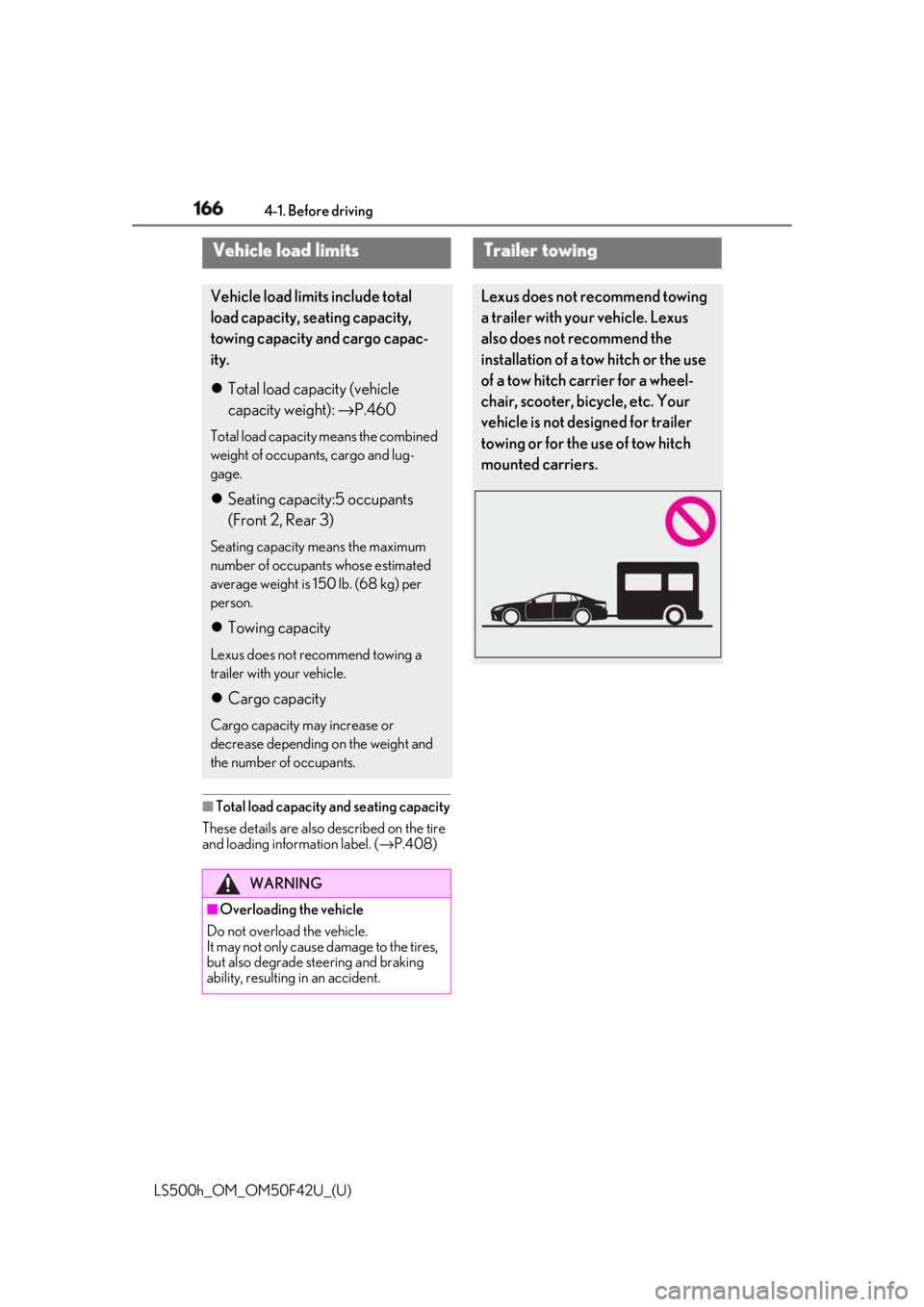
ability, resulting in an accident. Trailer towing Lexus does not recommend towing
a trailer with your vehicle. Lexus
also does not recommend the
installation of a tow hitch or the use
of a tow hitch carrier for a wheel-
chair, scooter, bicycle, etc. Your
vehicle is not desi gned for trailer
towing or for the use of tow hitch
mounted carriers.
Page 167 of 528
1674-1. Before driving
LS500h_OM_OM50F42U_(U) 4
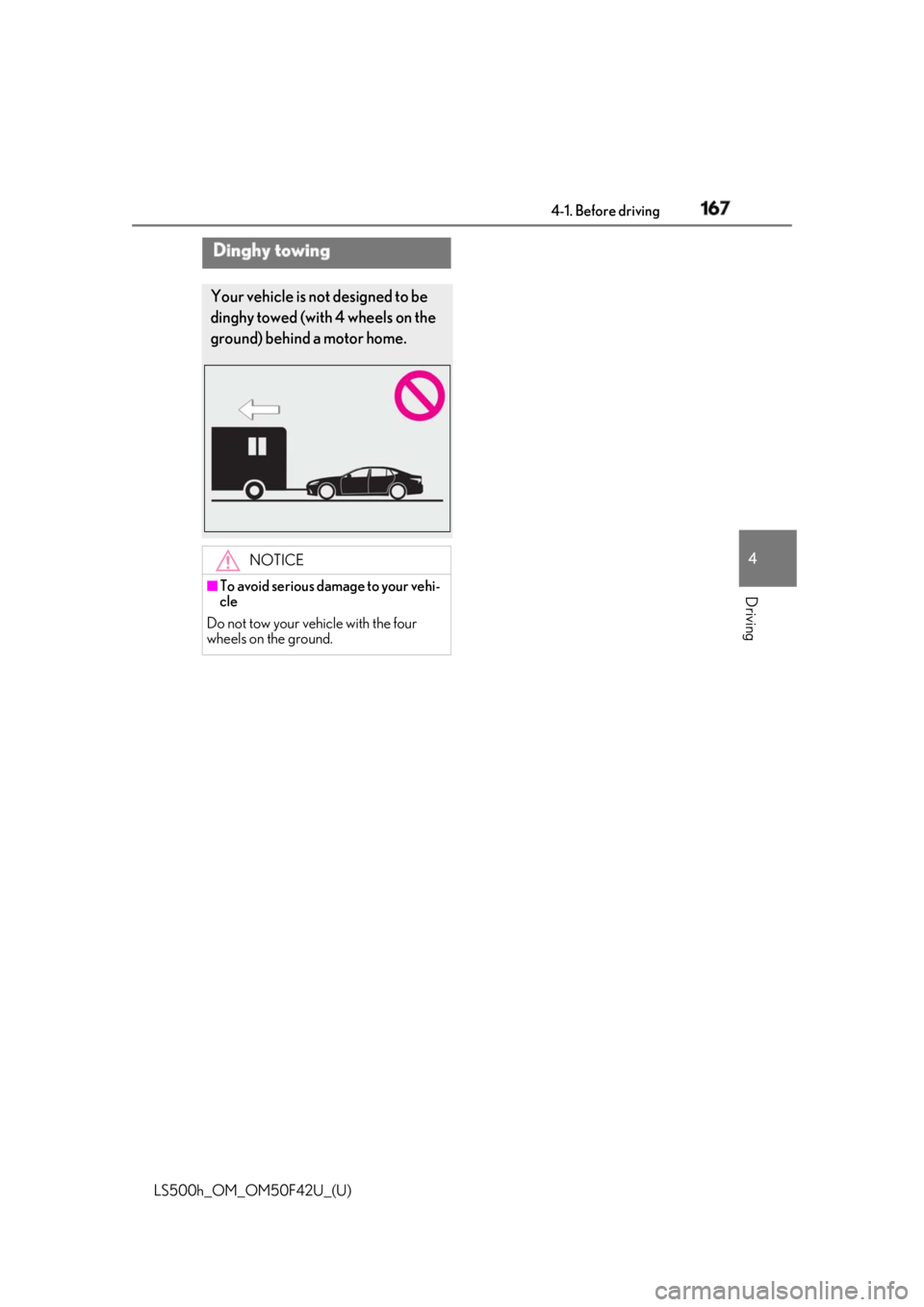
Driving Dinghy towing Your vehicle is not designed to be
dinghy towed (with 4 wheels on the
ground) behind a motor home.
NOTICE■
To avoid serious damage to your vehi-
cle
Do not tow your vehicle with the four
wheels on the ground.
Page 176 of 528
176 4-2. Driving procedures
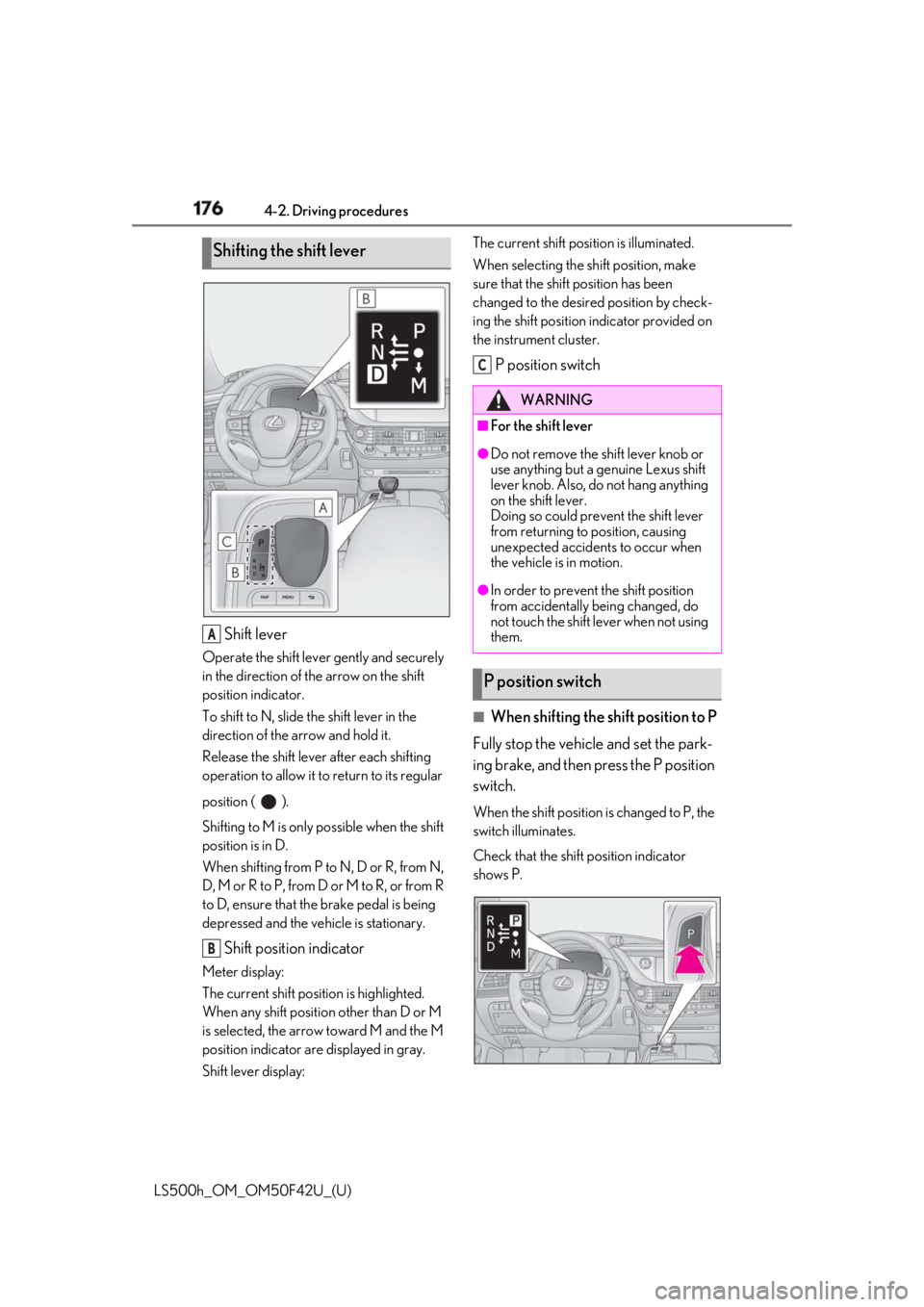
LS500h_OM_OM50F42U_(U) Shift leverOperate the shift lever gently and securely
in the direction of the arrow on the shift
position indicator.
To shift to N, slide the shift lever in the
direction of the arrow and hold it.
Release the shift lever after each shifting
operation to allow it to return to its regular
position ( ).
Shifting to M is only possible when the shift
position is in D.
When shifting from P to N, D or R, from N,
D, M or R to P, from D or M to R, or from R
to D, ensure that the brake pedal is being
depressed and the vehicle is stationary.
Shift position indicatorMeter display:
The current shift position is highlighted.
When any shift position other than D or M
is selected, the arrow toward M and the M
position indicator are displayed in gray.
Shift lever display: The current shift posi tion is illuminated.
When selecting the sh ift position, make
sure that the shift position has been
changed to the desired position by check-
ing the shift position indicator provided on
the instrument cluster.
P position switch
■
When shifting the shift position to P
Fully stop the vehicle and set the park-
ing brake, and then press the P position
switch. When the shift position is changed to P, the
switch illuminates.
Check that the shift position indicator
shows P.Shifting the shift lever
A
B WARNING■
For the shift lever ●
Do not remove the shift lever knob or
use anything but a genuine Lexus shift
lever knob. Also, do not hang anything
on the shift lever.
Doing so could prevent the shift lever
from returning to position, causing
unexpected accidents to occur when
the vehicle is in motion. ●
In order to prevent the shift position
from accidentally being changed, do
not touch the shift lever when not using
them.
P position switch C
Page 187 of 528

1874-3. Operating the lights and wipers
LS500h_OM_OM50F42U_(U) 4
Driving Pull the lever toward you to the center
position to turn the high beams off.
2 Pull the lever toward you and
release it to flash the high beams
once.You can flash the high beams with the
headlights on or off.
AFS (Adaptive Front-lighting System)
secures excellent visibility at intersec-
tions and on curves by automatically
adjusting the direction of the light axis
of the headlights according to vehicle
speed and the degree of the tire’s angle
as controlled by steering input. AFS operates at speed s of approximately
6 mph (10 km/h) or higher.
■
Customization
Some functions can be customized.
( → P.481)
When the steering wheel or turn
signal lever is operated while the
headlights are on (low beam), a cor-
nering light will turn on and light up
the direction of movement of the
vehicle. The cornering lights are
designed to ensure excellent visibil-
ity when making a turn at an inter-
section. However, when vehicle speed is approxi-
mately 22 mph (35 km/h) or higher, the
cornering lights will not turn on.
When the shift position is in R while the headlights are on (low beam),
both cornering lights will turn on.
This is designed to enhance visibility
when parking. ■
Cornering lights
When the cornering lights are on for more
than 30 minutes, they will turn off automati-
cally.
AFS (Adaptive Front-lighting
System) (if equipped)
Cornering lights
Page 189 of 528
1894-3. Operating the lights and wipers
LS500h_OM_OM50F42U_(U) 4
Driving vehicle ahead that is using fog lights with-
out its headlights turned on is detected.●
House lights, street lig hts, traffic signals,
and illuminated billboards or signs and
other reflective objects may cause the
high beams to change to the low beams,
or the low beams to remain on.●
The following factors may affect the
amount of time taken for the high beams
to turn on or off:
• The brightness of the headlights, fog
lights, and tail lights of vehicles ahead
• The movement and direction of vehicles
ahead
• When a vehicle ahead only has opera-
tional lights on one side
• When a vehicle ahead is a two-wheeled
vehicle
• The condition of the road (gradient,
curve, condition of th e road surface, etc.)
• The number of passengers and amount of
luggage in the vehicle●
The high beams may turn on or off unex-
pectedly.●
Bicycles or similar vehicles may not be
detected.●
In the following situations the system may
not be able to correctly detect the sur-
rounding brightness le vel. This may cause
the low beams to remain on or the high
beams to flash or dazzle pedestrians or
vehicles ahead. In such a case, it is neces-
sary to manually switch between the high
and low beams.
• When driving in inclement weather
(heavy rain, snow, fog, sandstorms, etc.)
• When the windshield is obscured by fog,
mist, ice, dirt, etc.
• When the windshield is cracked or dam-
aged
• When the camera sensor is deformed or
dirty
• When the temperature of the camera
sensor is extremely high
• When the surrounding brightness level is
equal to that of head lights, tail lights or
fog lights
• When headlights or tail lights of vehicles
ahead are turned off, dirty, changing
color, or not aimed properly
• When the vehicle is hit by water, snow,
dust, etc. from a preceding vehicle • When driving through an area of inter-
mittently changing brightness and dark-
ness
• When frequently and repeatedly driving
ascending/descending roads, or roads
with rough, bumpy or uneven surfaces
(such as stone-paved roads, gravel roads,
etc.)
• When frequently and repeatedly taking
curves or driving on a winding road
• When there is a highly reflective object
ahead of the vehicle, such as a sign or
mirror
• When the back of a preceding vehicle is
highly reflective, such as a container on a
truck
• When the vehicle’s headlights are dam-
aged or dirty, or are not aimed properly
• When the vehicle is listing or titling due to
a flat tire, a trailer being towed, etc.
• When the headlights are changed
between the high beams and low beams
repeatedly in an abnormal manner
• When the driver believes that the high
beams may be flashing or dazzling
pedestrians or other drivers ■
Temporarily lowering sensor sensitivity
The sensitivity of the sensor can be tempo-
rarily lowered.
1 Turn the power switch on while the fol-
lowing conditions are met.
●
The headlight switch is in or . ●
The headlight switch lever is in high beam
position. ●
Automatic High Beam switch is on.
2 Turn the power switch to ON mode.
3 Within 30 seconds after step 2 , repeat
pulling the headlight switch lever to the
original position then pushing it to the
high beam position quickly 10 times,
then leave the lever in high beam posi-
tion.
4 If the sensitivity is changed, the AHB
indicator is turn on and off 3 times.
Automatic High Beam (headlights) may
turn on even when the vehicle is stopped.
Page 192 of 528
192 4-3. Operating the lights and wipers
LS500h_OM_OM50F42U_(U) ●
If the wiper is turned to AUTO mode
while the power switch is in ON mode,
the wipers will operate once to show that
AUTO mode is activated.●
If the temperature of the raindrop sensor
is 185°F (85°C) or higher, or 5°F
(-15°C) or lower, automatic operation
may not occur. In this case, operate the
wipers in any mode other than AUTO
mode.■
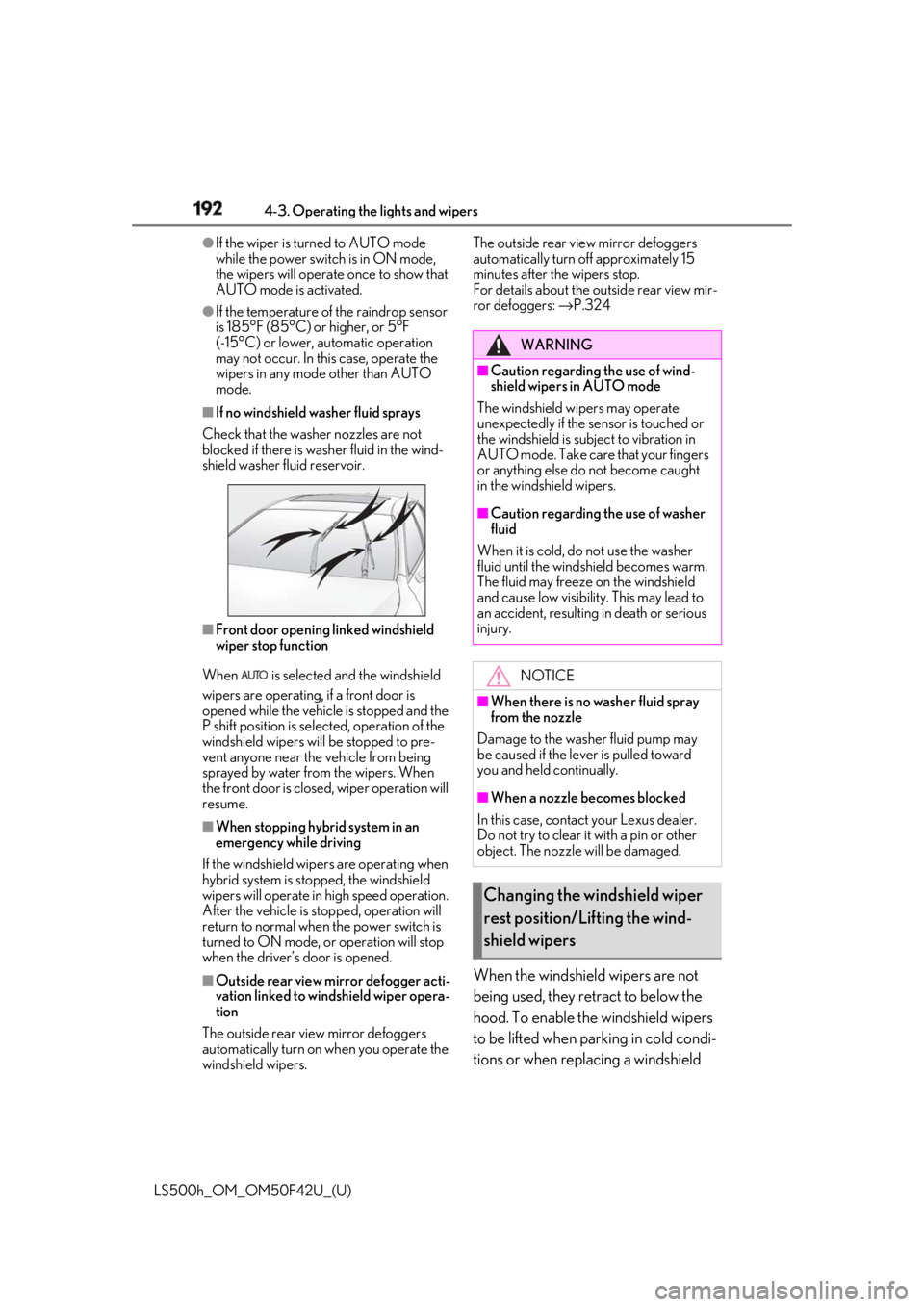
If no windshield washer fluid sprays
Check that the washer nozzles are not
blocked if there is wash er fluid in the wind-
shield washer fluid reservoir.
■
Front door opening linked windshield
wiper stop function
When is selected and the windshield
wipers are operating, if a front door is
opened while the vehicle is stopped and the
P shift position is sele cted, operation of the
windshield wipers w ill be stopped to pre-
vent anyone near the vehicle from being
sprayed by water from the wipers. When
the front door is closed, wiper operation will
resume. ■
When stopping hybrid system in an
emergency while driving
If the windshield wipers are operating when
hybrid system is stop ped, the windshield
wipers will operate in high speed operation.
After the vehicle is stopped, operation will
return to normal when the power switch is
turned to ON mode, or operation will stop
when the driver’s door is opened.
■
Outside rear view mirror defogger acti-
vation linked to windshield wiper opera-
tion
The outside rear view mirror defoggers
automatically turn on when you operate the
windshield wipers. The outside rear view mirror defoggers
automatically turn off approximately 15
minutes after the wipers stop.
For details about the outside rear view mir-
ror defoggers: → P.324
When the windshield wipers are not
being used, they retract to below the
hood. To enable the windshield wipers
to be lifted when parking in cold condi-
tions or when replacing a windshield WARNING■
Caution regarding the use of wind-
shield wipers in AUTO mode
The windshield wipers may operate
unexpectedly if the sensor is touched or
the windshield is subj ect to vibration in
AUTO mode. Take care that your fingers
or anything else do not become caught
in the windshield wipers. ■
Caution regarding the use of washer
fluid
When it is cold, do not use the washer
fluid until the windshield becomes warm.
The fluid may freeze on the windshield
and cause low visibility. This may lead to
an accident, resulting in death or serious
injury.
NOTICE■
When there is no washer fluid spray
from the nozzle
Damage to the washer fluid pump may
be caused if the lever is pulled toward
you and held continually.
■
When a nozzle becomes blocked
In this case, contact your Lexus dealer.
Do not try to clear it with a pin or other
object. The nozzle will be damaged.
Changing the windshield wiper
rest position/Lifting the wind-
shield wipers
Page 211 of 528
2114-5. Using the driving support systems
LS500h_OM_OM50F42U_(U) 4
Driving WARNING■
Pre-collision braking●
When the pre-collision braking func-
tion is operating, a large amount of
braking force will be applied.●
If the vehicle is stopped by the opera-
tion of the pre-collision braking func-
tion, the pre-collision braking function
operation will be canceled after
approximately 2 seco nds. Depress the
brake pedal as necessary.●
The pre-collision braking function may
not operate if certain operations are
performed by the driver. If the acceler-
ator pedal is being depressed strongly
or the steering wheel is being turned,
the system may determine that the
driver is taking evasive action and may
prevent the pre-collision braking func-
tion from operating.●
In some situations, while the pre-colli-
sion braking function is operating,
operation of the function may be can-
celed if the accelerator pedal is
depressed strongly or the steering
wheel is turned and the system deter-
mines that the driver is taking evasive
action.
●
If the brake pedal is being depressed,
the system may determine that the
driver is taking evasive action and pos-
sibly delay the operation timing of the
pre-collision braking function.
■
Active steering assist●
The steering wheel may turn automati-
cally when active steering assist is
operating.
●
As active steering assist operation will
be canceled when the system deter-
mines that a collision has been
avoided, operate the steering wheel as
necessary. ●
In the following situations, the system
may determine that th e driver is taking
evasive action. In this case, the active
steering assist may not operate or may
be canceled.
• If the accelerator pedal is being
depressed strongly or the steering
wheel is being operat ed. In this case
the system may determine that the
driver is taking evasive action and the
pre-collision braking may not operate.
• In some situations, while the active
steering assist is operating, operation
of the function may be canceled if the
accelerator pedal is depressed
strongly or the steering wheel is turned
and the system determines that the
driver is taking evasive action.
• When the active steering assist is
operating, if the stee ring wheel is held
firmly or is operated in the opposite
direction to that which the system is
generating torque, the function may be
canceled.
• If the brake pedal is depressed, the sys-
tem may determine that the driver is
taking evasive action and the active
steering assist operation may be
delayed.
■
Pre-collision seat belts with comfort
function
If the pre-collision se at belts have oper-
ated and the seat belts are locked in a
retracted position, immediately stop the
vehicle in a safe place, release and
retract the seat belts to unlock them and
then fasten them again.
Also, if a seat belt ca n be loosened, it can
be unlocked by slightly retracting it with-
out releasing it.
■
When to disable the pre-collision sys-
tem
In the following situations, disable the
system, as it may not operate properly,
possibly leading to an accident resulting
in death or serious injury:
●
When the vehicle is being towed
Page 212 of 528
212 4-5. Using the driving support systems
LS500h_OM_OM50F42U_(U) ■
Enabling/disabling the pre-colli-
sion system
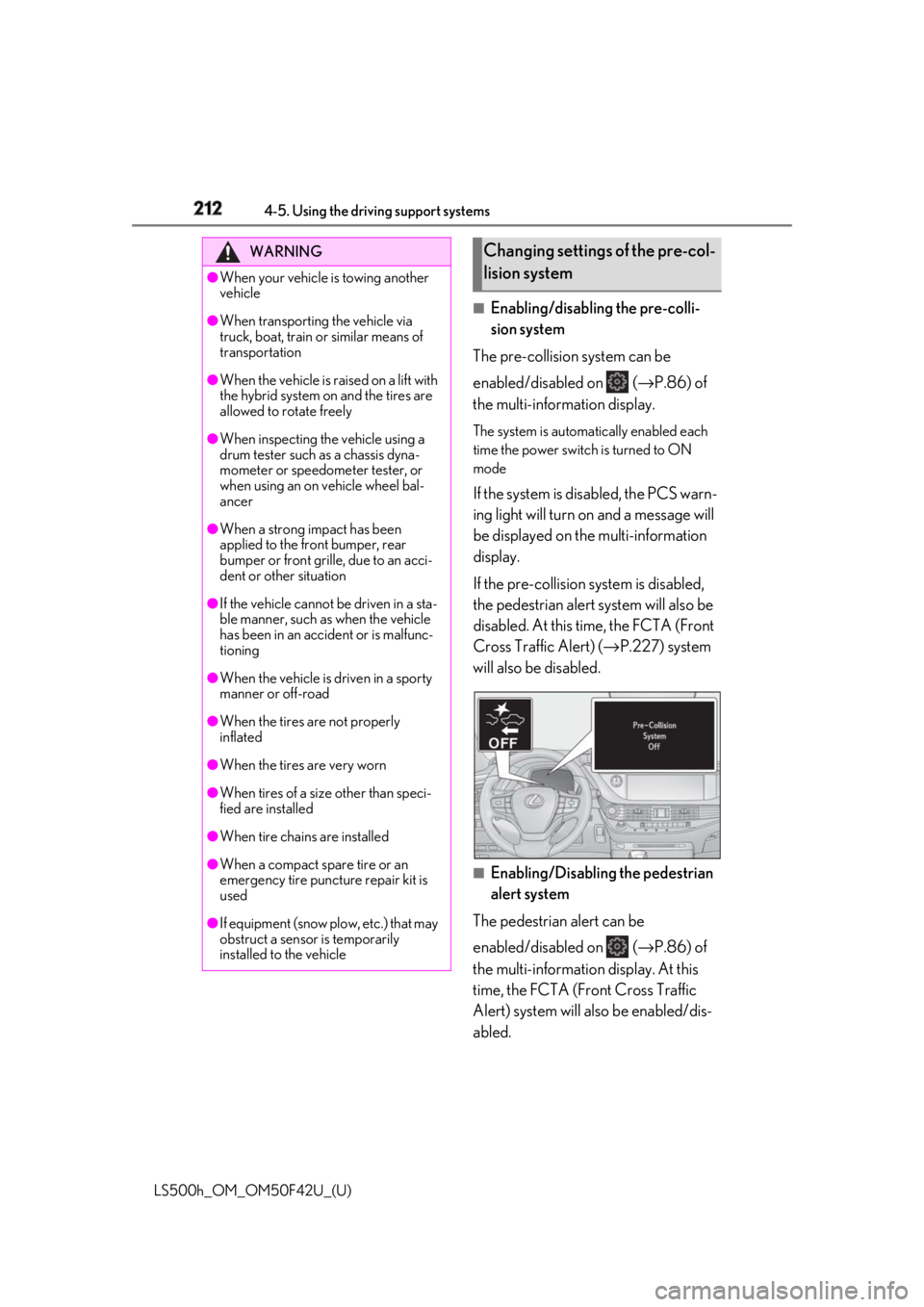
The pre-collision system can be
enabled/disabled on ( → P.86) of
the multi-information display. The system is automa tically enabled each
time the power switch is turned to ON
mode
If the system is disabled, the PCS warn-
ing light will turn on and a message will
be displayed on the multi-information
display.
If the pre-collision sy stem is disabled,
the pedestrian alert system will also be
disabled. At this time, the FCTA (Front
Cross Traffic Alert) ( → P.227) system
will also be disabled.
■
Enabling/Disabling the pedestrian
alert system
The pedestrian alert can be
enabled/disabled on ( → P.86) of
the multi-information display. At this
time, the FCTA (Front Cross Traffic
Alert) system will also be enabled/dis-
abled.WARNING●
When your vehicle is towing another
vehicle●
When transporting the vehicle via
truck, boat, train or similar means of
transportation●
When the vehicle is raised on a lift with
the hybrid system on and the tires are
allowed to rotate freely●
When inspecting the vehicle using a
drum tester such as a chassis dyna-
mometer or speedometer tester, or
when using an on vehicle wheel bal-
ancer●
When a strong impact has been
applied to the front bumper, rear
bumper or front grille, due to an acci-
dent or other situation●
If the vehicle cannot be driven in a sta-
ble manner, such as when the vehicle
has been in an accident or is malfunc-
tioning●
When the vehicle is driven in a sporty
manner or off-road●
When the tires are not properly
inflated
●
When the tires are very worn
●
When tires of a size other than speci-
fied are installed
●
When tire chains are installed
●
When a compact spare tire or an
emergency tire puncture repair kit is
used
●
If equipment (snow plow, etc.) that may
obstruct a sensor is temporarily
installed to the vehicle Changing settings of the pre-col-
lision system
Page 216 of 528
216 4-5. Using the driving support systems
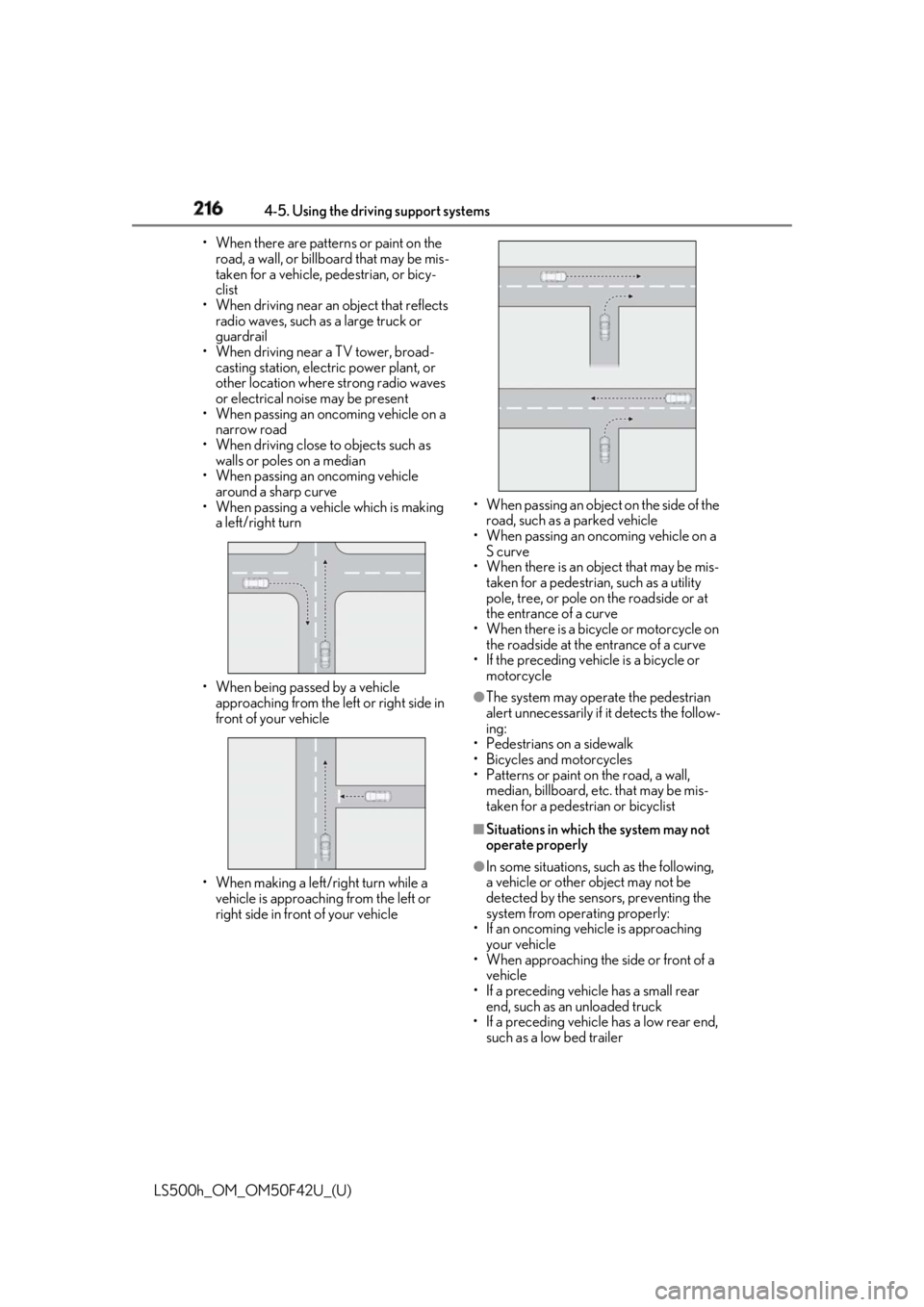
LS500h_OM_OM50F42U_(U) • When there are patterns or paint on the
road, a wall, or billboa rd that may be mis-
taken for a vehicle, pedestrian, or bicy-
clist
• When driving near an object that reflects
radio waves, such as a large truck or
guardrail
• When driving near a TV tower, broad-
casting station, electric power plant, or
other location where strong radio waves
or electrical noise may be present
• When passing an oncoming vehicle on a
narrow road
• When driving close to objects such as
walls or poles on a median
• When passing an oncoming vehicle
around a sharp curve
• When passing a vehicle which is making
a left/right turn
• When being passed by a vehicle
approaching from the le ft or right side in
front of your vehicle
• When making a left/right turn while a
vehicle is approaching from the left or
right side in front of your vehicle • When passing an object on the side of the
road, such as a parked vehicle
• When passing an oncoming vehicle on a
S curve
• When there is an obje ct that may be mis-
taken for a pedestrian, such as a utility
pole, tree, or pole on the roadside or at
the entrance of a curve
• When there is a bicycle or motorcycle on
the roadside at the entrance of a curve
• If the preceding vehicle is a bicycle or
motorcycle ●
The system may operate the pedestrian
alert unnecessarily if it detects the follow-
ing:
• Pedestrians on a sidewalk
• Bicycles and motorcycles
• Patterns or paint on the road, a wall,
median, billboard, etc. that may be mis-
taken for a pedestrian or bicyclist ■
Situations in which the system may not
operate properly ●
In some situations, such as the following,
a vehicle or other object may not be
detected by the sensors, preventing the
system from operating properly:
• If an oncoming vehicle is approaching
your vehicle
• When approaching the side or front of a
vehicle
• If a preceding vehicle has a small rear
end, such as an unloaded truck
• If a preceding vehicle has a low rear end,
such as a low bed trailer