air condition LEXUS LS500H 2021 User Guide
[x] Cancel search | Manufacturer: LEXUS, Model Year: 2021, Model line: LS500H, Model: LEXUS LS500H 2021Pages: 108, PDF Size: 6.47 MB
Page 72 of 108
71
LS500h_QG_U
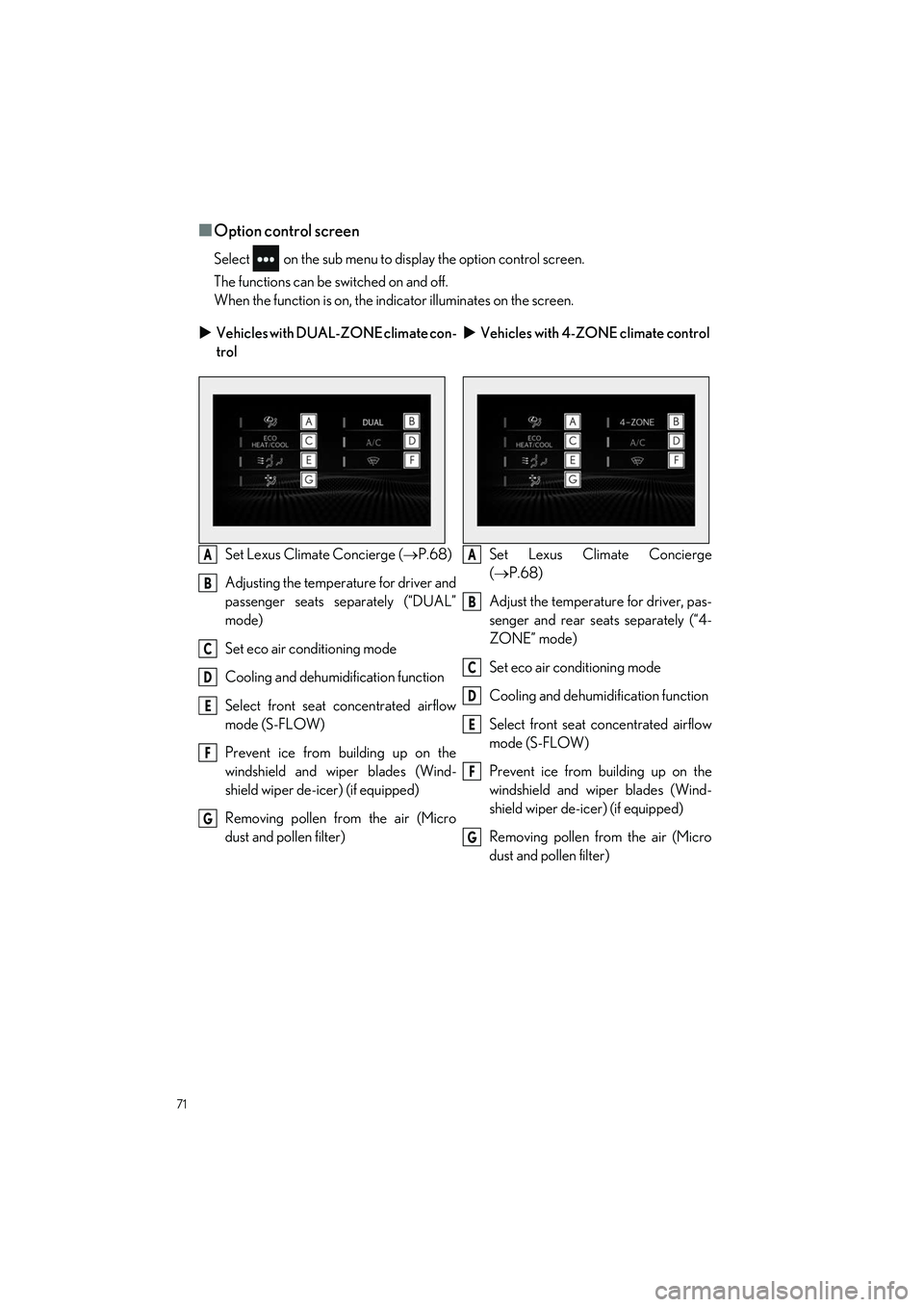
■Option control screen
Select on the sub menu to display the option control screen.
The functions can be switched on and off.
When the function is on, the indi cator illuminates on the screen.
Vehicles with DUAL-ZONE climate con-
trol
Vehicles with 4-ZONE climate control
Set Lexus Climate Concierge ( P.68)
Adjusting the temperature for driver and
passenger seats separately (“DUAL”
mode)
Set eco air conditioning mode
Cooling and dehumidi fication function
Select front seat concentrated airflow
mode (S-FLOW)
Prevent ice from building up on the
windshield and wiper blades (Wind-
shield wiper de-icer) (if equipped)
Removing pollen from the air (Micro
dust and pollen filter) Set Lexus Clim
ate Concierge
( P.68)
Adjust the temperature for driver, pas-
senger and rear seats separately (“4-
ZONE” mode)
Set eco air conditioning mode
Cooling and dehumidification function
Select front seat concentrated airflow
mode (S-FLOW)
Prevent ice from building up on the
windshield and wiper blades (Wind-
shield wiper de-icer) (if equipped)
Removing pollen from the air (Micro
dust and pollen filter)
A
B
C
D
E
F
G
A
B
C
D
E
F
G
Page 74 of 108
73
LS500h_QG_U
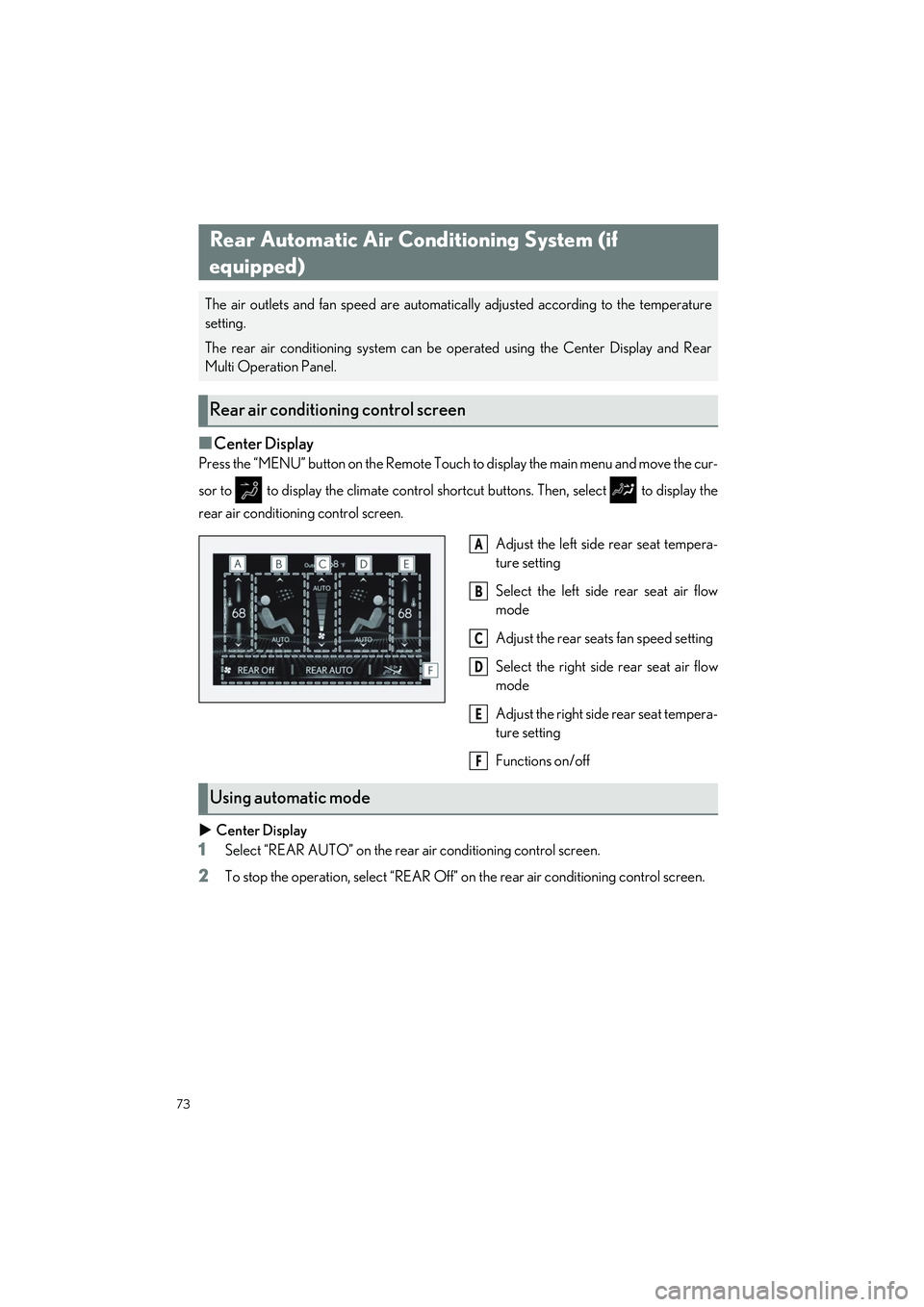
■Center Display
Press the “MENU” button on the Remote Touch to display the main menu and move the cur-
sor to to display the climat e control shortcut buttons. Then, select to display the
rear air conditioning control screen.
Adjust the left side rear seat tempera-
ture setting
Select the left side rear seat air flow
mode
Adjust the rear seat s fan speed setting
Select the right side rear seat air flow
mode
Adjust the right side rear seat tempera-
ture setting
Functions on/off
Center Display
1Select “REAR AUTO” on the rear air conditioning control screen.
2To stop the operation, select “REAR Off” on the rear air conditioning control screen.
Rear Automatic Air Conditioning System (if
equipped)
The air outlets and fan speed are automatical ly adjusted according to the temperature
setting.
The rear air conditioning system can be operated using the Center Display and Rear
Multi Operation Panel.
Rear air conditioning control screen
A
B
C
D
E
F
Using automatic mode
Page 83 of 108
82
LS500h_QG_U
■Climate
*: Only within the possible temperature range of the air conditioning system
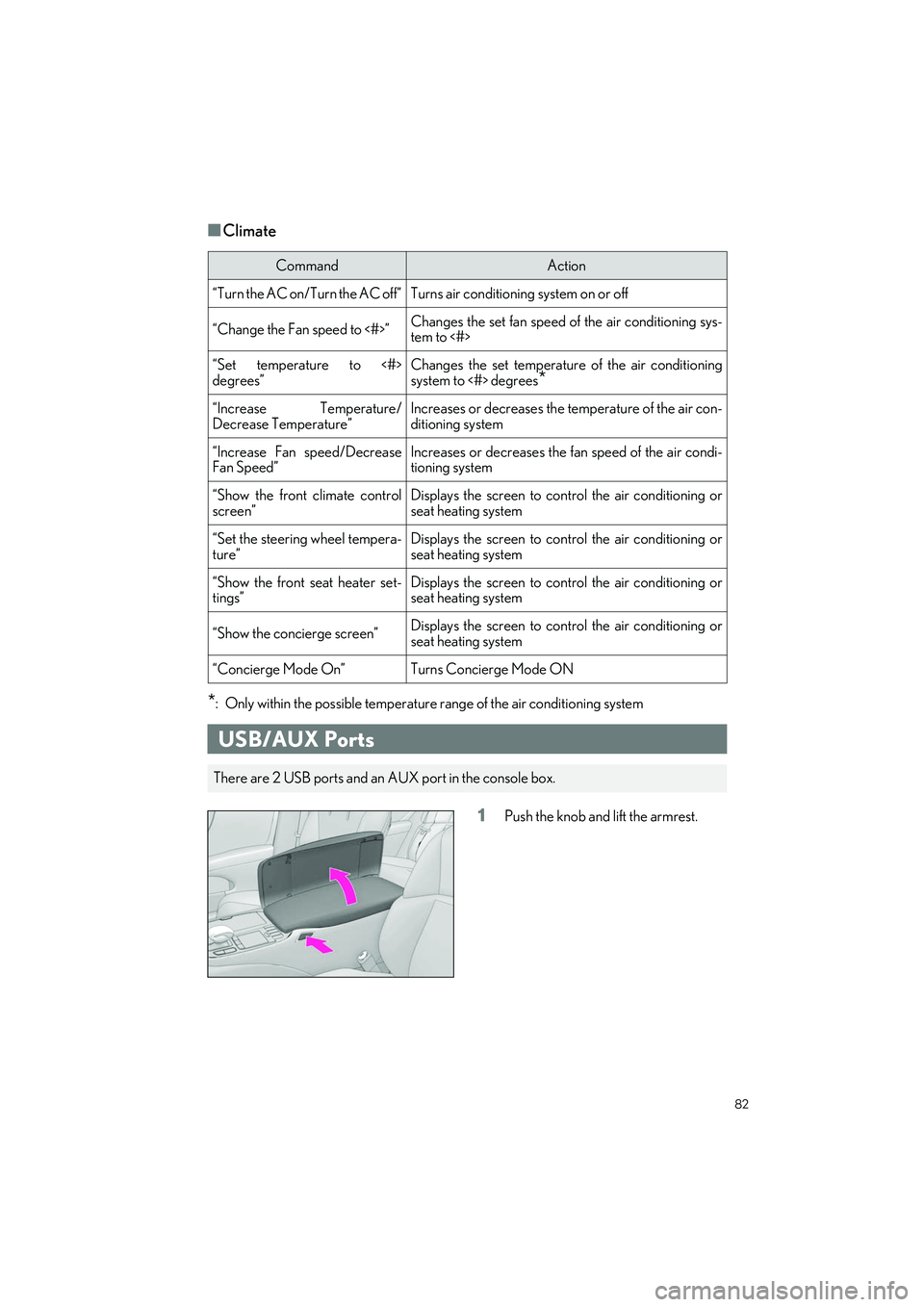
1Push the knob and lift the armrest.
CommandAction
“Turn the AC on/Turn the AC off”Turns air conditioning system on or off
“Change the Fan speed to <#>”Changes the set fan speed of the air conditioning sys-
tem to <#>
“Set temperature to <#>
degrees”Changes the set temperature of the air conditioning
system to <#> degrees
*
“Increase Temperature/
Decrease Temperature”Increases or decreases the temperature of the air con-
ditioning system
“Increase Fan speed/Decrease
Fan Speed”Increases or decreases the fan speed of the air condi-
tioning system
“Show the front climate control
screen”Displays the screen to cont rol the air conditioning or
seat heating system
“Set the steering wheel tempera-
ture”Displays the screen to cont rol the air conditioning or
seat heating system
“Show the front seat heater set-
tings”Displays the screen to cont rol the air conditioning or
seat heating system
“Show the concierge screen”Displays the screen to cont rol the air conditioning or
seat heating system
“Concierge Mode On”Turns Concierge Mode ON
USB/AUX Ports
There are 2 USB ports and an AUX port in the console box.