mirror LEXUS LS500H 2021 User Guide
[x] Cancel search | Manufacturer: LEXUS, Model Year: 2021, Model line: LS500H, Model: LEXUS LS500H 2021Pages: 108, PDF Size: 6.47 MB
Page 87 of 108
86
LS500h_QG_U
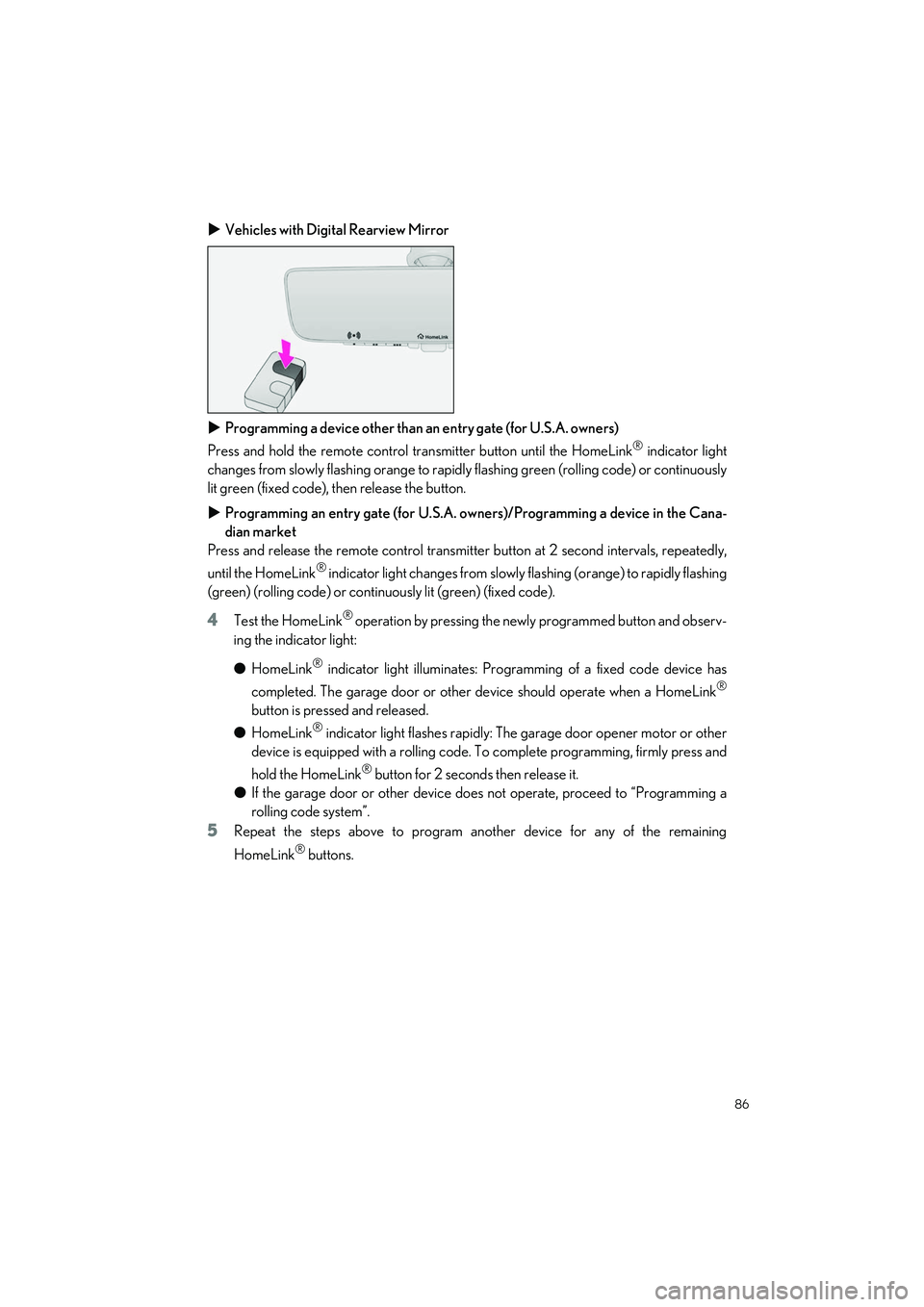
Vehicles with Digital Rearview Mirror
Programming a device other than an entry gate (for U.S.A. owners)
Press and hold the remote control transmitter button until the HomeLink
® indicator light
changes from slowly flashing orange to rapidl y flashing green (rolling code) or continuously
lit green (fixed code), then release the button.
Programming an entry gate (for U.S.A. owners)/Programming a device in the Cana-
dian market
Press and release the remote control transmitter button at 2 second intervals, repeatedly,
until the HomeLink
® indicator light changes from slowly flashing (orange) to rapidly flashing
(green) (rolling code) or continuo usly lit (green) (fixed code).
4Test the HomeLink® operation by pressing the newly programmed button and observ-
ing the indicator light:
● HomeLink
® indicator light illuminates: Programming of a fixed code device has
completed. The garage door or other device should operate when a HomeLink
®
button is pressed and released.
● HomeLink
® indicator light flashes rapidly: The garage door opener motor or other
device is equipped with a rolling code. To complete programming, firmly press and
hold the HomeLink
® button for 2 seconds then release it.
● If the garage door or other device does not operate, proceed to “Programming a
rolling code system”.
5Repeat the steps above to program another device for any of the remaining
HomeLink
® buttons.
Page 88 of 108
87
LS500h_QG_U
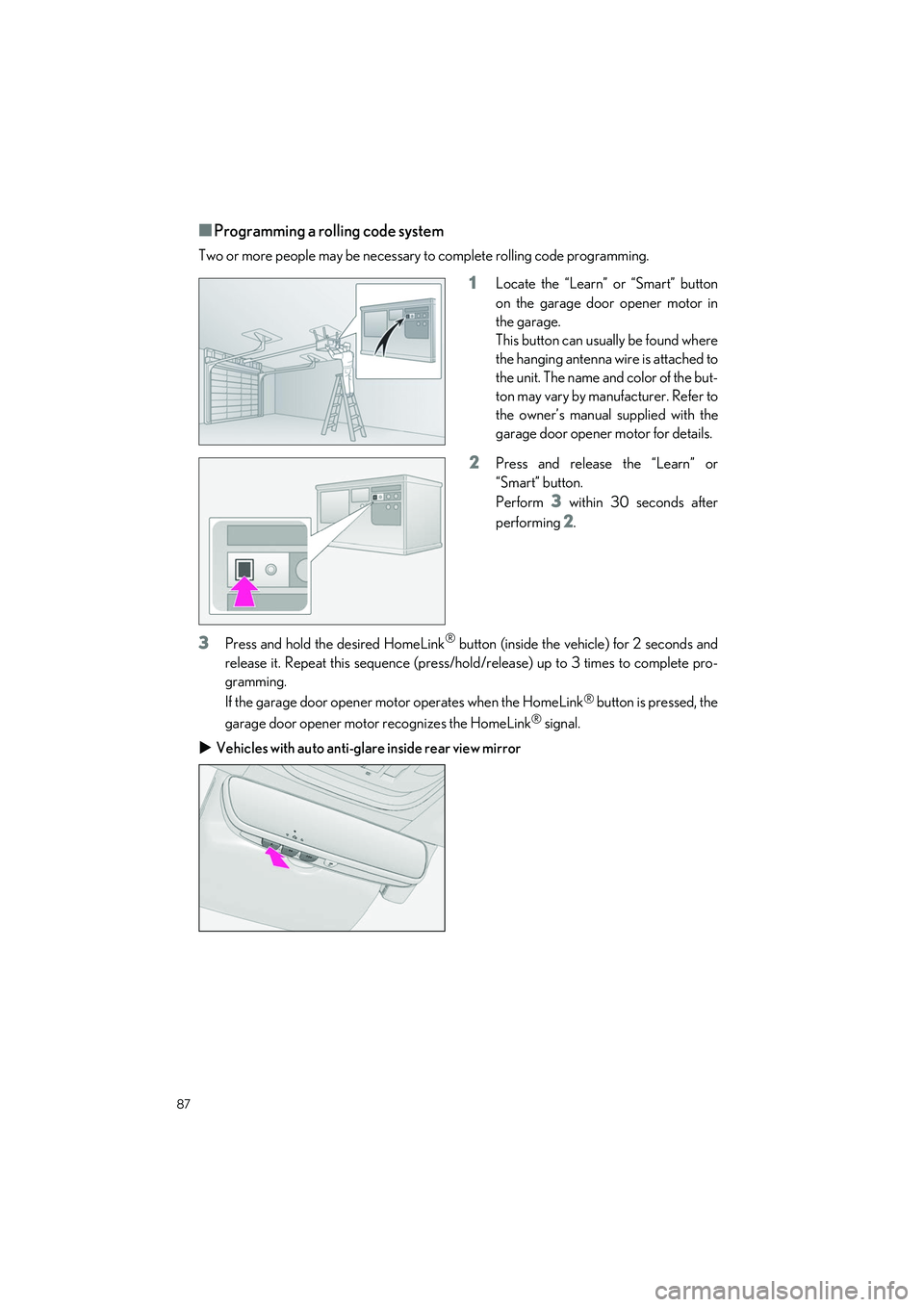
■Programming a rolling code system
Two or more people may be necessary to complete rolling code programming.
1Locate the “Learn” or “Smart” button
on the garage door opener motor in
the garage.
This button can usually be found where
the hanging antenna wire is attached to
the unit. The name and color of the but-
ton may vary by manufacturer. Refer to
the owner’s manual supplied with the
garage door opener motor for details.
2Press and release the “Learn” or
“Smart” button.
Perform
3 within 30 seconds after
performing
2.
3Press and hold the desired HomeLink® button (inside the vehicle) for 2 seconds and
release it. Repeat this sequence (press/hold/release) up to 3 times to complete pro-
gramming.
If the garage door opener mo tor operates when the HomeLink
® button is pressed, the
garage door opener motor recognizes the HomeLink
® signal.
Vehicles with auto anti-glare inside rear view mirror
Page 89 of 108
88
LS500h_QG_U
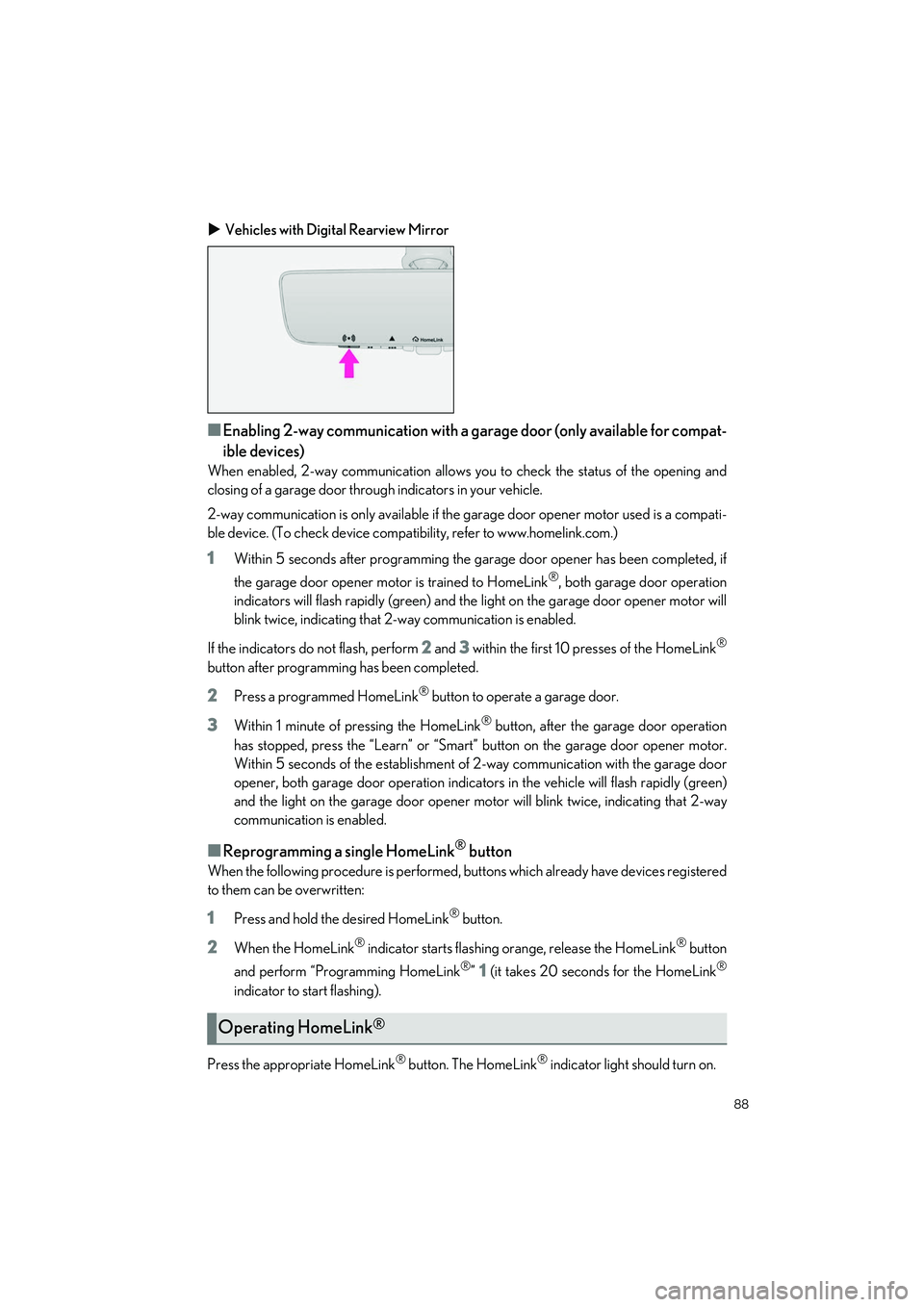
Vehicles with Digital Rearview Mirror
■Enabling 2-way communication with a ga rage door (only available for compat-
ible devices)
When enabled, 2-way communication allows yo u to check the status of the opening and
closing of a garage door through indicators in your vehicle.
2-way communication is only av ailable if the garage door opener motor used is a compati-
ble device. (To check device compatib ility, refer to www.homelink.com.)
1Within 5 seconds after programming the garage door opener has been completed, if
the garage door opener motor is trained to HomeLink
®, both garage door operation
indicators will flash rapidly (green) and the light on the garage door opener motor will
blink twice, indicating that 2-way communication is enabled.
If the indicators do not flash, perform
2 and 3 within the first 10 presses of the HomeLink®
button after programmin g has been completed.
2Press a programmed HomeLink® button to operate a garage door.
3Within 1 minute of pressing the HomeLink® button, after the garage door operation
has stopped, press the “Learn ” or “Smart” button on the garage door opener motor.
Within 5 seconds of the establishment of 2-way communication with the garage door
opener, both garage door operation indicators in th e vehicle will flash rapidly (green)
and the light on the garage do or opener motor will blink twice, indicating that 2-way
communication is enabled.
■Reprogramming a single HomeLink® button
When the following procedure is performed, buttons which already have devices registered
to them can be overwritten:
1Press and hold the desired HomeLink® button.
2When the HomeLink® indicator starts flashing orange, release the HomeLink® button
and perform “Programming HomeLink
®” 1 (it takes 20 seconds for the HomeLink®
indicator to start flashing).
Press the appropriate HomeLink
® button. The HomeLink® indicator light should turn on.
Operating HomeLink®
Page 102 of 108
What to do if...
101
LS500h_QG_U
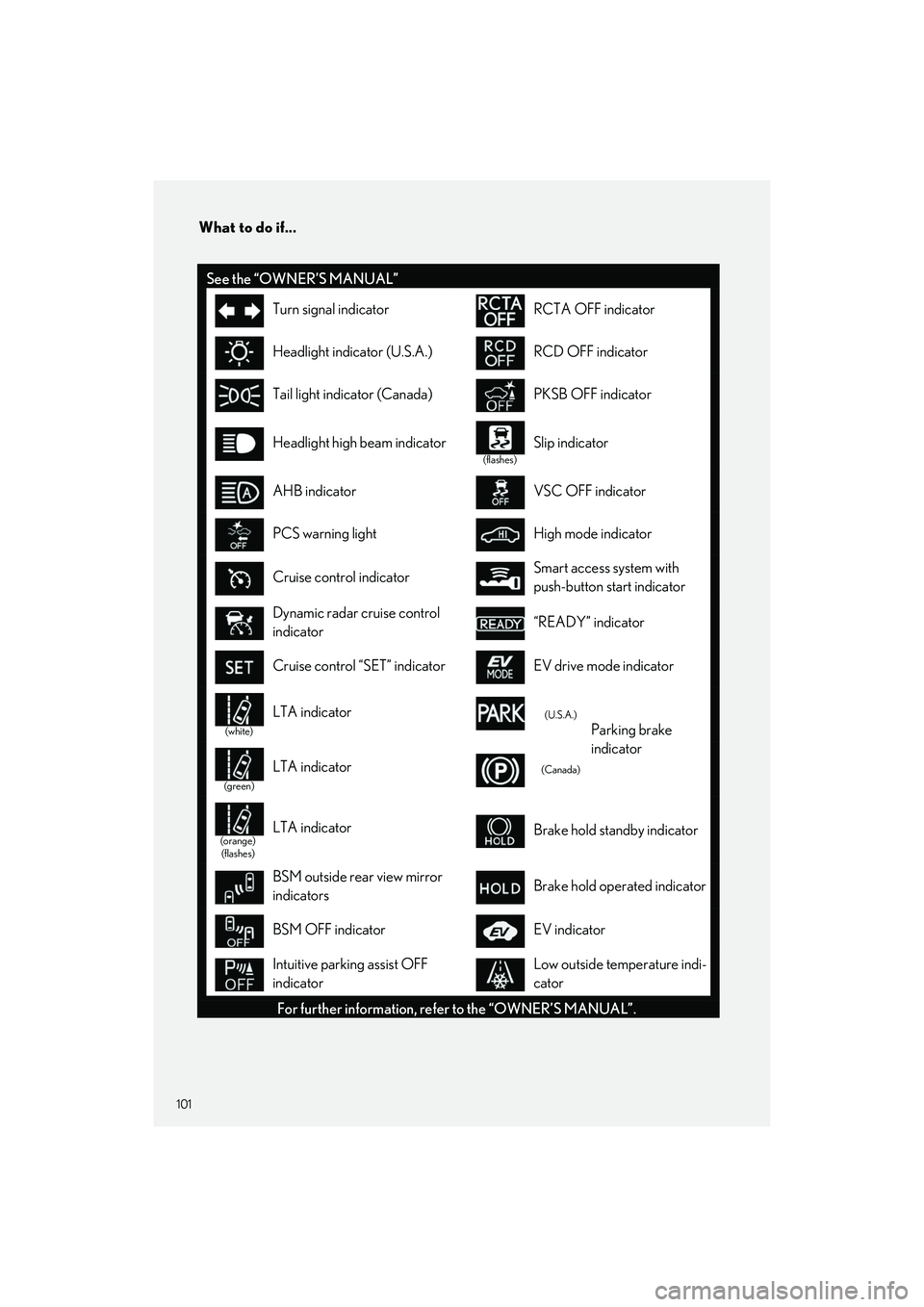
See the “OWNER’S MANUAL”
Turn signal indicatorRCTA OFF indicator
Headlight indicator (U.S.A.)RCD OFF indicator
Tail light indicator (Canada)PKSB OFF indicator
Headlight high beam indicator
(flashes)
Slip indicator
AHB indicatorVSC OFF indicator
PCS warning lightHigh mode indicator
Cruise control indicatorSmart access system with
push-button start indicator
Dynamic radar cruise control
indicator“READY” indicator
Cruise control “SET” indicatorEV drive mode indicator
(white)
LTA indicator(U.S.A.)
Parking brake
indicator
(green)
LTA indicator(Canada)
(orange)(flashes)LTA indicatorBrake hold standby indicator
BSM outside rear view mirror
indicatorsBrake hold operated indicator
BSM OFF indicatorEV indicator
Intuitive parking assist OFF
indicatorLow outside temperature indi-
cator
For further information, refer to the “OWNER’S MANUAL”.