steering LEXUS LS600H 2015 User Guide
[x] Cancel search | Manufacturer: LEXUS, Model Year: 2015, Model line: LS600H, Model: LEXUS LS600H 2015Pages: 620, PDF Size: 7.66 MB
Page 98 of 620
962. Instrument cluster
LS600hL_U(OM50E41U)
*1: These lights come on when the power switch is turned to ON mode to indicatethat a system check is being performed. They will go off after the hybrid system is
on, or after a few seconds. There may be a malfunction in a system if the lights do
not come on, or go off. Have the vehicle inspected by your Lexus dealer.
*2: The light flashes to indicate a malfunction.
*1
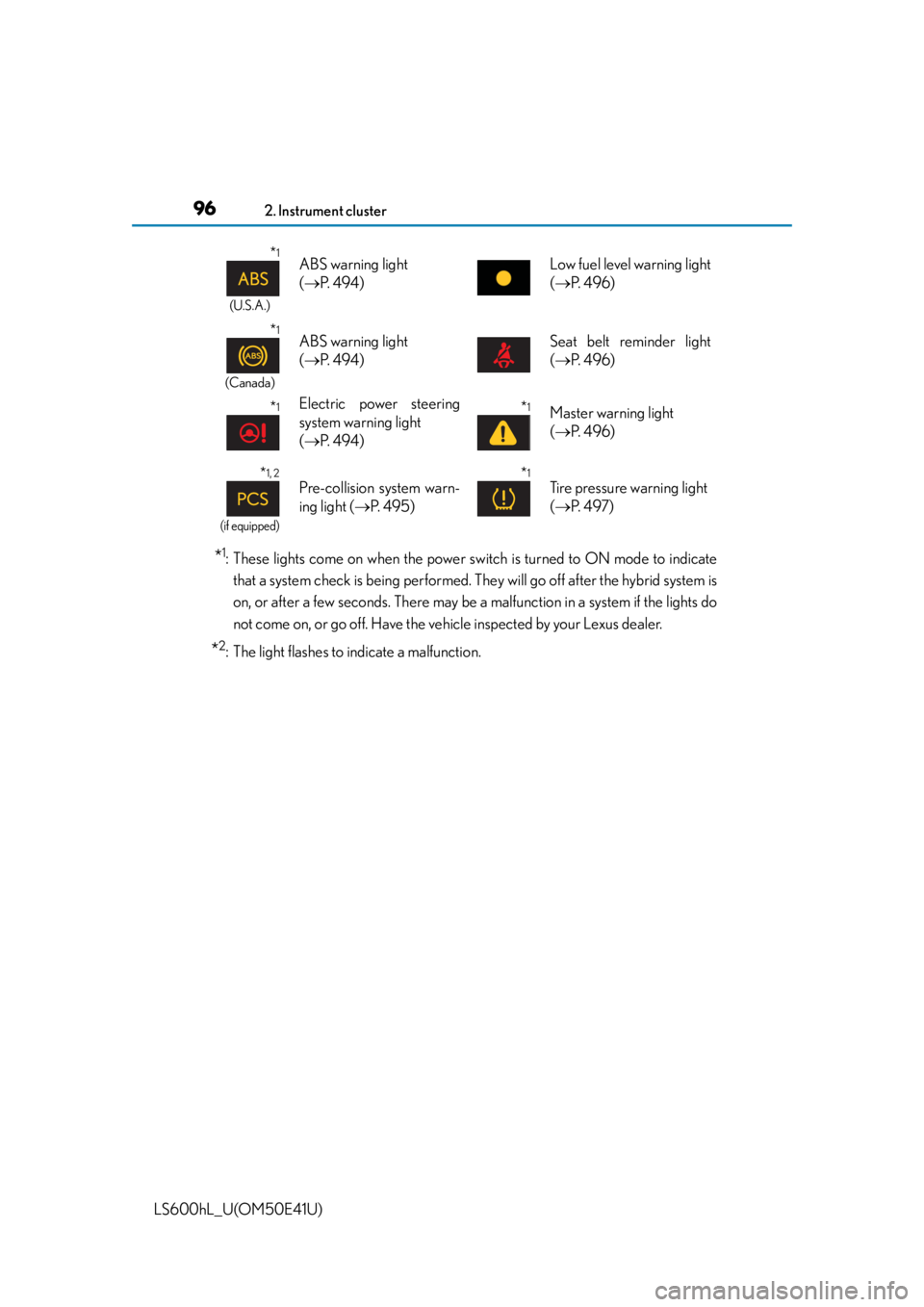
(U.S.A.)
ABS warning light
( P. 4 9 4 )Low fuel level warning light
( P. 4 9 6 )
*1
(Canada)
ABS warning light
( P. 4 9 4 )Seat belt reminder light
( P. 4 9 6 )
*1Electric power steering
system warning light
( P. 4 9 4 )*1Master warning light
( P. 4 9 6 )
*1, 2
(if equipped)
Pre-collision system warn-
ing light ( P. 495)*1
Tire pressure warning light
( P. 4 9 7 )
Page 115 of 620
1132. Instrument cluster
2
Instrument cluster
LS600hL_U(OM50E41U)
■Remote Touch screen (P. 3 3 0 )
Press the “MENU” button on the Remote Touch, then select on
the “Menu” screen, and then select “Fuel Consumption”.
If the “Trip Information” or “Past Record” screen is displayed, select “Energy”.
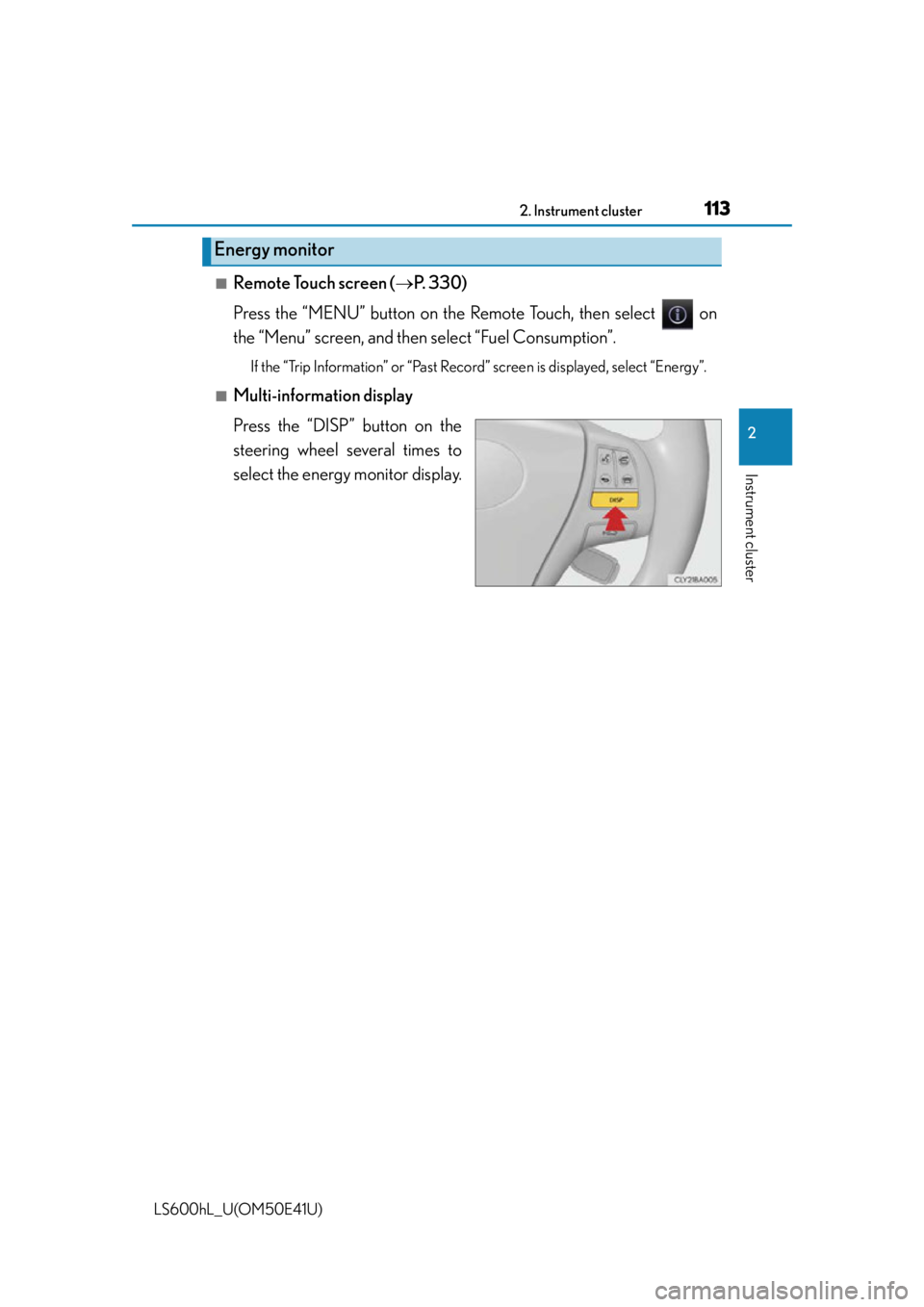
■Multi-information display
Press the “DISP” button on the
steering wheel several times to
select the energy monitor display.
Energy monitor
Page 121 of 620

119
Operation of
each component
3
LS600hL_U(OM50E41U) 3-1. Key information
Keys .................................................. 120
3-2. Opening, closing and locking the doors and
trunk
Smart access system with push-button start...................... 125
Wireless remote control ............ 141
Doors ................................................145
Trunk ..................................................149
3-3. Adjusting the seats Front seats ...................................... 156
Power rear seat .............................162
Driving position memory .......... 172
Rear seat position memory......................................... 177
Head restraints .............................179
3-4. Adjusting the steering wheel and mirrors
Steering wheel ............................. 182
Inside rear view mirror.............. 183
Outside rear view mirrors .......................................... 185
3-5. Opening, closing the windows and moon roof
Power windows ............................ 189
Moon roof ...................................... 192
Page 161 of 620
1593-3. Adjusting the seats
3
Operation of each component
LS600hL_U(OM50E41U)
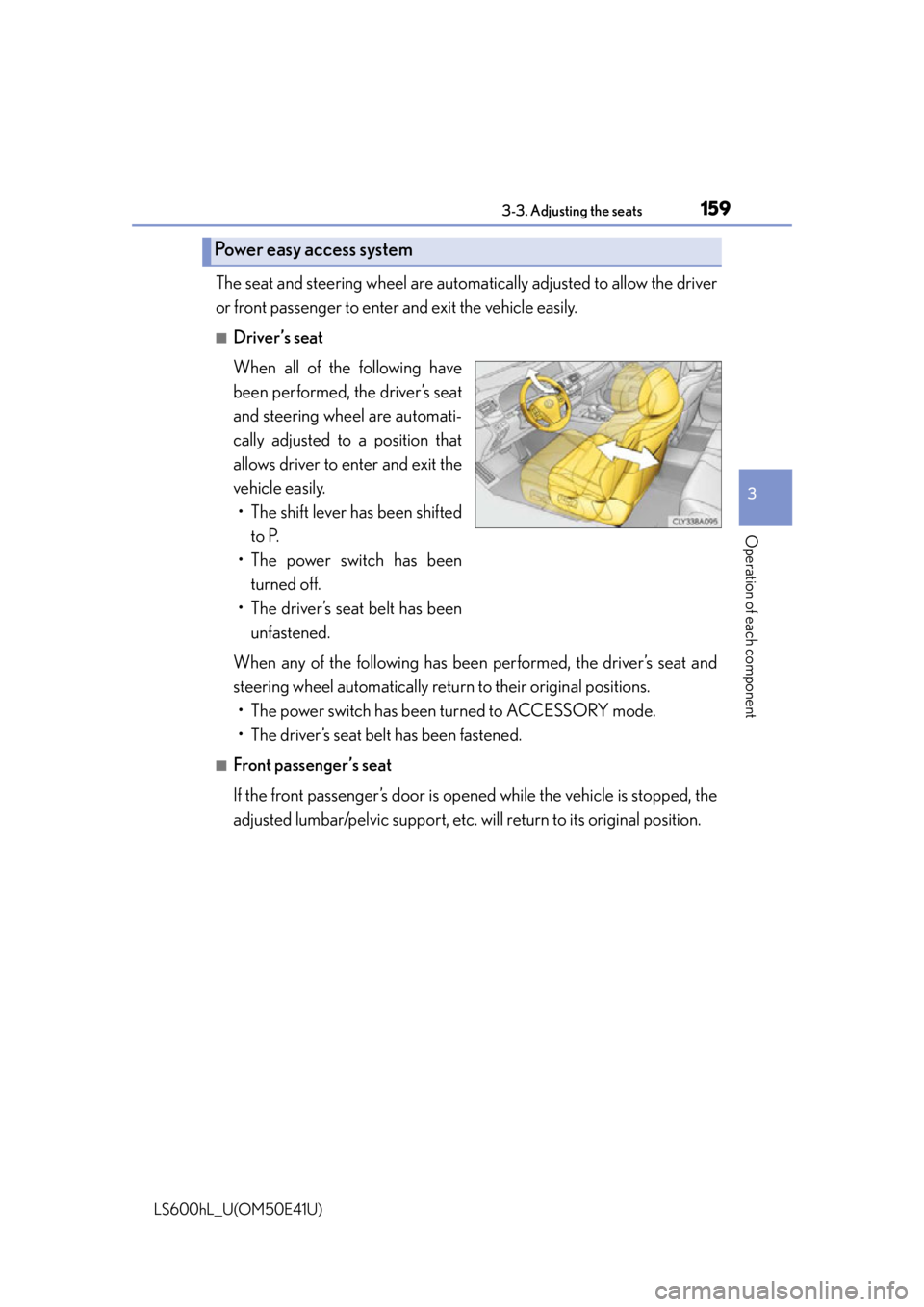
The seat and steering wheel are automatically adjusted to allow the driver
or front passenger to enter and exit the vehicle easily.
■Driver’s seat
When all of the following have
been performed, the driver’s seat
and steering wheel are automati-
cally adjusted to a position that
allows driver to enter and exit the
vehicle easily. • The shift lever has been shifted
to P.
• The power switch has been turned off.
• The driver’s seat belt has been unfastened.
When any of the following has been performed, the driver’s seat and
steering wheel automatically retu rn to their original positions.
• The power switch has been turned to ACCESSORY mode.
• The driver’s seat belt has been fastened.
■Front passenger’s seat
If the front passenger’s door is open ed while the vehicle is stopped, the
adjusted lumbar/pelvic support, etc. will return to its original position.
Power easy access system
Page 174 of 620
1723-3. Adjusting the seats
LS600hL_U(OM50E41U)
Your preferred driving position (the position of the driver's seat, steering
wheel, outside rear view mirrors and height of seat belt shoulder anchor)
can be recorded and recalled by pressing a switch.
Three different driving positions can be recorded into memory.
■Recording procedure
Check that the shift lever is in P.
Turn the power switch to ON mode.
Adjust the driver’s seat, steering wheel, outside rear view mirrors and
seat belt shoulder anchor height to the desired positions.
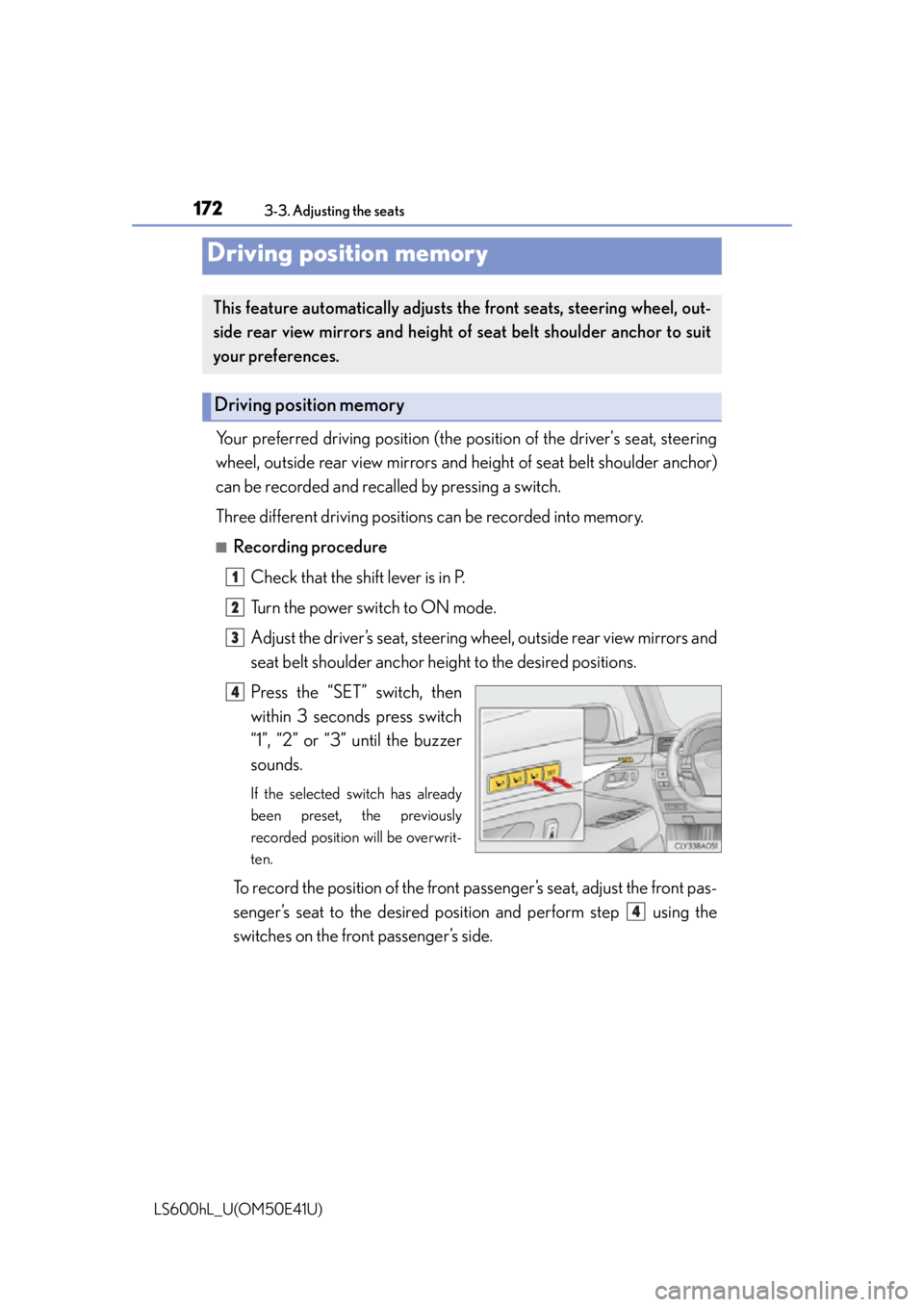
Press the “SET” switch, then
within 3 seconds press switch
“1”, “2” or “3” until the buzzer
sounds.
If the selected switch has already
been preset, the previously
recorded position will be overwrit-
ten.
To record the position of the front pa ssenger’s seat, adjust the front pas-
senger’s seat to the desired posi tion and perform step using the
switches on the front passenger’s side.
Driving position memory
This feature automatically adjusts the front seats, steering wheel, out-
side rear view mirrors and height of seat belt shoulder anchor to suit
your preferences.
Driving position memory
1
2
3
4
4
Page 175 of 620
1733-3. Adjusting the seats
3
Operation of each component
LS600hL_U(OM50E41U)
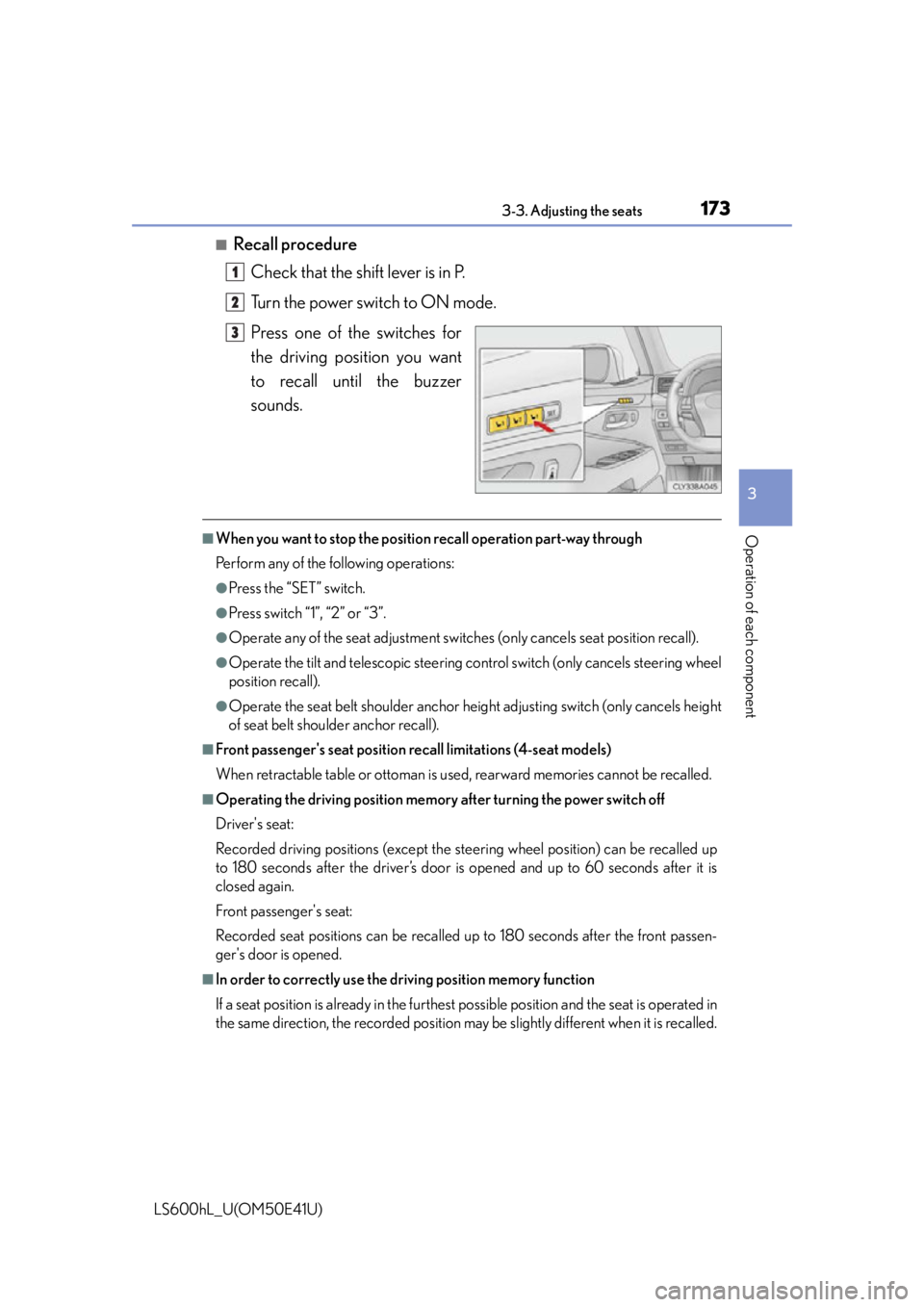
■Recall procedureCheck that the shift lever is in P.
Turn the power switch to ON mode.
Press one of the switches for
the driving position you want
to recall until the buzzer
sounds.
■When you want to stop the position recall operation part-way through
Perform any of the following operations:
●Press the “SET” switch.
●Press switch “1”, “2” or “3”.
●Operate any of the seat adju stment switches (only cancels seat position recall).
●Operate the tilt and telescopic steering co ntrol switch (only cancels steering wheel
position recall).
●Operate the seat belt shoulder anchor he ight adjusting switch (only cancels height
of seat belt shoulder anchor recall).
■Front passenger's seat position recall limitations (4-seat models)
When retractable table or ottoman is used, rearward memories cannot be recalled.
■Operating the driving position memory after turning the power switch off
Driver's seat:
Recorded driving positions (except the steering wheel position) can be recalled up
to 180 seconds after the driver’s door is opened and up to 60 seconds after it is
closed again.
Front passenger's seat:
Recorded seat positions can be recalled up to 180 seconds after the front passen-
ger's door is opened.
■In order to correctly use the dr iving position memory function
If a seat position is already in the furthest possible position and the seat is operated in
the same direction, the recorded position ma y be slightly different when it is recalled.
1
2
3
Page 177 of 620
1753-3. Adjusting the seats
3
Operation of each component
LS600hL_U(OM50E41U)
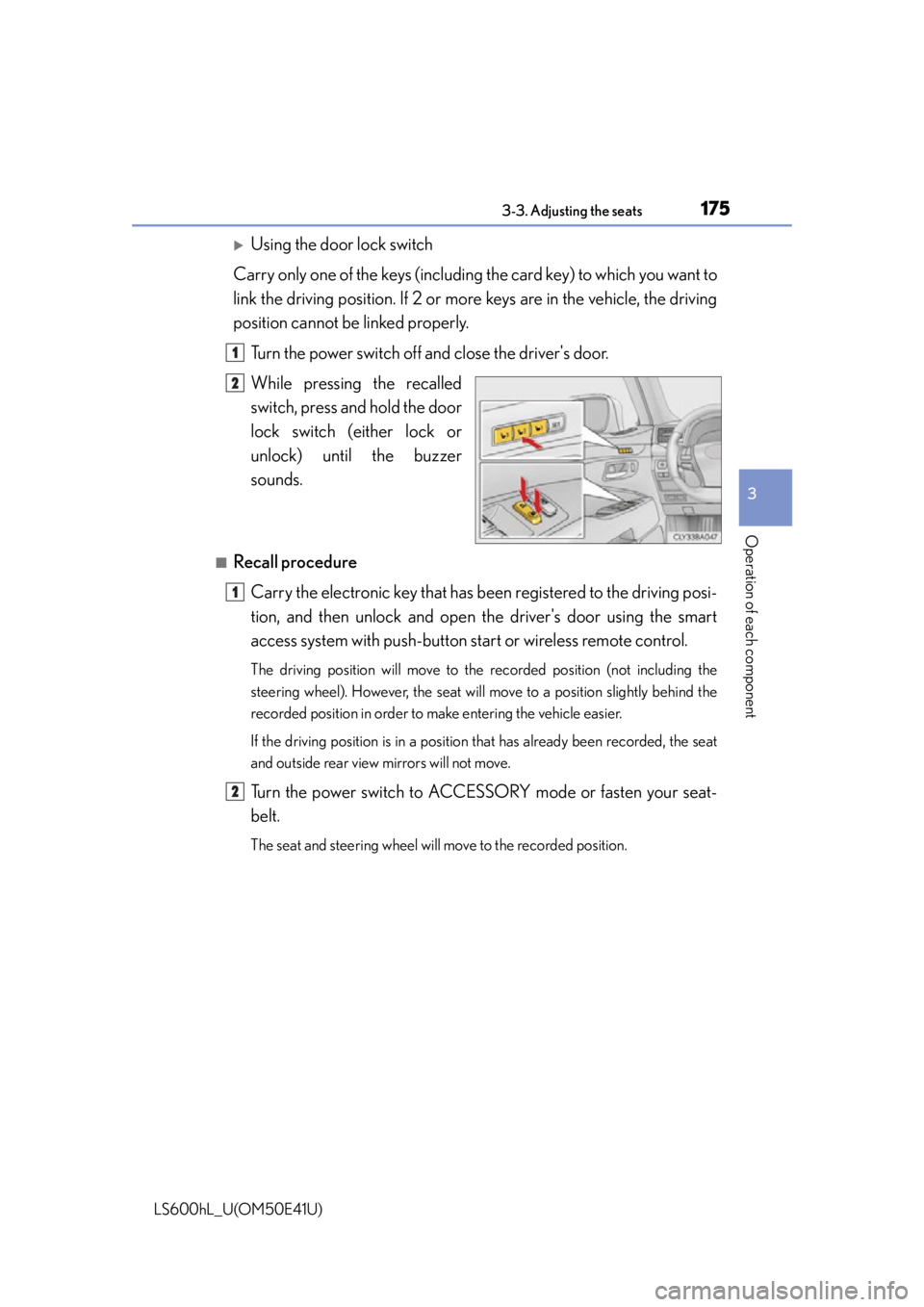
Using the door lock switch
Carry only one of the keys (including the card key) to which you want to
link the driving position. If 2 or mo re keys are in the vehicle, the driving
position cannot be linked properly.
Turn the power switch off and close the driver's door.
While pressing the recalled
switch, press and hold the door
lock switch (either lock or
unlock) unt il the buzzer
sounds.
■Recall procedure
Carry the electronic key that has b een registered to the driving posi-
tion, and then unlock and open the driver's door using the smart
access system with pu sh-button start or wireless remote control.
The driving position will move to the recorded position (not including the
steering wheel). However, the seat will move to a position slightly behind the
recorded position in order to make entering the vehicle easier.
If the driving position is in a position that has already been recorded, the seat
and outside rear view mirrors will not move.
Turn the power switch to ACCESSORY mode or fasten your seat-
belt.
The seat and steering wheel will move to the recorded position.
1
2
1
2
Page 178 of 620
1763-3. Adjusting the seats
LS600hL_U(OM50E41U)
■Cancelation procedure
Using the wireless remote control
Turn the power switch off and close the driver’s door.
While pressing the “SET” switch, press on the wireless remote
control until the buzzer sounds.
Using the door lock switch
Carry only the key you want to canc el and then close the driver's door.
If 2 or more keys are in the vehi cle, the driving position cannot be can-
celed properly.
Turn the power switch off and close the driver’s door.
While pressing the “SET” switch, press the lock or unlock side on the
door lock switch until the buzzer sounds.
■Recalling the driving position using the memory recall function
●Different driving positions can be registered for each electronic key. Therefore, the
driving position that is recalled may be different depending on the key being car-
ried.
●If a door other than the driver's door is unlocked with the smart access system with
push-button start, the driving position cann ot be recalled. In this case, press the
driving position switch which has been set.
■ Seat operation automatic st op function (4-seat models)
If a front seat is likely to come into contact with the retractable table or the ottoman
during seat operation or activation of the power easy access system, a buzzer will
sound and seat slide operation will be stopped partway.
(A warning message will be shown on the multi-information display.)
CAUTION
■Seat adjustment caution
Take care during seat adjustment so that the seat does not strike the rear passen-
ger or squeeze your body against the steering wheel.
1
2
1
2
Page 184 of 620
182
LS600hL_U(OM50E41U)
3-4. Adjusting the steering wheel and mirrors
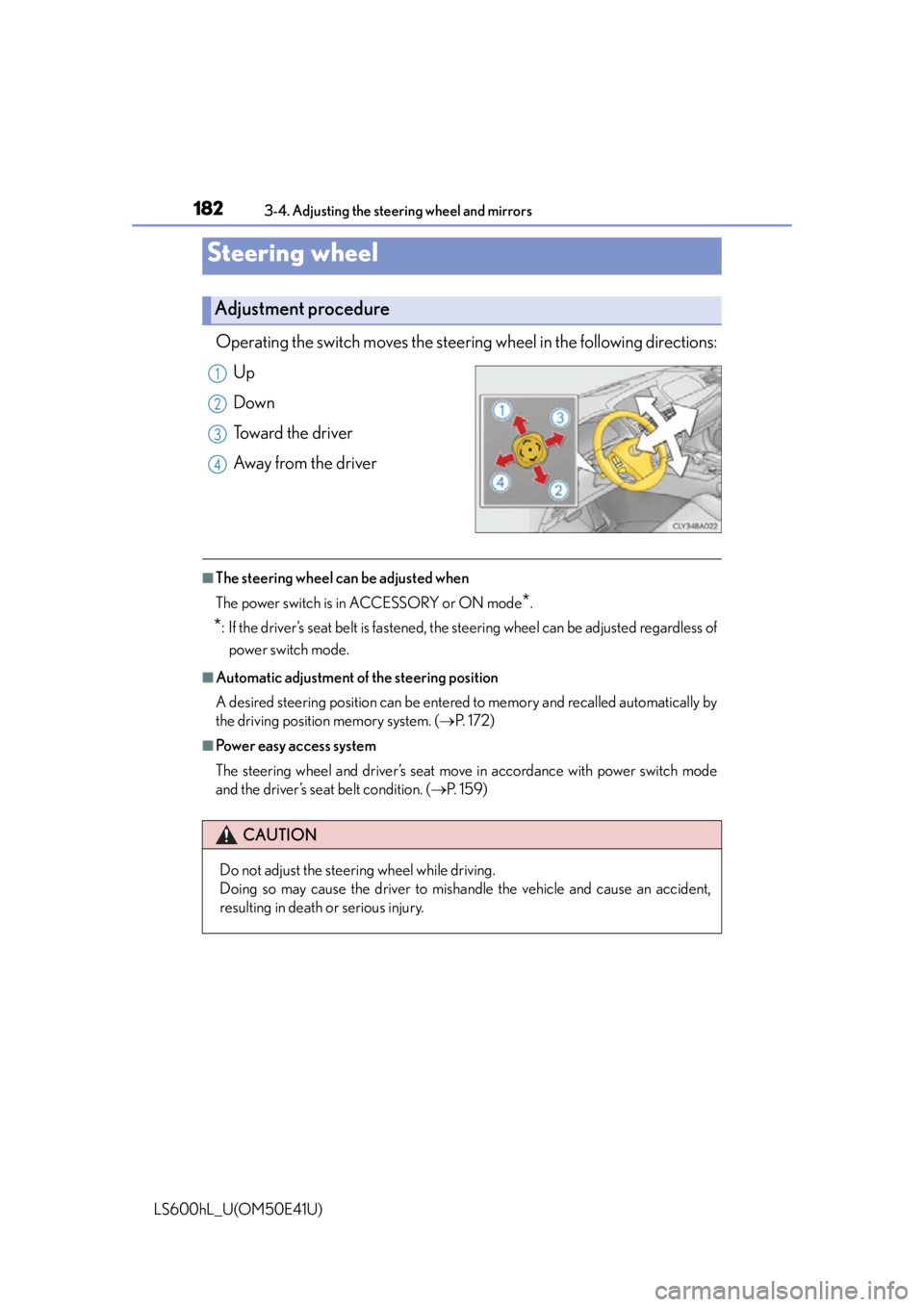
Operating the switch moves the steering wheel in the following directions:
Up
Down
Toward the driver
Away from the driver
■The steering wheel can be adjusted when
The power switch is in ACCESSORY or ON mode
*.
*: If the driver’s seat belt is fastened, the steering wheel can be adjusted regardless of power switch mode.
■Automatic adjustment of the steering position
A desired steering position can be entered to memory and recalled automatically by
the driving position memory system. ( P. 1 7 2 )
■Power easy access system
The steering wheel and driver’s seat move in accordance with power switch mode
and the driver’s seat belt condition. ( P. 1 5 9 )
Steering wheel
Adjustment procedure
1
2
3
4
CAUTION
Do not adjust the steering wheel while driving.
Doing so may cause the driver to mishandle the vehicle and cause an accident,
resulting in death or serious injury.
Page 185 of 620
1833-4. Adjusting the steering wheel and mirrors
3
Operation of each component
LS600hL_U(OM50E41U)
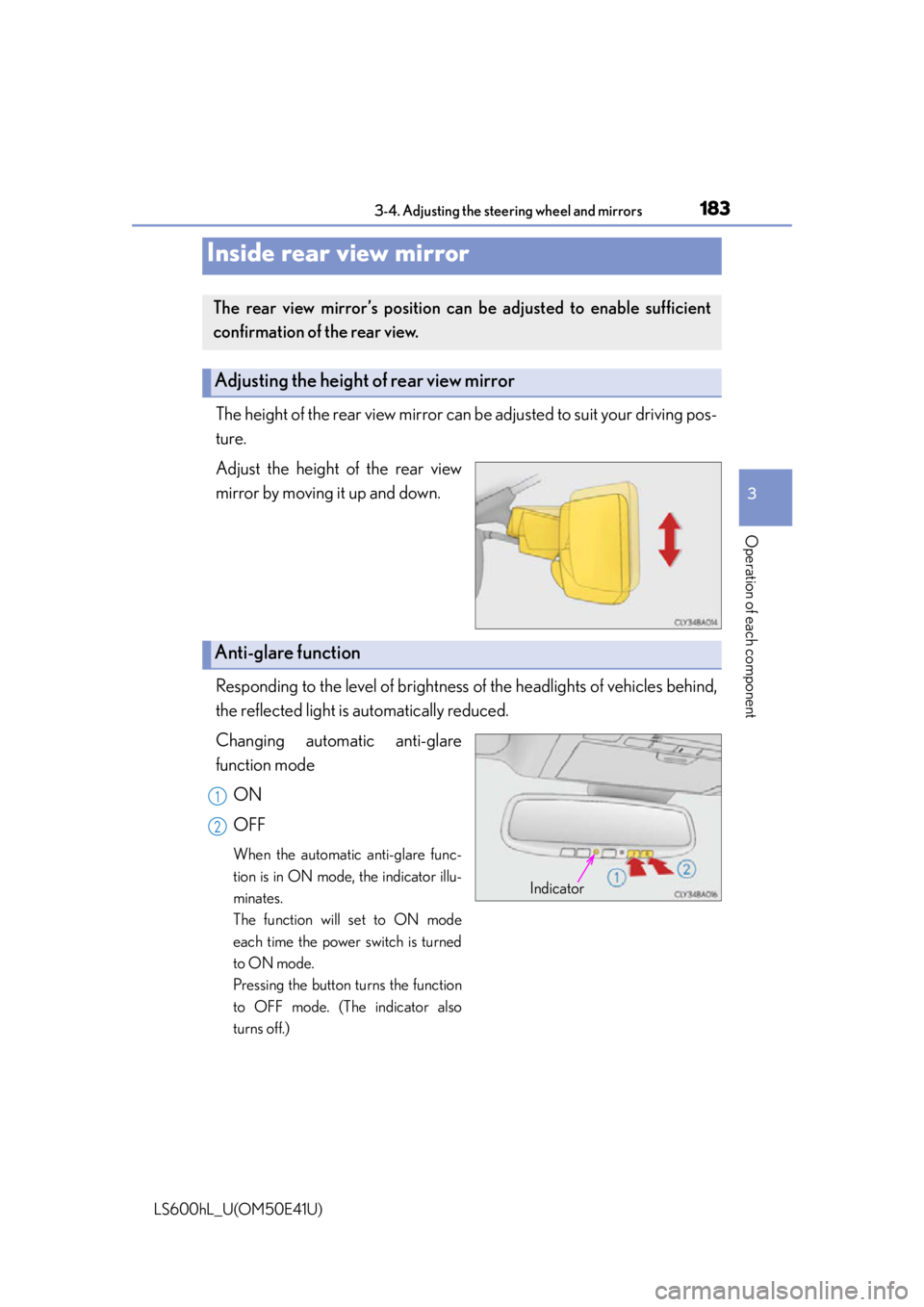
The height of the rear view mirror can be adjusted to suit your driving pos-
ture.
Adjust the height of the rear view
mirror by moving it up and down.
Responding to the level of brightness of the headlights of vehicles behind,
the reflected light is automatically reduced.
Changing automatic anti-glare
function mode
ON
OFF
When the automatic anti-glare func-
tion is in ON mode, the indicator illu-
minates.
The function will set to ON mode
each time the power switch is turned
to ON mode.
Pressing the button turns the function
to OFF mode. (The indicator also
turns off.)
Inside rear view mirror
The rear view mirror’s position can be adjusted to enable sufficient
confirmation of the rear view.
Adjusting the height of rear view mirror
Anti-glare function
Indicator
1
2