trunk release LEXUS LS600H 2015 Owners Manual
[x] Cancel search | Manufacturer: LEXUS, Model Year: 2015, Model line: LS600H, Model: LEXUS LS600H 2015Pages: 620, PDF Size: 7.66 MB
Page 21 of 620
19Pictorial index
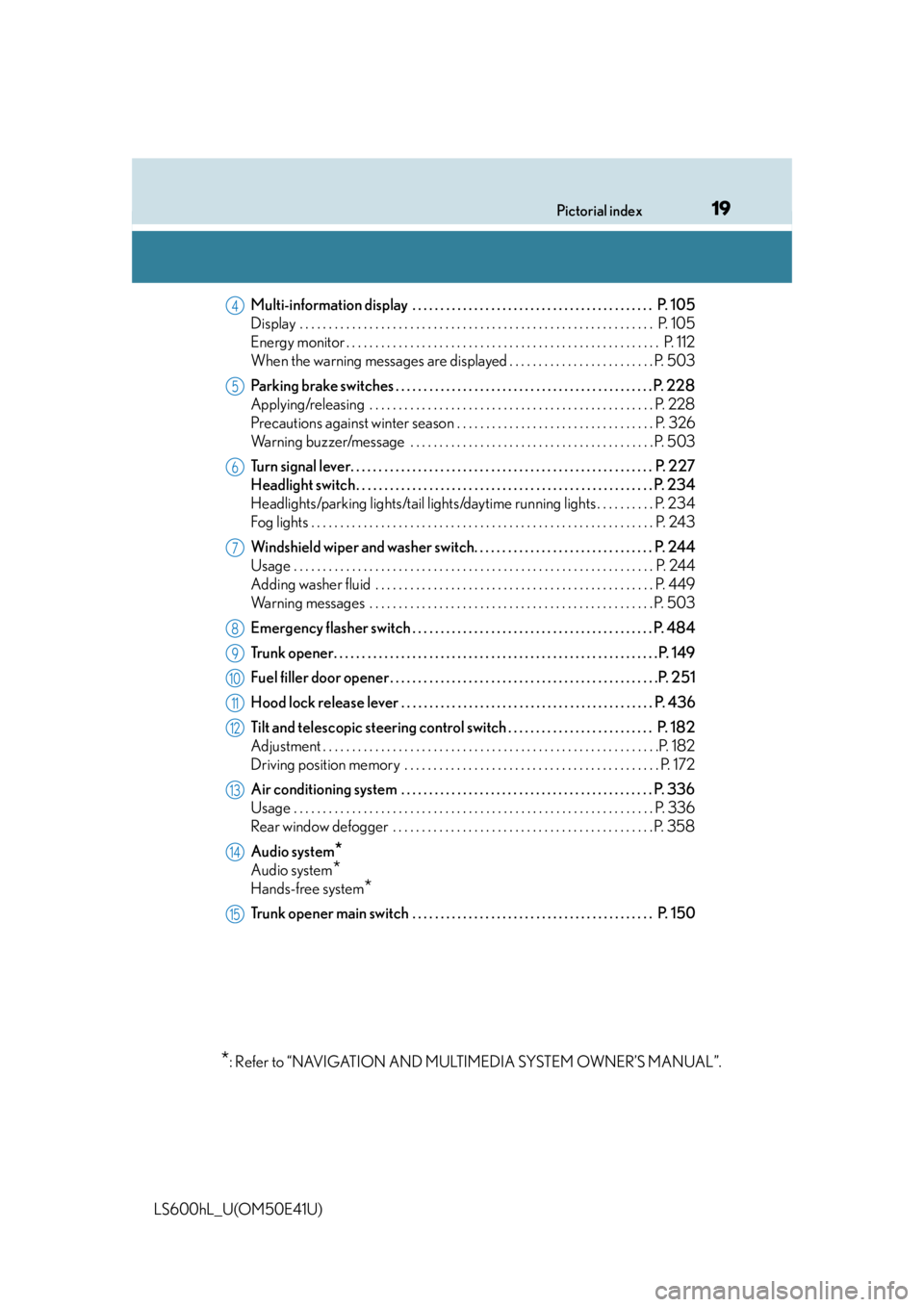
LS600hL_U(OM50E41U)Multi-information display . . . . . . . . . . . . . . . . . . . . . . . . . . . . . . . . . . . . . . . . . . . P. 105
Display . . . . . . . . . . . . . . . . . . . . . . . . . . . . . . . . . . . . . . . . . . . . . . . . . . . . . . . . . . . .
. P. 105
Energy monitor . . . . . . . . . . . . . . . . . . . . . . . . . . . . . . . . . . . . . . . . . . . . . . . . . . . . . . P. 11 2
When the warning messages are displayed . . . . . . . . . . . . . . . . . . . . . . . . . P. 503
Parking brake switches . . . . . . . . . . . . . . . . . . . . . . . . . . . . . . . . . . . . . . . . . . . . . . P. 228
Applying/releasing . . . . . . . . . . . . . . . . . . . . . . . . . . . . . . . . . . . . . . . . . . . . . . . . . P. 228
Precautions against winter season . . . . . . . . . . . . . . . . . . . . . . . . . . . . . . . . . . P. 326
Warning buzzer/message . . . . . . . . . . . . . . . . . . . . . . . . . . . . . . . . . . . . . . . . . . P. 503
Turn signal lever. . . . . . . . . . . . . . . . . . . . . . . . . . . . . . . . . . . . . . . . . . . . . . . . . . . . . . P. 227
Headlight switch . . . . . . . . . . . . . . . . . . . . . . . . . . . . . . . . . . . . . . . . . . . . . . . . . . . . . P. 234
Headlights/parking lights/tail lights/dayti me running lights . . . . . . . . . . P. 234
Fog lights . . . . . . . . . . . . . . . . . . . . . . . . . . . . . . . . . . . . . . . . . . . . . . . . . . . . . . . . . . . P. 243
Windshield wiper and washer switch. . . . . . . . . . . . . . . . . . . . . . . . . . . . . . . . P. 244
Usage . . . . . . . . . . . . . . . . . . . . . . . . . . . . . . . . . . . . . . . . . . . . . . . . . . . . . . . . . . . . . . P. 244
Adding washer fluid . . . . . . . . . . . . . . . . . . . . . . . . . . . . . . . . . . . . . . . . . . . . . . . . P. 449
Warning messages . . . . . . . . . . . . . . . . . . . . . . . . . . . . . . . . . . . . . . . . . . . . . . . . . P. 503
Emergency flasher switch . . . . . . . . . . . . . . . . . . . . . . . . . . . . . . . . . . . . . . . . . . . P. 484
Trunk opener. . . . . . . . . . . . . . . . . . . . . . . . . . . . . . . . . . . . . . . . . . . . . . . . . . . . . . . . . . P. 1 4 9
Fuel filler door opener . . . . . . . . . . . . . . . . . . . . . . . . . . . . . . . . . . . . . . . . . . . . . . . .P. 251
Hood lock release lever . . . . . . . . . . . . . . . . . . . . . . . . . . . . . . . . . . . . . . . . . . . . . P. 436
Tilt and telescopic steering control switch . . . . . . . . . . . . . . . . . . . . . . . . . . P. 182
Adjustment . . . . . . . . . . . . . . . . . . . . . . . . . . . . . . . . . . . . . . . . . . . . . . . . . . . . . . . . . .P. 182
Driving position memory . . . . . . . . . . . . . . . . . . . . . . . . . . . . . . . . . . . . . . . . . . . . P. 172
Air conditioning system . . . . . . . . . . . . . . . . . . . . . . . . . . . . . . . . . . . . . . . . . . . . . P. 336
Usage . . . . . . . . . . . . . . . . . . . . . . . . . . . . . . . . . . . . . . . . . . . . . . . . . . . . . . . . . . . . . .P. 336
Rear window defogger . . . . . . . . . . . . . . . . . . . . . . . . . . . . . . . . . . . . . . . . . . . . . P. 358
Audio system
*
Audio system*
Hands-free system*
Trunk opener main switch . . . . . . . . . . . . . . . . . . . . . . . . . . . . . . . . . . . . . . . . . . . P. 150
*: Refer to “NAVIGATION AND MULTIMEDIA SYSTEM OWNER’S MANUAL”.
4
5
6
7
8
9
10
11
12
13
14
15
Page 80 of 620
781-2. Hybrid system
LS600hL_U(OM50E41U)
■Regenerative braking
In the following situations, kinetic energy is converted to electric energy and decel-
eration force can be obtained in conjunction with the recharging of the hybrid bat-
tery (traction battery).
●The accelerator pedal is released while driving with the shift position in D or S.
●The brake pedal is depressed while driving with the shift position in D or S.
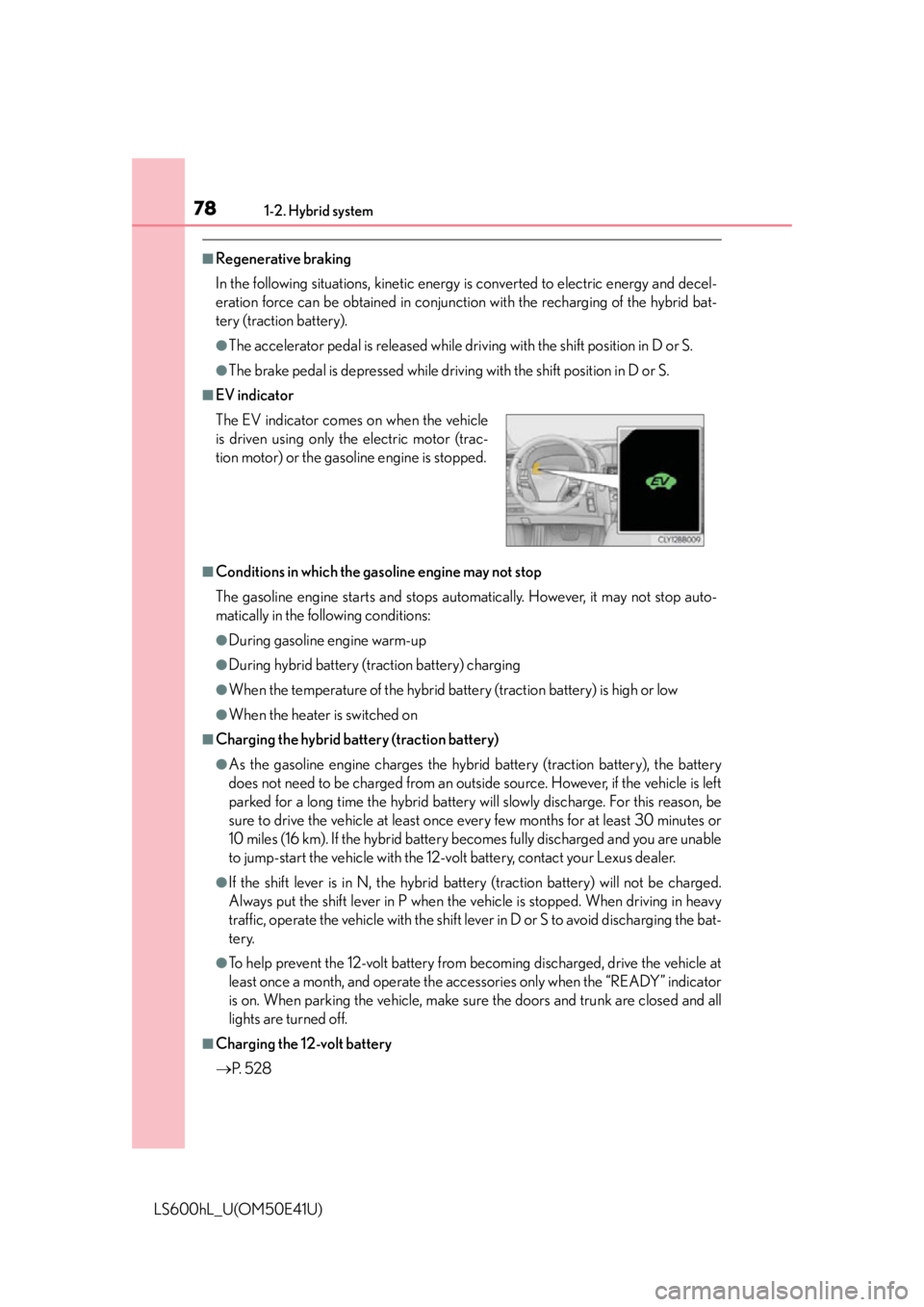
■EV indicator
■Conditions in which the gasoline engine may not stop
The gasoline engine starts and stops auto matically. However, it may not stop auto-
matically in the following conditions:
●During gasoline engine warm-up
●During hybrid battery (t raction battery) charging
●When the temperature of the hybrid battery (traction battery) is high or low
●When the heater is switched on
■Charging the hybrid battery (traction battery)
●As the gasoline engine charges the hybrid battery (traction battery), the battery
does not need to be charged from an outside source. However, if the vehicle is left
parked for a long time the hybrid battery will slowly discharge. For this reason, be
sure to drive the vehicle at least once every few months for at least 30 minutes or
10 miles (16 km). If the hybrid battery becomes fully discharged and you are unable
to jump-start the vehicle with the 12-v olt battery, contact your Lexus dealer.
●If the shift lever is in N, the hybrid ba ttery (traction battery) will not be charged.
Always put the shift lever in P when the vehicle is stopped. When driving in heavy
traffic, operate the vehicle with the shift le ver in D or S to avoid discharging the bat-
tery.
●To help prevent the 12-volt battery from becoming discharged, drive the vehicle at
least once a month, and operate the acces sories only when the “READY” indicator
is on. When parking the vehicle, make sure the doors and trunk are closed and all
lights are turned off.
■Charging the 12-volt battery
P. 5 2 8
The EV indicator comes on when the vehicle
is driven using only the electric motor (trac-
tion motor) or the gasoline engine is stopped.
Page 81 of 620

791-2. Hybrid system
1
For safety and security
LS600hL_U(OM50E41U)
■After the 12-volt battery has discharged or has been changed or removed
The gasoline engine may not stop even if the vehicle is running on the hybrid battery
(traction battery). If this continues for a few days, contact your Lexus dealer.
■Sounds and vibrations specific to a hybrid vehicle
There may be no engine sounds or vibration even though the vehicle is able to move.
For safety, apply the parking brake and make sure to shift the shift lever to P when
parked.
The following sounds or vibrations may occur when the hybrid system is operating
and are not a malfunction:
●Motor sounds may be heard from the engine compartment.
●Sounds may be heard from the hybrid battery (traction battery) behind the rear
seats when the hybrid system starts or stops.
●Sounds from the hybrid system may be heard when the trunk lid is open.
●Sounds may be heard from the hybrid tran smission when the hybrid system starts
or stops.
●Engine sounds may be heard when accelerating sharply.
●Sounds may be heard due to regenerative braking when the accelerator pedal is
released or the brake pedal is depressed.
●Vibration may be felt or sounds may be heard when the gasoline engine starts or
stops.
●Cooling fan sounds may be heard from the air intake vents on the package tray.
Page 124 of 620
1223-1. Key information
LS600hL_U(OM50E41U)
■Electronic keys
●Part of the electronic key uses leather. Refer to P. 422 for details on cleaning the
leather portion.
●When cleaning the metallic portion, wet a cloth and firmly wring out any excess
water from it, then thoroughly wipe off any dirt.
●When not using the electronic key for an extended period of time, store it in a dry
place of normal temperature away from direct sunlight and interior light after
removing any dirt.
■Card key (if equipped)
●The card key is not waterproof.
●The mechanical key that is stored inside the card key should be used only if a prob-
lem arises, such as when the card key does not operate properly.
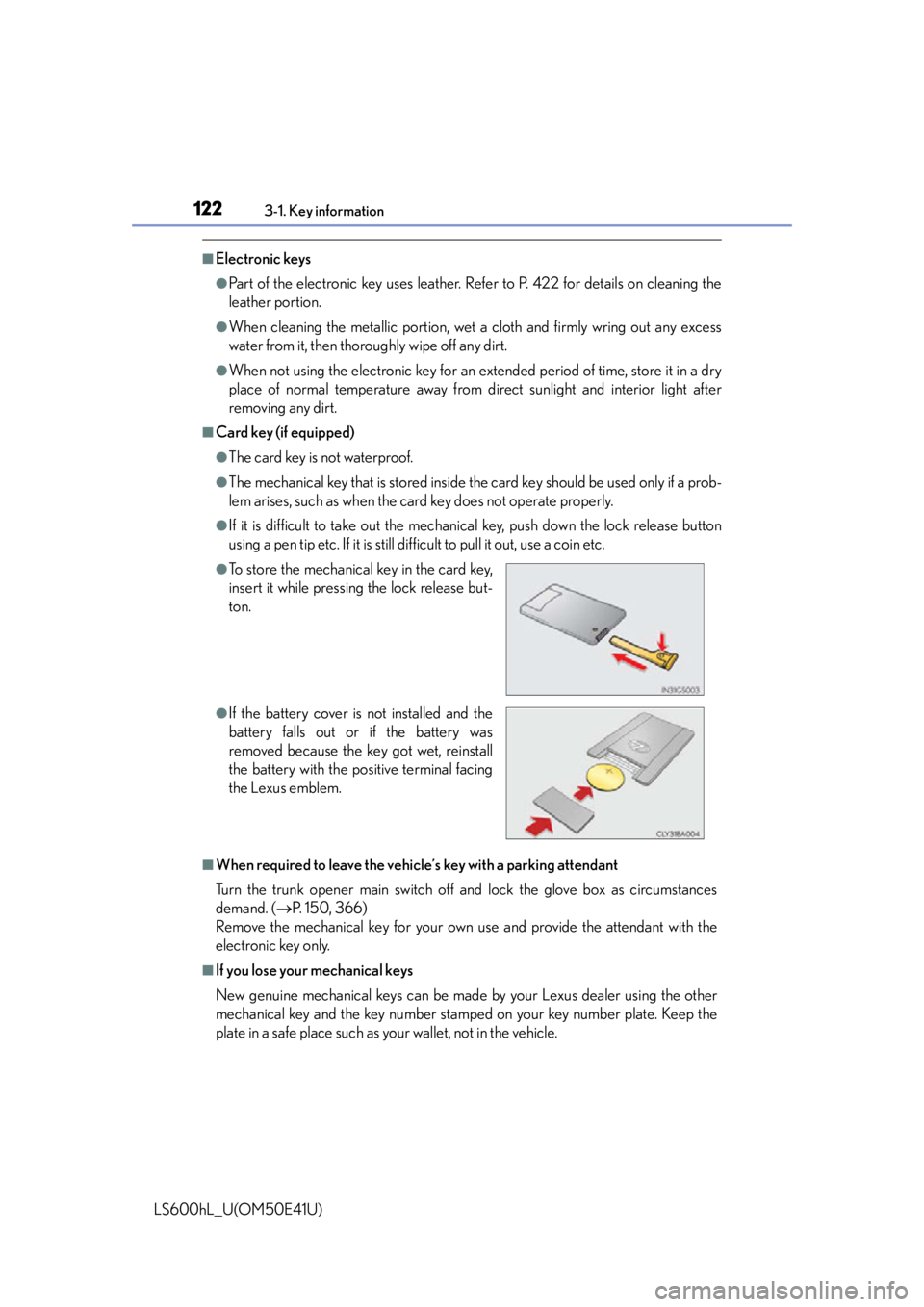
●If it is difficult to take out the mechanic al key, push down the lock release button
using a pen tip etc. If it is still difficult to pull it out, use a coin etc.
■When required to leave the vehicle’s key with a parking attendant
Turn the trunk opener main switch off and lock the glove box as circumstances
demand. ( P. 150, 366)
Remove the mechanical key for your own use and provide the attendant with the
electronic key only.
■If you lose your mechanical keys
New genuine mechanical keys can be made by your Lexus dealer using the other
mechanical key and the key number stamped on your key number plate. Keep the
plate in a safe place such as your wallet, not in the vehicle.
●To store the mechanical key in the card key,
insert it while pressing the lock release but-
ton.
●If the battery cover is not installed and the
battery falls out or if the battery was
removed because the key got wet, reinstall
the battery with the po sitive terminal facing
the Lexus emblem.
Page 131 of 620
1293-2. Opening, closing and locking the doors and trunk
3
Operation of each component
LS600hL_U(OM50E41U)
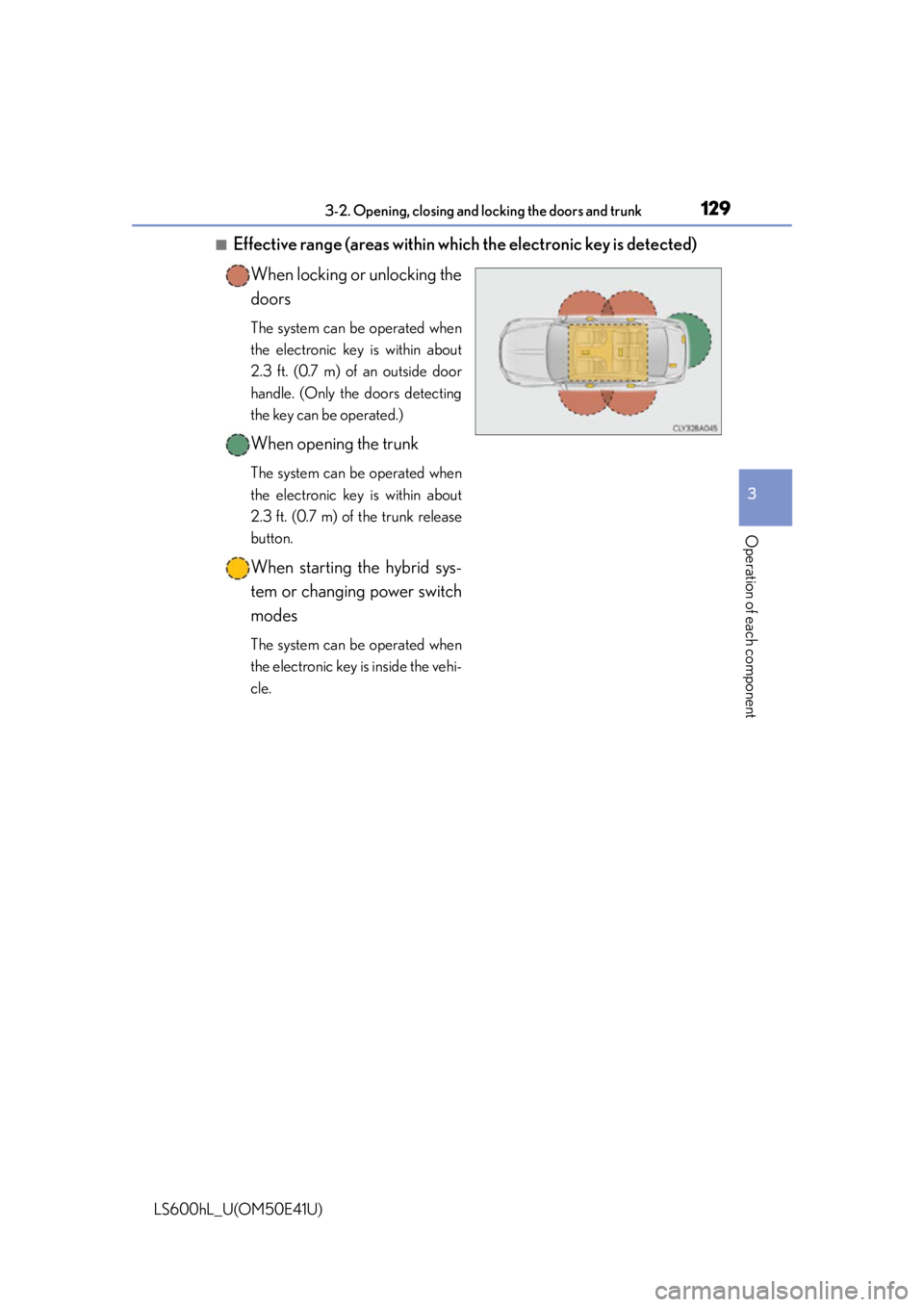
■Effective range (areas within which the electronic key is detected)When locking or unlocking the
doors
The system can be operated when
the electronic key is within about
2.3 ft. (0.7 m) of an outside door
handle. (Only the doors detecting
the key can be operated.)
When opening the trunk
The system can be operated when
the electronic key is within about
2.3 ft. (0.7 m) of the trunk release
button.
When starting the hybrid sys-
tem or changing power switch
modes
The system can be operated when
the electronic key is inside the vehi-
cle.
Page 134 of 620
1323-2. Opening, closing and locking the doors and trunk
LS600hL_U(OM50E41U)
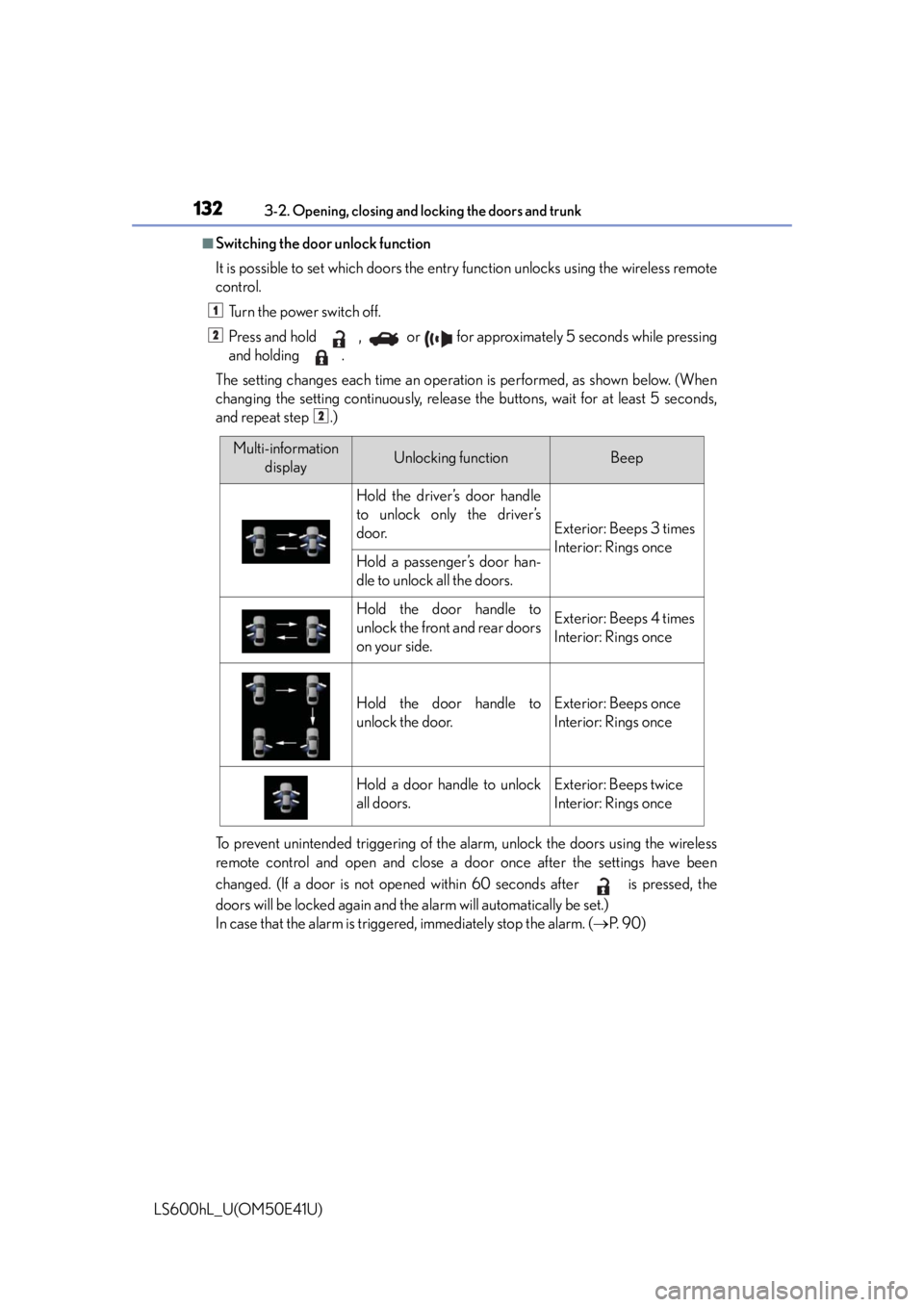
■Switching the door unlock function
It is possible to set which doors the entry function unlocks using the wireless remote
control.
Turn the power switch off.
Press and hold , or for approximately 5 seconds while pressing
and holding .
The setting changes each time an operation is performed, as shown below. (When
changing the setting continuously, release the buttons, wait for at least 5 seconds,
and repeat step .)
To prevent unintended triggering of the alarm, unlock the doors using the wireless
remote control and open and close a do or once after the settings have been
changed. (If a door is not opened within 60 seconds after is pressed, the
doors will be locked again and the alarm will automatically be set.)
In case that the alarm is triggered, immediately stop the alarm. ( P. 9 0 )
1
2
2
Multi-information
displayUnlocking functionBeep
Hold the driver’s door handle
to unlock only the driver’s
door.
Exterior: Beeps 3 times
Interior: Rings once
Hold a passenger’s door han-
dle to unlock all the doors.
Hold the door handle to
unlock the front and rear doors
on your side.Exterior: Beeps 4 times
Interior: Rings once
Hold the door handle to
unlock the door.Exterior: Beeps once
Interior: Rings once
Hold a door handle to unlock
all doors.Exterior: Beeps twice
Interior: Rings once
Page 149 of 620
1473-2. Opening, closing and locking the doors and trunk
3
Operation of each component
LS600hL_U(OM50E41U)
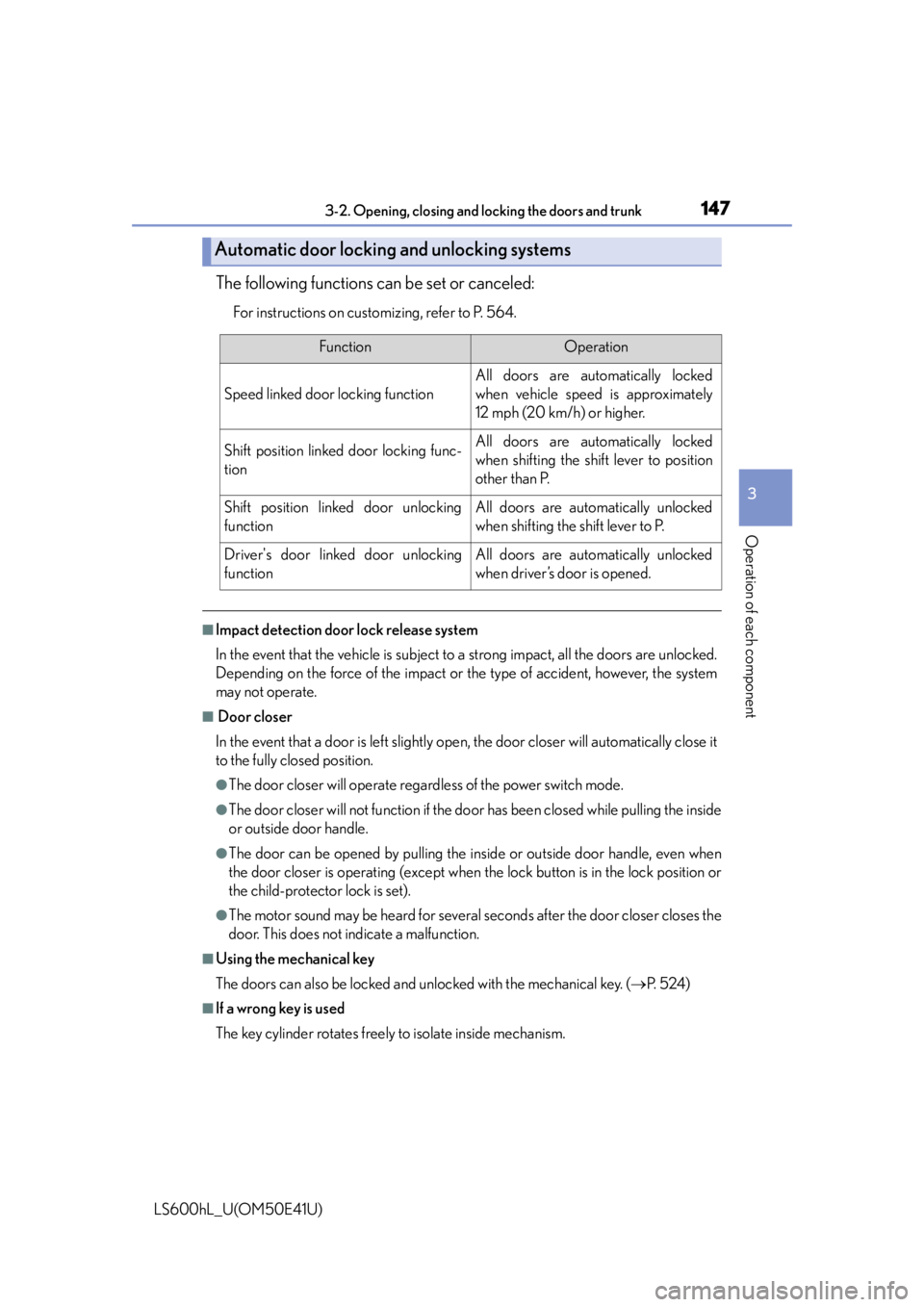
The following functions can be set or canceled:
For instructions on customizing, refer to P. 564.
■Impact detection door lock release system
In the event that the vehicle is subject to a strong impact, all the doors are unlocked.
Depending on the force of the impact or the type of accident, however, the system
may not operate.
■ Door closer
In the event that a door is left slightly open, the door closer will automatically close it
to the fully closed position.
●The door closer will operate regardless of the power switch mode.
●The door closer will not function if the do or has been closed while pulling the inside
or outside door handle.
●The door can be opened by pulling the in side or outside door handle, even when
the door closer is operating (except when the lock button is in the lock position or
the child-protector lock is set).
●The motor sound may be heard for several se conds after the door closer closes the
door. This does not indicate a malfunction.
■Using the mechanical key
The doors can also be locked and unlocked with the mechanical key. ( P. 5 2 4 )
■If a wrong key is used
The key cylinder rotates freely to isolate inside mechanism.
Automatic door locking and unlocking systems
FunctionOperation
Speed linked door locking function
All doors are automatically locked
when vehicle speed is approximately
12 mph (20 km/h) or higher.
Shift position linked door locking func-
tionAll doors are automatically locked
when shifting the shift lever to position
other than P.
Shift position linked door unlocking
functionAll doors are automatically unlocked
when shifting the shift lever to P.
Driver's door linked door unlocking
functionAll doors are automatically unlocked
when driver’s door is opened.
Page 153 of 620
1513-2. Opening, closing and locking the doors and trunk
3
Operation of each component
LS600hL_U(OM50E41U)
■Trunk lid light/trunk light
The trunk lid light/trunk light turns on when the trunk is opened.
■Trunk easy closer
In the event that the trunk lid is left slightly open, the trunk easy closer will automati-
cally close it to the fully closed position.
■Function to prevent the trunk being locked with the electronic key inside (when all
the doors are locked)
Closing the trunk lid with the electronic key left inside the trunk will sound an alarm.
In this case, the trunk lid can be opened by pressing the button on the trunk lid.
■Overload protection function
The trunk lid will not operate when excessiv e load is present on the top of the trunk
lid.
■Fall-down protection function
While the trunk lid is opening automatically, applying excessive force to it will stop
the opening operation to prevent the trunk lid from rapidly falling down.
■Jam protection function
While the trunk lid is closing automatically, the trunk lid will stop closing and open if
something gets caught.
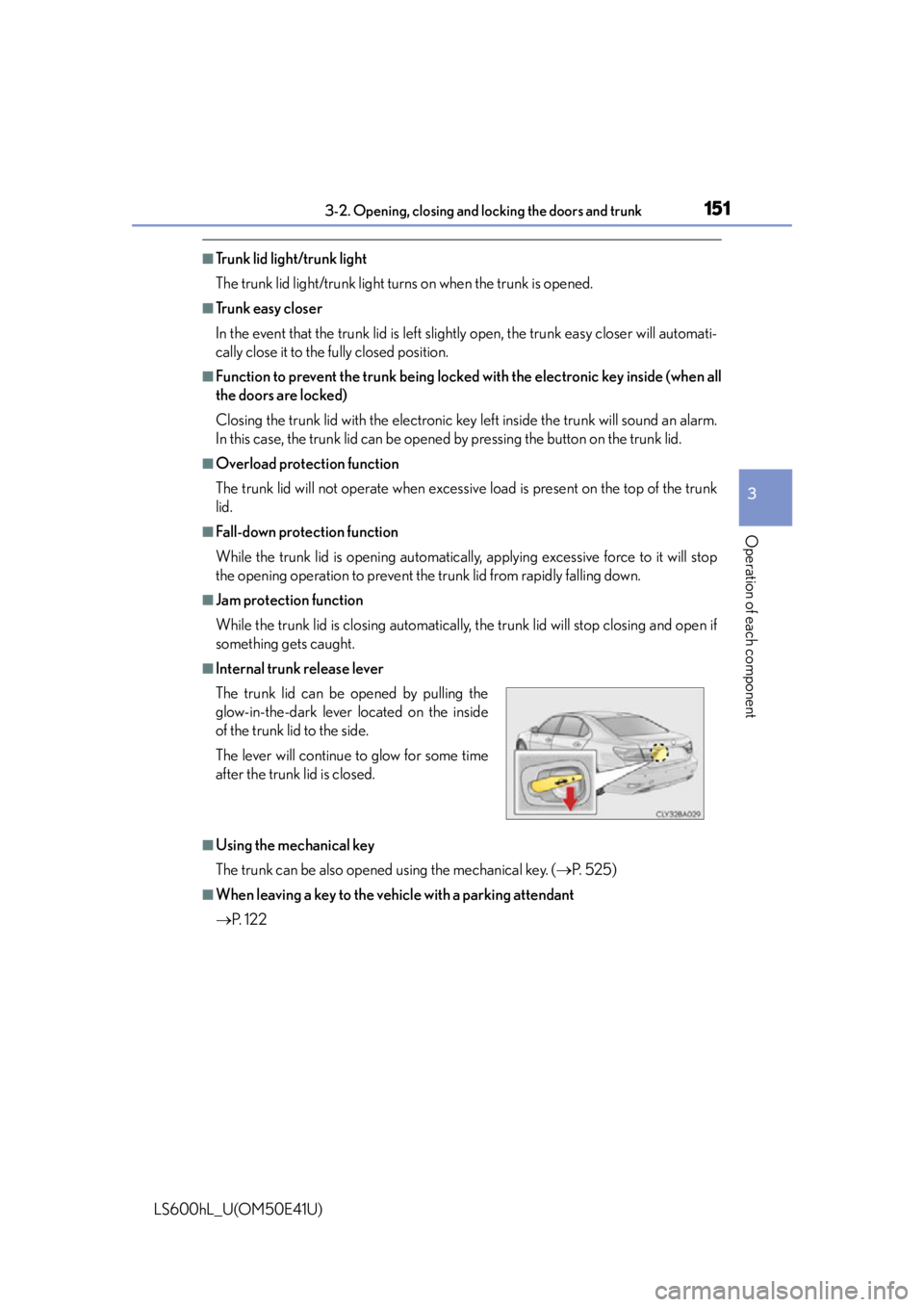
■Internal trunk release lever
■Using the mechanical key
The trunk can be also opened using the mechanical key. ( P. 525)
■When leaving a key to the vehicle with a parking attendant
P. 1 2 2
The trunk lid can be opened by pulling the
glow-in-the-dark lever located on the inside
of the trunk lid to the side.
The lever will continue
to glow for some time
after the trunk lid is closed.
Page 233 of 620
2314-2. Driving procedures
4
Driving
LS600hL_U(OM50E41U)
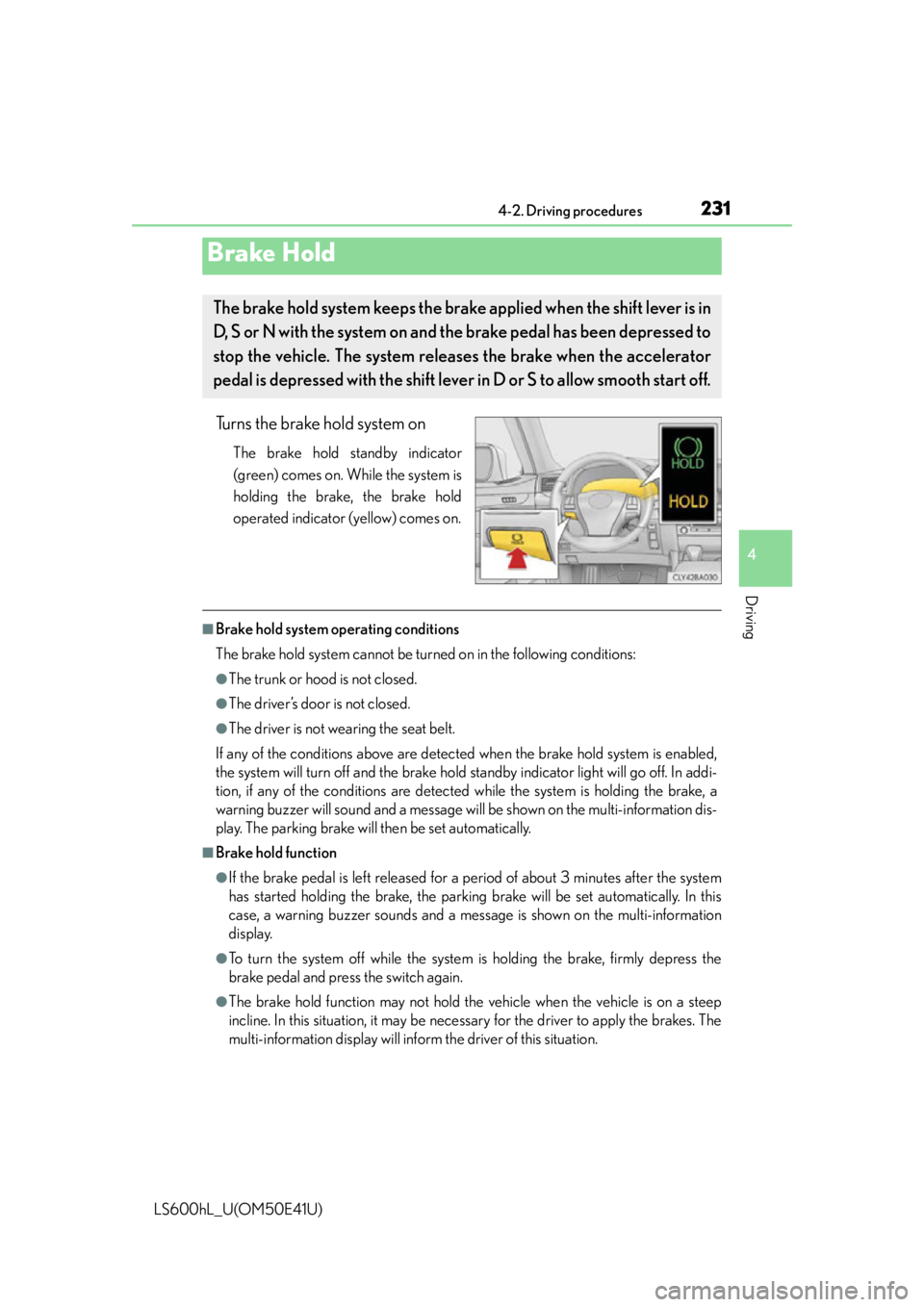
Turns the brake hold system on
The brake hold standby indicator
(green) comes on. While the system is
holding the brake, the brake hold
operated indicator (yellow) comes on.
■Brake hold system operating conditions
The brake hold system cannot be turn ed on in the following conditions:
●The trunk or hood is not closed.
●The driver’s door is not closed.
●The driver is not wearing the seat belt.
If any of the conditions above are detected when the brake hold system is enabled,
the system will turn off and the brake hold standby indicator light will go off. In addi-
tion, if any of the conditions are detected while the system is holding the brake, a
warning buzzer will sound and a message wi ll be shown on the multi-information dis-
play. The parking brake will then be set automatically.
■Brake hold function
●If the brake pedal is left released for a period of about 3 minutes after the system
has started holding the brake, the parking brake will be set automatically. In this
case, a warning buzzer sounds and a message is shown on the multi-information
display.
●To turn the system off while the system is holding the brake, firmly depress the
brake pedal and press the switch again.
●The brake hold function may not hold the vehicle when the vehicle is on a steep
incline. In this situation, it may be nece ssary for the driver to apply the brakes. The
multi-information display will info rm the driver of this situation.
Brake Hold
The brake hold system keeps the brake applied when the shift lever is in
D, S or N with the system on and the brake pedal has been depressed to
stop the vehicle. The system releases the brake when the accelerator
pedal is depressed with the shift lever in D or S to allow smooth start off.
Page 238 of 620
2364-3. Operating the lights and wipers
LS600hL_U(OM50E41U)
■Daytime running light system
●To make your vehicle more visible to other drivers, the parking lights turn on auto-
matically (at an increased intensity) whenever the hybrid system is started and the
parking brake is released. Daytime running lights are not designed for use at night.
●Compared to turning on the headlights, the daytime running light system offers
greater durability and consumes less electricity, so it can help improve fuel econ-
omy.
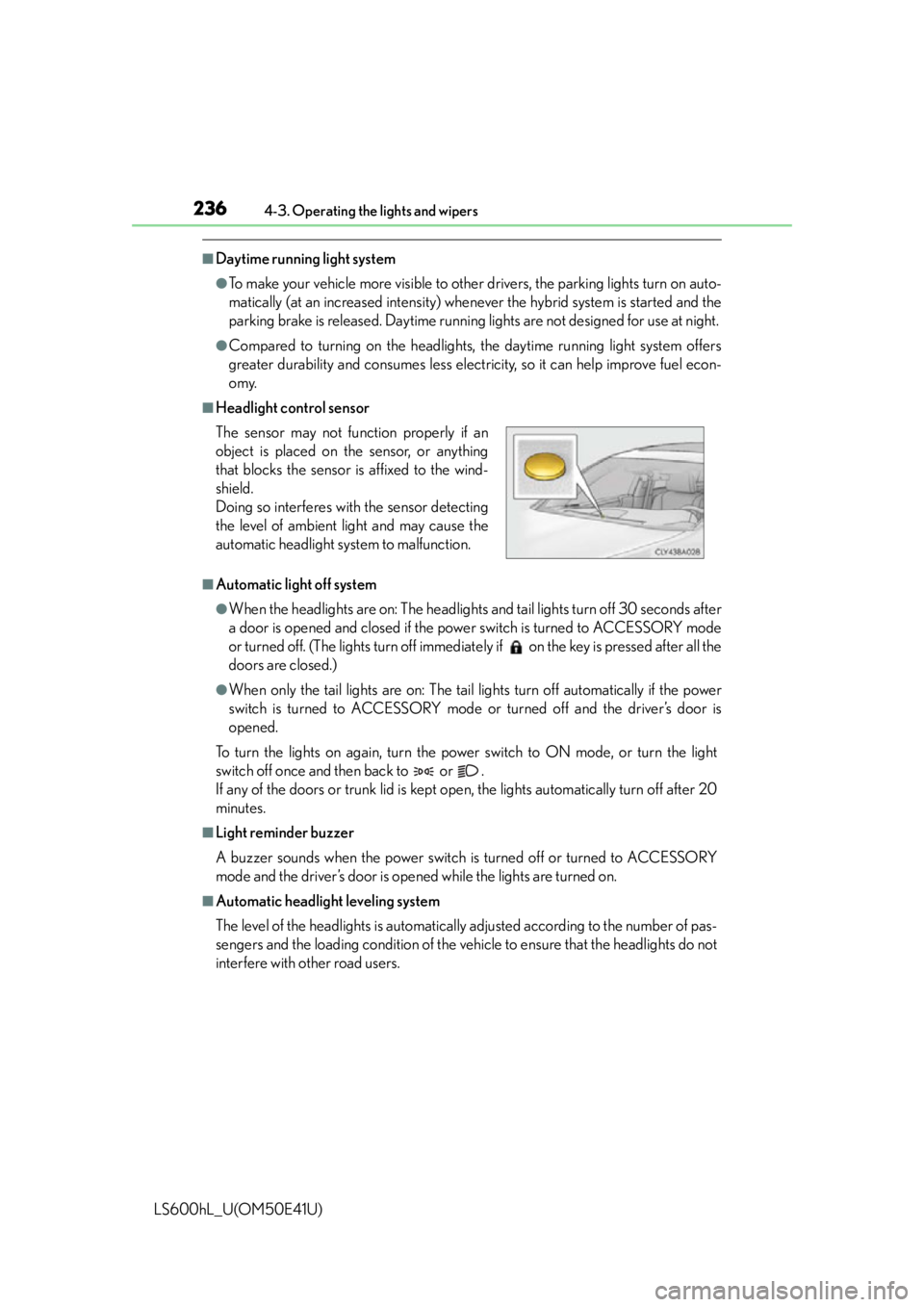
■Headlight control sensor
■Automatic light off system
●When the headlights are on: The headlights and tail lights turn off 30 seconds after
a door is opened and closed if the power switch is turned to ACCESSORY mode
or turned off. (The lights turn off immediat ely if on the key is pressed after all the
doors are closed.)
●When only the tail lights are on: The tail lights turn off automatically if the power
switch is turned to ACCESSORY mode or turned off and the driver’s door is
opened.
To turn the lights on again, turn the power switch to ON mode, or turn the light
switch off once and then back to or .
If any of the doors or trunk lid is kept op en, the lights automatically turn off after 20
minutes.
■Light reminder buzzer
A buzzer sounds when the power switch is turned off or turned to ACCESSORY
mode and the driver’s door is opened while the lights are turned on.
■Automatic headlight leveling system
The level of the headlights is automatically adjusted according to the number of pas-
sengers and the loading conditio n of the vehicle to ensure that the headlights do not
interfere with other road users. The sensor may not func tion properly if an
object is placed on the sensor, or anything
that blocks the sensor is affixed to the wind-
shield.
Doing so interferes with the sensor detecting
the level of ambient light and may cause the
automatic headlight system to malfunction.