ECU LEXUS LS600H 2017 Service Manual
[x] Cancel search | Manufacturer: LEXUS, Model Year: 2017, Model line: LS600H, Model: LEXUS LS600H 2017Pages: 676, PDF Size: 35.25 MB
Page 103 of 676
1031-3. Theft deterrent system
1
For safety and security
LS600h/LS600hL_EE(OM50G20E)
The alarm uses light and sound to give an alert when an intrusion is
detected.
The alarm is triggered in the following situations when the alarm is set:
●A locked door or trunk is unlocked or opened in any way other than
using the entry function or wireless remote control. (The door will lock
again automatically.)
●The hood is opened.
●The intrusion sensor detects something moving inside the vehicle. (An
intruder gets in the vehicle.)
●The tilt sensor detects a change of vehicle inclination.
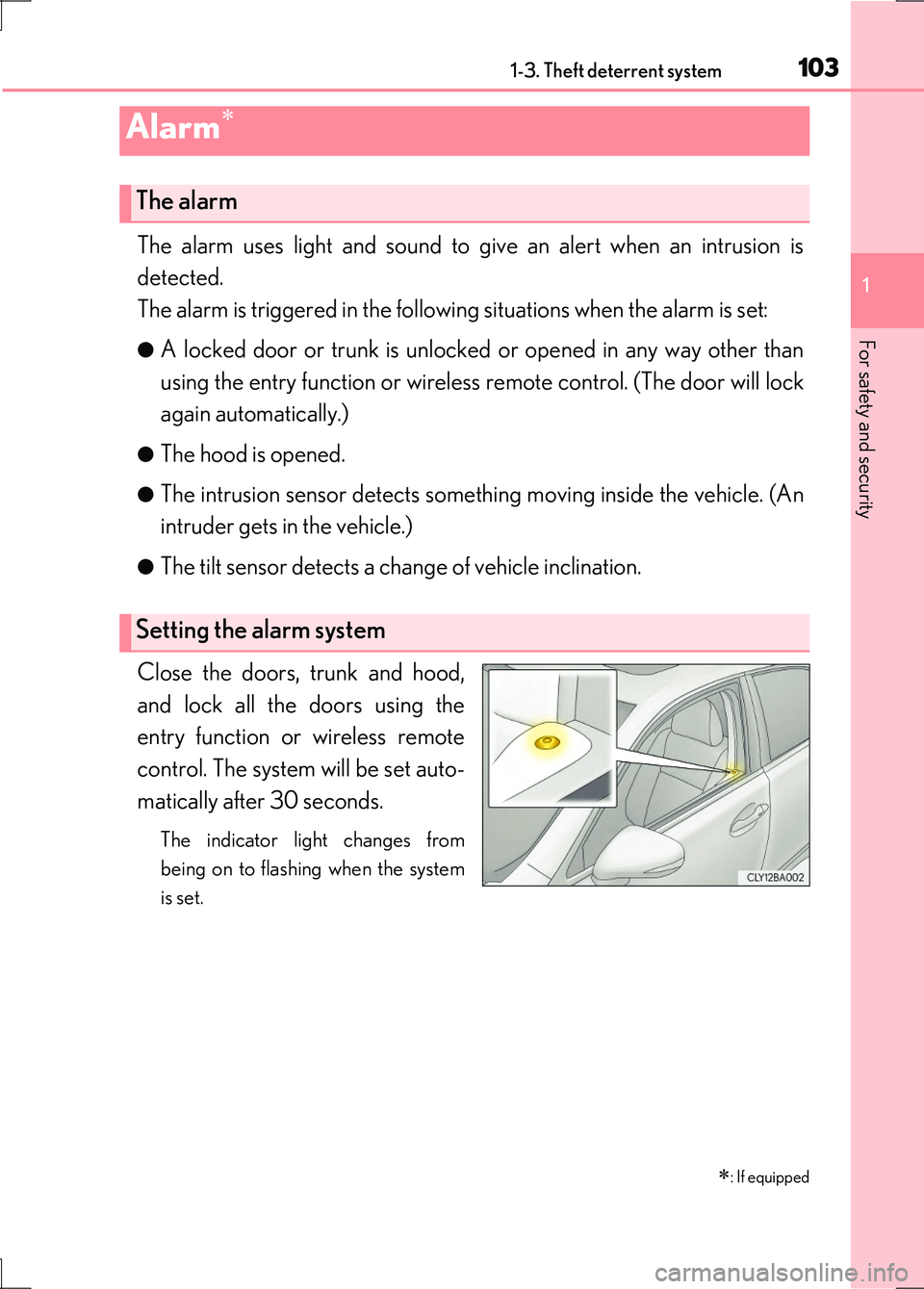
Close the doors, trunk and hood,
and lock all the doors using the
entry function or wireless remote
control. The system will be set auto-
matically after 30 seconds.
The indicator light changes from
being on to flashing when the system
is set.
Alarm
: If equipped
The alarm
Setting the alarm system
Page 105 of 676
1051-3. Theft deterrent system
1
For safety and security
LS600h/LS600hL_EE(OM50G20E)
■Triggering of the alarm
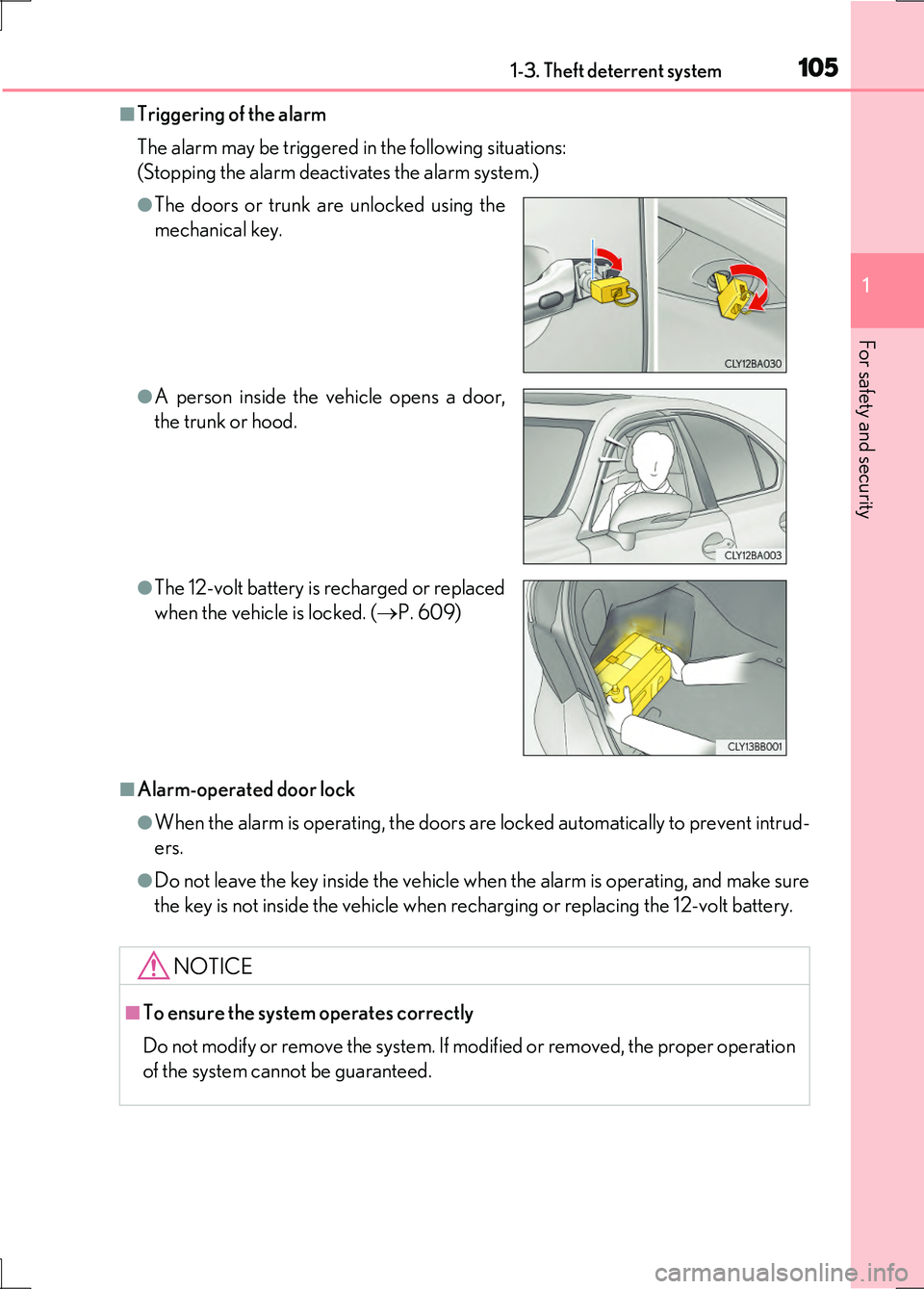
The alarm may be triggered in the following situations:
(Stopping the alarm deactivates the alarm system.)
■Alarm-operated door lock
●When the alarm is operating, the doors are locked automatically to prevent intrud-
ers.
●Do not leave the key inside the vehicle when the alarm is operating, and make sure
the key is not inside the vehicle when recharging or replacing the 12-volt battery.
●The doors or trunk are unlocked using the
mechanical key.
●A person inside the vehicle opens a door,
the trunk or hood.
●The 12-volt battery is recharged or replaced
when the vehicle is locked. ( P. 609)
NOTICE
■To ensure the system operates correctly
Do not modify or remove the system. If mo dified or removed, the proper operation
of the system cannot be guaranteed.
Page 106 of 676
1061-3. Theft deterrent system
LS600h/LS600hL_EE(OM50G20E)
●The intrusion sensor detects intruders or movement in the vehicle.
●The tilt sensor detects changes in ve hicle inclination, such as when the
vehicle is towed away.
This system is designed to deter an d prevent vehicle theft but does not
guarantee absolute security against all intrusions.
■Setting the intrusion sensor and tilt sensor
The intrusion sensor and tilt sensor will be set automatically when the
alarm is set. ( P. 103)
■Canceling the intrusion sensor and tilt sensor
If you are leaving pets or other moving things inside the vehicle, make
sure to stop the intrusion sensor and tilt sensor before setting the alarm,
as they will respond to movement inside the vehicle.
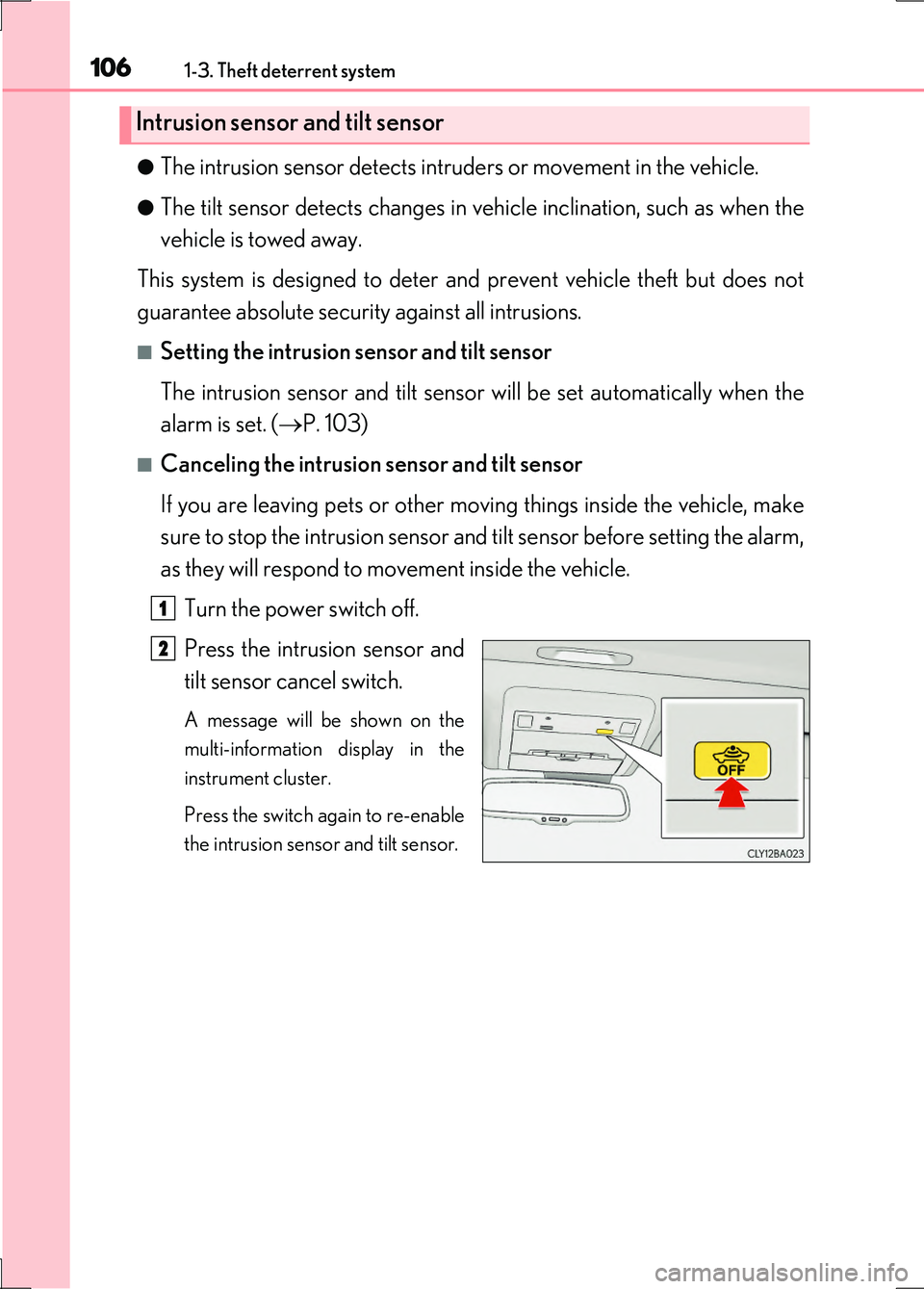
Turn the power switch off.
Press the intrusion sensor and
tilt sensor cancel switch.
A message will be shown on the
multi-information display in the
instrument cluster.
Press the switch again to re-enable
the intrusion sensor and tilt sensor.
Intrusion sensor and tilt sensor
1
2
Page 107 of 676
1071-3. Theft deterrent system
1
For safety and security
LS600h/LS600hL_EE(OM50G20E)
■Canceling and automatic re-enabling of the intrusion sensor and tilt sensor
●The alarm will still be set even when the intrusion sensor and tilt sensor are can-
celed.
●After the intrusion sensor and tilt sensor are canceled, pressing the power switch
or unlocking the doors using the entry function or wireless remote control will re-
enable the intrusion sensor and tilt sensor.
●The intrusion sensor and tilt sensor will automatically be re-enabled when the
alarm system is deactivated.
■Intrusion sensor detection considerations
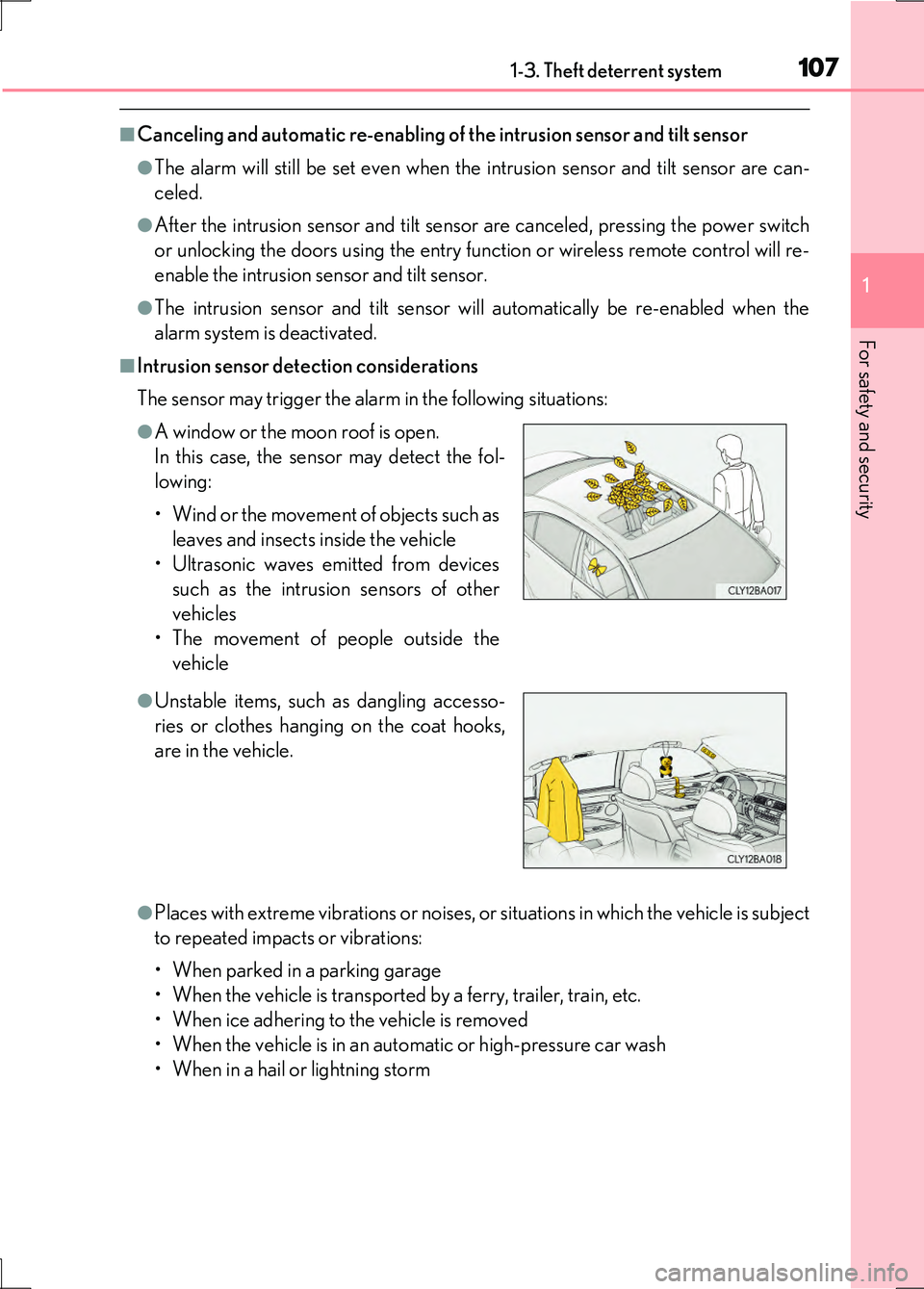
The sensor may trigger the alarm in the following situations:
●Places with extreme vibrations or noises, or situations in which the vehicle is subject
to repeated impacts or vibrations:
• When parked in a parking garage
• When the vehicle is transported by a ferry, trailer, train, etc.
• When ice adhering to the vehicle is removed
• When the vehicle is in an automatic or high-pressure car wash
• When in a hail or lightning storm
●A window or the moon roof is open.
In this case, the sensor may detect the fol-
lowing:
• Wind or the movement of objects such as
leaves and insects inside the vehicle
• Ultrasonic waves emitted from devices
such as the intrusion sensors of other
vehicles
• The movement of people outside the
vehicle
●Unstable items, such as dangling accesso-
ries or clothes hanging on the coat hooks,
are in the vehicle.
Page 150 of 676
1503-2. Opening, closing and locking the doors and trunk
LS600h/LS600hL_EE(OM50G20E)
■Operation signals
Doors:
The emergency flashers flash to indicate that the doors have been locked/unlocked.
(Locked: Once; Unlocked: Twice)
Windows and moon roof:
A buzzer sounds to indicate that th e windows and moon roof are operating.
■Security feature
If a door is not opened within approximately 30 seconds after the vehicle is
unlocked, the security feature automatically locks the vehicle again.
■Welcome light illumination control
The front position, tail and license plate lights automatically turn on at night when the
doors are unlocked using the entry function or wireless remote control if the head-
light switch is in the “AUTO” position.
Page 151 of 676
1513-2. Opening, closing and locking the doors and trunk
3
Operation of each component
LS600h/LS600hL_EE(OM50G20E)
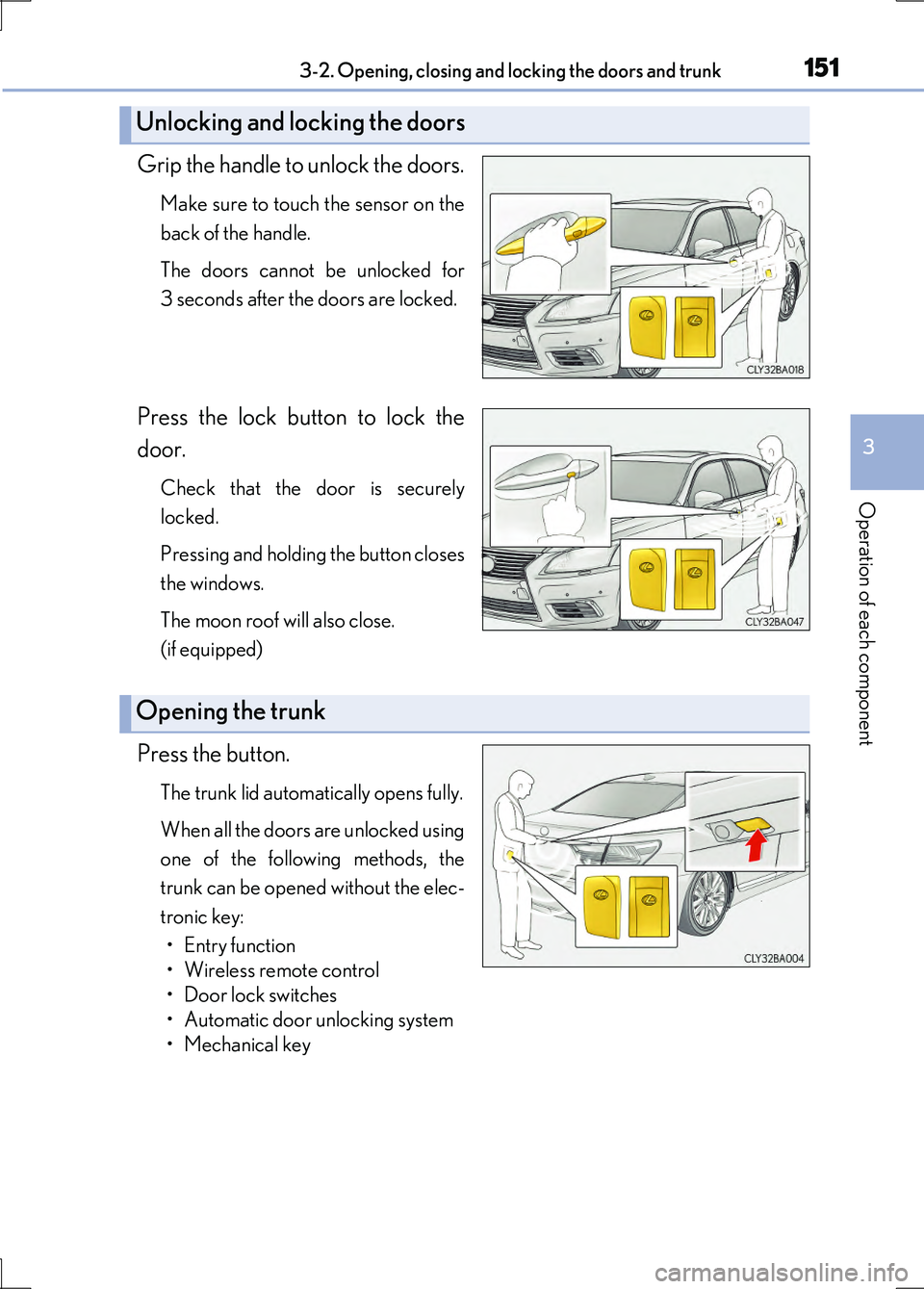
Grip the handle to unlock the doors.
Make sure to touch the sensor on the
back of the handle.
The doors cannot be unlocked for
3 seconds after the doors are locked.
Press the lock button to lock the
door.
Check that the door is securely
locked.
Pressing and holding the button closes
the windows.
The moon roof will also close.
(if equipped)
Press the button.
The trunk lid automatically opens fully.
When all the doors are unlocked using
one of the following methods, the
trunk can be opened without the elec-
tronic key:
• Entry function
• Wireless remote control
• Door lock switches
• Automatic door unlocking system
• Mechanical key
Unlocking and locking the doors
Opening the trunk
Page 171 of 676
1713-2. Opening, closing and locking the doors and trunk
3
Operation of each component
LS600h/LS600hL_EE(OM50G20E)
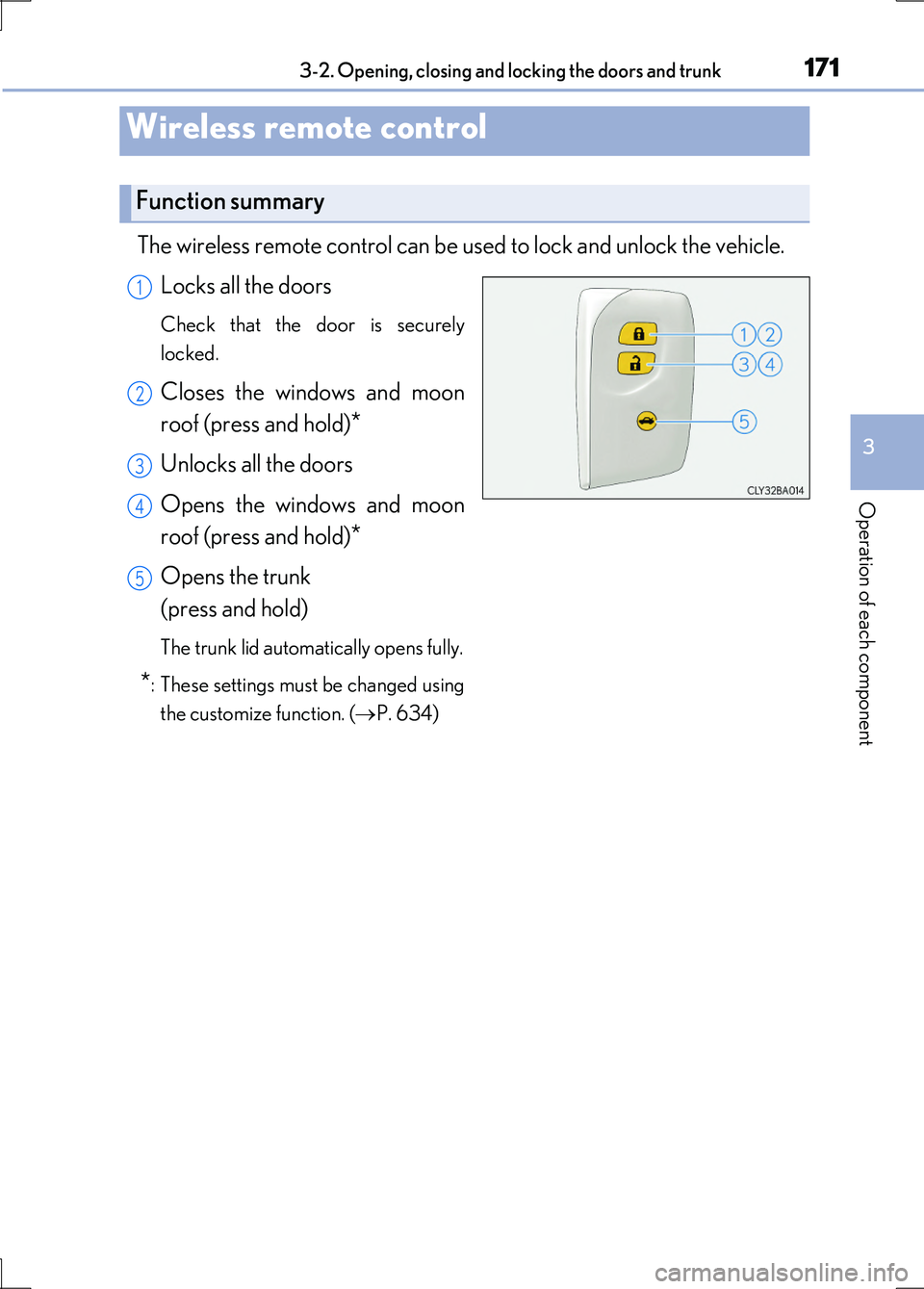
The wireless remote control can be used to lock and unlock the vehicle.
Locks all the doors
Check that the door is securely
locked.
Closes the windows and moon
roof (press and hold)*
Unlocks all the doors
Opens the windows and moon
roof (press and hold)*
Opens the trunk
(press and hold)
The trunk lid automatically opens fully.
*: These settings must be changed using
the customize function. ( P. 634)
Wireless remote control
Function summary
1
2
3
4
5
Page 172 of 676
1723-2. Opening, closing and locking the doors and trunk
LS600h/LS600hL_EE(OM50G20E)
■Operation signals
Doors:
The emergency flashers flash to indicate that the doors have been locked/unlocked.
(Locked: once; Unlocked: twice)
Windows and moon roof:
A buzzer sounds to indicate that th e windows and moon roof are operating.
■Welcome light illumination control
P. 150
■Door lock buzzer
If an attempt to lock the doors is made when a door is not fully closed, a buzzer
sounds continuously for 5 seconds. Fully close the door to stop the buzzer, and lock
the vehicle once more.
■Security feature
P. 150
■Alarm (if equipped)
Using the wireless remote control to lock the doors will set the alarm system.
( P. 103)
■Conditions affecting operation
P. 159
■If the wireless remote control does not operate properly
Locking and unlocking the doors and trunk: Use the mechanical key. ( P. 603)
■Electronic key battery depletion
P. 162
■When the electronic key battery is fully depleted
P. 532
■Customization
Settings (e.g. wireless remote control system) can be changed.
(Customizable features P. 634)
Page 181 of 676
1813-2. Opening, closing and locking the doors and trunk
3
Operation of each component
LS600h/LS600hL_EE(OM50G20E)
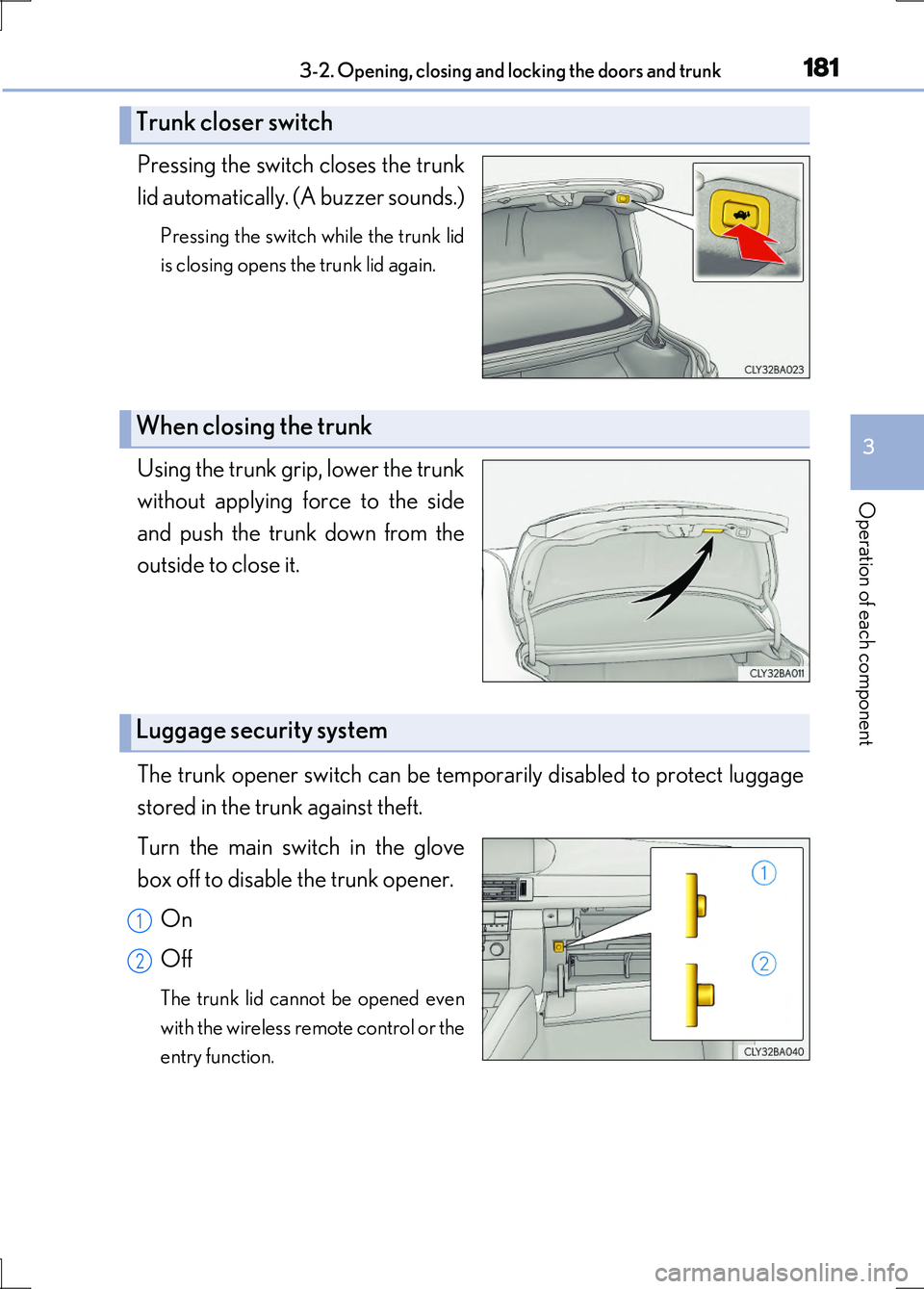
Pressing the switch closes the trunk
lid automatically. (A buzzer sounds.)
Pressing the switch while the trunk lid
is closing opens the trunk lid again.
Using the trunk grip, lower the trunk
without applying force to the side
and push the trunk down from the
outside to close it.
The trunk opener switch can be temporarily disabled to protect luggage
stored in the trunk against theft.
Turn the main switch in the glove
box off to disable the trunk opener.
On
Off
The trunk lid cannot be opened even
with the wireless remote control or the
entry function.
Trunk closer switch
When closing the trunk
Luggage security system
1
2
Page 184 of 676
1843-2. Opening, closing and locking the doors and trunk
LS600h/LS600hL_EE(OM50G20E)
CAUTION
■Using the trunk
Observe the following precautions.
Failure to do so may cause parts of the body to be caught, resulting in serious
injury.
●Remove any heavy loads, such as snow and ice, from the trunk lid before opening
it. Failure to do so may cause the trunk lid to suddenly shut again after it is opened.
●When opening or closing the trunk lid, thoroughly check to make sure the sur-
rounding area is safe.
●If anyone is in the vicinity, make sure they are safe and let them know that the
trunk is about to open or close.
●Use caution when opening or closing the trunk lid in windy weather as it may
move abruptly in strong wind.
●Do not attach any accessories other than genuine Lexus parts to the trunk lid.
Such additional weight on the trunk lid may cause the lid to suddenly shut again
after it is opened.
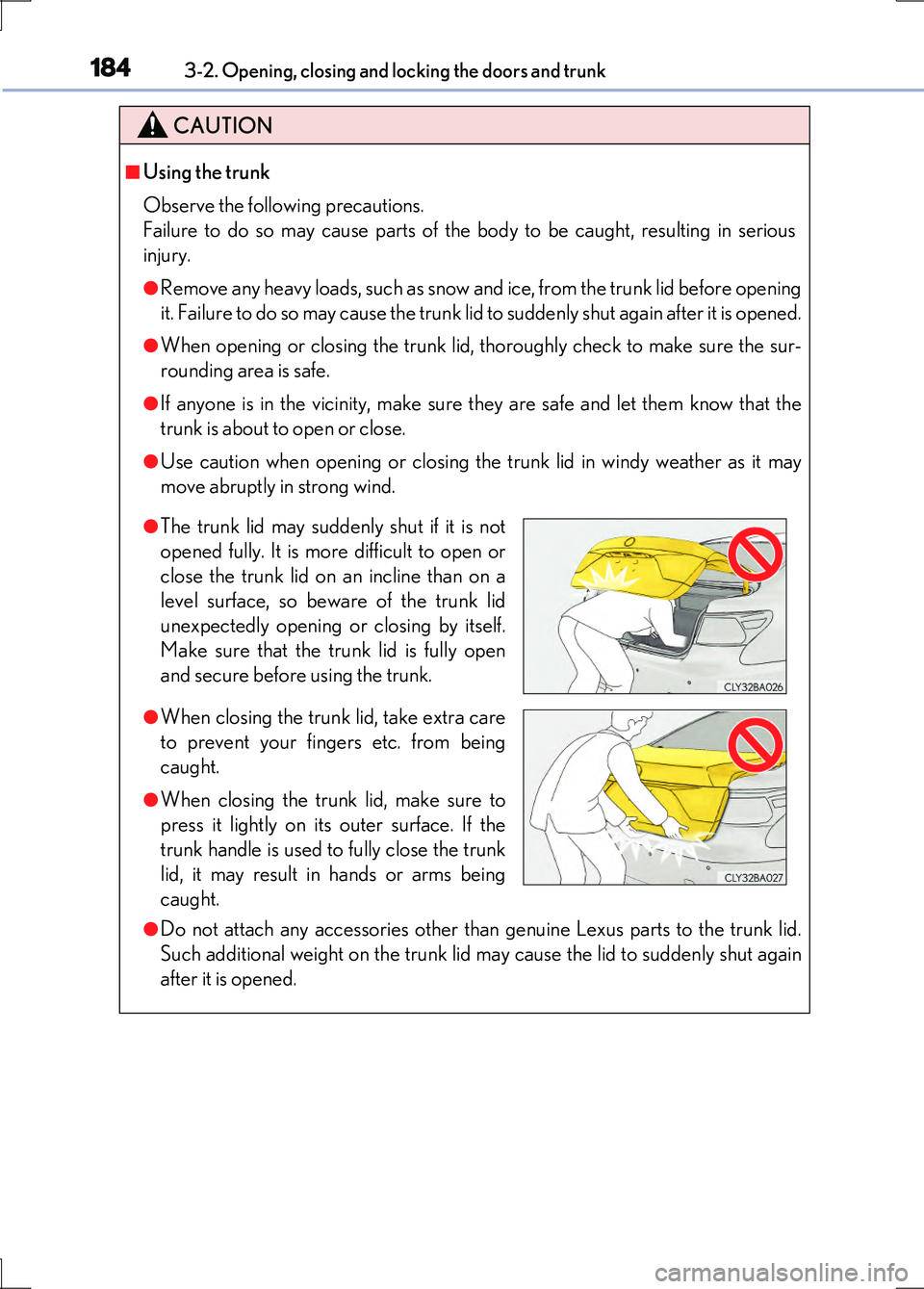
●The trunk lid may suddenly shut if it is not
opened fully. It is more difficult to open or
close the trunk lid on an incline than on a
level surface, so beware of the trunk lid
unexpectedly opening or closing by itself.
Make sure that the trunk lid is fully open
and secure before using the trunk.
●When closing the trunk lid, take extra care
to prevent your fingers etc. from being
caught.
●When closing the trunk lid, make sure to
press it lightly on its outer surface. If the
trunk handle is used to fully close the trunk
lid, it may result in hands or arms being
caught.