fuel consumption LEXUS LS600H 2017 Owners Manual
[x] Cancel search | Manufacturer: LEXUS, Model Year: 2017, Model line: LS600H, Model: LEXUS LS600H 2017Pages: 676, PDF Size: 35.25 MB
Page 123 of 676
1232. Instrument cluster
2
Instrument cluster
LS600h/LS600hL_EE(OM50G20E)
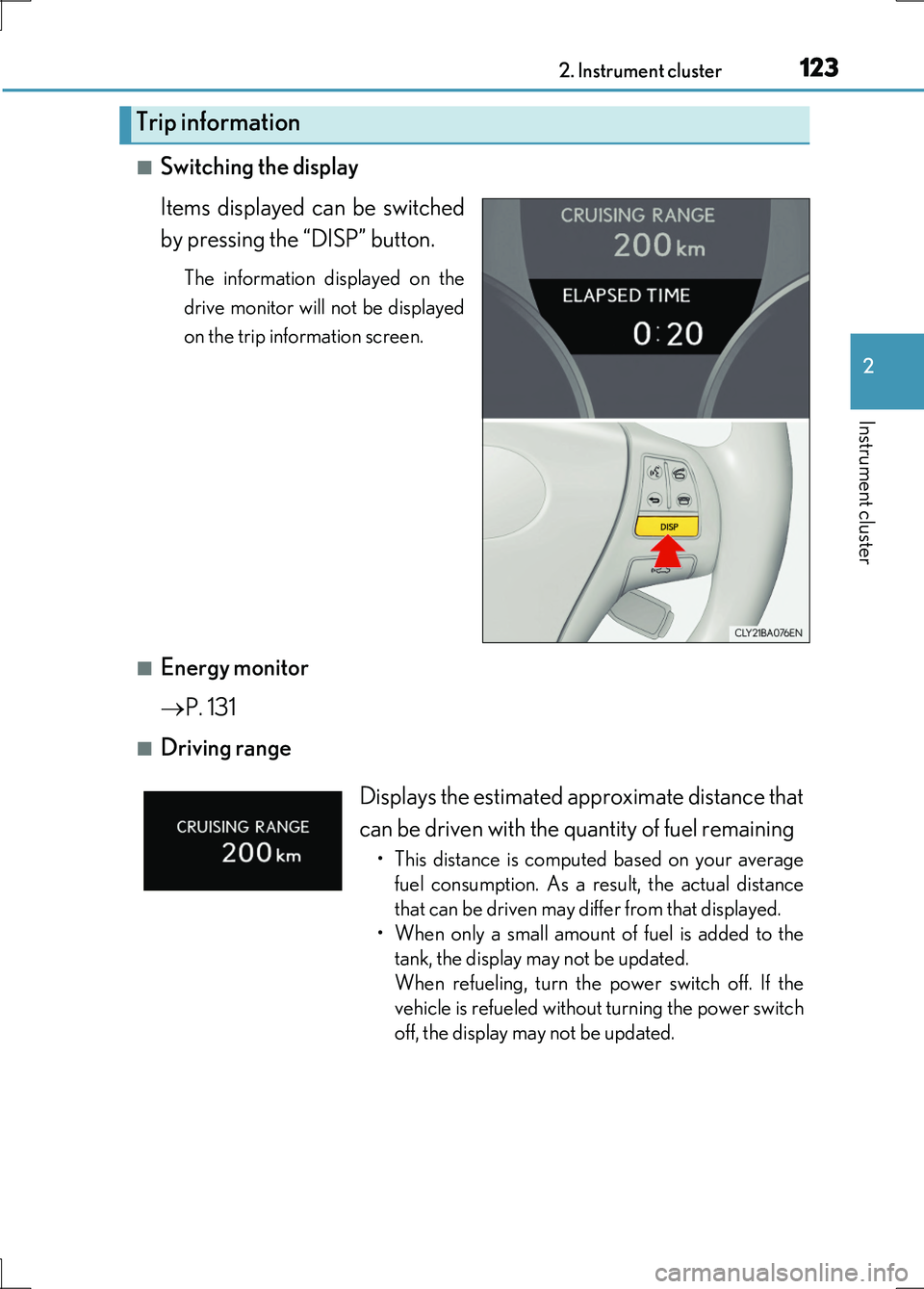
■Switching the display
Items displayed can be switched
by pressing the “DISP” button.
The information displayed on the
drive monitor will not be displayed
on the trip information screen.
■Energy monitor
P. 131
■Driving range
Trip information
Displays the estimated approximate distance that
can be driven with the quantity of fuel remaining
• This distance is computed based on your average
fuel consumption. As a result, the actual distance
that can be driven may differ from that displayed.
• When only a small amount of fuel is added to the
tank, the display may not be updated.
When refueling, turn the power switch off. If the
vehicle is refueled without turning the power switch
off, the display may not be updated.
Page 124 of 676
1242. Instrument cluster
LS600h/LS600hL_EE(OM50G20E)
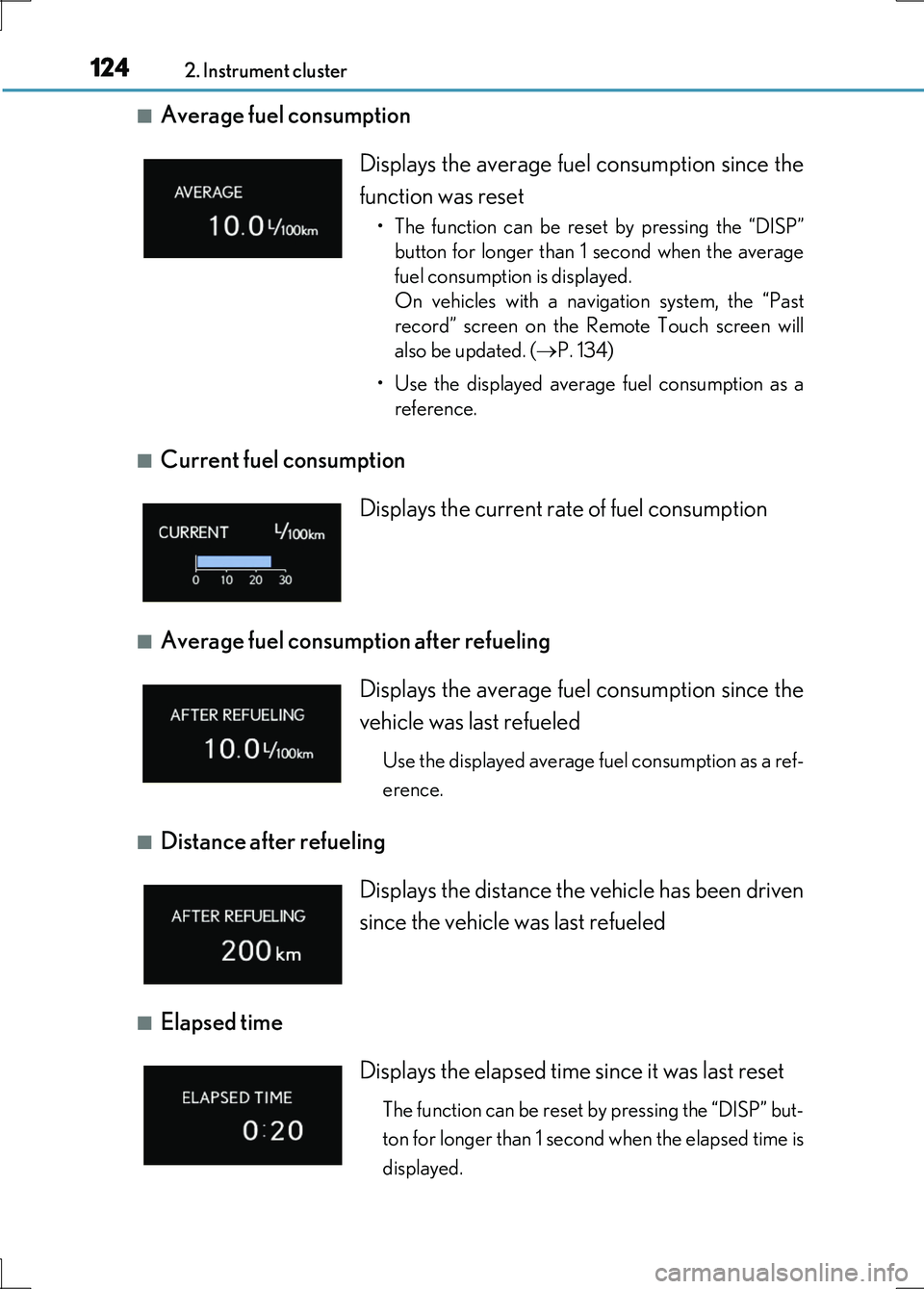
■Average fuel consumption
■Current fuel consumption
■Average fuel consumption after refueling
■Distance after refueling
■Elapsed time
Displays the average fuel consumption since the
function was reset
• The function can be reset by pressing the “DISP”
button for longer than 1 second when the average
fuel consumption is displayed.
On vehicles with a navigation system, the “Past
record” screen on the Remote Touch screen will
also be updated. ( P. 134)
• Use the displayed average fuel consumption as a
reference.
Displays the current rate of fuel consumption
Displays the average fuel consumption since the
vehicle was last refueled
Use the displayed average fuel consumption as a ref-
erence.
Displays the distance the vehicle has been driven
since the vehicle was last refueled
Displays the elapsed time since it was last reset
The function can be reset by pressing the “DISP” but-
ton for longer than 1 second when the elapsed time is
displayed.
Page 126 of 676
1262. Instrument cluster
LS600h/LS600hL_EE(OM50G20E)
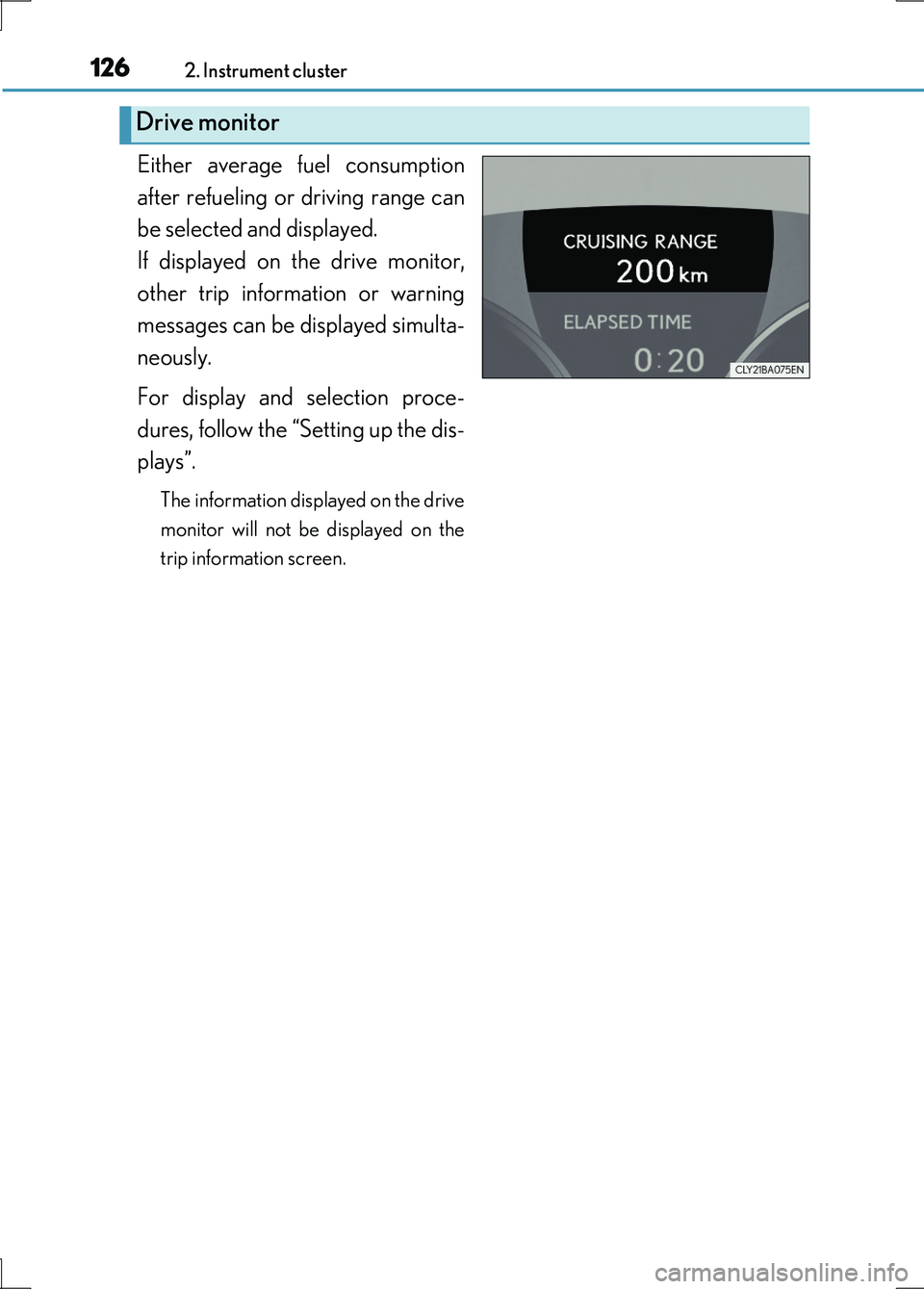
Either average fuel consumption
after refueling or driving range can
be selected and displayed.
If displayed on the drive monitor,
other trip information or warning
messages can be displayed simulta-
neously.
For display and selection proce-
dures, follow the “Setting up the dis-
plays”.
The information displayed on the drive
monitor will not be displayed on the
trip information screen.
Drive monitor
Page 128 of 676
1282. Instrument cluster
LS600h/LS600hL_EE(OM50G20E)
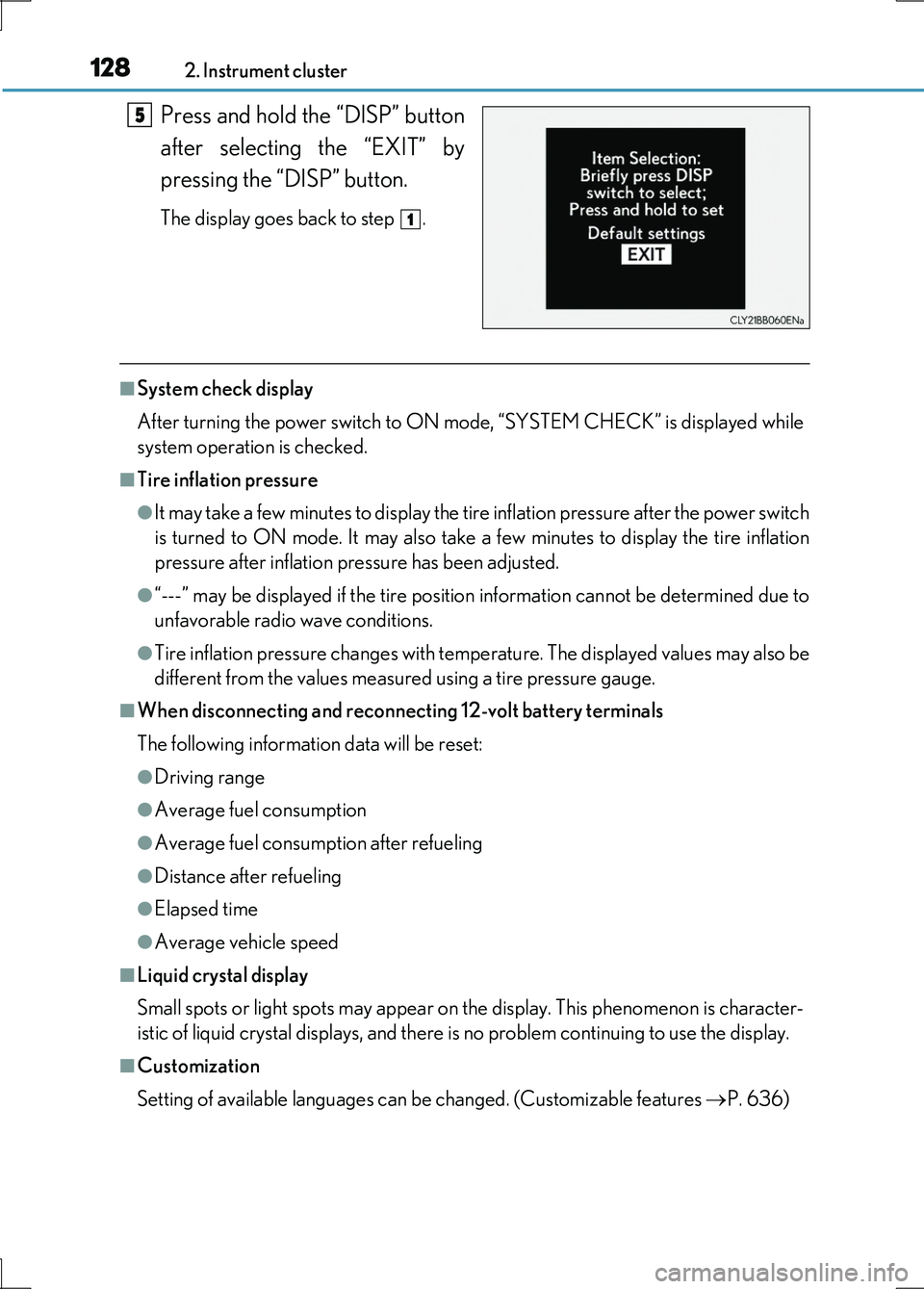
Press and hold the “DISP” button
after selecting the “EXIT” by
pressing the “DISP” button.
The display goes back to step .
■System check display
After turning the power switch to ON mode, “SYSTEM CHECK” is displayed while
system operation is checked.
■Tire inflation pressure
●It may take a few minutes to display the tire inflation pressure after the power switch
is turned to ON mode. It may also take a few minutes to display the tire inflation
pressure after inflation pressure has been adjusted.
●“---” may be displayed if the tire position information cannot be determined due to
unfavorable radio wave conditions.
●Tire inflation pressure changes with temperature. The displayed values may also be
different from the values measured using a tire pressure gauge.
■When disconnecting and reconnecting 12-volt battery terminals
The following information data will be reset:
●Driving range
●Average fuel consumption
●Average fuel consumption after refueling
●Distance after refueling
●Elapsed time
●Average vehicle speed
■Liquid crystal display
Small spots or light spots may appear on the display. This phenomenon is character-
istic of liquid crystal displays, and there is no problem continuing to use the display.
■Customization
Setting of available languages can be changed. (Customizable features P. 636)
5
1
Page 133 of 676
1332. Instrument cluster
2
Instrument cluster
LS600h/LS600hL_EE(OM50G20E)
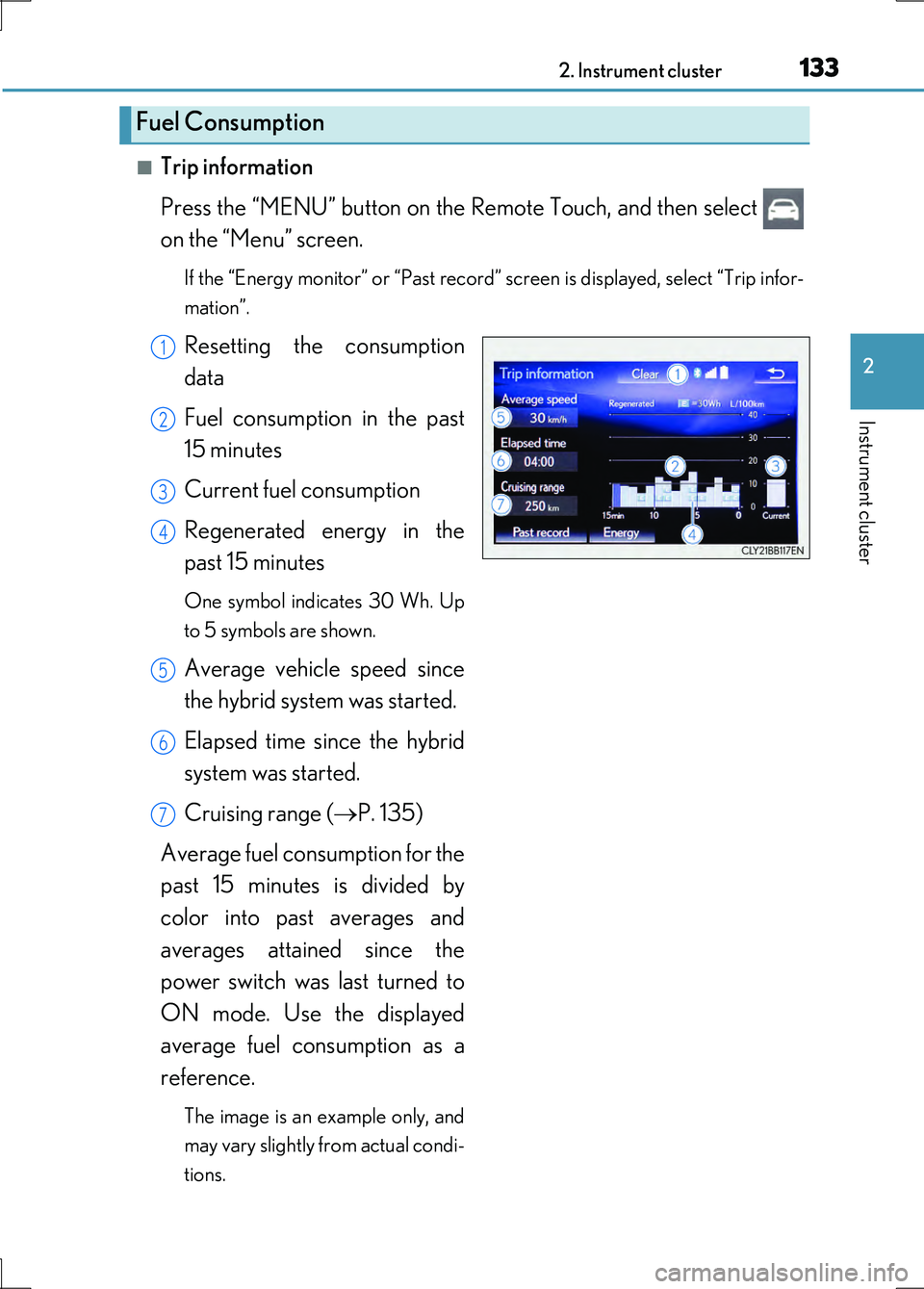
■Trip information
Press the “MENU” button on the Remote Touch, and then select
on the “Menu” screen.
If the “Energy monitor” or “Past record” screen is displayed, select “Trip infor-
mation”.
Resetting the consumption
data
Fuel consumption in the past
15 minutes
Current fuel consumption
Regenerated energy in the
past 15 minutes
One symbol indicates 30 Wh. Up
to 5 symbols are shown.
Average vehicle speed since
the hybrid system was started.
Elapsed time since the hybrid
system was started.
Cruising range ( P. 135)
Average fuel consumption for the
past 15 minutes is divided by
color into past averages and
averages attained since the
power switch was last turned to
ON mode. Use the displayed
average fuel consumption as a
reference.
The image is an example only, and
may vary slightly from actual condi-
tions.
Fuel Consumption
1
2
3
4
5
6
7
Page 134 of 676
1342. Instrument cluster
LS600h/LS600hL_EE(OM50G20E)
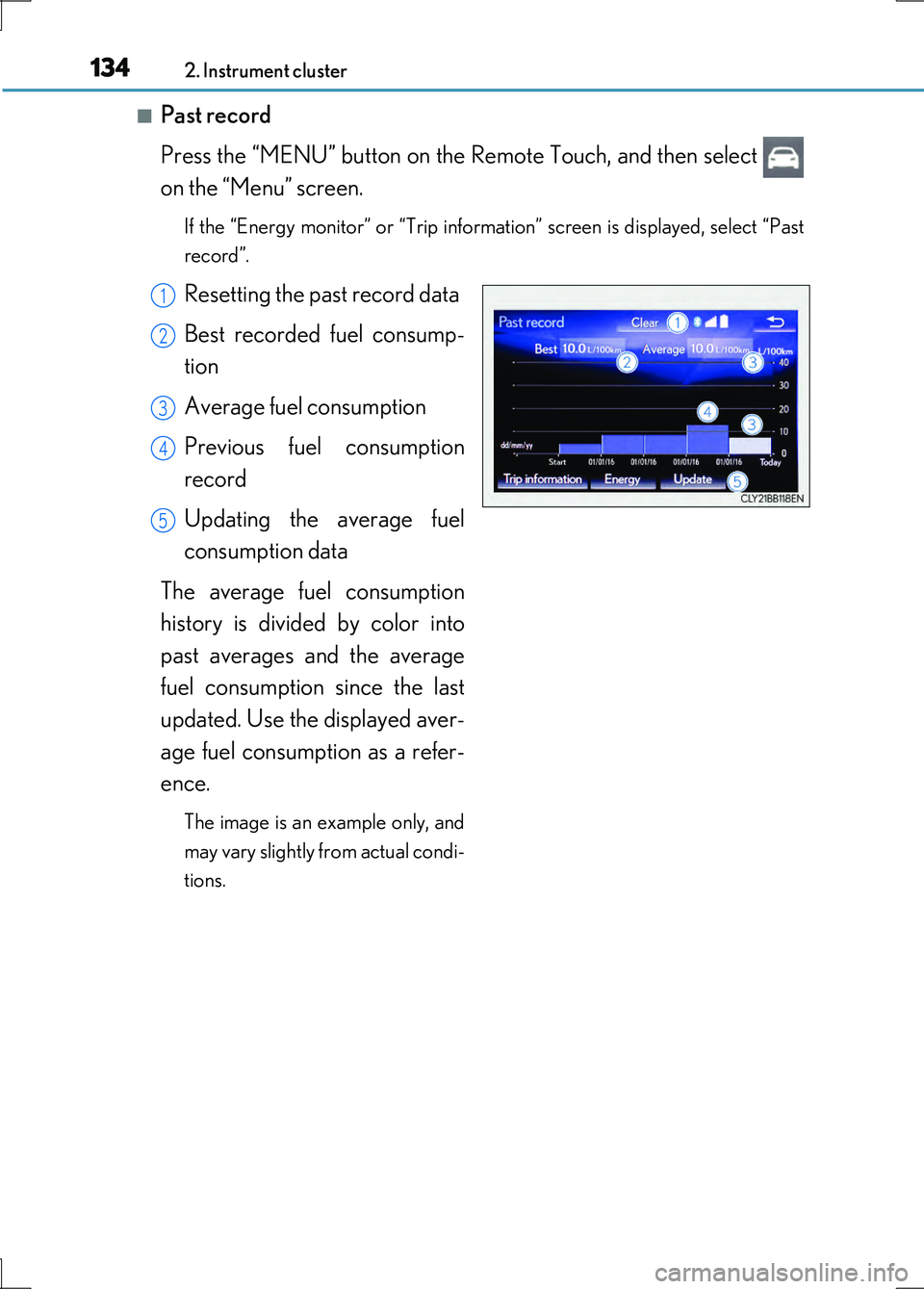
■Past record
Press the “MENU” button on the Remote Touch, and then select
on the “Menu” screen.
If the “Energy monitor” or “Trip information” screen is displayed, select “Past
record”.
Resetting the past record data
Best recorded fuel consump-
tion
Average fuel consumption
Previous fuel consumption
record
Updating the average fuel
consumption data
The average fuel consumption
history is divided by color into
past averages and the average
fuel consumption since the last
updated. Use the displayed aver-
age fuel consumption as a refer-
ence.
The image is an example only, and
may vary slightly from actual condi-
tions.
1
2
3
4
5
Page 135 of 676
1352. Instrument cluster
2
Instrument cluster
LS600h/LS600hL_EE(OM50G20E)
■Updating the past record data
Update the average fuel consumption by selecting “Update” to measure the current
fuel consumption again.
■Resetting the data
The fuel consumption data can be deleted by selecting “Clear”.
■Cruising range
Displays the estimated maximum distance that can be driven with the quantity of fuel
remaining.
This distance is computed based on your average fuel consumption.
As a result, the actual distance that can be driven may differ from that displayed.
Page 136 of 676
1362. Instrument cluster
LS600h/LS600hL_EE(OM50G20E)
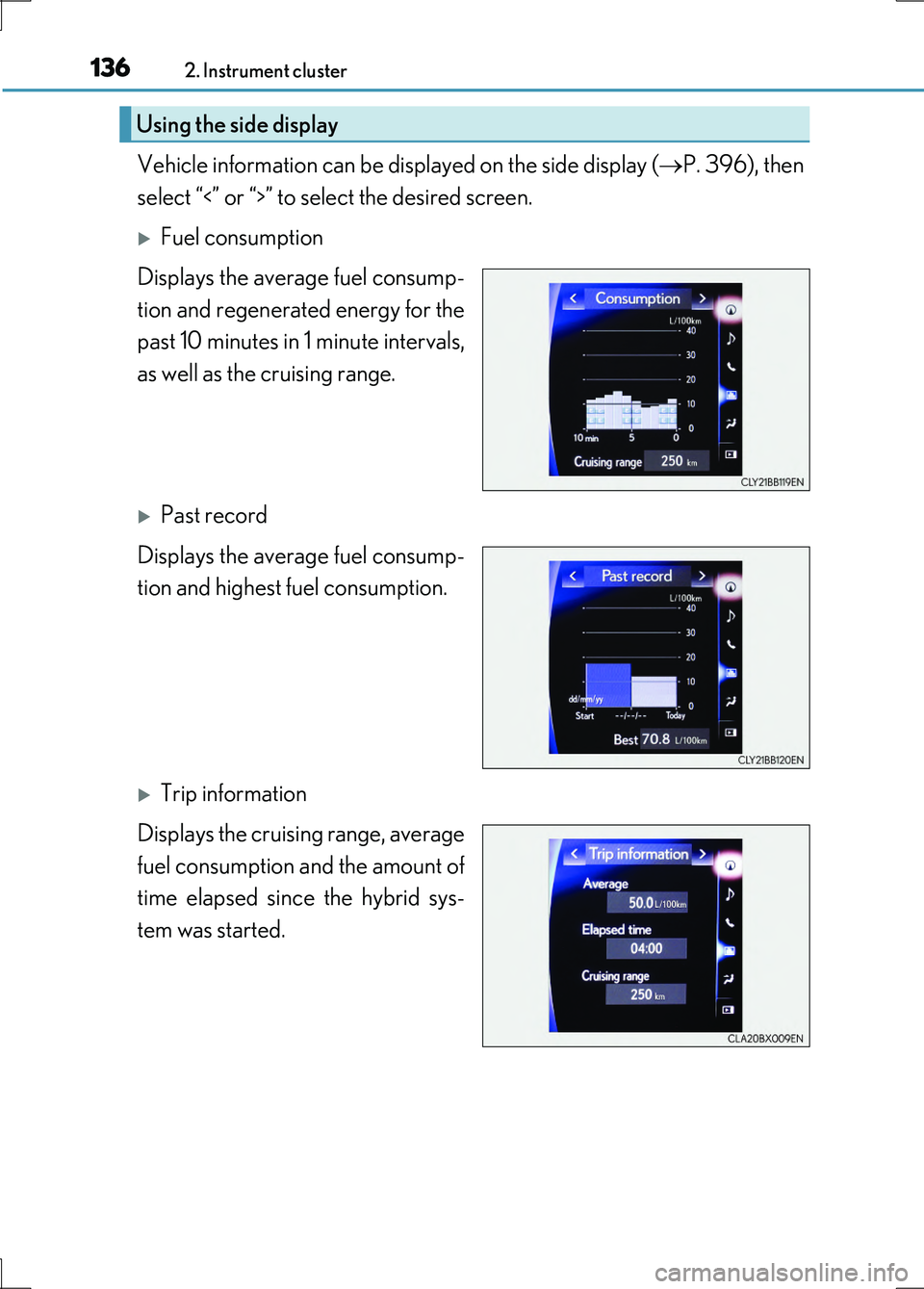
Vehicle information can be displayed on the side display (P. 396), then
select “<” or “>” to select the desired screen.
Fuel consumption
Displays the average fuel consump-
tion and regenerated energy for the
past 10 minutes in 1 minute intervals,
as well as the cruising range.
Past record
Displays the average fuel consump-
tion and highest fuel consumption.
Trip information
Displays the cruising range, average
fuel consumption and the amount of
time elapsed since the hybrid sys-
tem was started.
Using the side display
Page 334 of 676
3344-5. Using the driving support systems
LS600h/LS600hL_EE(OM50G20E)
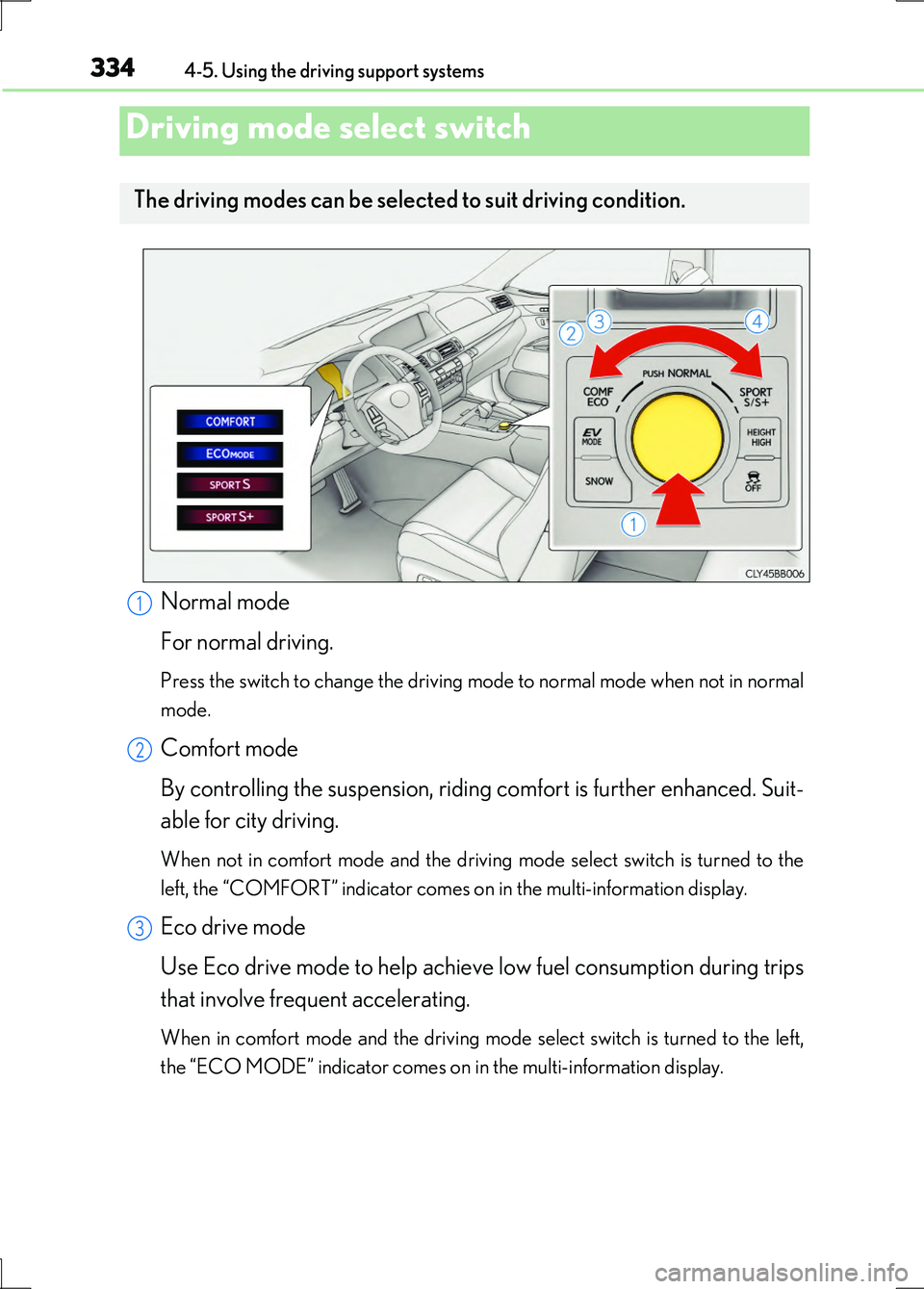
Normal mode
For normal driving.
Press the switch to change the driving mode to normal mode when not in normal
mode.
Comfort mode
By controlling the suspension, riding comfort is further enhanced. Suit-
able for city driving.
When not in comfort mode and the driving mode select switch is turned to the
left, the “COMFORT” indicator comes on in the multi-information display.
Eco drive mode
Use Eco drive mode to help achieve low fuel consumption during trips
that involve frequent accelerating.
When in comfort mode and the driving mode select switch is turned to the left,
the “ECO MODE” indicator comes on in the multi-information display.
Driving mode select switch
The driving modes can be selected to suit driving condition.
1
2
3
Page 382 of 676
382
LS600h/LS600hL_EE(OM50G20E)
4-6. Driving tips
■Using Eco drive mode
When using Eco drive mode, the torque corresponding to the acceler-
ator pedal depression amount can be generated more smoothly than it
is in normal conditions. In addition, the operation of the air conditioning
system (heating/cooling) will be minimized, improving the fuel econ-
omy. ( P. 334)
■Use of Hybrid System Indicator
The Eco-friendly driving is possible by keeping the indicate of Hybrid
System Indicator within Eco area. ( P. 119)
■When braking the vehicle
Make sure to operate the brakes gently and in good time. A greater
amount of electrical energy can be retained when slowing down.
■Delays
Repeated acceleration and deceleration, as well as long waits at traffic
lights, will lead to bad fuel consumption. Check traffic reports before
leaving and avoid delays as much as possible. When encountering a
delay, gently release the brake peda l to allow the vehicle to move for-
ward slightly while avoiding overuse of the accelerator pedal. Doing so
can help control excessive gasoline consumption.
■Highway driving
Control your speed and keep at a constant speed. Also, before stop-
ping at a toll booth or similar, allow plenty of time to release the acceler-
ator and gently apply the brakes. A greater amount of electrical energy
can be retained when slowing down.
Hybrid vehicle driving tips
For economical and ecological driving, pay attention to the following
points: