change time LEXUS LX570 2014 User Guide
[x] Cancel search | Manufacturer: LEXUS, Model Year: 2014, Model line: LX570, Model: LEXUS LX570 2014Pages: 956, PDF Size: 16.4 MB
Page 305 of 956

3052-4. Using other driving systems
2
When driving
LX570_OM_OM60L21U_(U) ■ Changing the display in 3 screen mode
When in 3 screen mode, you can ch ange the display from the simulta-
neous display to each individual display.
The screen changes as follows with each press of the VIEW switch.
When the wide view front monitor was displayed the previous time:
When the side monitor was displayed the previous time:
The wide view front monitor and side monitor individual displays are not
accessible when the shift lever is in “R”.
■ Automatic display mode
You can set the automatic display mode, which automatically changes
the display.
Touch “AUTO”. When automatic display mode is on, you can have the system display auto-
matically in the following situations:
● When the shift lever is in “N”, “D” or “S”.
● When the shift lever is in a position other than “R”, and the vehicle speed
is approximately 6 mph (10 km/h) or less.
“AUTO” will not be displayed when the shift lever is in “R”. Wide view front & side monitor simultaneous display
Side monitor Wide view front monitor
Wide view front & side monitor simultaneous display
Wide view front monitor Side monitor
Page 308 of 956
3082-4. Using other driving systems
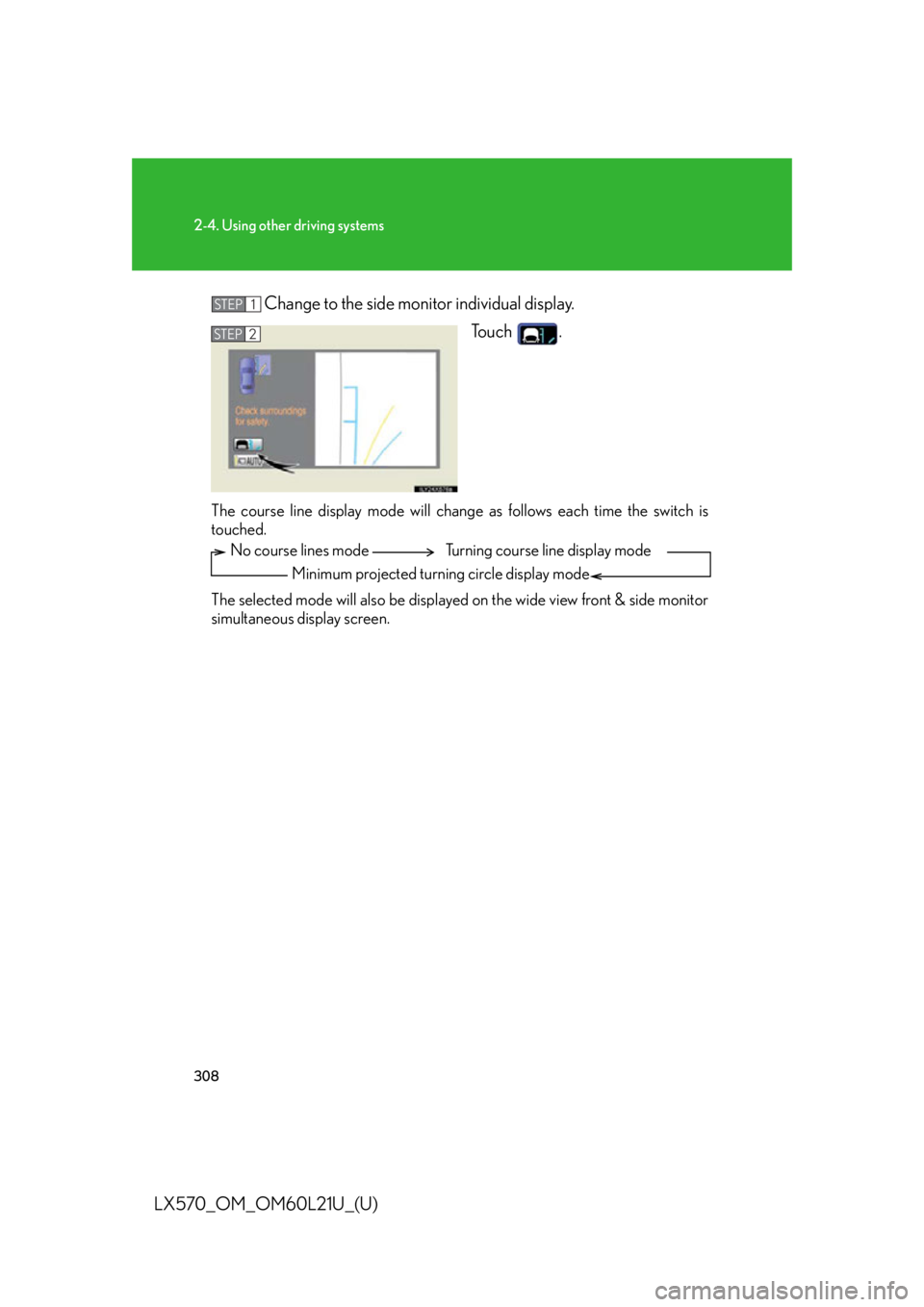
LX570_OM_OM60L21U_(U) Change to the side monitor individual display.
To u c h .
The course line display mode will change as follows each time the switch is
touched.
The selected mode will also be displayed on the wide view front & side monitor
simultaneous display screen. STEP 1
STEP 2
No course lines mode
Minimum projected turning circle display mode Turning course line display mode
Page 325 of 956
3252-4. Using other driving systems
2
When driving
LX570_OM_OM60L21U_(U) ■
In the following cases the 4-Wheel AHC will not operate ●
The brake pedal has been depressed for a few seconds or longer while the vehi-
cle is stopped. ●
Vehicle height control has not been frequently used. ●
The suspension fluid temperature is lower than -22°F (-30°C). ●
There is ice on the suspension. ●
Driving on bumpy roads which may cause the suspension to fully elongate. ●
If the steering wheel is abruptly turned more than 3/4 of a revolution with the
center differential lock system activated.■
Cold weather operation
It may take longer for the vehicle height to change if the suspension fluid tempera-
ture drops below 5°F (-15°C).
The 4-Wheel AHC does not operate when the suspension fluid temperature drops
below -22°F (-30°C). ●
In this case, even if the height select switch is pressed, the vehicle height will not
change. Once the vehicle has been driven for a short time and the suspension
fluid has been warmed to within normal operating limits, the 4-Wheel AHC will
begin operating and the vehicle height wi ll automatically change to the selected
mode. ●
When the suspension fluid is around -22°F (-30°C), the vehicle height may not
be able to be raised, even if the 4-Wheel AHC is operating. In this case, pull the
height select switch to “ ” then push to “ ” after driving for a short time longer
to select the desired vehicle height.■
Parking and stopping tips ●
If you immediately stop the engine after off-road driving, the vehicle height may
gradually lower. When parking, make su re there is nothing under the vehicle
that may come in contact with the underbody. The vehicle will return to the set
height when the engine is started. ●
The vehicle height may change as the temperature changes when the engine is
stopped. The vehicle will return to the set height when the engine is started.
Page 351 of 956

3512-4. Using other driving systems
2
When driving
LX570_OM_OM60L21U_(U) ■
Sounds and vibrations caused by the Multi Terrain ABS, brake assist, Active
TRAC, VSC, Trailer Sway Control, hill-start assist control and VGRS ●
A sound may be heard from the engi ne compartment when the engine is
started or just after the vehicle begins to move. This sound does not indicate that
a malfunction has occurred in any of these systems. ●
Any of the following conditions may occur when the above systems are operat-
ing. None of these indicates that a malfunction has occurred.
• Vibrations may be felt through the vehicle body and steering.
• A motor sound may be heard after the vehicle comes to a stop.
• The brake pedal may pulsate slightly after the Multi Terrain ABS is activated.
• The brake pedal may move down slightly after the Multi Terrain ABS is acti-
vated.■
Hill-start assist control is operational when ●
The shift lever is in “D” or “S”. ●
The brake pedal is not depressed.■
VGRS is disabled in the following situations ●
During stopping or the st eering wheel has been moved for a long time while
driving at lower speeds. ●
After the engine is restarted at less than -22°F (-30°C). ●
If you disconnect the battery with the steering wheel turned, the center position
of the steering wheel could be slightly and temporary changed. To initialize the
VGRS, drive for a short while.
Page 437 of 956

4373-1. Using the touch screen
3
Interior features
LX570_OM_OM60L21U_(U) ■ Air conditioning system command
When expanded voice commands are turned “On”. ( P. 433)Command
Action Shortcut
Menu
“Automatic climate
control” Turns air conditioni ng system on and
off. O
“Warmer” Turns temperature up. O
“Cooler ” Turns temperature down. O■
Voice command system ●
Commands that are not displayed in the “Shortcut Menu” screen can be oper-
ated from the “Main Menu” screen. ●
If the system does not respond or the confirmation screen does not disappear,
press
or
and try again.●
Voice guidance can be canceled by setting voice prompts to off. Use this setting
when it is desirable to say a co mmand immediately after pressing
or
and hearing a beep.■
If a voice command cannot be recognized ●
If a voice command cannot be recognized within 6 seconds, voice guidance will
say “Pardon?” (“Command not recognized.” will be displayed on the screen)
and voice command reception will restart. ●
If a voice command cannot be recognized 2 consecutive times, the voice com-
mand guidance system will say “Paused. To restart voice recognition, push the
talk switch. To cancel voice recognition, push and hold the talk switch.”. Then
voice recognition will be suspended.■
When touching “Voice Prompts” ●
The voice recognition prompt can be set to on or off. This setting can also be
changed on the “Voice Settings” screen. ( P. 4 2 3 )●
Voice recognition will be temporarily suspended. Press
or
again.
Page 449 of 956

4493-2. Using the air conditio ning system and defogger
3
Interior features
LX570_OM_OM60L21U_(U) ■
Micro dust and pollen filter ●
In order to prevent the windows from fogging up when the outside air is cold,
the following may occur.
• Outside air mode does not switch to recirculated air mode.
• The air conditioning syst em operates automatically.
• The operation cancels after 1 minute. ●
In rainy weather, the windows may fog up. Press .■
Air conditioning odors ●
During use, various odors from inside and outside the vehicle may enter into
and accumulate in the air conditioning sy stem. This may then cause odor to be
emitted from the vents. ●
To reduce potential odors from occurring:
• It is recommended that the air conditioning system be set to outside air mode
prior to turning the vehicle off.
• The start timing of the blower may be delayed for a short period of time
immediately after the air conditioning system is started in “AUTO” mode.■
Air conditioning filter
P. 777■
Customization
Settings (e.g. exhaust gas sensor sensitivity) can be changed.
(Customizable features P. 9 0 6 )
Page 456 of 956

4563-2. Using the air conditio ning system and defogger
LX570_OM_OM60L21U_(U) Rear window and outside rear view mirror defoggers ■
The rear window and outside rear view mirror defoggers can be operated when
The “ENGINE START STOP” switch is in IGNITION ON mode.
CAUTION■
When the outside rear view mirror defoggers are on
Do not touch the rear view mirror surfac es, as they can become very hot and burn
you.These features are used to defog the rear window, and to remove rain-
drops, dew and frost from the outside rear view mirrors.
On/off The operation time changes
according to the ambient tem-
perature and vehicle speed.
Pressing the button again also
turns the defoggers off.
Page 486 of 956
4863-3. Using the audio system
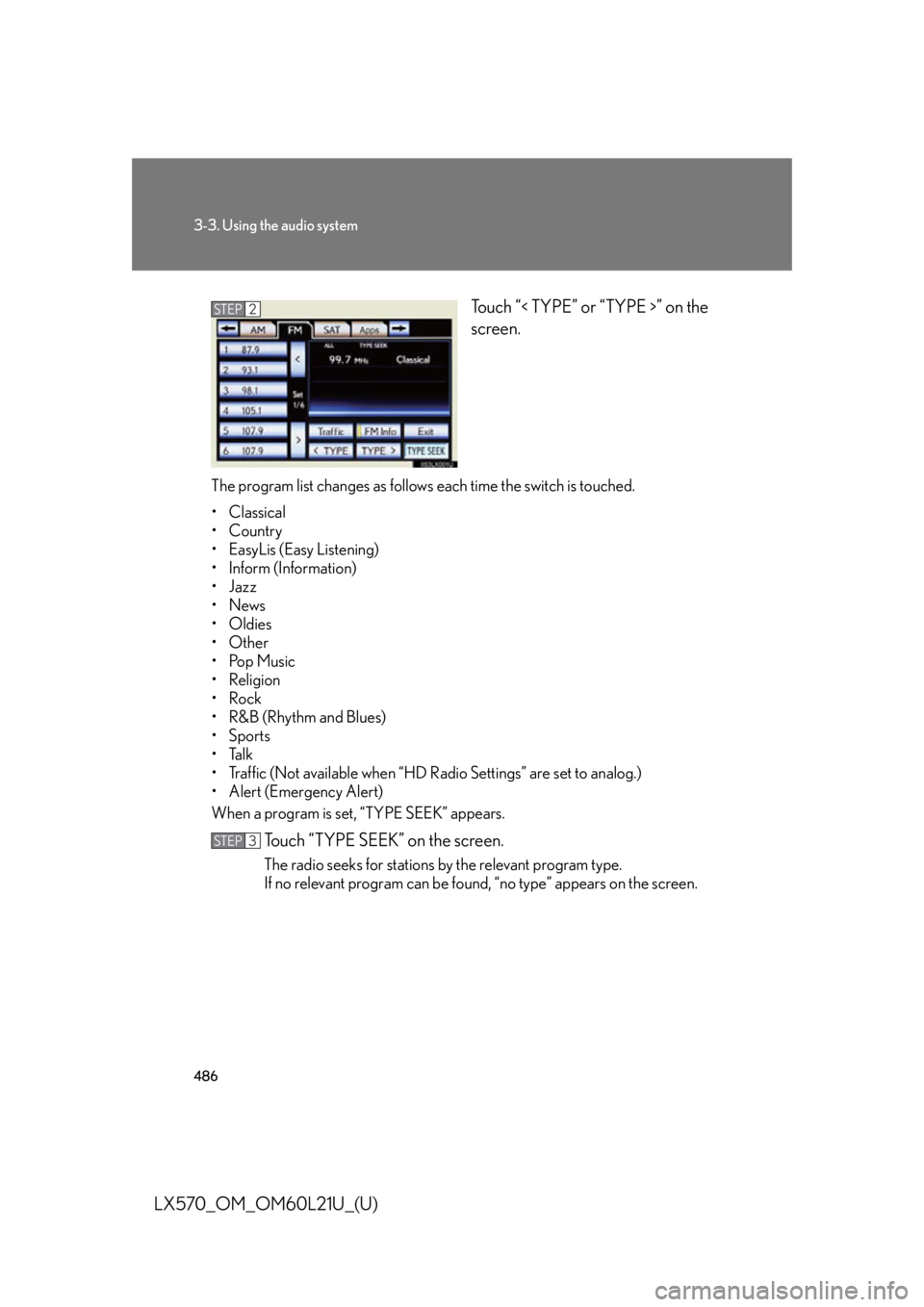
LX570_OM_OM60L21U_(U) Touch “< TYPE” or “TYPE >” on the
screen.
The program list changes as follows each time the switch is touched.
• Classical
•Country
• EasyLis (Easy Listening)
• Inform (Information)
•Jazz
•News
• Oldies
•Other
•Pop Music
• Religion
•Rock
•R&B (Rhythm and Blues)
•Sports
•Talk
• Traffic (Not available when “HD Radio Settings” are set to analog.)
• Alert (Emergency Alert)
When a program is set, “TYPE SEEK” appears.
Touch “TYPE SEEK” on the screen. The radio seeks for stations by the relevant program type.
If no relevant program can be foun d, “no type” appears on the screen.STEP 2
STEP 3
Page 490 of 956
4903-3. Using the audio system
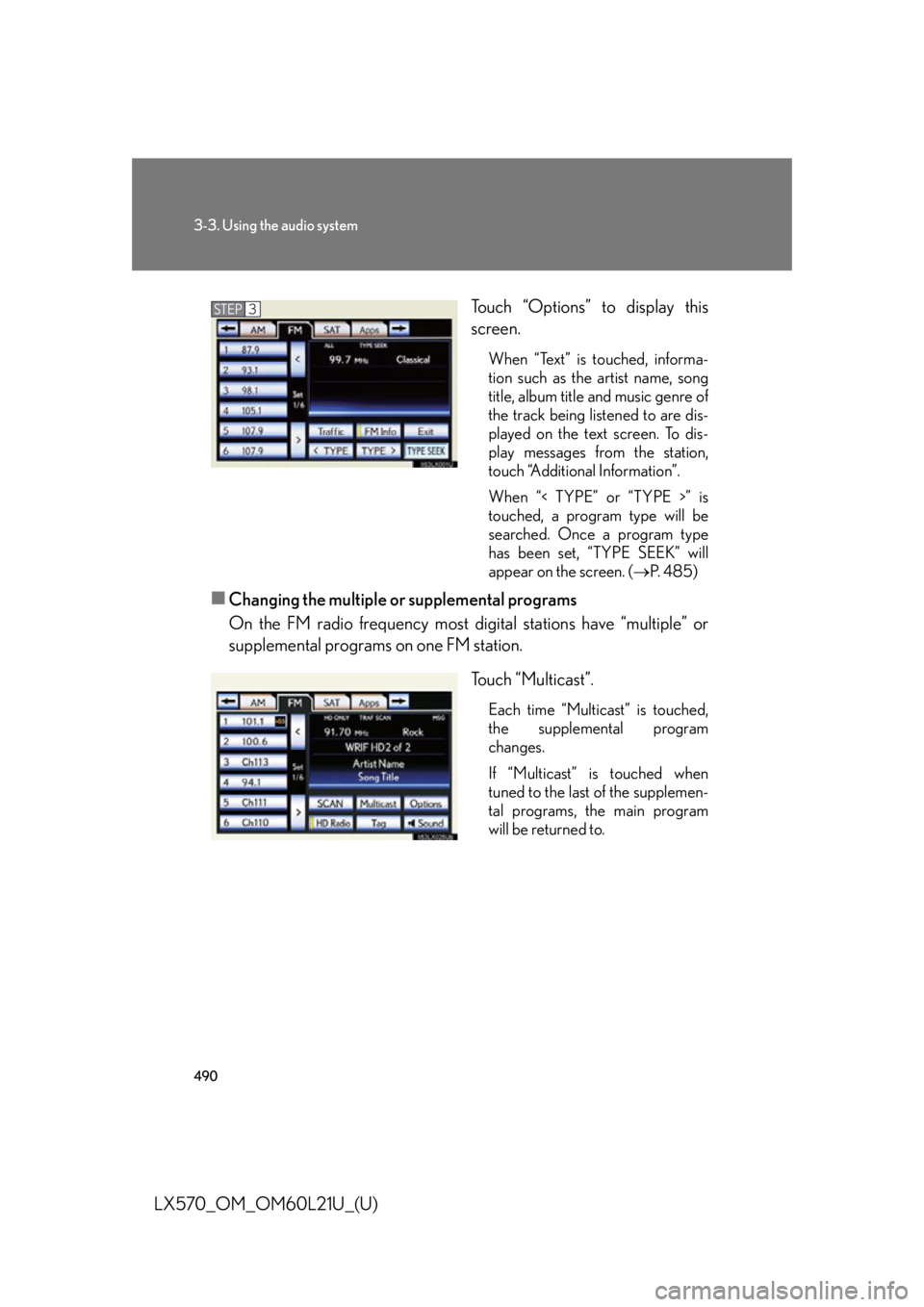
LX570_OM_OM60L21U_(U) Touch “Options” to display this
screen. When “Text” is touched, informa-
tion such as the artist name, song
title, album title and music genre of
the track being listened to are dis-
played on the text screen. To dis-
play messages from the station,
touch “Additional Information”.
When “< TYPE” or “TYPE >” is
touched, a program type will be
searched. Once a program type
has been set, “TYPE SEEK” will
appear on the screen. ( P. 4 8 5 )
■
Changing the multiple or supplemental programs
On the FM radio frequency most di gital stations have “multiple” or
supplemental programs on one FM station.
Touch “Multicast”. Each time “Multicast” is touched,
the supplemental program
changes.
If “Multicast” is touched when
tuned to the last of the supplemen-
tal programs, the main program
will be returned to.STEP 3
Page 499 of 956

4993-3. Using the audio system
3
Interior features
LX570_OM_OM60L21U_(U) ■
XM Radio Services — Legal Disclaimers and Warnings
Fees and Taxes — Subscription fee, taxes, one time activation fee, and other fees
may apply. Subscription fee is consumer only. All fees and programming subject to
change. Subscriptions subject to Customer Agreement available at
www.siriusxm.com (U.S.A.) or www.xmradio.ca (Canada). XM service only
available in the 48 contiguous United States and Canada
* .
* : Canada — some deterioration of service may occur in extreme northern lati-
tudes. This is beyond the control of XM Satellite Radio.
Explicit Language Notice — Channels with frequent explicit language are indicated
with an “XL” preceding the channel name. Channel blocking is available for XM
Satellite Radio receivers by notifying XM at;
U.S.A. Customers:
Visit.www.siriusxm.com or calling 1-877-515-3987
Canadian Customers:
Visit w w w.xmradio.ca or calling 1-877-438-9677
It is prohibited to copy, decompile, di sassemble, reverse engineer, hack, manipu-
late, or otherwise make available any te chnology or software incorporated in
receivers compatible with the XM Satell ite Radio System or that support the XM
website, the Online Service or any of its content. Furthermore, the AMBE ®
voice
compression software included in this product is protected by intellectual property
rights including patent righ ts, copyrights, and trade secrets of Digital Voice Sys-
tems, Inc.
Note: this applies to XM receivers only and not XM Ready devices. ■
Receiving XM ®
Satellite Radio
Radio ID
You will need the radio ID when activating XM ®
service or reporting a problem. If
“CH 000” is selected using the “TUNE•SCROLL” knob, the ID code, which is 8
alphanumeric characters, will be displayed. If another channel is selected, the ID
code will no longer be displayed. The channel (000) alternates between displaying
the radio ID and the specific radio code.