roof LEXUS LX570 2015 Owner's Guide
[x] Cancel search | Manufacturer: LEXUS, Model Year: 2015, Model line: LX570, Model: LEXUS LX570 2015Pages: 960, PDF Size: 11.33 MB
Page 302 of 960

3022-4. Using other driving systems
LX570_OM_OM60L96U_(U) NOTICE■
How to use the camera ●
The parking assist monitor may not oper ate properly in the following cases.
• If the back of the vehicle is hit, the position and mounting angle of the camera
may change.
• As the camera has a water proof constr uction, do not detach, disassemble or
modify it. This may cause incorrect operation.
• When cleaning the camera lens, flush the camera with a large quantity of
water, rinse the camera lens with water and wipe it with a soft and wet cloth.
Failure to do so may cause the camera lens to be scratched and unable to
transmit a clear image.
• Do not allow organic solvent, car wax, window cleaner or glass coat to
adhere to the camera. If this happens, wipe it off as soon as possible.
• If the temperature changes rapidly, such as when hot water is poured on the
vehicle in cold weather, the system may not operate normally.
• When washing the vehicle, do not apply intensive bursts of water to the cam-
era or camera area. Doing so may result in the camera malfunctioning.●
Do not expose the camera to strong impact as this could cause a malfunction. If
this happens, have the vehicle inspected by your Lexus dealer as soon as possi-
ble.
Page 329 of 960

3292-4. Using other driving systems
2
When driving
LX570_OM_OM60L96U_(U) CAUTION■
When switching the vehicle height mode
Before lowering the vehicle height, check that there are no people under or around
the vehicle, and check for obstacles.
If you do not do this, body parts may be caught in the vehicle, possibly leading to an
accident. ■
Using the high mode
The high mode should only be used wh en driving on rough roads, for example
when driving off-road. Beca use the vehicle’s center of gravity will become higher
when in the mode, the vehicle may become unstable when turning abruptly, result-
ing in an accident. ■
When jacking up the vehicle or installing tire chains
Turn off the height control and stop the engine, otherwise the vehicle height may
change due to the automatic leveling func tion and you may catch part of your body
in the vehicle, resulting in an accident. ■
When crossing rivers
Select the high mode and turn off the height control. Drive at 18 mph (30 km/h) or
lower. Otherwise the vehicle height may change due to the automatic leveling
function, resulting in an accident. ■
If your vehicle must be towed
Put the vehicle height in the normal mode and turn off the height control, otherwise
the vehicle height may change due to th e automatic leveling function and you may
catch part of your body in the ve hicle, resulting in an accident.■
If your vehicle becomes stuck in a ditch
Turn off the height control, otherwise the vehicle height may change due to the
automatic leveling function, resulting in an accident.■
When loading cargo on the roof luggage carrier
Do not switch to high mode. Sudden steeri ng could cause the vehicle to lose stabil-
ity due to the vehicle’s higher center of gravity, possibly leading to an accident.
Page 364 of 960

3642-5. Driving information
LX570_OM_OM60L96U_(U) CAUTION■
Off-road vehicle precautions
Always observe the following precautions to minimize the risk of serious personal
injury or damage to your vehicle: ●
In a rollover crash, an unbelted person is significantly more likely to die than a
person wearing a seat belt. Therefore, the driver and all passengers should fasten
their seat belts whenever the vehicle is moving. ●
Avoid sharp turns or abrupt ma neuvers, if at all possible.
Failure to operate this vehicle correctly may result in loss of control or vehicle
rollover causing death or serious injury. ●
Loading cargo on the roof luggage carrier will make the center of the vehicle
gravity higher. Avoid high speeds, sudden starts, sharp turns, sudden braking or
abrupt maneuvers, otherwise it may result in loss of control or vehicle rollover
due to failure to operate this vehicle correctly. ●
Always slow down in gusty crosswinds. Be cause of its profile and higher center of
gravity, your vehicle is more sensitive to side winds than an ordinary passenger
car. Slowing down will allow you to have better control. ●
Do not drive horizontally across steep sl opes. Driving straight up or straight
down is preferred. Your vehicle (or an y similar off-road ve hicle) can tip over
sideways much more easily than forward or backward.
Page 368 of 960
3682-5. Driving information
LX570_OM_OM60L96U_(U) Cargo and luggage Take notice of the following informat ion about storage precautions, cargo
capacity and load.
● Stow cargo and luggage in th e luggage compartment whenever
possible.
● Be sure all items are secured in place.
● Be careful to keep the vehicle le vel. Placing the weight as far for-
ward as possible helps maintain vehicle balance.
● For better fuel economy, do not carry unnecessary weight.
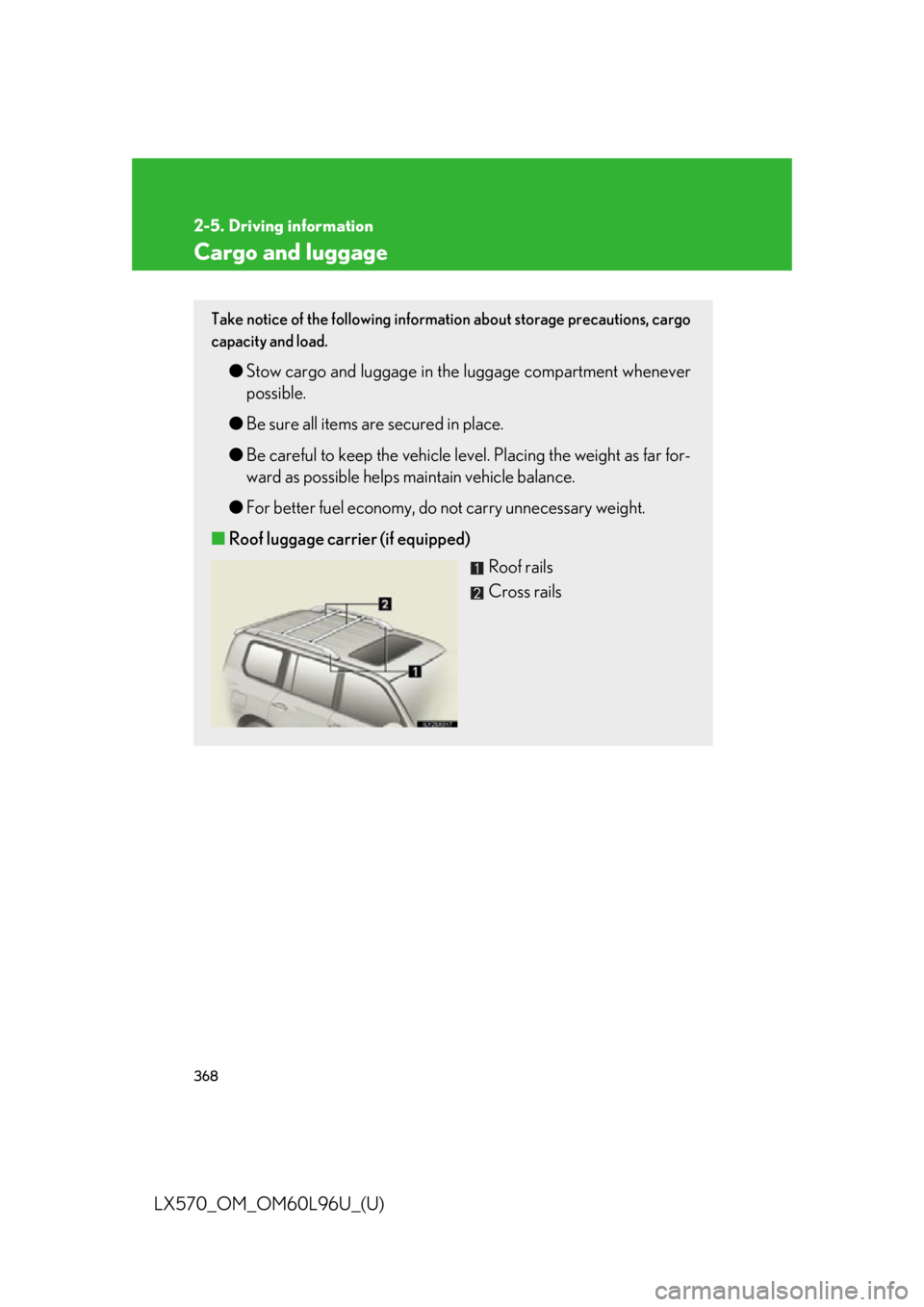
■ Roof luggage carrier (if equipped)
Roof rails
Cross rails
Page 373 of 960

3732-5. Driving information
2
When driving
LX570_OM_OM60L96U_(U) CAUTION■
Weight of the load ●
Do not exceed the maximum axle weight ra ting or the total vehicle weight rating.●
Even if the total load of occupant’s weight and the cargo load is less than the total
load capacity, do not apply the load unevenly. Improper loading may cause dete-
rioration of steering or br aking control which may cause death or serious injury.■
Roof luggage carrier pr ecautions (if equipped)
To use the roof rails as a roof luggage carr ier, you must fit the roof rails with two or
more genuine Lexus cross ra ils or their equivalent.
When you load cargo on the roof lu ggage carrier, observe the following:●
Place the cargo so that its weight is di stributed evenly between the front and rear
axles. ●
If loading long or wide cargo, never exc eed the vehicle overall length or width.
( P. 886)●
Before driving, make sure the cargo is securely fastened on the roof luggage car-
rier. ●
Loading cargo on the roof luggage carrier will make the center of the vehicle
gravity higher. Avoid high speeds, sudden starts, sharp turns, sudden braking or
abrupt maneuvers, otherwise it may result in loss of control or vehicle rollover
due to failure to operate this vehicle correct ly and result in death or serious injury.●
If driving for a long distance, on rough ro ads, or at high speed s, stop the vehicle
now and then during the trip to make sure the cargo re mains in its place.●
Do not exceed 154 lb. (70 kg) cargo weight on the roof luggage carrier.
Page 374 of 960

3742-5. Driving information
LX570_OM_OM60L96U_(U) CAUTION■
Cross rail adjustment (if equipped)
Make sure the cross rails are locked se curely by pushing forward and rearward
them.
Failure to do so may cause an accident or serious injury in the event of emergency
braking or a collision.
NOTICE■
Cross rail adjustment (if equipped)
Do not remove the cross rail stoppers, or the moon roof may be damage when it is
tilted. ■
When loading the luggage
Be careful not to scratch th e surface of the moon roof.
Page 377 of 960
3772-5. Driving information
2
When driving
LX570_OM_OM60L96U_(U) ■ Before driving the vehicle
Perform the following according to the driving conditions.
● Do not try to forcibly open a window or mo ve a wiper that is fro-
zen. Pour warm water over the froz en area to melt the ice. Wipe
away the water immediately to prevent it from freezing.
● To ensure proper operation of the climate control system fan,
remove any snow that has accumula ted on the air inlet vents in
front of the windshield.
● Check for and remove any exce ss ice or snow that may have
accumulated on the exterior lights, vehicle’s roof, chassis, around
the tires or on the brakes.
● Remove any snow or mud from the bottom of your shoes before
getting in the vehicle.
■ When driving the vehicle
Accelerate the vehicle slowly, k eep a safe distance between you
and the vehicle ahead, and drive at a reduced speed suitable to road
conditions.
■ When parking the vehicle
Park the vehicle and move the shift lever to “P” without setting the
parking brake. The parking brake may freeze up, preventing it from
being released. If necessary, bl ock the wheels to prevent inadvert-
ent sliding or creeping.
Page 440 of 960

4403-1. Using the touch screen
LX570_OM_OM60L96U_(U) ■
When using the microphone ●
It is unnecessary to speak directly in to the microphone when giving a com-
mand. ●
Wait for the confirmation beep before speaking a command. ●
Voice commands may not be recognized if:
• Spoken too quickly.
• Spoken at a low or high volume.
• The roof or windows are open.
• Passengers are talking while voice commands are spoken.
• The air conditioning speed is set high.
• The air conditioning vents are turned towards the microphone.●
In the following conditions, the system may not recognize the command prop-
erly and using voice commands may not be possible:
• The command is incorrect or unclear. Note that certain words, accents or
speech patterns may be difficult for the system to recognize.
• There is excessive background noise, such as wind noise.■
When searching for a track ●
A USB memory or iPod must be connected to enable track searching and play-
back. ( P. 552, 562)●
When a USB memory or iPod is connected, recognition data is created so
tracks can be searched using voice commands. ●
Recognition data is updated under the following conditions:
• When the USB memory or iPod data has changed.
• When the voice recognition language is changed. ( P. 417)●
While the recognition data is being cr eated or being updated, a track search
cannot be performed using a voice command. ●
While “Play Music” is displayed in the “Shortcut Menu” screen, say “Play music”
to display the music screen from which searching for a track using a voice com-
mand can be performed. ●
When “Play Music” is dimmed in the “Sho rtcut Menu” screen, it is not possible
to search for a track using a voice command. In this situation, reduce the
amount of music data in the USB memory or iPod and update the recognition
data to enable searching by voice command.
Page 443 of 960
4433-1. Using the touch screen
3
Interior features
LX570_OM_OM60L96U_(U) ■
Adjusting the volume
The volume of the Mobile Assistant can be adjusted using the “PWR/VOL” knob
or steering wheel volume switches. The Mobile Assistant and phone call volumes
are synchronized. ■
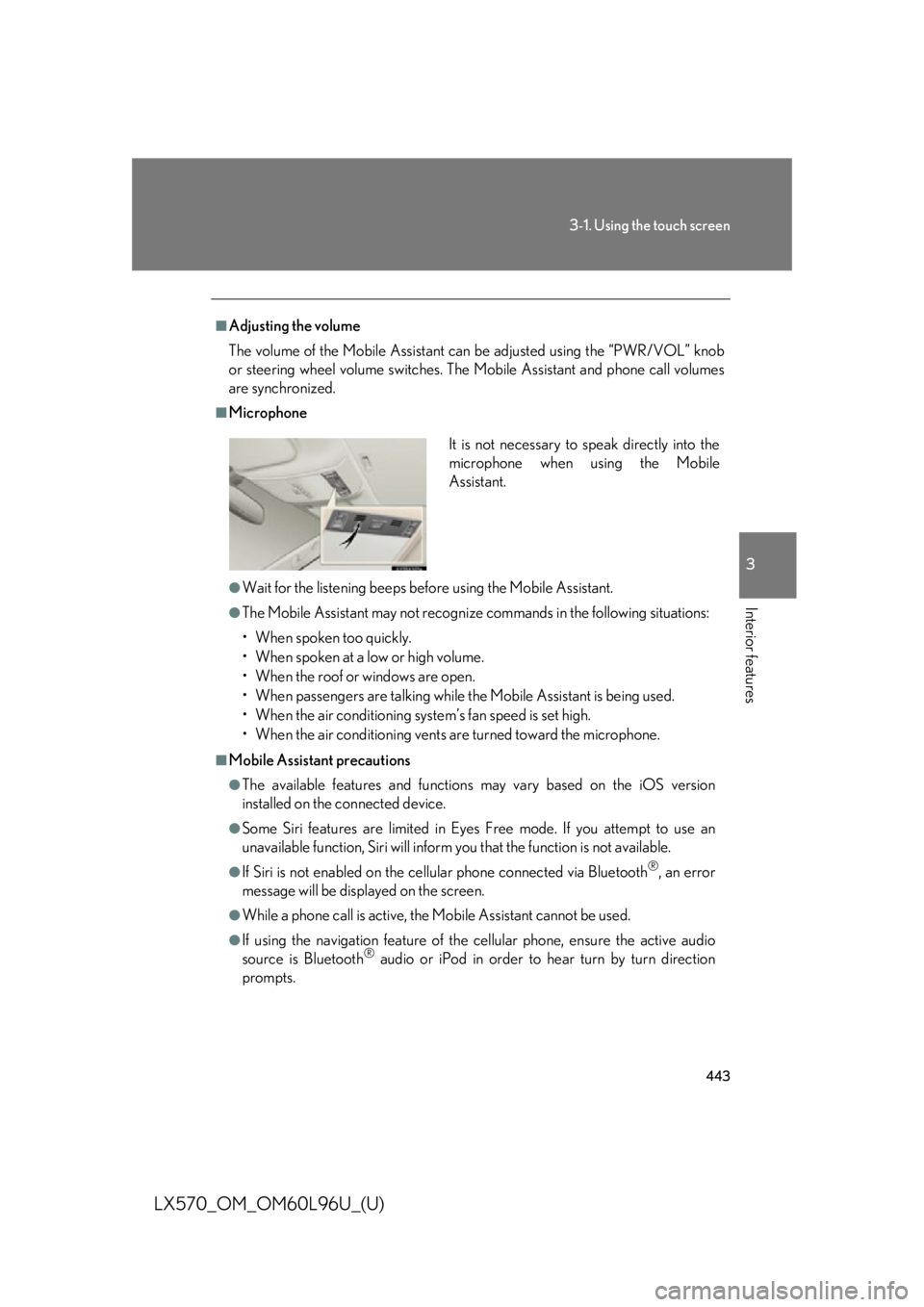
Microphone
●
Wait for the listening beeps befo re using the Mobile Assistant.●
The Mobile Assistant may not recognize commands in the following situations:
• When spoken too quickly.
• When spoken at a low or high volume.
• When the roof or windows are open.
• When passengers ar e talking while the Mobile Assistant is being used.
• When the air conditioning syst em’s fan speed is set high.
• When the air conditioning vents ar e turned toward the microphone.■
Mobile Assistant precautions ●
The available features and functions may vary based on the iOS version
installed on the connected device.●
Some Siri features are limited in Eyes Free mode. If you attempt to use an
unavailable function, Siri will inform you that the function is not available. ●
If Siri is not enabled on the cellular phone connected via Bluetooth ®
, an error
message will be displayed on the screen. ●
While a phone call is active, the Mobile Assistant cannot be used. ●
If using the navigation feature of the cellular phone, ensure the active audio
source is Bluetooth ®
audio or iPod in order to hear turn by turn direction
prompts. It is not necessary to speak directly into the
microphone when using the Mobile
Assistant.
Page 501 of 960

5013-3. Using the audio system
3
Interior features
LX570_OM_OM60L96U_(U) Silencing the sound
Press .
Press the button again to turn the system back on. ■
If you touch
The display returns to the previous screen. ■
When the battery is disconnected
All preset stations are erased. ■
Reception sensitivity ●
Cargo loaded on the roof luggage ca rrier, especially metal objects, may
adversely affect the reception of XM ®
Satellite Radio.●
Maintaining perfect radio reception at all times is difficult due to the continually
changing position of the antenna, differ ences in signal stre ngth and surrounding
objects, such as trains, transmitters, etc. ●
The radio antenna is mounted inside the rear quarter window. To maintain clear
radio reception, do not attach metallic window tinting or other metallic objects
to the antenna wire mounted inside the rear quarter window.