weight LEXUS LX570 2016 Owner's Manual
[x] Cancel search | Manufacturer: LEXUS, Model Year: 2016, Model line: LX570, Model: LEXUS LX570 2016Pages: 632, PDF Size: 10.34 MB
Page 332 of 632

332
LX570_OM_OM60N01U_(U) 4-5. Using the driving support systems■
Under vehicle terrain view & dual side view ●
The screen can be displayed when the shift lever is in D or N. ●
While the under vehicle terrain view is displayed, if the vehicle speed reaches or
exceeds approximately 3 mph (5 km/h), the screen automatically returns to the front
view display. ●
In the following situations, the under vehicle terrain view selection switch cannot be
operated.
• The vehicle is not completely stopped
• After the engine starts, a fixed distance or more has not been driven
• After the four-wheel drive control switch is shifted to L4, a fixed distance or more
has not been driven ●
In the following situations, the system may no t operate normally, or it may not be possi-
ble to switch to the under vehicle terrain view.
• The road is covered with snow
• It is nighttime and the road has no illumination
• Dirt or foreign matter is adhering to the camera lens
• There is water in front of the vehicl e ( a r i v e r, p u d d l e , s e a w a t e r, e t c . )
WA R N I N G ■
Guide lines
The tire position indicator lines and vehicle position indicator lines may differ from
actual vehicle positions depending on the number of passengers, cargo weight, road
grade, road surface conditions, brightness of the surrounding environment, etc. Always
drive the vehicle while confirming the safety of your surroundings. ■
Under vehicle terrain view display
The image displayed is one that was previously taken at a point approximately 10 ft.
(3 m) behind the current vehicle position. In cases such as when ob jects move after the
image is taken, the image displayed on the screen may differ from the actual state.
Page 334 of 632

334
LX570_OM_OM60N01U_(U) 4-5. Using the driving support systems■
Rear view & dual side view/wide rear view
The screen can be displayed when the shift lever is in R. ■
Guide lines
If the back door is not closed , guide lines will not be displaye d. If the guide lines do not
display even when the back door is closed , have the vehicle inspected at your Lexus
dealer.
WA R N I N G ■
Guide lines
The tire position indicator lines and vehicle position indicator lines may differ from
actual vehicle positions depending on the number of passengers, cargo weight, road
grade, road surface conditions, brightness of the surrounding environment, etc. Always
drive the vehicle while confirming the safety of your surroundings.
Page 336 of 632
336
LX570_OM_OM60N01U_(U) 4-5. Using the driving support systems●
Switching to automatic display mode
P. 3 2 3●
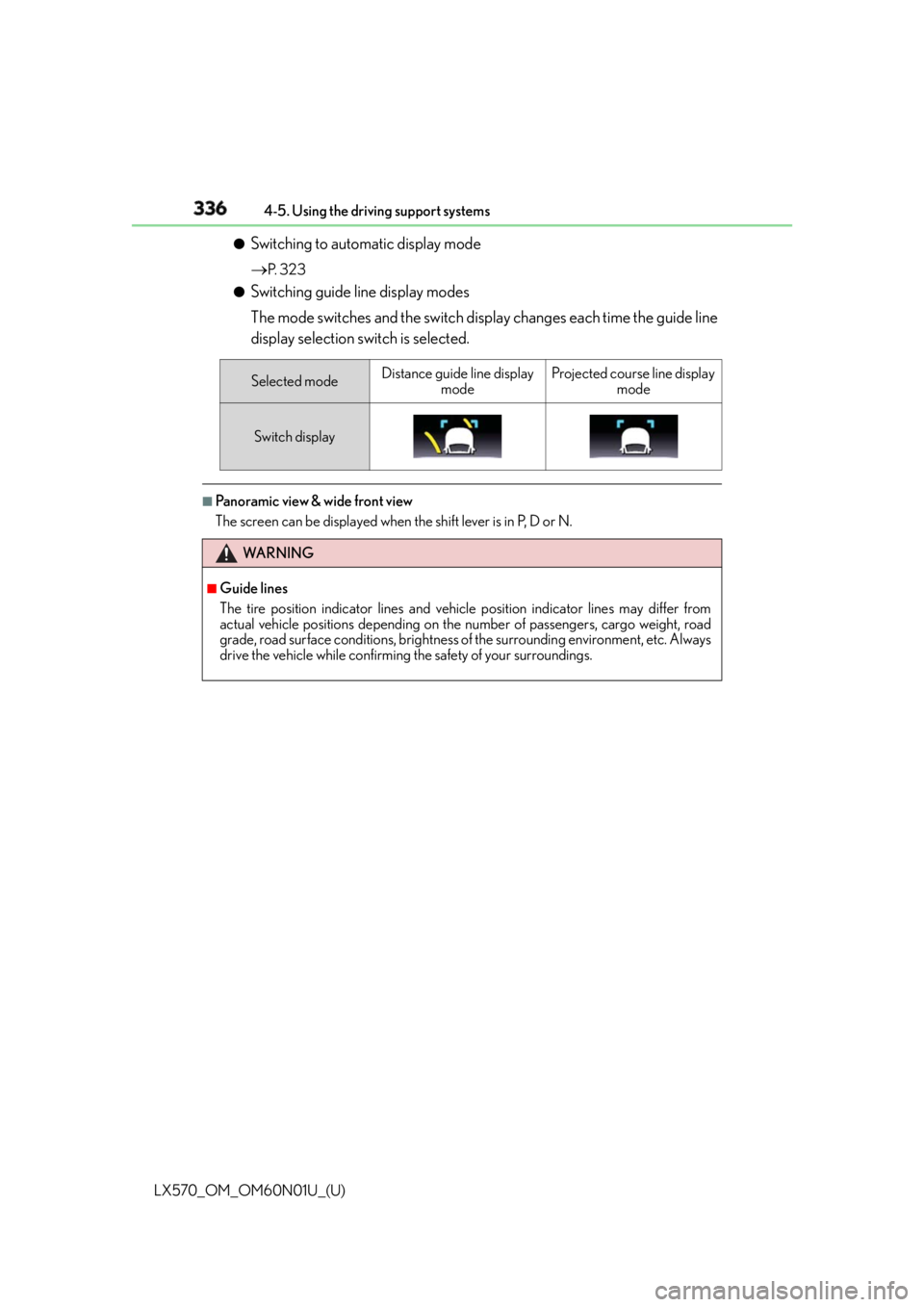
Switching guide line display modes
The mode switches and the switch display changes each time the guide line
display selection switch is selected. ■
Panoramic view & wide front view
The screen can be displayed when the shift lever is in P, D or N.Selected mode Distance guide line display
mode Projected course line display
mode
Switch display
WA R N I N G ■
Guide lines
The tire position indicator lines and vehicle position indicator lines may differ from
actual vehicle positions depending on the number of passengers, cargo weight, road
grade, road surface conditions, brightness of the surrounding environment, etc. Always
drive the vehicle while confirming the safety of your surroundings.
Page 339 of 632

LX570_OM_OM60N01U_(U) 3394-5. Using the driving support systems
4
Driving ■
Dual side view ●
The screen can be displayed when the shift lever is in P, D or N. ●
When the outside rear view mirrors are retracted, the displayed area changes (the area
on the screen that is not masked in black). ( P. 3 4 6 )
WA R N I N G ■
Guide lines
The tire position indicator lines and vehicle position indicator lines may differ from
actual vehicle positions depending on the number of passengers, cargo weight, road
grade, road surface conditions, brightness of the surrounding environment, etc. Always
drive the vehicle while confirming the safety of your surroundings.
Page 345 of 632

LX570_OM_OM60N01U_(U) 3454-5. Using the driving support systems
4
Driving ■
Panoramic view & rear view/wide rear view
The screen can be displayed when the shift lever is in R. ■
Guide lines
If the back door is not closed , guide lines will not be displaye d. If the guide lines do not
display even when the back door is closed , have the vehicle inspected at your Lexus
dealer.
WA R N I N G ■
Guide lines
The tire position indicator lines and vehicle position indicator lines may differ from
actual vehicle positions depending on the number of passengers, cargo weight, road
grade, road surface conditions, brightness of the surrounding environment, etc. Always
drive the vehicle while confirming the safety of your surroundings. ■
When using panoramic view & rear view or wide rear view ●
If the vehicle width extension guide lines and projected course lines are not aligned
with the steering wheel in the center position , drive straight on a road without as little
traffic and as few bends or curves as poss ible for approximately 5 minutes or more. If
the symptom is not resolved, have the vehicle inspected by your Lexus dealer. ●
Rear vehicle width extension guide lines ar e displayed wider than the actual vehicle
width. When backing up, always confirm the safety of your surroundings and the area
to the rear of the vehicle.
Page 347 of 632
LX570_OM_OM60N01U_(U) 3474-5. Using the driving support systems
4
Driving ●
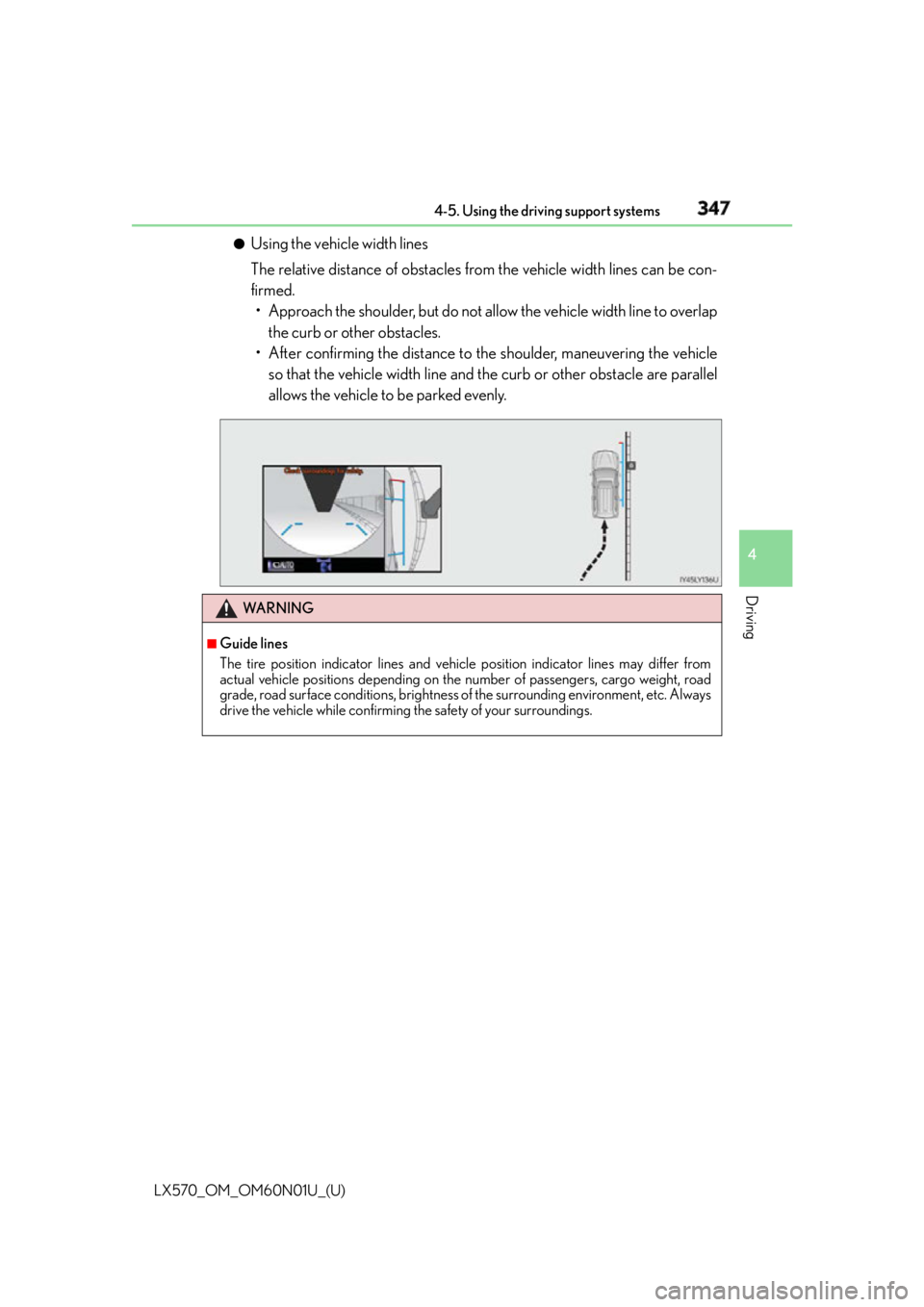
Using the vehicle width lines
The relative distance of obstacles from the vehicle width lines can be con-
firmed.
• Approach the shoulder, but do not allow the vehicle width line to overlap
the curb or other obstacles.
• After confirming the distance to the shoulder, maneuvering the vehicle
so that the vehicle width line and th e curb or other obstacle are parallel
allows the vehicle to be parked evenly.
WA R N I N G ■
Guide lines
The tire position indicator lines and vehicle position indicator lines may differ from
actual vehicle positions depending on the number of passengers, cargo weight, road
grade, road surface conditions, brightness of the surrounding environment, etc. Always
drive the vehicle while confirming the safety of your surroundings.
Page 349 of 632

LX570_OM_OM60N01U_(U) 3494-5. Using the driving support systems
4
Driving Observe the following precautions. Failure to do so may result in an unexpected
accident. Also, when driving, make sure to directly confirm the safety of your sur-
roundings and the area to the rear of the vehicle.
When using the Multi-terrain Monitor WA R N I N G ■
Conditions under which the Multi-terrain Monitor should not be used
Do not use the Multi-terrain Monitor in th e following situations. The system may not
operate properly, resulting in an unexpected accident.●
When driving on an icy, snow-covered or otherwise slippery road surface●
When using tire chains or a spare tire ●
When either front door or the ba ck door is not completely closed●
When driving on an uneven road, such as a hill ●
When tires or suspension parts othe r than those specified are equipped
When the tires are replaced, the position indicated by the guide lines displayed on the
screen may differ. ■
Guide lines
The tire position indicator lines and vehicle position indicator lines may differ from
actual vehicle positions depending on the number of passengers, cargo weight, road
grade, road surface conditions, brightness of the surrounding environment, etc. Always
drive the vehicle while confirming the safety of your surroundings.
Page 357 of 632
LX570_OM_OM60N01U_(U) 3574-5. Using the driving support systems
4
Driving ●
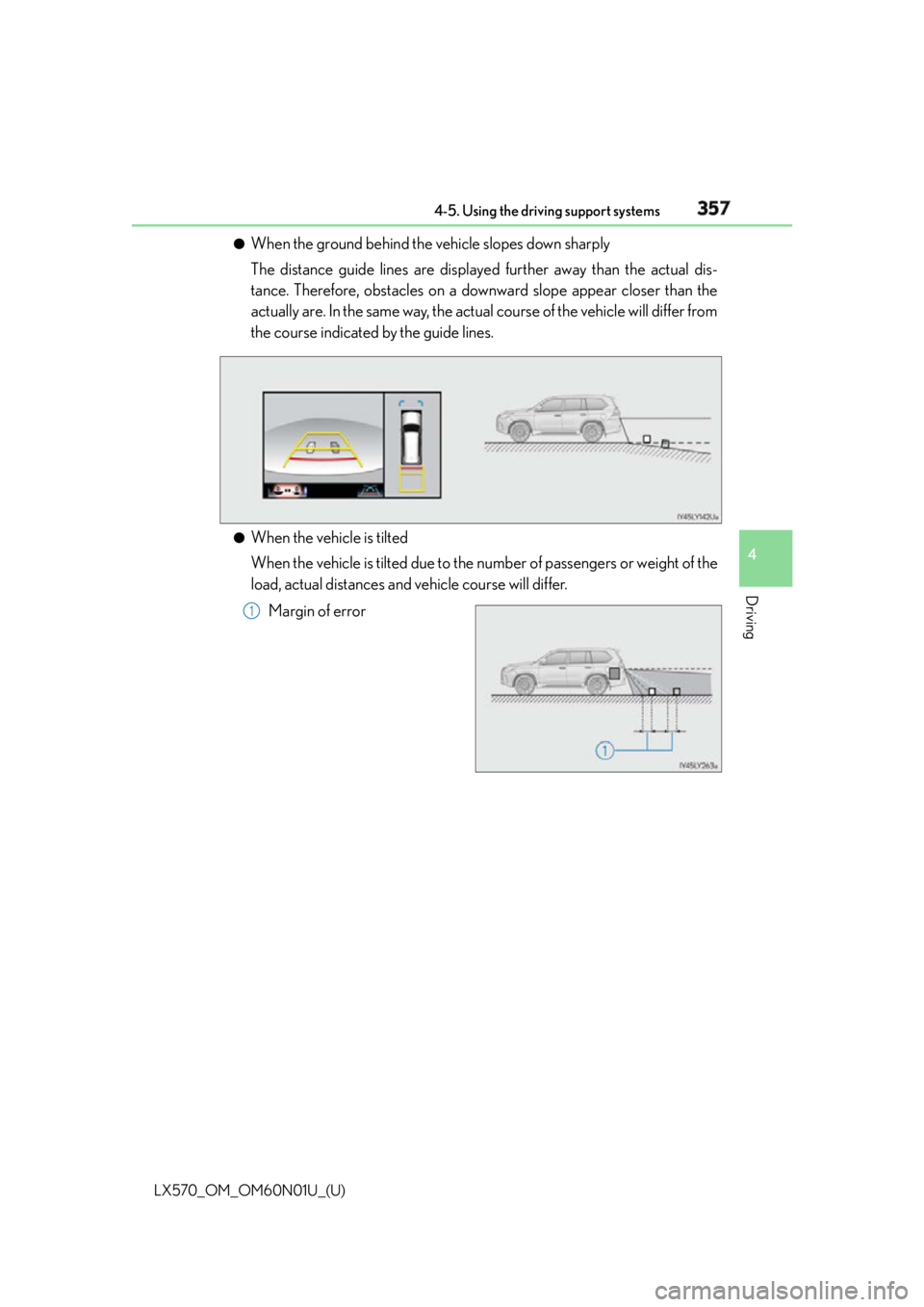
When the ground behind the vehicle slopes down sharply
The distance guide lines are displaye d further away than the actual dis-
tance. Therefore, obstacles on a downward slope appear closer than the
actually are. In the same way, the actual course of the vehicle will differ from
the course indicated by the guide lines.
●
When the vehicle is tilted
When the vehicle is tilted due to the nu mber of passengers or weight of the
load, actual distances and vehicle course will differ.
Margin of error 1
Page 361 of 632
LX570_OM_OM60N01U_(U) 3614-5. Using the driving support systems
4
Driving ■
Differences between the panoramic view, rear view and wide rear view and
actual roads ●
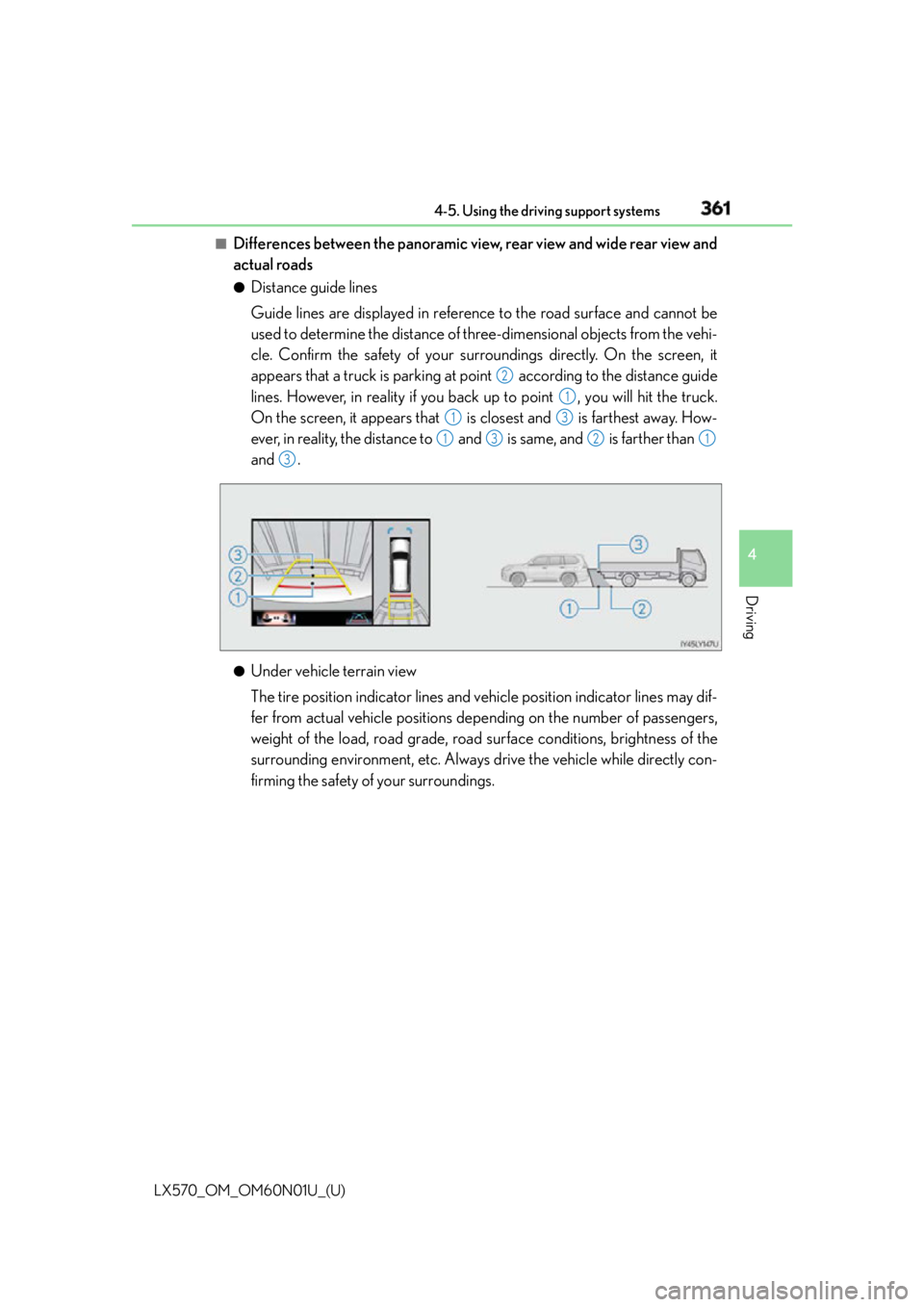
Distance guide lines
Guide lines are displayed in referenc e to the road surface and cannot be
used to determine the distance of three-dimensional objects from the vehi-
cle. Confirm the safety of your surr oundings directly. On the screen, it
appears that a truck is parking at po int according to the distance guide
lines. However, in reality if you back up to point , you will hit the truck.
On the screen, it appears that is closest and is farthest away. How-
ever, in reality, the distance to and is same, and is farther than
and .
●
Under vehicle terrain view
The tire position indicator lines and vehicle position indicator lines may dif-
fer from actual vehicle positions depe nding on the number of passengers,
weight of the load, road grade, road surface conditions, brightness of the
surrounding environment, etc. Always drive the vehicle while directly con-
firming the safety of your surroundings. 2
1
1 3
1 3 2 1
3
Page 489 of 632
LX570_OM_OM60N01U_(U) 4896-3. Do-it-yourself maintenance
6
Maintenance and care ■
When to replace your vehicle’s tires
Tires should be replaced if: ●
The treadwear indicators are showing on a tire. ●
You have tire damage such as cuts, splits, cracks deep enough to expose the fabric, and
bulges indicating internal damage ●
A tire goes flat repeatedly or cannot be prop erly repaired due to the size or location of
a cut or other damage
If you are not sure, consult with your Lexus dealer. ■
Replacing tires and wheels
If the ID code of the tire pressure warning valve and transmitter is not registered, the tire
pressure warning system will not work proper ly. After driving for about 20 minutes, the
tire pressure warning light comes on after b linking for 1 minute to indicate a system mal-
function. ■
Tire life
Any tire over 6 years old must be checked by a qualified technician even if it has seldom
or never been used or damage is not obvious. ■
Routine tire inflation pressure checks
The tire pressure warning system does not replace routine tire inflation pressure checks.
Make sure to check tire inflation pressure as part of your routine of daily vehicle checks.■
Maximum load of tire
Check that the number given by dividing th e maximum load by 1.10 of the replacement
tire is greater than 1 /2 of the Gross Axle Weight Ratings (GAWR) of either the front axle
or the rear axle, whichever is greater.
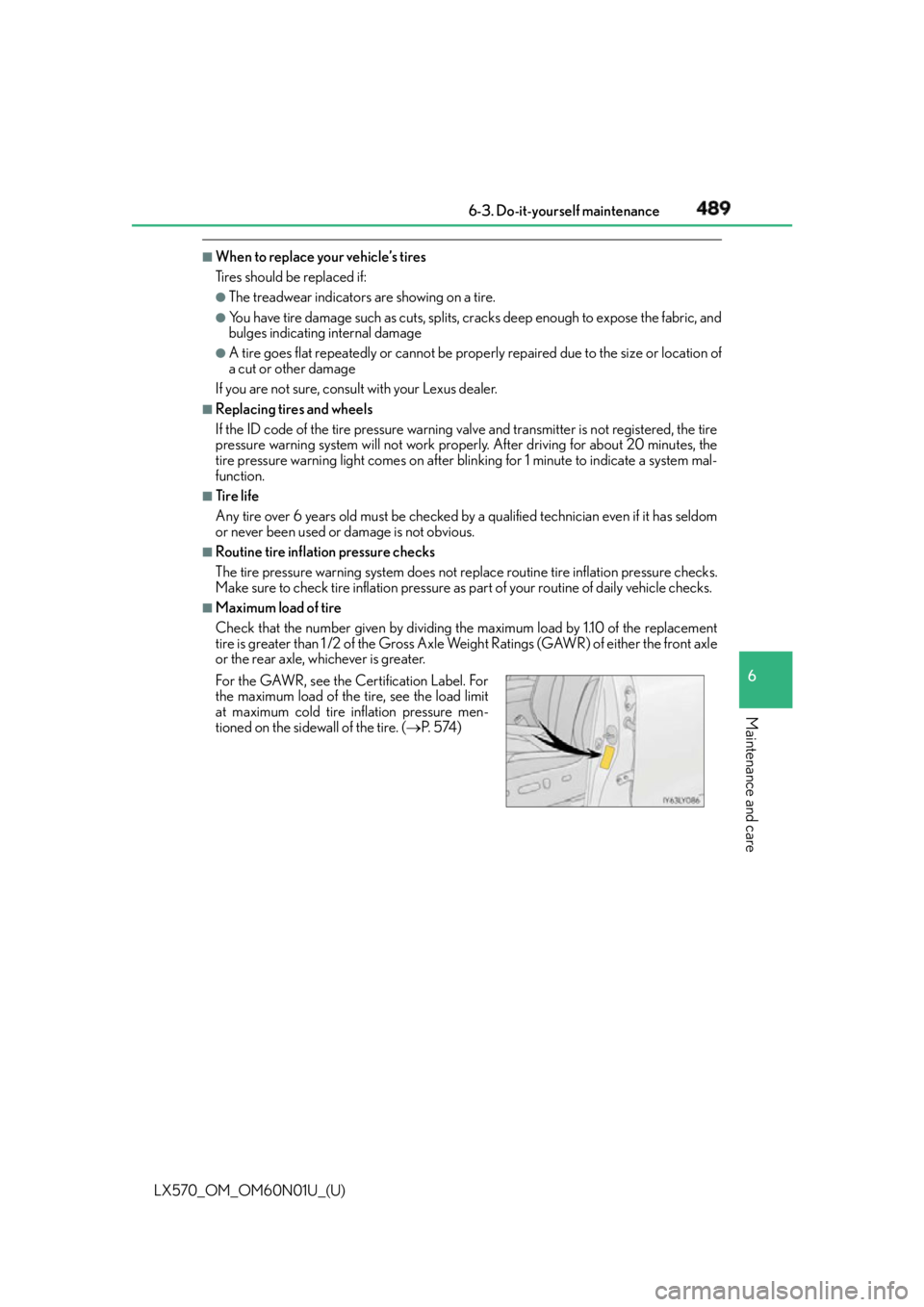
For the GAWR, see the Certification Label. For
the maximum load of the tire, see the load limit
at maximum cold tire inflation pressure men-
tioned on the sidewall of the tire. ( P. 5 74 )