ECO mode LEXUS LX570 2016 Service Manual
[x] Cancel search | Manufacturer: LEXUS, Model Year: 2016, Model line: LX570, Model: LEXUS LX570 2016Pages: 632, PDF Size: 8.94 MB
Page 254 of 632

254
LX570_OM_OM60N01U_(U)4-5. Using the driving support systems
■Enabling/disabling the pre-collision system
Press the PCS switch for 3 seconds or more.
The system is automatically enabled each time the engine switch is turned to IGNI-
TION ON mode.
If the system is disabled, the PCS
warning light will turn on and a mes-
sage will be displayed on the multi-
information display.
■Changing the pre-col
lision warning timing
Press the PCS switch.
Each time the PCS switch is pressed, the warning timing changes as follows:
The operation timing setting is retained when the engine switch is turned off.
Far
The warning will begin to operate
earlier than with the default timing.
Middle
This is the default setting.
Near
The warning will begin to operate
later than with the default timing.
Changing settings of the pre-collision system
1
2
3
Page 275 of 632
LX570_OM_OM60N01U_(U)
2754-5. Using the driving support systems
4
Driving
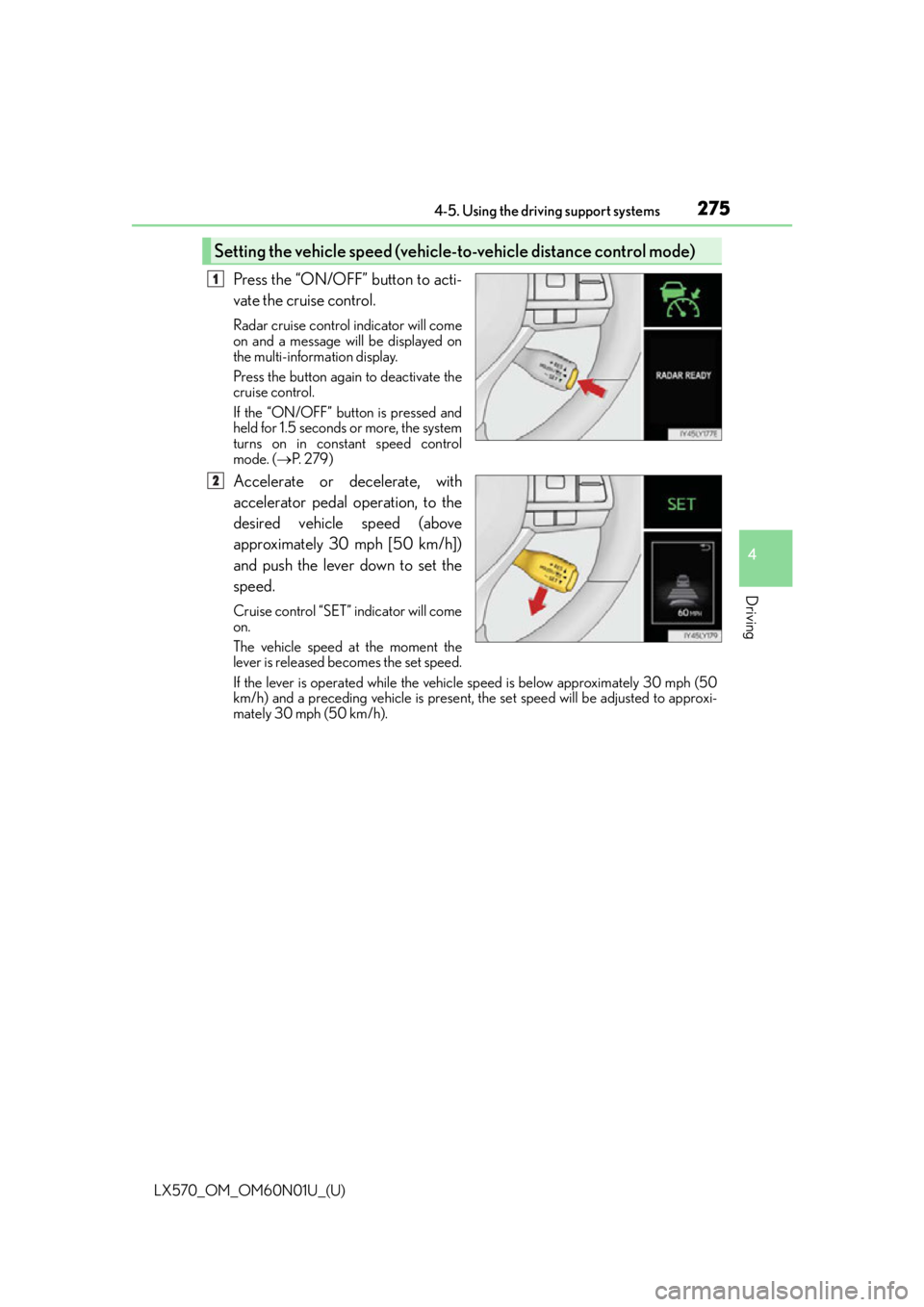
Press the “ON/OFF” button to acti-
vate the cruise control.
Radar cruise control indicator will come
on and a message will be displayed on
the multi-information display.
Press the button again to deactivate the
cruise control.
If the “ON/OFF” button is pressed and
held for 1.5 seconds or more, the system
turns on in constant speed control
mode. (P. 2 7 9 )
Accelerate or decelerate, with
accelerator pedal operation, to the
desired vehicle speed (above
approximately 30 mph [50 km/h])
and push the lever down to set the
speed.
Cruise control “SET” indicator will come
on.
The vehicle speed at the moment the
lever is released be comes the set speed.
If the lever is operated while the vehicle speed is below approximately 30 mph (50
km/h) and a preceding vehicle is present, the set speed will be adjusted to approxi-
mately 30 mph (50 km/h).
Setting the vehicle speed (vehicle-to-vehicle distance control mode)
1
2
Page 279 of 632
LX570_OM_OM60N01U_(U)
2794-5. Using the driving support systems
4
Driving
When constant speed control mode is selected, your vehicle will maintain a set
speed without controlling the vehicle-to-vehicle distance. Select this mode only
when vehicle-to-vehicle distance contro l mode does not function correctly due
to a dirty radar sensor, etc.
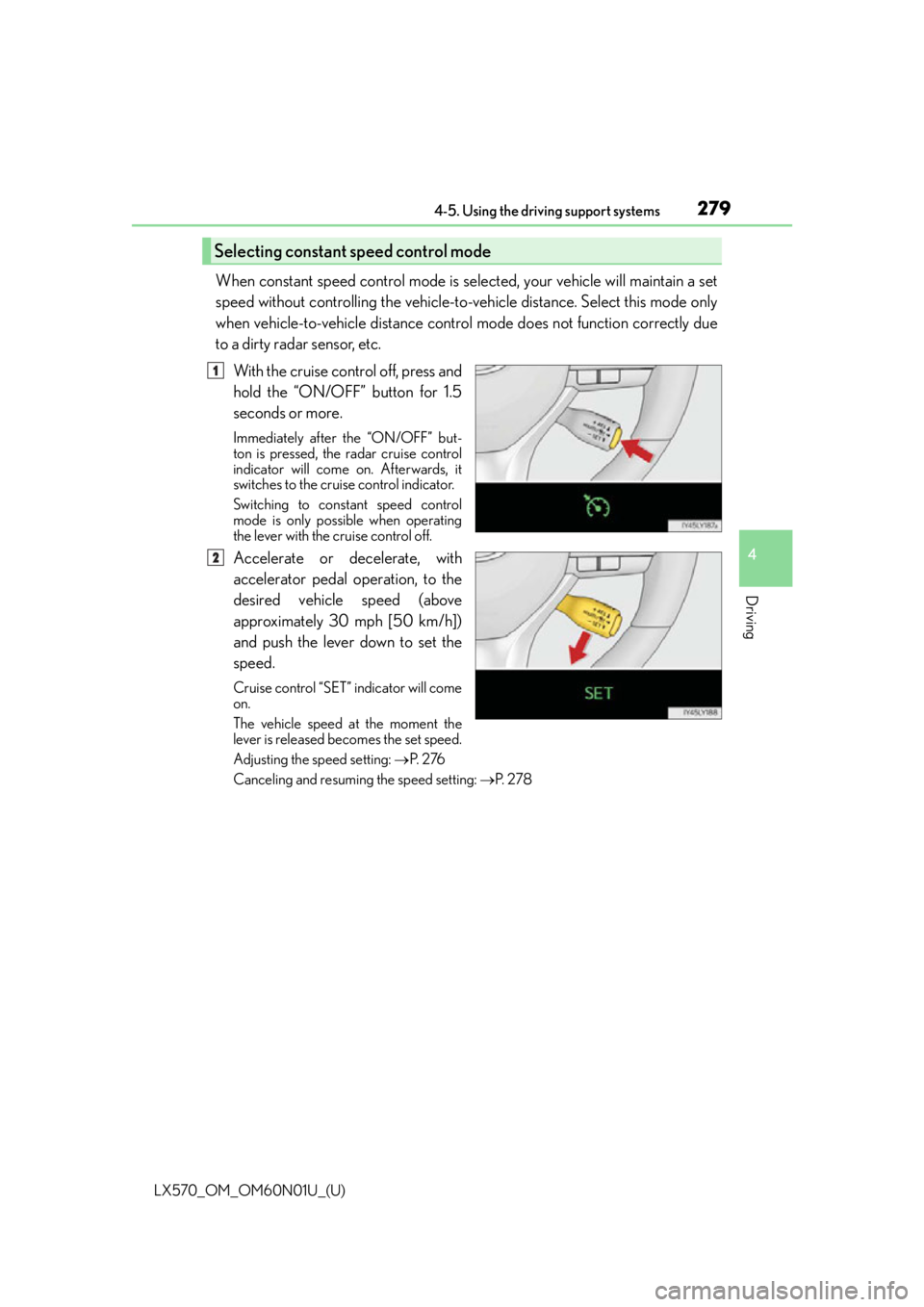
With the cruise control off, press and
hold the “ON/OFF” button for 1.5
seconds or more.
Immediately after the “ON/OFF” but-
ton is pressed, the radar cruise control
indicator will come on. Afterwards, it
switches to the cruise control indicator.
Switching to constant speed control
mode is only possible when operating
the lever with the cruise control off.
Accelerate or decelerate, with
accelerator pedal operation, to the
desired vehicle speed (above
approximately 30 mph [50 km/h])
and push the lever down to set the
speed.
Cruise control “SET” indicator will come
on.
The vehicle speed at the moment the
lever is released be comes the set speed.
Adjusting the speed setting: P. 2 76
Canceling and resuming the speed setting: P. 2 7 8
Selecting constant speed control mode
1
2
Page 286 of 632
286
LX570_OM_OM60N01U_(U)4-5. Using the driving support systems
Driving mode select switch
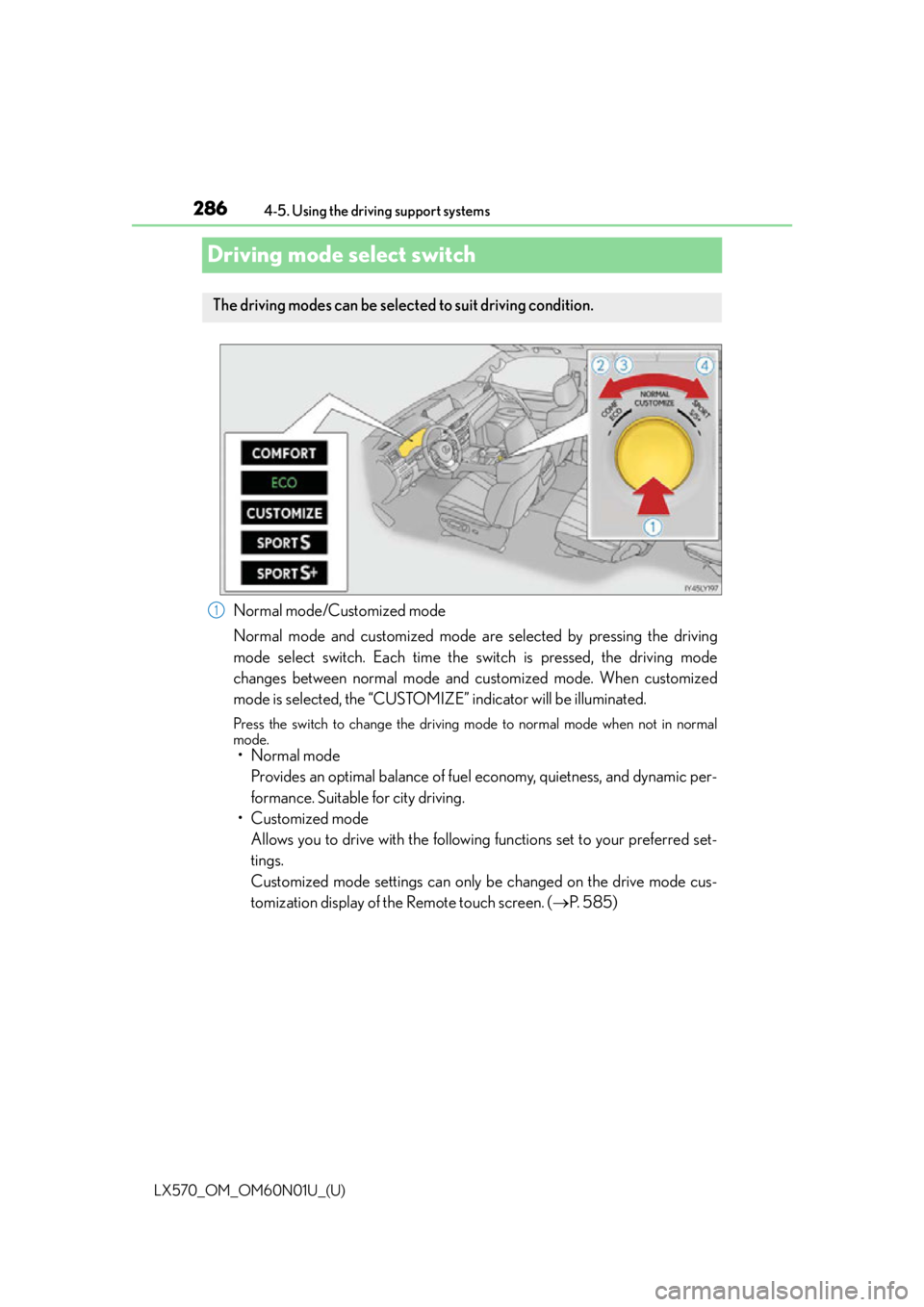
Normal mode/Customized mode
Normal mode and customized mode are selected by pressing the driving
mode select switch. Each time the
switch is pressed, the driving mode
changes between normal mode and customized mode. When customized
mode is selected, the “CUSTOMIZE” indicator will be illuminated.
Press the switch to change the driving mo de to normal mode when not in normal
mode.
• Normal mode
Provides an optimal balance of fuel economy, quietness, and dynamic per-
formance. Suitable for city driving.
• Customized mode Allows you to drive with the following functions set to your preferred set-
tings.
Customized mode settings can only be changed on the drive mode cus-
tomization display of the Remote touch screen. ( P. 5 8 5 )
The driving modes can be selected to suit driving condition.
1
Page 287 of 632
LX570_OM_OM60N01U_(U)
2874-5. Using the driving support systems
4
Driving
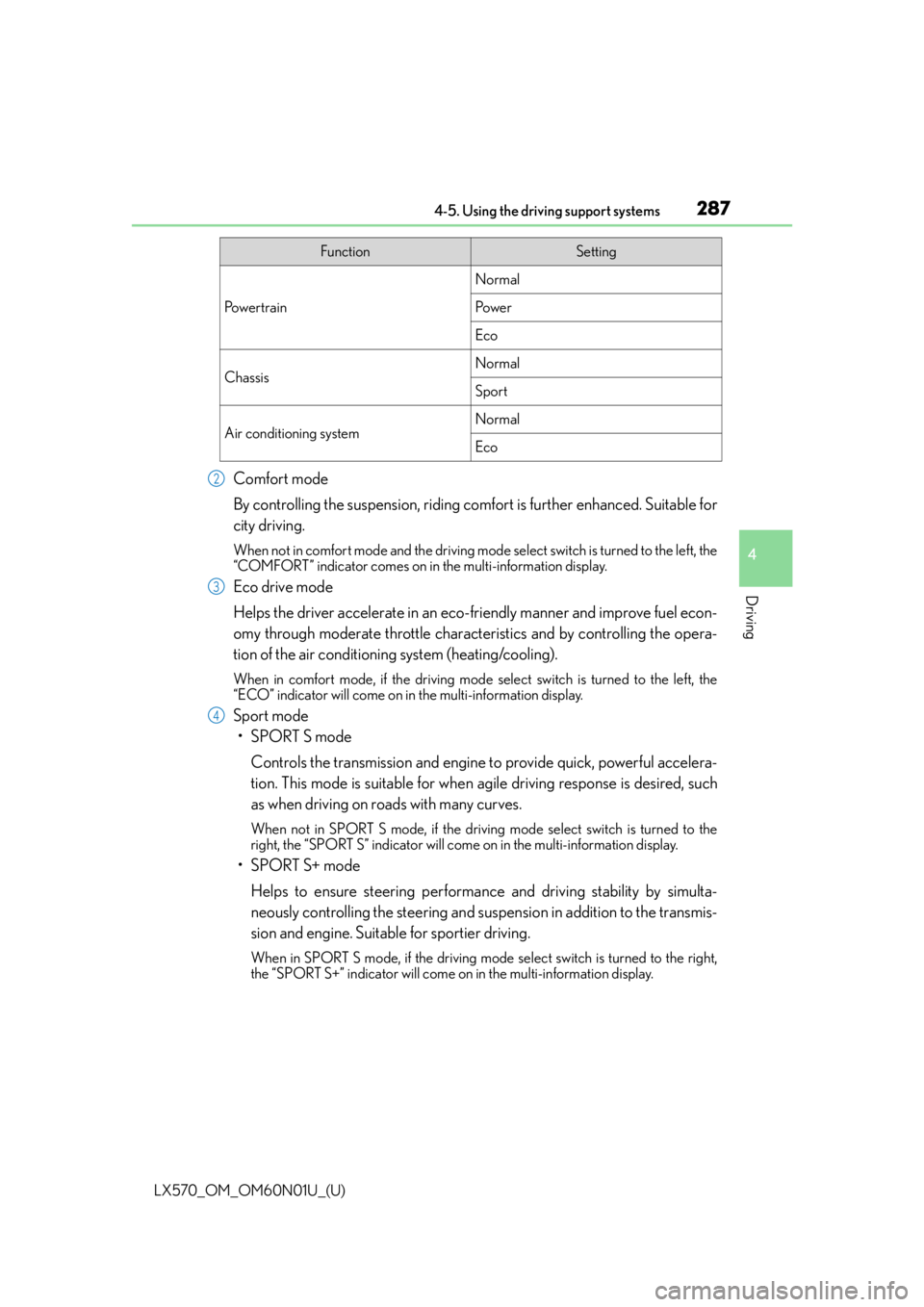
Comfort mode
By controlling the suspension, riding comfort is further enhanced. Suitable for
city driving.
When not in comfort mode and the driving mode select switch is turned to the left, the
“COMFORT” indicator comes on in the multi-information display.
Eco drive mode
Helps the driver accelerate in an eco- friendly manner and improve fuel econ-
omy through moderate throttle characteristics and by controlling the opera-
tion of the air conditioning system (heating/cooling).
When in comfort mode, if the driving mode select switch is turned to the left, the
“ECO” indicator will come on in the multi-information display.
Sport mode
•SPORT S mode
Controls the transmission and engine to provide quick, powerful accelera-
tion. This mode is suitable for when agile driving response is desired, such
as when driving on roads with many curves.
When not in SPORT S mode, if the driving mode select switch is turned to the
right, the “SPORT S” indicator will come on in the multi-information display.
•SPORT S+ mode
Helps to ensure steering performanc e and driving stability by simulta-
neously controlling the steering and suspen sion in addition to the transmis-
sion and engine. Suitable for sportier driving.
When in SPORT S mode, if the driving mode select switch is turned to the right,
the “SPORT S+” indicator will come on in the multi-information display.
FunctionSetting
Po w e r t r a i n
Normal
Po w e r
Eco
ChassisNormal
Sport
Air conditioning systemNormal
Eco
2
3
4
Page 288 of 632

288
LX570_OM_OM60N01U_(U)4-5. Using the driving support systems
■Operation of the air conditioning system in Eco drive mode
Eco drive mode controls the heating/cooling
operations and fan speed of the air condi-
tioning system to enhance fuel efficiency. To improve air conditioning performance,
adjust the fan speed or turn off eco mo de of the air conditioning system. (P. 4 0 1 )
■Automatic deactivation of sport mode and customized mode
If the engine switch is turned off after dr iving in sport mode or customized mode, the
drive mode will be changed to normal mode.
■Driving mode pop-up display
When the driving mode is changed, the selected driving mode will be temporarily dis-
played on the side display. ( P. 3 9 4 )
Page 299 of 632

LX570_OM_OM60N01U_(U)
2994-5. Using the driving support systems
4
Driving
Some modes may not be selectable depending on the vehicle speed when the
four-wheel drive control switch is in the H4 position. Refer to the following table.
You can select this mode for easy
access and easy loading of the vehicle.
If the engine switch is turned to OFF
within 30 seconds after the vehicle
stops while this mode is on, the vehicle
height is lowered automatically.
When the vehicle begins to lower a
beep will sound twice, and while the
vehicle is lowering the indicator light
will flash to alert the driver and sur-
rounding people that the vehicle is low-
ering.
The indicator light stops blin king, and comes on continuously to indicate that the
shift is completed.
Easy access mode is available if the following conditions have been met:
●The vehicle height mode is in normal mode.
●The vehicle is stopped on a flat surface.
●The shift lever is in P.
●The side door and the back door are not opened, with the vehicle stopped and
the engine switch is turned to off.
The following method will cancel the vehicle lowering operation and raise the
vehicle again:
●Press the height control OFF switch.
●Push the height select switch to “ ”.
Conditions for changing the vehicle height mode
Low modeNormal modeHigh mode
Under 7 mph (12 km/h)Ye sYe sYe s
7 mph (12 km/h) to
18 mph (30 km/h)NoYe sYe s
18 mph (30 km/h) or overNoYe sNo
Easy access mode
Page 300 of 632

300
LX570_OM_OM60N01U_(U)4-5. Using the driving support systems
When the height control OFF switch is
pressed with the vehicle stopped.
The height control “OFF” indicator will
appear on the multi-information display,
and the vehicle height will be fixed in the
current mode. Push the switch again to
turn the system back on.
■Operating conditions
●The engine must be running.
●Vehicle height control must be turned off.
●All side doors and the back door must be closed.
■Switching vehicle height mode while the engine is stopped
●If the engine is stopped while the vehicle height is being lowered, lowering will continue.
●If any luggage is removed from the vehicle
or if any occupants leave the vehicle within
approximately 30 seconds of the engine sw itch being turned OFF, the vehicle height
may be lowered by the auto leveling function.
●Operating the height select switch will have no effect while th e engine is stopped.
■Automatic change in vehicle height when the four-wheel drive control switch is in the
L4 position
If the vehicle speed exceeds 2 mph (3 km/h) while driving on an uneven road with the
four-wheel drive control switch in the “L4” position, high mode is automatically selected.
(On even roads, the height mode will not change.)
■Automatic change in vehicle height when in the high mode
●If the vehicle speed exceeds 18 mph (30 km/h) with the four-wheel drive control switch
in the “H4” position, normal mode is automatically selected.
●If the vehicle speed exceeds 30 mph (50 km/h) with the four-wheel drive control
switch in the “L4” position, the vehicle height is lowered to 1.0 in. (25 mm) higher than
the normal mode height. If the vehicle speed drops to 13 mph (20 km/h) or less, high
mode is automatically resumed.
Disabling the height control
Page 301 of 632

LX570_OM_OM60N01U_(U)
3014-5. Using the driving support systems
4
Driving
■Extra high mode
If the vehicle becomes stuck or the Crawl Control system requests the vehicle height be
raised, extra high mode may be automatically selected when the vehicle height is in high
mode with the four-wheel drive control switch in the L4 position.
The vehicle height is raised to 0.8 in. (20 mm) higher than the high mode height, or
slightly higher.
●Extra high mode will change back to high mode when:
• The vehicle speed exceeds 6 mph (10 km/h)
• The four-wheel drive control switch is shifted to H4.
●If you pull the height select switch to “ ” when in extra high mode, normal mode is
selected.
●Extra high mode cannot be manually selected.
■Tu r n i n g o f f t h e h e i g h t c o n t r o l
●The system will remain off until the height co ntrol “OFF” switch is pushed again, even if
the engine switch is turned off.
●Even if the system is turned off, the system will intervene automatically if the vehicle
speed exceeds the following.
• 18 mph (30 km/h) with high or low mode
• 50 mph (80 km/h) with normal mode
■Automatic leveling function
The vehicle is adjusted to a fixed height for each mode, regardless of the number of
occupants and the luggage load.
●However the vehicle cannot be raised if the vehicle load exceeds the following limits:
• Up to 4 occupants
* plus approximately 661 lb. (300 kg) in the normal mode
• Up to 4 occupants
* plus approximately 441 lb. (200 kg) in the high mode
*: average weight 150 lb. (68 kg) per person
●If the vehicle height cannot be raised when in the normal mode, and “LO” appears on
the display, the vehicle is loaded too heavily. Take extra care when driving in this condi-
tion.
If the vehicle height cannot be raised even after unloading the vehicle, pull the height
select switch to “ ” then push to “ ”. If the vehicle height st ill cannot be raised, turn the
ignition off then on again, then try once more.
■When the vehicle is stopped during driving
The activation of the automatic leveling func tion may cause the vehicle height to change.
This is not a malfunction.
■If the vehicle height does not change
If the vehicle is loaded too heavily, or the undercarriage has come into contact with the
road surface, the vehicle height cannot be raised/lowered.
Page 302 of 632

302
LX570_OM_OM60N01U_(U)4-5. Using the driving support systems
■In the following cases the 4-Wheel AHC will not operate
●The brake pedal has been depressed for a few seconds or longer while the vehicle is
stopped.
●Vehicle height control has not been frequently used.
●The suspension fluid temperature is lower than -22°F (-30°C).
●There is ice on the suspension.
●Driving on bumpy roads which may cause
the suspension to fully elongate.
●If the steering wheel is abruptly turned more than 3/4 of a revolution with the center
differential lock system activated.
■Cold weather operation
It may take longer for the vehicle height to change if the suspension fluid temperature
drops below 5°F (-15°C).
The 4-Wheel AHC does not operate when the suspension fluid temperature drops
below -22°F (-30°C).
●In this case, even if the height select switch is pressed, th e vehicle height will not change.
Once the vehicle has been driven for a short time and the suspension fluid has been
warmed to within normal operating limits, the 4-Wheel AHC will begin operating and
the vehicle height will automatically change to the selected mode.
●When the suspension fluid is around -22°F (-30°C), the vehicle height may not be able
to be raised, even if the 4-Wheel AHC is oper ating. In this case, pull the height select
switch to “ ” then push to “ ” after driving for a short time longer to select the desired
vehicle height.
■Parking and stopping tips
●If you immediately stop the engine after off-road driving, the vehicle height may gradu-
ally lower. When parking, make sure ther e is nothing under the vehicle that may come
in contact with the underbody. The vehicle will return to the set height when the engine
is started.
●The vehicle height may change as the temperature changes when the engine is
stopped. The vehicle will return to the set height when the engine is started.
■Propeller shaft noise
If the vehicle height is adjusted on a slope, or with the shift lever in a position other than P
or N while the vehicle is stopped, you may hear a sound caused by the expansion and
contraction of the propeller shaft. Th is does not indicate a malfunction.
■4-Wheel AHC failure warning
If a malfunction occurs in the 4-Wheel AHC , normal mode is automatically selected.
However, the system may not switch to norm al mode depending on the location of the
malfunction.
The warning message is displayed on the mu lti-information display, and the 4-Wheel
AHC cannot be activated until the malfunction is corrected.
Stop the engine and start it again. If the warning message turns off, the system is operat-
ing correctly. If the warning message continue s to be displayed, have the vehicle checked
at your Lexus dealer as soon as possible.