engine oil LEXUS LX570 2016 Owners Manual
[x] Cancel search | Manufacturer: LEXUS, Model Year: 2016, Model line: LX570, Model: LEXUS LX570 2016Pages: 632, PDF Size: 8.94 MB
Page 15 of 632
15Pictorial index
LX570_OM_OM60N01U_(U)
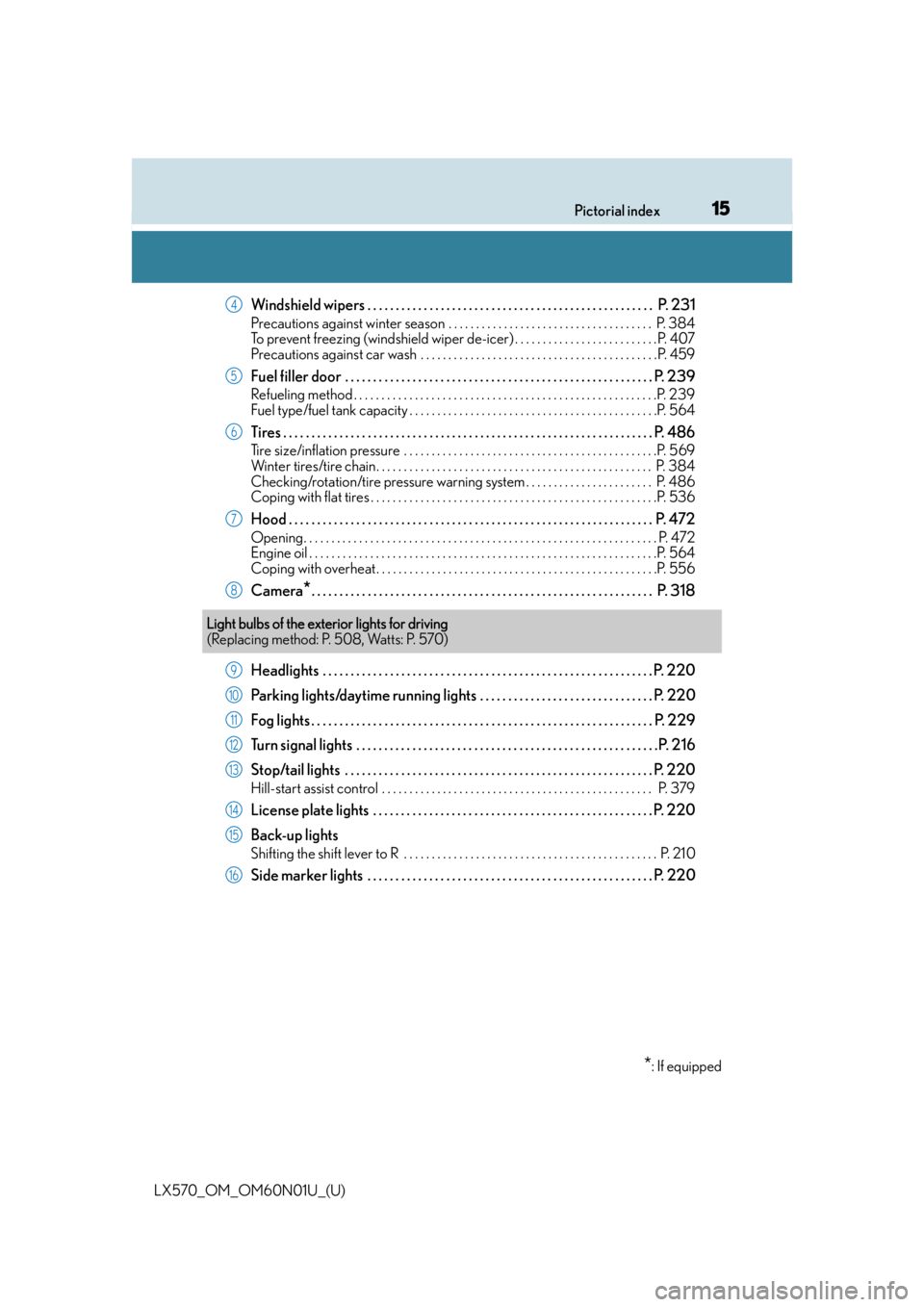
Windshield wipers . . . . . . . . . . . . . . . . . . . . . . . . . . . . . . . . . . . . . . . . . . . . . . . . . . . P. 231
Precautions against winter season . . . . . . . . . . . . . . . . . . . . . . . . . . . . . . . . . . . . . P. 384
To prevent freezing (windshield wiper de-icer) . . . . . . . . . . . . . . . . . . . . . . . . . .P. 407
Precautions against car wash . . . . . . . . . . . . . . . . . . . . . . . . . . . . . . . . . . . . . . . . . . .P. 459
Fuel filler door . . . . . . . . . . . . . . . . . . . . . . . . . . . . . . . . . . . . . . . . . . . . . . . . . . . . . . . P . 239
Refueling method . . . . . . . . . . . . . . . . . . . . . . . . . . . . . . . . . . . . . . . . . . . . . . . . . . . . . . .P. 239
Fuel type/fuel tank capacity . . . . . . . . . . . . . . . . . . . . . . . . . . . . . . . . . . . . . . . . . . . . .P. 564
Tires . . . . . . . . . . . . . . . . . . . . . . . . . . . . . . . . . . . . . . . . . . . . . . . . . . . . . . . . . . . . . . . . . . P. 486
Tire size/inflation pressure . . . . . . . . . . . . . . . . . . . . . . . . . . . . . . . . . . . . . . . . . . . . . .P. 569
Winter tires/tire chain. . . . . . . . . . . . . . . . . . . . . . . . . . . . . . . . . . . . . . . . . . . . . . . . . . P. 384
Checking/rotation/tire pressure warning system . . . . . . . . . . . . . . . . . . . . . . . P. 486
Coping with flat tires . . . . . . . . . . . . . . . . . . . . . . . . . . . . . . . . . . . . . . . . . . . . . . . . . . . .P. 536
Hood . . . . . . . . . . . . . . . . . . . . . . . . . . . . . . . . . . . . . . . . . . . . . . . . . . . . . . . . . . . . . . . . . P. 472
Opening. . . . . . . . . . . . . . . . . . . . . . . . . . . . . . . . . . . . . . . . . . . . . . . . . . . . . . . . . . . . . . . . P. 472
Engine oil . . . . . . . . . . . . . . . . . . . . . . . . . . . . . . . . . . . . . . . . . . . . . . . . . . . . . . . . . . . . . . .P. 564
Coping with overheat . . . . . . . . . . . . . . . . . . . . . . . . . . . . . . . . . . . . . . . . . . . . . . . . . . .P. 556
Camera*. . . . . . . . . . . . . . . . . . . . . . . . . . . . . . . . . . . . . . . . . . . . . . . . . . . . . . . . . . . . . P. 31 8
Headlights . . . . . . . . . . . . . . . . . . . . . . . . . . . . . . . . . . . . . . . . . . . . . . . . . . . . . . . . . . . P. 220
Parking lights/daytime running lights . . . . . . . . . . . . . . . . . . . . . . . . . . . . . . . P. 220
Fog lights . . . . . . . . . . . . . . . . . . . . . . . . . . . . . . . . . . . . . . . . . . . . . . . . . . . . . . . . . . . . . P. 229
Turn signal lights . . . . . . . . . . . . . . . . . . . . . . . . . . . . . . . . . . . . . . . . . . . . . . . . . . . . . .P . 216
Stop/tail lights . . . . . . . . . . . . . . . . . . . . . . . . . . . . . . . . . . . . . . . . . . . . . . . . . . . . . . . P . 220
Hill-start assist control . . . . . . . . . . . . . . . . . . . . . . . . . . . . . . . . . . . . . . . . . . . . . . . . . P. 379
License plate lights . . . . . . . . . . . . . . . . . . . . . . . . . . . . . . . . . . . . . . . . . . . . . . . . . . P. 220
Back-up lights
Shifting the shift lever to R . . . . . . . . . . . . . . . . . . . . . . . . . . . . . . . . . . . . . . . . . . . . . . P. 21 0
Side marker lights . . . . . . . . . . . . . . . . . . . . . . . . . . . . . . . . . . . . . . . . . . . . . . . . . . . P. 220
4
5
6
7
8
Light bulbs of the exterior lights for driving
(Replacing method: P. 508, Watts: P. 570)
*: If equipped
9
10
11
12
13
14
15
16
Page 88 of 632

88
LX570_OM_OM60N01U_(U)2. Instrument cluster
Gauges and meters
The units used on the speedometer may di
ffer depending on the target region.
Engine oil pressure gauge
Displays the engine oil pressure
Tachometer
Displays the engine speed in revolutions per minute
Speedometer
Displays the vehicle speed
Vo l t m e t e r
Displays the charge state
Fuel gauge
Displays the quantity of fuel remaining in the tank
Engine coolant temperature gauge
Displays the engine coolant temperature
Multi-information display
Presents the driver with a variety of driving-related data P. 9 1 )
1
2
3
4
5
6
7
Page 90 of 632

90
LX570_OM_OM60N01U_(U)2. Instrument cluster
■The meters and display illuminate when
The engine switch is in IGNITION ON mode.
■The brightness of the instrument panel lights
When the tail lights are turned on, the meter’
s brightness will be reduced slightly unless
the meter brightness leve l adjustment is set to the brightest setting.
If the tail lights are turned on when the surroundings are dark, the meter’s brightness will
be reduced slightly. However, when the surroundings are bright, such as during the day-
time, the meter’s brightness will not be reduced even if the tail lights are turned on.
■Customization
The meter display can be customized on the multi-information display. (P. 585)
WA R N I N G
■The information display at low temperatures
Allow the interior of the vehicle to warm up before using the liquid crystal information
display. At extremely low temperatures, th e information display monitor may respond
slowly, and display changes may be delayed.
For example, there is a lag between the driver’s shifting and the new gear number
appearing on the display. This lag could cau se the driver to downshift again, causing
rapid and excessive engine braking and po ssibly an accident resulting in death or
injury.
NOTICE
■To prevent damage to the engine and its components
●Do not let the indicator needle of the tachometer enter the red zone, which indicates
the maximum engine speed.
●The engine may be overheating if the engine coolant temperature gauge is in the red
zone (H). In this case, immediately stop the vehicle in a safe place, and check the
engine after it has cooled completely. ( P. 5 5 6 )
■Vo l t m e t e r
When the voltmeter indicates 19 V or higher or 9 V or lower while the engine is run-
ning, there may be a battery or charging system malfunction. Have the vehicle
inspected at your Lexus dealer.
■Engine oil pressure gauge
When the value of the engine oil pressure gauge drops while the engine is running,
stop the vehicle in a safe place immediat ely and check the amount of engine oil.
( P. 4 7 5 )
When the oil pressure drops even though th e engine oil amount has not decreased, or
if the oil pressure does not increase when engine oil is added, contact your Lexus
dealer, as there may be a proble m with the lubrication system.
Page 96 of 632

96
LX570_OM_OM60N01U_(U)2. Instrument cluster
The settings of some features can be
changed by using the meter control
switches.
■Setting procedure
For functions that can be enabled or disabled, the function switches between
on and off each time is pressed.
■Setting items
●LDA (Lane Departure Alert)*
Select to set up LDA. ( P. 585)
•Alert method
• Alert sensitivity
•Sway warning
• Sway sensitivity
●BSM (Blind Spot Monitor)*
Select to set up BSM. ( P. 585)
•BSM on/off
• RCTA (Rear Cross Traffic Alert) on/off
●Head-up display*
Select to set up Head-up display. ( P. 585)
• Display brightness/location
• Display content
●Scheduled maintenance
Select to reset the message indicating maintenance is required.
●Oil maintenance
Select to reset the engine oil maintenance information
Settings display
Page 134 of 632
134
LX570_OM_OM60N01U_(U)3-2. Opening, closing and locking the doors
■Battery-saving function
The battery-saving function will be activated
in order to prevent the electronic key bat-
tery and the battery from being discharged wh ile the vehicle is not in operation for a long
time.
●In the following situations, the smart access system with push-button start may take
some time to unlock the doors.
• The electronic key has been left in an area of approximately 6 ft. (2 m) of the outside
of the vehicle for 10 minutes or longer.
• The smart access system with push-butto n start has not been used for 5 days or
longer.
●If the smart access system with push-butto n start has not been used for 14 days or
longer, the doors cannot be unlocked at any doors except the driver’s door. In this case,
take hold of the driver’s door handle, or us e the wireless remote control or the mechan-
ical key, to unlock the doors.
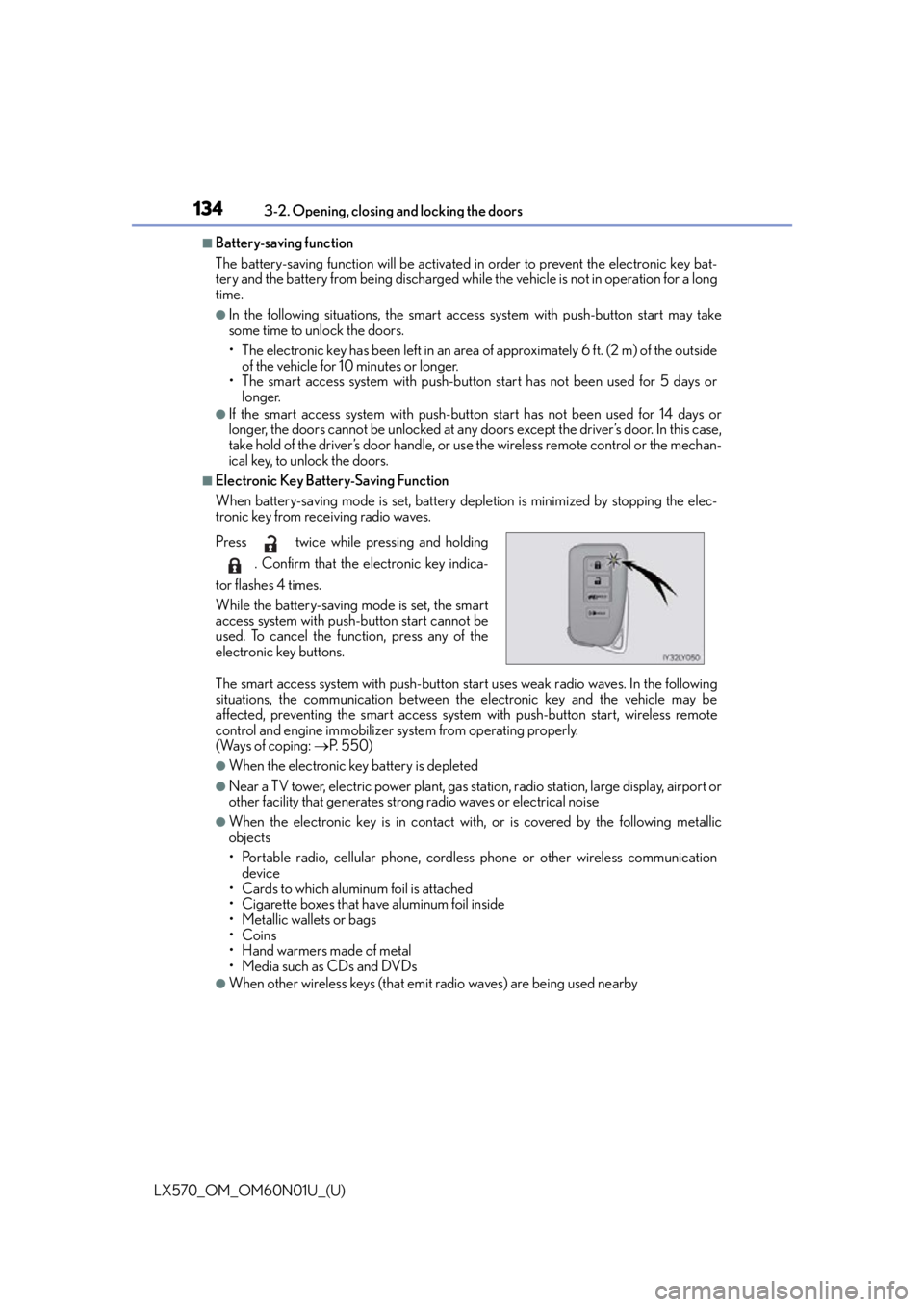
■Electronic Key Battery-Saving Function
When battery-saving mode is set, battery depletion is minimized by stopping the elec-
tronic key from receiving radio waves.
The smart access system with push-button start uses weak radio waves. In the following
situations, the communication between th e electronic key and the vehicle may be
affected, preventing the smart access system with push-button start, wireless remote
control and engine immobilizer system from operating properly.
(Ways of coping: P. 5 5 0 )
●When the electronic key battery is depleted
●Near a TV tower, electric powe r plant, gas station, radio station, large display, airport or
other facility that generates strong radio waves or electrical noise
●When the electronic key is in contact wi th, or is covered by the following metallic
objects
• Portable radio, cellular phone, cordless phone or other wireless communication
device
• Cards to which aluminum foil is attached
• Cigarette boxes that have aluminum foil inside
• Metallic wallets or bags
•Coins
•Hand warmers made of metal
• Media such as CDs and DVDs
●When other wireless keys (that emit radio waves) are being used nearby
Press twice while pressing and holding
. Confirm that the electronic key indica-
tor flashes 4 times.
While the battery-saving mode is set, the smart
access system with push-button start cannot be
used. To cancel the function, press any of the
electronic key buttons.
Page 181 of 632

LX570_OM_OM60N01U_(U)
1814-1. Before driving
4
Driving
NOTICE
■When driving the vehicle
●Do not depress the accelerator and brake pedals at the same time during driving, as
this may restrain the engine output.
●Do not use the accelerator pedal or depress the accelerator and brake pedals at the
same time to hold the vehicle on a hill.
■When parking the vehicle
Always shift the shift lever to P. Failure to do so may cause the vehicle to move or the
vehicle may accelerate suddenly if the accelerator pedal is ac cidentally depressed.
■Avoiding damage to vehicle parts
●Do not turn the steering wheel fully in either direction and hold it there for an
extended period of time.
Doing so may damage the power steering pump.
●When driving over bumps in the road, drive as slowly as possible to avoid damaging
the wheels, underside of the vehicle, etc.
■If you get a flat tire while driving
A flat or damaged tire may cause the follo wing situations. Hold the steering wheel
firmly and gradually depress the brak e pedal to slow down the vehicle.
●It may be difficult to control your vehicle.
●The vehicle will make abnormal sounds or vibrations.
●The vehicle will lean abnormally.
Information on what to do in case of a flat tire. (P. 5 3 6 )
■When encountering flooded roads
Do not drive on a road that has flooded after heavy rain etc. Doing so may cause the
following serious damage to the vehicle:
●Engine stalling
●Short in electrical components
●Engine damage caused by water immersion
In the event that you drive on a flooded road and the vehicle is flooded, be sure to have
your Lexus dealer check the following:
●Brake function
●Changes in quantity and quality of oil and fluid used for the engine, transmission,
transfer, differentials, etc.
●Lubricant condition for the propeller shaft, bearings and suspension joints (where
possible), and the function of all joints, bearings, etc.
Page 384 of 632

384
LX570_OM_OM60N01U_(U)4-6. Driving tips
Winter driving tips
●Use fluids that are appropriate to the prevailing outside temperatures.
•Engine oil
• Engine coolant
• Washer fluid
●Have a service technician inspect the condition of the battery.
●Have the vehicle fitted with four snow tires or purchase a set of tire chains for
the rear tires.
*
Ensure that all tires are the same size and br and, and that chains match the size of the
tires.
*: Tire chains cannot be mounted on vehicles with 21-inch tires
Perform the following according to the driving conditions:
●Do not try to forcibly open a window or move a wiper that is frozen. Pour
warm water over the frozen area to melt the ice. Wipe away the water imme-
diately to prevent it from freezing.
●To ensure proper operation of the climate control system fan, remove any
snow that has accumulated on the air in let vents in front of the windshield.
●Check for and remove any excess ice or snow that may have accumulated on
the exterior lights, vehicle’s roof, chassis, around the tires or on the brakes.
●Remove any snow or mud from the bottom of your shoes before getting in the
vehicle.
Carry out the necessary preparations and inspections before driving the vehi-
cle in winter. Always drive the vehicle in a manner appropriate to the prevail-
ing weather conditions.
Pre-winter preparations
Before driving the vehicle
Page 391 of 632

LX570_OM_OM60N01U_(U)
3914-6. Driving tips
4
Driving
NOTICE
■To prevent the water damage
Take all necessary safety measures to ensure that water damage to the engine or other
components does not occur.
●Water entering the engine air intake will cause severe engine damage.
●Water entering the automatic transmission will cause deterioration in shift quality,
locking up of your transmission accompan ied by vibration, and ultimately damage.
●Water can wash the grease from wheel be arings, causing rusting and premature fail-
ure, and may also enter the differentials, tr ansmission and transfer case, reducing the
gear oil’s lubricating qualities.
■When you drive through water
If driving through water, such as when crossing shallow streams, first check the depth of
the water and the bottom of the riverbed for firmness. Drive slowly and avoid deep
water.
■Inspection after off-road driving
●Sand and mud that has accumulated in brake drums and around brake discs may
affect braking efficiency and may damage brake system components.
●Always perform a maintenance inspection after each day of off-road driving that has
taken you through rough terr ain, sand, mud, or water. For scheduled maintenance
information, refer to the “Warranty and Services Guide”, “Owner’s Manual Supple-
ment” or “Scheduled Maintenance”.
Page 442 of 632

442
LX570_OM_OM60N01U_(U)5-6. Using the other interior features
WA R N I N G
■Conditions in which the function may not operate correctly
In the following conditions, it may not operate correctly
●The portable device is fully charged
●There is foreign matter between the charge area and portable device
●The temperature of the portable device gets higher from charging
●The charging surface of the portable device is facing up
●The placement of the portable device is
out of alignment with the charge area
●Near a TV tower, electric power plant, gas station, radio station, large display, airport
or other facility that generates strong radio waves or electrical noise
●When the electronic key is in contact with , or is covered by the following metallic
objects
• Cards to which aluminum foil is attached
• Cigarette boxes that have aluminum foil inside
• Metallic wallets or bags
•Coins
•Hand warmers made of metal
• Media such as CDs and DVDs
●When other wireless keys (that emit radio waves) are being used nearby
In addition, excluding the above-mentioned, when the charger does not perform nor-
mally or the operation indicator light is flashi ng continuously, it is considered that the
wireless charger is malfunctioning. Contact your Lexus dealer.
■To prevent failure or damage to data
●Do not bring magnetic cards, such as credit cards, or magnetic recording media, etc.,
close to the charger while charging, otherw ise, data may disappear under the influ-
ence of magnetism. Also, do not bring pr ecision instruments such as wrist watches,
etc., close to the charger, as such objects may break.
●Do not leave portable devices in the cab in. The temperature inside the cabin may
become high, when under the sun, and cause damage to the device.
■To prevent battery discharge
When the engine is stopped, do not use the wireless charger for a long time.
Page 465 of 632
LX570_OM_OM60N01U_(U)
4656-2. Maintenance
6
Maintenance and care
■Repair and replacement
It is recommended that genuine Lexus parts be used for repairs to ensure performance
of each system. If non-Lexus parts are used in replacement or if a repair shop other than
a Lexus dealer performs repairs, confirm the warranty coverage.
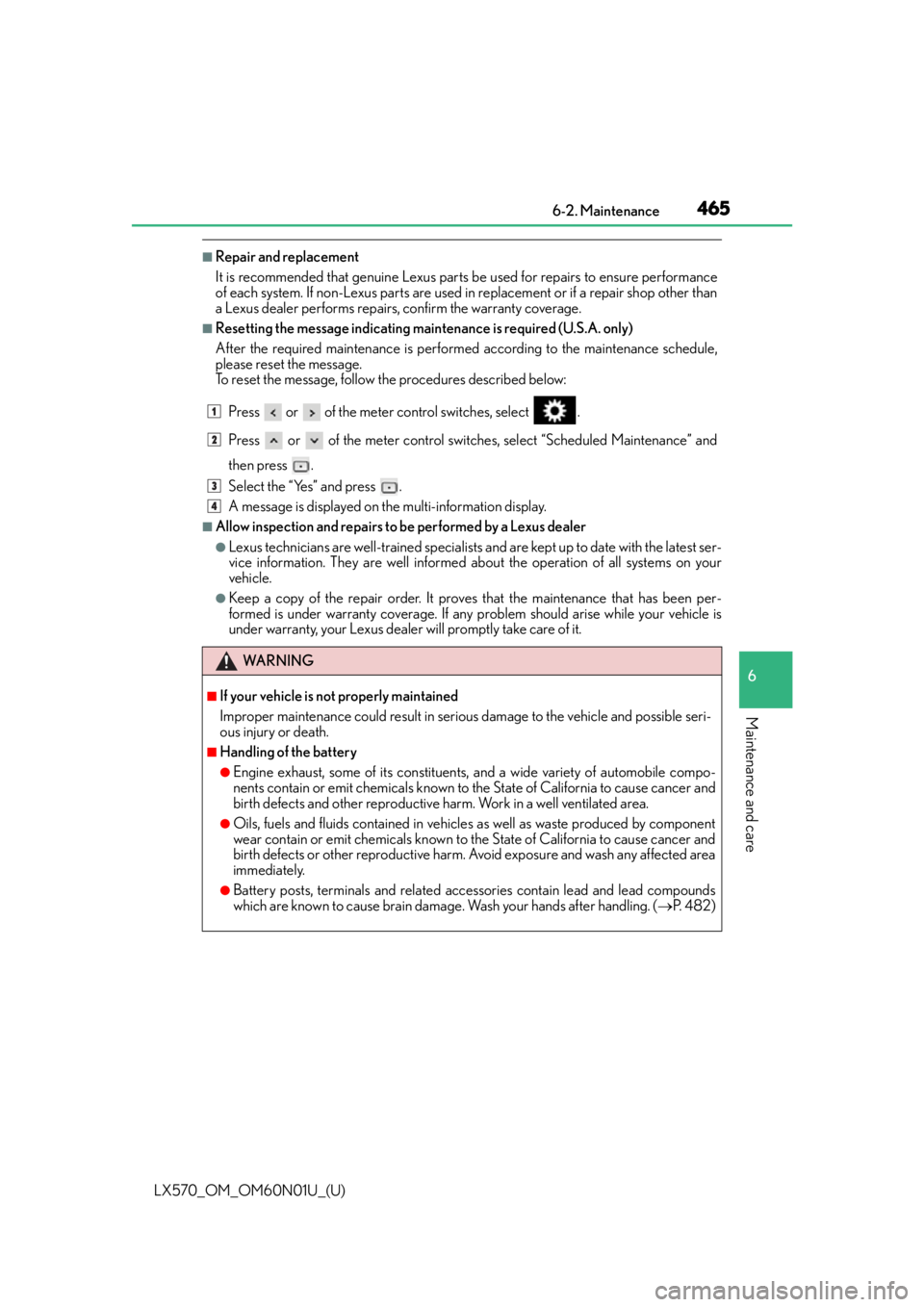
■Resetting the message indicating maintenance is required (U.S.A. only)
After the required maintenance is performed according to the maintenance schedule,
please reset the message.
To reset the message, follow the procedures described below:Press or of the meter control switches, select .
Press or of the meter control switches, select “Scheduled Maintenance” and
then press .
Select the “Yes” and press .
A message is displayed on the multi-information display.
■Allow inspection and repairs to be performed by a Lexus dealer
●Lexus technicians are well-trained specialists an d are kept up to date with the latest ser-
vice information. They are well informed about the operation of all systems on your
vehicle.
●Keep a copy of the repair order. It proves that the maintenance that has been per-
formed is under warranty coverage. If any problem should arise while your vehicle is
under warranty, your Lexus dealer will promptly take care of it.
WA R N I N G
■If your vehicle is not properly maintained
Improper maintenance could result in seriou s damage to the vehicle and possible seri-
ous injury or death.
■Handling of the battery
●Engine exhaust, some of its constituents , and a wide variety of automobile compo-
nents contain or emit chemicals known to the State of California to cause cancer and
birth defects and other reproductive harm. Work in a well ventilated area.
●Oils, fuels and fluids contained in vehicles as well as waste produced by component
wear contain or emit chemicals known to the State of California to cause cancer and
birth defects or other reproductive harm. Avoid exposure and wash any affected area
immediately.
●Battery posts, terminals and related accessories contain lead and lead compounds
which are known to cause brain damage. Wash your hands after handling. ( P. 4 8 2 )
1
2
3
4