seats LEXUS LX570 2019 Service Manual
[x] Cancel search | Manufacturer: LEXUS, Model Year: 2019, Model line: LX570, Model: LEXUS LX570 2019Pages: 632, PDF Size: 10.34 MB
Page 408 of 632
408 5-3. Using the air conditioning system and defogger
LX570_OM_OM60R07U_(U) ■
Changing the air flow mode
To adjust settings, select the screen button.
Air flows to the upper body.
Air flows to the upper body and feet.
Air flows to the feet.
Air flows to the feet and the windshield defogger operates.■
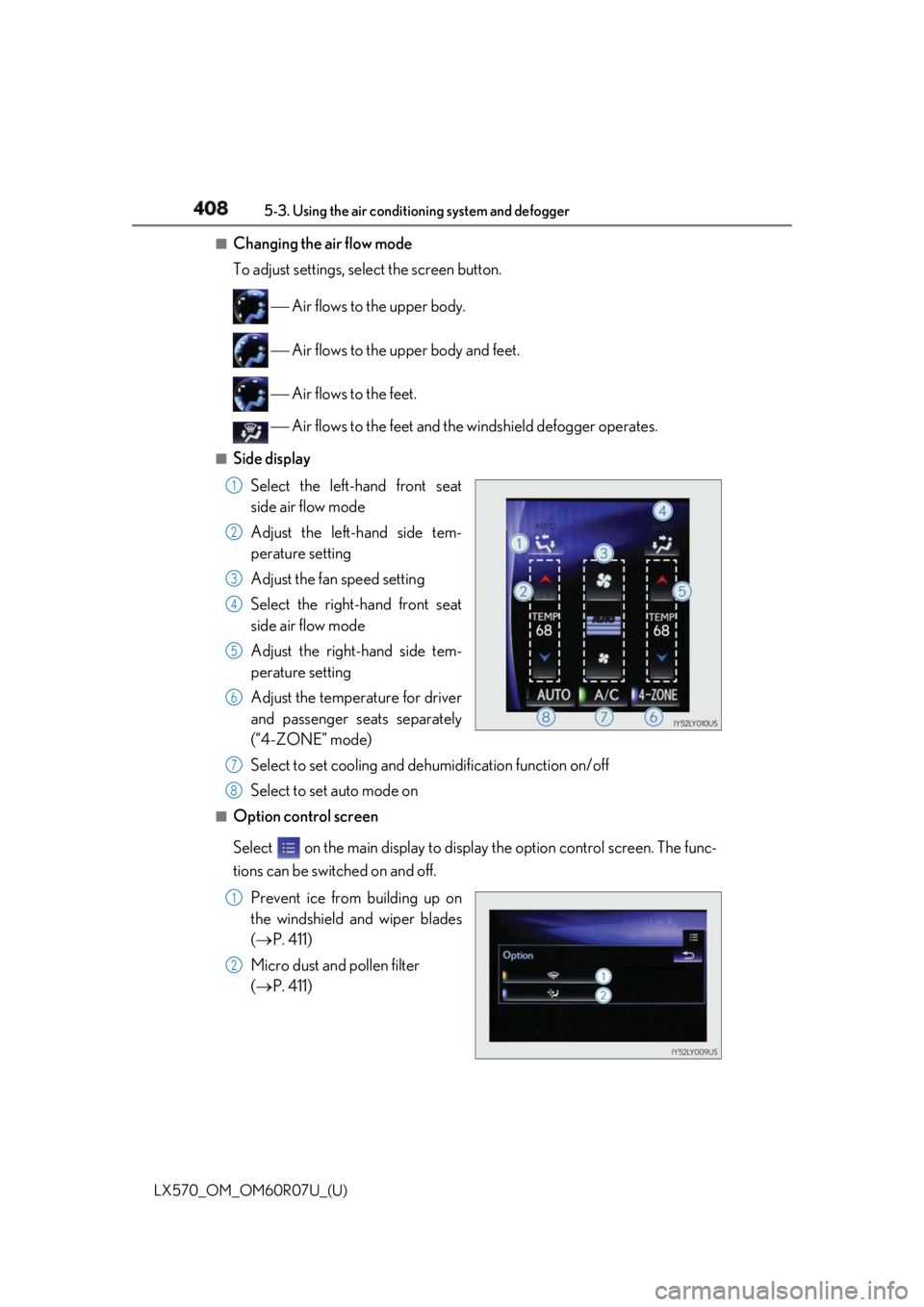
Side display
Select the left-hand front seat
side air flow mode
Adjust the left-hand side tem-
perature setting
Adjust the fan speed setting
Select the right-hand front seat
side air flow mode
Adjust the right-hand side tem-
perature setting
Adjust the temperature for driver
and passenger seats separately
(“4-ZONE” mode)
Select to set cooling and de humidification function on/off
Select to set auto mode on■
Option control screen
Select on the main display to displa y the option contro l screen. The func-
tions can be switched on and off.
Prevent ice from building up on
the windshield and wiper blades
( P. 411)
Micro dust and pollen filter
( P. 411) 1
2
3
4
5
6
7
8
1
2
Page 409 of 632
LX570_OM_OM60R07U_(U) 4095-3. Using the air conditio ning system and defogger
5
Interior features ■
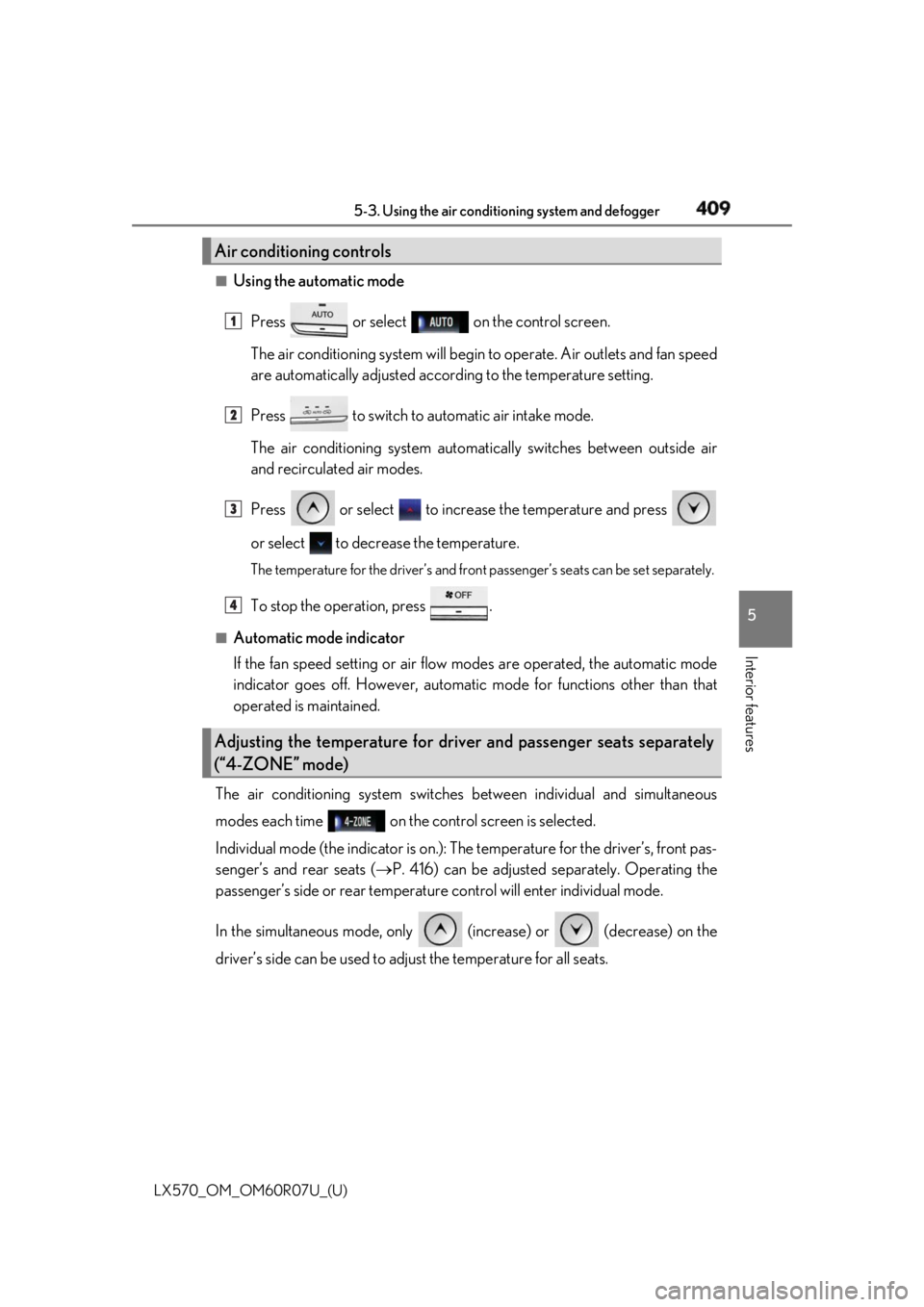
Using the automatic mode
Press or select on the control screen.
The air conditioning system will begin to operate. Air outlets and fan speed
are automatically adjusted accord ing to the temperature setting.
Press to switch to automatic air intake mode.
The air conditioning system automati cally switches between outside air
and recirculated air modes.
Press or select to increase the temperature and press
or select to decrease the temperature. The temperature for the driver’s and front passenger’s seats can be set se parately.
To stop the operation, press .■
Automatic mode indicator
If the fan speed setting or air flow modes are operated, the automatic mode
indicator goes off. However, automati c mode for functions other than that
operated is maintained.
The air conditioning system switches between individual and simultaneous
modes each time on the control screen is selected.
Individual mode (the indicator is on.): The temperature for the driver’s, front pas-
senger’s and rear seats ( P. 416) can be adjusted separately. Operating the
passenger’s side or rear temperatur e control will enter individual mode.
In the simultaneous mode, only (increase) or (decrease) on the
driver’s side can be used to ad just the temperature for all seats.Air conditioning controls
Adjusting the temperature for driver and passenger seats separately
(“4-ZONE” mode) 1
2
3
4
Page 419 of 632
419
LX570_OM_OM60R07U_(U) 5-3. Using the air conditio ning system and defogger
5
Interior features
Heated steering wheel
/seat heaters/seat
ventilators
: If equippedHeated steering wheel and seat heaters heat the side grips of the steering
wheel and seats. Seat ventilators maintain good airflow by blowing air from
the seats. WARNING ●
Care should be taken to prevent injury if anyone in the following categories comes in
contact with the steering wheel and seats when the heater is on:
• Babies, small children, the elderly, the sick and the ph ysically challenged
• Persons with sensitive skin
• Persons who are fatigued
• Persons who have taken alcohol or drugs that induce sleep (sleeping drugs, cold
remedies, etc.) ●
Observe the following precautions to pr event the minor burns or overheating:
• Do not cover the seat with a blanket or cushion when using the seat heater.
• Do not use seat heater more than necessary.
NOTICE ●
Do not put heavy objects that have an unev en surface on the seat and do not stick
sharp objects (needles, nails, etc.) into the seat. ●
To prevent battery discharge, do not us e the functions when the engine is off.
Page 421 of 632
LX570_OM_OM60R07U_(U) 4215-3. Using the air conditio ning system and defogger
5
Interior features
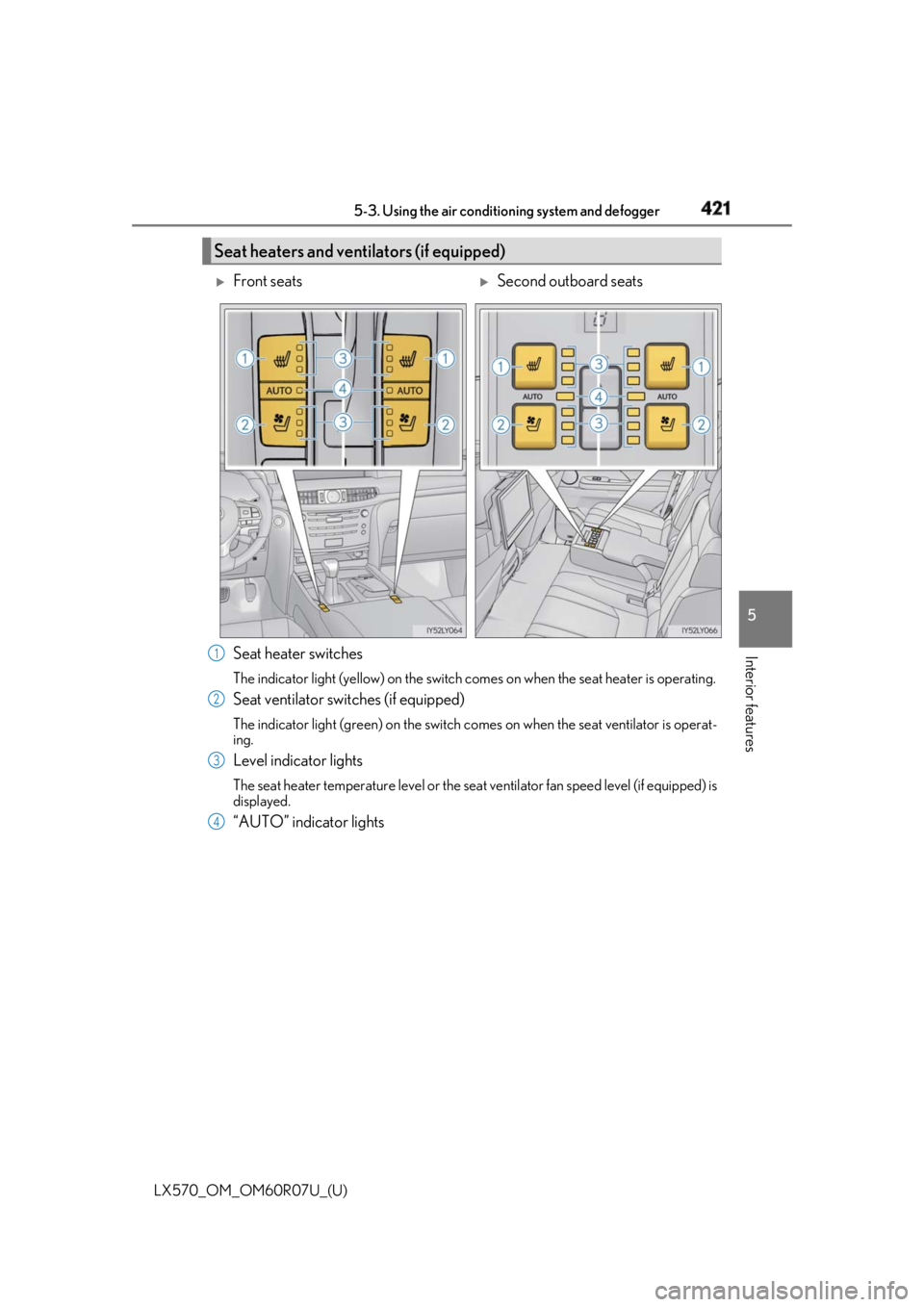
Seat heater switches The indicator light (yellow) on the switch comes on when the seat heater is operating.
Seat ventilator switches (if equipped) The indicator light (green) on the switch co mes on when the seat ventilator is operat-
ing.
Level indicator lights The seat heater temperature level or the seat ventilator fan speed level (if equipped) is
displayed.
“AUTO” indicator lightsSeat heaters and ventilators (if equipped)
Front seats
Second outboard seats
1
2
3
4
Page 429 of 632
LX570_OM_OM60R07U_(U) 4295-5. Using the storage features
5
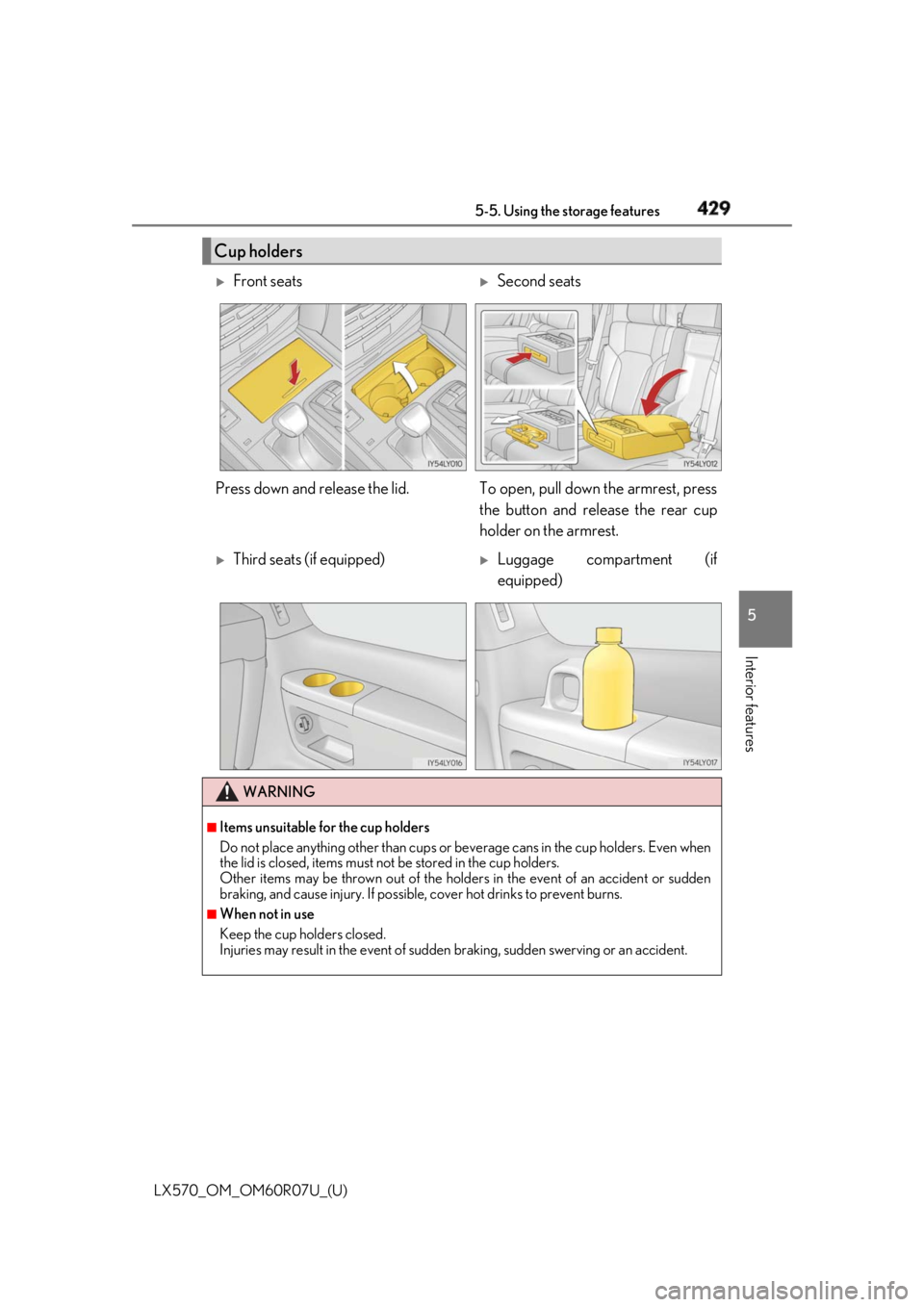
Interior features Cup holders
Front seats
Second seats
Press down and release the lid. To op en, pull down the armrest, press
the button and release the rear cup
holder on the armrest.
Third seats (if equipped)
Luggage compartment (if
equipped)
WARNING ■
Items unsuitable for the cup holders
Do not place anything other than cups or be verage cans in the cup holders. Even when
the lid is closed, items must no t be stored in the cup holders.
Other items may be thrown out of the holders in the event of an accident or sudden
braking, and cause injury. If possible, cover hot drinks to prevent burns. ■
When not in use
Keep the cup holders closed.
Injuries may result in the event of sudden braking, sudden swerving or an accident.
Page 430 of 632
430
LX570_OM_OM60R07U_(U) 5-5. Using the storage features
NOTICE ■
To prevent damage to the cup holders
Stow the cup holders before stowing the rear armrest.
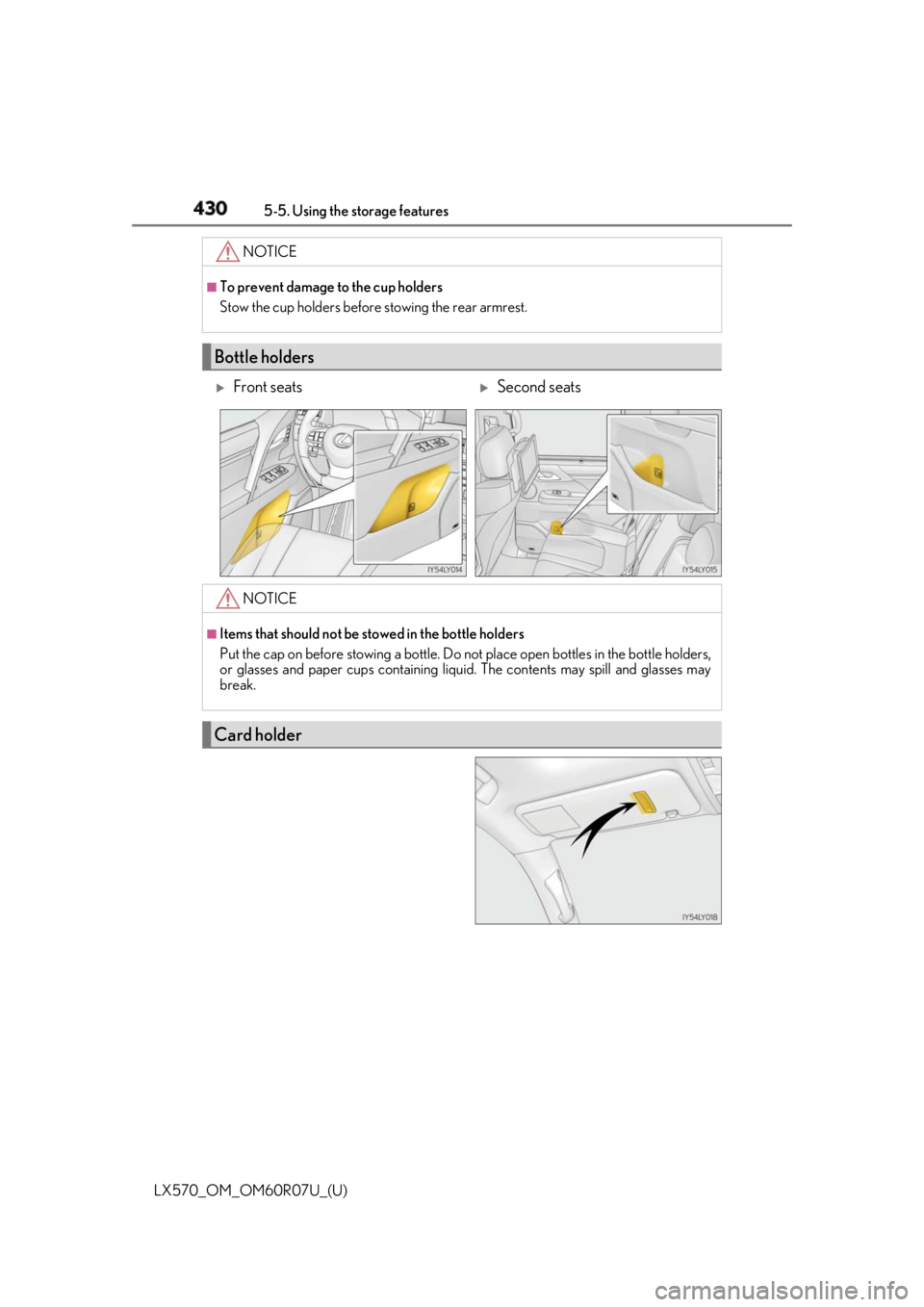
Bottle holders
Front seats
Second seats
NOTICE ■
Items that should not be stowed in the bottle holders
Put the cap on before stowing a bottle. Do not place open bottles in the bottle holders,
or glasses and paper cups containing liqui d. The contents may spill and glasses may
break.
Card holder
Page 431 of 632
LX570_OM_OM60R07U_(U) 4315-5. Using the storage features
5
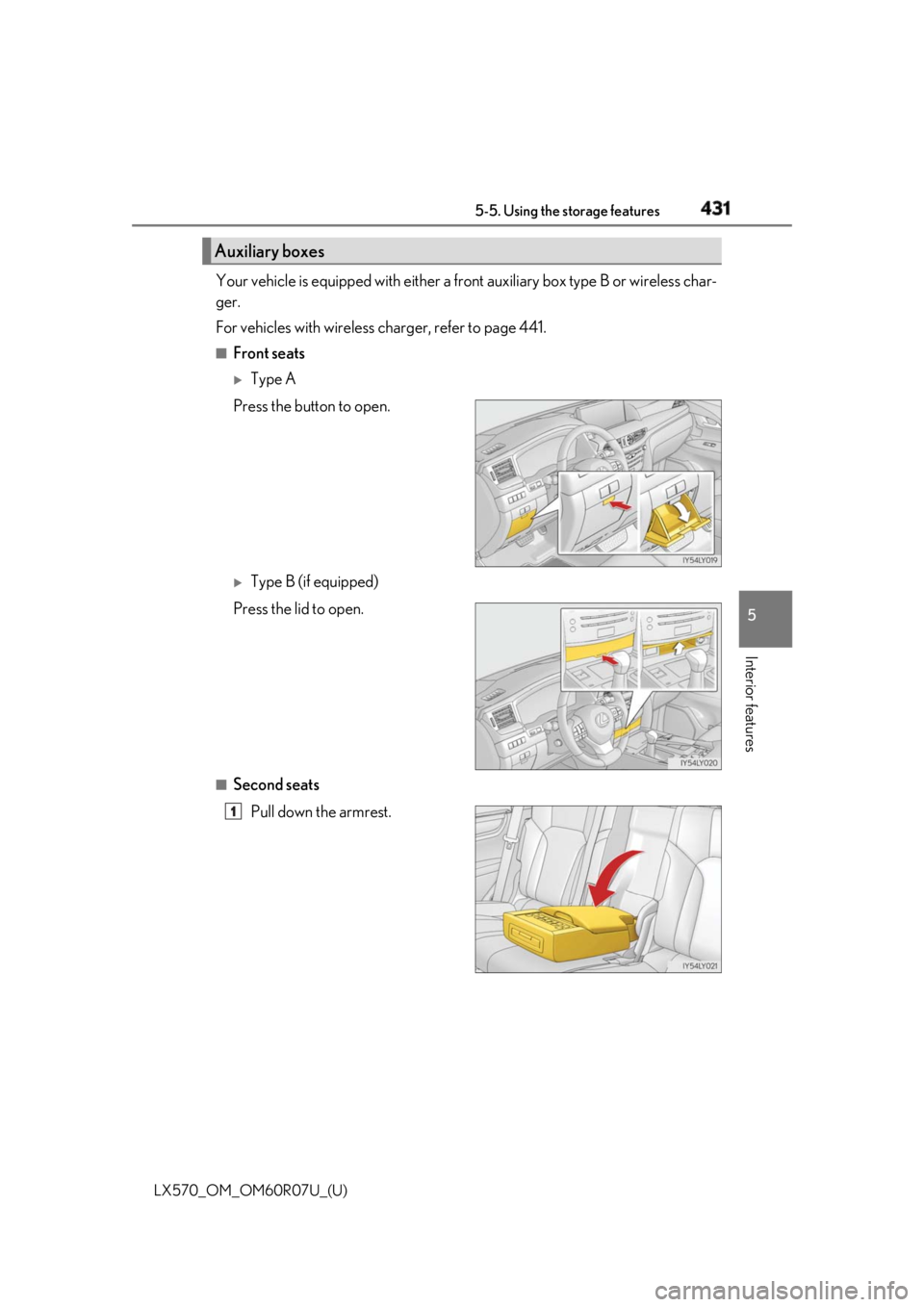
Interior features Your vehicle is equipped with either a fr ont auxiliary box type B or wireless char-
ger.
For vehicles with wireless charger, refer to page 441. ■
Front seats
Type A
Press the button to open.
Type B (if equipped)
Press the lid to open.
■
Second seats
Pull down the armrest.Auxiliary boxes
1
Page 432 of 632
432
LX570_OM_OM60R07U_(U) 5-5. Using the storage features
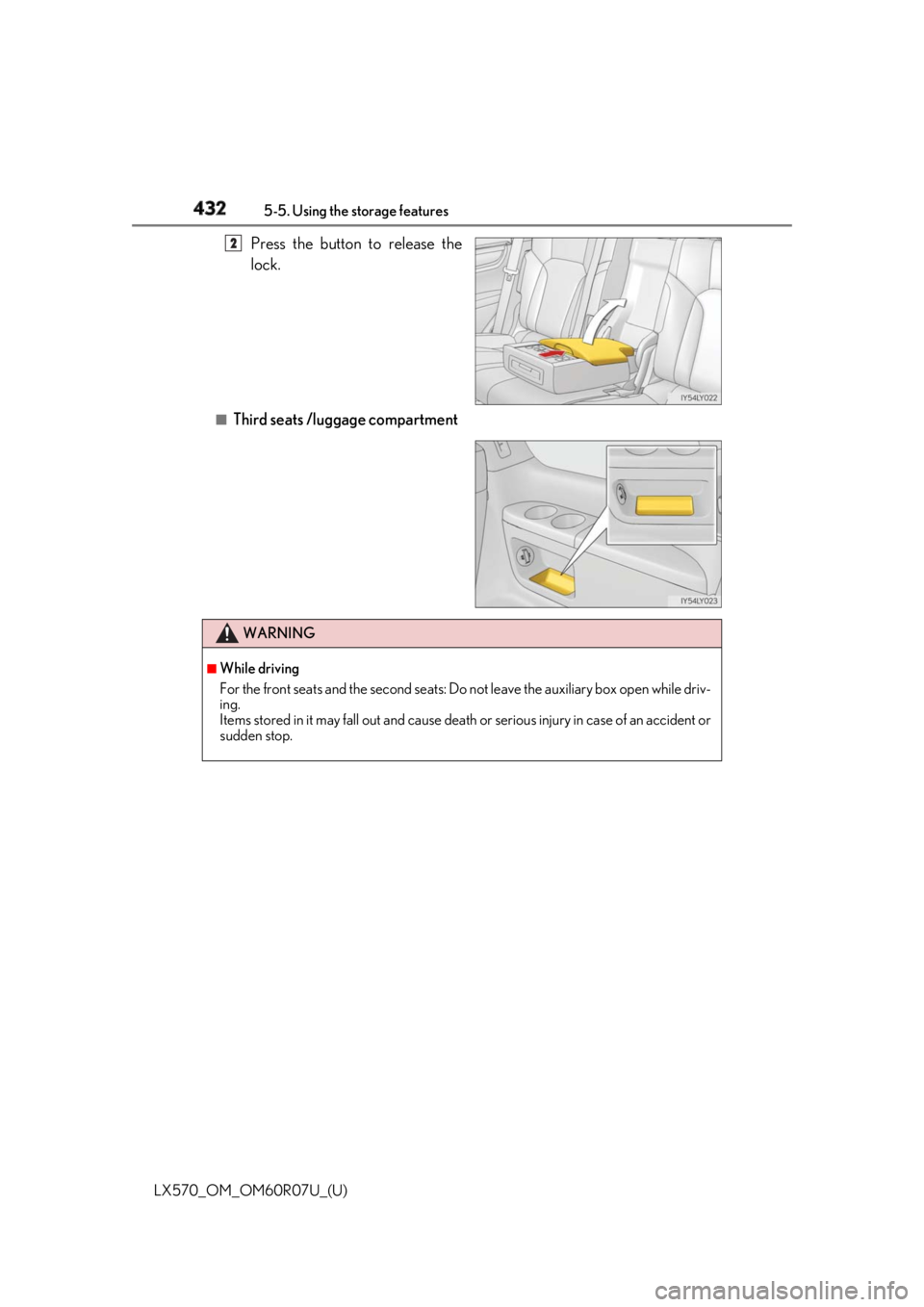
Press the button to release the
lock.
■
Third seats /luggage compartment 2
WARNING ■
While driving
For the front seats and the second seats: Do not leave the au xiliary box open while driv-
ing.
Items stored in it may fall out and cause death or serious injury in case of an accident or
sudden stop.
Page 464 of 632

464
LX570_OM_OM60R07U_(U) 6-1. Maintenance and care■
Caring for leather areas
Lexus recommends cleaning the interior of the vehicle at least twice a year to maintain
the quality of the vehicle’s interior. ■
Shampooing the carpets
There are several commercial foaming-type cl eaners available. Use a sponge or brush to
apply the foam. Rub in overlapping circles. Do not use water. The excellent results are
obtained when keeping the ca rpet as dry as possible.■
Seat belts
Clean with mild soap and lukewarm water us ing a cloth or sponge. Also check the belts
periodically for excessive wear, fraying or cuts.
WARNING ■
Water in the vehicle ●
Do not splash or spill liquid in the vehicle.
Doing so may cause electrical components etc. to malfunction or catch fire. ●
Do not get any of the SRS components or wiring in the vehicle interior wet. ( P. 40)
An electrical malfunction ma y cause the airbags to deploy or not function properly,
resulting in death or serious injury. ■
Cleaning the interior (especially instrument panel)
Do not use polish wax or polish cleaner. Th e instrument panel may reflect off the wind-
shield, obstructing the driver’s view and le ading to an accident, resulting in death or
serious injury.
NOTICE ■
Cleaning detergents ●
Do not use the following types of detergent, as they may discolor the vehicle interior
or cause streaks or damage to painted surfaces:
• Non-seat portions: Organic substances su ch as benzene or gasoline, alkaline or
acidic solutions, dye, and bleach
• Seats: Alkaline or acidic solutions, su ch as thinner, benzene, and alcohol●
Do not use polish wax or polis h cleaner. The instrument pane l’s or other interior part’s
painted surface may be damaged.
Page 469 of 632
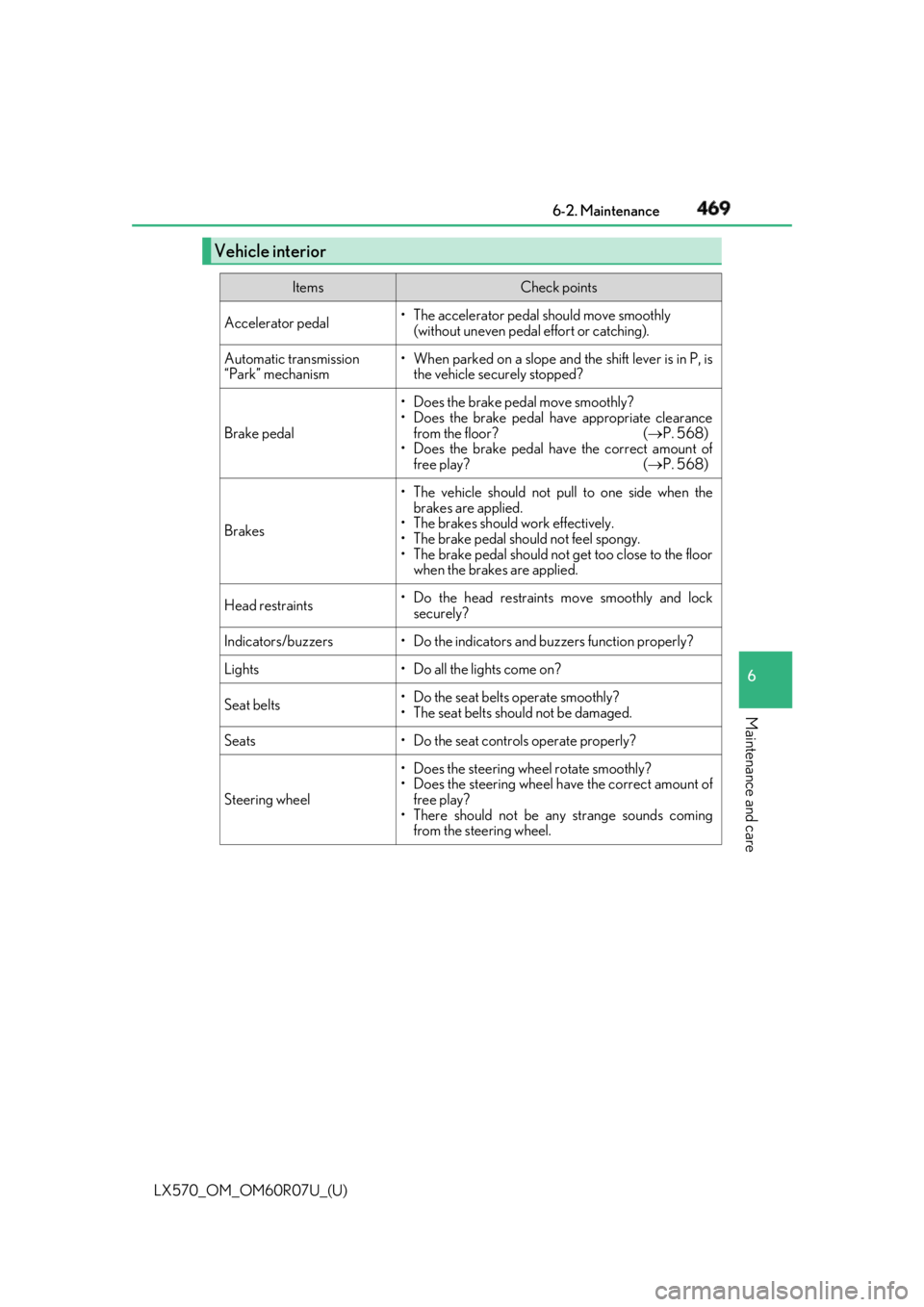
LX570_OM_OM60R07U_(U) 4696-2. Maintenance
6
Maintenance and care Vehicle interior Items Check points
Accelerator pedal • The accelerator pedal should move smoothly
(without uneven pedal effort or catching).
Automatic transmission
“Park” mechanism • When parked on a slope and the shift lever is in P, is
the vehicle securely stopped?
Brake pedal • Does the brake pedal move smoothly?
• Does the brake pedal have appropriate clearance
from the floor? ( P. 568)
• Does the brake pedal have the correct amount of
free play? ( P. 568)
Brakes • The vehicle should not pull to one side when the
brakes are applied.
• The brakes should work effectively.
• The brake pedal should not feel spongy.
• The brake pedal should no t get too close to the floor
when the brakes are applied.
Head restraints • Do the head restraints move smoothly and lock
securely?
Indicators/buzzers • Do the indicators and buzzers function properly?
Lights • Do all the lights come on?
Seat belts • Do the seat belts operate smoothly?
• The seat belts should not be damaged.
Seats • Do the seat controls operate properly?
Steering wheel • Does the steering wheel rotate smoothly?
• Does the steering wheel have the correct amount of
free play?
• There should not be any strange sounds coming
from the steering wheel.