Hud LEXUS LX570 2020 Owners Manual
[x] Cancel search | Manufacturer: LEXUS, Model Year: 2020, Model line: LX570, Model: LEXUS LX570 2020Pages: 636, PDF Size: 12.73 MB
Page 18 of 636

18Pictorial index
LX570_OM_OM60R61U_(U)
■Switches
Outside rear view mirror switches . . . . . . . . . . . . . . . . . . . . . . . . . . . . . . . . . . P. 168
Window lock switch . . . . . . . . . . . . . . . . . . . . . . . . . . . . . . . . . . . . . . . . . . . . . . . . . . P. 171
Door lock switches . . . . . . . . . . . . . . . . . . . . . . . . . . . . . . . . . . . . . . . . . . . . . . . . . . P. 123
Power window switches . . . . . . . . . . . . . . . . . . . . . . . . . . . . . . . . . . . . . . . . . . . . . . P. 171
Driving position memory buttons . . . . . . . . . . . . . . . . . . . . . . . . . . . . . . . . . . . P. 157
Automatic High Beam switch . . . . . . . . . . . . . . . . . . . . . . . . . . . . . . . . . . . . . . . P. 231
Headlight cleaner switch
* . . . . . . . . . . . . . . . . . . . . . . . . . . . . . . . . . . . . . . . . . .P. 245
HUD (Head-up display) switches
*. . . . . . . . . . . . . . . . . . . . . . . . . . . . . . . . . . P. 105
Easy access mode switch . . . . . . . . . . . . . . . . . . . . . . . . . . . . . . . . . . . . . . . . . . . P. 304
Instrument panel light control dial . . . . . . . . . . . . . . . . . . . . . . . . . . . . . . . . . . . P. 94
Odometer/trip meter and trip meter reset button . . . . . . . . . . . . . . . . . . P. 93
1
2
3
4
5
6
7
8
9
10
11
Page 106 of 636

106
LX570_OM_OM60R61U_(U)2. Instrument cluster
Driving assist system status display area (if equipped)
Select to display the operational status of the following systems:
• Dynamic radar cruise control with full-speed range ( P. 276)
• LDA (Lane Departure Alert) ( P. 268)
• Intuitive parking assist ( P. 294)
Displayed content is the same as that disp layed on the multi-information display. For
details, refer to the explanations of each system.
HUD (Head-up display) switch ( P. 106)
◆Enabling/Disabling the head-up display
Press the HUD (head-up display)
switch.
◆Changing settings of the head-up display
Select on the multi-information display ( P. 96), and then select “HUD”
to change the following settings:
■Display brightness/location
Select to adjust the brightness and location of the head-up display.
■Display content
Select to enable/disable the following items:
• Route guidance to destination
• Driving assist system status
•Compass
• Audio system operation status
Using the head-up display
5
6
Page 158 of 636
![LEXUS LX570 2020 Owners Manual 158
LX570_OM_OM60R61U_(U)3-3. Adjusting the seats
Your preferred driving position (the positi
on of the driver’s seat, steering wheel,
outside rear view mirrors and HUD [head-up display] [if equippe](/img/36/58007/w960_58007-157.png "LEXUS LX570 2020 Owners Manual 158
LX570_OM_OM60R61U_(U)3-3. Adjusting the seats
Your preferred driving position (the positi
on of the driver’s seat, steering wheel,
outside rear view mirrors and HUD [head-up display] [if equippe")
158
LX570_OM_OM60R61U_(U)3-3. Adjusting the seats
Your preferred driving position (the positi
on of the driver’s seat, steering wheel,
outside rear view mirrors and HUD [head-up display] [if equipped]) can be
entered into the computer’s memory and recalled with the touch of a button. It is
also possible to set this function to activate automatically when the doors are
unlocked.
Three different driving positions can be recorded into memory.
■Recording procedure
Check that the shift lever is in P.
Turn the engine switch to IGNITION ON mode.
Adjust the driver’s seat, steering wh eel, outside rear view mirrors and HUD
(head-up display) (if equipped) to the desired positions.
While pressing the “SET” button,
or within 3 seconds after the
“SET” button is pressed, press
button “1”, “2” or “3” until the
buzzer sounds.
If the selected button has already
been preset, the previously recorded
position will be overwritten.
■Recall procedure
Check that the shift lever is in P.
Turn the engine switch to IGNITION ON mode.
Press one of the buttons for the
driving position you want to recall
until the buzzer sounds.
Driving position memory
1
2
3
4
1
2
3
Page 160 of 636
160
LX570_OM_OM60R61U_(U)3-3. Adjusting the seats
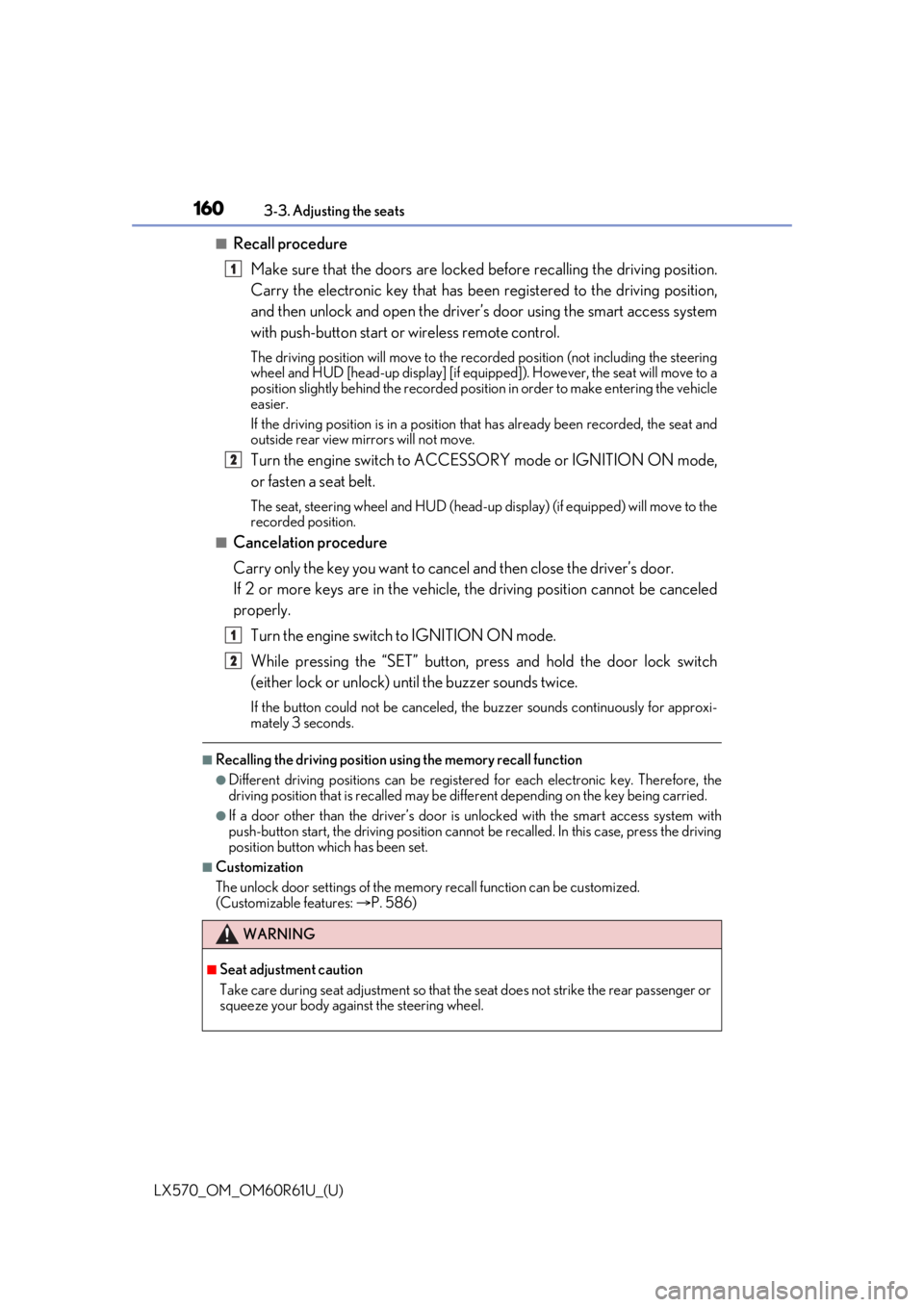
■Recall procedure
Make sure that the doors are locked before recalling the driving position.
Carry the electronic key that has been registered to the driving position,
and then unlock and open the driver’s door using the smart access system
with push-button start or wireless remote control.
The driving position will move to the recorded position (not including the steering
wheel and HUD [head-up display] [if equipp ed]). However, the seat will move to a
position slightly behind the recorded positi on in order to make entering the vehicle
easier.
If the driving position is in a position th at has already been recorded, the seat and
outside rear view mirrors will not move.
Turn the engine switch to ACCESS ORY mode or IGNITION ON mode,
or fasten a seat belt.
The seat, steering wheel and HUD (head-up display) (if equipped) will move to the
recorded position.
■Cancelation procedure
Carry only the key you want to cance l and then close the driver’s door.
If 2 or more keys are in the vehicle, the driving position cannot be canceled
properly.
Turn the engine switch to IGNITION ON mode.
While pressing the “SET” button, pr ess and hold the door lock switch
(either lock or unlock) un til the buzzer sounds twice.
If the button could not be canceled, the buzzer sounds continuously for approxi-
mately 3 seconds.
■Recalling the driving position using the memory recall function
●Different driving positions can be registered for each electronic key. Therefore, the
driving position that is recalled may be di fferent depending on the key being carried.
●If a door other than the driver’s door is unlocked with the smart access system with
push-button start, the driving position cannot be recalled. In this case, press the driving
position button which has been set.
■Customization
The unlock door settings of the memo ry recall function can be customized.
(Customizable features: P. 586)
WARNING
■Seat adjustment caution
Take care during seat adjustment so that the seat does not strike the rear passenger or
squeeze your body against the steering wheel.
1
2
1
2
Page 599 of 636
LX570_OM_OM60R61U_(U)
5998-2. Customization
8
Vehicle specifications
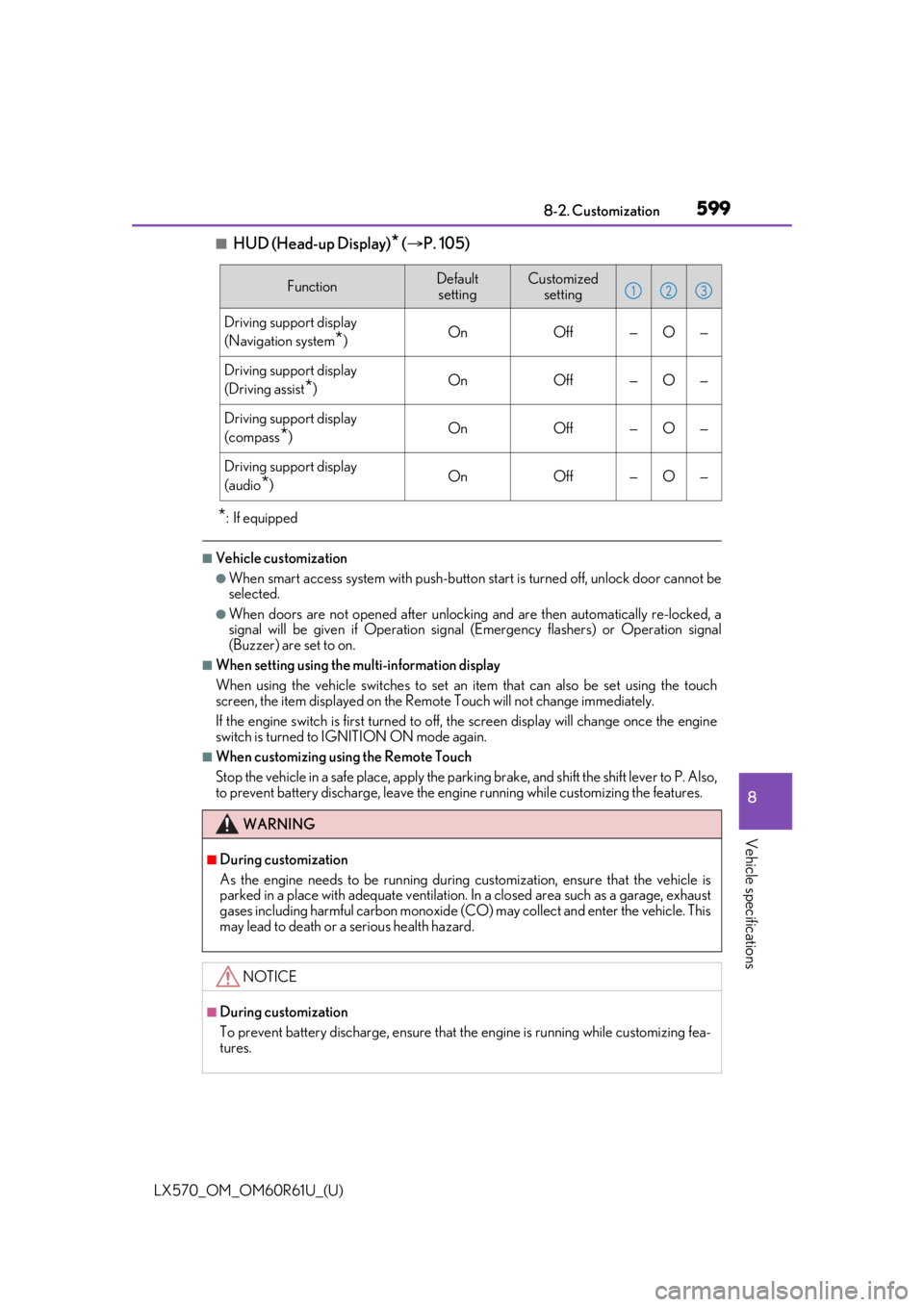
■HUD (Head-up Display)* ( P. 105)
*: If equipped
■Vehicle customization
●When smart access system with push-button start is turned off, unlock door cannot be
selected.
●When doors are not opened after unlocking and are then automatically re-locked, a
signal will be given if Operation signal (Emergency flashers) or Operation signal
(Buzzer) are set to on.
■When setting using the multi-information display
When using the vehicle switches to set an item that can also be set using the touch
screen, the item displayed on the Remote Touch will not change immediately.
If the engine switch is first turned to off, the screen display will change once the engine
switch is turned to IGNITION ON mode again.
■When customizing usin g the Remote Touch
Stop the vehicle in a safe place, apply the parking brake, and shift the shift lever to P. Also,
to prevent battery discharge, leave the engine running while customizing the features.
FunctionDefault settingCustomized setting
Driving support display
(Navigation system
*)OnOff—O—
Driving support display
(Driving assist
*)OnOff—O—
Driving support display
(compass
*)OnOff—O—
Driving support display
(audio
*)OnOff—O—
WARNING
■During customization
As the engine needs to be running during customization, ensure that the vehicle is
parked in a place with adequate ventilation. In a closed area such as a garage, exhaust
gases including harmful carbon monoxide (CO) may collect and enter the vehicle. This
may lead to death or a serious health hazard.
NOTICE
■During customization
To prevent battery discharge, ensure that the engine is running while customizing fea-
tures.
123