phone LEXUS NX200T 2016 User Guide
[x] Cancel search | Manufacturer: LEXUS, Model Year: 2016, Model line: NX200T, Model: LEXUS NX200T 2016Pages: 660, PDF Size: 9.96 MB
Page 334 of 660

3345-1. Basic Operations
NX200t_OM_USA_OM78081U
■Adjusting the volume
The volume of the Mobile Assist ant can be adjusted using the
“PWR·VOL” knob or
steering wheel volume switches. The Mobile Assistant and phone call volumes are syn-
chronized.
■Microphone
It is not necessary to speak directly into the microphone when using the Mobile Assis-
tant.
●Wait for the listening beeps befo re using the Mobile Assistant.
●The Mobile Assistant may not recognize commands in the following situations:
• When spoken too quickly.
• When spoken at a low or high volume.
• When the roof or windows are open.
• When passengers are talking while th e Mobile Assistant is being used.
• When the air conditioning syst em’s fan speed is set high.
• When the air conditioning vents ar e turned toward the microphone.
■Mobile Assistant precautions
●The available features and functions may vary based on the iOS version installed on the
connected device.
●Some Siri features are limited in Eyes Free mode. If you attempt to use an unavailable
function, Siri will inform you that the function is not available.
●If Siri is not enabled on the cellular phone connected via Bluetooth, an error message
will be displayed on the screen.
●While a phone call is active, the Mobile Assistant cannot be used.
●If using the navigation feature of the cellular phone, ensure the active audio source is
Bluetooth audio or iPod in order to hear turn by turn direction prompts.
Page 337 of 660

3375-2. Setup
5
Lexus Display Audio system
NX200t_OM_USA_OM78081U
Setup menu
“Setup” screen: “MENU” button “Setup”
Change the settings for operation
sounds, screen animation, etc.
( P. 3 3 8 )
Adjust the settings for voice guid-
ance volume and voice recognition
prompts. ( P. 3 4 1 )
Change the settings for registering,
removing, connecting and discon-
necting Bluetooth
® devices.
( P. 374, 375, 376, 377)
Change the settings for FM radio, iPod, etc. ( P. 3 4 5 )
Change the settings for vehicle customization. ( P. 6 1 4 )
Change the settings for phone sound, phonebook, etc. ( P. 3 9 3 )
The Lexus Display Audio system can be adjusted to the desired settings.
Display “Setup” screen
1
2
3
4
5
6
Page 340 of 660

3405-2. Setup
NX200t_OM_USA_OM78081U
“MENU” button “Setup” “General” “Delete Personal Data”
Select “Delete”.
Check carefully beforehand, as data cannot be retrieved once deleted.
The following personal data will be deleted or changed to its default settings.
• Phonebook data
• Call history data
•Favorite data
•Bluetooth
® devices data
• Phone sound settings
• Detailed Bluetooth
® settings
• Audio/video setting
• Preset switch data
•Last used radio station
• Customized image data
•FM info setting
• iPod tagging information
• Software update history
• Software update detail information
•Phone disp lay setting
• Contact/call history setting
• Messaging setting
• Traffic information map
• Weather information
• Phonebook data for voice recognition
• Music data for voice recognition
NOTICE
■To prevent damage to the USB memory device or its terminals
P. 3 7 0
Deleting personal data
1
2
Page 365 of 660
3655-6. Using an external device
5
Lexus Display Audio system
NX200t_OM_USA_OM78081U
●“Made for iPod” and “Made for iPhone” mean that an electronic accessory has been
designed to connect specifically to an iPod , or iPhone, respectively, and has been certi-
fied by the developer to meet Apple performance standards.
●Apple is not responsible for the operation of this device or its compliance with safety
and regulatory standards. Please note that th e use of this accessory with iPod or iPhone
may affect wireless performance.
●iPhone, iPod, iPod classic, iPod nano and iPod touch are trademarks of Apple Inc., reg-
istered in the U.S. and other countries.
■iPod cover art
●Depending on the iPod and songs in the iPod, iPod cover art may be displayed.
●This function can be changed to on/off. (P. 3 4 7 )
●It may take time to display iPod cover art, and the iPod may not be operated while the
cover art display is in process.
■iPod functions
●When an iPod is connected and the audio sour ce is changed to iPod mode, the iPod will
resume play from the same poin t in which it was last used.
●Depending on the iPod that is connected to the system, certain functions may not be
available. If a function is unavailable due to a malfunction (as opposed to a system spec-
ification), disconnecting the device and reconnecting it may resolve the problem.
●Depending on the iPod, while connected to the system, the iPod cannot be operated
with its own controls. It is necessary to use the controls of the vehicle’s audio system
instead.
●When the battery level of an iPod is very low, the iPod may not operate. If so, charge the
iPod before use.
●Compatible models (P. 366)
■iPod problems
To resolve most problems encountered when using your iPod, disconnect your iPod from
the vehicle iPod connection and reset it. For in structions on how to reset your iPod, refer
to your iPod Owner’s Manual.
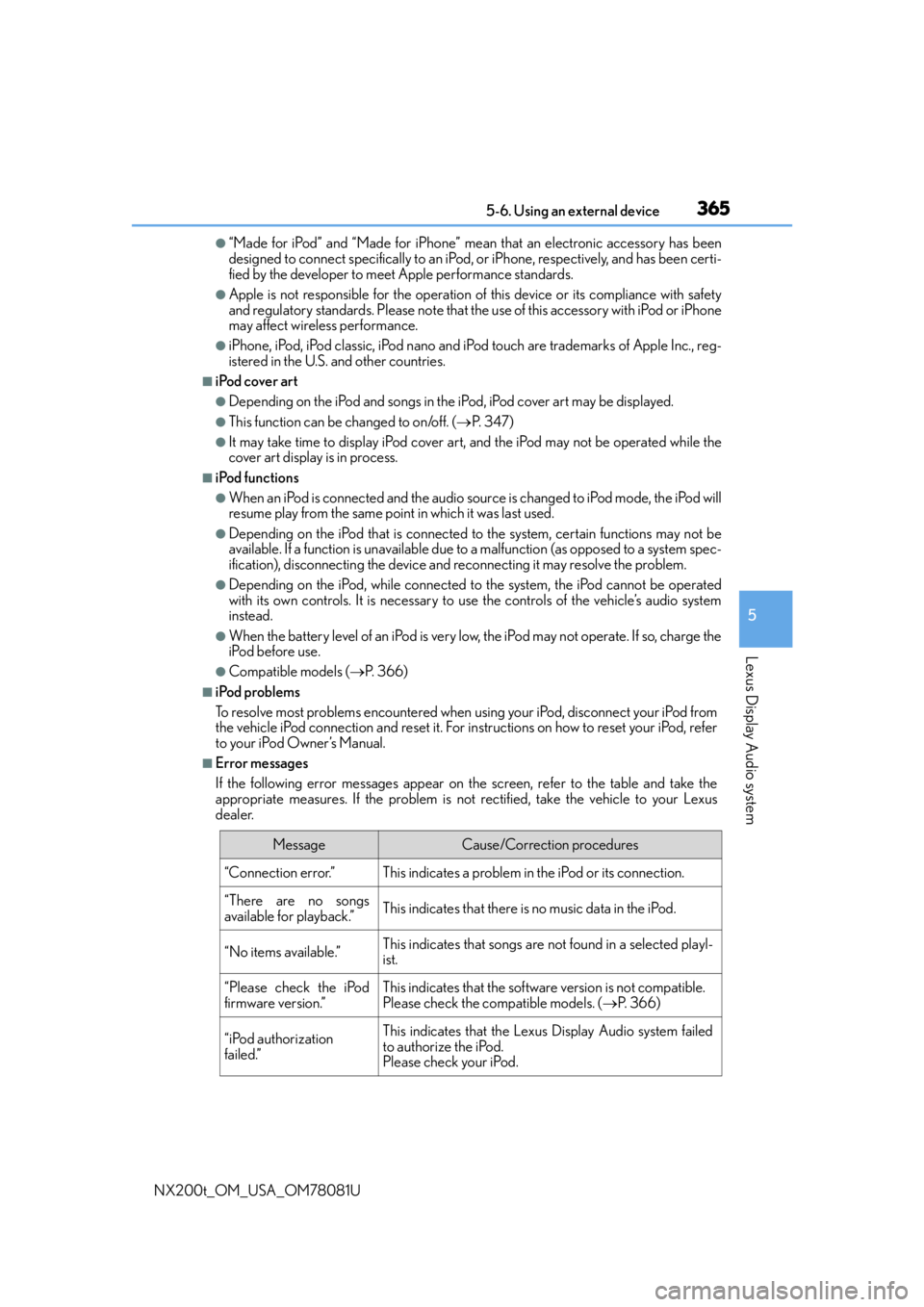
■Error messages
If the following error messages appear on the screen, refer to the table and take the
appropriate measures. If the pr oblem is not rectified, take the vehicle to your Lexus
dealer.
MessageCause/Correction procedures
“Connection error.”This indicates a problem in the iPod or its connection.
“There are no songs
available for playback.”This indicates that there is no music data in the iPod.
“No items available.”This indicates that songs are not found in a selected playl-
ist.
“Please check the iPod
firmware version.”This indicates that the software version is not compatible.
Please check the co mpatible models. (P. 3 6 6 )
“iPod authorization
failed.”This indicates that the Lexus Display Audio system failed
to authorize the iPod.
Please check your iPod.
Page 366 of 660
3665-6. Using an external device
NX200t_OM_USA_OM78081U
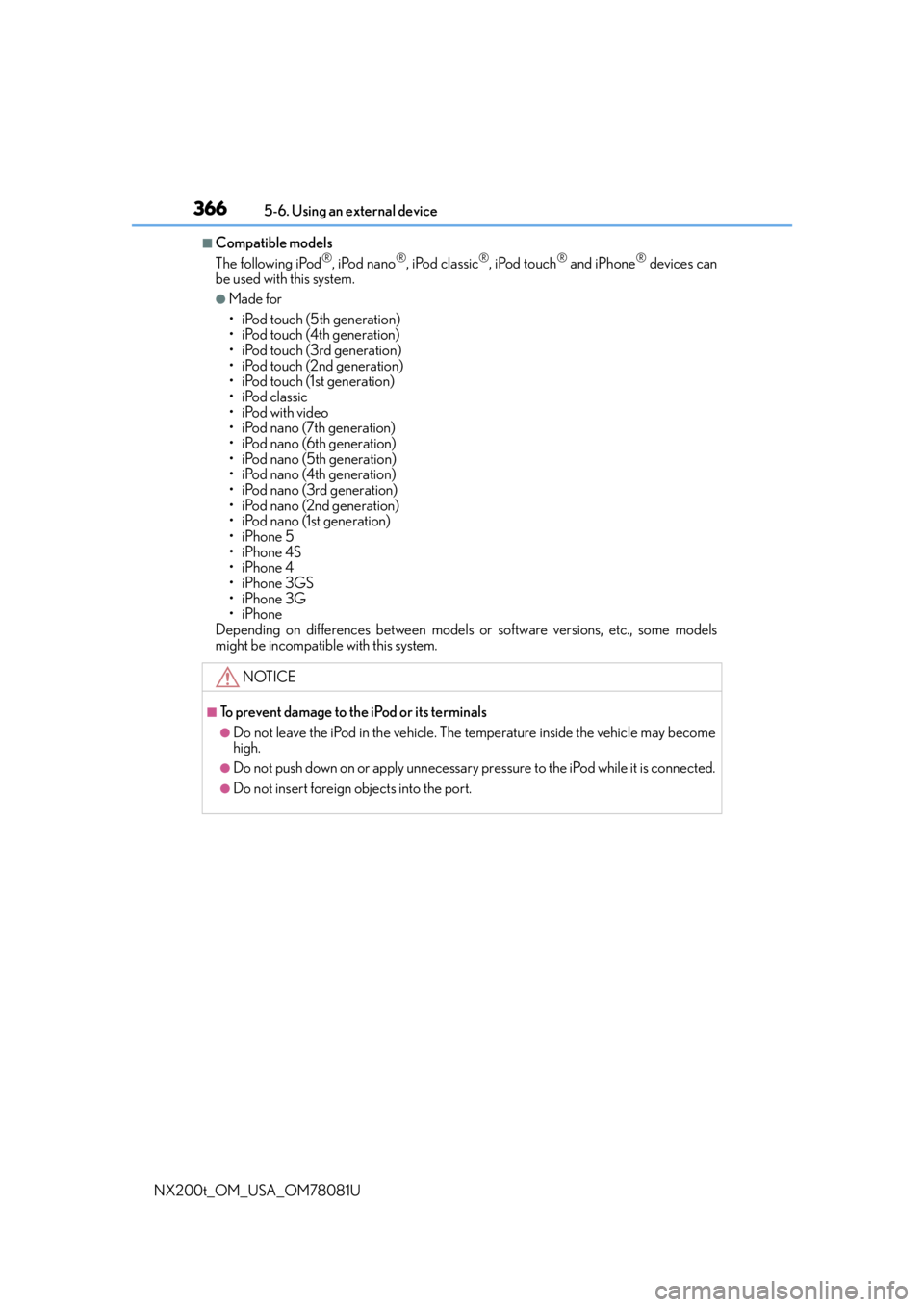
■Compatible models
The following iPod®, iPod nano®, iPod classic®, iPod touch® and iPhone® devices can
be used with this system.
●Made for
• iPod touch (5th generation)
• iPod touch (4th generation)
• iPod touch (3rd generation)
• iPod touch (2nd generation)
•iPod touch (1st generation)
•iPod classic
•iPod with video
• iPod nano (7th generation)
• iPod nano (6th generation)
• iPod nano (5th generation)
• iPod nano (4th generation)
• iPod nano (3rd generation)
• iPod nano (2nd generation)
• iPod nano (1st generation)
•iPhone 5
•iPhone 4S
•iPhone 4
•iPhone 3GS
•iPhone 3G
•iPhone
Depending on differences between models or software versions, etc., some models
might be incompatible with this system.
NOTICE
■To prevent damage to the iPod or its terminals
●Do not leave the iPod in the vehicle. The temperature inside the vehicle may become
high.
●Do not push down on or apply unnecessary pr essure to the iPod while it is connected.
●Do not insert foreign objects into the port.
Page 372 of 660
3725-7. Connecting Bluetooth®
NX200t_OM_USA_OM78081U
Steps for using Bluetooth® devices
The following can be performed using Bluetooth® wireless communication:
■A portable audio player can be operated and listened to via the Lexus
Display Audio system
■Hands-free phone calls can be made via a cellular phone
In order to use wireless communication, register and connect a Bluetooth
®
device by performing the following procedures.
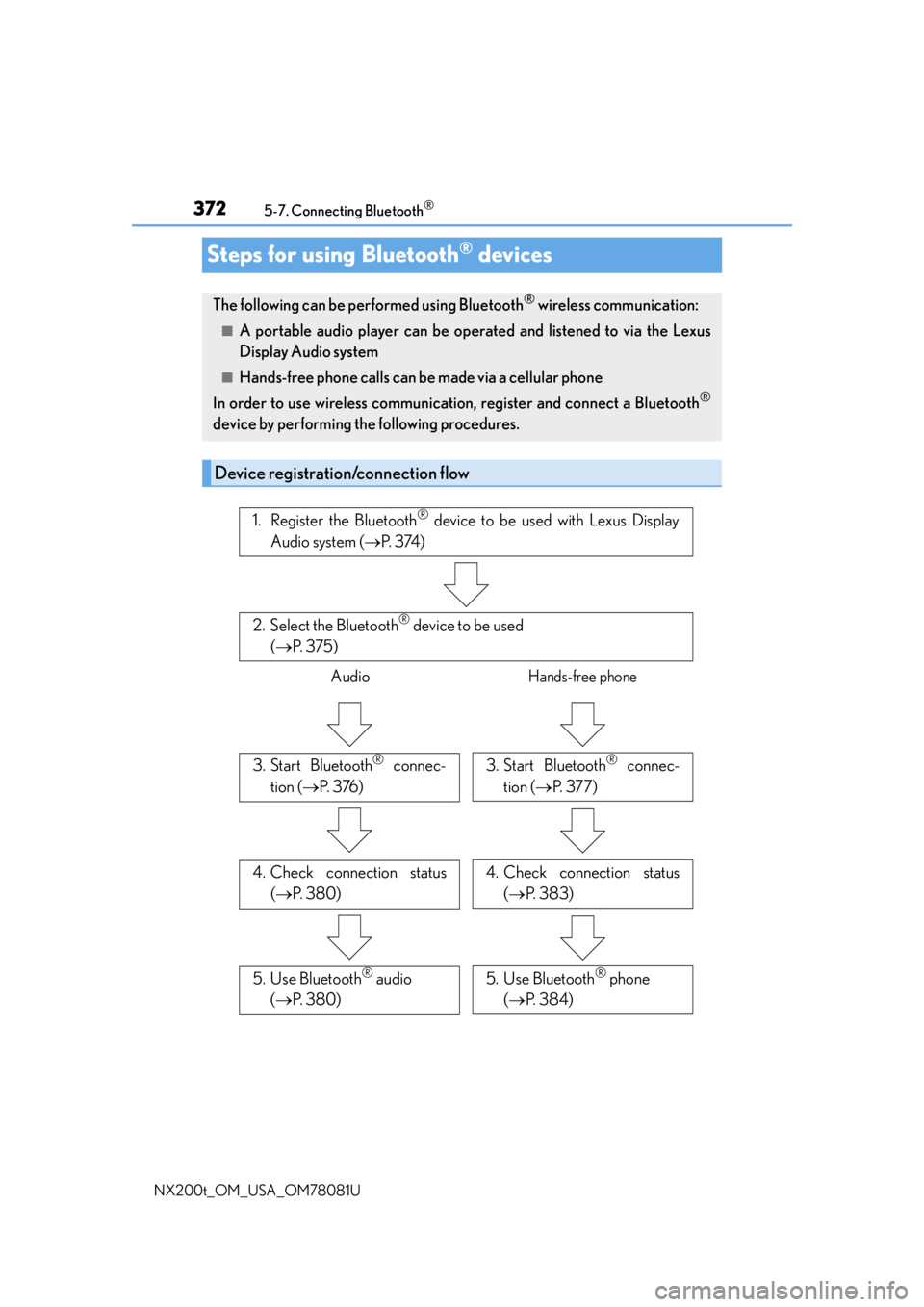
Device registration/connection flow
1. Register the Bluetooth® device to be used with Lexus Display
Audio system ( P. 3 74 )
2. Select the Bluetooth® device to be used
( P. 3 7 5 )
AudioHands-free phone
3. Start Bluetooth® connec-
tion ( P. 3 76 )3. Start Bluetooth® connec-
tion ( P. 3 7 7 )
4. Check connection status
( P. 3 8 0 )4. Check connection status
( P. 383)
5. Use Bluetooth® audio
( P. 3 8 0 )5. Use Bluetooth® phone
( P. 3 8 4 )
Page 373 of 660

3735-7. Connecting Bluetooth®
5
Lexus Display Audio system
NX200t_OM_USA_OM78081U
Go to “Bluetooth* Setup”: “MENU” button “Setup” “Bluetooth*”
*: Bluetooth is a registered trademark of Bluetooth SIG, Inc.
■When displaying “Bluetooth* Setup” screen from the “Bluetooth* Audio” screen
Display the “Bluetooth
* Audio” screen. ( P. 3 8 0 )
Move the controller to the left and select “Connect”.
■When displaying “Bluetooth* Setup” screen from the phone top screen
Display the phone top screen. ( P. 3 8 2 )
Move the controller to the left and select “Connect Phone”.
*: Bluetooth is a registered trad emark of Bluetooth SIG, Inc.
“Bluetooth* Setup” screen
1
2
1
2
Page 374 of 660
3745-7. Connecting Bluetooth®
NX200t_OM_USA_OM78081U
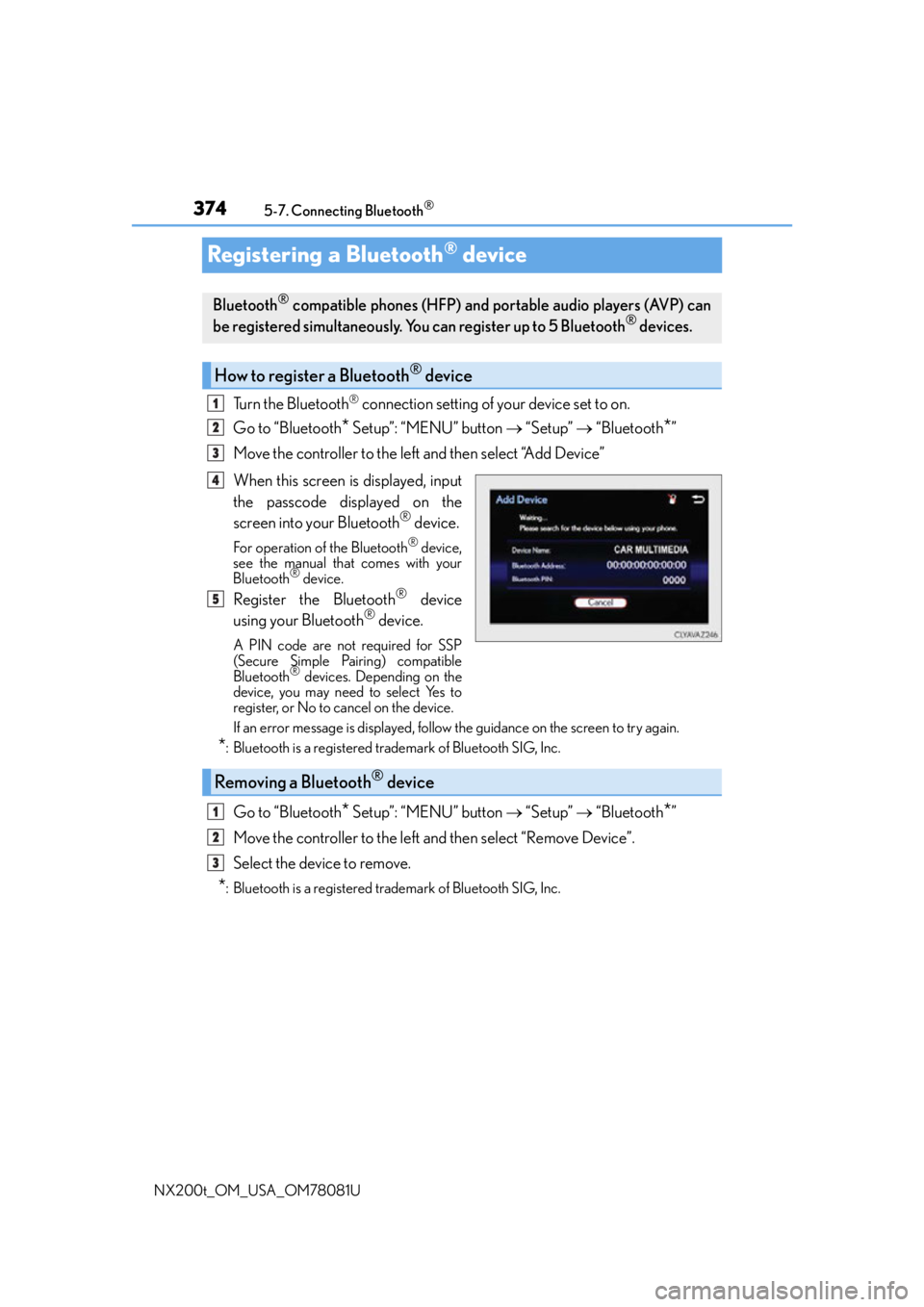
Registering a Bluetooth® device
Turn the Bluetooth® connection setting of your device set to on.
Go to “Bluetooth
* Setup”: “MENU” button “Setup” “Bluetooth*”
Move the controller to the left and then select “Add Device”
When this screen is displayed, input
the passcode displayed on the
screen into your Bluetooth
® device.
For operation of the Bluetooth® device,
see the manual that comes with your
Bluetooth
® device.
Register the Bluetooth® device
using your Bluetooth® device.
A PIN code are not required for SSP
(Secure Simple Pairing) compatible
Bluetooth
® devices. Depending on the
device, you may need to select Yes to
register, or No to cancel on the device.
If an error message is displayed, follow the guidance on the screen to try again.
*: Bluetooth is a registered trademark of Bluetooth SIG, Inc.
Go to “Bluetooth* Setup”: “MENU” button “Setup” “Bluetooth*”
Move the controller to the left and then select “Remove Device”.
Select the device to remove.
*: Bluetooth is a registered trademark of Bluetooth SIG, Inc.
Bluetooth® compatible phones (HFP) and portable audio players (AVP) can
be registered simultaneously. You can register up to 5 Bluetooth® devices.
How to register a Bluetooth® device
1
2
3
4
5
Removing a Bluetooth® device
1
2
3
Page 375 of 660
3755-7. Connecting Bluetooth®
5
Lexus Display Audio system
NX200t_OM_USA_OM78081U
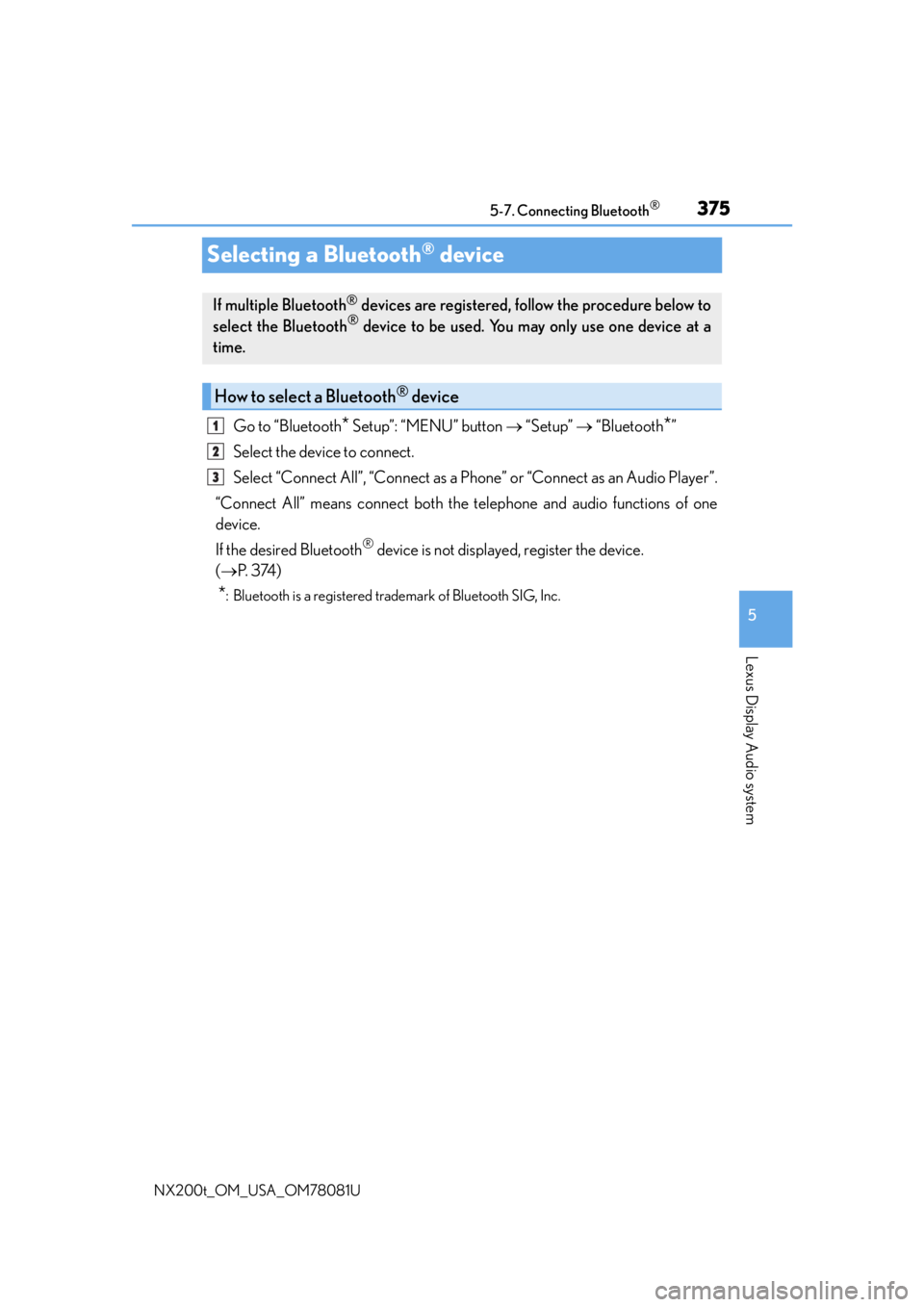
Selecting a Bluetooth® device
Go to “Bluetooth* Setup”: “MENU” button “Setup” “Bluetooth*”
Select the device to connect.
Select “Connect All”, “Connect as a Ph one” or “Connect as an Audio Player”.
“Connect All” means connect both the telephone and audio functions of one
device.
If the desired Bluetooth
® device is not displayed, register the device.
( P. 3 74 )
*: Bluetooth is a registered trademark of Bluetooth SIG, Inc.
If multiple Bluetooth® devices are registered, follow the procedure below to
select the Bluetooth® device to be used. You ma y only use one device at a
time.
How to select a Bluetooth® device
1
2
3
Page 377 of 660
3775-7. Connecting Bluetooth®
5
Lexus Display Audio system
NX200t_OM_USA_OM78081U
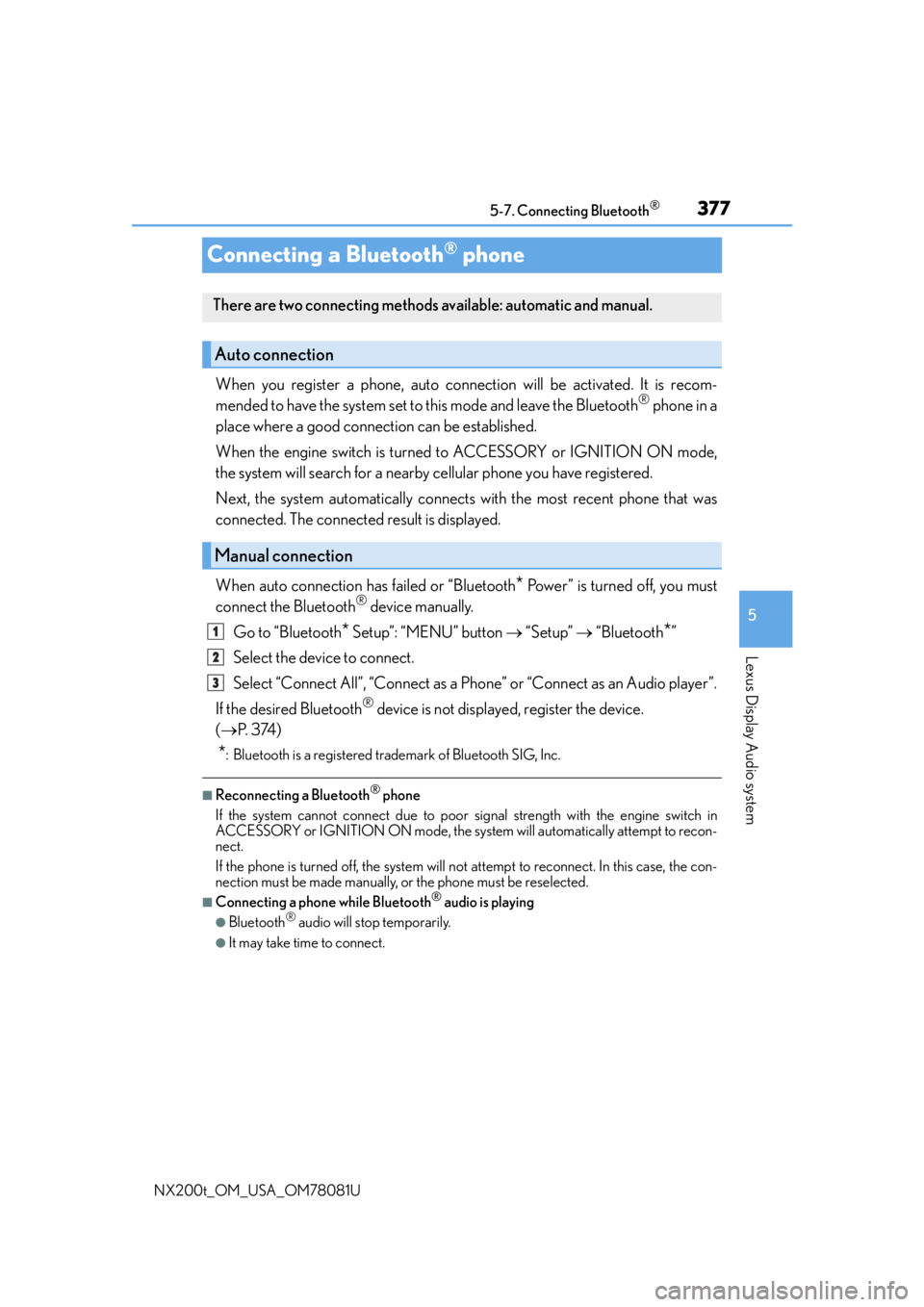
Connecting a Bluetooth® phone
When you register a phone, auto connection will be activated. It is recom-
mended to have the system set to this mode and leave the Bluetooth® phone in a
place where a good connection can be established.
When the engine switch is turned to ACCESSORY or IGNITION ON mode,
the system will search for a nearby cellular phone you have registered.
Next, the system automatically connects with the most recent phone that was
connected. The connected result is displayed.
When auto connection has failed or “Bluetooth
* Power” is turned off, you must
connect the Bluetooth® device manually.
Go to “Bluetooth
* Setup”: “MENU” button “Setup” “Bluetooth*”
Select the device to connect.
Select “Connect All”, “Connect as a Ph one” or “Connect as an Audio player”.
If the desired Bluetooth
® device is not displayed, register the device.
( P. 3 74 )
*: Bluetooth is a registered trademark of Bluetooth SIG, Inc.
■Reconnecting a Bluetooth® phone
If the system cannot connect due to poor si gnal strength with the engine switch in
ACCESSORY or IGNITION ON mode, the syst em will automatically attempt to recon-
nect.
If the phone is turned off, the system will not attempt to reconnect. In this case, the con-
nection must be made manually, or the phone must be reselected.
■Connecting a phone while Bluetooth® audio is playing
●Bluetooth® audio will stop temporarily.
●It may take time to connect.
There are two connecting methods av ailable: automatic and manual.
Auto connection
Manual connection
1
2
3