flat tire LEXUS NX200T 2016 Owners Manual
[x] Cancel search | Manufacturer: LEXUS, Model Year: 2016, Model line: NX200T, Model: LEXUS NX200T 2016Pages: 660, PDF Size: 9.96 MB
Page 6 of 660

TABLE OF CONTENTS6
NX200t_OM_USA_OM78081U
6-4. Other interior featuresOther interior features ............ 445
• Sun visors ................................ 445
• Vanity mirrors ........................ 445
• Clock ........................................ 446
• Power outlet (12 VDC)...... 446
• Power outlet (120 VAC) ....447
• Wireless charger.................. 448
• Armrest.................................... 454
• Assist grips ............................. 455
• Coat hooks ............................. 455
Garage door opener ............... 456
Compass ....................................... 462
Safety Connect........................... 466
7-1. Maintenance and care Cleaning and protecting the vehicle exterior ................. 472
Cleaning and protecting the vehicle inte rior................... 476
7-2. Maintenance Maintenance requirements .............................479
General maintenance.............. 482
Emission inspection and maintenance (I/M)
programs .................................... 485 7-3. Do-it-yourself maintenance
Do-it-yourself service precautions................................ 486
Hood ...............................................488
Positioning a floor jack............. 489
Engine compartment ............... 490
Tires.................................................. 502
Tire inflation pressure .................. 511
Wheels .............................................514
Air conditio ning filter .................516
Electronic key battery............... 518
Checking and replacing fuses.............................................. 520
Light bulbs .................................... 523
8-1. Essential information Emergency flashers .................. 540
If your vehicle has to be stopped in an
emergency ..................................541
7Maintenance and care8When trouble arises
Page 7 of 660
7
1
9 8
7
6 4 3
2
10
5
NX200t_OM_USA_OM78081U
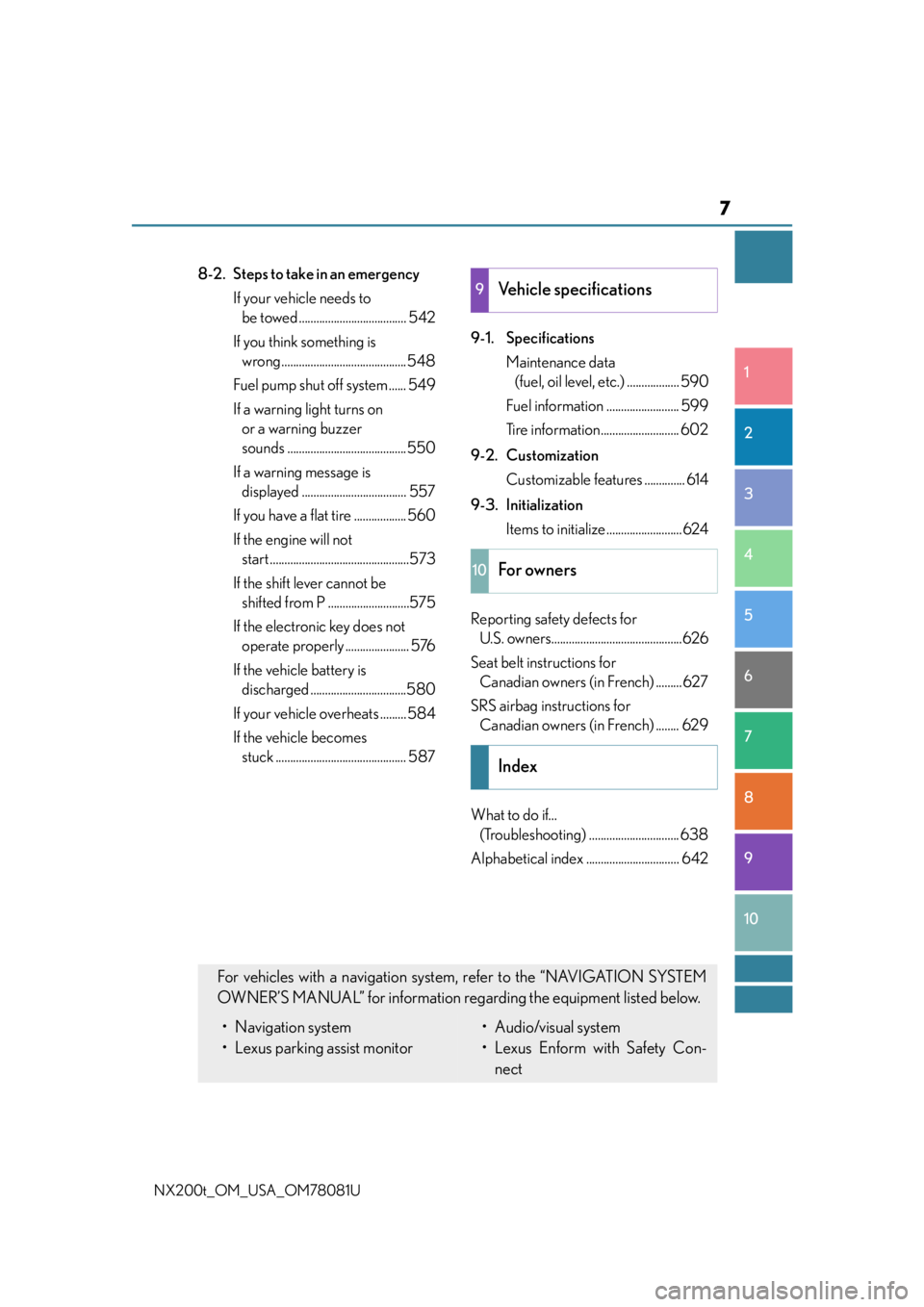
8-2. Steps to take in an emergency If your vehicle needs to be towed ..................................... 542
If you think something is wrong ........................................... 548
Fuel pump shut off system ...... 549
If a warning light turns on or a warning buzzer
sounds ......................................... 550
If a warning message is displayed .................................... 557
If you have a flat tire .................. 560
If the engine will not start ................................................573
If the shift lever cannot be shifted from P ............................575
If the electronic key does not operate properly ...................... 576
If the vehicle battery is discharged .................................580
If your vehicle overheats ......... 584
If the vehicle becomes stuck ............................................. 587 9-1. Specifications
Maintenance data (fuel, oil level, etc.) .................. 590
Fuel information ......................... 599
Tire information........................... 602
9-2. Customization Customizable features .............. 614
9-3. Initialization Items to initialize..........................624
Reporting safety defects for U.S. owners.............................................626
Seat belt instructions for Canadian owners (in French) ......... 627
SRS airbag instructions for Canadian owners (in French) ........ 629
What to do if... (Troubleshooting) ............................... 638
Alphabetical index ................................ 6429Vehicle specifications
10For owners
Index
For vehicles with a navigation system, refer to the “NAVIGATION SYSTEM
OWNER’S MANUAL” for information rega rding the equipment listed below.
• Navigation system
• Lexus parking assist monitor• Audio/visual system
• Lexus Enform with Safety Con-
nect
Page 15 of 660
15Pictorial index
NX200t_OM_USA_OM78081U
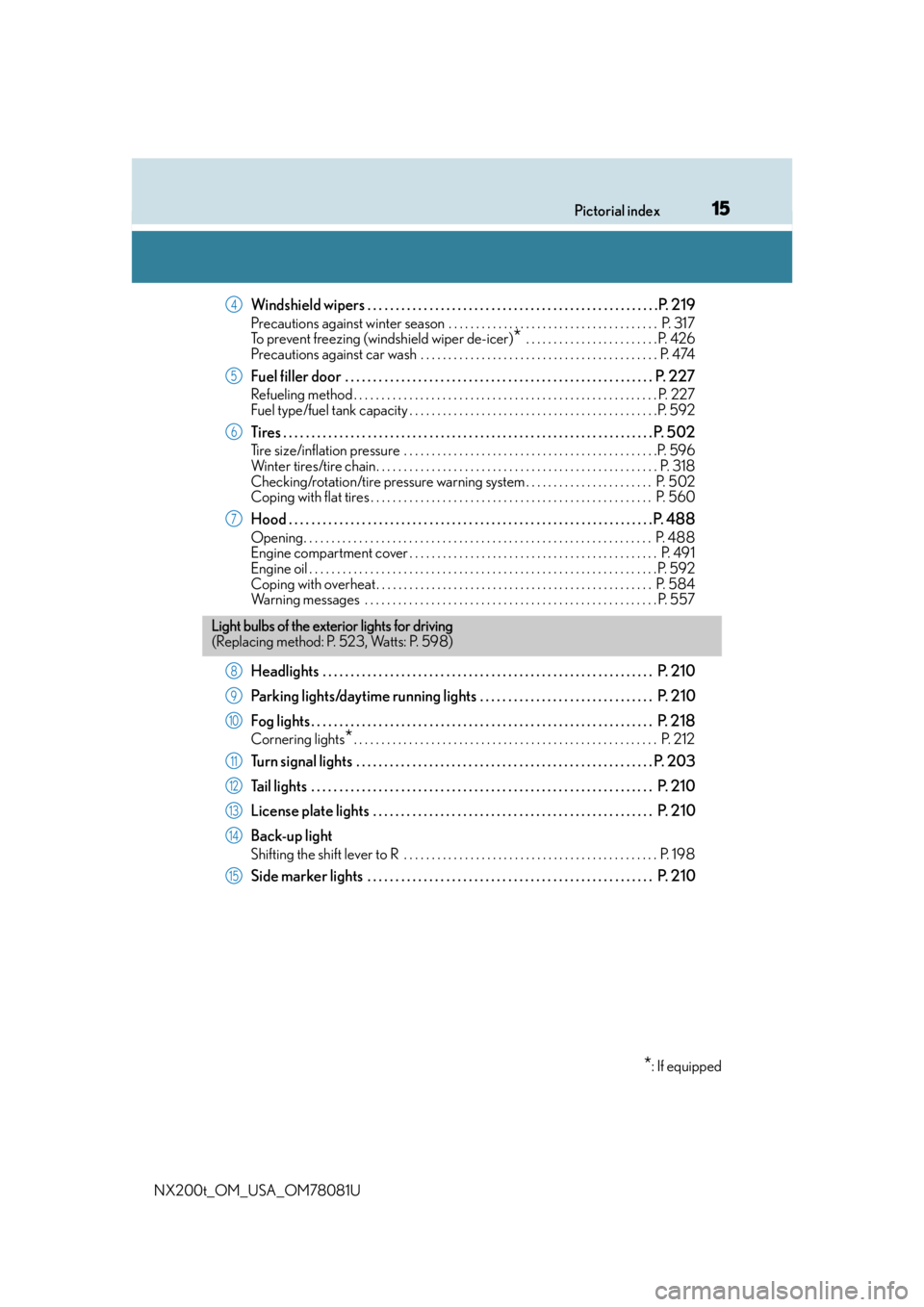
Windshield wipers . . . . . . . . . . . . . . . . . . . . . . . . . . . . . . . . . . . . . . . . . . . . . . . . . . . .P. 219
Precautions against winter season . . . . . . . . . . . . . . . . . . . . . . . . . . . . . . . . . . . . . . P. 317
To prevent freezing (windshield wiper de-icer)
* . . . . . . . . . . . . . . . . . . . . . . . . P. 426
Precautions against car wash . . . . . . . . . . . . . . . . . . . . . . . . . . . . . . . . . . . . . . . . . . . P. 474
Fuel filler door . . . . . . . . . . . . . . . . . . . . . . . . . . . . . . . . . . . . . . . . . . . . . . . . . . . . . . . P. 2 2 7
Refueling method . . . . . . . . . . . . . . . . . . . . . . . . . . . . . . . . . . . . . . . . . . . . . . . . . . . . . . . P. 227
Fuel type/fuel tank capacity . . . . . . . . . . . . . . . . . . . . . . . . . . . . . . . . . . . . . . . . . . . . .P. 592
Tires . . . . . . . . . . . . . . . . . . . . . . . . . . . . . . . . . . . . . . . . . . . . . . . . . . . . . . . . . . . . . . . . . . P. 502
Tire size/inflation pressure . . . . . . . . . . . . . . . . . . . . . . . . . . . . . . . . . . . . . . . . . . . . . .P. 596
Winter tires/tire chain. . . . . . . . . . . . . . . . . . . . . . . . . . . . . . . . . . . . . . . . . . . . . . . . . . . P. 318
Checking/rotation/tire pressure warning system . . . . . . . . . . . . . . . . . . . . . . . P. 502
Coping with flat tires . . . . . . . . . . . . . . . . . . . . . . . . . . . . . . . . . . . . . . . . . . . . . . . . . . . P. 560
Hood . . . . . . . . . . . . . . . . . . . . . . . . . . . . . . . . . . . . . . . . . . . . . . . . . . . . . . . . . . . . . . . . . P. 488
Opening. . . . . . . . . . . . . . . . . . . . . . . . . . . . . . . . . . . . . . . . . . . . . . . . . . . . . . . . . . . . . . . P. 488
Engine compartment cover . . . . . . . . . . . . . . . . . . . . . . . . . . . . . . . . . . . . . . . . . . . . . P. 491
Engine oil . . . . . . . . . . . . . . . . . . . . . . . . . . . . . . . . . . . . . . . . . . . . . . . . . . . . . . . . . . . . . . .P. 592
Coping with overheat . . . . . . . . . . . . . . . . . . . . . . . . . . . . . . . . . . . . . . . . . . . . . . . . . . P. 584
Warning messages . . . . . . . . . . . . . . . . . . . . . . . . . . . . . . . . . . . . . . . . . . . . . . . . . . . . . P. 55 7
Headlights . . . . . . . . . . . . . . . . . . . . . . . . . . . . . . . . . . . . . . . . . . . . . . . . . . . . . . . . . . . P. 210
Parking lights/daytime running lights . . . . . . . . . . . . . . . . . . . . . . . . . . . . . . . P. 210
Fog lights . . . . . . . . . . . . . . . . . . . . . . . . . . . . . . . . . . . . . . . . . . . . . . . . . . . . . . . . . . . . . P. 218
Cornering lights*. . . . . . . . . . . . . . . . . . . . . . . . . . . . . . . . . . . . . . . . . . . . . . . . . . . . . . . P. 212
Turn signal lights . . . . . . . . . . . . . . . . . . . . . . . . . . . . . . . . . . . . . . . . . . . . . . . . . . . . . P. 203
Tail lights . . . . . . . . . . . . . . . . . . . . . . . . . . . . . . . . . . . . . . . . . . . . . . . . . . . . . . . . . . . . . P. 210
License plate lights . . . . . . . . . . . . . . . . . . . . . . . . . . . . . . . . . . . . . . . . . . . . . . . . . . P. 210
Back-up light
Shifting the shift lever to R . . . . . . . . . . . . . . . . . . . . . . . . . . . . . . . . . . . . . . . . . . . . . . P. 19 8
Side marker lights . . . . . . . . . . . . . . . . . . . . . . . . . . . . . . . . . . . . . . . . . . . . . . . . . . . P. 210
4
5
6
7
Light bulbs of the exterior lights for driving
(Replacing method: P. 523, Watts: P. 598)
*: If equipped
8
9
10
11
12
13
14
15
Page 93 of 660

932. Instrument cluster
2
Instrument cluster
NX200t_OM_USA_OM78081U
■Elapsed time (after reset*2/after start)*1
Displays the elapsed time since the function was reset and the engine was
started, respectively
■Distance (driving range/after start)*1
Displays the estimated maximum distance that can be driven with the quantity
of fuel remaining and the distance driven after the engine was started respec-
tively.
• This distance is computed based on your average fuel consumption. As a result,
the actual distance that can be driven may differ from that displayed.
• When only a small amount of fuel is added to the tank, the display may not be
updated.
When refueling, turn the engine switch off. If the vehicle is refueled without turning
the engine switch off, the display may not be updated.
■Eco Driving Indicator Zone Display
P. 9 4
■Boost Meter/Oil Temperature Gauge/Oil Pressure Gauge (if equipped)
Boost Meter:
Displays the boost pressure. The display changes colors when the set pres-
sure is exceeded.
Oil Temperature Gauge:
Displays the temperature of the engine oil. The display flashes when the
engine oil exceeds 284°F (140°C). ( P. 5 5 7 )
Oil Pressure Gauge:
Displays the oil pressure for the engine interior. A buzzer sounds and warning
message is displayed when the oil pressure gets low. ( P. 5 5 7 )
Depending on the road conditions, temperature, vehicle speed, etc., the actual
vehicle condition on the display screen may differ.
Use the display screen as a reference.
■G monitor (if equipped)
Displays the acceleration forces of the fr ont, back, left and right of the vehicle.
Also displays the turning angle of th e steering wheel, brake oil pressure,
accelerator opening.
• The actual vehicle conditions may differ from those on the display screen, depend- ing on the road conditions, outside temperature, vehicle speed, etc.
Use the display screen as a reference.
• If a battery terminal is disconnected and reconnected, the steering amount display
may be disabled temporarily. After drivin g the vehicle for a while, the display will
be enabled.
■Tire inflation pressure
Displays inflation pressure of each tire.
The inflation pressure of the spare tire will not be displayed.
Page 95 of 660

952. Instrument cluster
2
Instrument cluster
NX200t_OM_USA_OM78081U
■Tire inflation pressure
●It may take a few minutes to display the tire inflation pressure after the engine switch is
turned to IGNITION ON mode. It may also take a few minutes to display the tire infla-
tion pressure after inflation pressure has been adjusted.
●“---” may be displayed if the tire information cannot be determined due to unfavorable
radio wave conditions.
●Tire inflation pressure changes with temperature. The displayed values may also be dif-
ferent from the values measured using a tire pressure gauge.
■When disconnecting and reconnecting battery terminals
The drive information will be reset.
■Liquid crystal display
P. 8 9
WA R N I N G
■Cautions during setting up the display
As the engine needs to be operating during setting up the display, ensure that the vehi-
cle is parked in a place with adequate vent ilation. In a closed area such as a garage,
exhaust gases including harmful carbon mo noxide (CO) may collect and enter the
vehicle. This may lead to death or a serious health hazard.
NOTICE
■The multi-information disp lay at low temperatures
Allow the interior of the vehicle to warm up before using the liquid crystal information
display. At extremely low temperatures, th e information display monitor may respond
slowly, and display changes may be delayed.
■During setting up the display
To prevent battery discharge, ensure that th e engine is operating while setting up the
display features.
Page 173 of 660

1734-1. Before driving
4
Driving
NX200t_OM_USA_OM78081U
NOTICE
■When driving the vehicle
●Do not depress the accelerator and brake pedals at the same time during driving, the
engine output may be restrained.
●Do not use the accelerator pedal or depress the accelerator and brake pedals at the
same time to hold the vehicle on a hill.
■When parking the vehicle
Always shift the shift lever to P, set the parking brake. Failure to do so may cause the
vehicle to move or the vehicle may accelerate suddenly if the accelerator pedal is acci-
dentally depressed.
■Avoiding damage to vehicle parts
●Do not turn the steering wheel fully in either direction and hold it there for an
extended period of time.
Doing so may damage the power steering motor.
●When driving over bumps in the road, drive as slowly as possible to avoid damaging
the wheels, underside of the vehicle, etc.
●Make sure to idle the engine immediately after high speed driving or hill climbing, if
the engine is to be stopped. Stop the en gine only after the turbocharger has cooled
down. ( P. 1 6 8 )
Failure to do so may cause damage to the turbocharger.
■If you get a flat tire while driving
A flat or damaged tire may cause the follo wing situations. Hold the steering wheel
firmly and gradually depress the brak e pedal to slow down the vehicle.
●It may be difficult to control your vehicle.
●The vehicle will make abnormal sounds or vibrations.
●The vehicle will lean abnormally.
Information on what to do in case of a flat tire ( P. 5 6 0 )
■When encountering flooded roads
Do not drive on a road that has flooded after heavy rain, etc. Doing so may cause the
following serious damage to the vehicle:
●Engine stalling
●Short in electrical components
●Engine damage caused by water immersion
In the event that you drive on a flooded road and the vehicle is flooded, be sure to have
your Lexus dealer check the following:
●Brake function
●Changes in quantity and quality of oil and fl uid used for the engine, transmission, tran-
saxle, transfer (AWD models), differential, etc.
●Lubricant condition for the propeller shaft (AWD models), bearings and suspension
joints (where possible), and the fu nction of all joints, bearings, etc.
Page 184 of 660

1844-1. Before driving
NX200t_OM_USA_OM78081U
Weight carrying ball position:
42.1 in. (1069.9 mm)
Hitch receiver pin hole position:
33.7 in. (855.6 mm)
Please consult your dealer when installin g trailer lights, as incorrect installation
may cause damage to the vehicle’s lights. Please take care to comply with your
state’s laws when installing trailer lights.
Your vehicle will handle differently when towing a trailer. Help to avoid an acci-
dent, death or serious injury, keep the following in mind when towing:
●Speed limits for towing a trailer vary by state or province. Do not exceed the
posted towing speed limit.
●Lexus recommends that the vehicle-trailer speed limit is 65 mph (104 km/h)
on a flat, straight, dry road. Do not exceed this limit, the posted towing speed
limit or the speed limit for your trailer as set forth in your trailer owner’s man-
ual, whichever is lowest. Instability of the towing vehicle-trailer combination
(trailer sway) increases as speed increases. Exceeding speed limits may cause
loss of control.
●Before starting out, check the trailer lights, tires and the vehicle-trailer con-
nections. Recheck after driving a short distance.
●Practice turning, stopping and reversing with the trailer attached in an area
away from traffic until you become accustomed to the feel of the vehicle-
trailer combination.
Positions for towing hitch receiver and hitch ball
1
2
Connecting trailer lights
Trailer towing tips
Page 187 of 660

1874-1. Before driving
4
Driving
NX200t_OM_USA_OM78081U
■Matching trailer ball height to trailer coupler height
■Before towing
Check that the following conditions are met:
●Ensure that your vehicle’s tires are properly inflated. ( P. 5 9 6 )
●Trailer tires are inflated according to the trailer manufacturer’s recommendation.
●All trailer lights work as required by law.
●All lights work each time you connect them.
●The trailer ball is set at the proper height for the coupler on the trailer.
●The trailer is level when it is hitched.
Do not drive if the trailer is not level, and check for improper to ngue weight, overload-
ing, worn suspension, or other possible causes.
●The trailer cargo is securely loaded.
●The rear view mirrors conform to all applicable federal, state/provincial or local regula-
tions. If they do not, install rear view mirrors appropriate for towing purposes.
■AVS (adaptive variable suspension system) (if equipped)
The suspension can be switched fo r improvement in driveability. (P. 2 9 8 )
No matter which class of tow hitch
applies, for a more safe trailer hookup,
the trailer ball setup must be the proper
height for the coupler on the trailer.
Coupler
Trailer ball
1
2
Page 216 of 660

2164-3. Operating the lights and wipers
NX200t_OM_USA_OM78081U
■The Automatic High Beam can be operated when
The engine switch is in IGNITION ON mode.
■Camera sensor dete ction information
●High beam may not be automatically tu rned off in the following situations:
• When oncoming vehicles sudd enly appear from a curve
• When the vehicle is cut in front of by another
• When oncoming or preceding vehicles are hidden from sight due to repeated
curves, road dividers or roadside trees
●High beam may be turned off if an oncoming vehicle that is using fog lights without
using the headlights is detected.
●House lights, street lights, red traffic signals, and illuminated billboards or signs may
cause the high beam to turn off.
●The following factors may affect the amount of time taken to turn high beam on or off:
• The brightness of headlights, fog lights, and tail lights of oncoming and preceding
vehicles
• The movement and direction of oncoming and preceding vehicles
• When a oncoming or preceding vehicle on ly has operational lights on one side
• When a oncoming or preceding vehicle is a two-wheeled vehicle
• The condition of the road (gradient, curve, condition of the road surface, etc.)
• The number of passengers and amount of luggage
●High beam may be turned on or off when unexpected by the driver.
●In the situations below, the system may not be able to correctly detect the surrounding
brightness levels, and may flash or expose nearby pedestrians to the high beam. There-
fore, you should consider turning the high be ams on or off manually rather than relying
on the Automatic High Beam system.
• In bad weather (rain, snow , fog, sandstorms, etc.)
• The windshield is obscured by fog, mist, ice, dirt, etc.
• The windshield is cracked or damaged.
• The camera sensor is deformed or dirty.
• The camera sensor temperature is extremely high.
• Surrounding brightness levels are equal to those of headlights, tail lights or fog lights.
• Vehicles ahead have headlights or tail lights that are either switched off, dirty, are
changing color, or are not aimed properly.
• When driving through an area of intermit tently changing brightness and darkness.
• When frequently and repeatedly driving ascending/descending roads, or roads with
rough, bumpy or uneven surfaces (such as stone-paved roads, gravel tracks, etc.).
• When frequently and repeat edly taking curves or driving on a winding road.
• There is a highly reflective object ahead of the vehicle, such as a sign or a mirror.
• The back of a vehicle ahead is highly reflective, such as a container on a truck.
• The vehicle’s headlights are damaged or dirty.
• The vehicle is listing or titling, due to a flat tire, a trailer being towed, etc.
• The driver believes that the high beam may be causing problems or distress to other
drivers or pedestrians nearby.
Page 267 of 660

2674-5. Using the driving support systems
4
Driving
NX200t_OM_USA_OM78081U
●When the lane markers are on a curb, etc.
●When driving on a particularly bright road surface, such as concrete
●When driving on a road surface that is bright due to reflected light
●When driving in a location where the light level changes rapi dly, such as the entrance to
or exit from a tunnel
●When sunlight or the headlights of oncoming vehicles are shining directly into the cam-
era lens
●When driving on roads that are branching or merging
●When driving on a hill
●When driving on winding roads or roads that are uneven
●When driving on rough or unpaved roads
●When driving on a sharp curve
●When lane markers are extremely narrow or extremely wide
●When the vehicle leans to one side an unus ual amount due to a heavy load or improper
tire inflation pressure
●When the following distance between your vehicle and the vehicle ahead is extremely
short
●When the vehicle experiences strong up-and -down motion such as when driving on an
extremely rough road or on a seam in the pavement
● When headlight brightness at nighttime is reduced due to dirt on the lenses, or when
the headlights are misaligned
●When receiving a side wind
■When changing the tires
Depending on the tires used, such as snow tires, etc., sufficient performance may not be
maintainable.
■Warning messages for the LDA
Warning messages are used to indicate a syst em malfunction or to inform the driver of
the need for caution while driving. If a wa rning message is shown on the multi-informa-
tion display, read the message and follow the instructions.
Also, even if a warning message is displayed, it will not impede normal driving.
■ When turning on/off the steering control function
From “Settings display” ( P. 92) of the multi-information display, the steering
control function can be turned on/off.
Pressing the or meter control switches ( P. 92), selects
With each press of meter control switch es, the control switches between “On” and
“Off”
■Sensitivity adjustment for th e lane deviation alert buzzer
From
“Settings display” ( P. 92) of the multi-information display, the alert sensi-
tivity for the alert buzzer when deviating from the lane can be adjusted.
Pressing the or meter control switches ( P. 92), selects
With each press of meter control switches, the control switches between “High”
and “Standard”
1
2
1
2