power steering LEXUS NX200T 2016 Owners Manual
[x] Cancel search | Manufacturer: LEXUS, Model Year: 2016, Model line: NX200T, Model: LEXUS NX200T 2016Pages: 660, PDF Size: 9.96 MB
Page 2 of 660
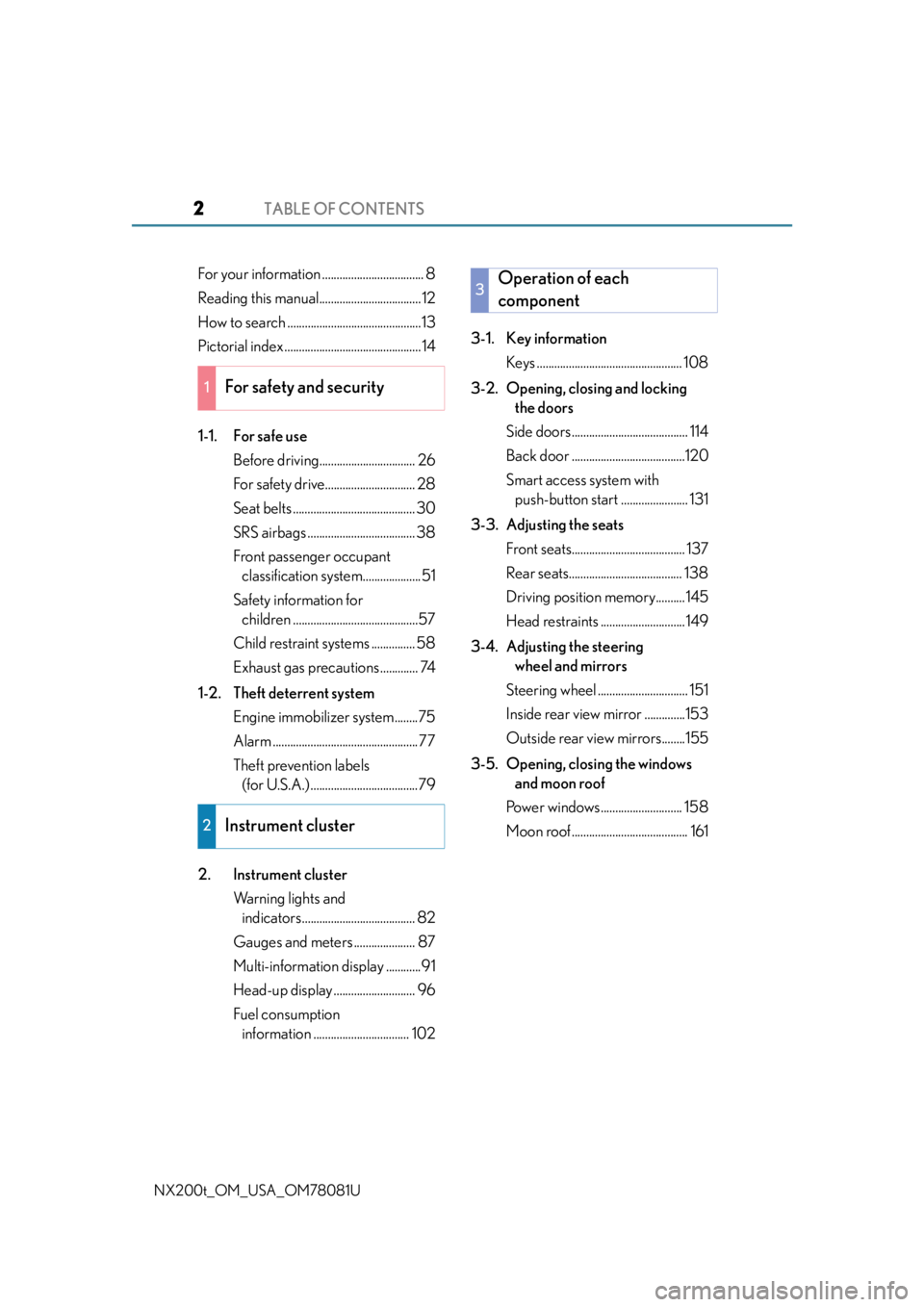
TABLE OF CONTENTS2
NX200t_OM_USA_OM78081U
For your information ................................... 8
Reading this manual................................... 12
How to search ..............................................13
Pictorial index ............................................... 14
1-1. For safe useBefore driving................................. 26
For safety drive............................... 28
Seat belts .......................................... 30
SRS airbags ..................................... 38
Front passenger occupant classification system....................51
Safety information for children ...........................................57
Child restraint systems ............... 58
Exhaust gas precautions ............. 74
1-2. Theft deterrent system Engine immobilizer system........75
Alarm .................................................. 77
Theft prevention labels (for U.S.A.) .....................................79
2. Instrument cluster Warning lights and indicators....................................... 82
Gauges and meters ..................... 87
Multi-information display ............91
Head-up display ............................ 96
Fuel consumption information ................................. 102 3-1. Key information
Keys .................................................. 108
3-2. Opening, closing and locking the doors
Side doors........................................ 114
Back door .......................................120
Smart access system with push-button start ....................... 131
3-3. Adjusting the seats Front seats....................................... 137
Rear seats....................................... 138
Driving position memory.......... 145
Head restraints ............................. 149
3-4. Adjusting the steering wheel and mirrors
Steering wheel ............................... 151
Inside rear view mirror ..............153
Outside rear view mirrors........155
3-5. Opening, closing the windows and moon roof
Power windows............................ 158
Moon roof ........................................ 161
1For safety and security
2Instrument cluster
3Operation of each
component
Page 18 of 660

18Pictorial index
NX200t_OM_USA_OM78081U
■Switches
Instrument panel light control swit ches . . . . . . . . . . . . . . . . . . . . . . . . . . . . . . P. 88
Odometer/trip meter and trip meter reset button . . . . . . . . . . . . . . . . . . P. 88
Seat heater switches
* . . . . . . . . . . . . . . . . . . . . . . . . . . . . . . . . . . . . . . . . . . . . . . . .P. 431
Seat ventilator switches
*. . . . . . . . . . . . . . . . . . . . . . . . . . . . . . . . . . . . . . . . . . . . P. 432
Automatic High Beam switch
*. . . . . . . . . . . . . . . . . . . . . . . . . . . . . . . . . . . . . . .P. 214
Intuitive parking assist switch
* . . . . . . . . . . . . . . . . . . . . . . . . . . . . . . . . . . . . . . P. 270
BSM (Blind Spot Monitor) main switch
*. . . . . . . . . . . . . . . . . . . . . . . . . . . . P. 309
Power back door switch
*. . . . . . . . . . . . . . . . . . . . . . . . . . . . . . . . . . . . . . . . . . . . . P. 121
PCS (Pre-Collision System) switch
*. . . . . . . . . . . . . . . . . . . . . . . . . . . . . . . . P. 304
All-wheel drive lock switch
* . . . . . . . . . . . . . . . . . . . . . . . . . . . . . . . . . . . . . . . . P. 302
Heated steering wheel switch
* . . . . . . . . . . . . . . . . . . . . . . . . . . . . . . . . . . . . . .P. 431
Rear seat operations switch
* . . . . . . . . . . . . . . . . . . . . . . . . . . . . . . . . . . . . . . . .P. 139
1
2
3
4
5
6
7
8
9
10
11
12
Page 83 of 660

832. Instrument cluster
2
Instrument cluster
NX200t_OM_USA_OM78081U
Warning lights inform the driver of malfunctions in any of the vehicle’s systems.
Warning lights
*1
(U.S.A.)
Brake system warning light
( P. 5 5 0 )*1
(Canada)
ABS warning light
( P. 5 5 1 )
*1
(Canada)
Brake system warning light
( P. 5 5 0 )*1Electric power steering
system warning light
( P. 5 5 1 )
*2
Charging system warning
light ( P. 5 5 0 )*1Electric power steering
system warning light
( P. 5 5 1 )
*2
Low engine oil pressure
warning light ( P. 5 5 0 )
*1, 3
(if equipped)
PCS warning light
( P. 5 5 1 )
*2
High coolant temperature
warning light ( P. 5 5 0 )*1Slip indicator light
( P. 5 5 1 )
*1Brake system warning light
( P. 5 5 0 )*1, 3
Brake hold operated
indicator ( P. 5 5 1 )
*1
(U.S.A.)
Malfunction indicator lamp
( P. 5 5 0 )*3
(U.S.A.)
Parking brake indicator
( P. 5 5 1 )
*1
(Canada)
Malfunction indicator lamp
( P. 5 5 0 )*3
(Canada)
Parking brake indicator
( P. 5 5 1 )
*1SRS warning light
( P. 5 5 1 ) Low fuel level warning light
(
P. 5 5 2 )
*1
(U.S.A.)
ABS warning light
( P. 5 5 1 ) Driver’s and front
passenger’s seat belt
reminder light (
P. 5 5 2 )
Page 107 of 660

107
3
Operation of
each component
NX200t_OM_USA_OM78081U
3-1. Key information
Keys .................................................. 108
3-2. Opening, closing and locking the doors
Side doors ........................................ 114
Back door....................................... 120
Smart access system with push-button start........................ 131
3-3. Adjusting the seats Front seats ....................................... 137
Rear seats ....................................... 138
Driving position memory ..........145
Head restraints .............................149
3-4. Adjusting the steering wheel and mirrors
Steering wheel ............................... 151
Inside rear view mirror.............. 153
Outside rear view mirrors ....... 155
3-5. Opening, closing the windows and moon roof
Power windows ............................ 158
Moon roof ........................................ 161
Page 137 of 660

1373-3. Adjusting the seats
3
Operation of each component
NX200t_OM_USA_OM78081U
Front seats
Seat position adjustment switch
Seat cushion (front) angle adjust-
ment switch
Vertical height adjustment switch
Seatback angle adjustment switch
Lumbar support adjustment switch
(for driver’s side)
■Power easy access system
The driver’s seat and steering wheel move in accordance with engine switch mode and
the driver’s seat belt condition. ( P. 1 4 5 )
Adjustment procedure
1
2
3
4
5
WA R N I N G
■When adjusting the seat position
●Take care when adjusting the seat position to ensure that other passengers are not
injured by the moving seat.
●Do not put your hands under the seat or near the moving parts to avoid injury.
Fingers or hands may become jammed in the se at mechanism.
■Seat adjustment
To reduce the risk of sliding under the lap belt during a collision, do not recline the seat
more than necessary.
If the seat is too rec lined, the lap belt may slide past the hips and apply restraint forces
directly to the abdomen, or your neck may contact the shoulder belt, increasing the risk
of death or serious injury in the event of an accident.
Adjustments should not be ma de while driving as the seat may unexpectedly move and
cause the driver to lose control of the vehicle.
Page 145 of 660

1453-3. Adjusting the seats
3
Operation of each component
NX200t_OM_USA_OM78081U
Driving position memory
The seat and steering wheel are automatically adjusted to allow the driver to
enter and exit the vehicle easily.
When all of the following have been
performed, the driver’s seat and steer-
ing wheel are automatically adjusted to
a position that allows driver to enter
and exit the
vehicle easily.
• The shift lever has been shifted to P.
• The engine switch has been turnedoff.
• The driver’s seat belt has been unfastened.
When any of the following has been perf ormed, the driver’s seat and steering
wheel automatically return to their original positions. • The engine switch has been turn ed to ACCESSORY mode or IGNITION
ON mode.
• The driver’s seat belt has been fastened.
■Operation of the power easy access system
When exiting the vehicle, the power easy acc ess system may not operate if the seat is
already close to the rearmost position, etc.
■Customization
The seat movement amount settings of the power easy access system can be custom-
ized. (Customizable features: P. 6 1 4 )
: If equipped
This feature automatically adjusts the fr ont seats, steering wheel and outside
rear view mirrors to make entering and ex iting the vehicle easier or to suit your
preferences.
Power easy access system
Page 152 of 660

1523-4. Adjusting the steering wheel and mirrors
NX200t_OM_USA_OM78081U
To sound the horn, press on or close to
the mark.
■The steering wheel can be adjusted when (power type)
The engine switch is in ACCESSORY or IGNITION ON mode
*.
*: If the driver’s seat belt is fastened, the steering wheel can be adjusted regardless of
engine switch mode.
■Automatic adjustment of the steering position (if equipped)
A desired steering position can be entered to memory and recalled automatically by the
driving position memory system. ( P. 1 4 6 )
■Power easy access system
The steering wheel and driver’s seat move in accordance with engine switch mode and
the driver’s seat belt condition. ( P. 1 4 5 )
■After adjusting the steering wheel (manual type)
Make sure that the steering wheel is securely locked.
The horn may not sound if the steering wheel is not securely locked.
Horn
WA R N I N G
■Caution while driving
Do not adjust the steering wheel while driving.
Doing so may cause the driver to mishandle the vehicle and cause an accident, result-
ing in death or serious injury.
■After adjusting the steering wheel (manual type)
Make sure that the steering wheel is securely locked.
Otherwise, the steering wheel may move suddenly, possibly causing an accident, and
resulting in death or serious injury.
Page 169 of 660

1694-1. Before driving
4
Driving
NX200t_OM_USA_OM78081U
WA R N I N G
Observe the following precautions.
Failure to do so may result in death or serious injury.
■When starting the vehicle
Always keep your foot on the brake pedal while stopped engine running. This prevents
the vehicle from creeping.
■When driving the vehicle
●Do not drive if you are unfamiliar with the location of the brake and accelerator ped-
als to avoid depressing the wrong pedal.
• Accidentally depressing th e accelerator pedal instead of the brake pedal will
result in sudden acceleration that may lead to an accident.
• When backing up, you may twist your body around, leading to difficulty in operat-
ing the pedals. Make sure to operate the pedals properly.
• Make sure to keep a correct driving posture even when moving the vehicle only slightly. This allows you to depress th e brake and accelerator pedals properly.
• Depress the brake pedal using your righ t foot. Depressing the brake pedal using
your left foot may delay response in an emergency, resulting in an accident.
●Do not drive the vehicle over or stop the vehicle near flammable materials.
The exhaust system and exhaust gases can be extremely hot. These hot parts may
cause a fire if there is any flammable material nearby.
●During normal driving, do not turn off the engine. Turning the engine off while driving
will not cause loss of steering or braking co ntrol, but the power assist to these systems
will be lost. This will make it more difficul t to steer and brake, so you should pull over
and stop the vehicle as soon as it is safe to do so.
However, in the event of an emergency, such as if it becomes impossible to stop the
vehicle in the normal way: P. 5 4 1
●Use engine braking (downshift) to maintain a safe speed when driving down a steep
hill.
Using the brakes continuously may cause th e brakes to overheat and lose effective-
ness. ( P. 1 9 8 )
●Do not adjust the positions of the steering wh eel, the seat, or the inside or outside rear
view mirrors while driving.
Doing so may result in a loss of vehicle control.
●Always check that all passengers’ arms, heads or other parts of their body are not
outside the vehicle.
●AWD models: Do not drive the vehicle off-road.
This is not an AWD vehicle designed for of f-road driving. Proceed with all due cau-
tion if it becomes unavoidable to drive off-road.
●Do not drive across a river or through other bodies of water.
This may cause electric/electronic components to short circuit, damage the engine or
cause other serious damage to the vehicle.
●Do not drive in excess of the speed limit. Ev en if the legal speed limit permits it, do not
drive over 85 mph (140 km/h) unless your vehicle has high-speed capability tires.
Driving over 85 mph (140 km/h) may result in tire failure, loss of control and possible
injury. Be sure to consult a tire dealer to determine whether the tires on your vehicle
are high-speed capability tires or not before driving at such speeds.
Page 173 of 660

1734-1. Before driving
4
Driving
NX200t_OM_USA_OM78081U
NOTICE
■When driving the vehicle
●Do not depress the accelerator and brake pedals at the same time during driving, the
engine output may be restrained.
●Do not use the accelerator pedal or depress the accelerator and brake pedals at the
same time to hold the vehicle on a hill.
■When parking the vehicle
Always shift the shift lever to P, set the parking brake. Failure to do so may cause the
vehicle to move or the vehicle may accelerate suddenly if the accelerator pedal is acci-
dentally depressed.
■Avoiding damage to vehicle parts
●Do not turn the steering wheel fully in either direction and hold it there for an
extended period of time.
Doing so may damage the power steering motor.
●When driving over bumps in the road, drive as slowly as possible to avoid damaging
the wheels, underside of the vehicle, etc.
●Make sure to idle the engine immediately after high speed driving or hill climbing, if
the engine is to be stopped. Stop the en gine only after the turbocharger has cooled
down. ( P. 1 6 8 )
Failure to do so may cause damage to the turbocharger.
■If you get a flat tire while driving
A flat or damaged tire may cause the follo wing situations. Hold the steering wheel
firmly and gradually depress the brak e pedal to slow down the vehicle.
●It may be difficult to control your vehicle.
●The vehicle will make abnormal sounds or vibrations.
●The vehicle will lean abnormally.
Information on what to do in case of a flat tire ( P. 5 6 0 )
■When encountering flooded roads
Do not drive on a road that has flooded after heavy rain, etc. Doing so may cause the
following serious damage to the vehicle:
●Engine stalling
●Short in electrical components
●Engine damage caused by water immersion
In the event that you drive on a flooded road and the vehicle is flooded, be sure to have
your Lexus dealer check the following:
●Brake function
●Changes in quantity and quality of oil and fl uid used for the engine, transmission, tran-
saxle, transfer (AWD models), differential, etc.
●Lubricant condition for the propeller shaft (AWD models), bearings and suspension
joints (where possible), and the fu nction of all joints, bearings, etc.
Page 188 of 660

1884-1. Before driving
NX200t_OM_USA_OM78081U
■Break-in schedule
If your vehicle is new or equipped with any new power train components (such as an
engine, transmission, differential or wheel bearing), Lexus recommends that you do not
tow a trailer until the vehicle has been driven for over 500 miles (800 km).
After the vehicle has been driven for over 500 miles (800 km), you can start towing.
However, for the next 500 miles (800 km), drive the vehicle at a speed of less than
50 mph (80 km/h) when towing a trailer, and avoid full throttle acceleration.
■Maintenance
●If you tow a trailer, your vehicle will require more frequent maintenance due to the addi-
tional load. (See “Warranty and Services Guide”, “Owner’s Manual Supplement” or
“Scheduled Maintenance”.)
●Retighten the fixing bolts of the towing ba ll and bracket after approximately 600 miles
(1000 km) of trailer towing.
■If trailer sway occurs
One or more factors (crosswinds, passing vehicles, rough roads, etc.) can adversely
affect handling of your vehicle and trailer, causing instability.
●If trailer swaying occurs:
• Firmly grip the steering wheel. Steer straight ahead.
Do not try to control trailer sway ing by turning the steering wheel.
• Begin releasing the accelerator pedal i mmediately but very gradually to reduce
speed.
Do not increase speed. Do not apply vehicle brakes.
If you make no extreme correction with the steering or brakes, your vehicle and trailer
should stabilize.
●After the trailer sw aying has stopped:
• Stop in a safe place. Get all occupants out of the vehicle.
• Check the tires of the vehicle and the trailer.
• Check the load in the trailer. Make sure the load has not shifted.
Make sure the tongue weight is appropriate, if possible.
• Check the load in the vehicle. Make sure the vehicle is not overloaded after occupants get in.
If you cannot find any problems, the speed at which trailer swaying occurred is beyond
the limit of your particular vehicle-trailer combination. Drive at a lower speed to pre-
vent instability. Remember that swaying of the towing vehicle-trailer increases as
speed increases.