charging LEXUS NX300 2020 Owners Manual
[x] Cancel search | Manufacturer: LEXUS, Model Year: 2020, Model line: NX300, Model: LEXUS NX300 2020Pages: 468, PDF Size: 10.24 MB
Page 71 of 468
711-4. Theft deterrent system
LEXUS NX300 Owners Manual_USA_M78389_en
1
For safety and security
■Alarm-operated door lock
In the following cases, depending on the sit-
uation, the door may automatically lock to
prevent improper entry into the vehicle:
●When a person remaining in the vehicle
unlocks the door and the alarm is acti-
vated.
●While the alarm is activated, a person
remaining in the vehicle unlocks the door.
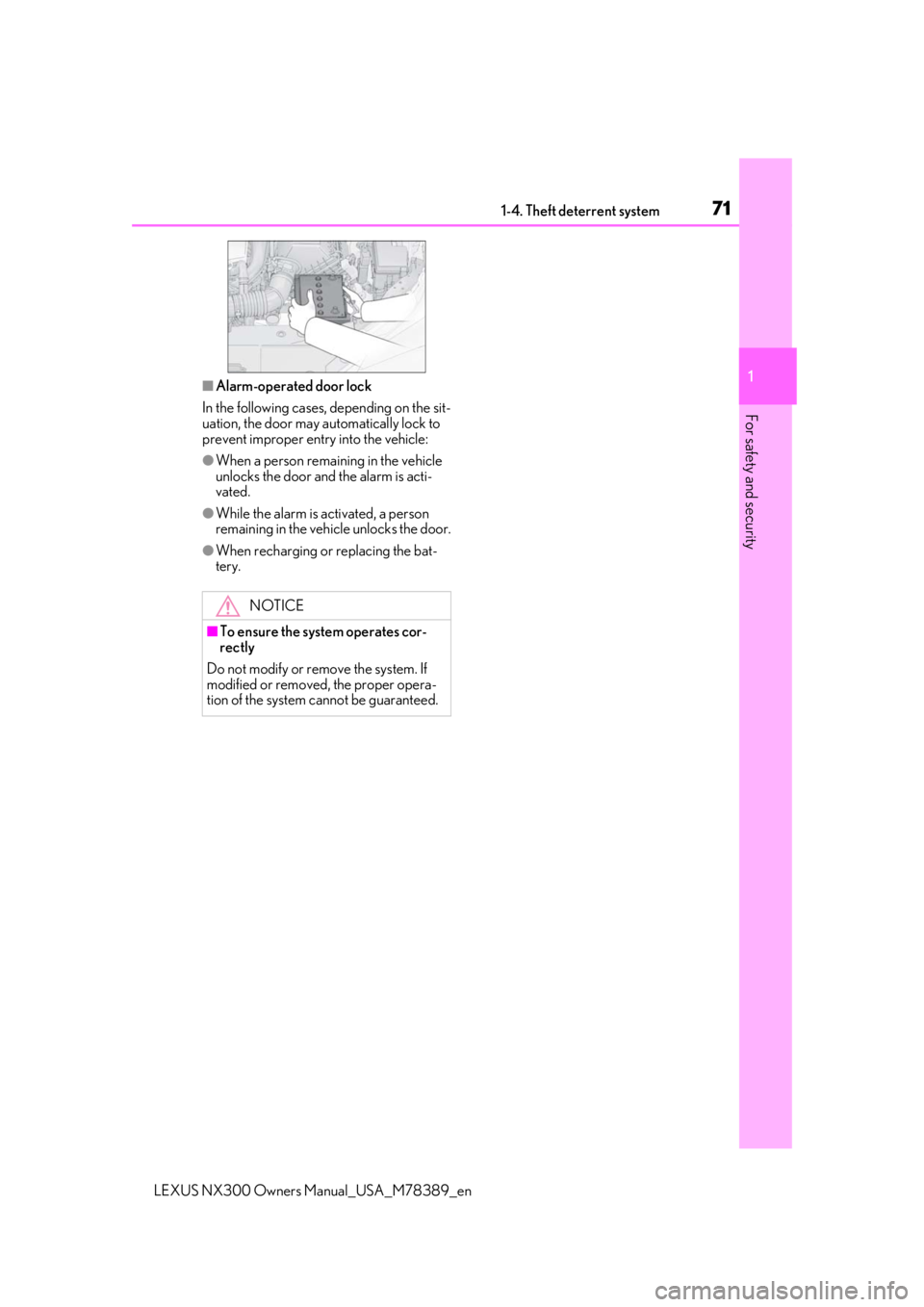
●When recharging or replacing the bat-
tery.
NOTICE
■To ensure the system operates cor-
rectly
Do not modify or remove the system. If
modified or removed, the proper opera-
tion of the system cannot be guaranteed.
Page 75 of 468

752-1. Instrument cluster
LEXUS NX300 Owners Manual_USA_M78389_en
2
Vehicle status information and indicators
Warning lights inform the driver of mal-
functions in any of the vehicle’s sys-
tems.
*1: These lights turn on when the engine
switch is turned to IGNITION ON
mode to indicate that a system check is
being performed. They will turn off after
Warning lights
(U.S.A.)
Brake system warning light*1
( P.375)
(Red)
(Canada)
Brake system warning light*1
( P.375)
Charging system warning
light
*2 ( P.375)
Low engine oil pressure warn-
ing light
*2 ( P.375)
High coolant temperature
warning light
*2 ( P.376)
(Yellow)
Brake system warning light*1
( P.376)
(U.S.A.)
Malfunction indicator lamp*1
( P.376)
(Canada)
Malfunction indicator lamp*1
( P.376)
SRS warning light
*1 ( P.376)
(U.S.A.)
ABS warning light*1 ( P.377)
(Canada)
ABS warning light*1 ( P.377)
(Yellow)
Electric power steering sys-
tem warning light
*1 ( P.377)
(Red)
Electric power steering sys-
tem warning light
*1 ( P.377)
PCS warning light
*1 ( P.377)
(Orange)
LTA indicator*2 (if equipped)
( P.378)
LDA indicator
*2 (if equipped)
( P.378)
PKSB OFF indicator
*1, 3 (if
equipped) ( P.378)
Slip indicator light
*1 ( P.378)
Brake hold operated indica-
tor
*1, 3 ( P.379)
(U.S.A.)
Parking brake indicator*3
( P.379)
(Canada)
Parking brake indicator*3
( P.379)
Low fuel level warning light
( P.379)
Driver’s and front passenger’s
seat belt reminder light
( P.379)
Rear passengers’ seat belt
reminder light
*4 ( P.380)
Master warning light
*1
( P.380)
Tire pressure warning light
*1
( P.380)
Brake Override Sys-
tem/Drive-Start Control warn-
ing light
*2 ( P.381)
Page 97 of 468
973-1. Key information
LEXUS NX300 Owners Manual_USA_M78389_en
3
Before driving
• Personal computers
• Cellular phones, cordless phones and
battery chargers
• Recharging cellular phones or cordless phones
• Induction cookers
• Table lamps
■Replacing the battery
P.356
■Confirmation of the registered key
number
The number of keys already registered to
the vehicle can be confirmed. Ask your
Lexus dealer for details.
The electronic keys are equipped with
NOTICE
■To prevent key damage
●Do not drop the keys, subject them to
strong shocks or bend them.
●Do not expose the keys to high tem-
peratures for long periods of time.
●Do not get the keys wet or wash them
in an ultrasonic washer, etc.
●Do not attach metallic or magnetic
materials to the keys or place the keys
close to such materials.
●Do not disassemb le the keys.
●Do not attach a sticker or anything else
to the surface of the electronic key.
●Do not place the keys near objects that
produce magnetic fields, such as TVs,
audio systems and induction cookers,
or medical electrical equipment, such
as low-frequency therapy equipment.
■Carrying the electronic key on your
person
Carry the electronic key 3.9 in. (10 cm)
or more away from electric appliances
that are turned on. Radio waves emitted
from electric applianc es within 3.9 in. (10
cm) of the electronic key may interfere
with the key, causing the key to not func-
tion properly.
■In case of a smart access system with
push-button start malfunction or
other key related problems
P.397
■When an electronic key is lost
P.396
■Handling the card key
●If the battery or card key terminals get
wet, the battery may corrode and the
card key may stop working.
If the key is dropped into water, or if
drinking water, etc., is spilled on the
key, immediately remove the battery
cover and wipe the battery and termi-
nals. (To remove the battery cover,
lightly grasp and pull it.) If the battery is
corroded, have your Lexus dealer
replace the battery.
●Do not crush the battery cover or use
a screwdriver to remove the battery
cover.
Forcibly removing the battery cover
may bend or damage the key.
●If the battery cover is frequently
removed, the battery cover may
become loose.
●When installing the battery, make sure
to check the direction of the battery.
Installing the battery in the wrong
direction may cause the battery to
deplete rapidly.
●The surface of the card key may be
damaged, or its coating may peel off in
the following situations:
• The card key is ca rried together with
hard objects, such as coins and keys.
• The card key is scraped with a sharp object, such as the tip of a mechanical
pencil.
• The surface of the card key is wiped with thinner or benzene.
Wireless remote control
Page 162 of 468

1624-1. Before driving
LEXUS NX300 Owners Manual_USA_M78389_en
prolonged turning. Have someone
guide you when reversing to reduce
the risk of an accident.
As stopping distance is increased
when towing a trailer, vehicle-to
vehicle distance should be
increased. For each 10 mph (16
km/h) of speed, allow at least one
vehicle and trailer length.
Avoid sudden braking as you may
skid, resulting in the trailer jackknif-
ing and a loss of vehicle control. This
is especially true on wet or slippery
surfaces.
Avoid jerky starts or sudden accel-
eration.
Avoid jerky steering and sharp
turns, and slow down before making
turn.
Note that when making a turn, the
trailer wheels will be closer than the
vehicle wheels to the inside of the
turn. Compensate by making a
wider than normal turning radius.
Slow down before making a turn, in
cross winds, on wet or slippery sur-
faces, etc.
Increasing vehicle speed can desta-
bilize the trailer.
Take care when passing other vehi-
cles. Passing requires considerable
distance. After passing a vehicle, do
not forget the length of your trailer,
and be sure you have plenty of room
before changing lanes.
To maintain engine braking effi-
ciency and charging system perfor-
mance when using engine braking, do not put the transmission in D. If in
the M mode, the transmission shift
range position must be in 4 or lower.
(
P.168)
Instability happens more frequently
when descending steep or long
downhill grades. Before descend-
ing, slow down and downshift. Do
not make sudden downshifts while
descending steep or long downhill
grades.
Avoid holding the brake pedal down
too long or applying the brakes too
frequently. This could cause the
brakes to overheat and result in
reduced braking efficiency.
Due to the added load of the trailer,
your vehicle’s engine may overheat
on hot days (at temperatures over
85°F [30°C]) when driving up a
long or steep grade. If the engine
coolant temperature gauge indi-
cates overheating, immediately turn
off the air conditioning (if in use),
pull your vehicle off the road and
stop in a safe spot. ( P.403)
Always place wheel blocks under
both the vehicle’s and the trailer’s
wheels when parking. Put the trans-
mission in P and apply the parking
brake. Avoid parking on a slope, but
if unavoidable, do so only after per-
forming the following:
1 Apply the brakes and keep them
applied.
2 Have someone place wheel blocks
under both the vehicle’s and trailer’s
wheels.
Page 179 of 468

1794-3. Operating the lights and wipers
LEXUS NX300 Owners Manual_USA_M78389_en
4
Driving
turn on. (P.179)
■AUTO mode can be used when
The engine switch is in IGNITION ON
mode.
■Daytime running light system
●The daytime running lights illuminate
using the same lights as the parking lights
and illuminate brighter than the parking
lights.
●To make your vehicle more visible to
other drivers during daytime driving, the
daytime running lights turn on automati-
cally when all of the following conditions
are met. (The daytime running lights are
not designed for use at night.)
• The engine is running
• The parking brake is released
• The headlight switch is in the
(type B), or
* position
*: When the surroundings are bright
The daytime running lights remain on after
they illuminate, even if the parking brake is
set again.
●For the U.S.A.: Dayt ime running lights
can be turned off by operating the switch.
●Compared to turning on the headlights,
the daytime running light system offers
greater durability and consumes less
electricity, so it can help improve fuel
●If a turn signal light is in use, the daytime
running light, on the same side, is turned
off. For emergency flashers, both are
turned off.
■Headlight control sensor
The sensor may not function properly if an
object is placed on th e sensor, or anything
that blocks the sensor is affixed to the wind-
shield.
Doing so interferes with the sensor detect-
ing the level of ambient light and may cause
the automatic headlight system to malfunc-
tion.
■Automatic light off system
●When the headlights come on: The head-
lights and tail lights turn off 30 seconds
after a door is opened and closed if the
engine switch is turned to ACCESSORY
mode or turned off. (The lights turn off
immediately if on the key is
pressed after all the doors are locked.)
●When only the tail lights come on: The tail
lights turn off automatically if the engine
switch is turned to ACCESSORY mode
or turned off and the driver’s door is
opened.
To turn the lights on again, turn the engine
switch to IGNITION ON mode, or turn the
light switch off once and then back to or .
■Light reminder buzzer
A buzzer sounds when the engine switch is
turned off or turned to ACCESSORY
mode and the driver’s door is opened while
the lights are turned on.
■Automatic headlight leveling system (if
equipped)
The level of the headlights is automatically
adjusted according to the number of pas-
sengers and the loadin g condition of the
vehicle to ensure that the headlights do not
interfere with other road users.
■Battery-saving function
In order to prevent the battery of the vehicle
from discharging, if the headlights and/or
tail lights are on when the engine switch is
turned off the battery saving function will
operate and automatically turn off all the
lights after approximately 20 minutes.
When the engine switch is turned to IGNI-
TION ON mode, the battery-saving func-
Page 300 of 468
3005-5. Using the other interior features
LEXUS NX300 Owners Manual_USA_M78389_en
Please use a power supply for elec-
tronic goods that use less than 12
VDC/10 A (power consumption of
120 W).
When using electronic goods, make
sure that the power consumption of all
the connected power outlets is less
than 120 W.
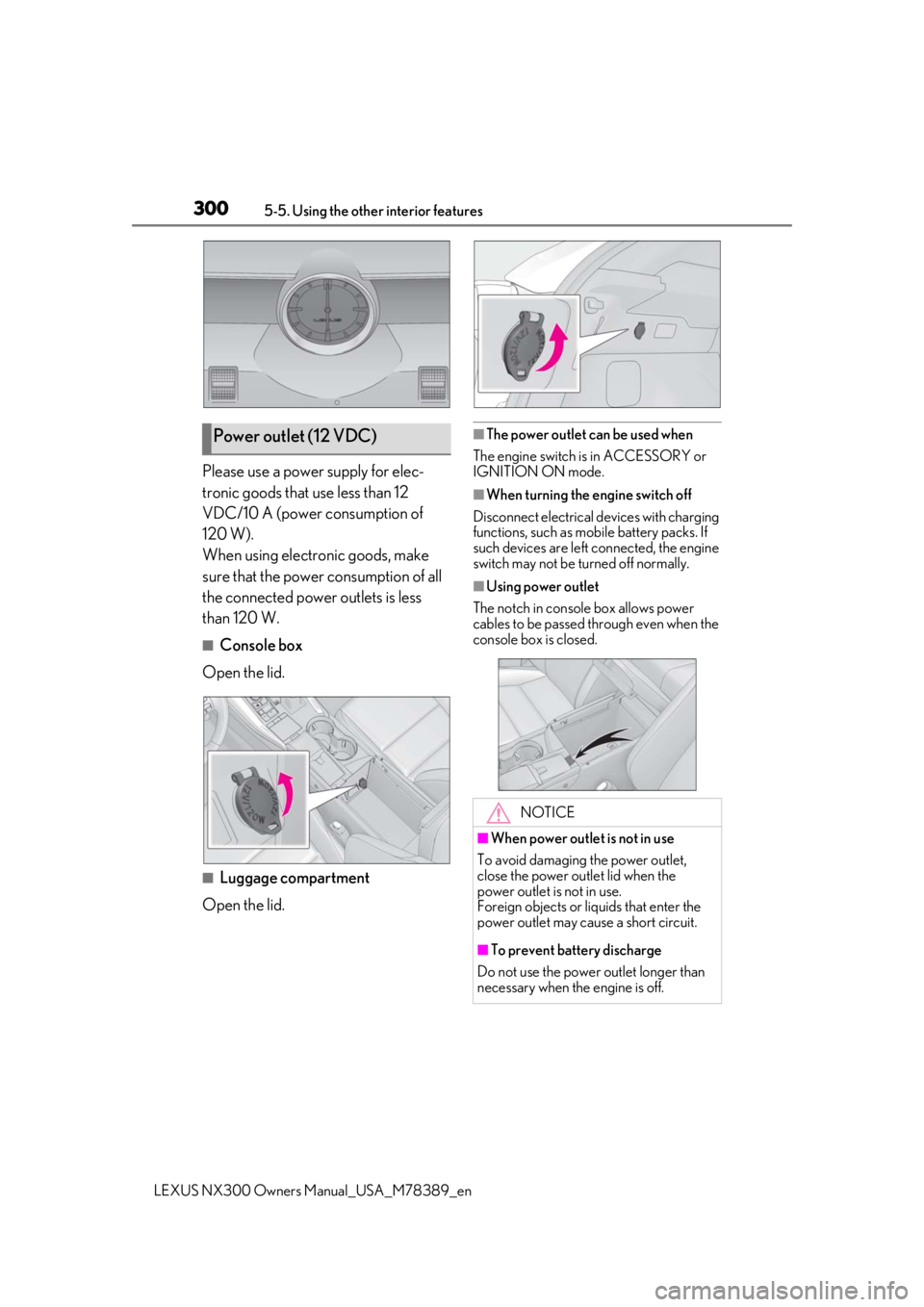
■Console box
Open the lid.
■Luggage compartment
Open the lid.
■The power outlet can be used when
The engine switch is in ACCESSORY or
IGNITION ON mode.
■When turning the engine switch off
Disconnect electrical devices with charging
functions, such as mobile battery packs. If
such devices are left connected, the engine
switch may not be turned off normally.
■Using power outlet
The notch in console box allows power
cables to be passed through even when the
console box is closed.
Power outlet (12 VDC)
NOTICE
■When power outlet is not in use
To avoid damaging the power outlet,
close the power outlet lid when the
power outlet is not in use.
Foreign objects or li quids that enter the
power outlet may cause a short circuit.
■To prevent battery discharge
Do not use the power outlet longer than
necessary when the engine is off.
Page 301 of 468
3015-5. Using the other interior features
LEXUS NX300 Owners Manual_USA_M78389_en
5
Interior features
Please use a power supply for elec-
tronic goods that use less than 120
VAC (power consumption of 100 W).
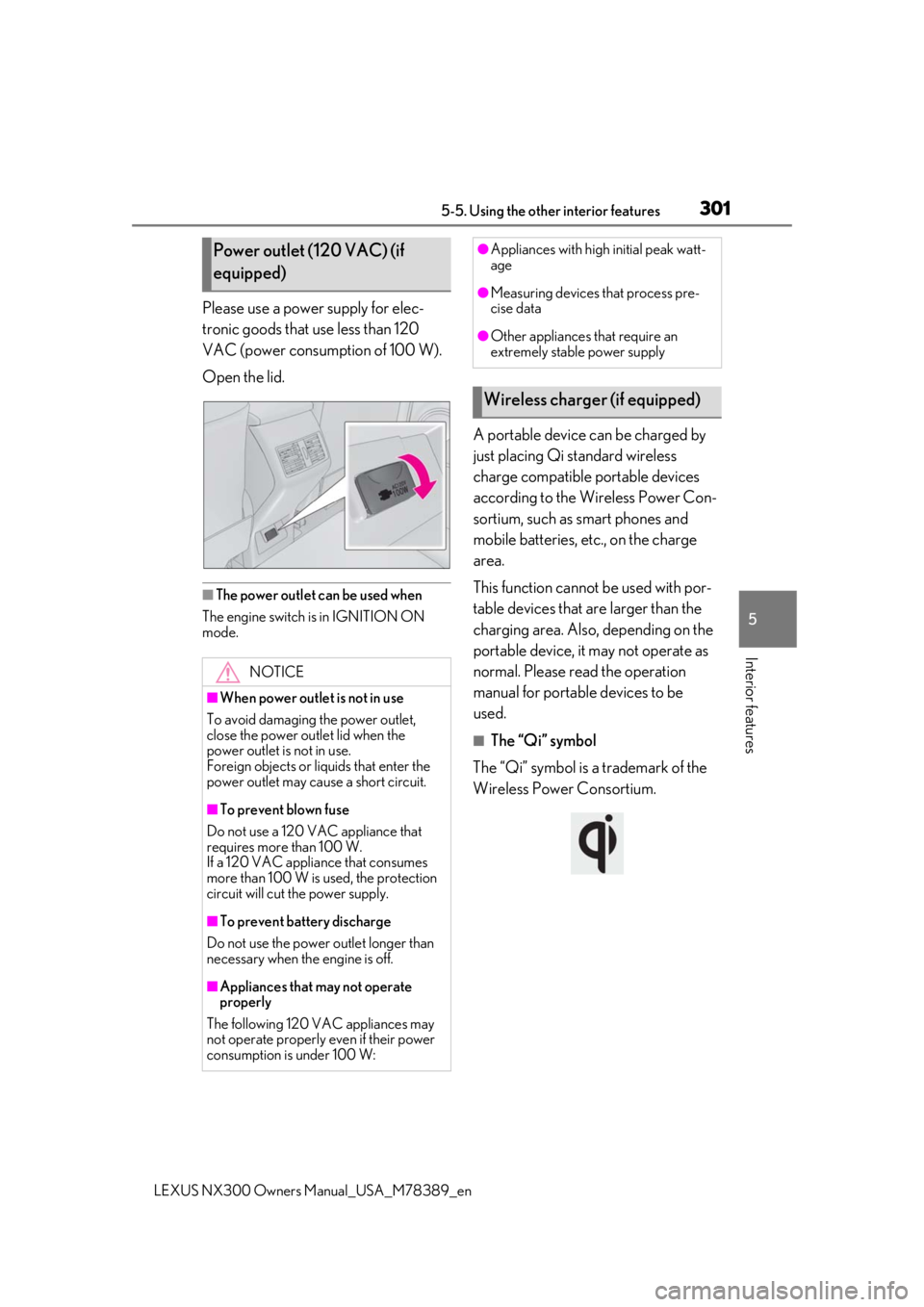
Open the lid.
■The power outlet can be used when
The engine switch is in IGNITION ON
mode.
A portable device can be charged by
just placing Qi standard wireless
charge compatible portable devices
according to the Wireless Power Con-
sortium, such as smart phones and
mobile batteries, etc., on the charge
area.
This function cannot be used with por-
table devices that are larger than the
charging area. Also, depending on the
portable device, it may not operate as
normal. Please read the operation
manual for portable devices to be
used.
■The “Qi” symbol
The “Qi” symbol is a trademark of the
Wireless Power Consortium.
Power outlet (120 VAC) (if
equipped)
NOTICE
■When power outlet is not in use
To avoid damaging the power outlet,
close the power outlet lid when the
power outlet is not in use.
Foreign objects or liquids that enter the
power outlet may cause a short circuit.
■To prevent blown fuse
Do not use a 120 VAC appliance that
requires more than 100 W.
If a 120 VAC appliance that consumes
more than 100 W is used, the protection
circuit will cut the power supply.
■To prevent battery discharge
Do not use the power outlet longer than
necessary when the engine is off.
■Appliances that may not operate
properly
The following 120 VAC appliances may
not operate properly even if their power
consumption is under 100 W:
●Appliances with high initial peak watt-
age
●Measuring devices that process pre-
cise data
●Other appliances that require an
extremely stable power supply
Wireless charger (if equipped)
Page 302 of 468

3025-5. Using the other interior features
LEXUS NX300 Owners Manual_USA_M78389_en
■Name for all parts
Power supply switch
Operation indicator light
Charge area
■Using the wireless charger
1 Open the console box. ( P.293)
2 Press the power supply switch of
the wireless charger.
Switches on and off with each press of the
power supply switch.
When turned on, the operation indicator
light (green) comes on.
Even with the engine off, the on/off state of
the power supply switch is memorized.
3Place the charging side of the por-
table device down.
When charging, the operation indicator
light (orange) comes on.
If charging is not occurring, try placing the
portable device as close to the center of
the charging area as possible.
When charging is complete, the operation
indicator light (green) comes on.
■Recharging function
• When charging is complete and after a fixed time in the charge sus-
pension state, ch arging restarts.
• When the portable device is moved, charging is stopped for a moment
and then it restarts.
■Lighting conditions of operation
indicator light
A
B
C
Operation indicator light
Conditions
Turning offWhen the Wireless charger
power supply is off
Green
(comes on)
On Standby (charging pos-
sible state)
When charging is complete*
Orange
(comes on)
When placing the portable
device on the charging area
(detecting the portable
device)
Charging
Page 303 of 468

3035-5. Using the other interior features
LEXUS NX300 Owners Manual_USA_M78389_en
5
Interior features
*: Depending on the portable device, there
are cases where the operation indicator
light will continue being lit up orange
even after the char ging is complete.
When the operation indicator light
flashes
When an error occurs , the operation indi-
cator light flashes an orange color. Handle
the error based on the following tables.
• Flashing repeatedly once every second (Orange)
• Repeatedly flashes 3 times continuously (Orange)
• Repeatedly flashes 4 times continuously (Orange)
■The wireless charger can be operated
when
The engine switch is in ACCESSORY or
IGNITION ON mode.
■Usable portable devices
●Qi standard wireless charge standard
can be used on compatible devices.
However, not all Qi standard devices and
compatibility ar e guaranteed.
●Starting with mobile phones and smart
phones, it is aimed for low power electri-
cally supplied portable devices of no
more than 5W.
■When covers and accessories are
attached to portable devices
Do not charge in situations where cover
and accessories not able to handle Qi are
attached to the portable device. Depending
on the type of cover and accessory, it may
not be possible to charge. When charging is
not performed even with the portable
device placed on the charge area, remove
the cover and accessories.
■While charging, noise enters the AM
radio
Turn off the wireless charger and confirm
that the noise has decreased. If the noise
decreases, continuously pushing the power
supply switch of the wireless charger for 2
seconds, the frequency of the charger can
be changed and the noise can be reduced.
Also, on that occasion, the operation indi-
cator light will flash orange 2 times.
■Important points of the wireless charger
●If the electronic key cannot be detected
within the vehicle interior, charging can-
not be done. When the door is opened
and closed, charging may be temporarily
suspended.
●When charging, the wireless charging
device and portable device will get
warmer, however this is not a malfunction.
When a portable devi ce gets warm while
charging, charging may stop due to the
protection function on the portable
device side. In this case, when the tem-
perature of the port able device drops
significantly, charge again.
Suspected causeHandling method
Vehicle to charger
communication fail-
ure.Contact your Lexus
dealer.
Suspected causesHandling method
A foreign substance
is between the por-
table device and
charge area.Remove the foreign
substance from
between portable
device and the
charge area.
The portable device
is out of sync due to
the device being
shifted from the cen-
ter of the charge
area.
Place the portable
device near the cen-
ter of the charge
area.
Suspected causeHandling method
Temperature rising
within the wireless
charger.Stop charging at
once and start
charging again after
for a while.
Page 307 of 468

3075-5. Using the other interior features
LEXUS NX300 Owners Manual_USA_M78389_en
5
Interior features
WARNING
■Caution while driving
When charging a portable device, for
safety reasons, the driver should not
operate the main the part of the portable
device while driving.
■Caution regarding interference with
electronic devices
People with implantable cardiac pace-
makers, cardiac resy nchronization ther-
apy-pacemakers or implantable
cardioverter defibrillators, as well as any
other electrical medical device, should
consult their physician about the usage of
the wireless charger.
The operations of the wireless charger
may have an affect on medical devices.
■To prevent damage or burns
Observe the following precautions.
Failure to do so may result in a possibility
of equipment failure and damage, catch
fire, burns due to overheat.
●Do not insert any metallic objects
between the charging area and the
portable device while charging
●Do not attach stickers, metallic
objects, etc., to the charger area or
portable device
●Do not cover with cloth, etc., and
charge
●Do not charge portable devices other
than designated
●Do not attempt to dismantle for disas-
sembly or modifications
●Do not hit or apply a strong force
NOTICE
■Conditions in which the function may
not operate correctly
In the following conditions, it may not
operate correctly
●The portable device is fully charged
●There is foreign matter between the
charge area and portable device
●The temperature of the portable
device gets higher from charging
●The charging surface of the portable
device is facing up
●The placement of the portable device
is out of alignmen t with the charge
area
●Near a TV tower, electric power plant,
gas station, radio stat ion, large display,
airport or other fac ility that generates
strong radio waves or electrical noise
●When the electronic key is in contact
with, or is covered by the following
metallic objects
• Cards to which aluminum foil is attached
• Cigarette boxes that have aluminum foil inside
• Metallic wallets or bags
• Coins
• Hand warmers made of metal
• Media such as CDs and DVDs
●When other wireless keys (that emit
radio waves) are being used nearby
In addition, excluding the above-men-
tioned, when the charger does not per-
form normally or the operation display
lamp is flashing continuously, it is consid-
ered that the wireless charger is malfunc-
tioning. Contact your Lexus dealer.
■To prevent failure or damage to data
●Do not bring magnetic cards, such as
credit cards, or magnetic recording
media, etc., close to the charger while
charging, otherwise, data may disap-
pear under the influence of magne-
tism. Also, do not bring precision
instruments such as wrist watches, etc.,
close to the charger, as such objects
may break.