parking brake LEXUS NX300h 2015 Service Manual
[x] Cancel search | Manufacturer: LEXUS, Model Year: 2015, Model line: NX300h, Model: LEXUS NX300h 2015Pages: 681, PDF Size: 9.14 MB
Page 566 of 681
566 8-2. Steps to take in an emergency
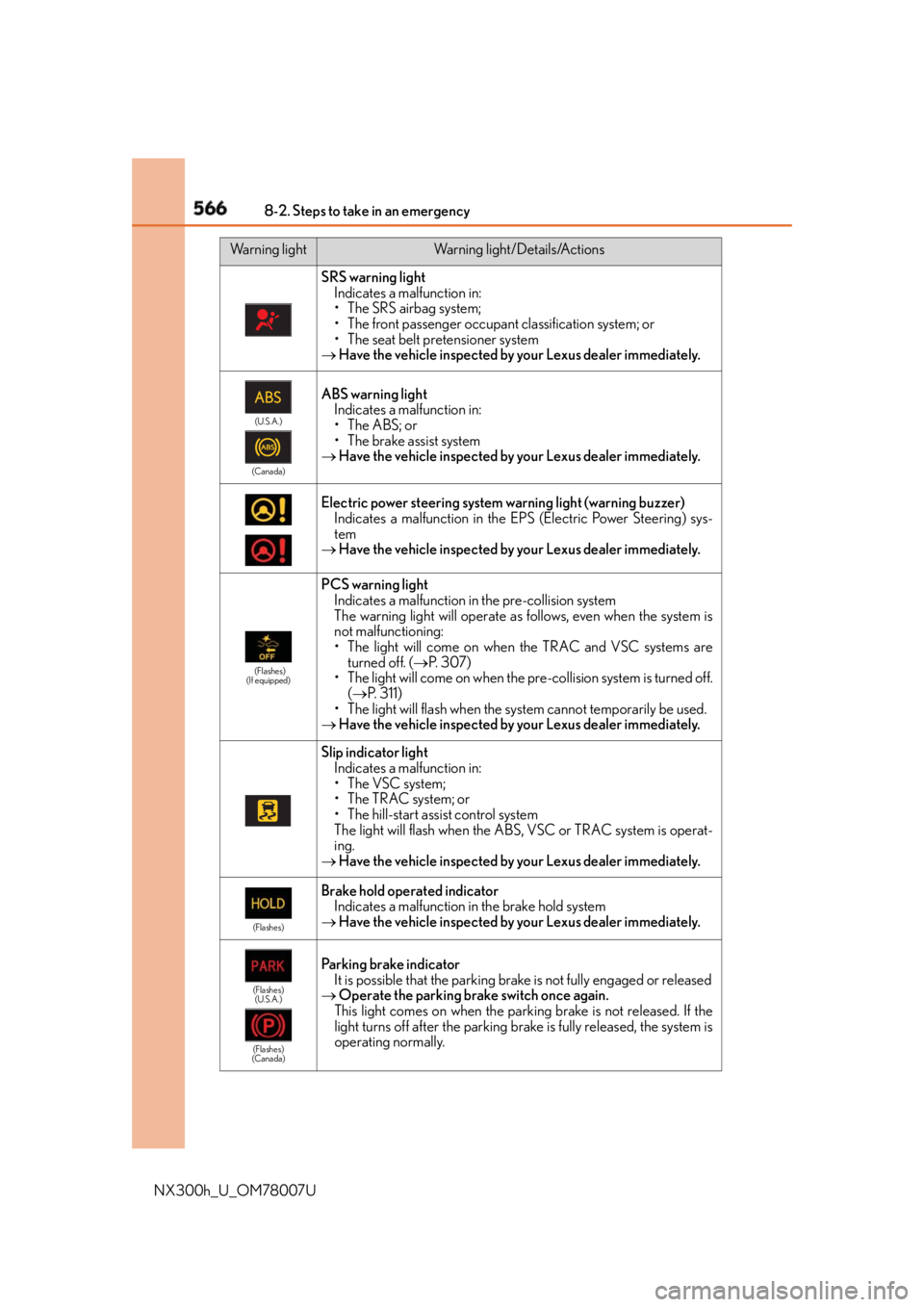
NX300h_U_OM78007U SRS warning light
Indicates a malfunction in:
• The SRS airbag system;
• The front passenger occupant classification system; or
• The seat belt pretensioner system
Have the vehicle inspected by your Lexus dealer immediately. (U.S.A.)
(Canada)
ABS warning light
Indicates a malfunction in:
• The ABS; or
• The brake assist system
Have the vehicle inspected by your Lexus dealer immediately.
Electric power steering system warning light (warning buzzer)
Indicates a malfunction in the EP S (Electric Power Steering) sys-
tem
Have the vehicle inspected by your Lexus dealer immediately. (Flashes)
(If equipped)
PCS warning light
Indicates a malfunction in the pre-collision system
The warning light will operate as follows, even when the system is
not malfunctioning:
• The light will come on when the TRAC and VSC systems are
turned off. ( P. 3 0 7 )
• The light will come on when the pre-collision system is turned off.
( P. 311)
• The light will flash when the sy stem cannot temporarily be used.
Have the vehicle inspected by your Lexus dealer immediately.
Slip indicator light
Indicates a malfunction in:
• The VSC system;
•The TRAC system; or
• The hill-start assist control system
The light will flash when the ABS, VSC or TRAC system is operat-
ing.
Have the vehicle inspected by your Lexus dealer immediately. (Flashes)
Brake hold operated indicator
Indicates a malfunction in the brake hold system
Have the vehicle inspected by your Lexus dealer immediately. (Flashes)
(U.S.A.)
(Flashes)
(Canada)
Parking brake indicator
It is possible that the parking br ake is not fully engaged or released
Operate the parking brake switch once again.
This light comes on when the park ing brake is not released. If the
light turns off after the parking brake is fully released, the system is
operating normally.Warning light Warning light/Details/Actions
Page 575 of 681
575
8
When trouble arises 8-2. Steps to take in an emergency
NX300h_U_OM78007UIf you have a flat tire ●
Stop the vehicle on a hard, flat surface. ●
Set the parking brake. ●
Shift the shift lever to P. ●
Stop the hybrid system. ●
Turn on the emergency flashers. ( P. 5 5 6 )Your vehicle is equipped with a spare ti re. The flat tire can be replaced with
the spare tire.
For details about tires: P. 5 1 6WA R N I N G ■
If you have a flat tire
Do not continue driving with a flat tire.
Driving even a short distance with a flat ti re can damage the tire and the wheel beyond
repair, which could result in an accident.
Before jacking up the vehicle
Page 587 of 681
5878-2. Steps to take in an emergency
8
When trouble arises
NX300h_U_OM78007U ■
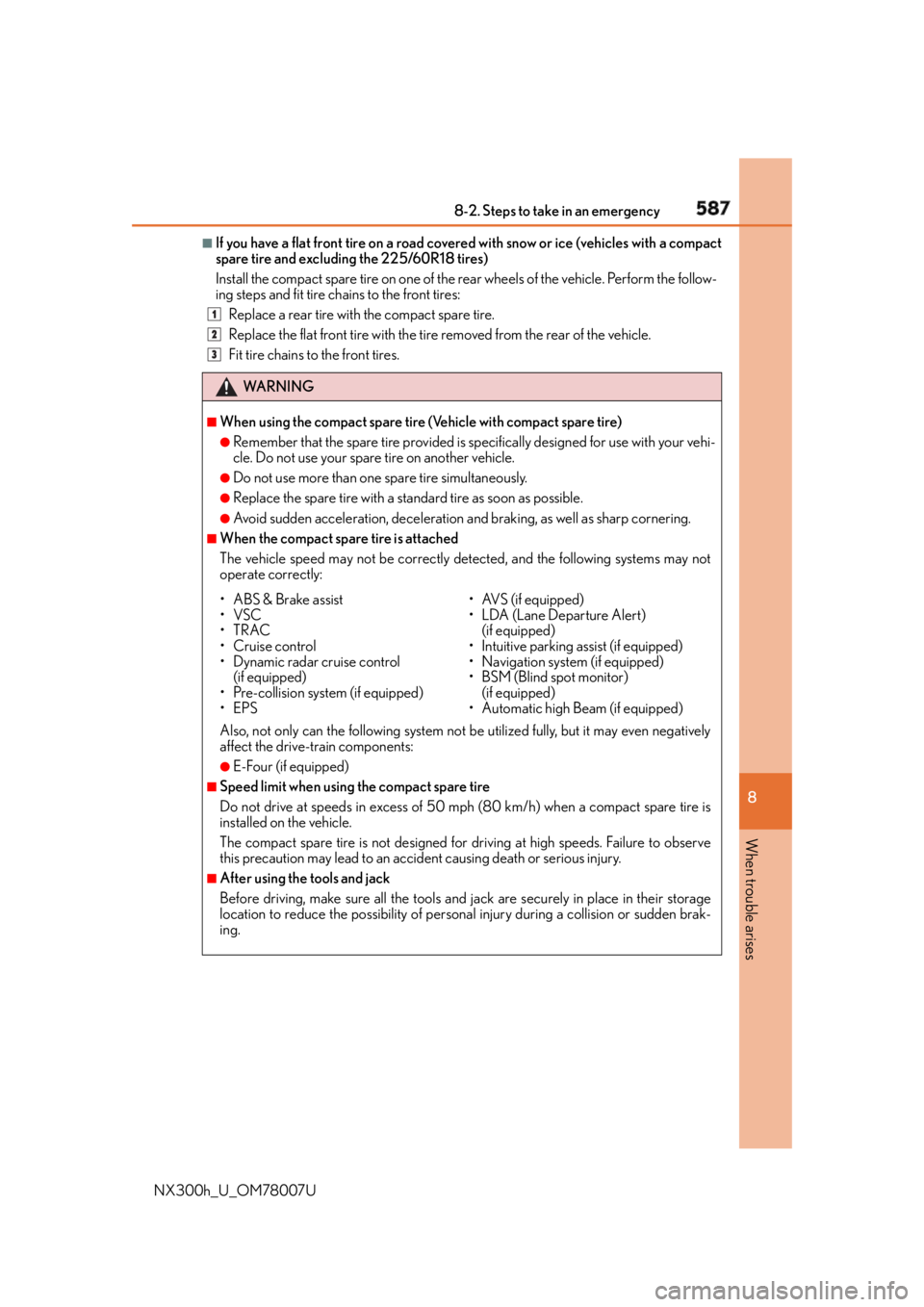
If you have a flat front tire on a road covered with snow or ice (vehicles with a compact
spare tire and excluding the 225/60R18 tires)
Install the compact spare tire on one of the rear wheels of the vehicle. Perform the follow-
ing steps and fit tire chains to the front tires:
Replace a rear tire with the compact spare tire.
Replace the flat front tire with the tire removed from the rear of the vehicle.
Fit tire chains to the front tires.
WA R N I N G ■
When using the compact spare tire (Vehicle with compact spare tire) ●
Remember that the spare tire provided is specifically designed for use with your vehi-
cle. Do not use your spare tire on another vehicle. ●
Do not use more than one spare tire simultaneously. ●
Replace the spare tire with a stan dard tire as soon as possible.●
Avoid sudden acceleration, deceleration and braking, as well as sharp cornering. ■
When the compact spare tire is attached
The vehicle speed may not be correctly detected, and the following systems may not
operate correctly:
Also, not only can the following system not be utilized fully, but it may even negatively
affect the drive-train components: ●
E-Four (if equipped) ■
Speed limit when using the compact spare tire
Do not drive at speeds in excess of 50 mph (80 km/h) when a compact spare tire is
installed on the vehicle.
The compact spare tire is not designed for driving at high speeds. Failure to observe
this precaution may lead to an accid ent causing death or serious injury.■
After using the tools and jack
Before driving, make sure all the tools and jack are securely in place in their storage
location to reduce the possibility of personal injury during a collision or sudden brak-
ing. 1
2
3
• ABS & Brake assist
•VSC
•TRAC
•Cruise control
• Dynamic radar cruise control
(if equipped)
• Pre-collision system (if equipped)
•EPS • AVS (if equipped)
• LDA (Lane Departure Alert)
(if equipped)
• Intuitive parking assist (if equipped)
• Navigation system (if equipped)
• BSM (Blind spot monitor)
(if equipped)
• Automatic high Beam (if equipped)
Page 590 of 681
590 8-2. Steps to take in an emergency
NX300h_U_OM78007U One of the following may be the cause of the problem: ●
The 12-volt battery may be discharged. ( P. 5 9 5 )●
One or both of the 12-volt battery terminals may be disconnected. ( P. 5 1 2 )Contact your Lexus dealer if the problem cannot be repaired, or if repair procedures
are unknown.
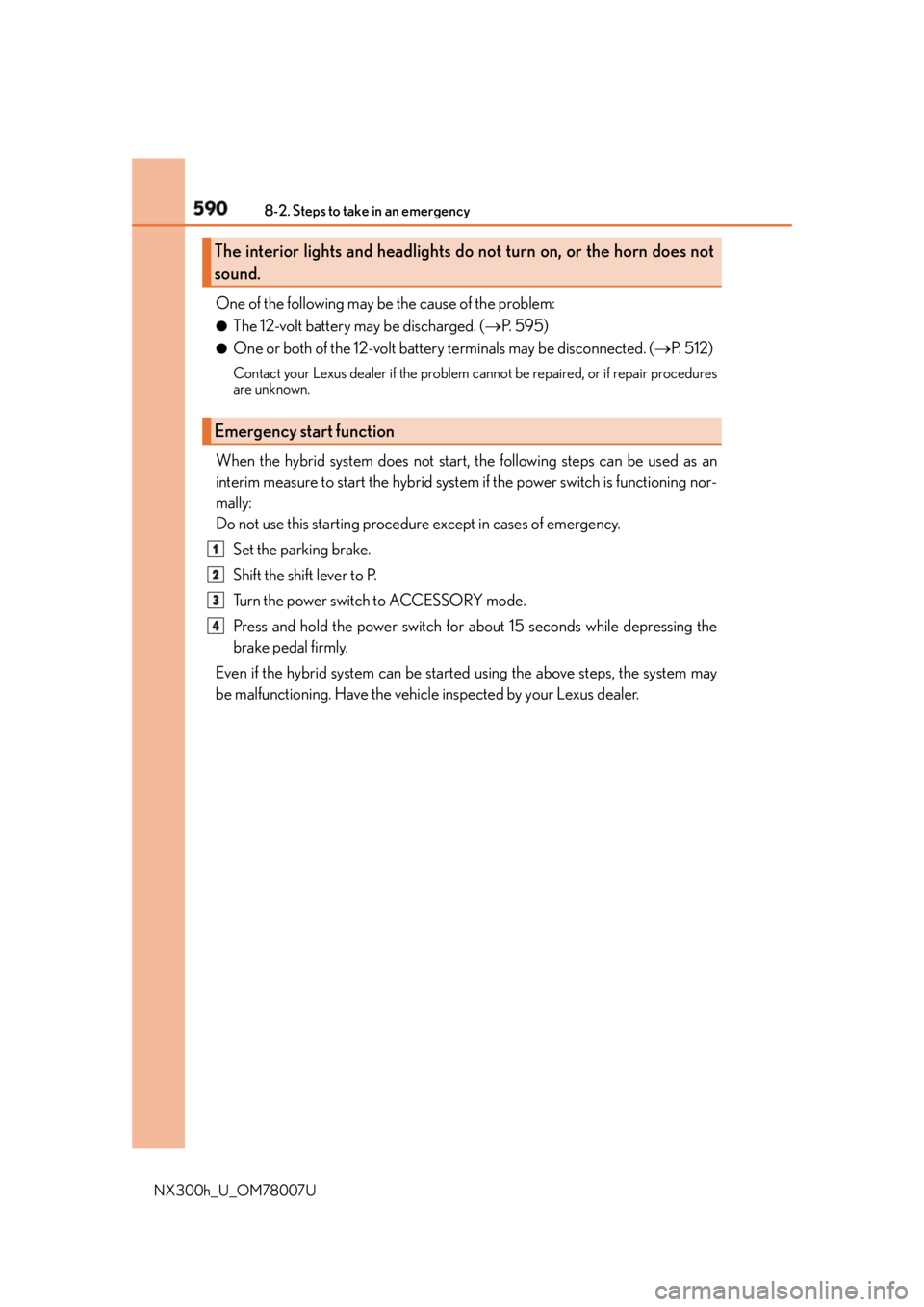
When the hybrid system does not start, the following steps can be used as an
interim measure to start the hybrid system if the power switch is functioning nor-
mally:
Do not use this starting procedur e except in cases of emergency.
Set the parking brake.
Shift the shift lever to P.
Turn the power switch to ACCESSORY mode.
Press and hold the power switch for ab out 15 seconds while depressing the
brake pedal firmly.
Even if the hybrid system can be starte d using the above steps, the system may
be malfunctioning. Have the vehicle inspected by your Lexus dealer.The interior lights and headlights do not turn on, or the horn does not
sound.
Emergency start function 1
2
3
4
Page 591 of 681
591
8
When trouble arises 8-2. Steps to take in an emergency
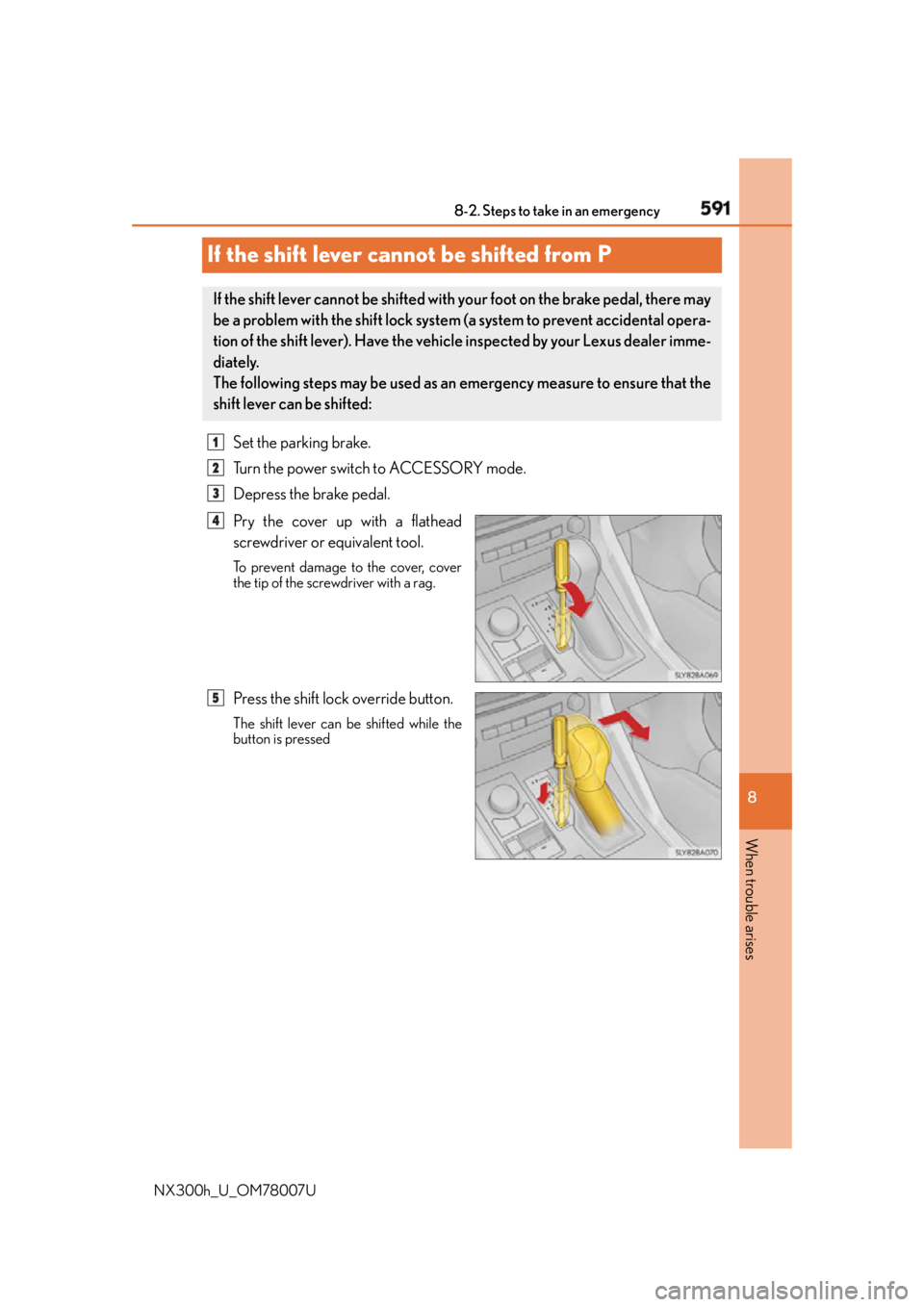
NX300h_U_OM78007UIf the shift lever cannot be shifted from P Set the parking brake.
Turn the power switch to ACCESSORY mode.
Depress the brake pedal.
Pry the cover up with a flathead
screwdriver or equivalent tool. To prevent damage to the cover, cover
the tip of the screwdriver with a rag.
Press the shift lock override button. The shift lever can be shifted while the
button is pressedIf the shift lever cannot be shifted with your foot on the brake pedal, there may
be a problem with the shift lock system (a system to prevent accidental opera-
tion of the shift lever). Have the vehicl e inspected by your Lexus dealer imme-
diately.
The following steps may be used as an emergency measure to ensure that the
shift lever can be shifted: 1
2
3
4
5
Page 594 of 681

594 8-2. Steps to take in an emergency
NX300h_U_OM78007U Press the power switch.
In the event that the hybrid system st ill cannot be operated, contact your Lexus
dealer. ■
Stopping the hybrid system
Set the parking brake, shift the shift lever to P and press the power switch as you normally
do when stopping the hybrid system. ■
Replacing the key battery
As the above procedure is a temporary measure, it is recommended that the electronic
key battery be replaced immediatel y when the battery is depleted. ( P. 5 3 2 )■
Alarm (if equipped)
Using the mechanical key to lock the doors will not set the alarm system. If a door is
unlocked using the mechanical key when the al arm system is set, the alarm may be trig-
gered. ■
Changing power switch modes
Release the brake pedal and press the power switch in step above.
The hybrid system does not start and mode s will be changed each time the switch is
pressed. ( P. 202)■
When the electronic key does not work properly ●
Make sure that the smart access system wi th push-button start has not been deacti-
vated in the custom ization setting. If it is off, turn the function on.
(Customizable features P. 6 3 5 )●
Check if battery-saving mo de is set. If it is se t, cancel the function. ( P. 1 4 2 )
WA R N I N G ■
When using the mechanical key and operating the power windows or moon roof
Operate the power window or moon roof afte r checking to make sure that there is no
possibility of any passenger having any of their body parts caught in the window or
moon roof.
Also, do not allow children to operate the mech anical key. It is possible for children and
other passengers to get caught in the power window or moon roof. 4
3
Page 604 of 681
604 8-2. Steps to take in an emergency
NX300h_U_OM78007UIf the vehicle becomes stuck Stop the hybrid system. Shift the shift lever to P and set the parking brake.
Remove the mud, snow or sand from around the front wheels.
Place wood, stones or some other material under the front wheels to help pro-
vide traction.
Restart the hybrid system.
Shift the shift lever to D or R, release the parking brake. Then, while exercising
caution, depress the accelerator pedal. ■
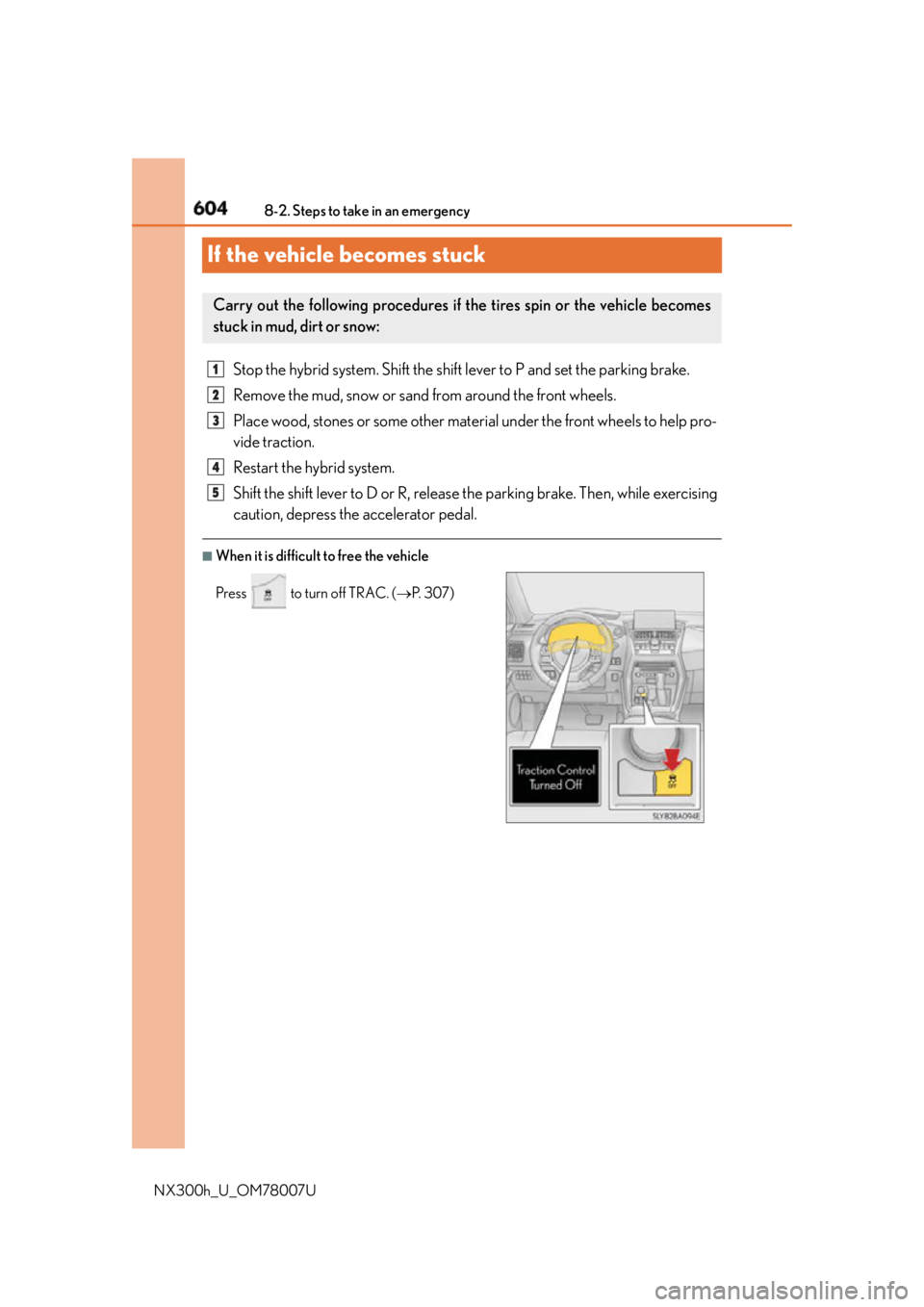
When it is difficult to free the vehicleCarry out the following procedures if the tires spin or the vehicle becomes
stuck in mud, dirt or snow:
Press to turn off TRAC. ( P. 3 0 7 )1
2
3
4
5
Page 633 of 681
6339-2. Customization
9
Vehicle specifications
NX300h_U_OM78007UCustomizable features Some function settings are changed simultaneously with other functions being
customized. Contact your Lexus dealer.
When customizing vehicle features, ensure that the vehicle is parked in a safe
place with the shift lever in P and the parking brake set. ■
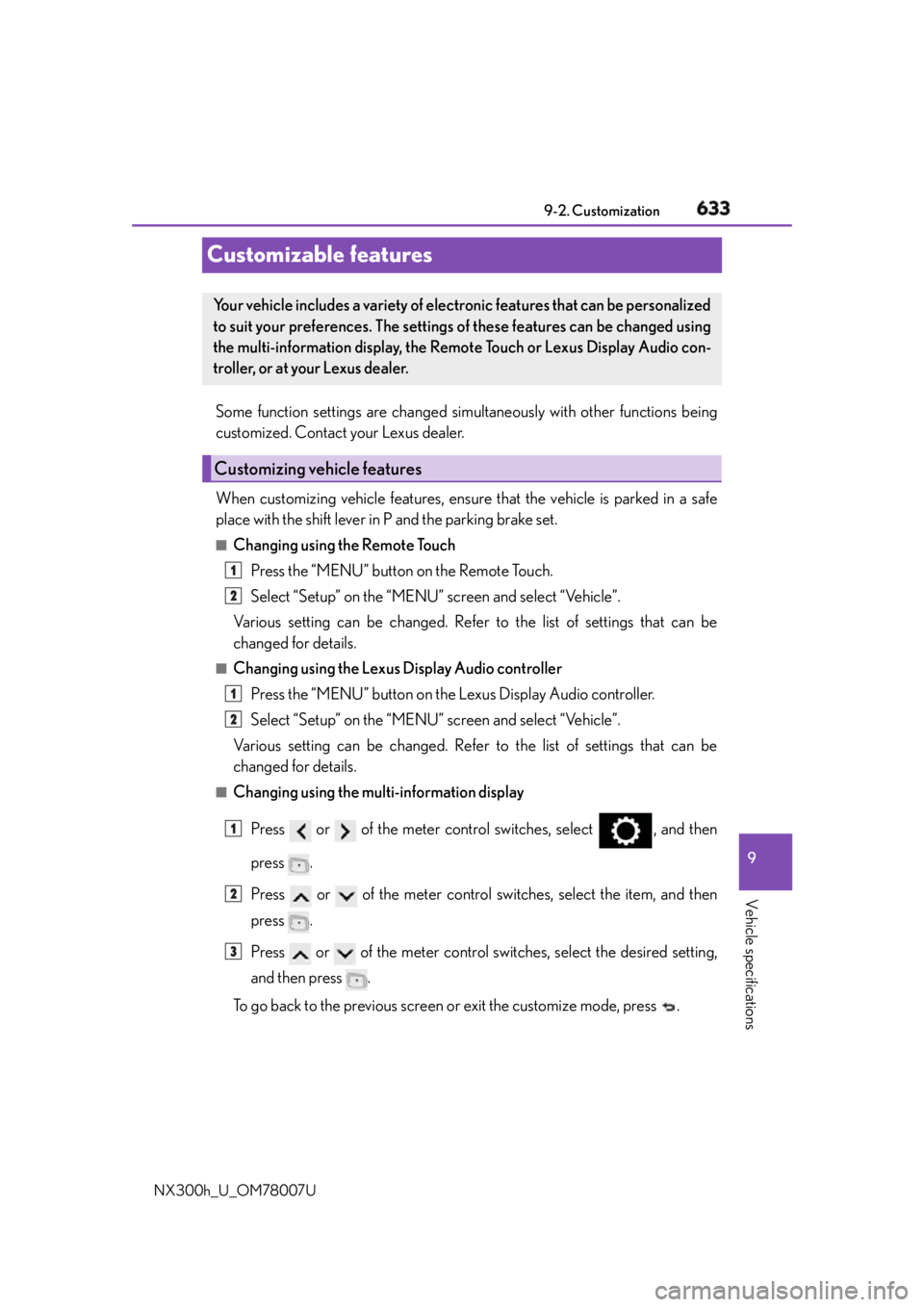
Changing using the Remote Touch
Press the “MENU” button on the Remote Touch.
Select “Setup” on the “MENU” screen and select “Vehicle”.
Various setting can be changed. Refer to the list of settings that can be
changed for details. ■
Changing using the Lexus Display Audio controller
Press the “MENU” button on the Lexus Display Audio controller.
Select “Setup” on the “MENU” screen and select “Vehicle”.
Various setting can be changed. Refer to the list of settings that can be
changed for details. ■
Changing using the multi-information display
Press or of the meter control switches, select , and then
press .
Press or of the meter control switches, select the item, and then
press .
Press or of the meter control switches, select the desired setting,
and then press .
To go back to the previous screen or exit the customize mode, press .Your vehicle includes a variety of electronic features that can be personalized
to suit your preferences. The settings of these features can be changed using
the multi-information display, the Remo te Touch or Lexus Display Audio con-
troller, or at your Lexus dealer.
Customizing vehicle features 1
2
1
2
1
2
3
Page 661 of 681
660 What to do if... (Troubleshooting)
NX300h_U_OM78007U ●
The seat belt reminder light is flashing
Are the driver and the front passenger wearing the seat belts? ( P. 5 6 7 )●
The parking brake indicator is on
Is the parking brake released? ( P. 2 1 3 )
Depending on the situation, other type s of warning buzzer may also sound.
( P. 5 6 5 , 5 7 2 ) ●
Did anyone inside the vehicle open a door during setting the alarm?
The sensor detects it and the alarm sounds. ( P. 8 8 )
To stop the alarm, turn the power switch to ON mode or start the hybrid system.●
Is the message displayed on the multi-information display?
Check the message on the multi-information display. ( P. 5 7 2 )●
When a warning light turns on or a warning message is displayed, refer to
P. 5 6 5 , 5 7 2 . A warning buzzer sounds during driving
An alarm is activated and the horn sounds
A warning buzzer sounds when leaving the vehicle
A warning light turns on or a warning message is displayed
Page 664 of 681
663Alphabetical index
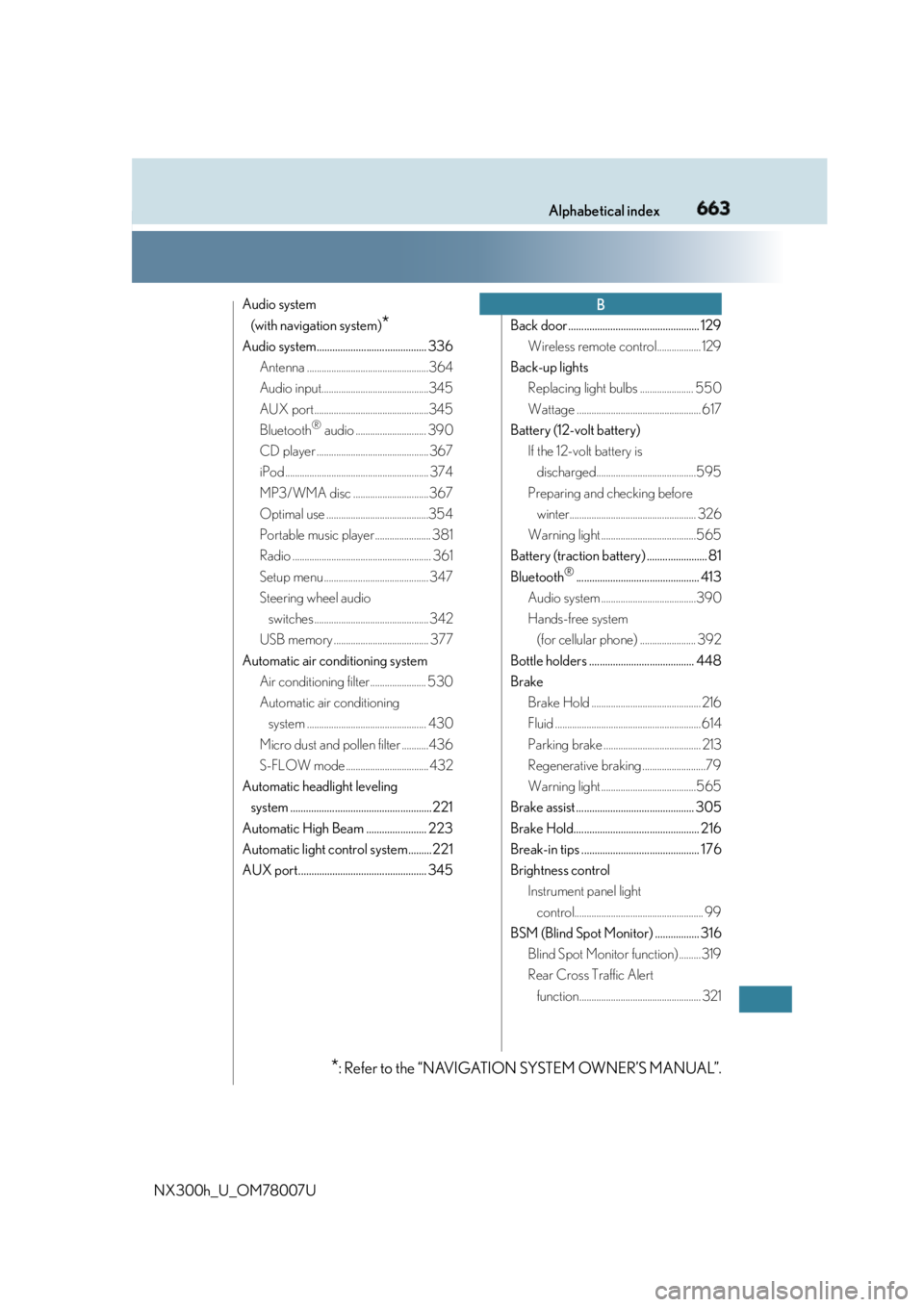
NX300h_U_OM78007U Audio system
(with navigation system)
*Audio system.......................................... 336
Antenna ..................................................364
Audio input............................................345
AUX port...............................................345
Bluetooth ®
audio ............................. 390
CD player ..............................................367
iPod ........................................................... 374
MP3/WMA disc ...............................367
Optimal use ..........................................354
Portable music player ....................... 381
Radio ......................................................... 361
Setup menu ........................................... 347
Steering wheel audio
switches ............................................... 342
USB memory ....................................... 377
Automatic air conditioning system
Air conditioning filter....................... 530
Automatic air conditioning
system ................................................. 430
Micro dust and pollen filter ...........436
S-FLOW mode .................................. 432
Automatic headlight leveling
system ...................................................... 221
Automatic High Beam ....................... 223
Automatic light control system......... 221
AUX port................................................. 345 Back door .................................................. 129
Wireless remote control.................. 129
Back-up lights
Replacing light bulbs ...................... 550
Wattage ................................................... 617
Battery (12-volt battery)
If the 12-volt battery is
discharged.........................................595
Preparing and checking before
winter.................................................... 326
Warning light .......................................565
Battery (traction battery) ....................... 81
Bluetooth ®
............................................... 413
Audio system .......................................390
Hands-free system
(for cellular phone) ....................... 392
Bottle holders ........................................ 448
Brake
Brake Hold ............................................. 216
Fluid ............................................................614
Parking brake ........................................ 213
Regenerative braking ..........................79
Warning light .......................................565
Brake assist ............................................. 305
Brake Hold................................................ 216
Break-in tips ............................................. 176
Brightness control
Instrument panel light
control..................................................... 99
BSM (Blind Spot Monitor) ................. 316
Blind Spot Monitor function) .........319
Rear Cross Traffic Alert
function.................................................. 321 B
* : Refer to the “NAVIGATION SYSTEM OWNER’S MANUAL”.