CD player LEXUS NX300h 2015 Owners Manual
[x] Cancel search | Manufacturer: LEXUS, Model Year: 2015, Model line: NX300h, Model: LEXUS NX300h 2015Pages: 681, PDF Size: 9.14 MB
Page 4 of 681

TABLE OF CONTENTS
4
NX300h_U_OM78007U 5-1. Basic Operations
Lexus Display Audio
System ........................................ 336
Steering wheel audio
switches...................................... 342
Mobile Assistant........................ 343
USB/AUX ports ........................ 345
5-2. Setup
Setup menu ................................. 347
General settings ........................348
Voice settings................................351
Display settings .......................... 352
5-3. Using the audio system
Selecting the audio
source ......................................... 353
Optimal use of the audio
system ......................................... 354
Audio settings............................. 355
Audio menu screen
operation ................................... 358
5-4. Using the radio
Radio operation ........................... 361
5-5. Playing an audio CD and
MP3/WMA/AAC discs
CD player operation ................367 5-6. Using an external device
Listening to an iPod ................... 374
Using USB memory
device........................................... 377
Using the AUX port ................. 381
5-7. Connecting Bluetooth ®
Steps for using Bluetooth ®
devices........................................ 382
Registering a Bluetooth ®
device.......................................... 384
Selecting a Bluetooth ®
device..........................................385
Connecting a Bluetooth ®
audio player.............................. 386
Connecting a Bluetooth ®
phone .......................................... 387
Displaying a Bluetooth ®
device details ...........................388
Detailed Bluetooth ®
settings ....................................... 389
5-8. Bluetooth ®
Audio
Listening to Bluetooth ®
Audio .......................................... 3905
Lexus Display Audio system
Page 47 of 681

471-1. For safe use
1
For safety and security
NX300h_U_OM78007U WA R N I N G ■
SRS airbag precautions ●
If breathing becomes difficult after the SRS airbags have deployed, open a door or
window to allow fresh air in, or leave the vehicl e if it is safe to do so. Wash off any resi-
due as soon as possible to prevent skin irritation. ●
If the areas where the SRS airbags are stored, such as the steering wheel pad and
front and rear pillar garnishes, are damaged or cracked, have them replaced by your
Lexus dealer. ●
Do not place anything, such as a cushion, on the front passenger’s seat. Doing so will
disperse the passenger’s weight, which prevents the sensor from detecting the pas-
senger’s weight properly. As a result, th e SRS front airbags for the front passenger
may not deploy in the event of a collision. ■
Modification and disposal of SRS airbag system components
Do not dispose of your vehicle or perform any of the following modifications without
consulting your Lexus dealer. The SRS airb ags may malfunction or deploy (inflate)
accidentally, causing de ath or serious injury.●
Installation, removal, disassembl y and repair of the SRS airbags●
Repairs, modifications, removal or replac ement of the steering wheel, instrument
panel, dashboard, seats or seat upholstery, fr ont, side and rear pillars or roof side rails●
Repairs or modifications of the front fend er, front bumper, or side of the occupant
compartment ●
Installation of a grille guar d (bull bars, kangaroo bar, etc.), snow plows, winches or
roof luggage carrier ●
Modifications to the vehicle’s suspension system ●
Installation of electronic devices such as mobile two-way radios and CD players●
Modifications to your vehicle for a person with a physical disability
Page 142 of 681

142 3-2. Opening, closing and locking the doors
NX300h_U_OM78007U ■
Electronic Key battery-Saving Function
When battery-saving mode is set, battery de pletion is minimized by stopping the elec-
tronic key from receiving radio waves.
■
Conditions affe cting operation
The smart access system with push-button star t, wireless remote control and immobilizer
system use weak radio waves. In the followi ng situations, the communication between the
electronic key and the vehicle may be affected, preventing the smart access system with
push-button start, wireless remote control and immobilizer system from operating prop-
erly. (Ways of coping: P. 5 9 2 )●
When the electronic key battery is depleted ●
Near a TV tower, electric powe r plant, gas station, radio stat ion, large display, airport or
other facility that generates strong radio waves or electrical noise ●
When the electronic key is in contact wi th, or is covered by the following metallic
objects
• Cards to which aluminum foil is attached
• Cigarette boxes that have aluminum foil inside
• Metallic wallets or bags
•Coins
•Hand warmers made of metal
• Media such as CDs and DVDs ●
When other wireless keys (that emit radio waves) are being used nearby ●
When carrying the electronic key together with the following devices that emit radio
waves
• Portable radio, cellular phone, cordless phone or other wireless communication
devices
• Another vehicle’s electronic key or a wireless key that emits radio waves
• Personal computers or person al digital assistants (PDAs)
• Digital audio players
• Portable game systems ●
If window tint with a metallic content or me tallic objects are attached to the rear win-
dow ●
When the electronic key is placed near a battery charger or electronic devicesPress twice while pressing and holding .
Confirm that the electronic key indicator flashes
4 times.
While the battery-saving mode is set, the smart
access system with push-button start cannot be
used. To cancel the function, press any of the
electronic key buttons.
Page 334 of 681

334
NX300h_U_OM78007U 5-1. Basic Operations
Lexus Display Audio
System ......................................... 336
Steering wheel audio
switches ...................................... 342
Mobile Assistant ........................343
USB/AUX ports ........................ 345
5-2. Setup
Setup menu.................................. 347
General settings ........................348
Voice settings............................... 351
Display settings .......................... 352
5-3. Using the audio system
Selecting the audio
source .......................................... 353
Optimal use of the audio
system ......................................... 354
Audio settings ............................. 355
Audio menu screen
operation ...................................358
5-4. Using the radio
Radio operation ............................361
5-5. Playing an audio CD and
MP3/WMA/AAC discs
CD player operation ................ 367
Page 335 of 681

335
Lexus Display
Audio system
5
NX300h_U_OM78007U 5-6. Using an external device
Listening to an iPod ....................374
Using USB memory
device .......................................... 377
Using the AUX port .................. 381
5-7. Connecting Bluetooth ®
Steps for using Bluetooth ®
devices ........................................ 382
Registering a Bluetooth ®
device ......................................... 384
Selecting a Bluetooth ®
device ......................................... 385
Connecting a Bluetooth ®
audio player ............................. 386
Connecting a Bluetooth ®
phone...........................................387
Displaying a Bluetooth ®
device details........................... 388
Detailed Bluetooth ®
settings ....................................... 389
5-8. Bluetooth ®
Audio
Listening to Bluetooth ®
Audio........................................... 390 5-9. Bluetooth ®
Phone
Using a Bluetooth ®
Phone ........................................... 392
Making a call ............................... 394
Receiving a call .......................... 397
Speaking on the phone ...........398
Using a Bluetooth ®
phone message ...................... 400
Using the steering wheel
switches ...................................... 402
Bluetooth ®
phone
settings........................................ 403
5-10. Phonebook
Contact settings .........................405
Messaging setting .................... 408
5-11. Bluetooth ®
What to do if...
(Troubleshooting)....................409
Bluetooth ®
................................... 413
5-12. Other function
“Information” screen .................. 418
USB photo ................................... 420
Weather information................ 422
Voice command system ......... 423
LEXUS Enform Remote..........427
Page 345 of 681
3455-1. Basic Operations
5
Lexus Display Audio system
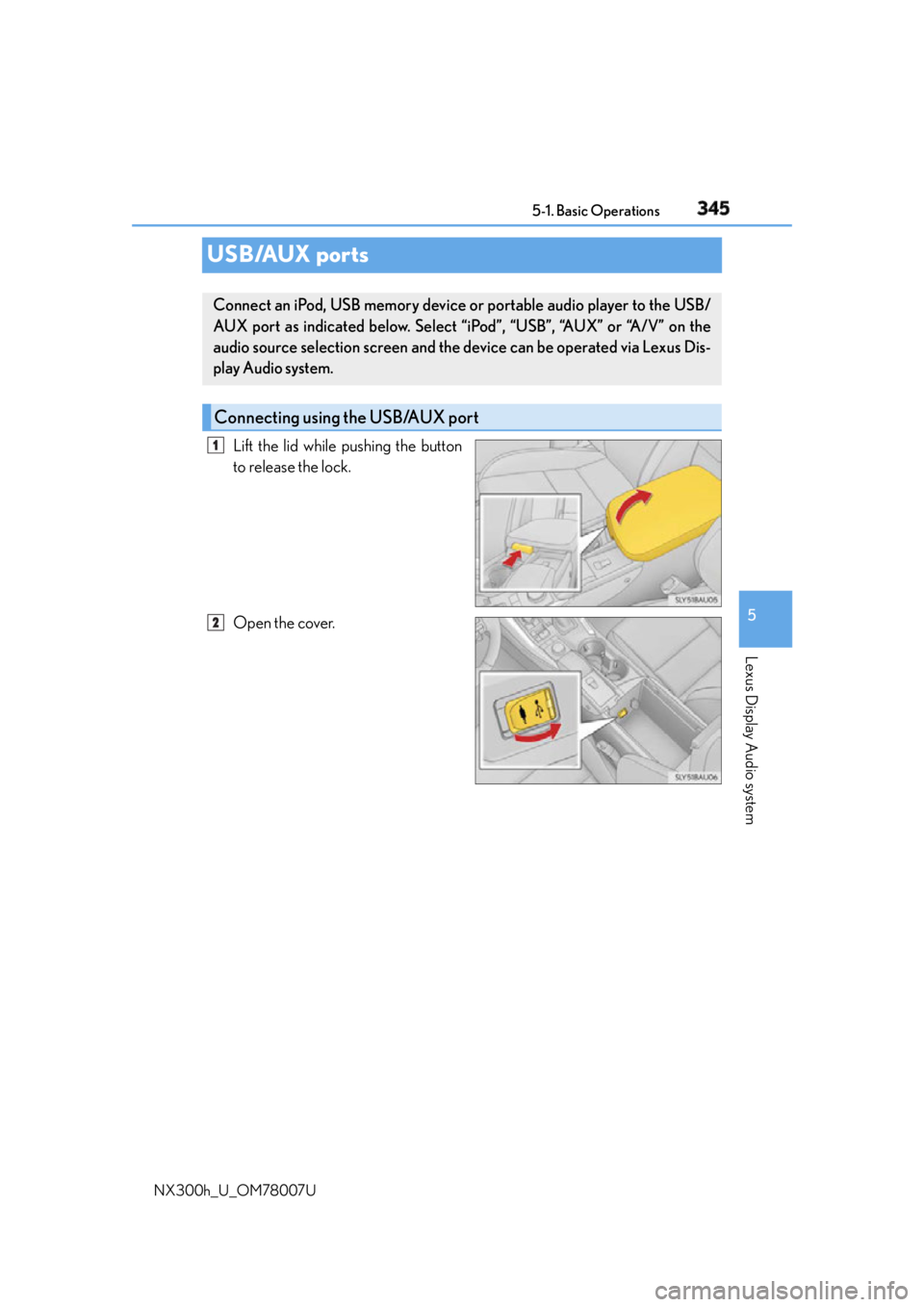
NX300h_U_OM78007UUSB/AUX ports Lift the lid while pushing the button
to release the lock.
Open the cover.Connect an iPod, USB memory device or portable audio player to the USB/
AUX port as indicated below. Select “iPod”, “USB”, “AUX” or “A/V” on the
audio source selection screen and the device can be operated via Lexus Dis-
play Audio system.
Connecting using the USB/AUX port 1
2
Page 346 of 681
346 5-1. Basic Operations
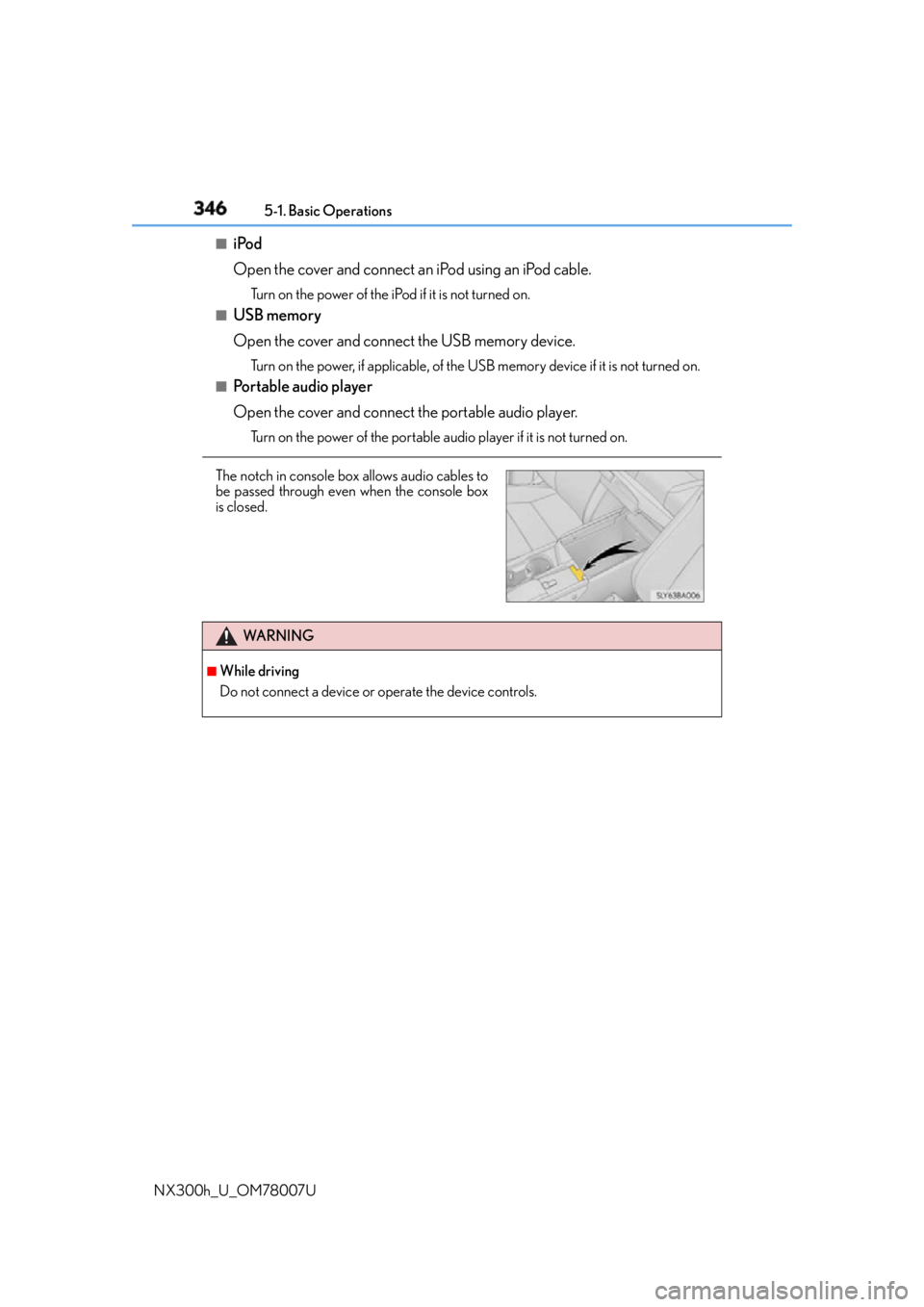
NX300h_U_OM78007U ■
iPod
Open the cover and connect an iPod using an iPod cable.Turn on the power of the iPod if it is not turned on.■
USB memory
Open the cover and connect the USB memory device. Turn on the power, if applicable, of the US B memory device if it is not turned on.■
Portable audio player
Open the cover and connect the portable audio player. Turn on the power of the portable audio player if it is not turned on.
The notch in console box allows audio cables to
be passed through even when the console box
is closed.
WA R N I N G ■
While driving
Do not connect a device or operate the device controls.
Page 367 of 681
3675-5. Playing an audio CD and MP3/WMA/AAC discs
5
Lexus Display Audio system
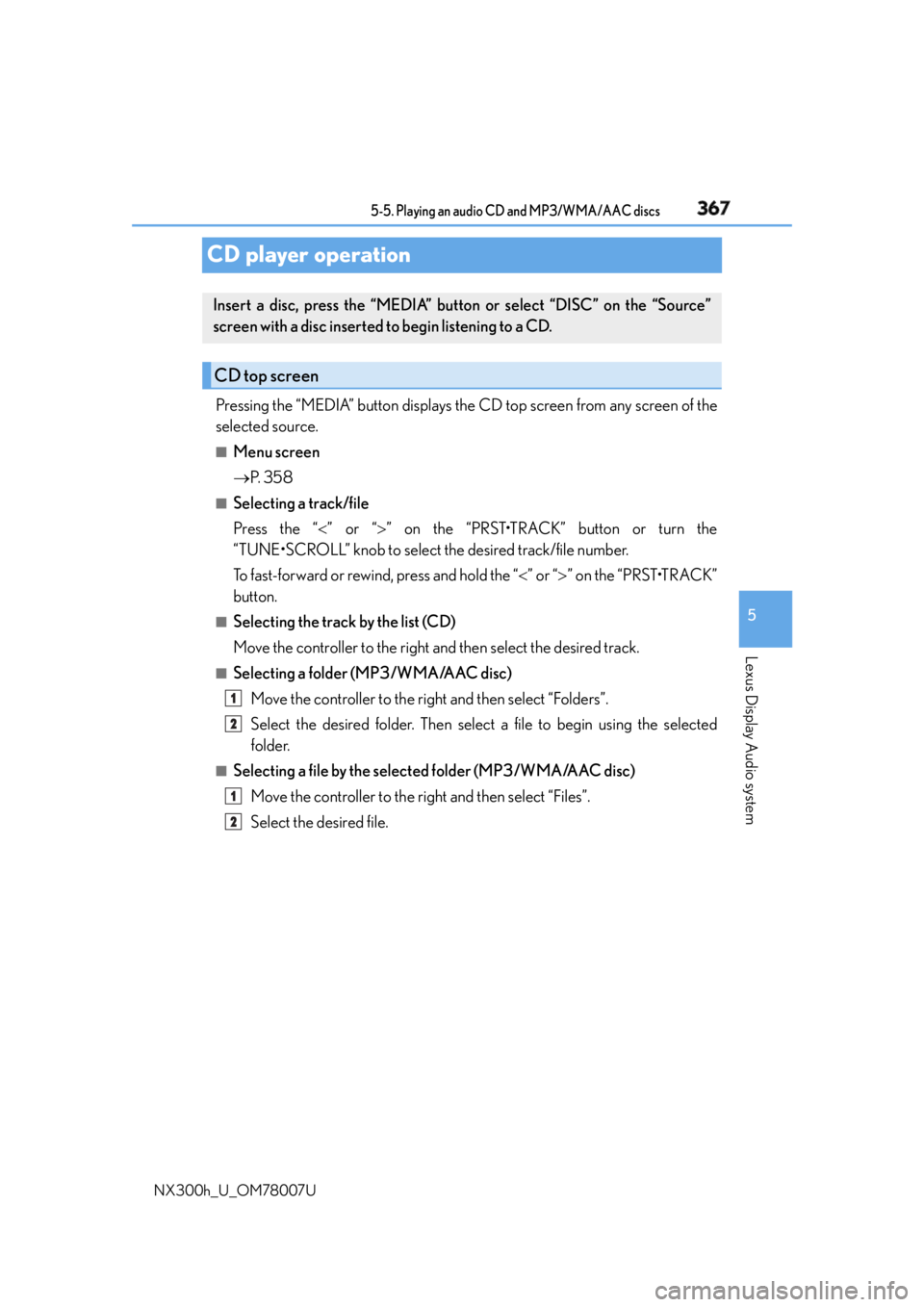
NX300h_U_OM78007UCD player operation Pressing the “MEDIA” button displays the CD top screen from any screen of the
selected source. ■
Menu screen
P. 3 5 8■
Selecting a track/file
Press the “ ” or “ ” on the “PRST•TRACK” button or turn the
“TUNE•SCROLL” knob to select the desired track/file number.
To fast-forward or rewind, press and hold the “ ” or “ ” on the “PRST•TRACK”
button. ■
Selecting the track by the list (CD)
Move the controller to the right and then select the desired track. ■
Selecting a folder (MP3/WMA/AAC disc)
Move the controller to the right and then select “Folders”.
Select the desired folder. Then select a file to begin using the selected
folder.■
Selecting a file by the selected folder (MP3/WMA/AAC disc)
Move the controller to the right and then select “Files”.
Select the desired file.Insert a disc, press the “MEDIA” butto n or select “DISC” on the “Source”
screen with a disc inserted to begin listening to a CD.
CD top screen
1
2
1
2
Page 368 of 681
368 5-5. Playing an audio CD and MP3/WMA/AAC discs
NX300h_U_OM78007U ■
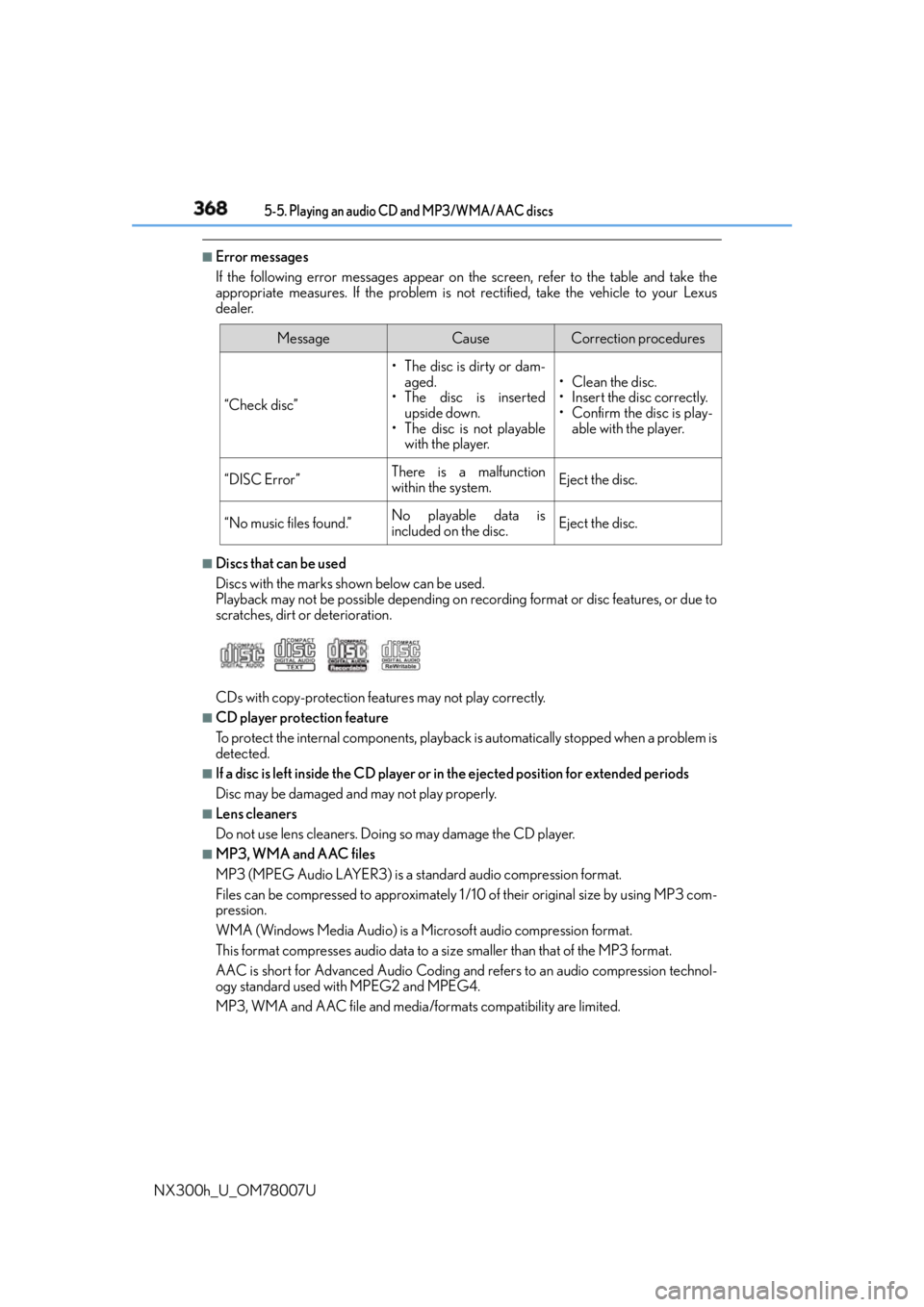
Error messages
If the following error messages appear on the screen, refer to the table and take the
appropriate measures. If the pr oblem is not rectified, take the vehicle to your Lexus
dealer.
■
Discs that can be used
Discs with the marks sh own below can be used.
Playback may not be possible depending on recording format or disc features, or due to
scratches, dirt or deterioration.
CDs with copy-protection feat ures may not play correctly.■
CD player protection feature
To protect the internal components, playback is automatically stopped when a problem is
detected. ■
If a disc is left inside the CD player or in the ejected position for extended periods
Disc may be damaged and may not play properly. ■
Lens cleaners
Do not use lens cleaners. Doing so may damage the CD player. ■
MP3, WMA and AAC files
MP3 (MPEG Audio LAYER3) is a standard audio compression format.
Files can be compressed to approximately 1 /10 of their original size by using MP3 com-
pression.
WMA (Windows Media Audio) is a Microsoft audio compression format.
This format compresses audio data to a size smaller than that of the MP3 format.
AAC is short for Advanced Audio Coding and refers to an audio compression technol-
ogy standard used with MPEG2 and MPEG4.
MP3, WMA and AAC file and media/formats compatibility are limited. Message Cause Correction procedures
“Check disc” • The disc is dirty or dam-
aged.
• The disc is inserted
upside down.
• The disc is not playable
with the player. •Clean the disc.
• Insert the disc correctly.
• Confirm the disc is play-
able with the player.
“DISC Error” There is a malfunction
within the system. Eject the disc.
“No music files found.” No playable data is
included on the disc. Eject the disc.
Page 373 of 681
3735-5. Playing an audio CD and MP3/WMA/AAC discs
5
Lexus Display Audio system
NX300h_U_OM78007U NOTICE ■
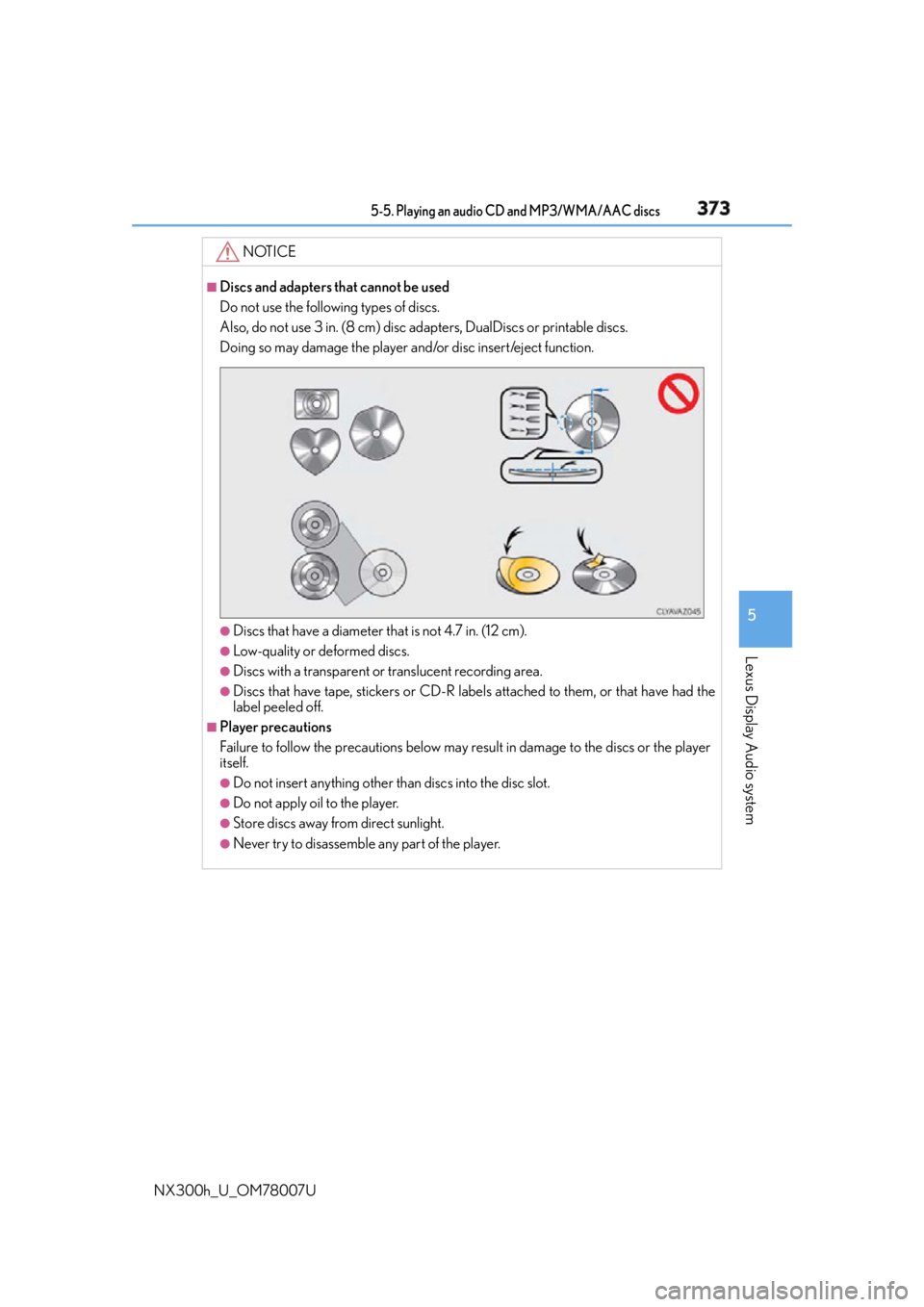
Discs and adapters that cannot be used
Do not use the following types of discs.
Also, do not use 3 in. (8 cm) disc ad apters, DualDiscs or printable discs.
Doing so may damage the player and/or disc insert/eject function.
●
Discs that have a diameter that is not 4.7 in. (12 cm). ●
Low-quality or deformed discs. ●
Discs with a transparent or translucent recording area. ●
Discs that have tape, stickers or CD-R labels attached to them, or that have had the
label peeled off. ■
Player precautions
Failure to follow the precautions below may result in damage to the discs or the player
itself. ●
Do not insert anything other th an discs into the disc slot.●
Do not apply oil to the player. ●
Store discs away from direct sunlight. ●
Never try to disassemble any part of the player.