ipod LEXUS NX300H 2016 User Guide
[x] Cancel search | Manufacturer: LEXUS, Model Year: 2016, Model line: NX300H, Model: LEXUS NX300H 2016Pages: 680, PDF Size: 10.23 MB
Page 357 of 680
3575-3. Using the audio system
5
Lexus Display Audio system
NX300h_OM_USA_OM78082U
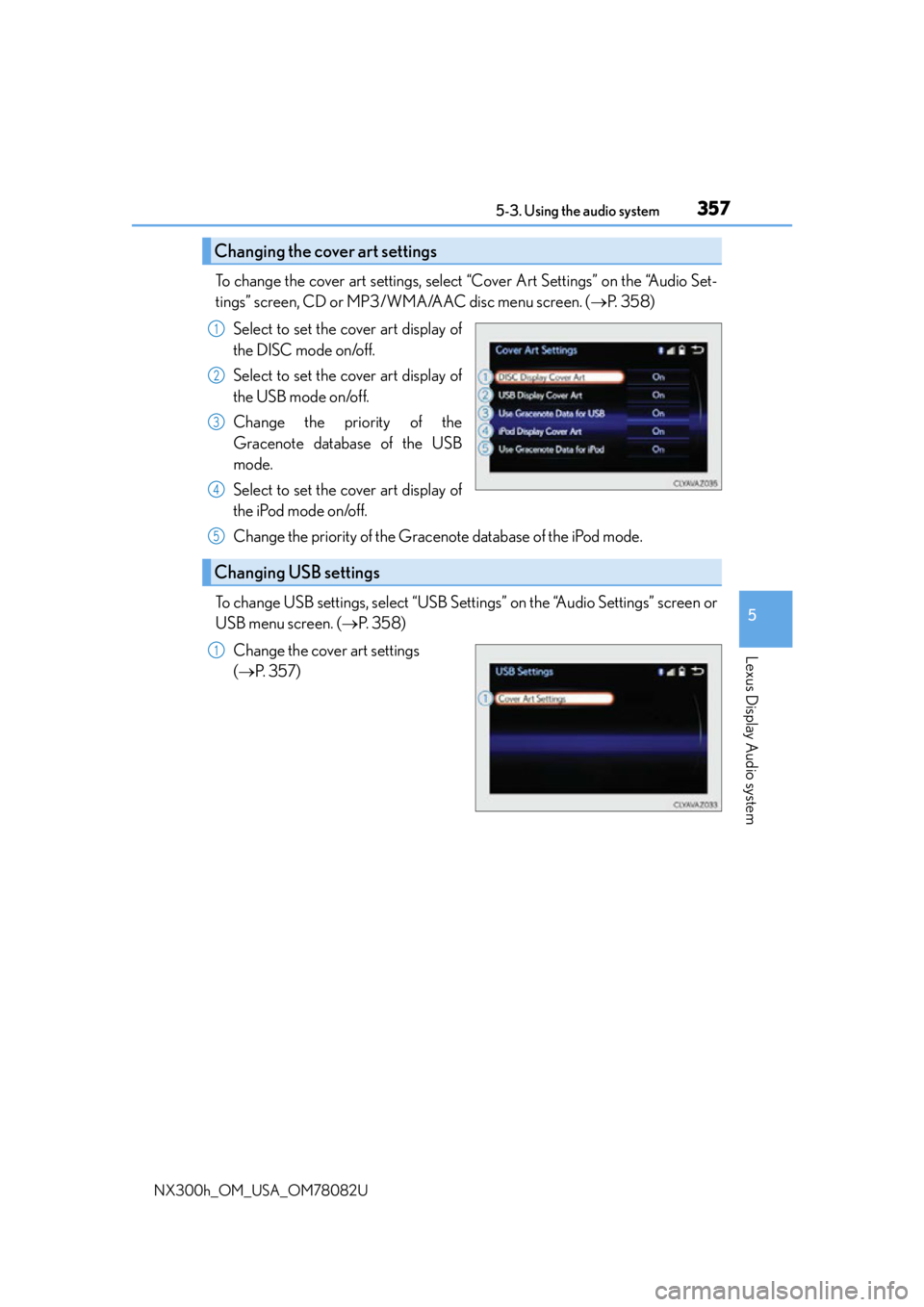
To change the cover art settings, select “Cover Art Settings” on the “Audio Set-
tings” screen, CD or MP3/WMA/AAC disc menu screen. (P. 3 5 8 )
Select to set the cover art display of
the DISC mode on/off.
Select to set the cover art display of
the USB mode on/off.
Change the priority of the
Gracenote database of the USB
mode.
Select to set the cover art display of
the iPod mode on/off.
Change the priority of the Gracenote database of the iPod mode.
To change USB settings, select “USB Settings” on the “Audio Settings” screen or
USB menu screen. ( P. 3 5 8 )
Change the cover art settings
( P. 3 5 7 )
Changing the cover art settings
1
2
3
4
Changing USB settings
5
1
Page 359 of 680
3595-3. Using the audio system
5
Lexus Display Audio system
NX300h_OM_USA_OM78082U
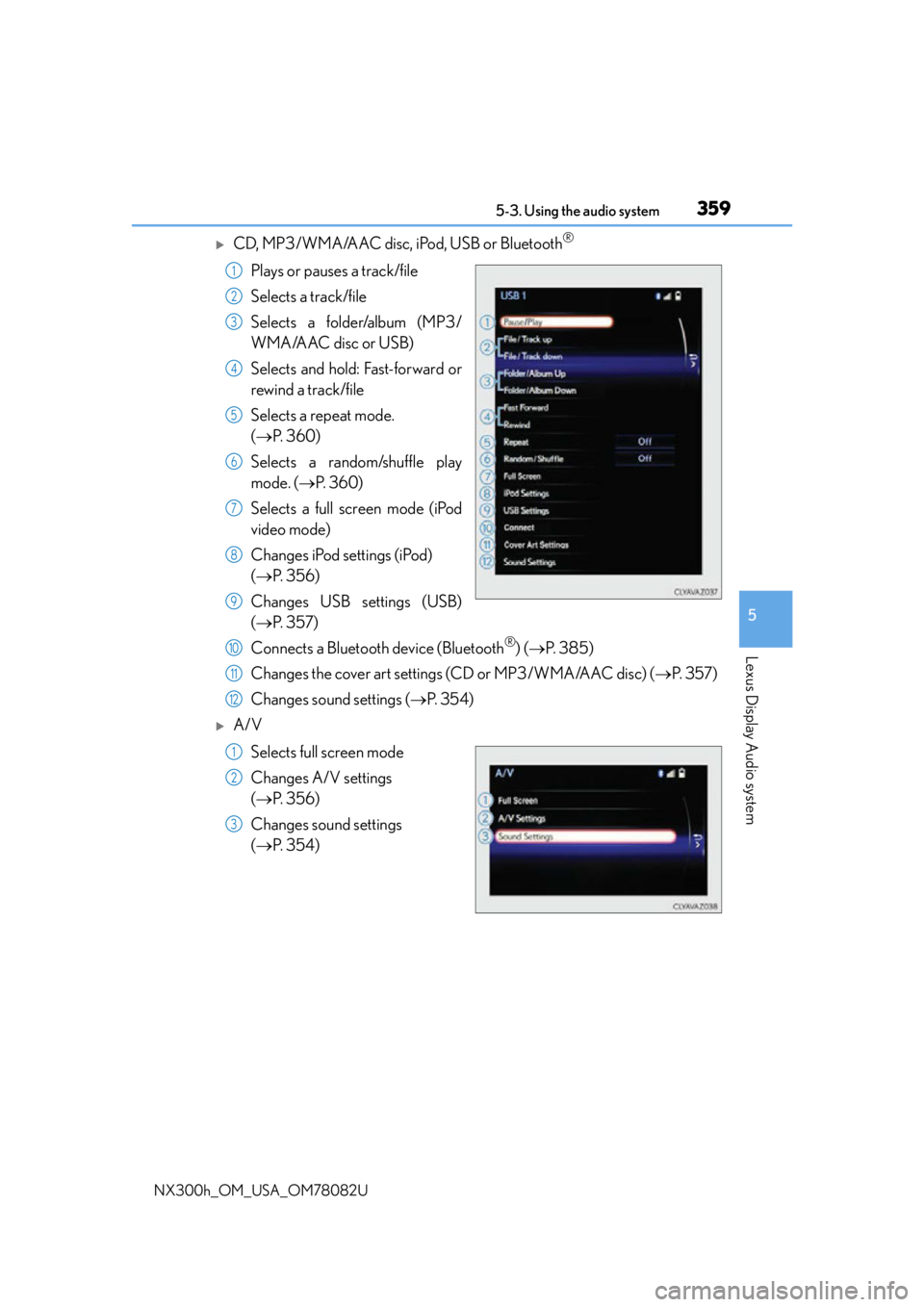
CD, MP3/WMA/AAC disc, iPod, USB or Bluetooth®
Plays or pauses a track/file
Selects a track/file
Selects a folder/album (MP3/
WMA/AAC disc or USB)
Selects and hold: Fast-forward or
rewind a track/file
Selects a repeat mode.
(P. 3 6 0 )
Selects a random/shuffle play
mode. ( P. 3 6 0 )
Selects a full screen mode (iPod
video mode)
Changes iPod settings (iPod)
( P. 3 5 6 )
Changes USB settings (USB)
( P. 3 5 7 )
Connects a Bluetooth device (Bluetooth
®) ( P. 3 8 5 )
Changes the cover art settings (CD or MP3/WMA/AAC disc) ( P. 3 5 7 )
Changes sound settings ( P. 3 5 4 )
A/V
Selects full screen mode
Changes A/V settings
( P. 3 5 6 )
Changes sound settings
( P. 3 5 4 )
1
2
3
4
5
6
7
8
9
10
11
12
1
2
3
Page 360 of 680
3605-3. Using the audio system
NX300h_OM_USA_OM78082U
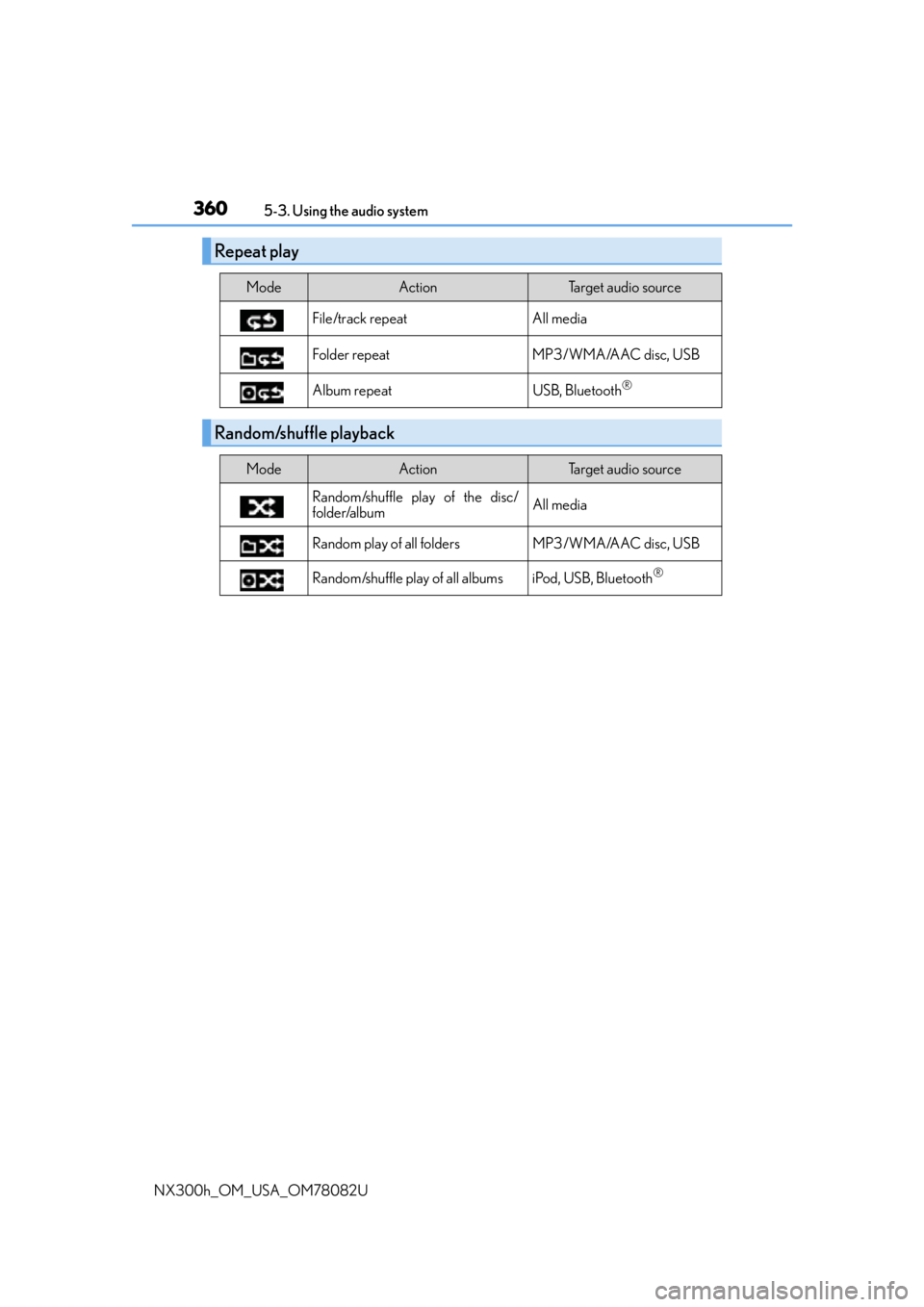
Repeat play
ModeActionTarget audio source
File/track repeat All media
Folder repeat MP3/WMA/AAC disc, USB
Album repeat USB, Bluetooth
®
Random/shuffle playback
ModeActionTarget audio source
Random/shuffle play of the disc/
folder/album All media
Random play of all folders MP3/WMA/AAC disc, USB
Random/shuffle play of all albums iPod, USB, Bluetooth
®
Page 374 of 680
3745-6. Using an external device
NX300h_OM_USA_OM78082U
Listening to an iPod
P. 3 4 5
Pressing the “MEDIA” button displays the iPod top screen from any screen of the
selected source.
■Menu screen
P. 3 5 8
■Selecting a song
Press the “ ” or “ ” on the “PRST•TRACK” button or turn the
“TUNE•SCROLL” knob to select the desired song number.
To fast-forward or rewind, press and hold the “ ” or “ ” on the “PRST•TRACK”
button.
■Selecting a play mode
Move the controller to the right and then select “Browse”.
Select the desired play mode, and then select a song to begin using the
selected play mode.
■Displaying the now playing list
Move the controller to the right and then select “Now Playing List”.
■About iPod
Connecting an iPod enables you to en joy music from the vehicle speakers.
Press the “MEDIA” button or select “i Pod” on the audio source selection
screen.
Connecting an iPod
iPod top screen
1
2
Page 375 of 680
3755-6. Using an external device
5
Lexus Display Audio system
NX300h_OM_USA_OM78082U
●“Made for iPod” and “Made for iPhone” mean that an electronic accessory has been
designed to connect specifically to an iPod , or iPhone, respectively, and has been certi-
fied by the developer to meet Apple performance standards.
●Apple is not responsible for the operation of this device or its compliance with safety
and regulatory standards. Please note that th e use of this accessory with iPod or iPhone
may affect wireless performance.
●iPhone, iPod, iPod classic, iPod nano and iPod touch are trademarks of Apple Inc., reg-
istered in the U.S. and other countries.
■iPod cover art
●Depending on the iPod and songs in the iPod, iPod cover art may be displayed.
●This function can be changed to on/off. (P. 3 5 7 )
●It may take time to display iPod cover art, and the iPod may not be operated while the
cover art display is in process.
■iPod functions
●When an iPod is connected and the audio sour ce is changed to iPod mode, the iPod will
resume play from the same poin t in which it was last used.
●Depending on the iPod that is connected to the system, certain functions may not be
available. If a function is unavailable due to a malfunction (as opposed to a system spec-
ification), disconnecting the device and reconnecting it may resolve the problem.
●Depending on the iPod, while connected to the system, the iPod cannot be operated
with its own controls. It is necessary to use the controls of the vehicle’s audio system
instead.
●When the battery level of an iPod is very low, the iPod may not operate. If so, charge the
iPod before use.
●Compatible models (P. 3 76 )
■iPod problems
To resolve most problems encountered when using your iPod, disconnect your iPod from
the vehicle iPod connection and reset it. For in structions on how to reset your iPod, refer
to your iPod Owner’s Manual.
■Error messages
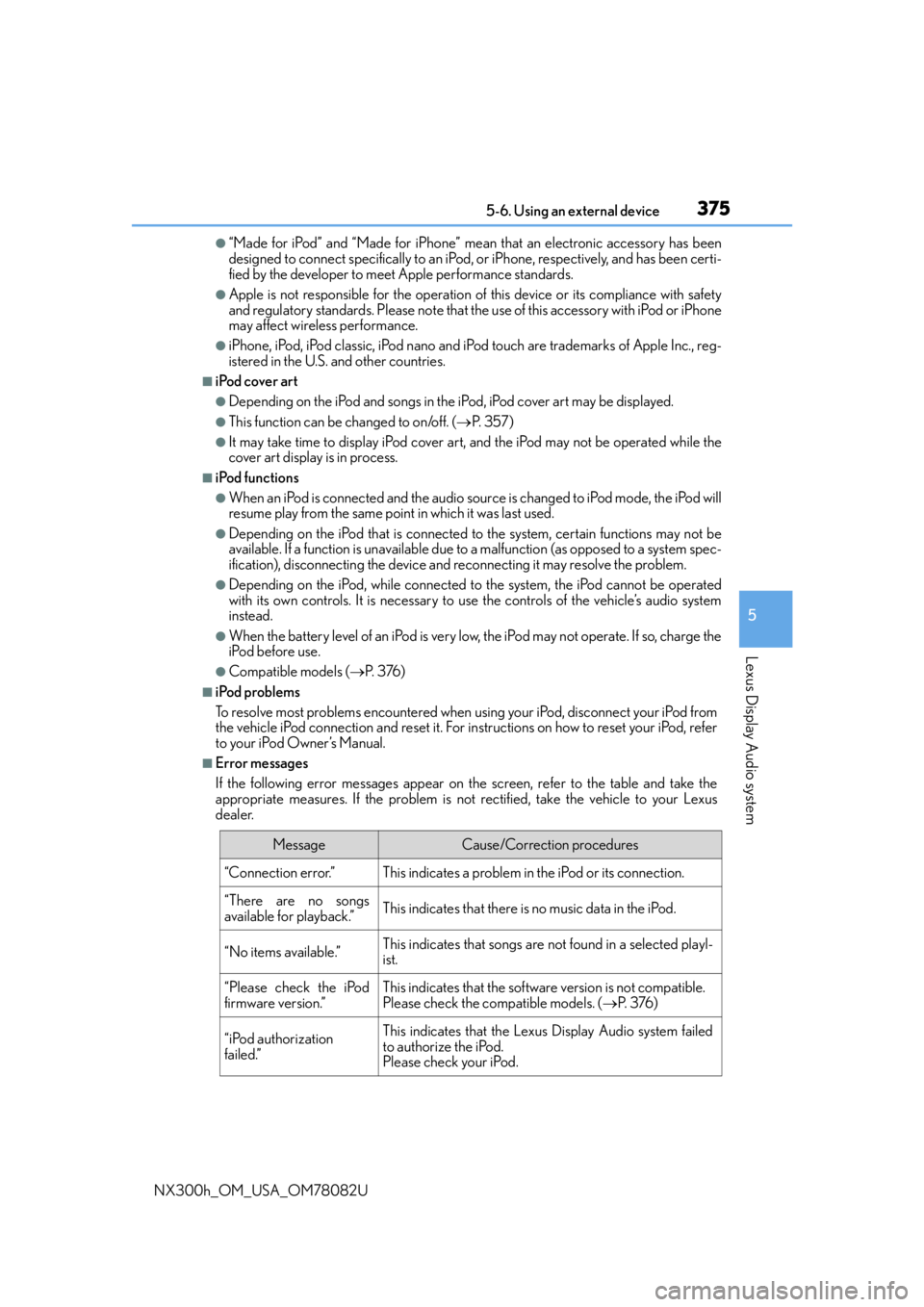
If the following error messages appear on the screen, refer to the table and take the
appropriate measures. If the pr oblem is not rectified, take the vehicle to your Lexus
dealer.
MessageCause/Correction procedures
“Connection error.”This indicates a problem in the iPod or its connection.
“There are no songs
available for playback.”This indicates that there is no music data in the iPod.
“No items available.”This indicates that songs are not found in a selected playl-
ist.
“Please check the iPod
firmware version.”This indicates that the software version is not compatible.
Please check the co mpatible models. (P. 3 76 )
“iPod authorization
failed.”This indicates that the Lexus Display Audio system failed
to authorize the iPod.
Please check your iPod.
Page 376 of 680

3765-6. Using an external device
NX300h_OM_USA_OM78082U
■Compatible models
The following iPod®, iPod nano®, iPod classic®, iPod touch® and iPhone® devices can
be used with this system.
●Made for
• iPod touch (5th generation)
• iPod touch (4th generation)
• iPod touch (3rd generation)
• iPod touch (2nd generation)
•iPod touch (1st generation)
•iPod classic
•iPod with video
• iPod nano (7th generation)
• iPod nano (6th generation)
• iPod nano (5th generation)
• iPod nano (4th generation)
• iPod nano (3rd generation)
• iPod nano (2nd generation)
• iPod nano (1st generation)
•iPhone 5
•iPhone 4S
•iPhone 4
•iPhone 3GS
•iPhone 3G
•iPhone
Depending on differences between models or software versions, etc., some models
might be incompatible with this system.
NOTICE
■To prevent damage to the iPod or its terminals
●Do not leave the iPod in the vehicle. The temperature inside the vehicle may become
high.
●Do not push down on or apply unnecessary pr essure to the iPod while it is connected.
●Do not insert foreign objects into the port.
Page 424 of 680
4245-12. Other function
NX300h_OM_USA_OM78082U
●Voice commands may not be recognized if:
• Spoken too quickly.
• Spoken at a low or high volume.
• The roof or windows are open.
• Passengers are talking while voice commands are spoken.
• The air conditioning speed is set high.
• The air conditioning vents are turned towards the microphone.
●In the following conditions, the system ma y not recognize the command properly and
using voice commands may not be possible:
• The command is incorrect or unclear. No te that certain words, accents or speech
patterns may be difficult for the system to recognize.
• There is excessive background noise, such as wind noise.
■When searching for a track
●A USB memory or iPod must be connected to enable track searching and playback.
( P. 3 4 5 )
●When a USB memory or iPod is connected, recognition data is created so tracks can
be searched using voice commands.
●Recognition data is updated un der the following conditions:
• When the USB memory or iPod data has changed.
• When the voice recognition language is changed. (P. 3 4 8 )
●While the recognition data is being created or being updated, a track search cannot be
performed using a voice command.
■The Gracenote® media database
P. 3 7 1
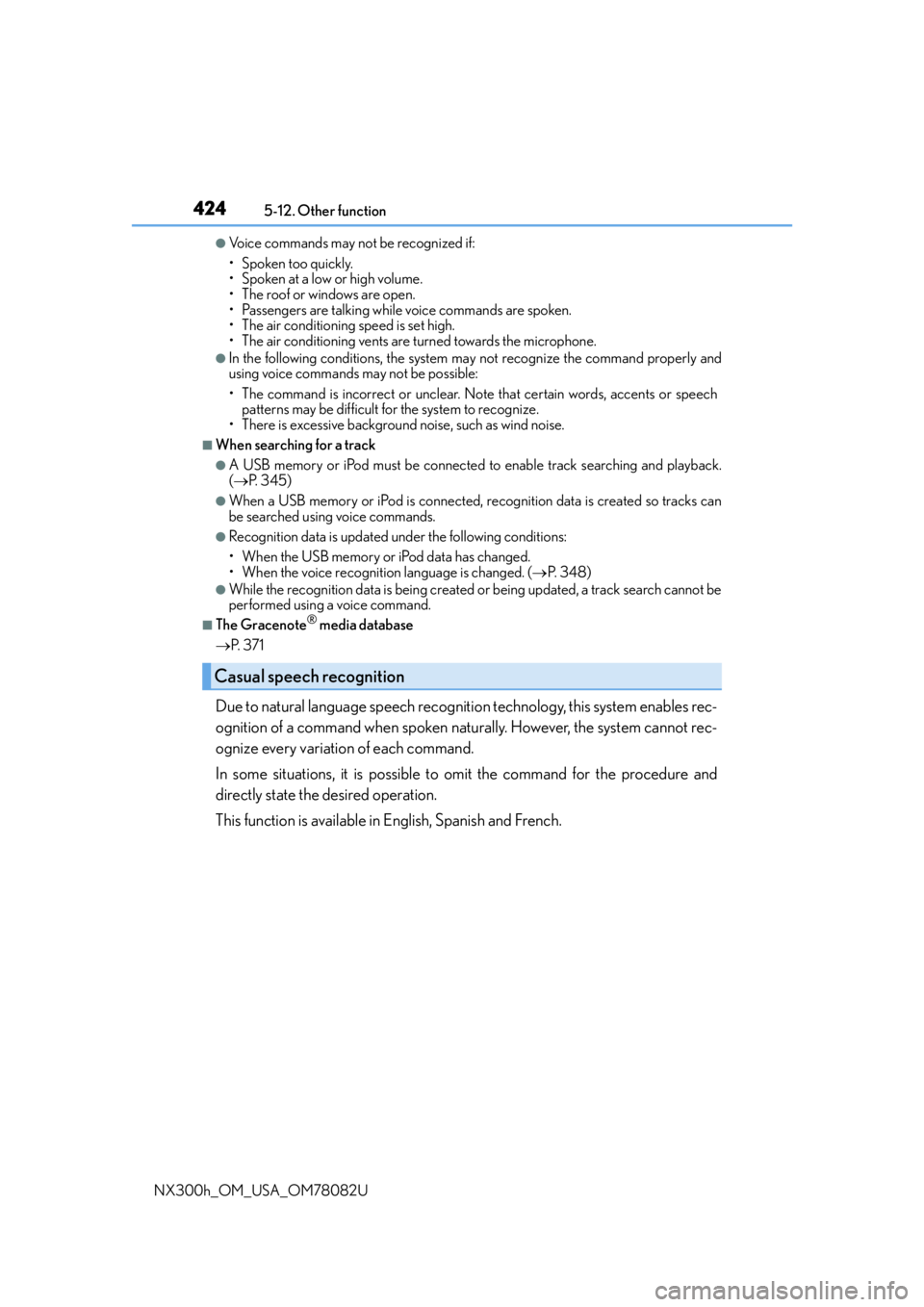
Due to natural language speech recognitio n technology, this system enables rec-
ognition of a command when spoken naturally. However, the system cannot rec-
ognize every variation of each command.
In some situations, it is possible to omit the command for the procedure and
directly state the desired operation.
This function is available in English, Spanish and French.
Casual speech recognition
Page 661 of 680
661Alphabetical index
NX300h_OM_USA_OM78082U
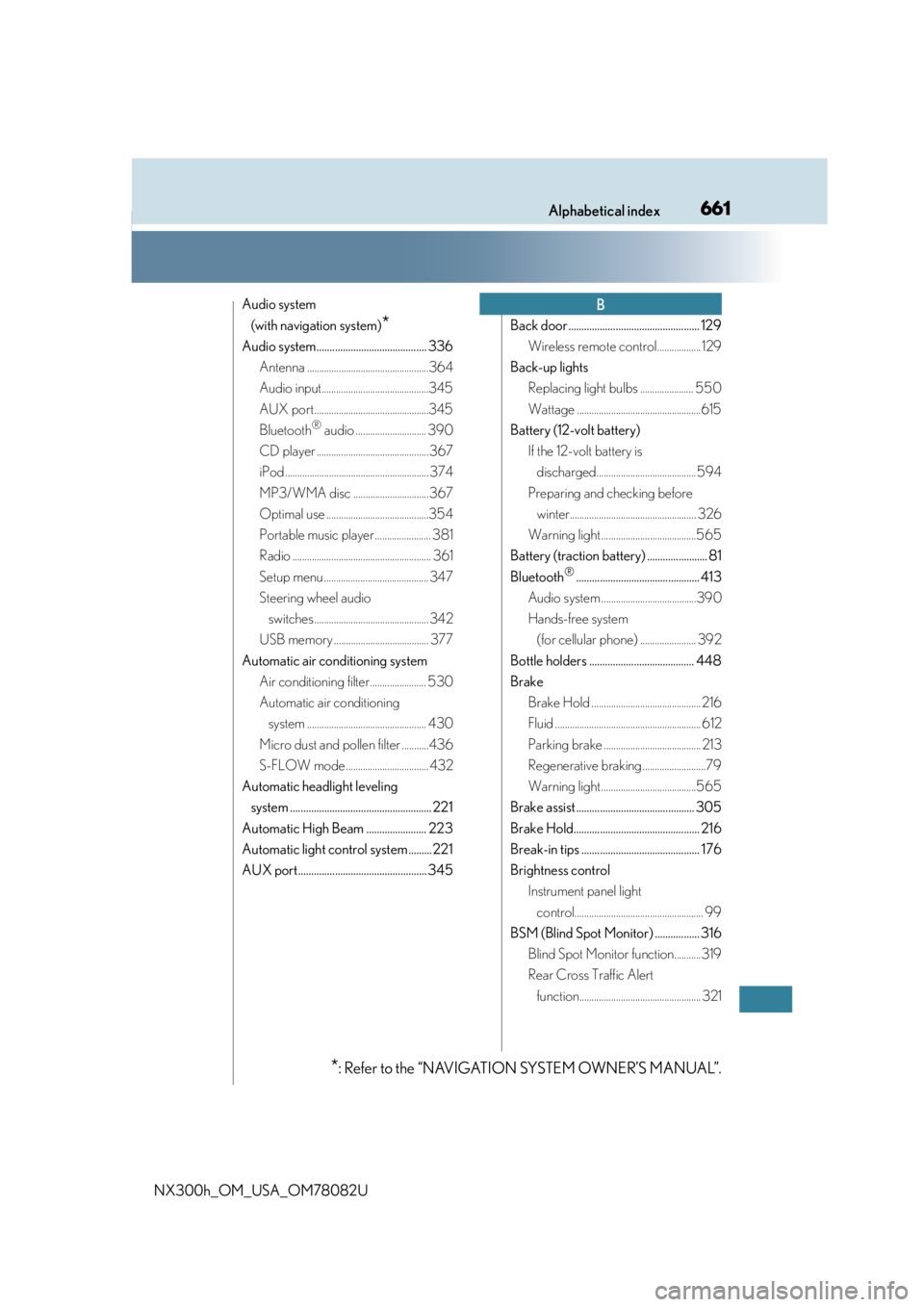
Audio system (with navigation system)
*
Audio system.......................................... 336 Antenna ..................................................364
Audio input............................................345
AUX port...............................................345
Bluetooth
® audio ............................. 390
CD player .............................................. 367
iPod ........................................................... 374
MP3/WMA disc ...............................367
Optimal use ..........................................354
Portable music player ....................... 381
Radio ......................................................... 361
Setup menu ........................................... 347
Steering wheel audio switches ............................................... 342
USB memory ....................................... 377
Automatic air conditioning system Air conditioning filter....................... 530
Automatic air conditioning system ................................................. 430
Micro dust and pollen filter ...........436
S-FLOW mode .................................. 432
Automatic headlight leveling system ...................................................... 221
Automatic High Beam ....................... 223
Automatic light control system......... 221
AUX port................................................. 345 Back door .................................................. 129
Wireless remote control.................. 129
Back-up lights Replacing light bulbs ...................... 550
Wattage ...................................................615
Battery (12-volt battery) If the 12-volt battery is discharged......................................... 594
Preparing and checking before winter.................................................... 326
Warning light .......................................565
Battery (traction battery) ....................... 81
Bluetooth
®............................................... 413
Audio system .......................................390
Hands-free system (for cellular phone) ....................... 392
Bottle holders ........................................ 448
Brake Brake Hold ............................................. 216
Fluid ............................................................ 612
Parking brake ........................................ 213
Regenerative braking ..........................79
Warning light .......................................565
Brake assist ............................................. 305
Brake Hold................................................ 216
Break-in tips ............................................. 176
Brightness control Instrument panel light control..................................................... 99
BSM (Blind Spot Monitor) ................. 316 Blind Spot Monitor function...........319
Rear Cross Traffic Alert function.................................................. 321
B
*: Refer to the “NAVIGATION SYSTEM OWNER’S MANUAL”.