tire pressure LEXUS NX300h 2018 Owners Manual
[x] Cancel search | Manufacturer: LEXUS, Model Year: 2018, Model line: NX300h, Model: LEXUS NX300h 2018Pages: 460, PDF Size: 13.57 MB
Page 1 of 460

LEXUS NX300h Owners Manual_USA_OM78212U 1
2
3
4
5
6
7
8
9Pictorial index Search by illustration
For safety
and security Make sure to read through them
(Main topics: Child seat, theft deterrent system)
Vehicle status
information and
indicators Reading driving-related information
(Main topics: Meters, multi-information display)
Before driving Opening and closing the doors and windows,
adjustment before driving
(Main topics: Keys, doors, seats)
Driving Operations and advice which are necessary for driving
(Main topics: Starting hybrid system, refueling)
Interior features Usage of the interior features
(Main topics: Air conditioner, storage features)
Maintenance
and care Caring for your vehicle and maintenance procedures
(Main topics: Interior and exterior, light bulbs)
When trouble
arises What to do in case of malfunction and emergency
(Main topics: Battery discharge, flat tire)
Vehicle
specifications Vehicle specifications, customizable features
(Main topics: Fuel, oil, tire inflation pressure)
For owners Reporting safety defects for U.S. owners, and seat belt,
SRS airbag and headlight aim instructions for Canadian
owners
Index Search by symptom
Search alphabetically
Page 4 of 460
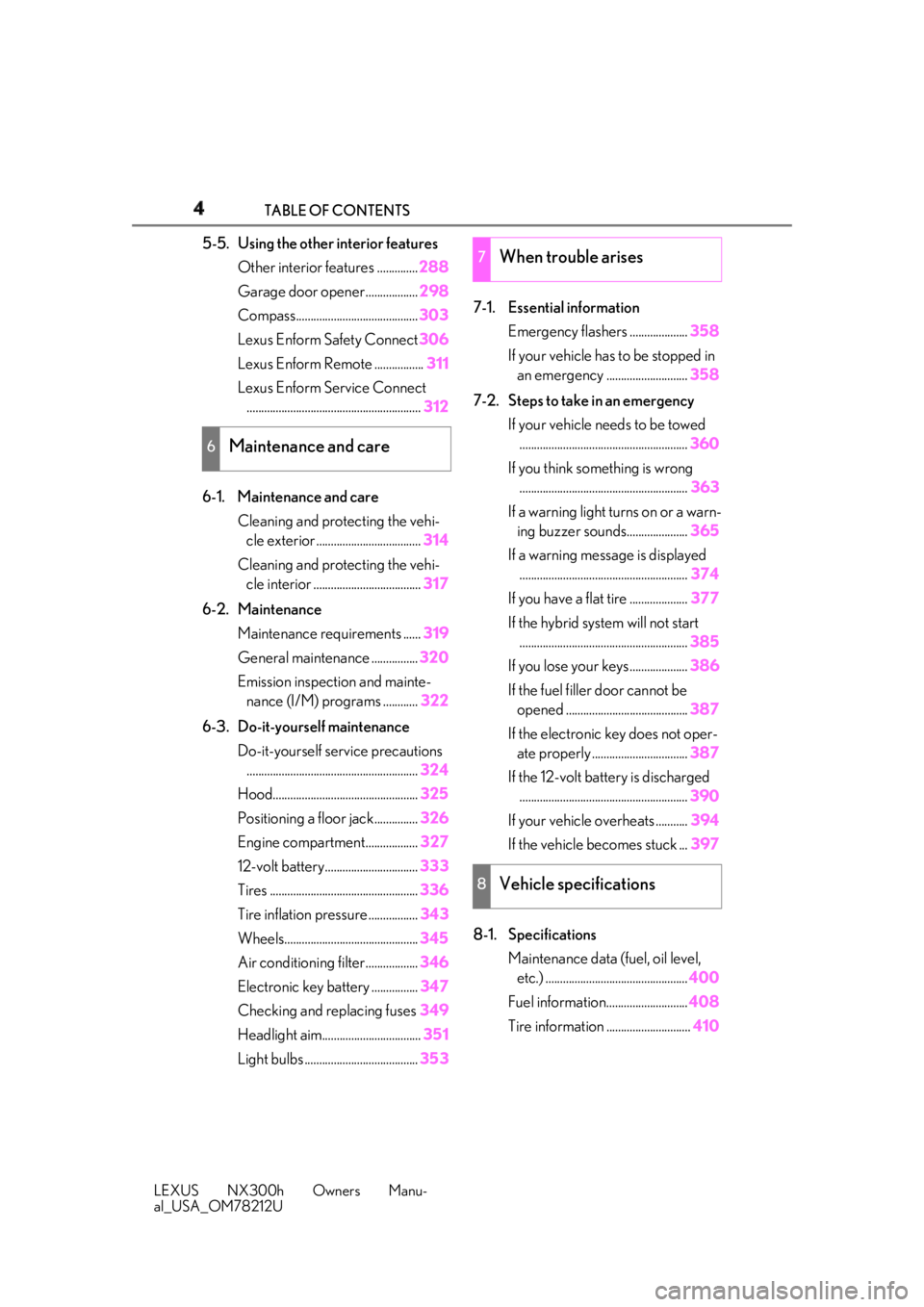
4 TABLE OF CONTENTS
LEXUS NX300h Owners Manu-
al_USA_OM78212U 5-5. Using the other interior features
Other interior features .............. 288
Garage door opener.................. 298
Compass.......................................... 303
Lexus Enform Safety Connect 306
Lexus Enform Remote ................. 311
Lexus Enform Service Connect
............................................................ 312
6-1. Maintenance and care
Cleaning and protecting the vehi-
cle exterior .................................... 314
Cleaning and protecting the vehi-
cle interior ..................................... 317
6-2. Maintenance
Maintenance requirements ...... 319
General maintenance ................ 320
Emission inspection and mainte-
nance (I/M) programs ............ 322
6-3. Do-it-yourself maintenance
Do-it-yourself service precautions
........................................................... 324
Hood.................................................. 325
Positioning a floor jack............... 326
Engine compartment.................. 327
12-volt battery................................ 333
Tires ................................................... 336
Tire inflation pressure ................. 343
Wheels.............................................. 345
Air conditioning filter.................. 346
Electronic key battery ................ 347
Checking and replacing fuses 349
Headlight aim.................................. 351
Light bulbs ....................................... 353 7-1. Essential information
Emergency flashers .................... 358
If your vehicle has to be stopped in
an emergency ............................ 358
7-2. Steps to take in an emergency
If your vehicle needs to be towed
.......................................................... 360
If you think something is wrong
.......................................................... 363
If a warning light turns on or a warn-
ing buzzer sounds..................... 365
If a warning messa ge is displayed
.......................................................... 374
If you have a flat tire .................... 377
If the hybrid syst em will not start
.......................................................... 385
If you lose your keys.................... 386
If the fuel filler door cannot be
opened .......................................... 387
If the electronic key does not oper-
ate properly ................................. 387
If the 12-volt battery is discharged
.......................................................... 390
If your vehicle overheats ........... 394
If the vehicle becomes stuck ... 397
8-1. Specifications
Maintenance data (fuel, oil level,
etc.) ................................................. 40
0
Fuel information ............................ 408
Tire information ............................. 4106
Maintenance and care 7
When trouble arises
8
Vehicle specifications
Page 13 of 460

13Pictorial index
LEXUS NX300h Owners Manu-
al_USA_OM78212U Precautions against winter season ............................................................................ P.257
To prevent freezing (windshield wiper de-icer) .................................................. P.273
Precautions against car wash ....................................................................................... P.315
Fuel filler door .......................................................................................................... P.196
Refueling method .............................................................................................................. P .196
Fuel type/fuel tank capacity ...... .................................................................................... P.401
Tires.......................................................................................................................... ..P.336
Tire size/inflation pressure ...........................................................................................P.406
Winter tires/tire chain .................................................................................................... P.25 7
Checking/rotation/tire pressure warning system.............................................. P.336
Coping with flat tires........................................................................................................ P .377
Hood ......................................................................................................................... P. 325
Opening ........................................................................................................................ ....... P.325
Engine compartment cover .........................................................................................P.328
Engine oil ..................................................................................................................... ......... P.402
Coping with overheat ..................................................................................................... P.394
Warning messages .......................................................................................................... P.374
Headlights .................................................................................................................P.18 3
Parking lights/daytime running lights...............................................................P.183
Fog lights....................................................................................................................P .189
Turn signal lights ...................................................................................................... P.176
Tail lights .................................................................................................................... P.183
License plate lights .................................................................................................P.183
Back-up light
Shifting the shift lever to R ...............................................................................................P.1 73
Side marker lights ...................................................................................................P.183 *
:If equipped Light bulbs of the exterior lights for driving
(Replacing method: P.353, Watts: P.407) E
F
G
H
I
J
K
L
M
N
O
Page 75 of 460

752-1. Instrument cluster
LEXUS NX300h Owners Manu-
al_USA_OM78212U 2
Vehicle status information and indicators Warning lights inform the driver of mal-
functions in any of the vehicle’s sys-
tems.
*1
: These lights turn on when the power
switch is turned to ON mode to indi-
cate that a system check is being per-
formed. They will turn off after the
hybrid system is on, or after a few sec-Warning lights (U.S.A.)
Brake system warning light *1
( → P.365)(Red)
(Canada)
Brake system warning light *1
( → P.365)
Charging system warning
light *2
( → P.365)
Low engine oil pressure warn-
ing light *2
( → P.365)
High coolant temperature
warning light *2
( → P.366)
(Yellow)
Brake system warning light *1
( → P.366)
(U.S.A.)
Malfunction indicator lamp *1
( → P.366)
(Canada)
Malfunction indicator lamp *1
( → P.366)
SRS warning light *1
( → P.366)
(U.S.A.)
ABS warning light *1
( → P.367)
(Canada)
ABS warning light *1
( → P.367)
(Yellow) Electric power steering sys-
tem warning light *1
( → P.367) (Red)
Electric power steering sys-
tem warning light *1
( → P.367)
PCS warning light *1
( → P.367)(if equipped)
PKSB OFF indicator *1, 3
( → P.368)(Orange)
LDA indicator *2
( → P.368)
Slip indicator light *1
( → P.368)
Brake hold operated indica-
tor *1, 3
( → P.368)(U.S.A.)
Parking brake indicator *3
( → P.369)
(Canada)
Parking brake indicator *3
( → P.369)
Low fuel level warning light
( → P.369)
Driver’s and front passenger’s
seat belt reminder light
( → P.369)
Rear passengers' seat belt
reminder light *4
( → P.370)
Master warning light *1
( → P.370)
Tire pressure warning light *1
( → P.370)
Brake Override System/
Drive-Start Control warning
light *2
( → P.371)
Page 86 of 460

86 2-1. Instrument cluster
LEXUS NX300h Owners Manu-
al_USA_OM78212U ■
Content displayed as drive infor-
mation
Select to display various drive data.
Items displayed can be switched by
pressing or of the meter con-
trol switches to select and pressing
or .
Current fuel consumption *1
Displays the current rate of fuel consump-
tion
Average fuel consumption (after
reset *2
/after start/after refuel) *1
Displays the average fuel consumption
since the function was reset, the hybrid sys-
tem was started, and the vehicle was refu-
eled, respectively
Use the displayed average fuel consump-
tion as a reference.
Average vehicle speed (after
reset *2
/after start) *1
Displays the average vehicle speed since
the function was reset and the hybrid sys-
tem was started, respectively
Elapsed time (after reset *2
/after
start) *1
Displays the elapsed time since the func-
tion was reset and the hybrid system was
started, respectively
Distance (driving range/after start) *1
Displays the estimated maximum distance
that can be driven with the quantity of fuel
remaining and the distance driven after the
hybrid system was st arted respectively.
• This distance is computed based on your
average fuel consumption. As a result, the actual distance that can be driven
may differ from that displayed.
• When only a small amount of fuel is
added to the tank, the display may not be
updated.
When refueling, turn the power switch
off. If the vehicle is refueled without turn-
ing the power switch off, the display may
not be updated. *1
: Displayed when the it em is set in “Drive
Info 1”, “Drive Info 2” and “Drive Info 3”. *2
: The function can be reset by pressing
the of the meter control switches
for longer than 1 second when the item
to reset is displayed.
If there is more than one item that can
be reset, the item selection screen will
appear. ■
Energy monitor
→ P.94 ■
Speedometer
Displays the vehicle speed. ■
Tire inflation pressure
Displays inflation pressure of each tire. The inflation pressure of the spare tire will
not be displayed.
■
Sway warning
Detects the sway of the vehicle within a
lane, which is often associated with a
decrease in the driver's attention level,
and displays the decrease in attention
using a bar display.
The shorter the bar length, the more
the driver may need to rest.
This display is a part of the LDA (Lane
Departure Alert with steering control)
system. The display is enabled when
the operating conditions of the vehicle Drive information
Page 87 of 460

872-1. Instrument cluster
LEXUS NX300h Owners Manu-
al_USA_OM78212U 2
Vehicle status information and indicators sway warning are met. ( → P.211)■
Display off
A blank screen is displayed ■
Tire inflation pressure●
It may take a few minutes to display the
tire inflation pressure after the power
switch is turned to ON mode. It may also
take a few minutes to display the tire infla-
tion pressure after inflation pressure has
been adjusted.●
“---” may be displayed if the tire informa-
tion cannot be determined due to unfa-
vorable radio wave conditions.●
Tire inflation pressu re changes with tem-
perature. The displayed values may also
be different from the values measured
using a tire pressure gauge.■
When disconnecting and reconnecting
12-volt battery terminals
The drive information will be reset.
Select to display the following naviga-
tion system-linked information.
Route guidance
Compass display (north-up display/
heading-up display)
Select to enable selection of an audio
source or track on the display using the
meter control switches.
Select to display the operational status
of the following systems: LDA (Lane Departure Alert with
steering control) ( → P.210)
Dynamic radar cruise control with
full-speed range ( → P.217)
The displayed icon changes depending
on the system used.
Select to display warning messages
and measures to be taken if a malfunc-
tion is detected. ( → P.374)
The settings of the following items can
be changed using the meter control
switches.
For functions that can be enabled or
disabled, the function switches
between on and off each time is
pressed. ■
LDA (Lane Departure Alert
with steering control) ( → P.210)
Select to set up the following items.
Steering Assist Select to enable/dis able steering wheel
assistance.
Alert Select to set a vibrator or buzzer as the
notification method used to warn the
driver.
Alert sensitivity Select to set the warning sensitivity.
Sway warning
Select to enable/disable the vehicle sway Navigation system-linked dis-
play (if equipped)
Audio system-linked display (if
equipped)
Driving assist system information Warning message display
Settings display
Page 88 of 460

88 2-1. Instrument cluster
LEXUS NX300h Owners Manu-
al_USA_OM78212U warning.
Sway sensitivity Select to set the vehicle sway warning sen-
sitivity. ■
PCS (Pre-Collision System)
( → P.203)
Select to set up the following items.
PCS on/off Select to enable/dis able the pre-collision
system.
PCS sensitivity Select to change the warning timing.■
Intuitive parking assist sensor
(if equipped) ( → P.227)
Select to set up the following items.
Intuitive parking assist sensor Select to enable/disab le the intuitive park-
ing assist sensor.
Volume Select to set the volume of the buzzer
which sounds when the intuitive parking
assist sensor is operated.
■
PKSB (Parking Support
Brake System) (if equipped)
( → P.232)
PKSB on/off Select to enable/dis able the parking sup-
port brake function (for static objects).
■
Clock ( → P.288)
Select to switch between 12-hour dis-
play and 24-hour display. ■
Vehicle Settings
PBD (Power Back Door)
( → P.110) *1 Select to set up the following items.
•System settings
Select to enable/disable the power back
door system.
•Volume
Select to set the volume of the buzzer
which sounds when the power back door
system.
• Kick Sensor *2
Select to enable/dis able the kick sensor. *1
: Vehicles with power back door *2
: Vehicles with power back door and kick
sensor
TPMS (Tire Pressure Warning Sys-
tem) ( → P.338)Select to initialize the tire pressure warning
system.
Scheduled Maintenance ( → P.319)Select to initialize the scheduled mainte-
nance.
Oil maintenance ( → P.329)Select to reset the engine oil maintenance
information (message indicating mainte-
nance is required and distance until the
next oil change) after engine oil mainte-
nance is performed.
■
Meter settings
Language Select to change the language on the dis-
play.
Units Select to change the unit of measure for
fuel consumption.
EV Indicator ( → P.62)Select to set the EV indicator on/off.
Switch settings ( → P.85)
Page 209 of 460
2094-5. Using the driving support systems
LEXUS NX300h Owners Manu-
al_USA_OM78212U 4
Driving rounding brightness changes suddenly,
such as at the entrance or exit of a tunnel
• When a very bright light, such as the sun
or the headlights of oncoming traffic,
shines directly in to the camera sensor
• When the surrounding area is dim, such
as at dawn or dusk, or while at night or in
a tunnel
• After the hybrid system has started the
vehicle has not been driven for a certain
amount of time
• While making a left/right turn and for a
few seconds after makin g a left/right turn
• While driving on a curve and for a few
seconds after driving on a curve
• If your vehicle is skidding
• If the front of the vehicle is raised or low-
ered
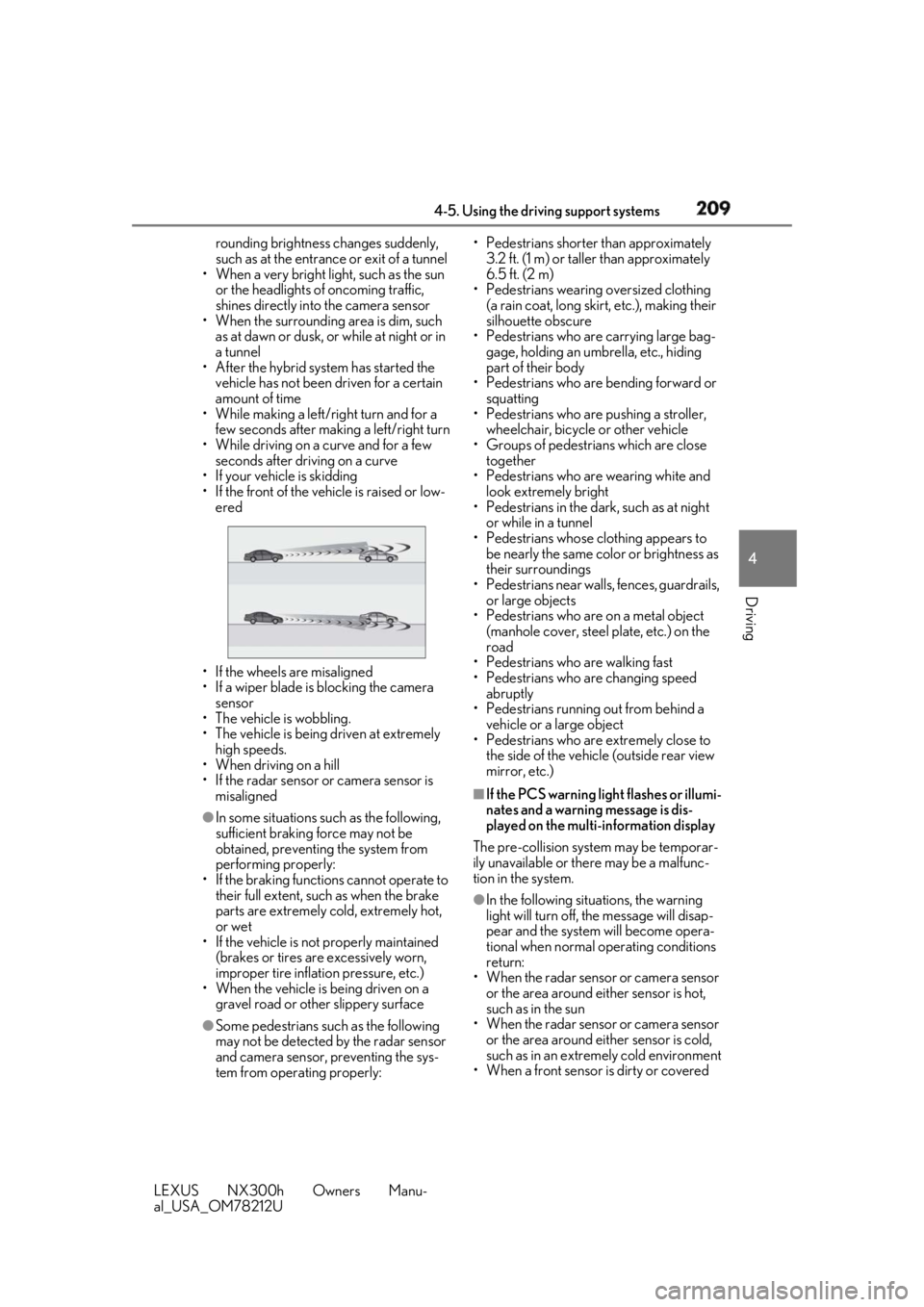
• If the wheels are misaligned
• If a wiper blade is blocking the camera
sensor
• The vehicle is wobbling.
• The vehicle is being driven at extremely
high speeds.
• When driving on a hill
• If the radar sensor or camera sensor is
misaligned●
In some situations such as the following,
sufficient braking force may not be
obtained, preventing the system from
performing properly:
• If the braking functions cannot operate to
their full extent, such as when the brake
parts are extremely cold, extremely hot,
or wet
• If the vehicle is not properly maintained
(brakes or tires are excessively worn,
improper tire inflation pressure, etc.)
• When the vehicle is being driven on a
gravel road or other slippery surface
●
Some pedestrians such as the following
may not be detected by the radar sensor
and camera sensor, preventing the sys-
tem from operating properly: • Pedestrians shorter than approximately
3.2 ft. (1 m) or taller than approximately
6.5 ft. (2 m)
• Pedestrians wearing oversized clothing
(a rain coat, long skir t, etc.), making their
silhouette obscure
• Pedestrians who are carrying large bag-
gage, holding an umbrella, etc., hiding
part of their body
• Pedestrians who are bending forward or
squatting
• Pedestrians who are pushing a stroller,
wheelchair, bicycle or other vehicle
• Groups of pedestrians which are close
together
• Pedestrians who are wearing white and
look extremely bright
• Pedestrians in the dark, such as at night
or while in a tunnel
• Pedestrians whose clothing appears to
be nearly the same color or brightness as
their surroundings
• Pedestrians near walls, fences, guardrails,
or large objects
• Pedestrians who are on a metal object
(manhole cover, steel plate, etc.) on the
road
• Pedestrians who are walking fast
• Pedestrians who are changing speed
abruptly
• Pedestrians running out from behind a
vehicle or a large object
• Pedestrians who are extremely close to
the side of the vehicle (outside rear view
mirror, etc.) ■
If the PCS warning light flashes or illumi-
nates and a warning message is dis-
played on the multi-information display
The pre-collision system may be temporar-
ily unavailable or there may be a malfunc-
tion in the system.
●
In the following situations, the warning
light will turn off, the message will disap-
pear and the system will become opera-
tional when normal operating conditions
return:
• When the radar sensor or camera sensor
or the area around either sensor is hot,
such as in the sun
• When the radar sensor or camera sensor
or the area around either sensor is cold,
such as in an extremely cold environment
• When a front sensor is dirty or covered
Page 215 of 460
2154-5. Using the driving support systems
LEXUS NX300h Owners Manu-
al_USA_OM78212U 4
Driving tion, etc.●
The white (yellow) lines are cracked,
Botts’ dots, Raised pavement marker or
stones are present.●
The white (yellow) lines cannot be seen
or are difficult to see due to sand, etc.●
The vehicle is driven on a road surface
that is wet due to rain, puddles, etc.●
The traffic lines are yellow (which may be
more difficult to recognize than lines that
are white).●
The white (yellow) lines cross over a curb,
etc.●
The vehicle is driven on a bright surface,
such as concrete.●
The vehicle is driven on a surface that is
bright due to reflected light, etc.●
The vehicle is driven in an area where the
brightness changes suddenly, such as at
the entrances and exits of tunnels, etc.●
Light from the headlights of an oncoming
vehicle, the sun, etc. enters the camera.●
The vehicle is driven where the road
diverges, merges, etc.●
The vehicle is driven on a slope.●
The vehicle is driven on a road which tilts
left or right, or a winding road.●
The vehicle is driven on an unpaved or
rough road.●
The vehicle is driven around a sharp
curve.●
The traffic lane is ex cessively narrow or
wide.●
The vehicle is extremely tilted due to car-
rying heavy luggage or having improper
tire pressure.
●
The distance to the preceding vehicle is
extremely short.
●
The vehicle is moving up and down a
large amount due to road conditions
during driving (poor roads or road
seams).
●
The headlight lenses are dirty and emit a
faint amount of light at night, or the beam
axis has deviated.
●
The vehicle is struck by a crosswind. ●
The vehicle has just changed lanes or
crossed an intersection. ●
Snow tires, etc. are equipped. ■
Warning message
If the following warning message is dis-
played on the multi-in formation display and
the LDA indicator illuminates in orange, fol-
low the appropriate troubleshooting proce-
dure.
Warning message Details/Actions
“Lane Departure
Alert Malfunction
Visit Your Dealer” The system may not
be operating prop-
erly.
→ Have the vehicle
inspected at
your Lexus
dealer.
“Front Camera
Unavailable
Remove Debris On
Windshield” Dirt, rain, conden-
sation, ice, snow,
etc. are present on
the windshield in
front of the camera
sensor.
→ Turn the LDA
system off,
remove any dirt,
rain, condensa-
tion, ice, snow,
etc. from the
windshield, and
then turn the
LDA system
back on.
Page 253 of 460
2534-5. Using the driving support systems
LEXUS NX300h Owners Manu-
al_USA_OM78212U 4
Driving WARNING■
Stopping distance when the ABS is
operating may exceed that of normal
conditions
The ABS is not designed to shorten the
vehicle’s stopping di stance. Always main-
tain a safe distance from the vehicle in
front of you, especially in the following
situations: ●
When driving on dirt, gravel or snow-
covered roads●
When driving with tire chains●
When driving over bumps in the road●
When driving over roads with potholes
or uneven surfaces■
TRAC/VSC may not operate effec-
tively when
Directional control and power may not
be achievable while driving on slippery
road surfaces, even if the TRAC/VSC
system is operating.
Drive the vehicle carefully in conditions
where stability and power may be lost. ■
Hill-start assist control does not oper-
ate effectively when●
Do not overly rely on the hill-start
assist control. Hill-start assist control
may not operate effectively on steep
inclines and roads covered with ice.
●
Unlike the parking brake, hill-start
assist control is not intended to hold
the vehicle stationary for an extended
period of time. Do not attempt to use
hill-start assist control to hold the vehi-
cle on an incline, as doing so may lead
to an accident.
■
When the TRAC/ABS/VSC/Trailer
Sway Control is activated
The slip indicator light flashes. Always
drive carefully. Re ckless driving may
cause an accident. Exercise particular
care when the indicator light flashes. ■
When the TRAC/VSC/Trailer Sway
Control systems are turned off
Be especially careful and drive at a speed
appropriate to the road conditions. As
these are the systems to help ensure
vehicle stability and driving force, do not
turn the TRAC/VSC/Trailer Sway Con-
trol systems off unless necessary.
Trailer Sway Control is part of the VSC
system and will not operate if VSC is
turned off or experiences a malfunction. ■
Replacing tires
Make sure that all ti res are of the speci-
fied size, brand, tread pattern and total
load capacity. In addition, make sure that
the tires are inflated to the recom-
mended tire inflation pressure level.
The ABS, TRAC, Trailer Sway Control
and VSC systems will not function cor-
rectly if different tire s are installed on the
vehicle.
Contact your Lexus dealer for further
information when replacing tires or
wheels. ■
Handling of tires and the suspension
Using tires with any kind of problem or
modifying the suspensi on will affect the
driving assist systems, and may cause a
system to malfunction.
■
Trailer Sway Control precaution
The Trailer Sway Control system is not
able to reduce trailer sway in all situa-
tions. Depending on many factors such
as the conditions of the vehicle, trailer,
road surface and driving environment,
the Trailer Sway Control system may not
be effective. Refer to your trailer owner’s
manual for information on how to tow
your trailer properly.
■
If trailer sway occurs
Observe the following precautions.
Failing to do so may cause death or seri-
ous injury.
●
Firmly grip the steering wheel. Steer
straight ahead. Do not try to control
trailer sway by turning the steering
wheel.