warning LEXUS NX300H 2019 Workshop Manual
[x] Cancel search | Manufacturer: LEXUS, Model Year: 2019, Model line: NX300H, Model: LEXUS NX300H 2019Pages: 460, PDF Size: 6.82 MB
Page 85 of 460
852-1. Instrument cluster
LEXUS NX300h Owners Manu-
al_USA_M78287_en
2
Vehicle status information and indicators
■Content displayed as drive infor-
mation
Select to display various drive data.
Items displayed can be switched by
pressing or of the meter con-
trol switches to select and pressing or .
Current fuel consumption
*1
Displays the current rate of fuel consump-
tion
Average fuel consumption (after
reset
*2/after start/after refuel)*1
Displays the average fuel consumption
since the function was reset, the hybrid sys-
tem was started, and the vehicle was refu-
eled, respectively
Use the displayed average fuel consump-
tion as a reference.
Average vehicle speed (after
reset
*2/after start)*1
Displays the average vehicle speed since
the function was reset and the hybrid sys-
tem was started, respectively
Elapsed time (after reset*2/after
start)
*1
Displays the elapsed time since the func-
tion was reset and the hybrid system was
started, respectively
Distance (driving range/after start)*1
Displays the estimated maximum distance
that can be driven with the quantity of fuel
remaining and the distance driven after the
hybrid system was st arted respectively.
• This distance is computed based on your average fuel consumption. As a result,
the actual distance that can be driven
may differ from that displayed.
• When only a small amount of fuel is added to the tank, the display may not be
updated.
When refueling, turn the power switch
off. If the vehicle is refueled without turn-
ing the power switch off, the display may
not be updated.
*1: Displayed when the it em is set in “Drive
Info 1”, “Drive Info 2” and “Drive Info 3”.
*2: The function can be reset by pressing
the of the meter control switches
for longer than 1 second when the item
to reset is displayed.
If there is more than one item that can
be reset, the item selection screen will
appear.
■Energy monitor
P.93
■Speedometer
Displays the vehicle speed.
■Tire inflation pressure
Displays inflation pressure of each tire.
The inflation pressure of the spare tire will
not be displayed.
■Vehicle sway warning
Detects the sway of the vehicle within a
lane, which is often associated with a
decrease in the driver’s attention level,
and displays the decrease in attention
using a bar display.
The shorter the bar length, the more
the driver may need to rest.
This display is a part of the LDA (Lane
Departure Alert with steering control)
system. The display is enabled when
Drive information
Page 86 of 460
862-1. Instrument cluster
LEXUS NX300h Owners Manu-
al_USA_M78287_en
the operating conditions of the vehicle
sway warning are met. (P.210)
■Display off
A blank screen is displayed.
■Tire inflation pressure
●It may take a few minutes to display the
tire inflation pressure after the power
switch is turned to ON mode. It may also
take a few minutes to display the tire infla-
tion pressure after inflation pressure has
been adjusted.
●“---” may be displayed if the tire informa-
tion cannot be determined due to unfa-
vorable radio wave conditions.
●Tire inflation pressure changes with tem-
perature. The displayed values may also
be different from the values measured
using a tire pressure gauge.
■When disconnecting and reconnecting
12-volt battery terminals
The drive information will be reset.
Select to display the following naviga-
tion system-linked information.
Route guidance
Compass display (heading-up dis-
play)
Select to enable selection of an audio
source or track on the display using the
meter control switches.
Select to display the operational status
of the following systems:
LDA (Lane Departure Alert with
steering control) ( P.209)
Dynamic radar cruise control with
full-speed range ( P.217)
The displayed icon changes depending
on the system used.
Select to display warning messages
and measures to be taken if a malfunc-
tion is detected. ( P.376)
The settings of the following items can
be changed using the meter control
switches.
For functions that can be enabled or
disabled, the function switches
between on and off each time is
pressed.■LDA (Lane Departure Alert
with steering control) ( P.209)
Select to set up the following items.
Steering Assist
Select to enable/dis able steering wheel
assistance.
Alert
Select to set a vibrator or buzzer as the
notification method used to warn the
driver.
Alert sensitivity
Select to set the warning sensitivity.
Sway warning
Select to enable/disable the vehicle sway
Navigation system-linked dis-
play (if equipped)
Audio system-linked display
Driving assist system information
Warning message display
Settings display
Page 87 of 460
872-1. Instrument cluster
LEXUS NX300h Owners Manu-
al_USA_M78287_en
2
Vehicle status information and indicators
warning.
Sway sensitivity
Select to set the vehicle sway warning sen-
sitivity.
■ PCS (Pre-Collision System)
( P.202)
Select to set up the following items.
PCS on/off
Select to enable/dis able the pre-collision
system.
PCS sensitivity
Select to change the warning timing.
■PKSA (Parking Support Alert) (if
equipped) ( P.226)
Select to set up the following items.
Intuitive parking assist sensor
Select to enable/disab le the intuitive park-
ing assist sensor.
Volume
Select to set the volume of the buzzer
which sounds when the parking support
alert is operated.
■ PKSB (Parking Support
Brake System) (if equipped)
( P.232)
PKSB on/off
Select to enable/dis able the parking sup-
port brake function (for static objects).
■Clock
Select to switch between 12-hour dis-
play and 24-hour display.
■Vehicle Settings
PBD (Power Back Door)
( P.108)
*1
Select to set up the following items.
•System settings
Select to enable/disable the power back
door system.
•Volume
Select to set the volume of the buzzer
which sounds when the power back door
system.
• Kick Sensor
*2
Select to enable/dis able the kick sensor.
*1: Vehicles with power back door
*2:Vehicles with hands free power back
door
TPMS (Tire Pressure Warning Sys-
tem) ( P.339)
Select to initialize the tire pressure warning
system.
Scheduled Maintenance ( P.319)
Select to initialize the scheduled mainte-
nance.
Oil maintenance ( P.330)
Select to reset the engine oil maintenance
information (message indicating mainte-
nance is required and distance until the
next oil change) after engine oil mainte-
nance is performed.
■Meter settings
Language
Select to change the language on the dis-
play.
Units
Select to change the unit of measure for
fuel consumption.
EV Indicator ( P.62)
Select to set the EV indicator on/off.
Switch settings ( P.84)
Page 88 of 460
882-1. Instrument cluster
LEXUS NX300h Owners Manu-
al_USA_M78287_enDisplays a procedure to register a desired
screen to
.
You can register 1 screen as a shortcut,
which can be displayed by pressing
.
Drive information screen ( P.85)
Select to choose betwee n 2 items that will
be displayed on each drive information
screen (“
Drive info 1”, “Drive info 2” and
“Drive info 3
”) respectively.
Pop-up display ( P.82)
Select to set the foll owing pop-up displays,
which may appear in some situations, on/
off.
• Intersection guidance display of the nav- igation system-linked system
• Incoming call display of the hands-free phone system
• Instrument panel brightness adjustment display
Accent color
Select to change the accent colors on the
screen, such as the cursor color.
Tachometer settings
Select to set the display of the tachometer
or Hybrid System Indicator to automati-
cally change according to the driving
mode or static.
Initialization
Select to reset the me ter display settings.
■Suspension of the settings display
In the following situations, the settings dis-
play using the meter control switches will be
suspended.
●When a warning message appears on the
multi-information display
●When the vehicle begins to move
Automatically displayed when the sys-
tem is used. ( P.227)
WARNING
■Cautions during setting up the dis-
play
As the hybrid system needs to be operat-
ing during setting up the display, ensure
that the vehicle is parked in a place with
adequate ventilation. In a closed area
such as a garage, ex haust gases includ-
ing harmful carbon monoxide (CO) may
collect and enter the vehicle. This may
lead to death or a serious health hazard.
NOTICE
■During setting up the display
To prevent 12-volt battery discharge,
ensure that the hybrid system is operat-
ing while setting up the display features.
Intuitive parking assist (if
equipped)
Page 89 of 460
892-1. Instrument cluster
LEXUS NX300h Owners Manu-
al_USA_M78287_en
2
Vehicle status information and indicators
*:If equipped
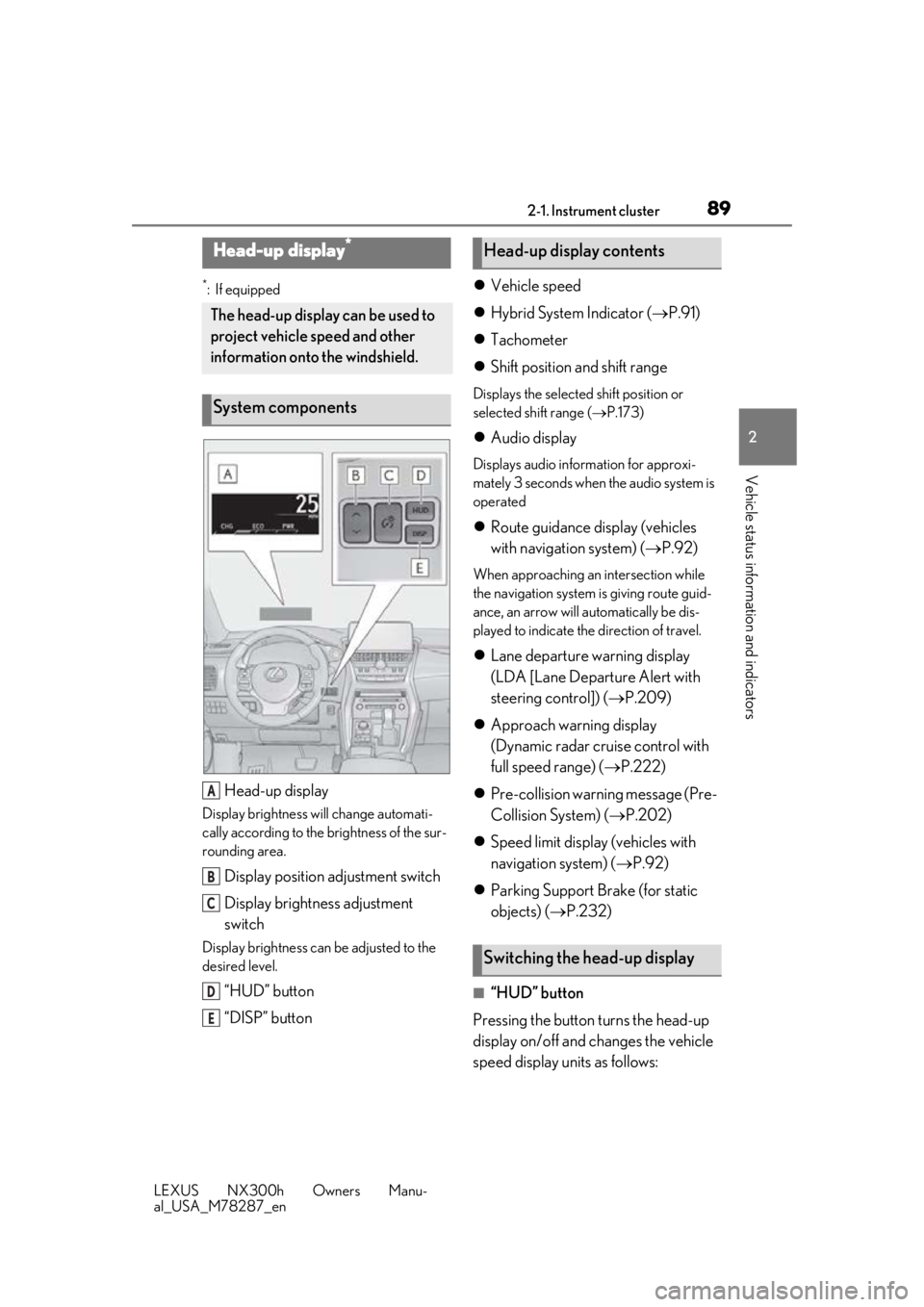
Head-up display
Display brightness will change automati-
cally according to the brightness of the sur-
rounding area.
Display position adjustment switch
Display brightness adjustment
switch
Display brightness can be adjusted to the
desired level.
“HUD” button
“DISP” button
Vehicle speed
Hybrid System Indicator ( P.91)
Tachometer
Shift position and shift range
Displays the selected shift position or
selected shift range ( P.173)
Audio display
Displays audio information for approxi-
mately 3 seconds when the audio system is
operated
Route guidance display (vehicles
with navigation system) ( P.92)
When approaching an intersection while
the navigation system is giving route guid-
ance, an arrow will automatically be dis-
played to indicate the direction of travel.
Lane departure warning display
(LDA [Lane Departure Alert with
steering control]) ( P.209)
Approach warning display
(Dynamic radar cruise control with
full speed range) ( P.222)
Pre-collision warning message (Pre-
Collision System) ( P.202)
Speed limit display (vehicles with
navigation system) ( P.92)
Parking Support Brake (for static
objects) ( P.232)
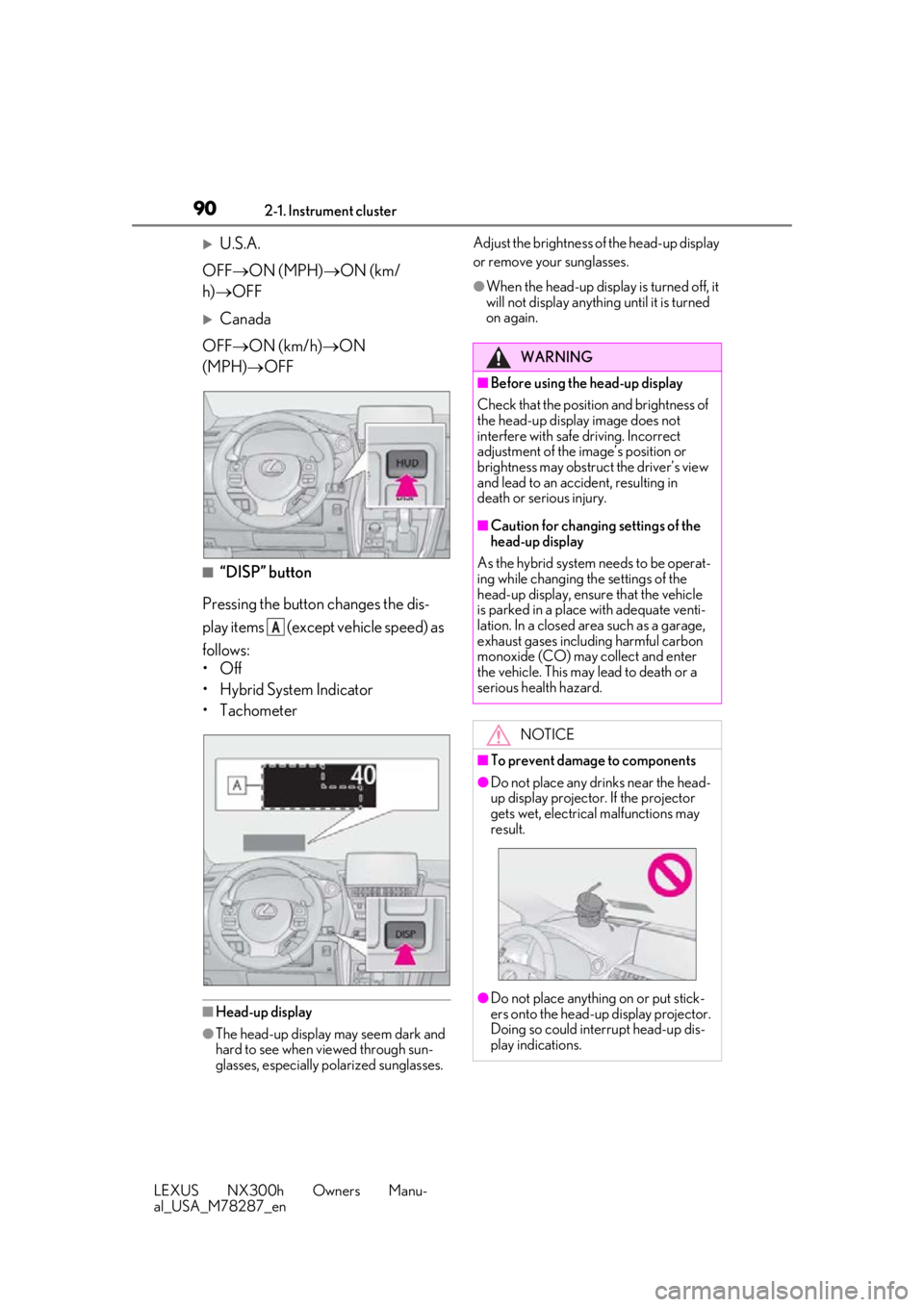
■“HUD” button
Pressing the button turns the head-up
display on/off and changes the vehicle
speed display units as follows:
Head-up display*
The head-up display can be used to
project vehicle speed and other
information onto the windshield.
System components
A
B
C
D
E
Head-up display contents
Switching the head-up display
Page 90 of 460
902-1. Instrument cluster
LEXUS NX300h Owners Manu-
al_USA_M78287_en
U.S.A.
OFF ON (MPH) ON (km/
h) OFF
Canada
OFF ON (km/h) ON
(MPH) OFF
■“DISP” button
Pressing the button changes the dis-
play items (except vehicle speed) as
follows:
•Off
• Hybrid System Indicator
• Tachometer
■Head-up display
●The head-up display may seem dark and
hard to see when viewed through sun-
glasses, especially polarized sunglasses. Adjust the brightness of
the head-up display
or remove your sunglasses.
●When the head-up display is turned off, it
will not display anything until it is turned
on again.
A
WARNING
■Before using the head-up display
Check that the position and brightness of
the head-up display image does not
interfere with safe driving. Incorrect
adjustment of the image’s position or
brightness may obstruct the driver’s view
and lead to an accident, resulting in
death or serious injury.
■Caution for changing settings of the
head-up display
As the hybrid system needs to be operat-
ing while changing th e settings of the
head-up display, ensure that the vehicle
is parked in a place with adequate venti-
lation. In a closed area such as a garage,
exhaust gases including harmful carbon
monoxide (CO) may collect and enter
the vehicle. This may lead to death or a
serious health hazard.
NOTICE
■To prevent damage to components
●Do not place any drinks near the head-
up display projector. If the projector
gets wet, electrical malfunctions may
result.
●Do not place anything on or put stick-
ers onto the head-up display projector.
Doing so could interrupt head-up dis-
play indications.
Page 105 of 460
1053-2. Opening, closing and locking the doors
LEXUS NX300h Owners Manu-
al_USA_M78287_en
3
Before driving
For vehicles with alarm: To prevent unin-
tended triggering of the alarm, unlock the
doors using the wirele ss remote control and
open and close a door once after the set-
tings have been changed. (If a door is not
opened within 60 seconds after is
pressed, the doors will be locked again and
the alarm will automatically be set.)
In a case that the alarm is triggered, imme-
diately stop the alarm. ( P.71)
■Locking the doors from the outside with-
out a key
1 Move the inside lock button to the lock
position.
2 Close the door.
The door cannot be locked if the power
switch is in ACCESSORY or ON mode, or
the electronic key is le ft inside the vehicle.
The key may not be detected correctly and
the door may be locked.
■Impact detection door lock release sys-
tem
In the event that the vehicle is subject to a
strong impact, all the doors are unlocked.
Depending on the force of the impact or the
type of accident, however, the system may not operate.
■Operation signals
Doors:
A buzzer sounds and the emergency flash-
ers flash to indicate that the doors have
been locked/unlocked. (Locked: Once;
Unlocked: Twice)
Windows and moon roof:
A buzzer sounds to indicate that all win-
dows and moon roof are opening.
■Security feature
If a door is not opened within approximately
60 seconds after the vehicle is unlocked,
the security feature automatically locks the
vehicle again.
■Open door warning buzzer
If the vehicle speed reaches 3 mph (5 km/
h), the master warning light flashes and a
buzzer sounds to indicate that door(s) or
the hood in not fully closed.
The open door(s) or hood is displayed on
the multi-information display.
■Welcome light illumination control
The side marker, parking, tail and license
plate lights automatically turn on at night
when the doors are unlocked using the
entry function or wireless remote control if
the light switch is in the “AUTO” position.
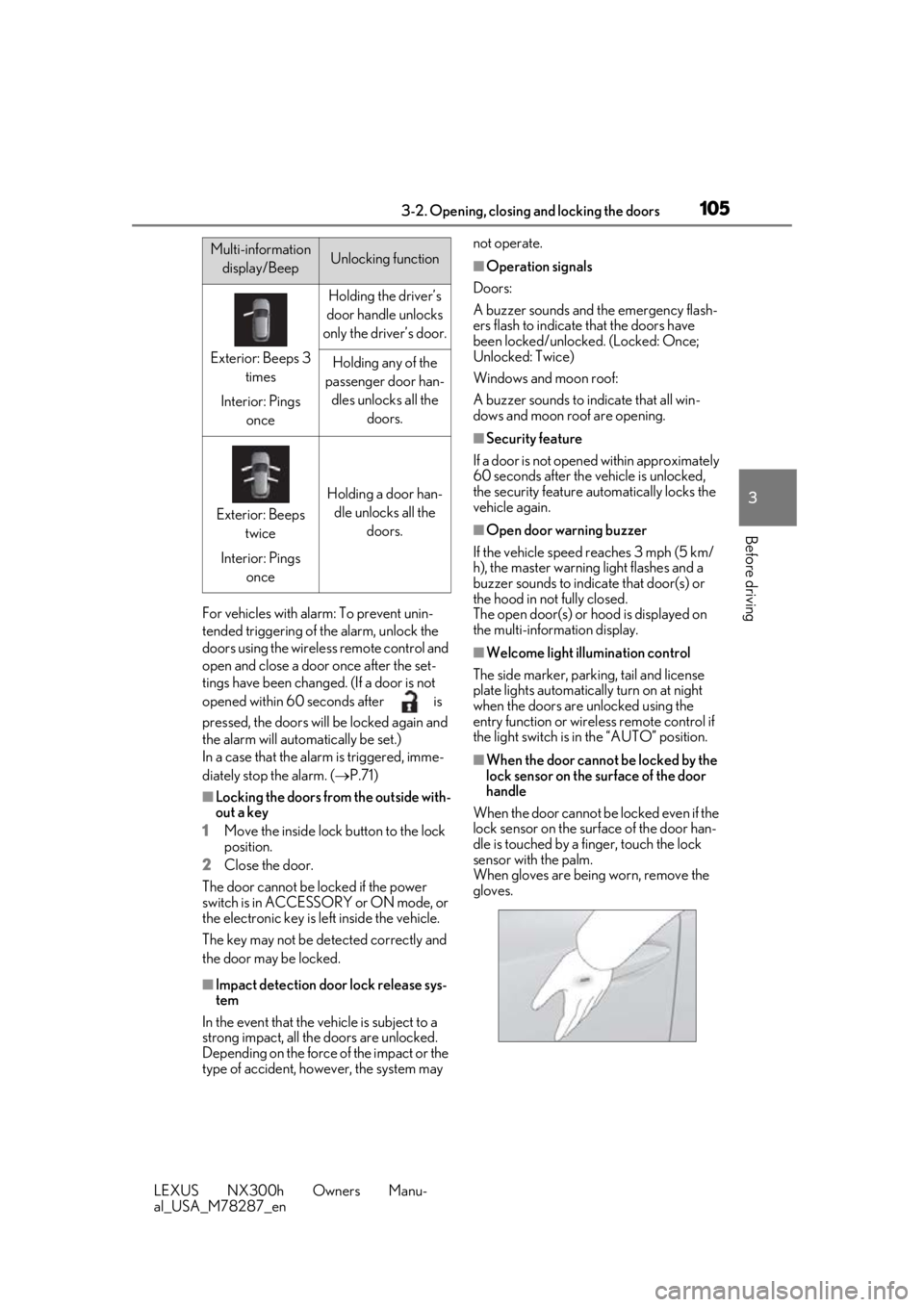
■When the door cannot be locked by the
lock sensor on the surface of the door
handle
When the door cannot be locked even if the
lock sensor on the surface of the door han-
dle is touched by a finger, touch the lock
sensor with the palm.
When gloves are being worn, remove the
gloves.
Multi-information display/BeepUnlocking function
Exterior: Beeps 3 times
Interior: Pings once
Holding the driver’s
door handle unlocks
only the driver’s door.
Holding any of the
passenger door han- dles unlocks all the doors.
Exterior: Beeps twice
Interior: Pings once
Holding a door han-dle unlocks all the doors.
Page 106 of 460
1063-2. Opening, closing and locking the doors
LEXUS NX300h Owners Manu-
al_USA_M78287_en
■Door lock buzzer
If an attempt to lock the doors is made when
a door is not fully closed, a buzzer sounds
continuously for 5 seconds. Fully close the
door to stop the buzzer, and lock the vehi-
cle once more.
■Setting the alarm
Locking the doors will set the alarm system.
( P.71)
■Conditions affecting the operation of
the smart access system with push-but-
ton start or wireless remote control
P.121
■If the smart access system with push-
button start or the wireless remote con-
trol does not operate properly
●Use the mechanical key to lock and
unlock the doors. ( P.389)
●Replace the key battery with a new one if
it is depleted.
■Customization
Settings (e.g. unloc king function using a
key) can be changed. (Customizable fea-
tures: P.421)
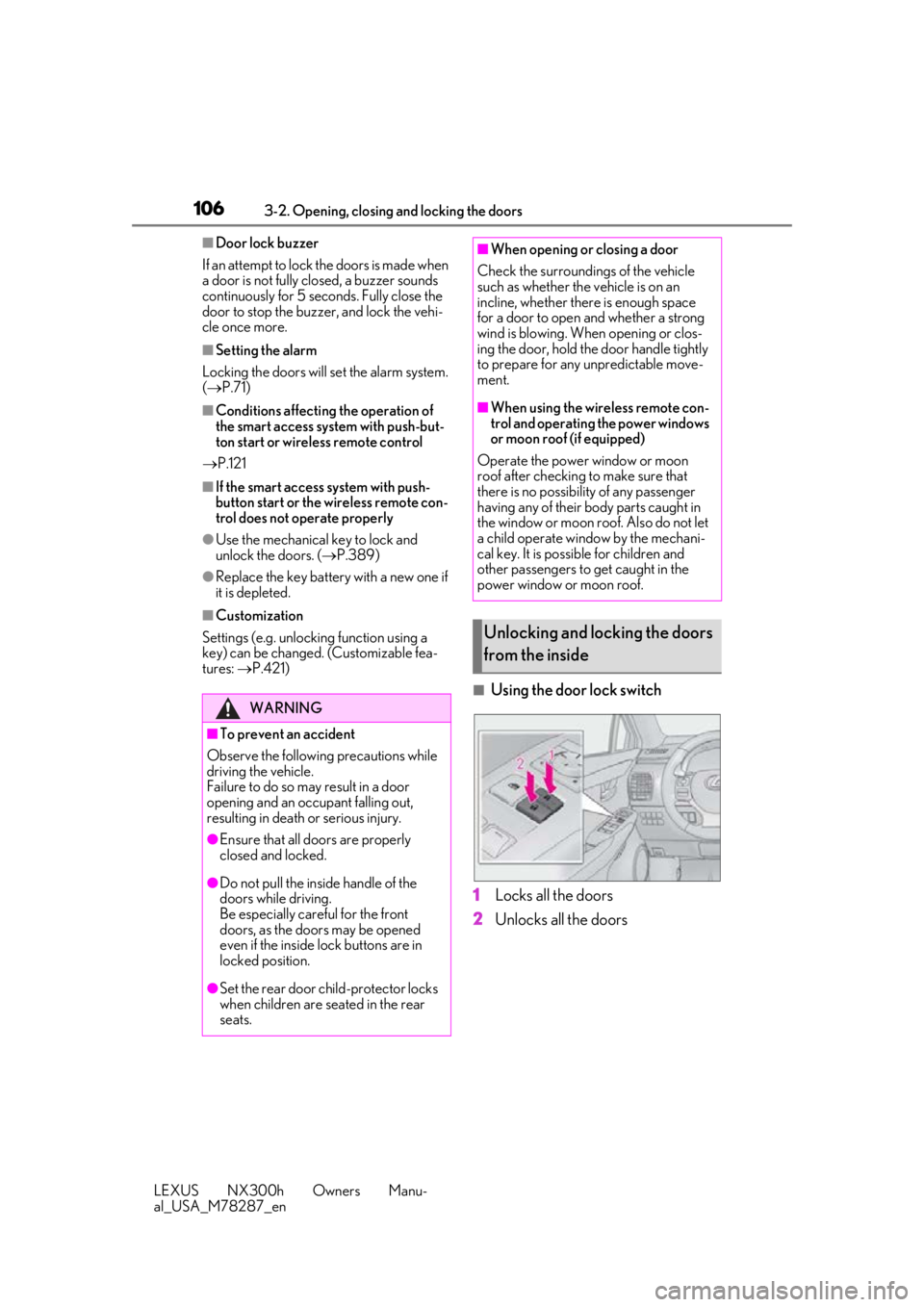
■Using the door lock switch
1 Locks all the doors
2 Unlocks all the doors
WARNING
■To prevent an accident
Observe the following precautions while
driving the vehicle.
Failure to do so may result in a door
opening and an occupant falling out,
resulting in death or serious injury.
●Ensure that all doors are properly
closed and locked.
●Do not pull the inside handle of the
doors while driving.
Be especially care ful for the front
doors, as the door s may be opened
even if the inside lock buttons are in
locked position.
●Set the rear door ch ild-protector locks
when children are seated in the rear
seats.
■When opening or closing a door
Check the surroundings of the vehicle
such as whether the vehicle is on an
incline, whether there is enough space
for a door to open and whether a strong
wind is blowing. When opening or clos-
ing the door, hold the door handle tightly
to prepare for any unpredictable move-
ment.
■When using the wireless remote con-
trol and operating the power windows
or moon roof (if equipped)
Operate the power window or moon
roof after checking to make sure that
there is no possibility of any passenger
having any of their body parts caught in
the window or moon roof. Also do not let
a child operate window by the mechani-
cal key. It is possible for children and
other passengers to get caught in the
power window or moon roof.
Unlocking and locking the doors
from the inside
Page 108 of 460
1083-2. Opening, closing and locking the doors
LEXUS NX300h Owners Manu-
al_USA_M78287_en
Back door
The back door can be opened using
the back door open switch, smart
access system with push-button
start or wireless remote control.
WARNING
■Caution while driving
●Keep the back door closed while driv-
ing.
If the back door is left open, it may hit
nearby objects while driving or lug-
gage may be unexpectedly thrown out,
causing an accident.
In addition, exhaust gases may enter
the vehicle, causing death or a serious
health hazard. Make sure to close the
back door before driving.
●Before driving the vehicle, make sure
that the back door is fully closed. If the
back door is not fully closed, it may
open unexpectedly while driving,
causing an accident.
●Never let anyone sit in the luggage
compartment. In the event of sudden
braking or a collision, they are suscep-
tible to death or serious injury.
■When children are in the vehicle
Observe the following precautions.
Failure to do so may result in death or
serious injury.
●Do not allow children to play in the lug-
gage compartment.
If a child is accidentally locked in the
luggage compartmen t, they could
have heat exhaustion or other injuries.
●Do not allow a child to open or close
the back door.
Doing so may cause the back door to
move unexpectedly, or cause the
child’s hands, head, or neck to be
caught by the closing back door.
■Operating the back door
Observe the following precautions.
Failure to do so may cause parts of the
body to be caught, resulting in death or
serious injury.
●Remove any heavy loads, such as snow
and ice, from the back door before
opening it. Failure to do so may cause
the back door to suddenly shut again
after it is opened.
●When opening or closing the back
door, thoroughly ch eck to make sure
the surrounding area is safe.
●If anyone is in the vicinity, make sure
they are safe and let them know that
the back door is about to open or
close.
●Use caution when opening or closing
the back door in windy weather as it
may move abruptly in strong wind.
●Vehicles without power back door:
The back door may suddenly shut if it is
not opened fully. It is more difficult to
open or close the back door on an
incline than on a level surface, so
beware of the back door unexpectedly
opening or closing by itself. Make sure
that the back door is fully open and
secure before using the luggage com-
partment.
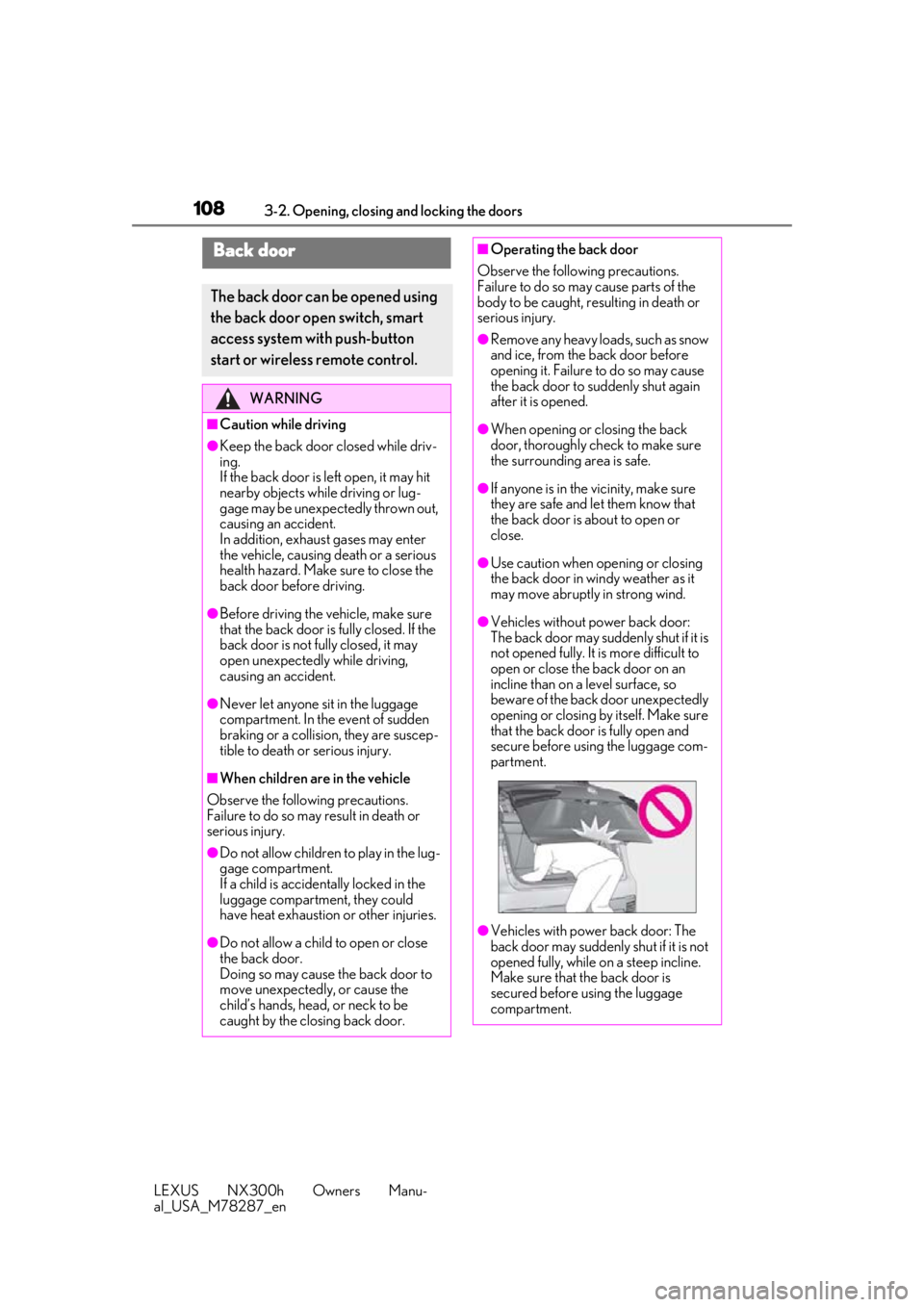
●Vehicles with power back door: The
back door may suddenly shut if it is not
opened fully, while on a steep incline.
Make sure that the back door is
secured before using the luggage
compartment.
Page 109 of 460
1093-2. Opening, closing and locking the doors
LEXUS NX300h Owners Manu-
al_USA_M78287_en
3
Before driving
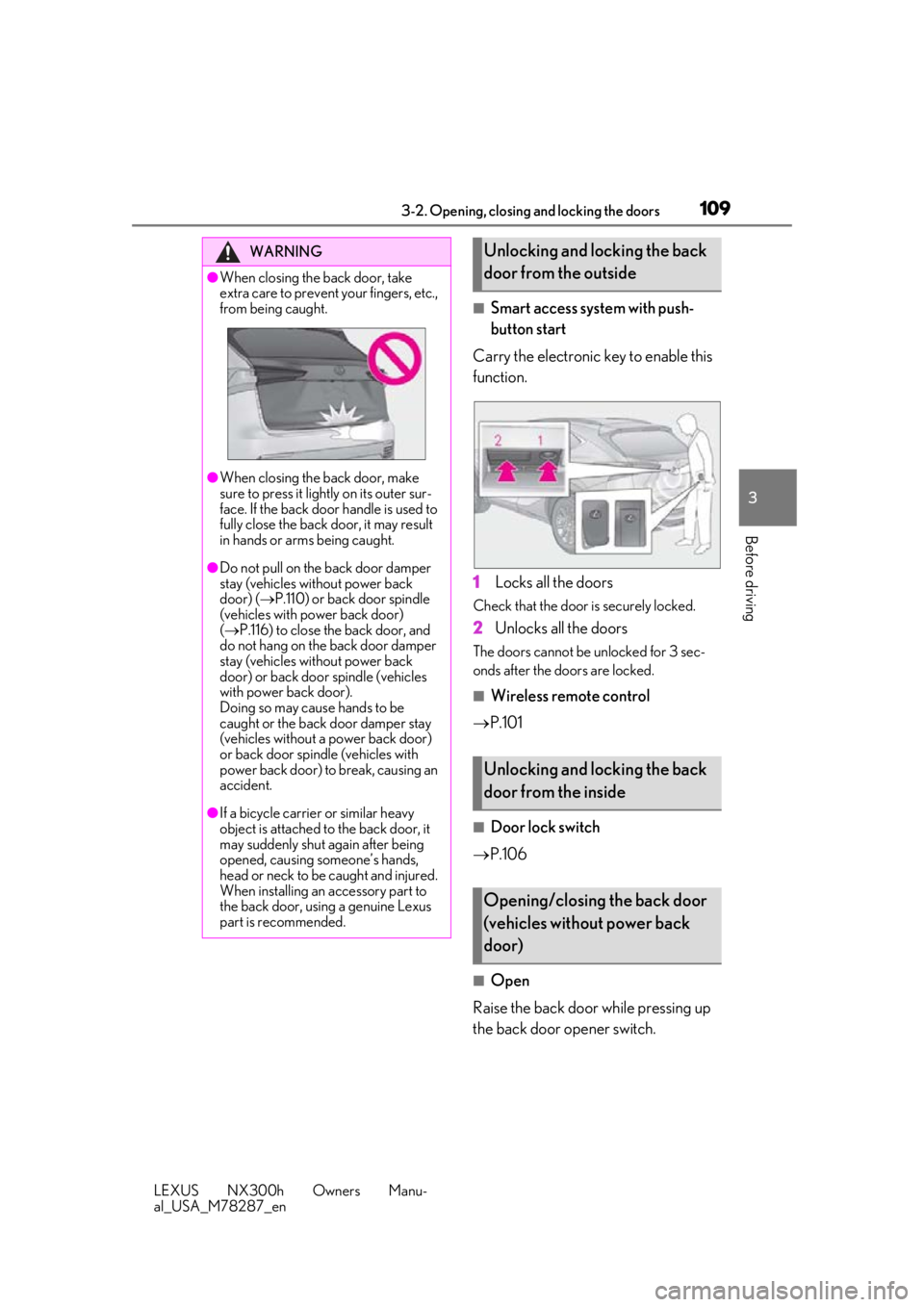
■Smart access system with push-
button start
Carry the electronic key to enable this
function.
1 Locks all the doors
Check that the door is securely locked.
2Unlocks all the doors
The doors cannot be unlocked for 3 sec-
onds after the doors are locked.
■Wireless remote control
P.101
■Door lock switch
P.106
■Open
Raise the back door while pressing up
the back door opener switch.
WARNING
●When closing the back door, take
extra care to prevent your fingers, etc.,
from being caught.
●When closing the back door, make
sure to press it lightly on its outer sur-
face. If the back door handle is used to
fully close the back door, it may result
in hands or arms being caught.
●Do not pull on the back door damper
stay (vehicles without power back
door) ( P.110) or back door spindle
(vehicles with power back door)
( P.116) to close the back door, and
do not hang on the back door damper
stay (vehicles without power back
door) or back door spindle (vehicles
with power back door).
Doing so may cause hands to be
caught or the back door damper stay
(vehicles without a power back door)
or back door spin dle (vehicles with
power back door) to break, causing an
accident.
●If a bicycle carrier or similar heavy
object is attached to the back door, it
may suddenly shut again after being
opened, causing someone’s hands,
head or neck to be caught and injured.
When installing an accessory part to
the back door, using a genuine Lexus
part is recommended.
Unlocking and locking the back
door from the outside
Unlocking and locking the back
door from the inside
Opening/closing the back door
(vehicles without power back
door)