battery LEXUS NX300h 2020 User Guide
[x] Cancel search | Manufacturer: LEXUS, Model Year: 2020, Model line: NX300h, Model: LEXUS NX300h 2020Pages: 484, PDF Size: 15.45 MB
Page 78 of 484
781-5. Theft deterrent system
LEXUS NX300h Owners Manual_USA_M78530_en
■Alarm-operated door lock
In the following cases, depending on the sit-
uation, the door may automatically lock to
prevent improper entry into the vehicle:
●When a person remaining in the vehicle
unlocks the door and the alarm is acti-
vated.
●While the alarm is activated, a person
remaining in the vehicle unlocks the door.
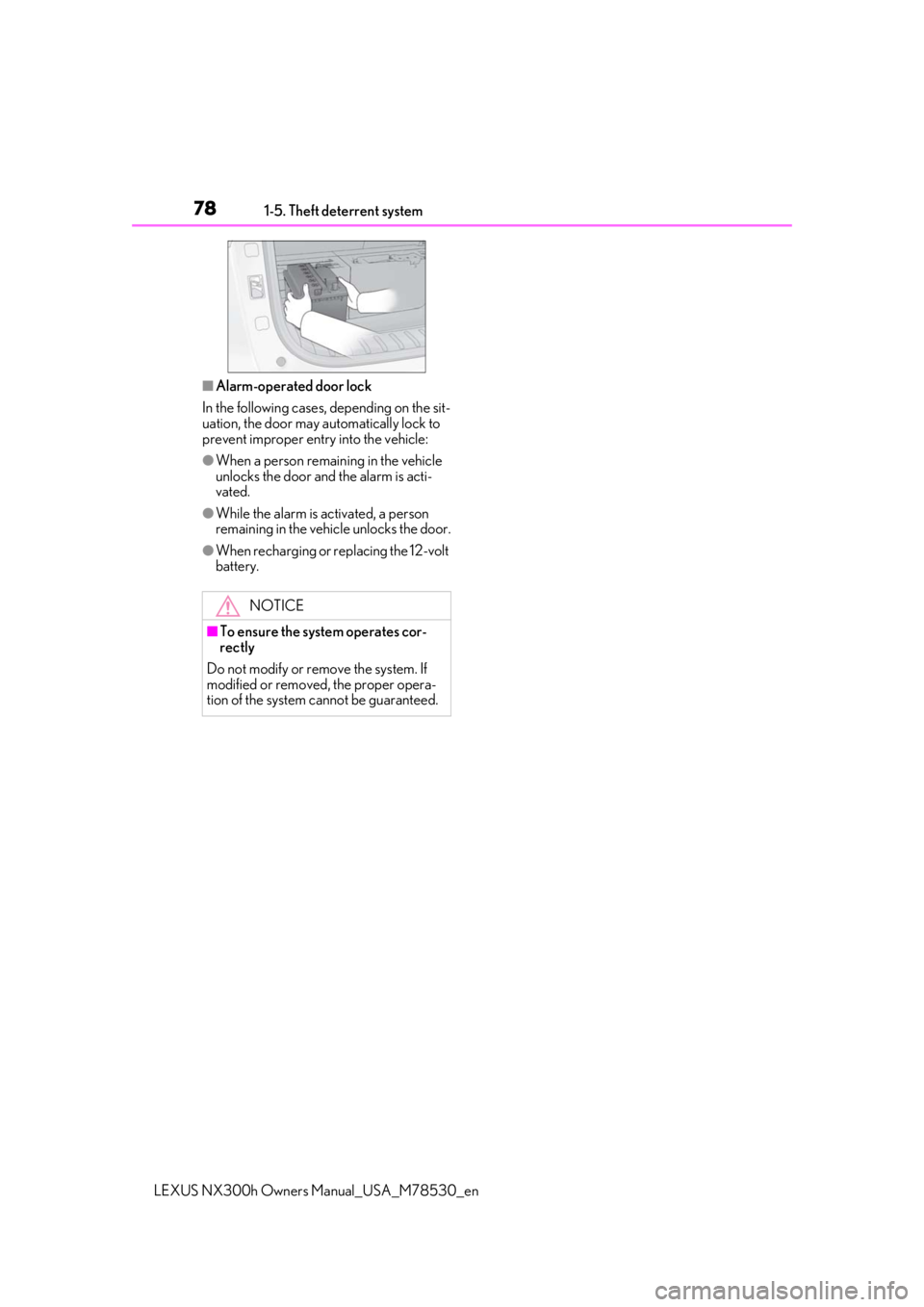
●When recharging or replacing the 12-volt
battery.
NOTICE
■To ensure the system operates cor-
rectly
Do not modify or remove the system. If
modified or removed, the proper opera-
tion of the system cannot be guaranteed.
Page 87 of 484

872-1. Instrument cluster
LEXUS NX300h Owners Manual_USA_M78530_en
2
Vehicle status information and indicators
■Hybrid System Indicator Power area
Shows that an Eco-friendly driving
range is being exceeded (during full
power driving etc.)
Eco area
Shows that the vehicle is being driven in
an Eco-friendly manner.
Hybrid Eco area
Shows that gasoline engine power is not
being used very often.
The gasoline engine will automatically
stop and restart under various condi-
tions.
Charge area
Shows that energy is being recovered
via the regenerative brake.
●Hybrid System Indicator is displayed
when the driving mode is in other than
the Sport mode.
●By keeping the indicator needle within
Eco area, more Eco-friendly driving can
be achieved.
●Charge area indicates regeneration* sta-
tus. Regenerated energy will be used to
charge the hybrid battery (traction bat-
tery).
*: When used in this manual, “regeneration”
refers to the conversion of energy cre-
ated by the movement of the vehicle into
electrical energy.
■Tachometer
Hybrid System Indicator switches to the
tachometer when drivin g mode is in Sport
mode. The settings of the tachometer dis-
play can be changed on the multi-informa-
tion display.
■Engine speed
On hybrid vehicles, engine speed is pre-
cisely controlled in order to help improve
fuel efficiency and reduce exhaust emis-
sions, etc.
There are times when the engine speed that
is displayed may differ even when vehicle
operation and driving conditions are the
same.
■Outside temperature display
●In the following situations, the correct
outside temperature may not be dis-
played, or the display may take longer
than normal to change.
• When stopped, or driving at low speeds
(less than 12 mph [20 km/h])
• When the outside temperature has changed suddenly (at the entrance/exit of
a garage, tunnel, etc.)
●When “--” or “E” is displayed, the system
may be malfunctioning.
Take your vehicle to your Lexus dealer.
■Pop-up display
In some situations, a pop-up display will be
temporarily displayed on the multi-informa-
tion display or the odometer/trip
meter/maintenance required information
screen.
The pop-up display function can be set
on/off. ( P.93)
■Liquid crystal display
Small spots or light sp ots may appear on the
display. This phenomenon is characteristic
of liquid crystal disp lays, and there is no
problem continuing to use the display.
■Customization
The meter display can be customized on
A
B
C
D
Page 91 of 484

912-1. Instrument cluster
LEXUS NX300h Owners Manual_USA_M78530_en
2
Vehicle status information and indicators
■Vehicle sway warning
Detects the sway of the vehicle within a
lane, which is often associated with a
decrease in the driver’s attention level,
and displays the decrease in attention
using a bar display.
The shorter the bar length, the more
the driver may need to rest.
This display is a part of the LTA (Lane
Tracing Assist) system or LDA (Lane
Departure Alert with steering control)
system. The display is enabled when
the operating conditions of the vehicle
sway warning are met. ( P.221, 230)
■Display off
A blank screen is displayed.
■Tire inflation pressure
●It may take a few minutes to display the
tire inflation pressure after the power
switch is turned to ON mode. It may also
take a few minutes to display the tire infla-
tion pressure after inflation pressure has
been adjusted.
●“--” may be displayed if the tire informa-
tion cannot be determined due to unfa-
vorable radio wave conditions.
●Tire inflation pressure changes with tem-
perature. The displayed values may also
be different from the values measured
using a tire pressure gauge.
■When disconnecting and reconnecting
12-volt battery terminals
The drive information will be reset.
Select to display the following naviga-
tion system-linked information.
Route guidance
Compass display (heading-up dis-
play)
Select to enable se lection of an audio
source or track on the display using the
meter control switches.
Select to display the operational status
of the following systems:
LTA (Lane Tracing Assist) ( P.217)
LDA (Lane Departure Alert with
steering control) ( P.226)
Dynamic radar cruise control with
full-speed range ( P.236)
RSA (Road Sign Assist) ( P. 234)
The displayed icon changes depending
on the system used.
Select to display warning messages
and measures to be taken if a malfunc-
tion is detected. ( P.396)
The settings of the following items can
be changed using the meter control
switches.
For functions that can be enabled or
disabled, the function switches
between on and off each time is
pressed.
Navigation system-linked dis-
play (if equipped)
Audio system-linked display
Driving assist system information
Warning message display
Settings display
Page 94 of 484

942-1. Instrument cluster
LEXUS NX300h Owners Manual_USA_M78530_enSelect to set the display of the tachometer
or Hybrid System Indicator to automati-
cally change according to the driving
mode or static.
Initialization
Select to reset the me ter display settings.
■Suspension of the settings display
In the following situations, the settings dis-
play using the meter control switches will be
suspended.
●When a warning message appears on the
multi-information display
●When the vehicle begins to move
Automatically displayed when the sys-
tem is used. ( P.247)
*: If equipped
Head-up display
Display brightness will change automati-
cally according to the brightness of the sur-
rounding area.
Display position adjustment switch
Display brightness adjustment
switch
Display brightness can be adjusted to the
desired level.
“HUD” button
“DISP” button
WARNING
■Cautions during setting up the dis-
play
As the hybrid system needs to be operat-
ing during setting up the display, ensure
that the vehicle is parked in a place with
adequate ventilation. In a closed area
such as a garage, exhaust gases includ-
ing harmful carbon monoxide (CO) may
collect and enter the vehicle. This may
lead to death or a serious health hazard.
NOTICE
■During setting up the display
To prevent 12-volt battery discharge,
ensure that the hybrid system is operat-
ing while setting up the display features.
Intuitive parking assist (if
equipped)
Head-up display*
The head-up display can be used to
project vehicle speed and other
information onto the windshield.
System components
A
B
C
D
E
Page 96 of 484

962-1. Instrument cluster
LEXUS NX300h Owners Manual_USA_M78530_en
■Head-up display
●The head-up display may seem dark and
hard to see when viewed through sun-
glasses, especially polarized sunglasses.
Adjust the brightness of the head-up dis-
play or remove your sunglasses.
●When the head-up display is turned off, it
will not display anything until it is turned
on again.
■Adjusting the display position
1 Higher
WARNING
■Before using the head-up display
Check that the position and brightness of
the head-up display image does not
interfere with safe driving. Incorrect
adjustment of the image’s position or
brightness may obstruct the driver’s view
and lead to an accident, resulting in
death or serious injury.
■Caution for changing settings of the
head-up display
As the hybrid system needs to be operat-
ing while changing th e settings of the
head-up display, ensure that the vehicle
is parked in a place with adequate venti-
lation. In a closed area such as a garage,
exhaust gases includ ing harmful carbon
monoxide (CO) may collect and enter
the vehicle. This may lead to death or a
serious health hazard.
NOTICE
■To prevent damage to components
●Do not place any drinks near the head-
up display projector. If the projector
gets wet, electrical malfunctions may
result.
●Do not place anything on or put stick-
ers onto the head-up display projector.
Doing so could interrupt head-up dis-
play indications.
●Do not touch the inside of the head-up
display projector or thrust sharp edges
or the like into the projector.
Doing so could cause mechanical mal-
functions.
■When changing the settings of the
head-up display
To prevent 12-volt battery discharge,
ensure that the hybrid system is operat-
ing while changing th e settings of the
head-up display.
Making the display easier to see
Page 98 of 484
982-1. Instrument cluster
LEXUS NX300h Owners Manual_USA_M78530_en
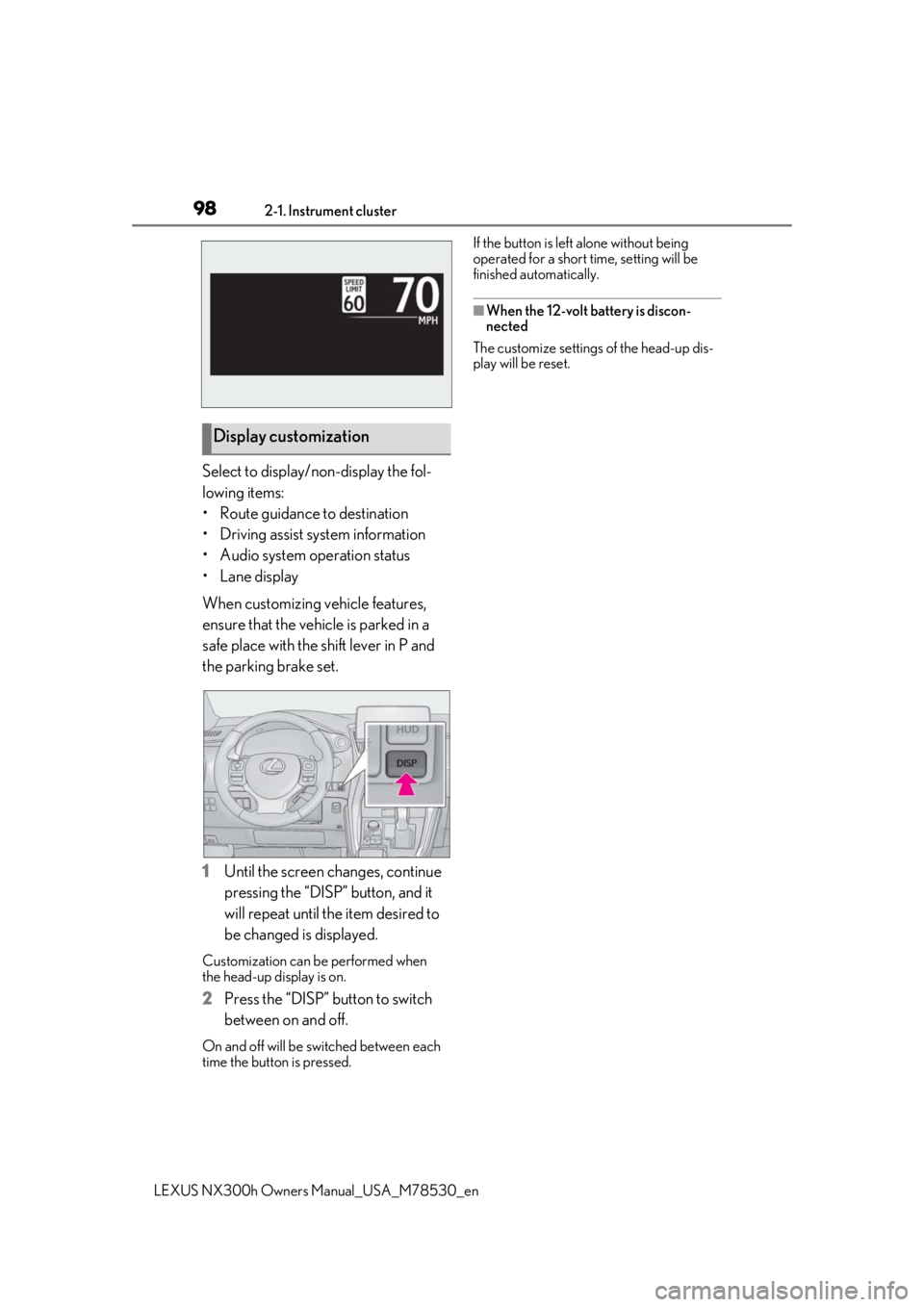
Select to display/non-display the fol-
lowing items:
• Route guidance to destination
• Driving assist system information
• Audio system operation status
•Lane display
When customizing vehicle features,
ensure that the vehicle is parked in a
safe place with the shift lever in P and
the parking brake set.
1Until the screen changes, continue
pressing the “DISP” button, and it
will repeat until the item desired to
be changed is displayed.
Customization can be performed when
the head-up display is on.
2 Press the “DISP” button to switch
between on and off.
On and off will be switched between each
time the button is pressed. If the button is left alone without being
operated for a short time, setting will be
finished automatically.
■When the 12-volt battery is discon-
nected
The customize settings of the head-up dis-
play will be reset.
Display customization
Page 100 of 484

1002-1. Instrument cluster
LEXUS NX300h Owners Manual_USA_M78530_en
When the vehicle is powered by the electric motor (traction motor)
Navigation/multimedia system displayMulti-information display
When the vehicle is powered by both the gasoline engine and the electric motor (traction
motor)
Navigation/multimedia system displayMulti-information display
When the vehicle is powered by the gasoline engine
Navigation/multimedia system displayMulti-information display
When the vehicle is charging the hybrid battery (traction battery)
Navigation/multimedia system displayMulti-information display
Page 101 of 484

1012-1. Instrument cluster
LEXUS NX300h Owners Manual_USA_M78530_en
2
Vehicle status information and indicators
These images are examples only, and may vary slightly from actual conditions.
■Hybrid battery (traction battery)
status
Navigation/multimedia system dis-
play
Low
High
Multi-information displayLow
High
These images are examples only, and may
vary slightly from actual conditions.
■Trip information
Press the “MENU” button on the
Remote Touch, then select on the
screen.
If a screen other than “Trip Information” is
displayed, select “Trip Information”.
Resetting the consumption data
Fuel consumption in the past 15
minutes
Current fuel consumption
Regenerated energy in the past 15
minutes
One symbol indicates 50 Wh. Up
to 5 symbols are shown.
Average vehicle speed since the
hybrid system was started.
When there is no energy flow
Navigation/multimedia system displayMulti-information display
A
B
A
B
Fuel consumption
A
B
C
D
E
Page 106 of 484

1063-1. Key information
LEXUS NX300h Owners Manual_USA_M78530_en
3-1.Key information
The following keys are provided with
the vehicle.
Electronic keys
• Operating the smart access system with push-button start ( P.126)
• Operating the wireless remote control function
Mechanical keys
Key number plate
Card key (electronic key) (if
equipped)
Operating the smart access system with
push-button start ( P.126)
■Card key (if equipped)
●The mechanical key that is stored inside
the card key should be used only if a
problem arises, such as when the card
key does not operate properly.
●If the battery cover is not installed and the
battery falls out or if the battery was
removed because the key got wet, rein-
stall the battery with the positive terminal
facing the Lexus emblem.
●The card key is not waterproof.
■When riding in an aircraft
When bringing an electronic key onto an
aircraft, make sure you do not press any
buttons on the electronic key while inside
the aircraft cabin. If you are carrying an
electronic key in your bag, etc., ensure that
the buttons are not likely to be pressed acci-
dentally. Pressing a button may cause the
electronic key to emit radio waves that
could interfere with the operation of the air-
craft.
■Electronic key battery depletion
●The standard battery life is 1 to 2 years.
(The card key battery life is about a year
and a half.)
●If the battery becomes low, an alarm will
sound in the cabin wh en the hybrid sys-
tem stops.
●As the electronic key always receives
radio waves, the battery will become
depleted even if the electronic key is not
used. The following symptoms indicate
that the electronic key battery may be
depleted. Replace the battery when nec-
essary.
• The smart access system with push-but- ton start or the wireless remote control
does not operate.
• The detection area becomes smaller.
• The LED indicator on the key surface does not turn on.
●To avoid serious dete rioration, do not
leave the electronic key within 3 ft. (1 m)
of the following electrical appliances that
produce a magnetic field:
Keys
Key types
A
B
C
D
Page 107 of 484

1073-1. Key information
LEXUS NX300h Owners Manual_USA_M78530_en
3
Before driving
•TVs
• Personal computers
• Cellular phones, cordless phones and battery chargers
• Recharging cellular phones or cordless
phones
• Induction cookers
• Table lamps
■Replacing the battery
P.368
■Confirmation of the registered key
number
The number of keys already registered to
the vehicle can be confirmed. Ask your
Lexus dealer for details.
The electronic keys are equipped with
NOTICE
■To prevent key damage
●Do not drop the keys, subject them to
strong shocks or bend them.
●Do not expose the keys to high tem-
peratures for long periods of time.
●Do not get the keys wet or wash them
in an ultrasonic washer, etc.
●Do not attach metallic or magnetic
materials to the keys or place the keys
close to such materials.
●Do not disassemb le the keys.
●Do not attach a sticker or anything else
to the surface of the electronic key.
●Do not place the keys near objects that
produce magnetic fields, such as TVs,
audio systems and induction cookers,
or medical electrical equipment, such
as low-frequency therapy equipment.
■Carrying the electronic key on your
person
Carry the electronic key 3.9 in. (10 cm)
or more away from electric appliances
that are turned on. Radio waves emitted
from electric applianc es within 3.9 in. (10
cm) of the electronic key may interfere
with the key, causing the key to not func-
tion properly.
■In case of a smart access system with
push-button start malfunction or
other key related problems
P.410
■When an electronic key is lost
P.409
■Handling the card key
●If the battery or card key terminals get
wet, the battery may corrode and the
card key may stop working.
If the key is dropped into water, or if
drinking water, etc., is spilled on the
key, immediately remove the battery
cover and wipe the battery and termi-
nals. (To remove the battery cover,
lightly grasp and pull it.) If the battery is
corroded, have your Lexus dealer
replace the battery.
●Do not crush the battery cover or use
a screwdriver to remove the battery
cover.
Forcibly removing the battery cover
may bend or damage the key.
●If the battery cover is frequently
removed, the battery cover may
become loose.
●When installing the battery, make sure
to check the direction of the battery.
Installing the battery in the wrong
direction may cause the battery to
deplete rapidly.
●The surface of the card key may be
damaged, or its coating may peel off in
the following situations:
• The card key is ca rried together with
hard objects, such as coins and keys.
• The card key is scraped with a sharp object, such as the tip of a mechanical
pencil.
• The surface of the card key is wiped with thinner or benzene.
Wireless remote control