lane assist LEXUS NX300h 2020 Owners Manual
[x] Cancel search | Manufacturer: LEXUS, Model Year: 2020, Model line: NX300h, Model: LEXUS NX300h 2020Pages: 484, PDF Size: 15.45 MB
Page 3 of 484
3TABLE OF CONTENTS
LEXUS NX300h Owners Manual_USA_M78530_en
1
2
3
4
5
6
7
8
9
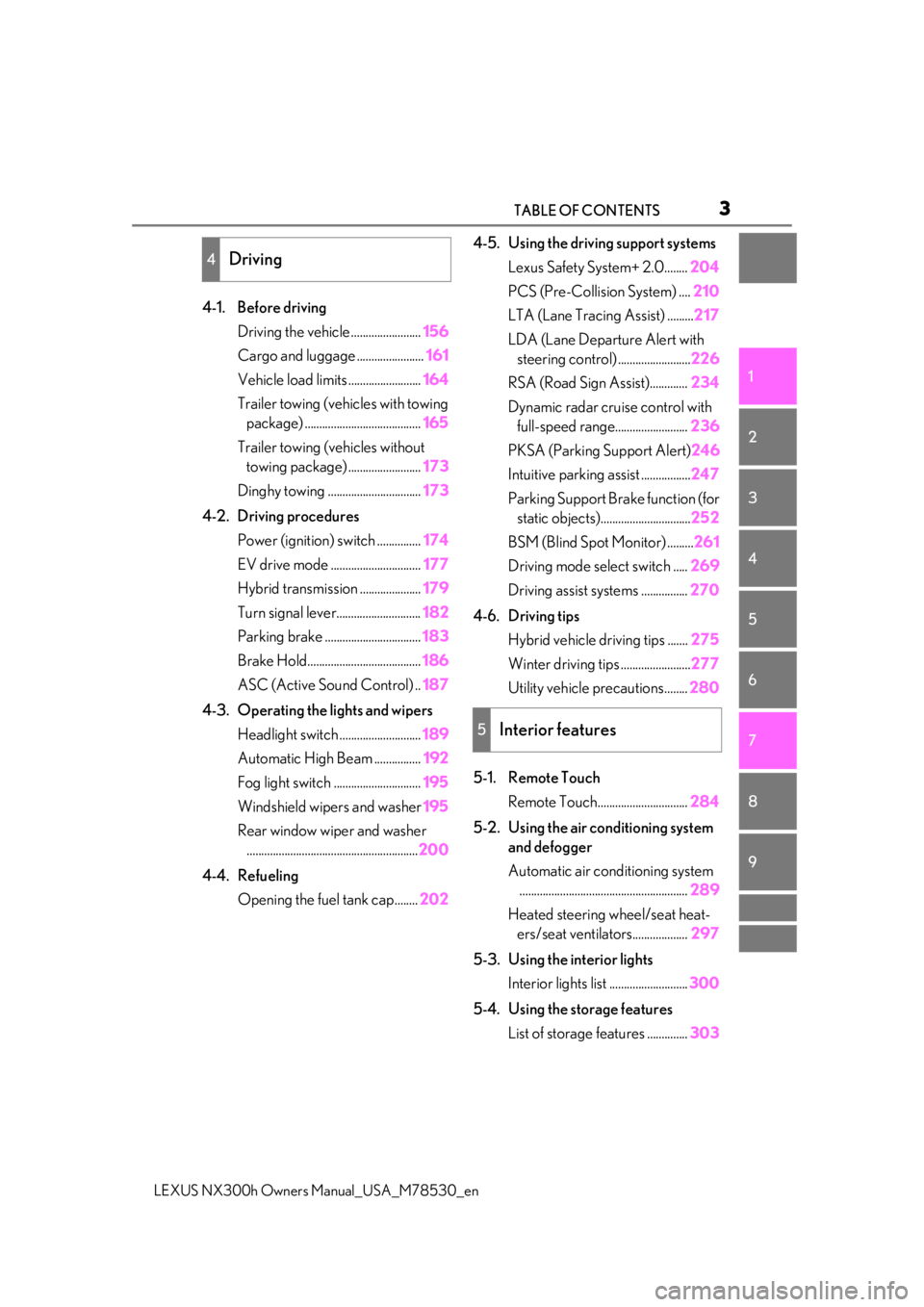
4-1. Before driving Driving the vehicle ........................ 156
Cargo and luggage ....................... 161
Vehicle load limits ......................... 164
Trailer towing (vehicles with towing package) ........................................ 165
Trailer towing (vehicles without towing package) ......................... 173
Dinghy towing ................................ 173
4-2. Driving procedures Power (ignition) switch ............... 174
EV drive mode ............................... 177
Hybrid transmission ..................... 179
Turn signal lever............................. 182
Parking brake ................................. 183
Brake Hold....................................... 186
ASC (Active Sound Control) .. 187
4-3. Operating the lights and wipers Headlight switch ............................ 189
Automatic High Beam ................ 192
Fog light switch .............................. 195
Windshield wipers and washer 195
Rear window wiper and washer ........................................................... 200
4-4. Refueling Opening the fuel tank cap........ 2024-5. Using the driving support systems
Lexus Safety System+ 2.0........ 204
PCS (Pre-Collision System) .... 210
LTA (Lane Tracing Assist) ......... 217
LDA (Lane Departure Alert with steering control) ......................... 226
RSA (Road Sign Assist)............. 234
Dynamic radar cruise control with full-speed range......................... 236
PKSA (Parking Support Alert) 246
Intuitive parking assist ................. 247
Parking Support Brake function (for static objects)............................... 252
BSM (Blind Spot Monitor) ......... 261
Driving mode select switch ..... 269
Driving assist systems ................ 270
4-6. Driving tips Hybrid vehicle driving tips ....... 275
Winter driving tips ........................ 277
Utility vehicle precautions........ 280
5-1. Remote Touch Remote Touch............................... 284
5-2. Using the air conditioning system and defogger
Automatic air conditioning system.......................................................... 289
Heated steering wheel/seat heat- ers/seat ventilators................... 297
5-3. Using the interior lights Interior lights list ........................... 300
5-4. Using the storage features List of storage features .............. 303
4Driving
5Interior features
Page 19 of 484

19Pictorial index
LEXUS NX300h Owners Manual_USA_M78530_en
Paddle shift switches ............................................................................................... P.181
Meter control switches .......................................................................................... P.89
Vehicle-to-vehicle distance switch ................................................................... P.241
Cruise control switch
Dynamic radar cruise control with full-spee d range ......................................... P.236
LDA (Lane Departure Alert with steering control) switch
*2.................. P.230
LTA (Lane Tracing Assist) switch
*2..................................................................P.222
Talk switch
*1
Telephone switches*1
*1
: Refer to “NAVIGATION AND MULTIMEDIA SYSTEM OWNER’S MANUAL”.
*2: If equipped
EV drive mode switch ............................................................................................ P.177
Driving mode select switch ................................................................................. P.269
VSC off switch.......................................................................................................... P.271
Parking brake switches .........................................................................................P.183
Applying/releasing ........................................................................................................... P. 183
Precautions against winter season ................... ......................................................... P.278
Warning buzzer/message..................................................................................P.184, 396
B
C
D
E
F
G
H
A
B
C
D
Page 91 of 484

912-1. Instrument cluster
LEXUS NX300h Owners Manual_USA_M78530_en
2
Vehicle status information and indicators
■Vehicle sway warning
Detects the sway of the vehicle within a
lane, which is often associated with a
decrease in the driver’s attention level,
and displays the decrease in attention
using a bar display.
The shorter the bar length, the more
the driver may need to rest.
This display is a part of the LTA (Lane
Tracing Assist) system or LDA (Lane
Departure Alert with steering control)
system. The display is enabled when
the operating conditions of the vehicle
sway warning are met. ( P.221, 230)
■Display off
A blank screen is displayed.
■Tire inflation pressure
●It may take a few minutes to display the
tire inflation pressure after the power
switch is turned to ON mode. It may also
take a few minutes to display the tire infla-
tion pressure after inflation pressure has
been adjusted.
●“--” may be displayed if the tire informa-
tion cannot be determined due to unfa-
vorable radio wave conditions.
●Tire inflation pressure changes with tem-
perature. The displayed values may also
be different from the values measured
using a tire pressure gauge.
■When disconnecting and reconnecting
12-volt battery terminals
The drive information will be reset.
Select to display the following naviga-
tion system-linked information.
Route guidance
Compass display (heading-up dis-
play)
Select to enable se lection of an audio
source or track on the display using the
meter control switches.
Select to display the operational status
of the following systems:
LTA (Lane Tracing Assist) ( P.217)
LDA (Lane Departure Alert with
steering control) ( P.226)
Dynamic radar cruise control with
full-speed range ( P.236)
RSA (Road Sign Assist) ( P. 234)
The displayed icon changes depending
on the system used.
Select to display warning messages
and measures to be taken if a malfunc-
tion is detected. ( P.396)
The settings of the following items can
be changed using the meter control
switches.
For functions that can be enabled or
disabled, the function switches
between on and off each time is
pressed.
Navigation system-linked dis-
play (if equipped)
Audio system-linked display
Driving assist system information
Warning message display
Settings display
Page 92 of 484

922-1. Instrument cluster
LEXUS NX300h Owners Manual_USA_M78530_en
■ LTA (Lane Tracing Assist) (if
equipped) ( P.217)
Select to set up the following items.
Lane centering
Select to enable/disab le the lane centering
function.
Steering Assist
Select to enable/disable steering wheel
assistance.
Alert
Select to change the alert types.
Alert sensitivity
Select to set the warning sensitivity.
Sway warning
Select to enable/disab le the vehicle sway
warning.
Sway sensitivity
Select to set the vehicle sway warning sen-
sitivity.
■LDA (Lane Departure Alert
with steering control) (if equipped)
( P.226)
Select to set up the following items.
Steering Assist
Select to enable/disable steering wheel
assistance.
Alert
Select to change the alert types.
Alert sensitivity
Select to set the warning sensitivity.
Sway warning
Select to enable/disab le the vehicle sway
warning.
Sway sensitivity
Select to set the vehicle sway warning sen-
sitivity.
■ PCS (Pre-Collision System)
( P.210)
Select to set up the following items.
PCS on/off
Select to enable/disable the pre-collision
system.
PCS sensitivity
Select to change the warning timing.
■PKSA (Parking Support Alert) (if
equipped) ( P.246)
Select to set up the following items.
Intuitive parking assist sensor
Select to enable/disab le the intuitive park-
ing assist sensor.
Volume
Select to set the volume of the buzzer
which sounds when the parking support
alert is operated.
■ PKSB (Parking Support
Brake function) (if equipped)
( P.252)
PKSB on/off
Select to enable/disable the parking sup-
port brake function (f or static objects).
■ RSA (Road Sign Assist) (if
equipped) ( P. 234)
Select to set up the following items.
Road Sign Assist
Select to enable/disab le road sign assist.
Over Speed
Page 95 of 484

952-1. Instrument cluster
LEXUS NX300h Owners Manual_USA_M78530_en
2
Vehicle status information and indicators
Vehicle speed
Hybrid System Indicator ( P.97)
Tachometer
Shift position and shift range
Displays the selected shift position or
selected shift range ( P.179)
Audio display
Displays audio info rmation for approxi-
mately 3 seconds when the audio system is
operated
Route guidance display (vehicles
with navigation system) ( P.97)
When approaching an intersection while
the navigation system is giving route guid-
ance, an arrow will automatically be dis-
played to indicate the direction of travel.
Lane departure warning display
(LTA [Lane Tracing Assist]) (if
equipped) ( P.217)
Lane departure warning display
(LDA [Lane Departure Alert with
steering control]) ( P.226)
Approach warning display
(Dynamic radar cruise control with
full speed range) ( P.242)
Road signs (RSA [Road Sign
Assist]) (if equipped) ( P. 234)
Pre-collision warnin g message (Pre-
Collision System) ( P.210)
Speed limit display (vehicles with
navigation system) ( P.97)
Parking Support Brake function (for
static objects) ( P.252)
Brake Override System ( P.157)
Drive-Start Control ( P.157)
■“HUD” button
Pressing the button turns the head-up
display on/off and changes the vehicle
speed display units as follows:
U.S.A.
OFF ON (MPH) ON
(km/h) OFF
Canada
OFF ON (km/h) ON
(MPH) OFF
■“DISP” button
Pressing the button changes the dis-
play items (except vehicle speed) as
follows:
•Off
• Hybrid System Indicator
•Tachometer
Head-up display contents
Switching the head-up display
A
Page 98 of 484
982-1. Instrument cluster
LEXUS NX300h Owners Manual_USA_M78530_en
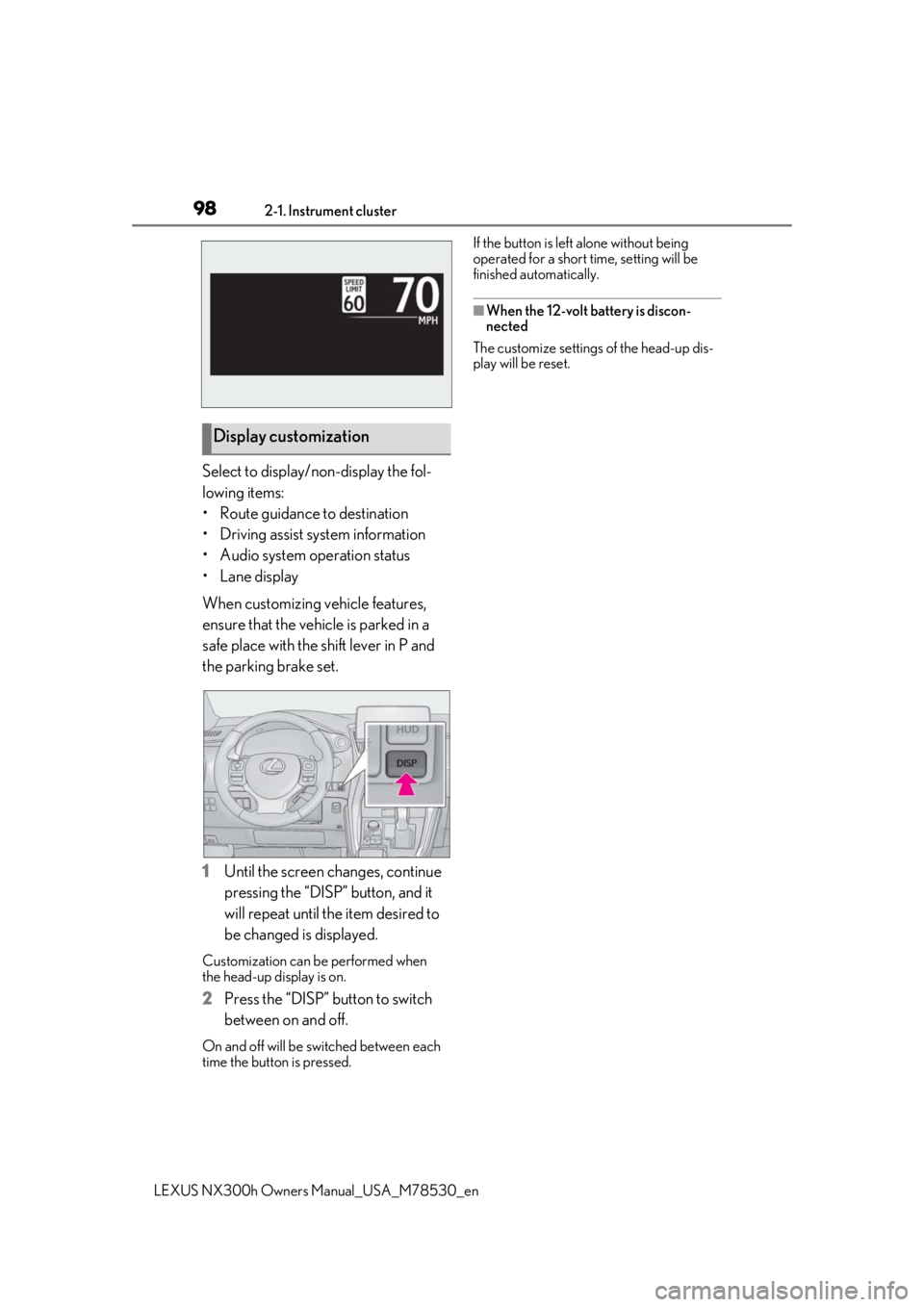
Select to display/non-display the fol-
lowing items:
• Route guidance to destination
• Driving assist system information
• Audio system operation status
•Lane display
When customizing vehicle features,
ensure that the vehicle is parked in a
safe place with the shift lever in P and
the parking brake set.
1Until the screen changes, continue
pressing the “DISP” button, and it
will repeat until the item desired to
be changed is displayed.
Customization can be performed when
the head-up display is on.
2 Press the “DISP” button to switch
between on and off.
On and off will be switched between each
time the button is pressed. If the button is left alone without being
operated for a short time, setting will be
finished automatically.
■When the 12-volt battery is discon-
nected
The customize settings of the head-up dis-
play will be reset.
Display customization
Page 155 of 484

155
LEXUS NX300h Owners Manual_USA_M78530_en
4
4
Driving
Driving
4-1. Before drivingDriving the vehicle ..................... 156
Cargo and luggage .................... 161
Vehicle load limits ...................... 164
Trailer towing (vehicles with tow- ing package).............................. 165
Trailer towing (vehicles without towing package) ...................... 173
Dinghy towing ............................. 173
4-2. Driving procedures Power (ignition) switch ............ 174
EV drive mode ............................ 177
Hybrid transmission .................. 179
Turn signal lever.......................... 182
Parking brake .............................. 183
Brake Hold.................................... 186
ASC (Active Sound Control)187
4-3. Operating the lights and wipers Headlight switch ......................... 189
Automatic High Beam ............. 192
Fog light switch ........................... 195
Windshield wipers and washer ......................................................... 195
Rear window wiper and washer ........................................................ 200
4-4. Refueling Opening the fuel tank cap..... 2024-5. Using the driving support sys-
tems
Lexus Safety System+ 2.0..... 204
PCS (Pre-Collision System) . 210
LTA (Lane Tracing Assist) ...... 217
LDA (Lane Departure Alert with steering control) ..................... 226
RSA (Road Sign Assist).......... 234
Dynamic radar cruise control with full-speed range...................... 236
PKSA (Parking Support Alert) ....................................................... 246
Intuitive parking assist ............. 247
Parking Support Brake function (for static objects) .................. 252
BSM (Blind Spot Monitor) ..... 261
Driving mode select switch .. 269
Driving assist systems.............. 270
4-6. Driving tips Hybrid vehicle driving tips .... 275
Winter driving tips .................... 277
Utility vehicle precautions..... 280
Page 204 of 484

2044-5. Using the driving support systems
LEXUS NX300h Owners Manual_USA_M78530_en
4-5.Using the driving support systems
■PCS (Pre-Collision System)
P.210
■LTA (Lane Tracing Assist)
P.217
■LDA (Lane Departure Alert with
steering control)
P.226
■Automatic High Beam
P.192
■RSA (Road Sign Assist)
P.234
■Dynamic radar cruise control with
full-speed range
P.236 Two types of sensors, located behind
the front grille and windshield, detect
information necessary to operate the
drive assist systems.
Radar sensor
Front camera
Lexus Safety System+ 2.0
The Lexus Safety System+ 2.0 con-
sists of the following drive assist sys-
tems and contributes to a safe and
comfortable driving experience:
Driving assist system
WARNING
■Lexus Safety System+ 2.0
The Lexus Safety System+ 2.0 is
designed to operate under the assump-
tion that the driver will drive safely, and is
designed to help reduce the impact to
the occupants and the vehicle in the case
of a collision or assist the driver in normal
driving conditions.
As there is a limit to the degree of recog-
nition accuracy and control performance
that this system can provide, do not
overly rely on this system. The driver is
always responsible for paying attention
to the vehicle’s surroundings and driving
safely.
Sensors
WARNING
■To avoid malfunction of the radar sen-
sor
Observe the following precautions.
Otherwise, the radar sensor may not
operate properly, possibly leading to an
accident resulting in death or serious
injury.
A
B
Page 217 of 484

2174-5. Using the driving support systems
LEXUS NX300h Owners Manual_USA_M78530_en
4
Driving
*:If equipped
LTA (Lane Tracing Assist)*
When driving on highways and
freeways with white (yellow) lane
lines, this function alerts the driver
when the vehicle might depart
from its lane or course
* and pro-
vides assistance by operating the
steering wheel to keep the vehicle
in its lane or course
*. Furthermore,
the system provides steering assis-
tance when dynamic radar cruise
control with full-speed range is
operating to keep the vehicle in its
lane.
The LTA system recognizes white
(yellow) lane lines or a course
*
using the front camera. Addition-
ally, it detects preceding vehicles
using the front camera and radar.
*: Boundary between asphalt and the side of the road, such as grass, soil, or
a curb
WARNING
■Before using LTA system
●Do not rely solely upon the LTA sys-
tem. The LTA system does not auto-
matically drive the vehicle or reduce
the amount of attention that must be
paid to the area in front of the vehicle.
The driver must always assume full
responsibility for driving safely by pay-
ing careful attention to the surround-
ing conditions and operating the
steering wheel to correct the path of
the vehicle. Also, the driver must take
adequate breaks when fatigued, such
as from driving for a long period of
time.
●Failure to perform appropriate driving
operations and pay careful attention
may lead to an accident, resulting in
death or serious injury.
●When not using the LTA system, use
the LTA switch to turn the system off.
■Situations unsuitable for LTA system
In the following situations, use the LTA
switch to turn the system off. Failure to do
so may lead to an accident, resulting in
death or serious injury.
●Vehicle is driven on a road surface
which is slippery due to rainy weather,
fallen snow, freezing, etc.
●Vehicle is driven on a snow-covered
road.
●White (yellow) lines are difficult to see
due to rain, snow, fog, dust, etc.
●Vehicle is driven in a temporary lane or
restricted lane due to construction
work.
●Vehicle is driven in a construction
zone.
●A spare tire, tire chains, etc. are
equipped.
●When the tires have been excessively
worn, or when the tire inflation pres-
sure is low.
Page 220 of 484

2204-5. Using the driving support systems
LEXUS NX300h Owners Manual_USA_M78530_en
■Lane departure alert function
When the system determines that the
vehicle might depart from its lane or
course
*, a warning is displayed on the
multi-information display, and either a
warning buzzer will sound or the steer-
ing wheel will vibrate to alert the driver.
When the warning buzzer sounds or the
steering wheel vibrates, check the area
around your vehicle and carefully operate
the steering wheel to move the vehicle
back to the center of the lane.
*: Boundary between asphalt and the side of the road, such as grass, soil, or a curb
■Steering assist function
When the system determines that the
vehicle might depart from its lane or
course
*, the system provides assis-
tance as necessary by operating the
steering wheel in small amounts for a
short period of time to keep the vehicle
in its lane.
If the system detects that the steering
wheel has not been operated for a fixed
amount of time or the steering wheel is not
being firmly gripped, a warning is displayed
on the multi-informat ion display and the
function is temporarily canceled.
*: Boundary between asphalt and the side of the road, such as grass, soil, or a curb
WARNING
●The vehicle is affected by wind from a
vehicle driven in a nearby lane.
●The vehicle has just changed lanes or
crossed an intersection.
●Tires which differ by structure, manu-
facturer, brand or tread pattern are
used.
●Snow tires, etc. are equipped.
●The vehicle is being driven at
extremely high speeds.
Functions included in LTA system