parking brake LEXUS NX300h 2020 Owners Manual
[x] Cancel search | Manufacturer: LEXUS, Model Year: 2020, Model line: NX300h, Model: LEXUS NX300h 2020Pages: 484, PDF Size: 15.45 MB
Page 3 of 484
3TABLE OF CONTENTS
LEXUS NX300h Owners Manual_USA_M78530_en
1
2
3
4
5
6
7
8
9
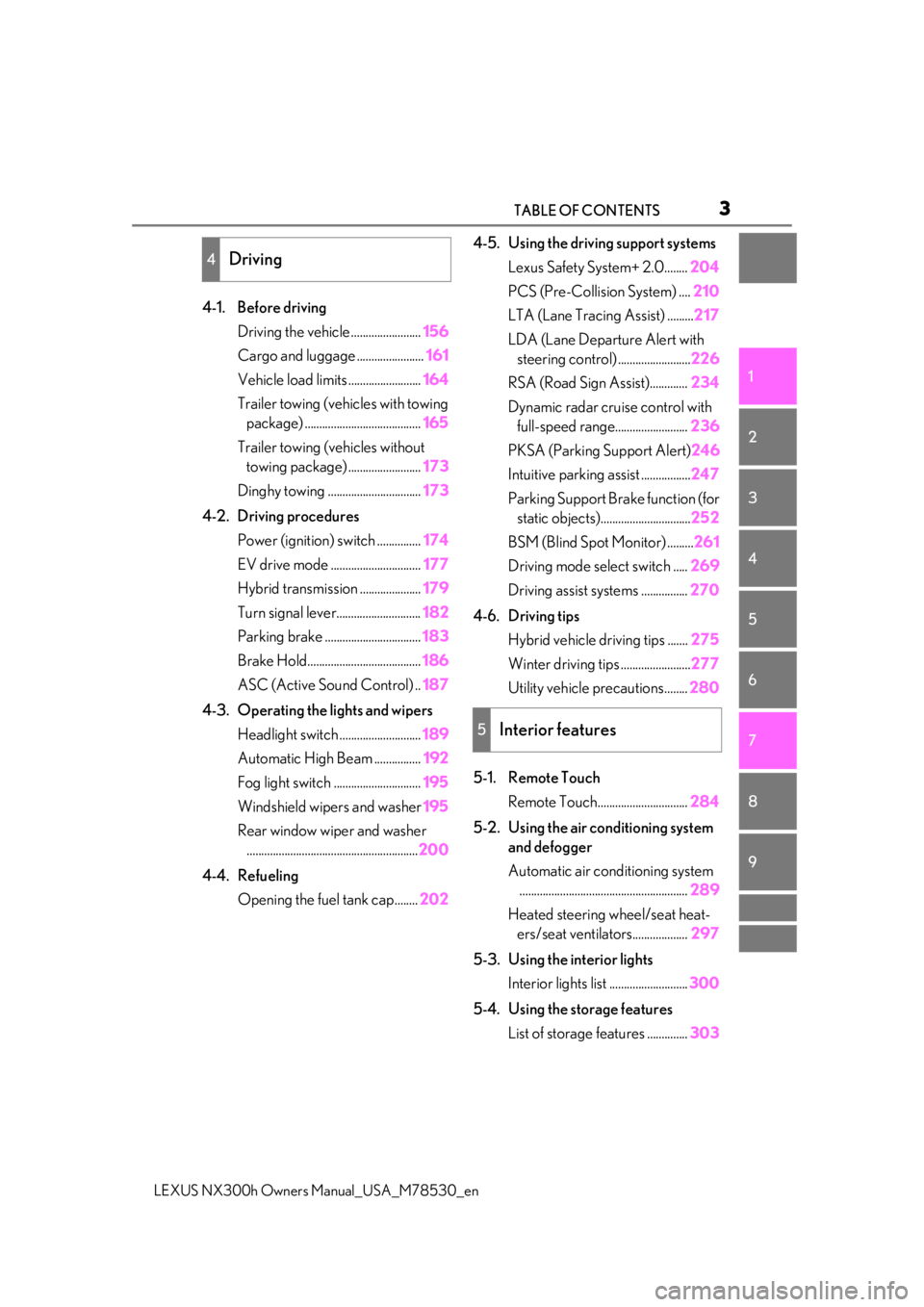
4-1. Before driving Driving the vehicle ........................ 156
Cargo and luggage ....................... 161
Vehicle load limits ......................... 164
Trailer towing (vehicles with towing package) ........................................ 165
Trailer towing (vehicles without towing package) ......................... 173
Dinghy towing ................................ 173
4-2. Driving procedures Power (ignition) switch ............... 174
EV drive mode ............................... 177
Hybrid transmission ..................... 179
Turn signal lever............................. 182
Parking brake ................................. 183
Brake Hold....................................... 186
ASC (Active Sound Control) .. 187
4-3. Operating the lights and wipers Headlight switch ............................ 189
Automatic High Beam ................ 192
Fog light switch .............................. 195
Windshield wipers and washer 195
Rear window wiper and washer ........................................................... 200
4-4. Refueling Opening the fuel tank cap........ 2024-5. Using the driving support systems
Lexus Safety System+ 2.0........ 204
PCS (Pre-Collision System) .... 210
LTA (Lane Tracing Assist) ......... 217
LDA (Lane Departure Alert with steering control) ......................... 226
RSA (Road Sign Assist)............. 234
Dynamic radar cruise control with full-speed range......................... 236
PKSA (Parking Support Alert) 246
Intuitive parking assist ................. 247
Parking Support Brake function (for static objects)............................... 252
BSM (Blind Spot Monitor) ......... 261
Driving mode select switch ..... 269
Driving assist systems ................ 270
4-6. Driving tips Hybrid vehicle driving tips ....... 275
Winter driving tips ........................ 277
Utility vehicle precautions........ 280
5-1. Remote Touch Remote Touch............................... 284
5-2. Using the air conditioning system and defogger
Automatic air conditioning system.......................................................... 289
Heated steering wheel/seat heat- ers/seat ventilators................... 297
5-3. Using the interior lights Interior lights list ........................... 300
5-4. Using the storage features List of storage features .............. 303
4Driving
5Interior features
Page 19 of 484

19Pictorial index
LEXUS NX300h Owners Manual_USA_M78530_en
Paddle shift switches ............................................................................................... P.181
Meter control switches .......................................................................................... P.89
Vehicle-to-vehicle distance switch ................................................................... P.241
Cruise control switch
Dynamic radar cruise control with full-spee d range ......................................... P.236
LDA (Lane Departure Alert with steering control) switch
*2.................. P.230
LTA (Lane Tracing Assist) switch
*2..................................................................P.222
Talk switch
*1
Telephone switches*1
*1
: Refer to “NAVIGATION AND MULTIMEDIA SYSTEM OWNER’S MANUAL”.
*2: If equipped
EV drive mode switch ............................................................................................ P.177
Driving mode select switch ................................................................................. P.269
VSC off switch.......................................................................................................... P.271
Parking brake switches .........................................................................................P.183
Applying/releasing ........................................................................................................... P. 183
Precautions against winter season ................... ......................................................... P.278
Warning buzzer/message..................................................................................P.184, 396
B
C
D
E
F
G
H
A
B
C
D
Page 69 of 484

691-4. Hybrid system
LEXUS NX300h Owners Manual_USA_M78530_en
1
For safety and security
■Sounds and vibrations specific to a
hybrid vehicle
There may be no engine sound or vibration
even though the vehicle is able to move with
the “READY” indicator is illuminated. For
safety, make sure to sh ift the shift lever to P
and apply the parking brake when parked.
The following sounds or vibrations may
occur when the hybrid system is operating
and are not a malfunction:
●Motor sounds may be heard from the
engine compartment.
●Sounds may be heard from the hybrid
battery (traction battery) behind the rear
seats when the hybrid system starts or
stops.
●Relay operating sounds such as a snap or
soft clank will be emitted from the hybrid
battery (traction battery), behind the rear
seats, when the hybrid system is started
or stopped.
●Sounds from the hybrid system may be
heard when the back door is open.
●Sounds may be heard from the transmis-
sion when the gasoline engine starts or
stops, when driving at low speeds, or
during idling.
●Engine sounds may be heard when
accelerating sharply.
●Sounds may be heard due to regenera-
tive braking when the brake pedal is
depressed or as the accelerator pedal is
released.
●Vibration may be felt when the gasoline
engine starts or stops.
●Cooling fan sounds may be heard from
the air intake vents under the rear seats.
■Maintenance, repair, recycling, and dis-
posal
Contact your Lexus dealer regarding main-
tenance, repair, recycling and disposal. Do
not dispose of the vehicle yourself.
■Customization
Settings (e.g. on/off operation of the EV
indicator) can be changed.
(Customizable features: P.441)
When driving with the gasoline engine
stopped, a sound, which changes in
accordance with the driving speed, will
be played in order to warn people
nearby of the vehicle’s approach. The
sound will stop when the vehicle speed
exceeds approximately 15 mph (25
km/h).
■Vehicle proximity notification system
In the following cases, the vehicle proximity
notification system may be difficult for sur-
rounding people to hear.
●In very noisy areas
●In the wind or the rain
Also, as the vehicle proximity notification
system is installed on the front of the vehicle,
it may be more difficult to hear from the rear
of the vehicle compared to the front.
Vehicle proximity notification
system
Page 71 of 484

711-4. Hybrid system
LEXUS NX300h Owners Manual_USA_M78530_en
1
For safety and security
vehicle with at least enough gasoline to
make the low fuel level warning light
( P.391) go off. If there is only a small
amount of fuel, the hybrid system may not
be able to start. (The standard amount of
fuel is about 2.7 gal. [10.1 L, 2.2 Imp.gal.],
when the vehicle is on a level surface. This
value may vary when the vehicle is on a
slope. Add extra fuel when the vehicle is
inclined.)
■Electromagnetic waves
●High voltage parts and cables on hybrid
vehicles incorporate electromagnetic
shielding, and ther efore emit approxi-
mately the same amount of electromag-
netic waves as conventional gasoline
powered vehicles or home electronic
appliances.
●Your vehicle may cause sound interfer-
ence in some third party-produced radio
parts.
■Hybrid battery (traction battery)
The hybrid battery (traction battery) has a
limited service life. The lifespan of the
hybrid battery (traction battery) can
change in accordance with driving style and
driving conditions.
WARNING
■High voltage precautions
This vehicle has high voltage DC and AC
systems as well as a 12-volt system. DC
and AC high voltage is very dangerous
and can cause severe burns and electric
shock that may result in death or serious
injury.
●Never touch, disassemble, remove or
replace the high voltage parts, cables
or their connectors.
●The hybrid system will become hot
after starting as the system uses high
voltage. Be careful of both the high
voltage and the high temperature, and
always obey the warning labels
attached to the vehicle.
●Never try to open the service plug
access hole located underneath the
rear seats. The service plug is used
only when the vehicle is serviced and is
subject to high voltage.
■Road accident cautions
Observe the following precautions to
reduce the risk of de ath or serious injury:
●Pull your vehicle off the road, shift the
shift lever to P, apply the parking brake,
and turn the hybrid system off.
●Do not touch the high voltage parts,
cables and connectors.
●If electric wires are exposed inside or
outside your vehicle, an electric shock
may occur. Never touch exposed elec-
tric wires.
●If a fluid leak occurs, do not touch the
fluid as it may be st rong alkaline elec-
trolyte from the hybrid battery (trac-
tion battery). If it comes into contact
with your skin or eyes, wash it off
immediately with a large amount of
water or, if possible, boric acid solu-
tion. Seek immediate medical atten-
tion.
●If a fire occurs in the hybrid vehicle,
leave the vehicle as soon as possible.
Never use a fire extinguisher that is not
meant for electric fires. Using even a
small amount of water may be danger-
ous.
Page 81 of 484

812-1. Instrument cluster
LEXUS NX300h Owners Manual_USA_M78530_en
2
Vehicle status information and indicators
*1: These lights turn on when the power switch is turned to ON mode to indi-
cate that a system check is being per-
formed. They will turn off after the
hybrid system is on, or after a few sec-
onds. There may be a malfunction in a
system if the lights do not turn on, or
turn off. Have the vehicle inspected by
your Lexus dealer.
*2: This light illuminates on the multi-infor-mation display.
*3: The light flashes to indicate a malfunc-tion.
*4: This light illuminates on the center panel.
(Canada)
Malfunction indicator lamp*1
( P.387)
SRS warning light
*1 ( P.388)
(U.S.A.)
ABS warning light*1 ( P.388)
(Canada)
ABS warning light*1 ( P.388)
(Yellow)
Electric power steering sys-
tem warning light
*1 ( P.388)
(Red)
Electric power steering sys-
tem warning light
*1 ( P.388)
PCS warning light
*1 ( P.389)
(Orange)
LTA indicator*2 (if equipped)
( P.389)
LDA indicator
*2 (if equipped)
( P.389)
PKSB OFF indicator
*1, 3 (if
equipped) ( P.390)
Slip indicator light
*1 ( P.390)
Brake hold operated indica-
tor
*1, 3 ( P.390)
(U.S.A.)
Parking brake indicator*3
( P.390)
(Canada)
Parking brake indicator*3
( P.390)
Low fuel level warning light
( P.391)
Driver’s and front passenger’s
seat belt reminder light
( P.391)
Rear passengers’ seat belt
reminder light
*4 ( P.391)
Master warning light
*1
( P.392)
Tire pressure warning light
*1
( P.392)
Brake Override Sys-
tem/Drive-Start Control warn-
ing light
*2 ( P.393)
WARNING
■If a safety system warning light does
not come on
Should a safety system light such as the
ABS and SRS airbag warning light not
come on when you start the hybrid sys-
tem, this could mean that these systems
are not available to help protect you in an
accident, which could result in death or
serious injury. Have the vehicle inspected
by your Lexus dealer immediately if this
occurs.
Page 82 of 484

822-1. Instrument cluster
LEXUS NX300h Owners Manual_USA_M78530_en
The indicators inform the driver of the
operating state of the vehicle’s various
systems.
Indicators
Turn signal indicator (P.182)
(U.S.A.)
Headlight indicator ( P.189)
(Canada)
Tail light indicator ( P.189)
Headlight high beam indicator
( P.191)
Automatic High Beam indica-
tor ( P.192)
Fog light indicator ( P.195)
“READY” indicator ( P.174)
EV indicator ( P.68)
EV drive mode indicator
*2
( P.177)
“Eco” indicator
*2 ( P.269)
“Sport” indicator
*2 ( P.269)
Dynamic radar cruise control
indicator
*2 ( P.236)
Cruise control “SET” indica-
tor
*2 ( P.236)
Cruise control indicator
*2
( P.236)
(White)
LTA indicator*2 (if equipped)
( P.222)
LDA indicator
*2 (if equipped)
( P.231)
(Green)
LTA indicator*2 (if equipped)
( P.222)
LDA indicator
*2 (if equipped)
( P.231)
(Orange)
LTA indicator*2, 3 (if equipped)
( P.222)
LDA indicator
*2, 3 (if
equipped) ( P.231)
Intuitive parking assist indica-
tor (if equipped) ( P.247)
PKSB OFF indicator
*1, 4 (if
equipped) ( P.253)
Slip indicator light
*1, 3
( P.271)
VSC off indicator
*1, 4
( P.271)
PCS warning light
*1, 4
( P.212)
(U.S.A.)
Parking brake indicator
( P.183)
(Canada)
Parking brake indicator
( P.183)
Brake hold standby indicator
*1
( P.186)
Brake hold operated indica-
tor
*1 ( P.186)
Low outside temperature indi-
cator
*2, 5 ( P.84)
BSM outside rear view mirror
indicators
*6, 7 (if equipped)
( P.261)
Page 92 of 484

922-1. Instrument cluster
LEXUS NX300h Owners Manual_USA_M78530_en
■ LTA (Lane Tracing Assist) (if
equipped) ( P.217)
Select to set up the following items.
Lane centering
Select to enable/disab le the lane centering
function.
Steering Assist
Select to enable/disable steering wheel
assistance.
Alert
Select to change the alert types.
Alert sensitivity
Select to set the warning sensitivity.
Sway warning
Select to enable/disab le the vehicle sway
warning.
Sway sensitivity
Select to set the vehicle sway warning sen-
sitivity.
■LDA (Lane Departure Alert
with steering control) (if equipped)
( P.226)
Select to set up the following items.
Steering Assist
Select to enable/disable steering wheel
assistance.
Alert
Select to change the alert types.
Alert sensitivity
Select to set the warning sensitivity.
Sway warning
Select to enable/disab le the vehicle sway
warning.
Sway sensitivity
Select to set the vehicle sway warning sen-
sitivity.
■ PCS (Pre-Collision System)
( P.210)
Select to set up the following items.
PCS on/off
Select to enable/disable the pre-collision
system.
PCS sensitivity
Select to change the warning timing.
■PKSA (Parking Support Alert) (if
equipped) ( P.246)
Select to set up the following items.
Intuitive parking assist sensor
Select to enable/disab le the intuitive park-
ing assist sensor.
Volume
Select to set the volume of the buzzer
which sounds when the parking support
alert is operated.
■ PKSB (Parking Support
Brake function) (if equipped)
( P.252)
PKSB on/off
Select to enable/disable the parking sup-
port brake function (f or static objects).
■ RSA (Road Sign Assist) (if
equipped) ( P. 234)
Select to set up the following items.
Road Sign Assist
Select to enable/disab le road sign assist.
Over Speed
Page 95 of 484

952-1. Instrument cluster
LEXUS NX300h Owners Manual_USA_M78530_en
2
Vehicle status information and indicators
Vehicle speed
Hybrid System Indicator ( P.97)
Tachometer
Shift position and shift range
Displays the selected shift position or
selected shift range ( P.179)
Audio display
Displays audio info rmation for approxi-
mately 3 seconds when the audio system is
operated
Route guidance display (vehicles
with navigation system) ( P.97)
When approaching an intersection while
the navigation system is giving route guid-
ance, an arrow will automatically be dis-
played to indicate the direction of travel.
Lane departure warning display
(LTA [Lane Tracing Assist]) (if
equipped) ( P.217)
Lane departure warning display
(LDA [Lane Departure Alert with
steering control]) ( P.226)
Approach warning display
(Dynamic radar cruise control with
full speed range) ( P.242)
Road signs (RSA [Road Sign
Assist]) (if equipped) ( P. 234)
Pre-collision warnin g message (Pre-
Collision System) ( P.210)
Speed limit display (vehicles with
navigation system) ( P.97)
Parking Support Brake function (for
static objects) ( P.252)
Brake Override System ( P.157)
Drive-Start Control ( P.157)
■“HUD” button
Pressing the button turns the head-up
display on/off and changes the vehicle
speed display units as follows:
U.S.A.
OFF ON (MPH) ON
(km/h) OFF
Canada
OFF ON (km/h) ON
(MPH) OFF
■“DISP” button
Pressing the button changes the dis-
play items (except vehicle speed) as
follows:
•Off
• Hybrid System Indicator
•Tachometer
Head-up display contents
Switching the head-up display
A
Page 98 of 484
982-1. Instrument cluster
LEXUS NX300h Owners Manual_USA_M78530_en
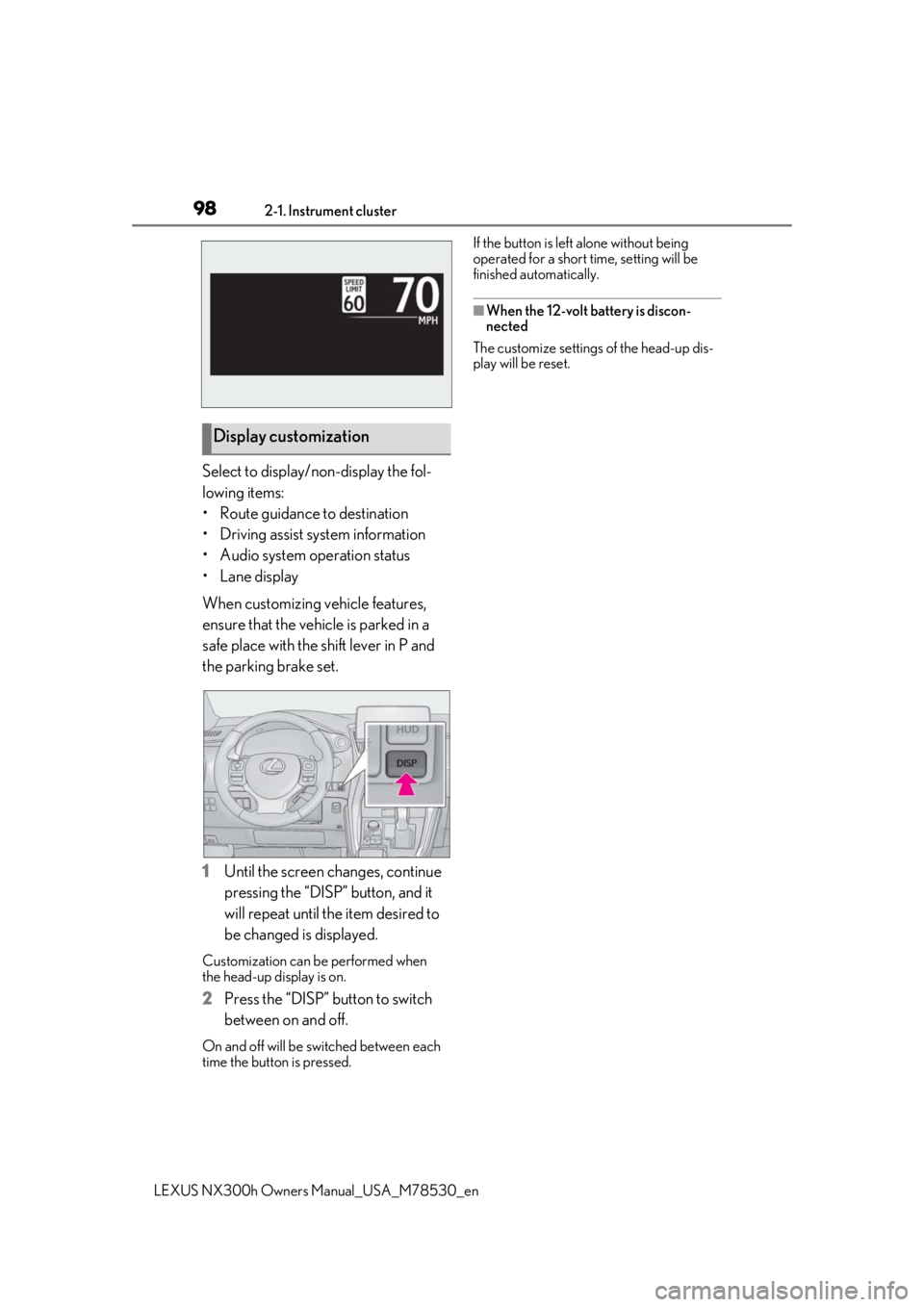
Select to display/non-display the fol-
lowing items:
• Route guidance to destination
• Driving assist system information
• Audio system operation status
•Lane display
When customizing vehicle features,
ensure that the vehicle is parked in a
safe place with the shift lever in P and
the parking brake set.
1Until the screen changes, continue
pressing the “DISP” button, and it
will repeat until the item desired to
be changed is displayed.
Customization can be performed when
the head-up display is on.
2 Press the “DISP” button to switch
between on and off.
On and off will be switched between each
time the button is pressed. If the button is left alone without being
operated for a short time, setting will be
finished automatically.
■When the 12-volt battery is discon-
nected
The customize settings of the head-up dis-
play will be reset.
Display customization
Page 119 of 484

1193-2. Opening, closing and locking the doors
LEXUS NX300h Owners Manual_USA_M78530_en
3
Before driving
When all of the doors are locked: If the
movement is de tected by the kick sensor,
all of the doors will be unlocked.
Kick sensor
Kick sensor detection area
3 When the sensor detects that your
foot is pulled back, a buzzer will
sound and the back door will auto-
matically fully open/close.
If kick operation is performed again in the
middle of back door operating, the opera-
tion will stop.
■Luggage compartment light
●The luggage compartment light turns on
when the back door is opened.
●If the luggage compartm ent light is left on
when the power switch is turned off, the
light will go off automatically after 20
minutes.
■Power back door operating conditions
With the power back door operations set to
ON, it can automatically open and close for
the following conditions:
●When the electronic key is being carried
and the power back door switch is
pushed
*
●When the wireless re mote control is
used*
●When the power switch is in ON mode,
in addition to the above for the opening
operations, the back door operates for
any of the following conditions:
• Parking brake is engaged • The brake pedal is depressed
• The shift lever is in P
*: When configured with the customization
function so that it can be operated after
being unlocked, operate the back door
after it has been unlocked.
■Kick sensor operatin g conditions (vehi-
cles with Hands Free Power Back Door)
●When the kick sensor operation setting is
turned on
●The electronic key is within the opera-
tional range. ( P.127)
■Back door closer
In the event that the back door is left slightly
open, the back door closer will automati-
cally close it to the fully closed position.
Whatever the state of the power switch, the
back door closer operates.
■Operation of the power back door
●A buzzer sounds and the emergency
flashers flash twice to indicate that the
back door is opening/closing.
●When the power back door operations
are OFF, the power back door does not
operate but it can be opened and closed
by hand.
●When the power back door automati-
cally opens, if an abnormality due to peo-
ple or objects is de tected, operation will
stop.
■Close & lock function
When the power back door is open, this
function closes the power back door and
then locks all of the doors simultaneously.
When the following procedures are per-
formed and there are no electronic keys for
the vehicle within the vehicle, all of the
doors will lock when th e power back door is
completely closed.
1 Close all of the doors except the power
back door.
2 While carrying an electronic key, press
the switch on the lower part of
the power back door.
A different buzzer than the normal one will
sound and then the power back door will
A
B