air condition LEXUS RC F 2015 User Guide
[x] Cancel search | Manufacturer: LEXUS, Model Year: 2015, Model line: RC F, Model: LEXUS RC F 2015Pages: 684, PDF Size: 9.31 MB
Page 279 of 684
2794-5. Using the driving support systems
4
Driving
RC350/RCF_U (OM24636U)
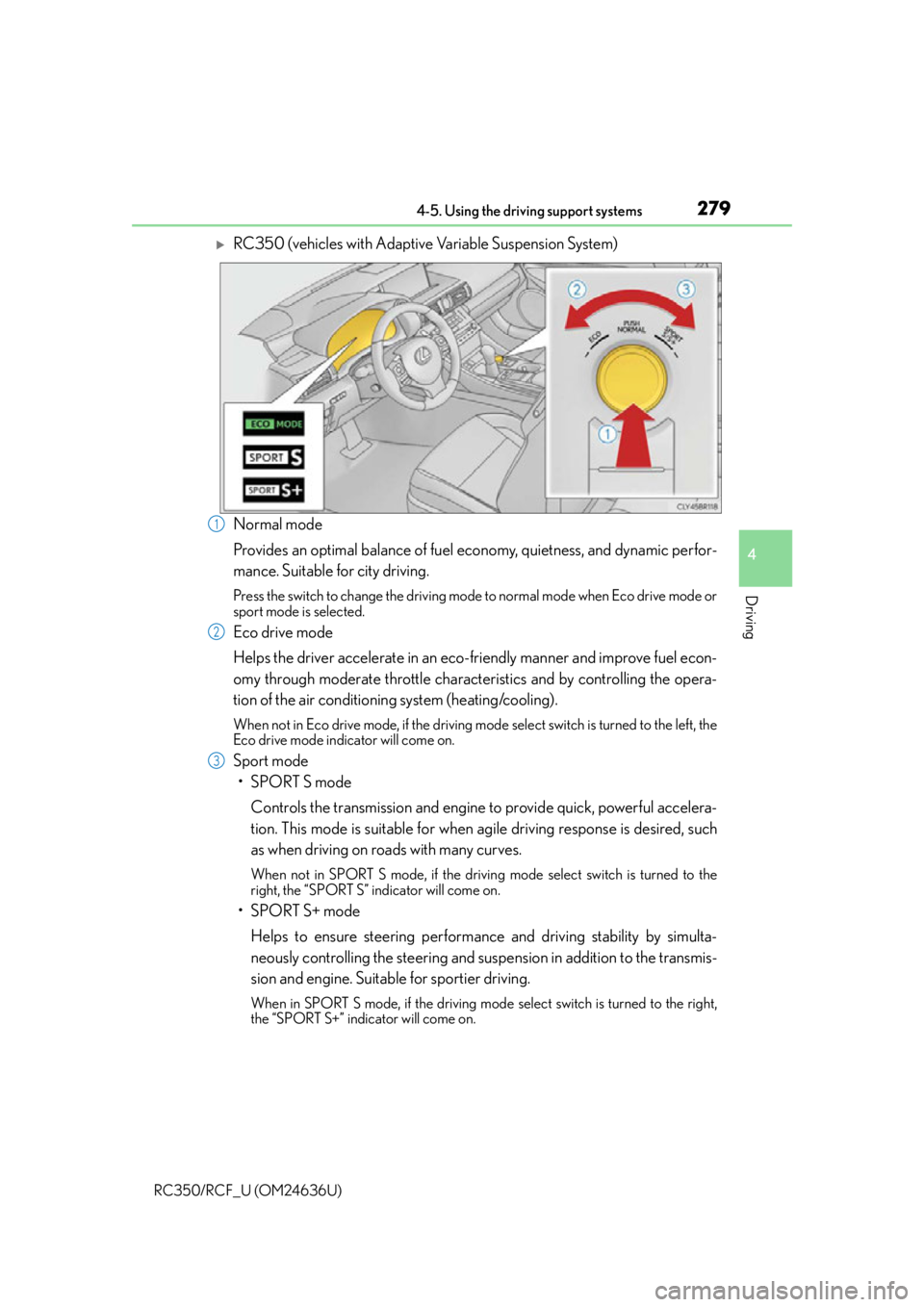
RC350 (vehicles with Adaptive Variable Suspension System)
Normal mode
Provides an optimal balance of fuel economy, quietness, and dynamic perfor-
mance. Suitable for city driving.
Press the switch to change the driving mode to normal mode when Eco drive mode or
sport mode is selected.
Eco drive mode
Helps the driver accelerate in an eco-friendly manner and improve fuel econ-
omy through moderate throttle characteristics and by controlling the opera-
tion of the air conditioning system (heating/cooling).
When not in Eco drive mode, if the driving mode select switch is turned to the left, the
Eco drive mode indicator will come on.
Sport mode
•SPORT S mode
Controls the transmission and engine to provide quick, powerful accelera-
tion. This mode is suitable for when agile driving response is desired, such
as when driving on roads with many curves.
When not in SPORT S mode, if the driving mode select switch is turned to the
right, the “SPORT S” indicator will come on.
•SPORT S+ mode
Helps to ensure steering performanc e and driving stability by simulta-
neously controlling the steering and suspen sion in addition to the transmis-
sion and engine. Suitable for sportier driving.
When in SPORT S mode, if the driving mode select switch is turned to the right,
the “SPORT S+” indicator will come on.
1
2
3
Page 280 of 684
2804-5. Using the driving support systems
RC350/RCF_U (OM24636U)
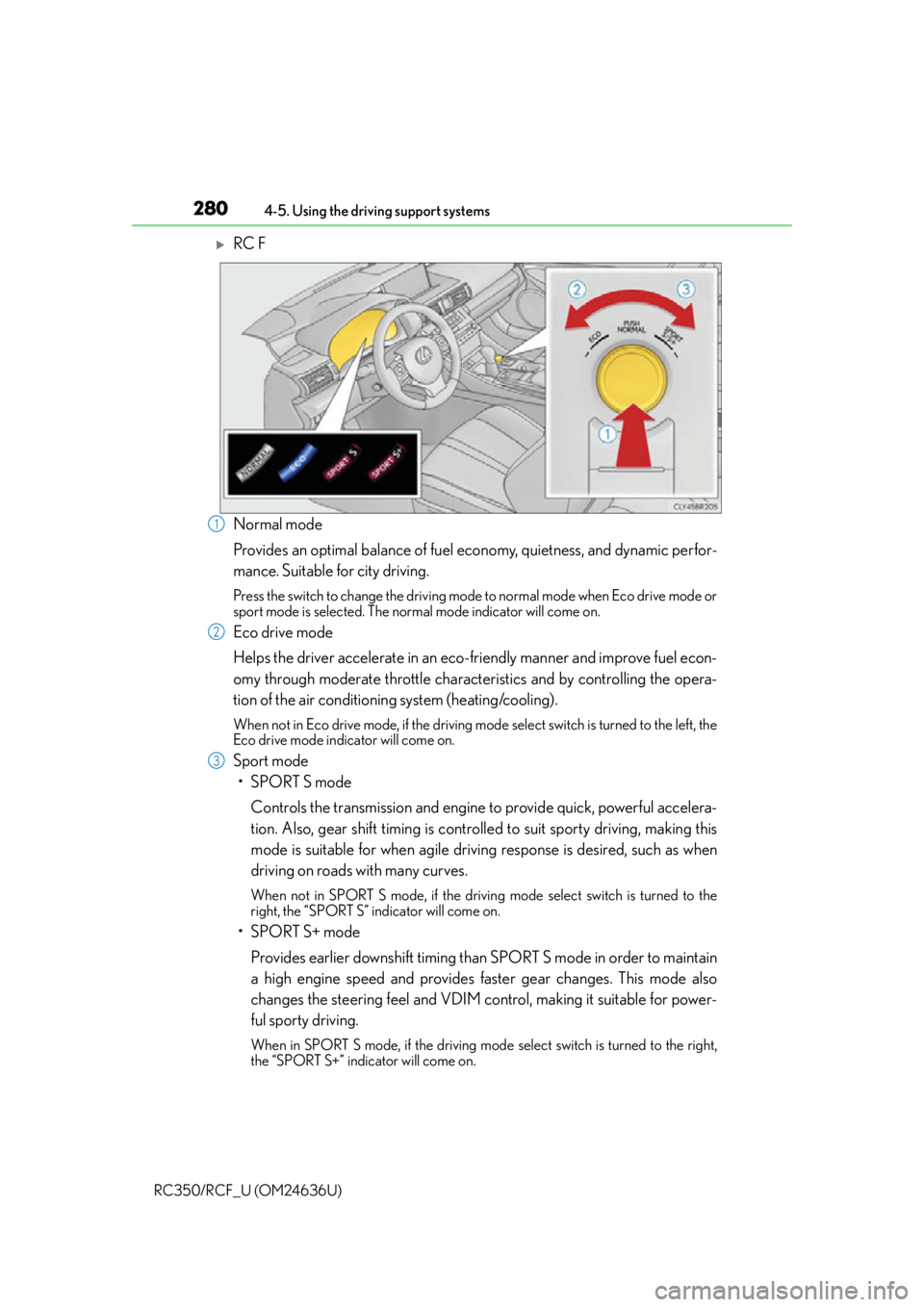
RC F
Normal mode
Provides an optimal balance of fuel economy, quietness, and dynamic perfor-
mance. Suitable for city driving.
Press the switch to change the driving mode to normal mode when Eco drive mode or
sport mode is selected. The normal mode indicator will come on.
Eco drive mode
Helps the driver accelerate in an eco- friendly manner and improve fuel econ-
omy through moderate throttle characteristics and by controlling the opera-
tion of the air conditioning system (heating/cooling).
When not in Eco drive mode, if the driving mode select switch is turned to the left, the
Eco drive mode indicator will come on.
Sport mode
•SPORT S mode
Controls the transmission and engine to provide quick, powerful accelera-
tion. Also, gear shift timing is controll ed to suit sporty driving, making this
mode is suitable for when agile drivin g response is desired, such as when
driving on roads with many curves.
When not in SPORT S mode, if the driving mode select switch is turned to the
right, the “SPORT S” indicator will come on.
•SPORT S+ mode
Provides earlier downshift timing than SPORT S mode in order to maintain
a high engine speed and provides fa ster gear changes. This mode also
changes the steering feel and VDIM cont rol, making it suitable for power-
ful sporty driving.
When in SPORT S mode, if the driving mode select switch is turned to the right,
the “SPORT S+” indicator will come on.
1
2
3
Page 281 of 684

2814-5. Using the driving support systems
4
Driving
RC350/RCF_U (OM24636U)
■Operation of the air conditioning system in Eco drive mode
Eco drive mode controls the heating/cooling operations and fan speed of the air condi-
tioning system to enhance fuel efficiency ( P. 416). To improve air conditioning perfor-
mance, adjust the fan speed or turn off Eco drive mode.
■Sport mode automatic deactivation
Sport mode is automatically deactivated if the engine switch is turned off after driving in
sport mode.
Page 316 of 684

3164-6. Driving tips
RC350/RCF_U (OM24636U)
Perform the following according to the driving conditions:
●Do not try to forcibly open a window or move a wiper that is frozen. Pour
warm water over the frozen area to melt the ice. Wipe away the water imme-
diately to prevent it from freezing.
●To ensure proper operation of the climate control system fan, remove any
snow that has accumulated on the air inlet vents in front of the windshield.
●Check for and remove any excess ice or snow that may have accumulated on
the exterior lights, vehicle’s roof, chassis, around the tires or on the brakes.
●Remove any snow or mud from the bottom of your shoes before getting in the
vehicle.
Accelerate the vehicle slowly, keep a safe distance between you and the vehicle
ahead, and drive at a reduced speed suitable to road conditions.
Park the vehicle and move the shift lever to P without setting the parking brake.
The parking brake may freeze up, preventing it from being released. If necessary,
block the wheels to prevent in advertent sliding or creeping.
Vehicles with front and rear tires of the same size
Use the correct tire chain size when mounting the tire chains.
Chain size is regulated for each tire size.
Side chain
(0.12 in. [3 mm] in diameter)
Cross chain
(0.16 in. [4 mm] in diameter)
Vehicles with front and rear tires of differing sizes
Tire chains cannot be mounted.
Snow tires should be used instead.
Before driving the vehicle
When driving the vehicle
When parking the vehicle
Selecting tire chains (RC350)
1
2
Page 323 of 684
3235-1. Basic Operations
5
Lexus Display Audio system
RC350/RCF_U (OM24636U)
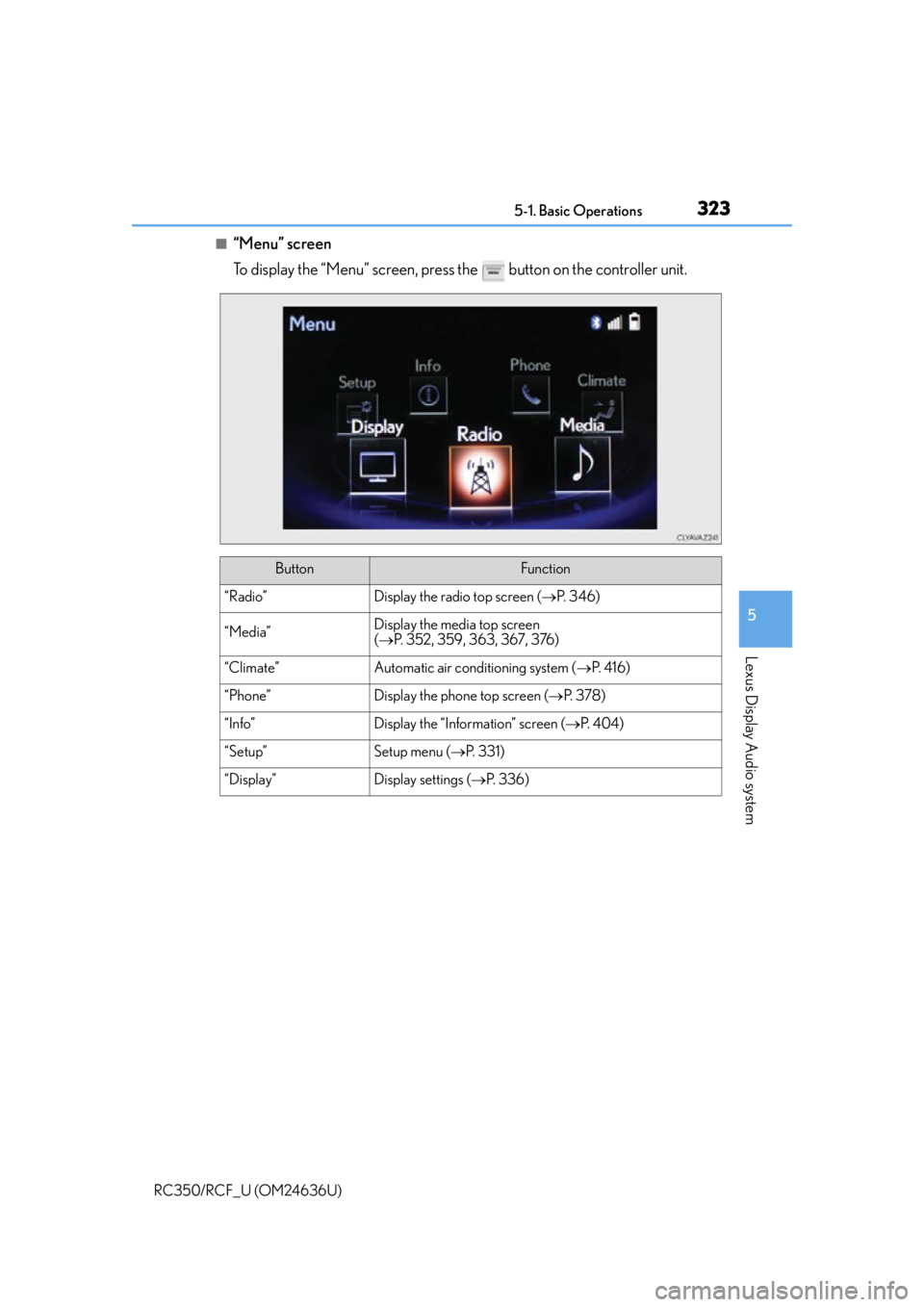
■“Menu” screen
To display the “Menu” screen, press the button on the controller unit.
ButtonFunction
“Radio”Display the radio top screen (P. 3 4 6 )
“Media”Display the media top screen
( P. 352, 359, 363, 367, 376)
“Climate”Automatic air conditioning system ( P. 4 1 6 )
“Phone”Display the phone top screen ( P. 3 7 8 )
“Info”Display the “Information” screen ( P. 404)
“Setup”Setup menu ( P. 3 3 1 )
“Display”Display settings ( P. 3 3 6 )
Page 329 of 684
3295-1. Basic Operations
5
Lexus Display Audio system
RC350/RCF_U (OM24636U)
■Adjusting the volume
The volume of the Mobile Assistant can be adjusted using the
“PWR·VOL” knob or
steering wheel volume switches. The Mobile Assistant and phone call volumes are syn-
chronized.
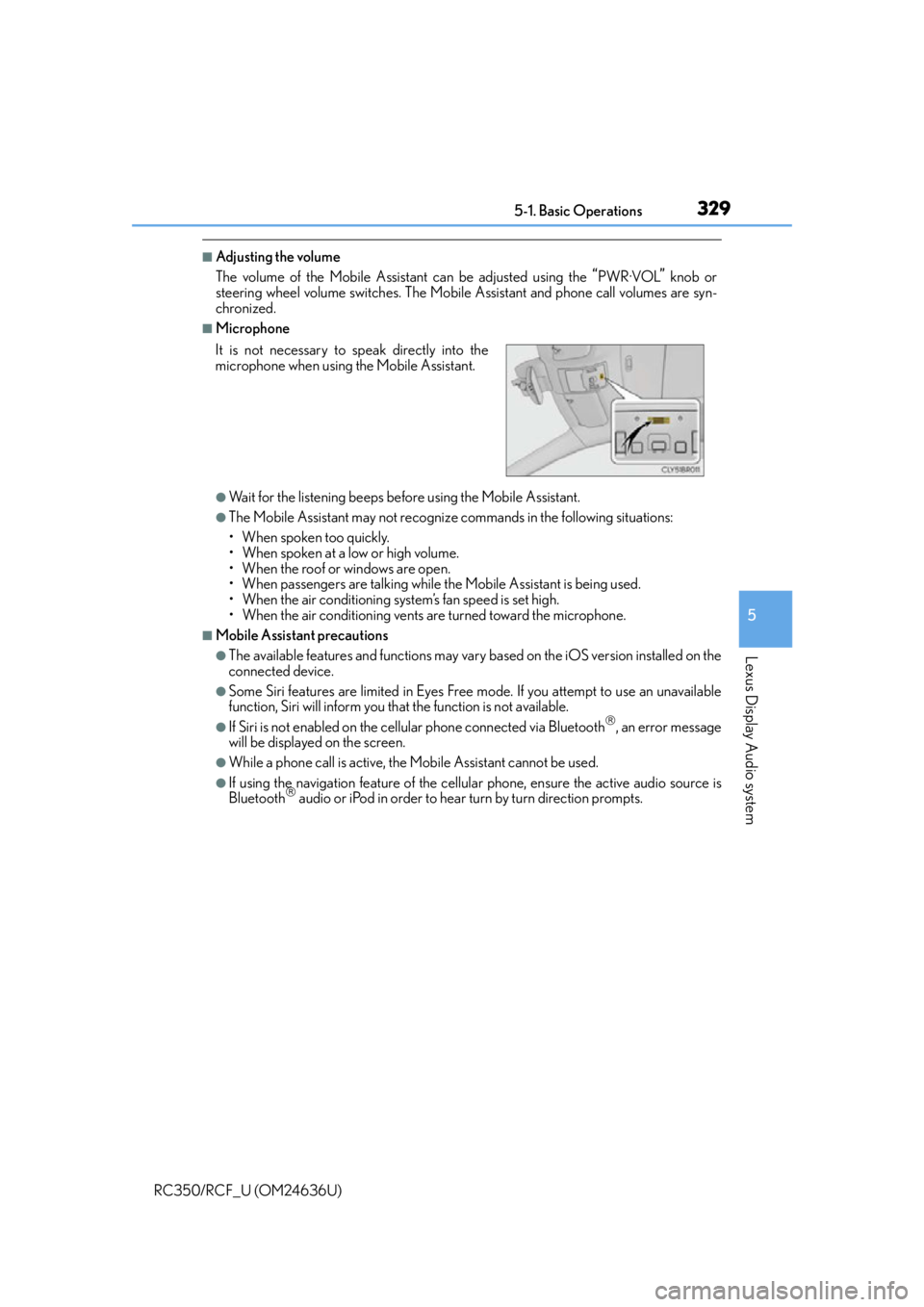
■Microphone
●Wait for the listening beeps before using the Mobile Assistant.
●The Mobile Assistant may not recognize commands in the following situations:
• When spoken too quickly.
• When spoken at a low or high volume.
• When the roof or windows are open.
• When passengers are talking while th e Mobile Assistant is being used.
• When the air conditioning syst em’s fan speed is set high.
• When the air conditioning vents ar e turned toward the microphone.
■Mobile Assistant precautions
●The available features and functions may vary based on the iOS version installed on the
connected device.
●Some Siri features are limited in Eyes Free mode. If you attempt to use an unavailable
function, Siri will inform you that the function is not available.
●If Siri is not enabled on the cellular phone connected via Bluetooth, an error message
will be displayed on the screen.
●While a phone call is active, the Mobile Assistant cannot be used.
●If using the navigation feature of the cellular phone, ensure the active audio source is
Bluetooth audio or iPod in order to hear turn by turn direction prompts.
It is not necessary to speak directly into the
microphone when using
the Mobile Assistant.
Page 399 of 684

3995-11. Bluetooth®
5
Lexus Display Audio system
RC350/RCF_U (OM24636U)
■When using the Bluetooth® audio system
●In the following situations, the system may not function.
• If the portable audio player is turned off
• If the portable audio player is not connected
• If the portable audio player’s battery is low
●There may be a delay if a cellular phon e connection is made during Bluetooth® audio
play.
●Depending on the type of portable audio play er that is connected to the system, opera-
tion may differ slightly and certain functions may not be available.
■When using the hands-free system
●The audio system is mu ted when making a call.
●If both parties speak at the same time, it may be difficult to hear.
●If the received call volume is overly loud, an echo may be heard.
If the Bluetooth® phone is too close to the system, quality of the sound may deteriorate
and connection status may deteriorate.
●In the following situations, it may be difficult to hear the other party:
• When driving on unpaved roads
• When driving at high speeds
•If a window is open
• If the air conditioning is blowing directly on the microphone
• If there is interference from the network of the cellular phone
●Depending on the type of phone, ce rtain functions may not be available.
■Conditions under which the system will not operate
●If using a cellular phone that does not support Bluetooth®
●If the cellular phone is turned off
●If you are outside of cellular phone service coverage
●If the cellular phone is not connected
●If the cellular phone’s battery is low
●When outgoing calls are controlled, due to heavy traffic on telephone lines, etc.
●When the cellular phone itself cannot be used
●When transferring phonebook data from the cellular phone
Bluetooth®
Page 410 of 684

4105-12. Other function
RC350/RCF_U (OM24636U)
●Voice commands may not be recognized if:
• Spoken too quickly.
• Spoken at a low or high volume.
• The roof or windows are open.
• Passengers are talking while voice commands are spoken.
• The air conditioning speed is set high.
• The air conditioning vents are turned towards the microphone.
●In the following conditions, the system ma y not recognize the command properly and
using voice commands may not be possible:
• The command is incorrect or unclear. No te that certain words, accents or speech
patterns may be difficult for the system to recognize.
• There is excessive background noise, such as wind noise.
■When searching for a track
●A USB memory or iPod must be connected to enable track searching and playback.
( P. 3 3 0 )
●When a USB memory or iPod is connected, recognition data is created so tracks can
be searched using voice commands.
●Recognition data is updated un der the following conditions:
• When the USB memory or iPod data has changed.
• When the voice recognition language is changed. (P. 3 3 2 )
●While the recognition data is being created or being updated, a track search cannot be
performed using a voice command.
■The Gracenote® media database
P. 3 5 6
Due to natural language speech recognitio n technology, this system enables rec-
ognition of a command when spoken naturally. However, the system cannot rec-
ognize every variation of each command.
In some situations, it is possible to omit the command for the procedure and
directly state the desired operation.
This function is available in English, Spanish and French.
Casual speech recognization
Page 415 of 684

415
Interior features6
RC350/RCF_U (OM24636U)
6-1. Using the air conditioning system
Automatic air conditioning system ............................................416
Heated steering wheel/ seat heaters/
seat ventilators ......................... 425
6-2. Using the interior lights Interior lights list ......................... 428• Interior lights .......................... 429
• Personal lights .......................430
6-3. Using the storage features List of storage features ............. 431• Glove box ............................... 432
• Console box........................... 432
• Cup holders ........................... 433
Trunk features .............................. 434
6-4. Using the other interior features
Other interior features ............ 435 • Sun visors ................................ 435
• Vanity mirrors ........................ 435
• Clock ........................................ 436
• Power outlet ........................... 436
• Armrest .................................... 437
•Trunk storage extension .................................438
• Assist grips.............................. 439
• Coat hooks ............................. 439
Garage door opener................ 440
Compass ....................................... 447
LEXUS Enform Safety Connect ........................................451
Page 416 of 684
416
RC350/RCF_U (OM24636U)6-1. Using the air conditioning system
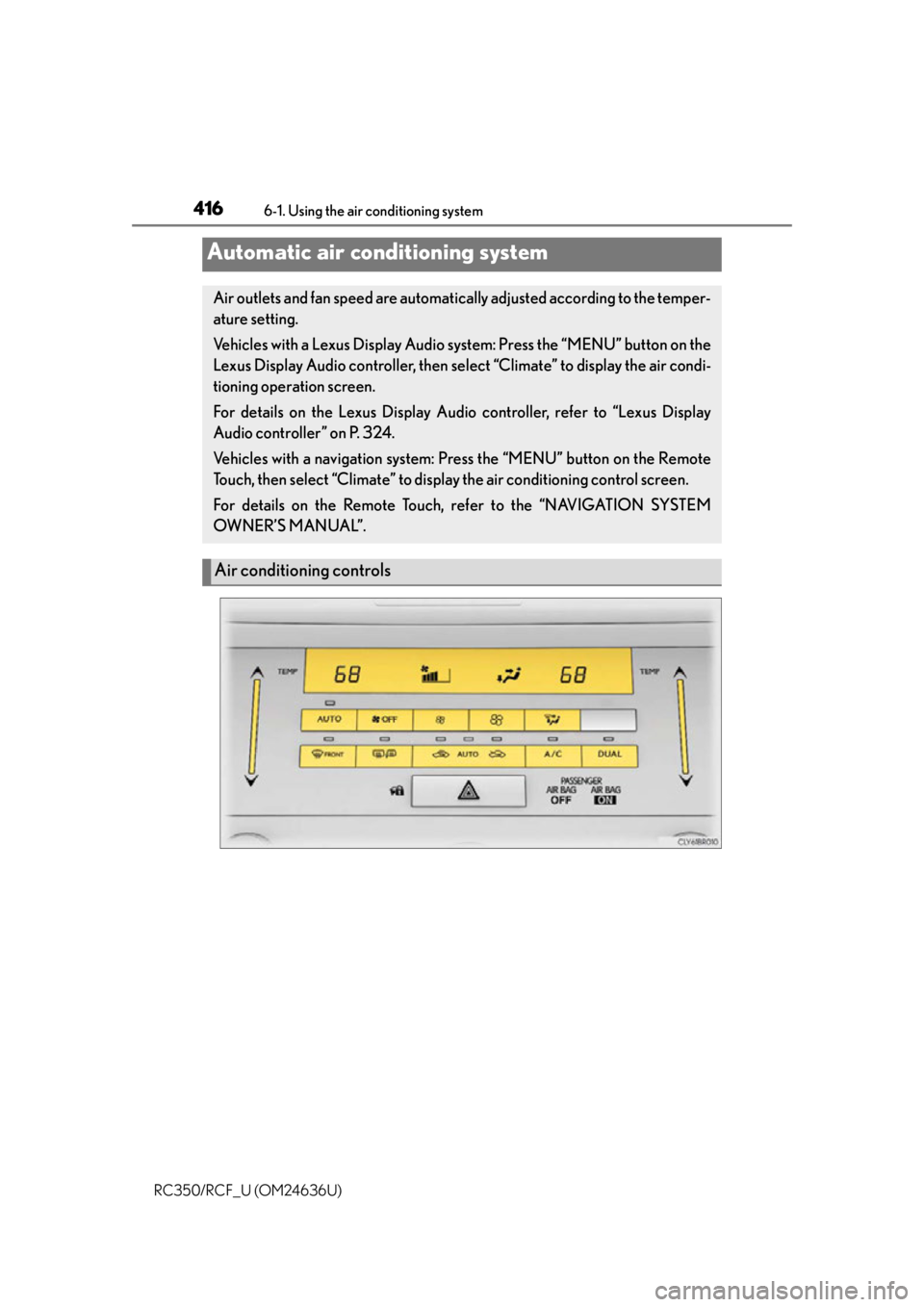
Automatic air conditioning system
Air outlets and fan speed are automatica
lly adjusted according to the temper-
ature setting.
Vehicles with a Lexus Display Audio sy stem: Press the “MENU” button on the
Lexus Display Audio controller, then select “Climate” to display the air condi-
tioning operation screen.
For details on the Lexus Display Audio controller, refer to “Lexus Display
Audio controller” on P. 324.
Vehicles with a navigati on system: Press the “MENU” button on the Remote
Touch, then select “Climate” to display the air conditioning control screen.
For details on the Remote Touch, refer to the “NAVIGATION SYSTEM
OWNER’S MANUAL”.
Air conditioning controls