lights LEXUS RC F 2015 Workshop Manual
[x] Cancel search | Manufacturer: LEXUS, Model Year: 2015, Model line: RC F, Model: LEXUS RC F 2015Pages: 684, PDF Size: 9.31 MB
Page 336 of 684
3365-2. Setup
RC350/RCF_U (OM24636U)
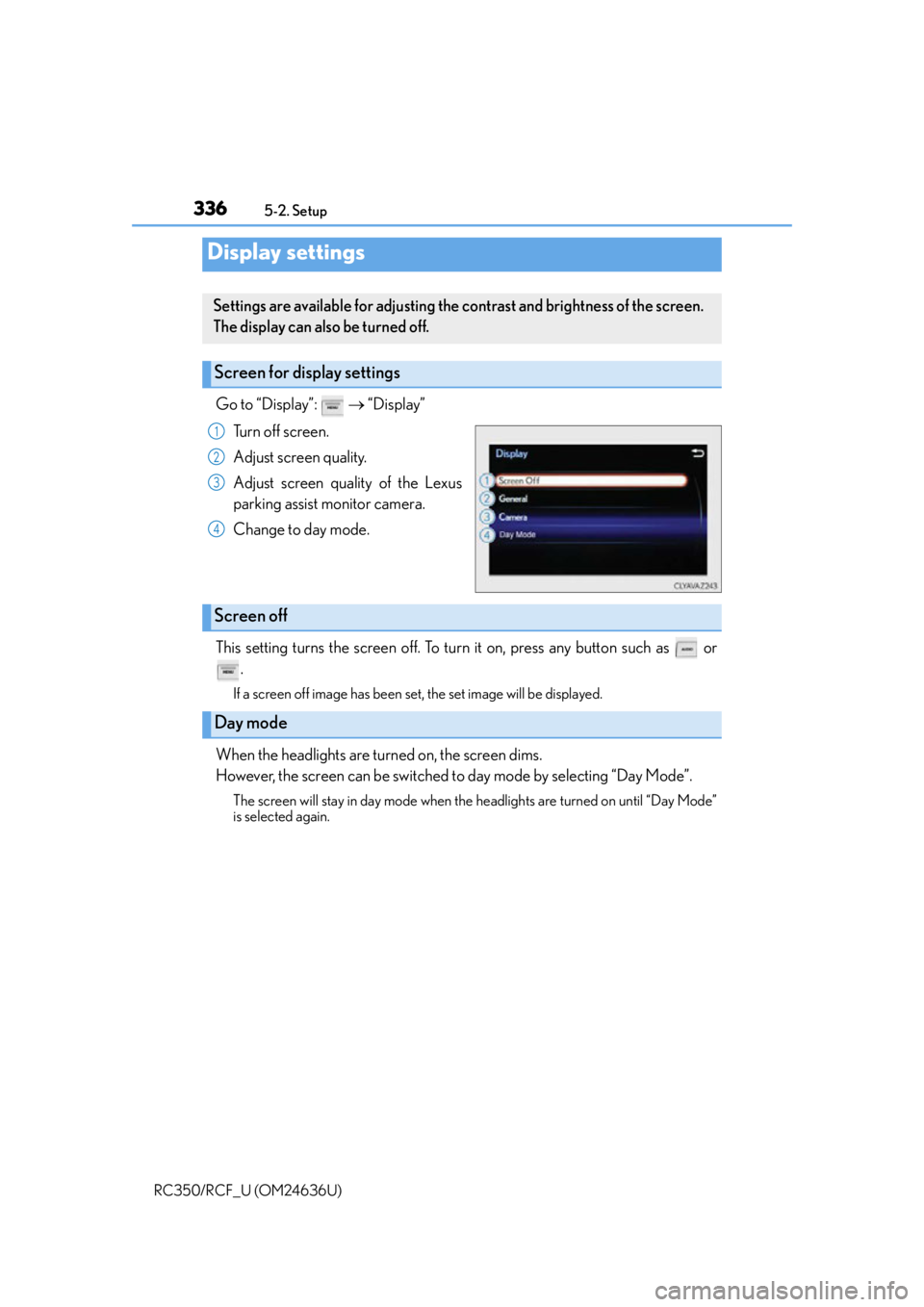
Go to “Display”: “Display”
Turn off screen.
Adjust screen quality.
Adjust screen quality of the Lexus
parking assist monitor camera.
Change to day mode.
This setting turns the screen off. To turn it on, press any button such as or .
If a screen off image has been set, the set image will be displayed.
When the headlights are turned on, the screen dims.
However, the screen can be switched to day mode by selecting “Day Mode”.
The screen will stay in day mode when the headlights are turned on until “Day Mode”
is selected again.
Display settings
Settings are available for adjusting the contrast and brightness of the screen.
The display can also be turned off.
Screen for display settings
1
2
3
4
Screen off
Day mode
Page 415 of 684

415
Interior features6
RC350/RCF_U (OM24636U)
6-1. Using the air conditioning system
Automatic air conditioning system ............................................416
Heated steering wheel/ seat heaters/
seat ventilators ......................... 425
6-2. Using the interior lights Interior lights list ......................... 428• Interior lights .......................... 429
• Personal lights .......................430
6-3. Using the storage features List of storage features ............. 431• Glove box ............................... 432
• Console box........................... 432
• Cup holders ........................... 433
Trunk features .............................. 434
6-4. Using the other interior features
Other interior features ............ 435 • Sun visors ................................ 435
• Vanity mirrors ........................ 435
• Clock ........................................ 436
• Power outlet ........................... 436
• Armrest .................................... 437
•Trunk storage extension .................................438
• Assist grips.............................. 439
• Coat hooks ............................. 439
Garage door opener................ 440
Compass ....................................... 447
LEXUS Enform Safety Connect ........................................451
Page 426 of 684
4266-1. Using the air conditioning system
RC350/RCF_U (OM24636U)
●The heated steering wheel can be used when the engine switch is in IGNITION ON
mode.
●The heated steering wheel will automati cally turn off after about 30 minutes.
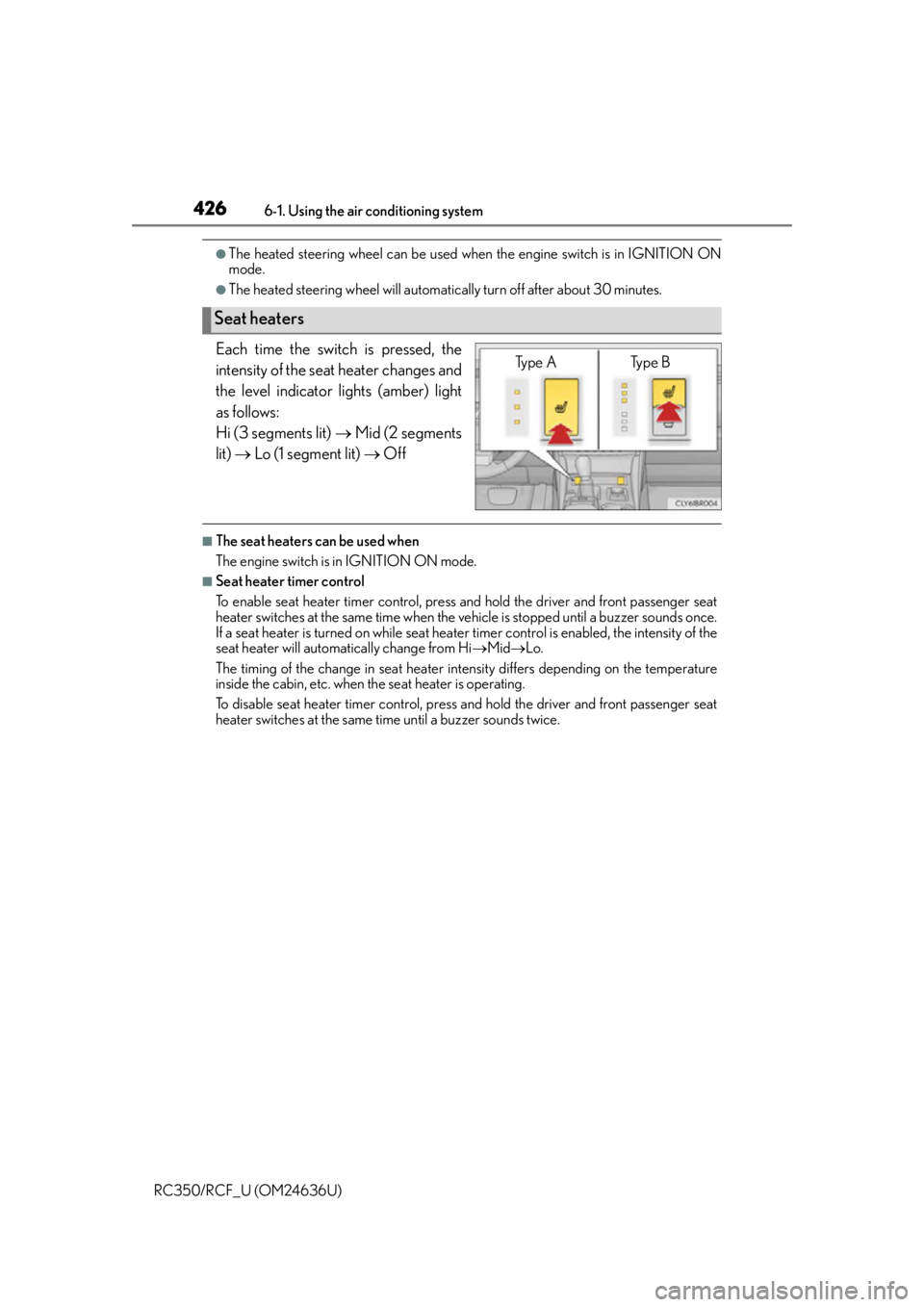
Each time the switch is pressed, the
intensity of the seat heater changes and
the level indicator lights (amber) light
as follows:
Hi (3 segments lit) Mid (2 segments
lit) Lo (1 segment lit) Off
■The seat heaters can be used when
The engine switch is in IGNITION ON mode.
■Seat heater timer control
To enable seat heater timer control, press and hold the driver and front passenger seat
heater switches at the same time when the vehicle is stopped until a buzzer sounds once.
If a seat heater is turned on while seat heater timer control is enabled, the intensity of the
seat heater will automatically change from Hi Mid Lo.
The timing of the change in seat heater intensity differs depending on the temperature
inside the cabin, etc. when the seat heater is operating.
To disable seat heater timer control, press and hold the driver and front passenger seat
heater switches at the same time until a buzzer sounds twice.
Seat heaters
Type A Type B
Page 427 of 684
4276-1. Using the air conditioning system
6
Interior features
RC350/RCF_U (OM24636U)
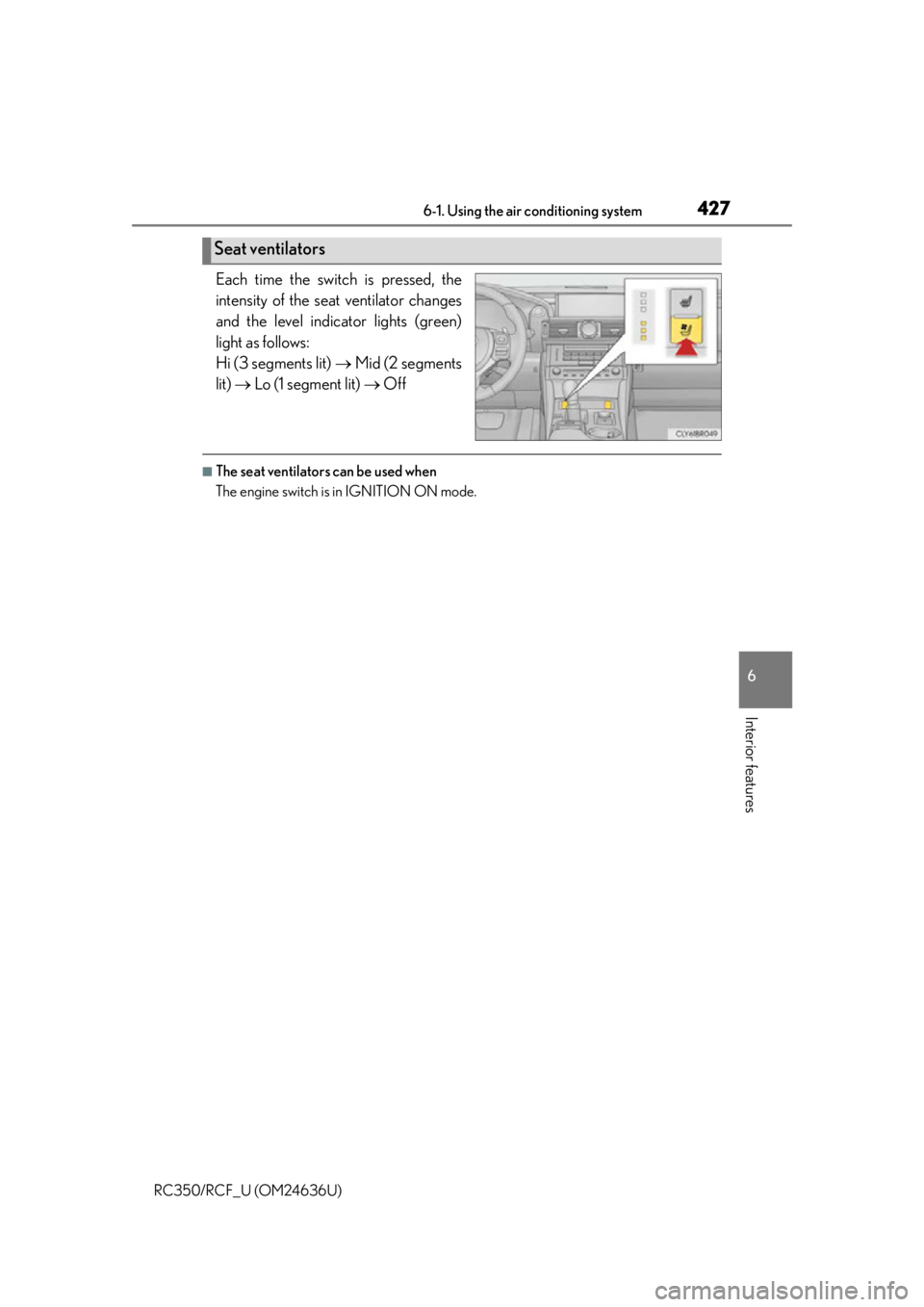
Each time the switch is pressed, the
intensity of the seat ventilator changes
and the level indicator lights (green)
light as follows:
Hi (3 segments lit) Mid (2 segments
lit) Lo (1 segment lit) Off
■The seat ventilators can be used when
The engine switch is in IGNITION ON mode.
Seat ventilators
Page 428 of 684
428
RC350/RCF_U (OM24636U)6-2. Using the interior lights
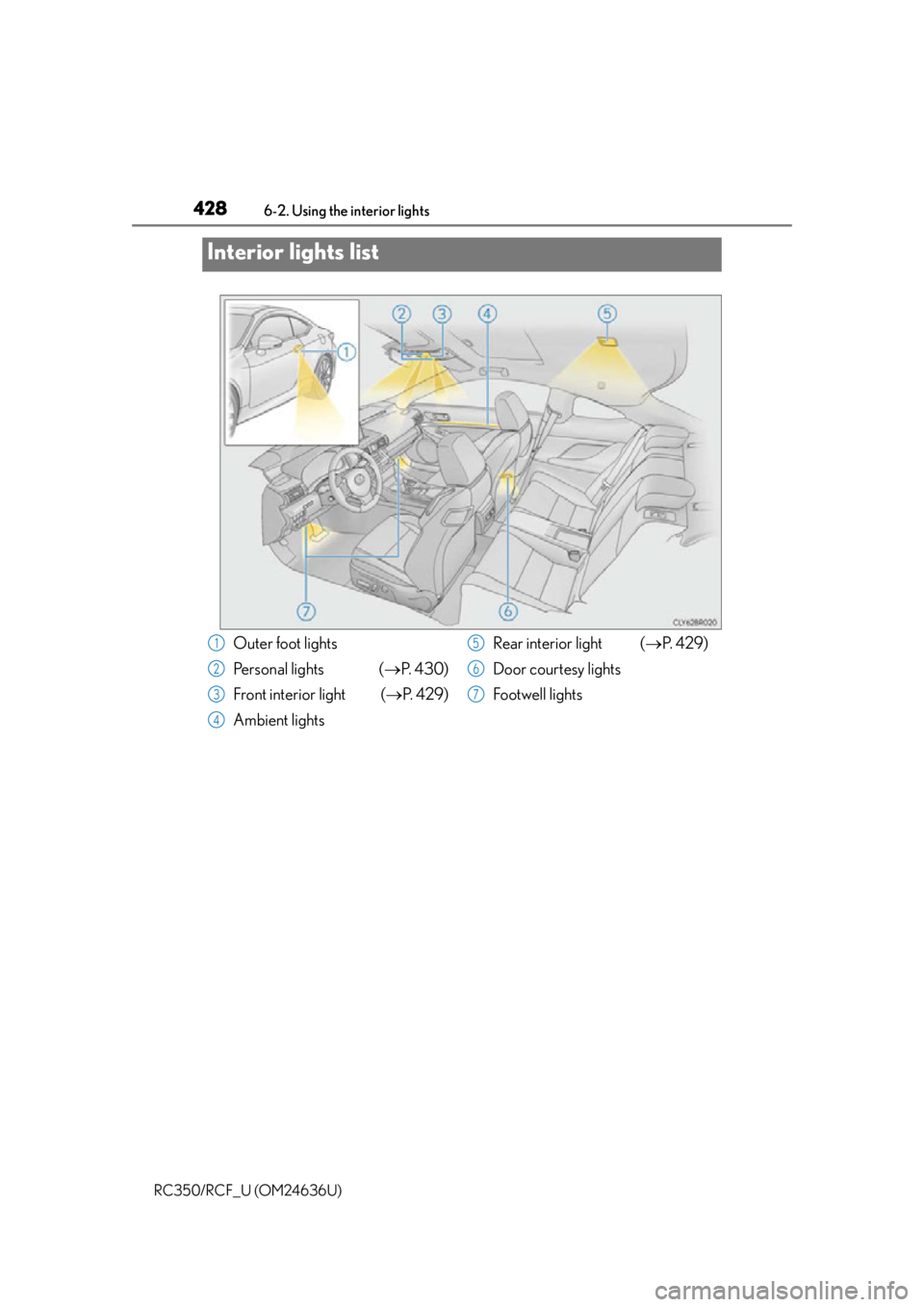
Interior lights list
Outer foot lights
Personal lights (
P. 4 3 0 )
Front interior light ( P. 4 2 9 )
Ambient lights Rear interior light (
P. 4 2 9 )
Door courtesy lights
Footwell lights1
2
3
4
5
6
7
Page 429 of 684
4296-2. Using the interior lights
6
Interior features
RC350/RCF_U (OM24636U)
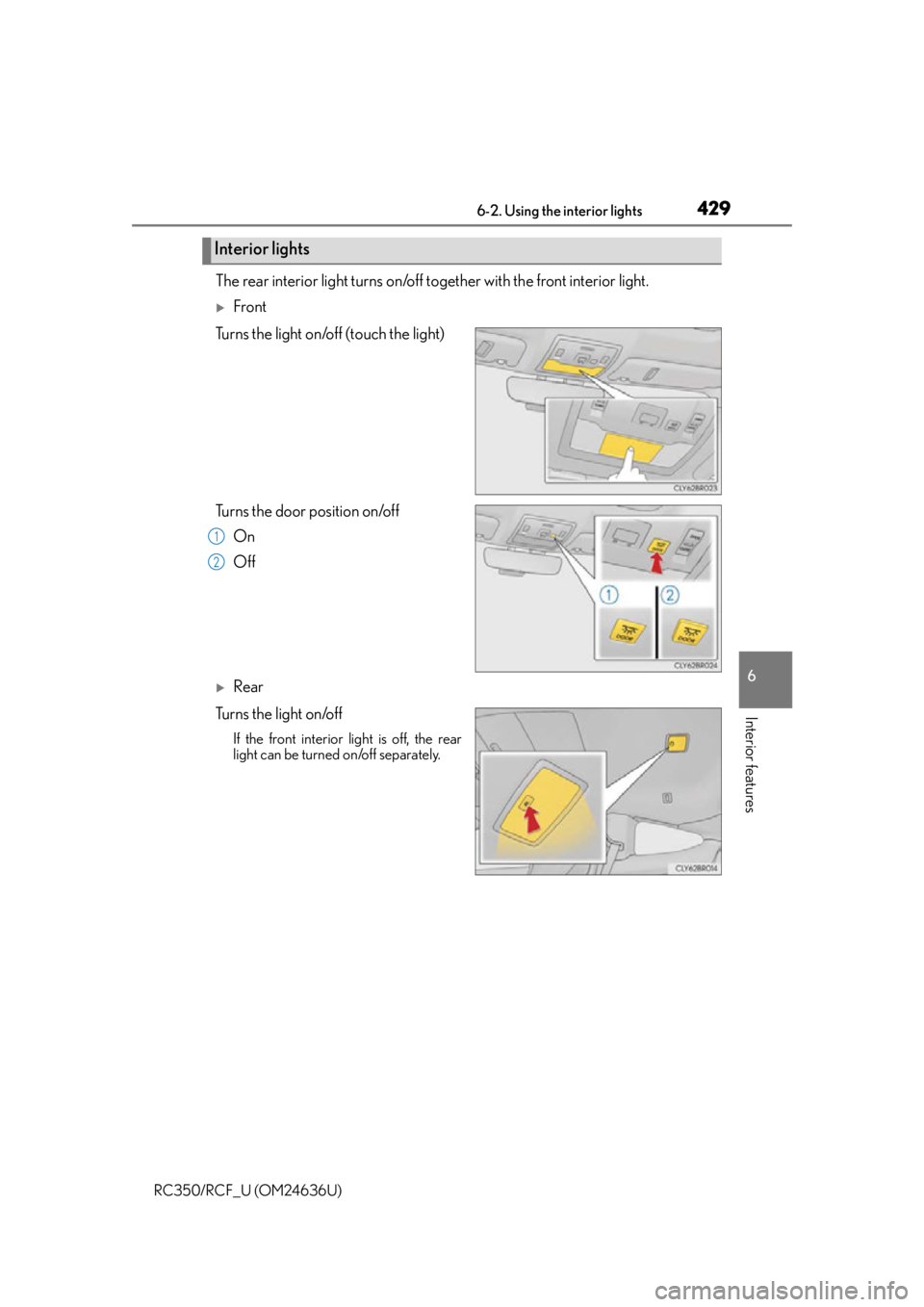
The rear interior light turns on/off together with the front interior light.
Front
Turns the light on/off (touch the light)
Turns the door position on/off On
Off
Rear
Tu r n s t h e l i g h t o n /o f f
If the front interior light is off, the rear
light can be turned on/off separately.
Interior lights
1
2
Page 430 of 684
4306-2. Using the interior lights
RC350/RCF_U (OM24636U)
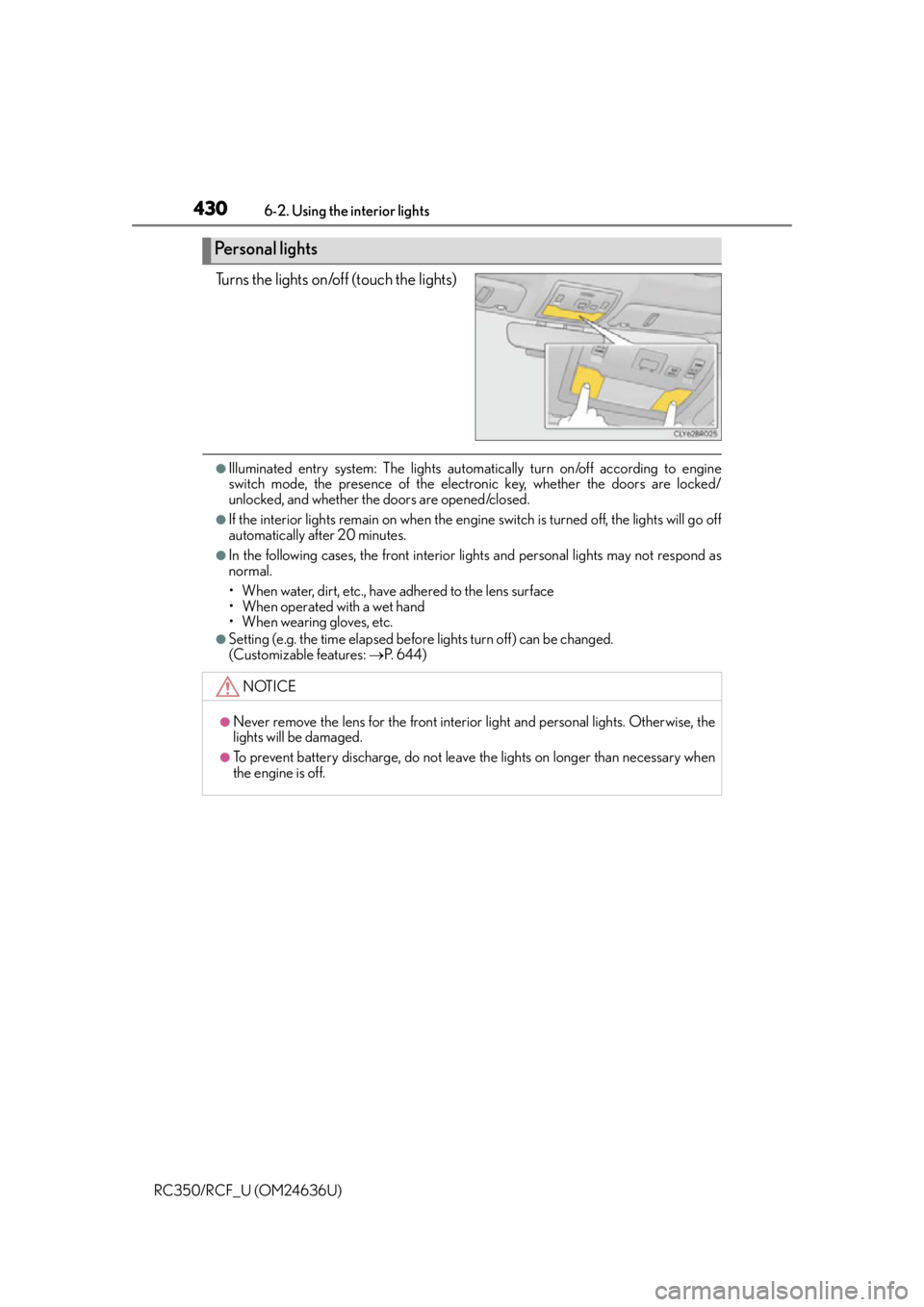
Turns the lights on/off (touch the lights)
●Illuminated entry system: The lights automa tically turn on/off according to engine
switch mode, the presence of the electronic key, whether the doors are locked/
unlocked, and whether the doors are opened/closed.
●If the interior lights remain on when the engine switch is turned off, the lights will go off
automatically after 20 minutes.
●In the following cases, the front interior li ghts and personal lights may not respond as
normal.
• When water, dirt, etc., have adhered to the lens surface
• When operated with a wet hand
• When wearing gloves, etc.
●Setting (e.g. the time elapsed before lights turn off) can be changed.
(Customizable features: P. 6 4 4 )
Personal lights
NOTICE
●Never remove the lens for the front interior light and personal lights. Otherwise, the
lights will be damaged.
●To prevent battery discharge, do not leav e the lights on longer than necessary when
the engine is off.
Page 435 of 684
435
RC350/RCF_U (OM24636U)
6
Interior features
6-4. Using the other interior features
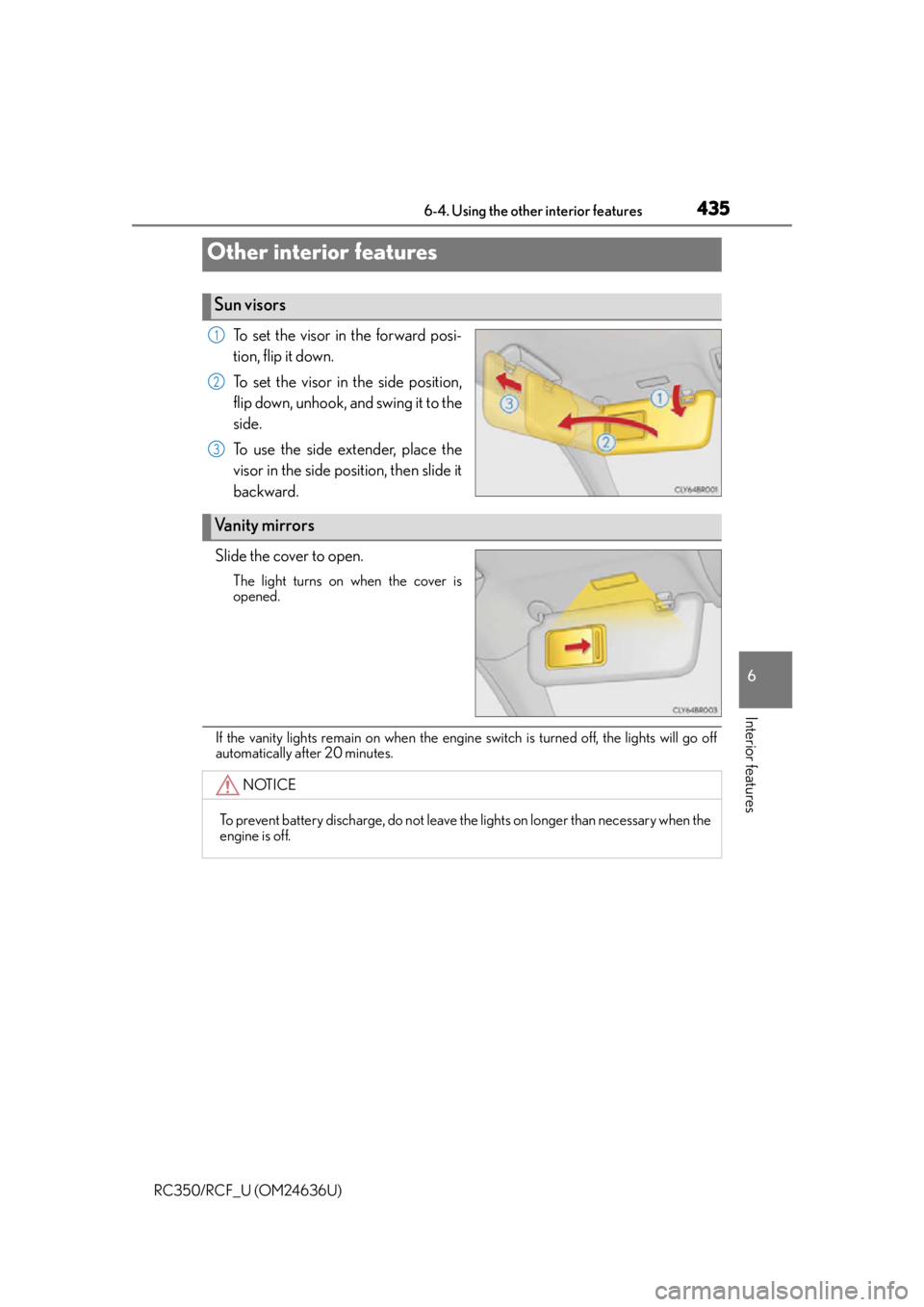
To set the visor in the forward posi-
tion, flip it down.
To set the visor in the side position,
flip down, unhook, and swing it to the
side.
To use the side extender, place the
visor in the side position, then slide it
backward.
Slide the cover to open.
The light turns on when the cover is
opened.
If the vanity lights remain on when the engine switch is turned off, the lights will go off
automatically after 20 minutes.
Other interior features
Sun visors
1
2
3
Vanity mirrors
NOTICE
To prevent battery discharge, do not leave the lights on longer than necessary when the
engine is off.
Page 461 of 684
4617-1. Maintenance and care
7
Maintenance and care
RC350/RCF_U (OM24636U)
NOTICE
■Application of coatings to the vehicle body (vehicles with CFRP parts)
Do not apply any kind of coating to the vehicle body as doing so may damage the paint
or reduce its durability.
■To prevent paint deterioration and corrosion on the body and components (aluminum
wheels etc.)
●Wash the vehicle immediately in the following cases:
• After driving near the sea coast
• After driving on salted roads
• If coal tar or tree sap is present on the paint surface
• If dead insects, insect droppings or bird droppings are present on the paint surface
• After driving in an area contaminated wi th soot, oily smoke, mine dust, iron pow-
der or chemical substances
• If the vehicle becomes heavily soiled with dust or mud
• If liquids such as benzene and gaso line are spilled on the paint surface
●If the paint is chipped or scratched, have it repaired immediately.
●To prevent the wheels from corroding, remo ve any dirt and store in a place with low
humidity when storing the wheels.
■Cleaning the exterior lights
●Wash carefully. Do not use organic substances or scrub with a hard brush.
This may damage the su rfaces of the lights.
●Do not apply wax to the surfaces of the lights.
Wax may cause damage to the lenses.
■To prevent damage to the windshield wiper arms
When lifting the wiper arms away from the windshield, pull the driver side wiper arm
upward first, and repeat for the passenger side. When returning the wipers to their
original position, do so from the passenger side first.
■When using an automatic car wash (vehicle s with rain-sensing windshield wipers)
Set the wipers to the interm ittent windshield wipers. (P. 220)
If AUTO mode is selected, the wipers may operate and the wiper blades may be dam-
aged.
Page 470 of 684
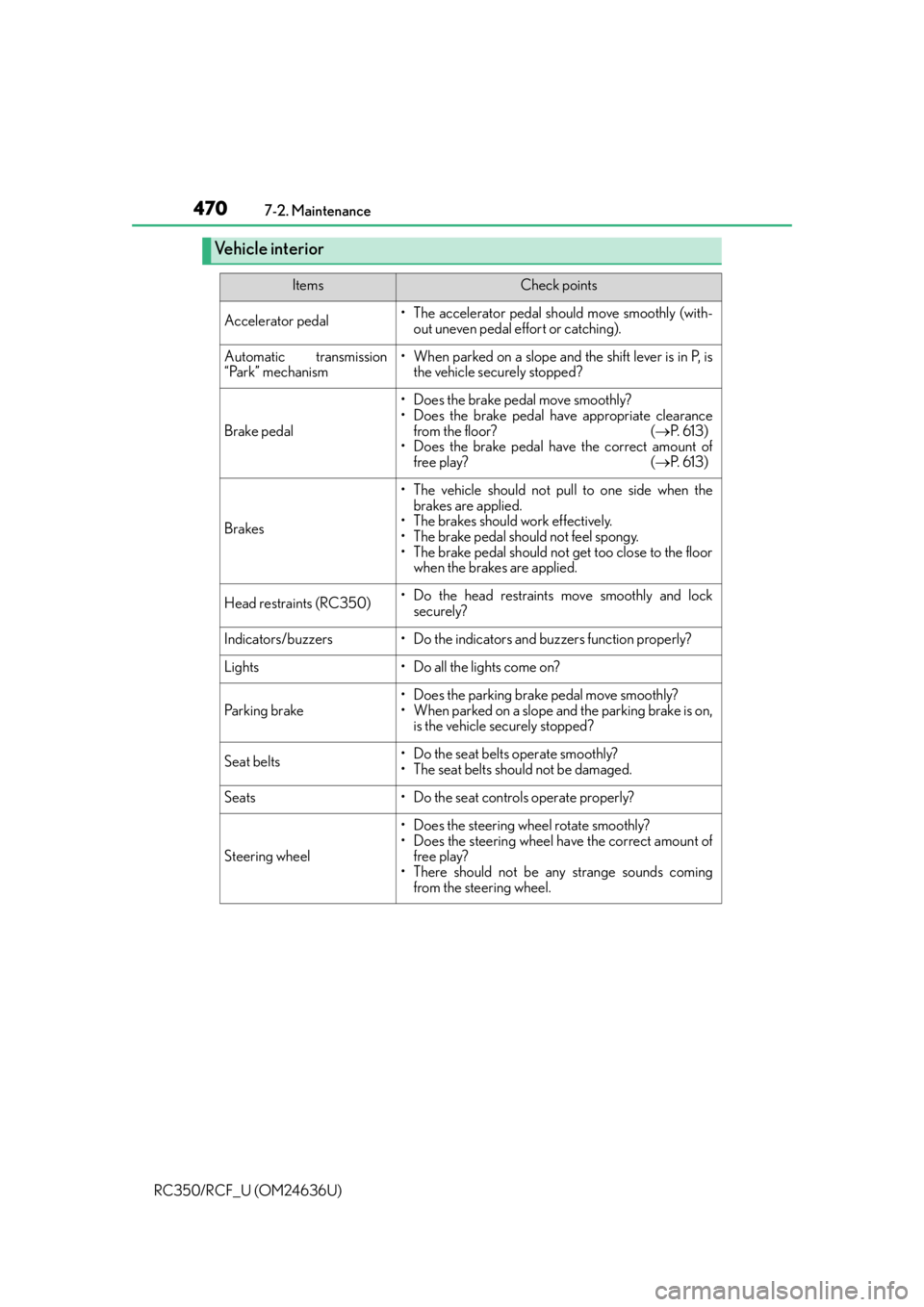
4707-2. Maintenance
RC350/RCF_U (OM24636U)
Vehicle interior
ItemsCheck points
Accelerator pedal• The accelerator pedal should move smoothly (with- out uneven pedal effort or catching).
Automatic transmission
“Park” mechanism• When parked on a slope and the shift lever is in P, isthe vehicle securely stopped?
Brake pedal
• Does the brake pedal move smoothly?
• Does the brake pedal have appropriate clearance
from the floor? ( P. 6 1 3 )
• Does the brake pedal have the correct amount of
free play? ( P. 6 1 3 )
Brakes
• The vehicle should not pull to one side when the
brakes are applied.
• The brakes should work effectively.
• The brake pedal should not feel spongy.
• The brake pedal should not get too close to the floor when the brakes are applied.
Head restraints (RC350)• Do the head restraints move smoothly and lock
securely?
Indicators/buzzers• Do the indicators and buzzers function properly?
Lights• Do all the lights come on?
Parking brake
• Does the parking brake pedal move smoothly?
• When parked on a slope and the parking brake is on,is the vehicle securely stopped?
Seat belts•Do the seat belt s operate smoothly?
• The seat belts should not be damaged.
Seats• Do the seat controls operate properly?
Steering wheel
• Does the steering wheel rotate smoothly?
• Does the steering wheel have the correct amount of free play?
• There should not be an y strange sounds coming
from the steering wheel.