fog LEXUS RC F 2016 User Guide
[x] Cancel search | Manufacturer: LEXUS, Model Year: 2016, Model line: RC F, Model: LEXUS RC F 2016Pages: 700, PDF Size: 14.12 MB
Page 222 of 700
2224-3. Operating the lights and wipers
RC350_RC300_RC200t_RC F_U (OM24671U)
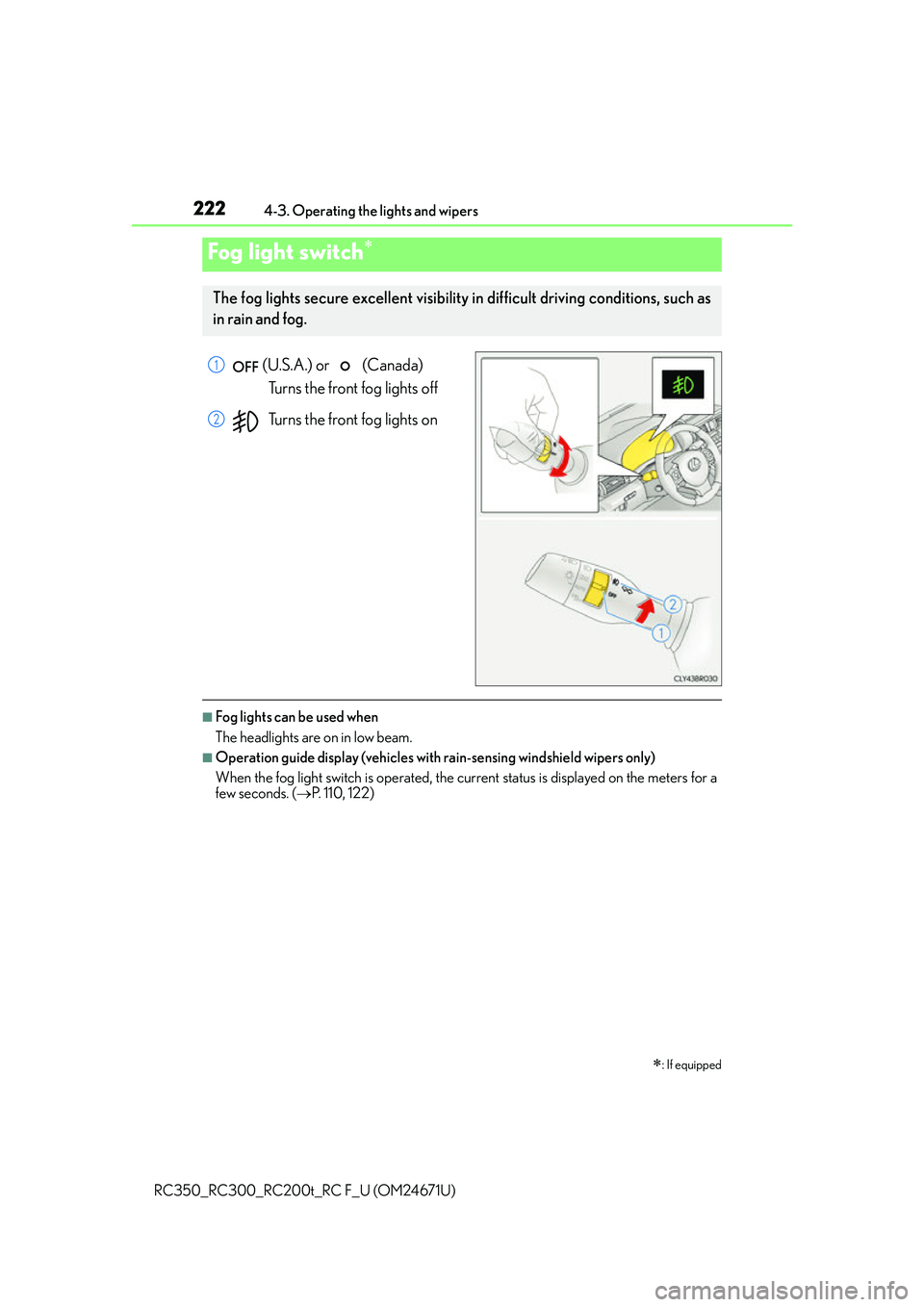
(U.S.A.) or (Canada) Turns the front fog lights off
Turns the front fog lights on
■Fog lights can be used when
The headlights are on in low beam.
■Operation guide display (vehicles with rain-sensing windshield wipers only)
When the fog light switch is operated, the curr ent status is displayed on the meters for a
few seconds. ( P. 110, 122)
Fog light switch
: If equipped
The fog lights secure excellent visibility in difficult driving conditions, such as
in rain and fog.
1
2
Page 249 of 700

2494-5. Using the driving support systems
4
Driving
RC350_RC300_RC200t_RC F_U (OM24671U)
WA R N I N G
■Situations unsuitable for dynamic radar cruise control
Do not use dynamic radar cruise control in any of the following situations.
Doing so may result in inappropriate speed control and could cause an accident result-
ing in death or serious injury.
●Roads where there are pedestrians, cyclers, etc.
●In heavy traffic
●On roads with sharp bends
●On winding roads
●On slippery roads, such as thos e covered with rain, ice or snow
●On steep downhills, or where there are sudden changes between sharp up and down
gradients
Vehicle speed may exceed the set speed when driving down a steep hill.
●At entrances to freeways and highways
●When weather conditions are bad enough that they may prevent the sensors from
detecting correctly (fog, snow, sandstorm, heavy rain, etc.)
●When an approach warning buzzer is heard often
●During emergency towing
Page 257 of 700

2574-5. Using the driving support systems
4
Driving
RC350_RC300_RC200t_RC F_U (OM24671U)
●When sunlight or the headlights of oncoming vehicles are shining directly into the cam-
era lens
●When driving on roads that are branching or merging
●When driving on a road surface that is wet du e to rain, previous rainfall, standing water,
etc.
●When the vehicle experiences strong up-and -down motion such as when driving on an
extremely rough road or on a seam in the pavement
●When headlight brightness at nighttime is reduced due to dirt on the lenses, or when
the headlights are misaligned
●When driving on winding roads or roads that are uneven
●When driving on rough or unpaved roads
■When changing the tires
Depending on the tires used, sufficient performance may not be maintainable.
■Warning messages for the LDA system
Warning messages are used to indicate a syst em malfunction or to inform the driver of
the need for caution while driving. ( P. 555)
WA R N I N G
■Before using the LDA system
Do not rely solely on the LDA system. The LDA system does not drive the vehicle auto-
matically, nor does it reduce the amount of care you need to take. As such, the driver
must always assume full responsibility for understanding his/her surroundings, for
operating the steering wheel to correct the driving line, and for driving safely.
Inappropriate or negligent drivin g could lead to an accident.
■To avoid operating the LDA by mistake
Switch the LDA system off using the LDA switch when not in use.
■Situations unsuitable for LDA system
Do not use the LDA system in any of the following situations.
Otherwise, the system may not function correctly and could result in an accident.
●When driving with tire chains, a spare tire, or similar equipment
●When there are objects or structures along the roadside that might be misinterpreted
as lane markers (such as guardrails, a curb, reflector posts, etc.)
●When driving on snowy roads
●When pavement lane markers are difficult to see due to rain, snow, fog, sand, dirt, etc.
●When there are visible lines on the pavement from road repairs, or if the remains of
old lane markers are still visible on the road
●When driving on a road with lane closures due to maintenance, or when driving in a
temporary lane
Page 258 of 700
2584-5. Using the driving support systems
RC350_RC300_RC200t_RC F_U (OM24671U)
NOTICE
■To prevent damage to or incorrect operation of the LDA system
●Do not modify the headlights or attach stickers to the surface of the lights.
●Do not modify the suspension.
If any suspension parts need to be replaced, contact your Lexus dealer.
●Do not install or place anything on the hood or the grille. Also, do not install a grille
guard (bull bars, kangaroo bar etc.).
●If your windshield needs repairs, contact your Lexus dealer.
■Camera sensor
Observe the following to ensure that the LDA system functions correctly.
●Keep the windshield clean at all times.
Performance could be affected if the windshie ld is dirty, or if raindrops, condensation
or ice are adhering to the windshield.
●Do not spill liquid onto the camera sensor.
●Do not attach window tinting to the windshield.
●Do not install an antenna in front of the camera lens.
●If the area of the windshield in front of the camera sensor is fogged up, use the wind-
shield defogger to remove the fog.
When it is cold, setting the heater to blow air to the feet only may cause the area of
the windshield in front of the camera sensor to fog up. This will have a negative effect
on the images.
●Do not scratch the camera lens, or let it get dirty.
When cleaning the inside of the windshield , be careful not to get any glass cleaner
etc. on the lens. Also, do not touch the lens.
For lens repair, contact your Lexus dealer.
●Do not change the installation position or di rection of the camera sensor or remove it.
The direction of the camera se nsor is precisely adjusted.
●Do not subject the camera sensor to strong impact or force, and do not disassemble
the camera sensor.
●If the windshield needs to be re placed, contact your Lexus dealer.
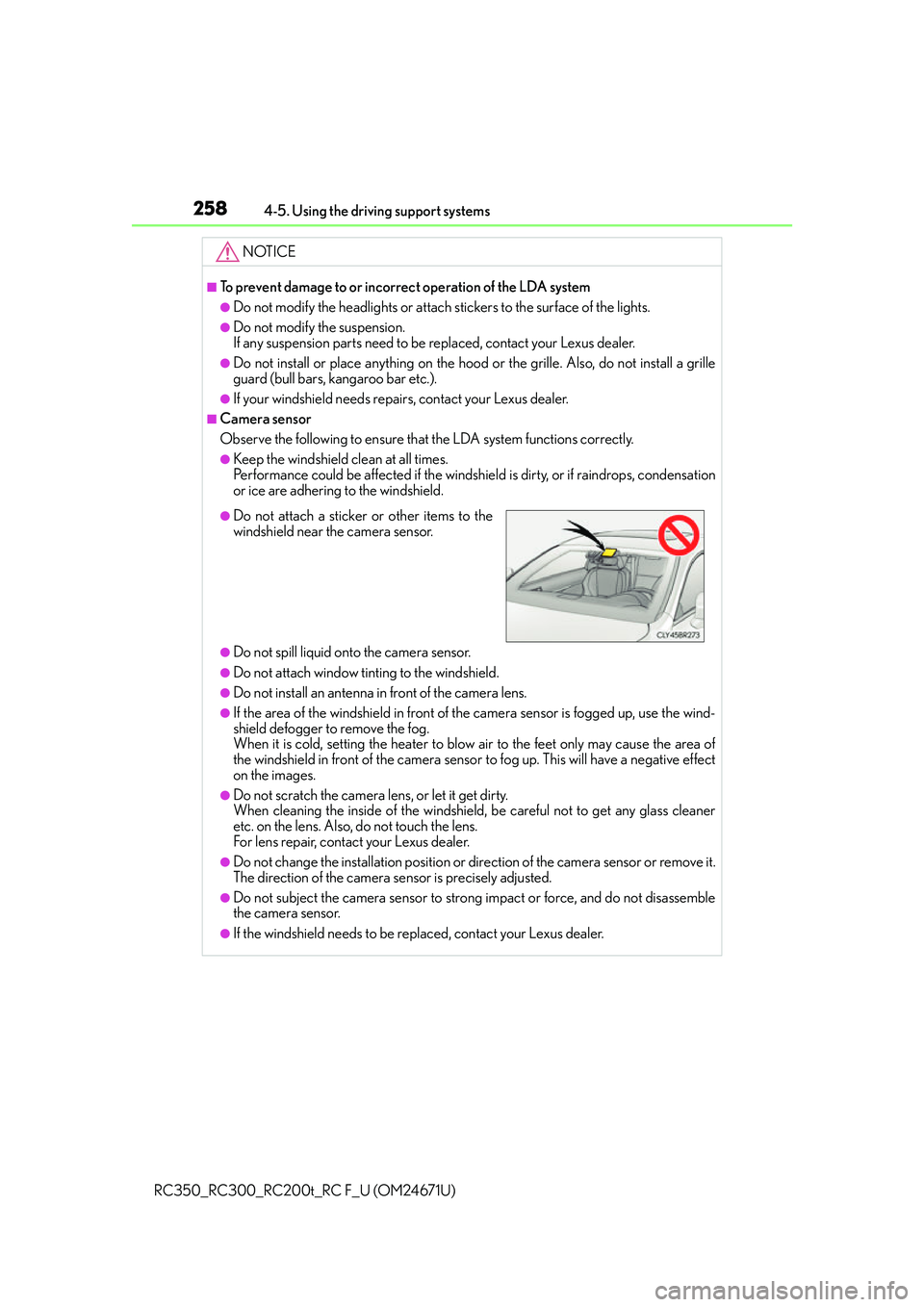
●Do not attach a sticker or other items to the
windshield near the camera sensor.
Page 298 of 700

2984-5. Using the driving support systems
RC350_RC300_RC200t_RC F_U (OM24671U)
■Conditions that may trigger the system even if there is no danger of a collision
In any of the following situations where the frontal area of the radar sensor is inter-
rupted, the radar sensor may detect possibility of a frontal collision and the system
may be activated.
●When passing by an oncoming vehicle in a curve or a turn to the right or the left
●When rapidly approaching an obstacle ahead (e.g. preceding vehicle, toll gate barrier,
etc.)
●When there is a structural ob ject (billboard, low ceiling, fluorescent light, etc.) above
the uphill road ahead
●When driving on a narrow road or through under a low overhead structure (bridge,
tunnel, fly-under, etc.)
●When driving on an uneven road surface
●When there is a metal object, bump, or protrusion on the road surface
●When vehicle’s front part is raised or lowered depending on loading conditions
●When the direction of radar sensor is misa ligned by strong impact applied on an area
around the radar sensor, etc.
●When there is an obstacle (guard rail, etc.) by the roadside at the entrance to a curve
●When the front of your vehicle is pointing upwards (caused by putting a heavy load in
the trunk etc.)
When the system is activated in the situations described above, there is also a possibility
that the brakes may be applied with a force greater than normal.
■Obstacles not detected
The sensor cannot detect plasti c obstacles such as traffic cones. There may also be occa-
sions when the sensor cannot detect pedestrians, animals, bicycles, motorcycles, trees,
or snowdrifts.
■Situations in which the pre-collision system does not function properly
The system may not function effectively in situations such as the following:
●On roads with sharp bends or uneven surfaces
●If a vehicle suddenly moves in front of your vehicle, such as at an intersection
●If a vehicle suddenly cuts in front of your vehicle, such as when overtaking
●In inclement weather such as heavy rain, fog, snow or sand storms
●If the vehicle is skidding when VSC is not operating
●When your vehicle is steeply inclined
●When only part of your vehicle’s front end collides with, or contacts, a vehicle or object
in a frontal collision
●When the radar sensor moves off position due to its surrounding area being subjected
to a strong impact
●When an obstacle suddenly appears in front of the vehicle due to the steering wheel
being turned sharply or another cause
■Automatic cancelation of the pre-collision system
When a malfunction occurs due to sensor cont amination, etc. that results in the sensors
being unable to detect obstacles, the pre-collision syst em will be automatically disabled.
In this case, the system will not activate even if there is a collision possibility.
Page 309 of 700

3094-5. Using the driving support systems
4
Driving
RC350_RC300_RC200t_RC F_U (OM24671U)
■Conditions under which the BSM function may not function correctly
●The BSM function may not detect vehicles correctly in the following situations:
• When the sensor is misaligned due to a strong impact to the sensor or its surround-ing area
• When mud, snow, ice, a sticker, etc. is covering the sensor or surrounding area on the rear bumper
• When driving on a road surface that is wet with standing water during bad weather, such as heavy rain, snow, or fog
• When multiple vehicles are approaching wi th only a small gap between each vehicle
• When the distance between your vehicle and a following vehicle is short
• When there is a significant difference in speed between your vehicle and the vehicle that enters the detection area
• When the difference in speed between your vehicle and another vehicle is changing
• When a vehicle enters a detection area traveling at about the same speed as your vehicle
• As your vehicle starts from a stop, a vehicle remains in the detection area
• When driving up and down consecutive steep in clines, such as hills, dips in the road,
etc.
• When driving on roads with sharp bends, consecutive curves, or uneven surfaces
• When vehicle lanes are wide, or when drivin g on the edge of a lane, and the vehicle
in an adjacent lane is far away from your vehicle
• When a bicycle carrier or other accessory is installed to the rear of the vehicle
• When there is a significant difference in height between your vehicle and the vehicle
that enters the detection area
• Immediately after the BSM main switch is turned on
●Instances of the BSM function unnecessarily detecting a vehicle and/or object may
increase in the following situations:
• When the sensor is misaligned due to a strong impact to the sensor or its surround- ing area
• When the distance between your vehicle and a guardrail, wall, etc. that enters the detection area is short
• When driving up and down consecutive steep in clines, such as hills, dips in the road,
etc.
• When vehicle lanes are narrow, or when driving on the edge of a lane, and a vehicle traveling in a lane other than the ad jacent lanes enters the detection area
• When driving on roads with sharp bends, consecutive curves, or uneven surfaces
• When the tires are slipping or spinning
• When the distance between your vehicle and a following vehicle is short
• When a bicycle carrier or other accessory is installed to the rear of the vehicle
Page 313 of 700

3134-5. Using the driving support systems
4
Driving
RC350_RC300_RC200t_RC F_U (OM24671U)
■Conditions under which the RCTA function will not detect a vehicle
The RCTA function is not designed to detect the following types of vehicles and/or
objects:
●Vehicles approaching from directly behind
●Vehicles backing up in a parking space next to your vehicle
●Guardrails, walls, signs, parked vehi cles and similar stationary objects*
●Small motorcycles, bicycles, pedestrians, etc.*
●Vehicles moving away from your vehicle
●Vehicles approaching from the parking spaces next to your vehicle*
*
: Depending on the conditions, detection of a vehicle and/or object may occur.
■Conditions under which the RCTA fu nction may not function correctly
●The RCTA function may not detect vehicles correctly in the following situations:
• When the sensor is misaligned due to a strong impact to the sensor or its surround- ing area
• When mud, snow, ice, a sticker, etc. is covering the sensor or surrounding area on
the rear bumper
• When driving on a road surface that is wet with standing water during bad weather, such as heavy rain, snow, or fog
• When multiple vehicles are approaching wi th only a small gap between each vehicle
• When a vehicle is approaching at high speed
●Vehicles that the sensors cannot detect due to
obstructions
• When backing up on a slope with a sharp change in grade
Page 421 of 700

4216-1. Using the air conditioning system
6
Interior features
RC350_RC300_RC200t_RC F_U (OM24671U)
■Adjusting the temperature setting
To adjust the temperature setting,
touch and slide your finger up or
down on the sensor.
The temperature setting can also be
adjusted by touching on the sensor.
When the temperature setting is
changed, a buzzer sounds.
■Fan speed setting
Press to increase the fan speed.
Press to decrease the fan speed.
■Change the airflow mode
To change the airflow, press .
The air outlets used are switched
each time the button is pressed.
Air flows to the upper body.
Air flows to the upper body and
feet.
Air flows to the feet.
Air flows to the feet and the wind-
shield defogger operates.
■Other functions
●Switching between outside air and recirculated air modes (P. 4 2 4 )
●Defogging the windshield ( P. 4 2 4 )
●Defogging the rear window and outside rear view mirrors ( P. 4 2 4 )
1
2
3
4
Page 424 of 700
4246-1. Using the air conditioning system
RC350_RC300_RC200t_RC F_U (OM24671U)
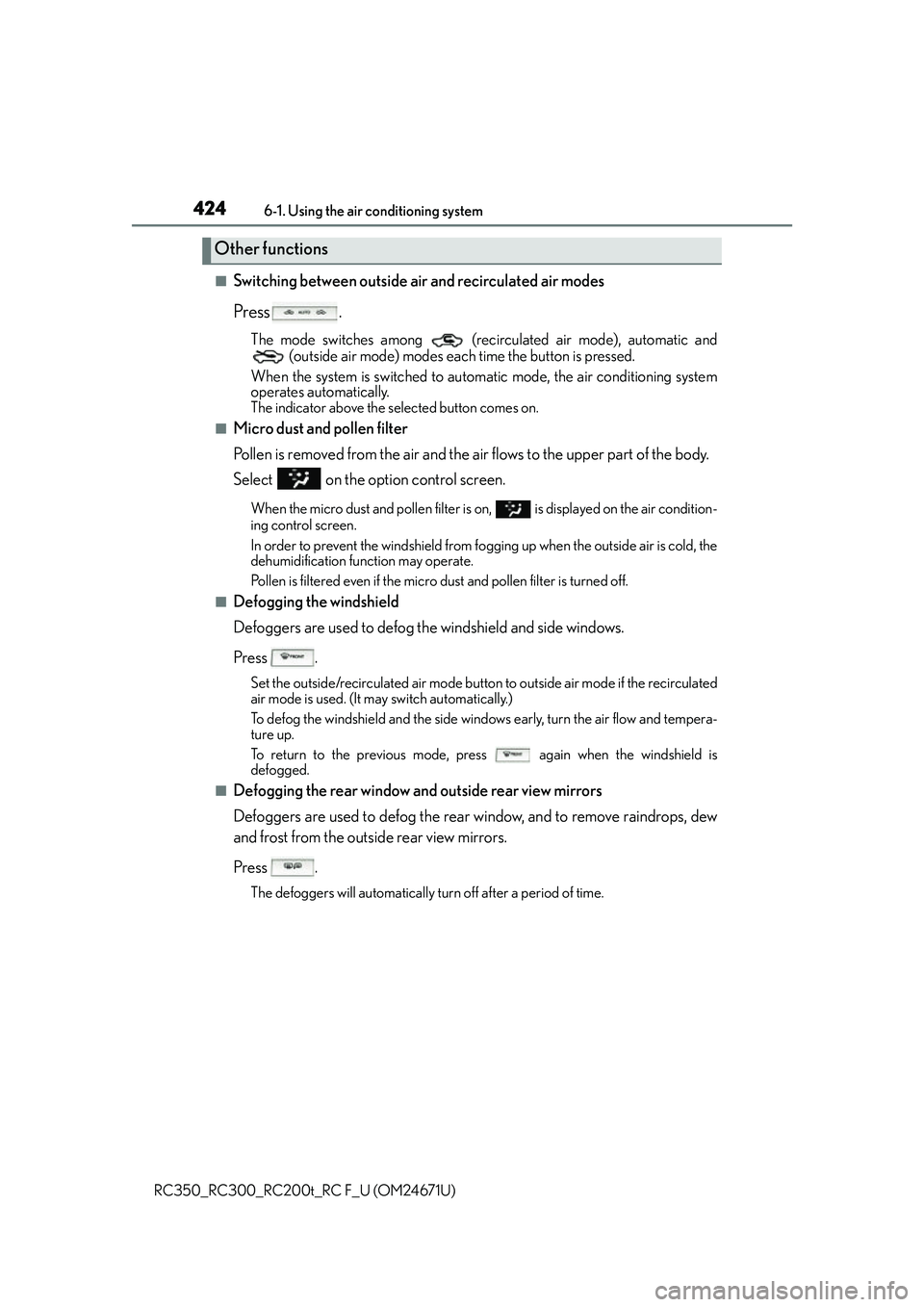
■Switching between outside air and recirculated air modes
Press .
The mode switches among (recirculated air mode), automatic and (outside air mode) modes each time the button is pressed.
When the system is switched to auto matic mode, the air conditioning system
operates automatically.
The indicator above the selected button comes on.
■Micro dust and pollen filter
Pollen is removed from the air and the air flows to the upper part of the body.
Select on the option control screen.
When the micro dust and pollen filter is on, is displayed on the air condition-
ing control screen.
In order to prevent the windshield from fo gging up when the outside air is cold, the
dehumidification function may operate.
Pollen is filtered even if the micro dust and pollen filter is turned off.
■Defogging the windshield
Defoggers are used to defog the windshield and side windows.
Press .
Set the outside/recirculated air mode button to outside air mode if the recirculated
air mode is used. (It may switch automatically.)
To defog the windshield and the side windows early, turn the air flow and tempera-
ture up.
To return to the previous mode, press
again when the windshield is
defogged.
■Defogging the rear window and outside rear view mirrors
Defoggers are used to defog the rear window, and to remove raindrops, dew
and frost from the outside rear view mirrors.
Press .
The defoggers will automatically turn off after a period of time.
Other functions
Page 426 of 700
4266-1. Using the air conditioning system
RC350_RC300_RC200t_RC F_U (OM24671U)
■Registering air conditioning settings to elec tronic keys (vehicles with driving position
memory)
●Unlocking the vehicle using an electronic ke y and turning the engine switch to IGNI-
TION ON mode will recall that key's registered air conditioning settings.
●When the engine switch is tu rned off, the current air conditioning settings will automat-
ically be registered to the electronic ke y that was used to unlock the vehicle.
●The system may not operate correctly if more th an one electronic key is in the vicinity or
if the smart access system with push-button start is used to unlock a passenger door.
●The doors that can recall the air conditioning setting* when unlocked using the smart
access system with push-button start can be changed. For details, contact your Lexus
dealer.
*: The doors that can recall the driving posi tion memory are changed at the same time.
■Using automatic mode
Fan speed is adjusted automatically accordin g to the temperature setting and the ambi-
ent conditions.
Therefore, the fan may stop for a while until warm or cool air is ready to flow immediately
after is pressed or “AUTO” is selected.
■Using the voice command system (veh icles with a navigation system)
Air conditioning system can be operated usin g voice commands. For details, refer to the
“NAVIGATION SYSTEM OWNER’S MANUAL”.
■Fogging up of the windows
The windows will easily fog up when the humidity in the vehicle is high. Turning
(“A/C”) on will dehumidify the air from the outlets and defog the windshield effectively.
●If you turn (“A/C”) off, the windows may fog up more easily.
●The windows may fog up if the recirculated air mode is used.
■Outside/recirculated air mode
●When driving on dusty roads such as tunnels or in heavy traffic, set the outside/recircu-
lated air mode button to the recirculated ai r mode. This is effective in preventing out-
side air from entering the vehicle interior. During cooling operation, setting the
recirculated air mode will also cool the vehicle interior effectively.
●Outside/recirculated air mode may automa tically switch depending on the tempera-
ture setting or the inside temperature.
■When the outside temperature exceeds 75 F (24 C) and the air conditioning system
is on
●In order to reduce the air conditioning po wer consumption, the air conditioning system
may switch to recirculated air mode automa tically. This may also reduce fuel consump-
tion.
●Recirculated air mode is selected as a defaul t mode when the engine switch is turned to
IGNITION ON mode.
●It is possible to switch to outside air mode at any time by pressing .