radio LEXUS RC200T 2017 User Guide
[x] Cancel search | Manufacturer: LEXUS, Model Year: 2017, Model line: RC200T, Model: LEXUS RC200T 2017Pages: 724, PDF Size: 42.04 MB
Page 208 of 724
2083-2. Opening, closing and locking the doors and trunk
RC200t_RC F_EE(OM24728E)
WARNING
■Caution regarding interference with electronic devices
●People with implantable cardiac pacemakers, cardiac resynchronization therapy- pacemakers or implantable cardioverter de fibrillators should maintain a reasonable
distance between themselves and the sm art entry & start system antennas. (P. 175) The radio waves may affect the operation of such devices. If necessary, the entryfunction can be disabled. Ask any authoriz ed Lexus dealer or repairer, or another
duly qualified and equipped professional for details, such as the frequency of radio waves and timing of the emitted radio waves. Then, consult your doctor to see if you should disable the entry function.
●Users of any electrical medical device other than implantable cardiac pacemakers,cardiac resynchronization therapy-pacemakers or implantable cardioverterdefibrillators should consult the manufacturer of the device for information about its
operation under the influence of radio waves. Radio waves could have unexpected effects on the operation of such medicaldevices.
Ask any authorized Lexus dealer or repairer, or another duly qualified and equipped professional for details on disabling the entry function.
Page 388 of 724
388
RC200t_RC F_EE(OM24728E)
5-1. Basic Operations
Lexus Display Audio
System .........................................390
Steering wheel audio
switches....................................... 396
USB/AUX ports ........................ 397
5-2. Setup
Setup menu .................................. 399
General settings.........................400
Voice settings..............................403
Display settings ...........................404
5-3. Using the audio system
Selecting the audio
source ..........................................406
Optimal use of the audio
system .......................................... 407
Audio settings .............................408
Audio menu screen
operation ......................................412
5-4. Using the radio
Radio operation........................... 415
5-5. Playing an audio CD and
MP3/WMA/AAC discs
CD player operation ..................417
Some of the functions cannot be operated while driving.
Page 390 of 724
390
RC200t_RC F_EE(OM24728E)
5-1. Basic Operations
Lexus Display Audio System
: If equipped
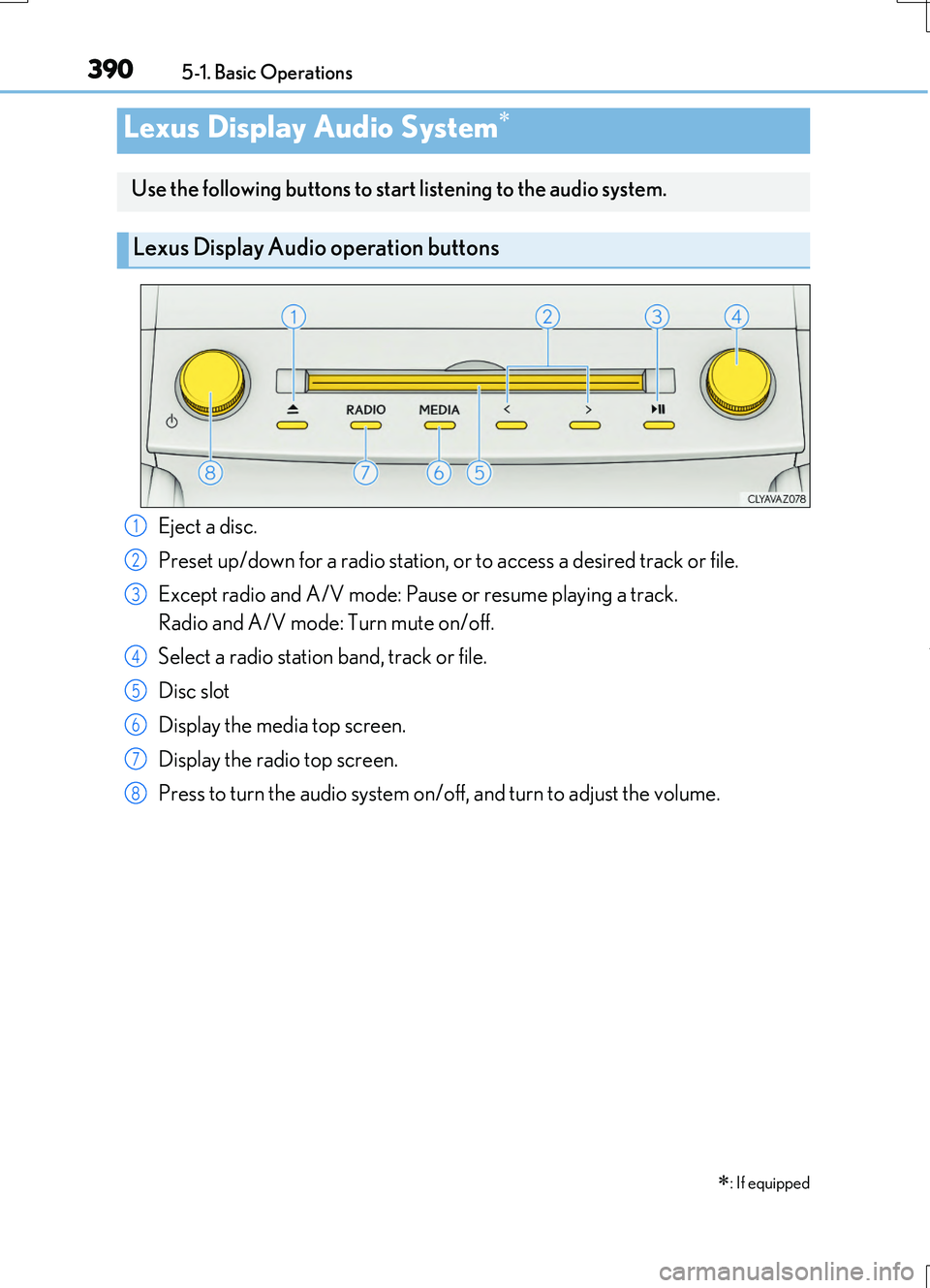
Use the following buttons to start listening to the audio system.
Lexus Display Audio operation buttons
Eject a disc.
Preset up/down for a radio station, or to access a desired track or file.
Except radio and A/V mode: Pause or resume playing a track.
Radio and A/V mode: Turn mute on/off.
Select a radio station band, track or file.
Disc slot
Display the media top screen.
Display the radio top screen.
Press to turn the audio system on/off, and turn to adjust the volume.
1
2
3
4
5
6
7
8
Page 396 of 724
3965-1. Basic Operations
RC200t_RC F_EE(OM24728E)
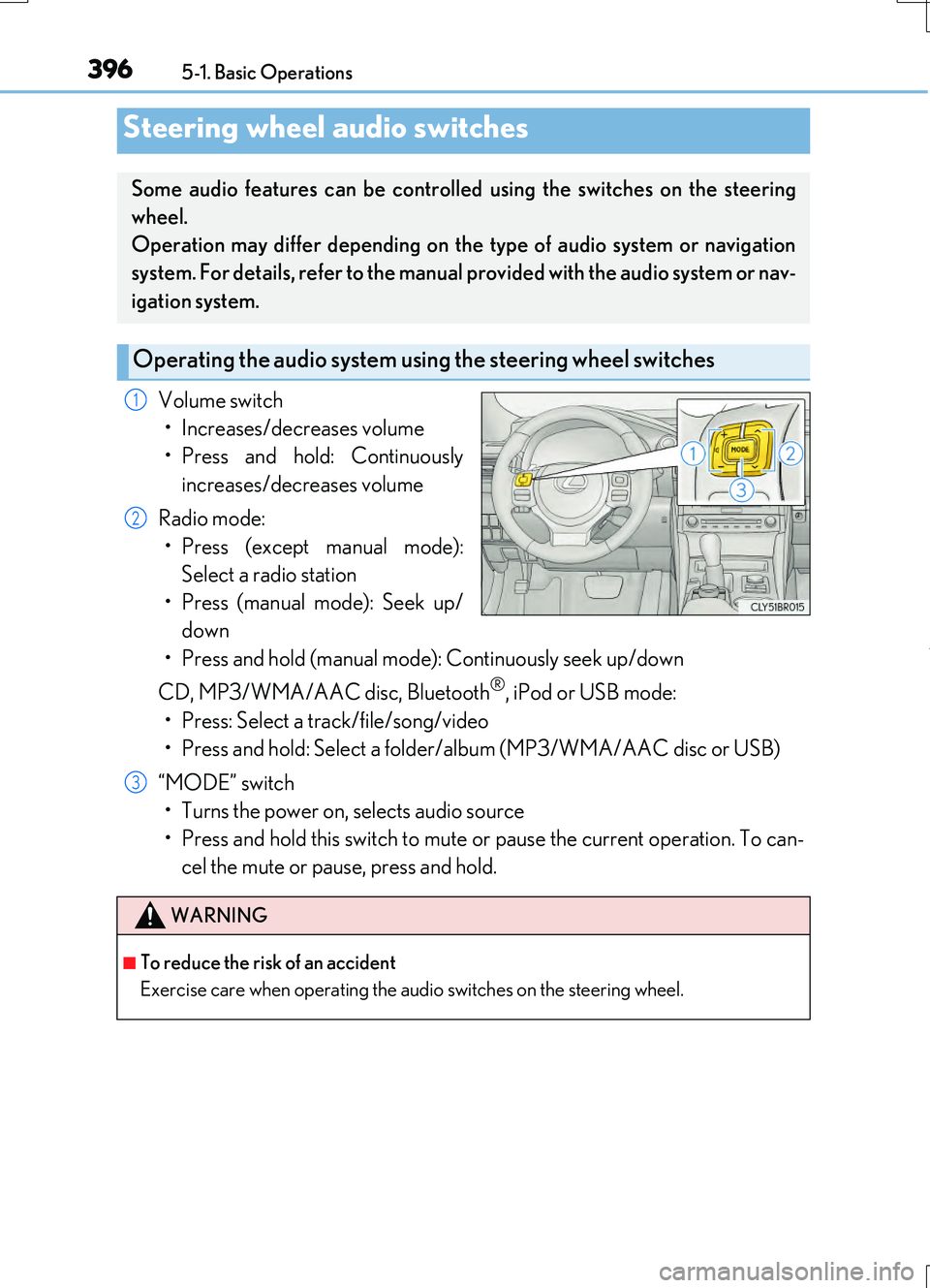
Volume switch
• Increases/decreases volume
• Press and hold: Continuously
increases/decreases volume
Radio mode:
• Press (except manual mode):
Select a radio station
• Press (manual mode): Seek up/
down
• Press and hold (manual mode): Continuously seek up/down
CD, MP3/WMA/AAC disc, Bluetooth®, iPod or USB mode:
• Press: Select a track/file/song/video
• Press and hold: Select a folder/album (MP3/WMA/AAC disc or USB)
“MODE” switch
• Turns the power on, selects audio source
• Press and hold this switch to mute or pause the current operation. To can-
cel the mute or pause, press and hold.
Steering wheel audio switches
Some audio features can be controlled using the switches on the steering
wheel.
Operation may differ depending on the type of audio system or navigation
system. For details, refer to the manual provided with the audio system or nav-
igation system.
Operating the audio system us ing the steering wheel switches
1
2
WARNING
■To reduce the risk of an accident
Exercise care when operating the audio switches on the steering wheel.
3
Page 399 of 724
399
5
Lexus Display Audio system
RC200t_RC F_EE(OM24728E) 5-2. Setup
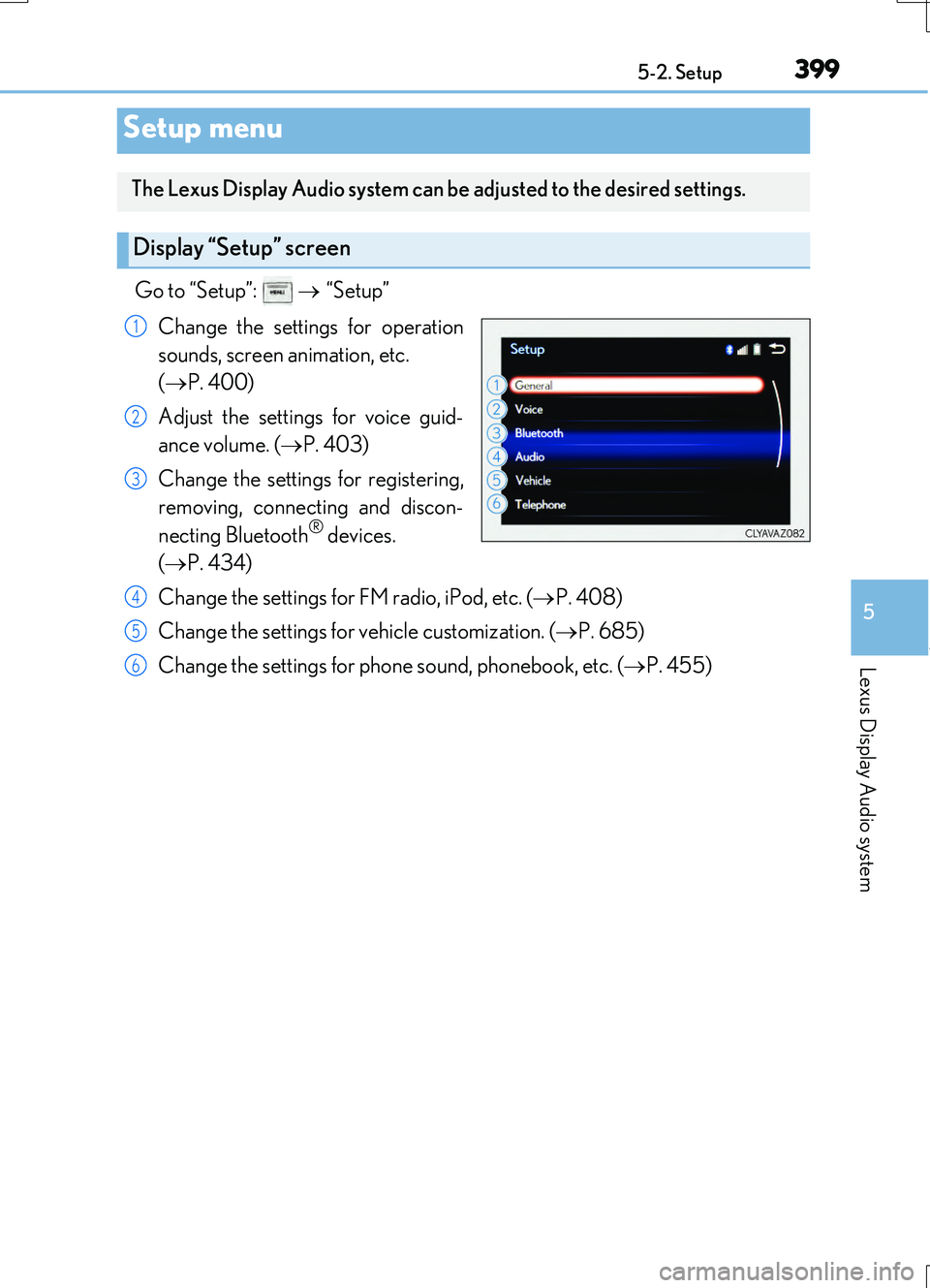
Go to “Setup”:
“Setup”
Change the settings for operation
sounds, screen animation, etc.
( P. 400)
Adjust the settings for voice guid-
ance volume. ( P. 403)
Change the settings for registering,
removing, connecting and discon-
necting Bluetooth
® devices.
( P. 434)
Change the settings for FM radio, iPod, etc. ( P. 408)
Change the settings for vehicle customization. ( P. 685)
Change the settings for phon e sound, phonebook, etc. (P. 455)
Setup menu
The Lexus Display Audio system can be adjusted to the desired settings.
Display “Setup” screen
1
2
3
4
5
6
Page 402 of 724
4025-2. Setup
RC200t_RC F_EE(OM24728E)
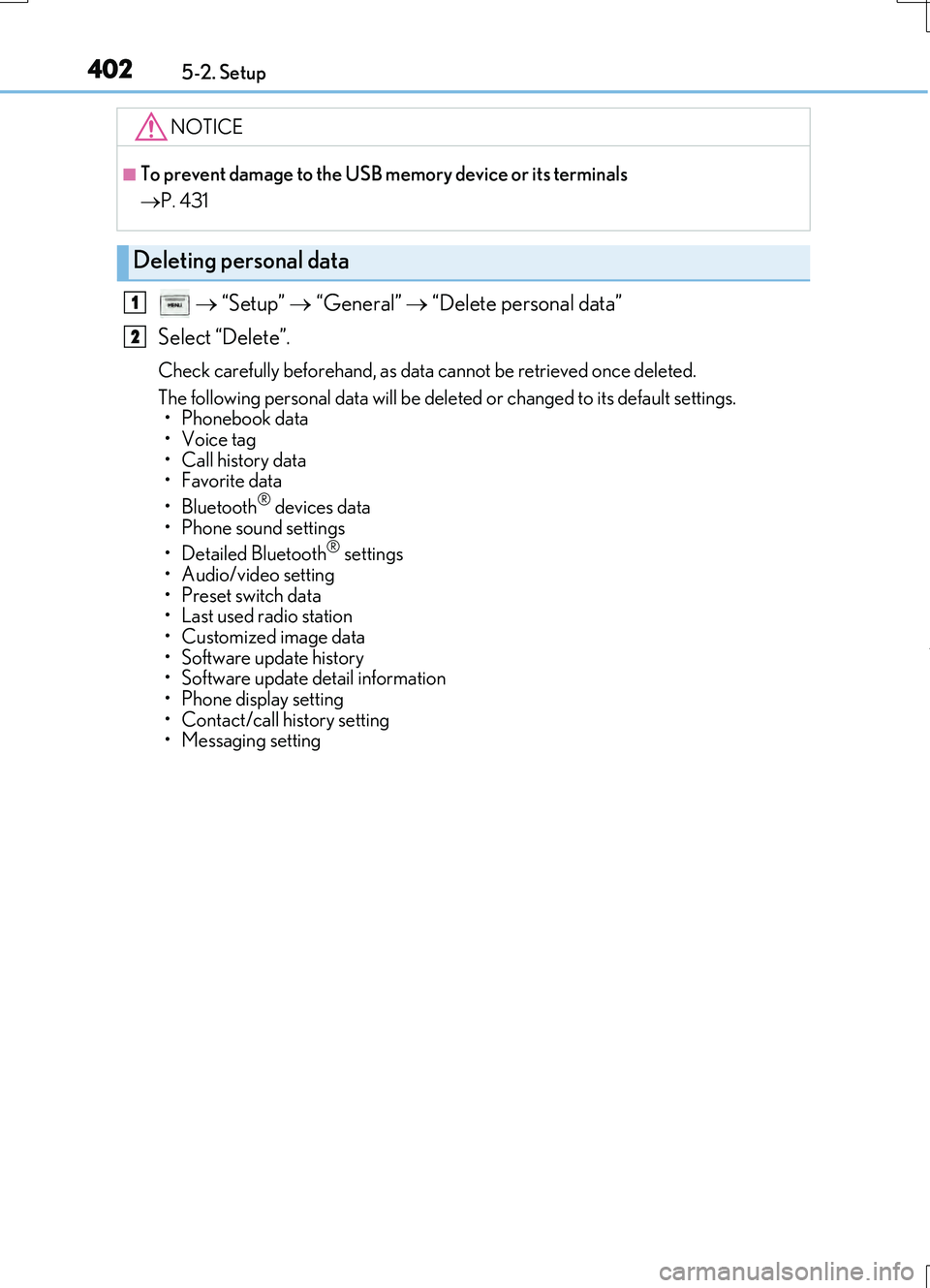
“Setup” “General” “Delete personal data”
Select “Delete”.
Check carefully beforehand, as data cannot be retrieved once deleted.
The following personal data will be deleted or changed to its default settings. • Phonebook data
•Voice tag
• Call history data
•Favorite data
• Bluetooth
® devices data
• Phone sound settings
• Detailed Bluetooth
® settings
• Audio/video setting
• Preset switch data
• Last used radio station
• Customized image data
• Software update history
• Software update detail information
• Phone display setting
• Contact/call history setting
• Messaging setting
NOTICE
■To prevent damage to the USB memory device or its terminals
P. 431
Deleting personal data
1
2
Page 406 of 724
406
RC200t_RC F_EE(OM24728E)
5-3. Using the audio system
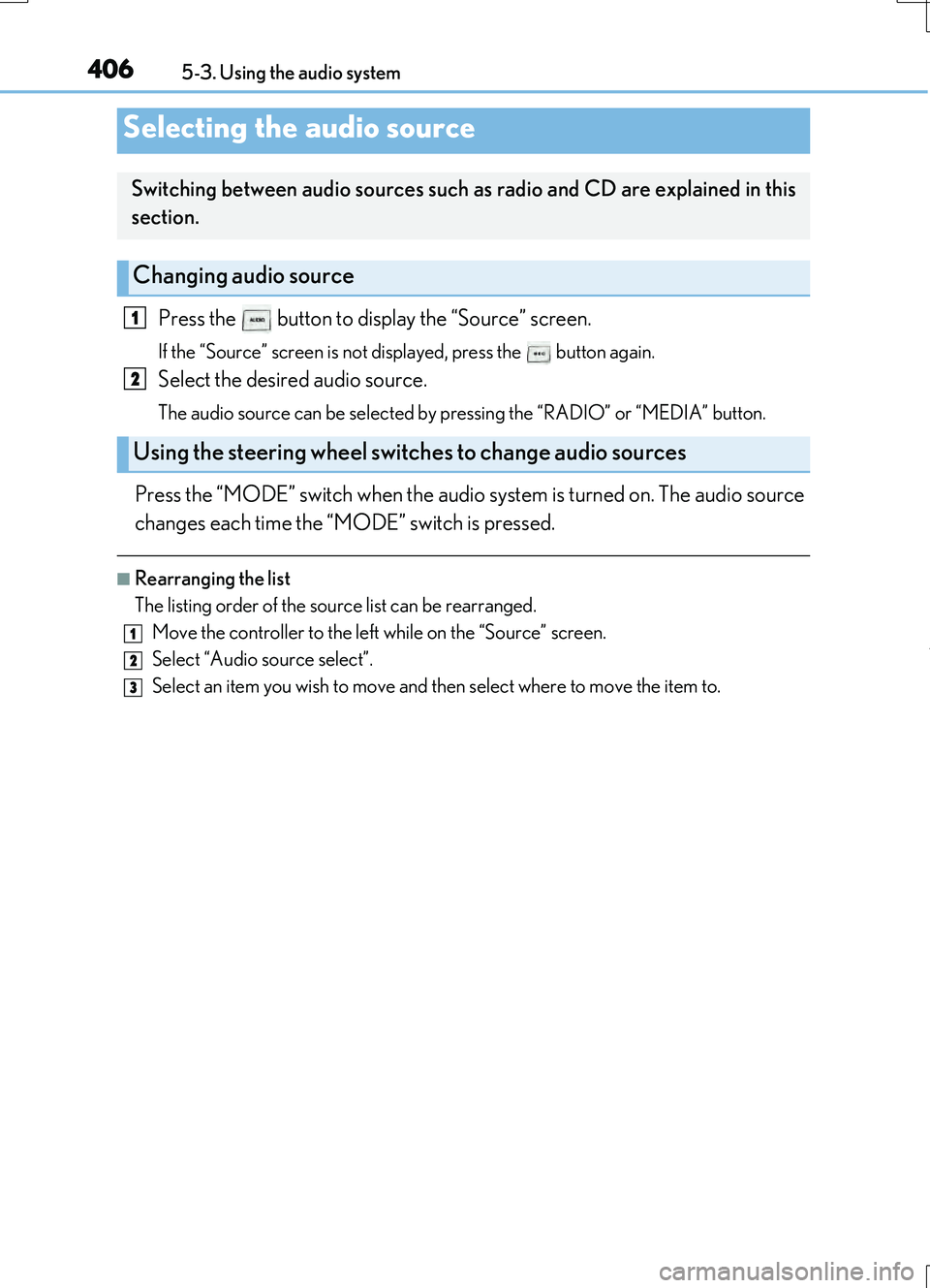
Press the button to display the “Source” screen.
If the “Source” screen is not displayed, press the button again.
Select the desired audio source.
The audio source can be selected by pressing the “RADIO” or “MEDIA” button.
Press the “MODE” switch when the audio system is turned on. The audio source
changes each time the “MODE” switch is pressed.
■Rearranging the list
The listing order of the source list can be rearranged.
Move the controller to the left while on the “Source” screen.
Select “Audio source select”.
Select an item you wish to move and then select where to move the item to.
Selecting the audio source
Switching between audio sources such as radio and CD are explained in this
section.
Changing audio source
Using the steering wheel switches to change audio sources
1
2
1
2
3
Page 408 of 724
4085-3. Using the audio system
RC200t_RC F_EE(OM24728E)
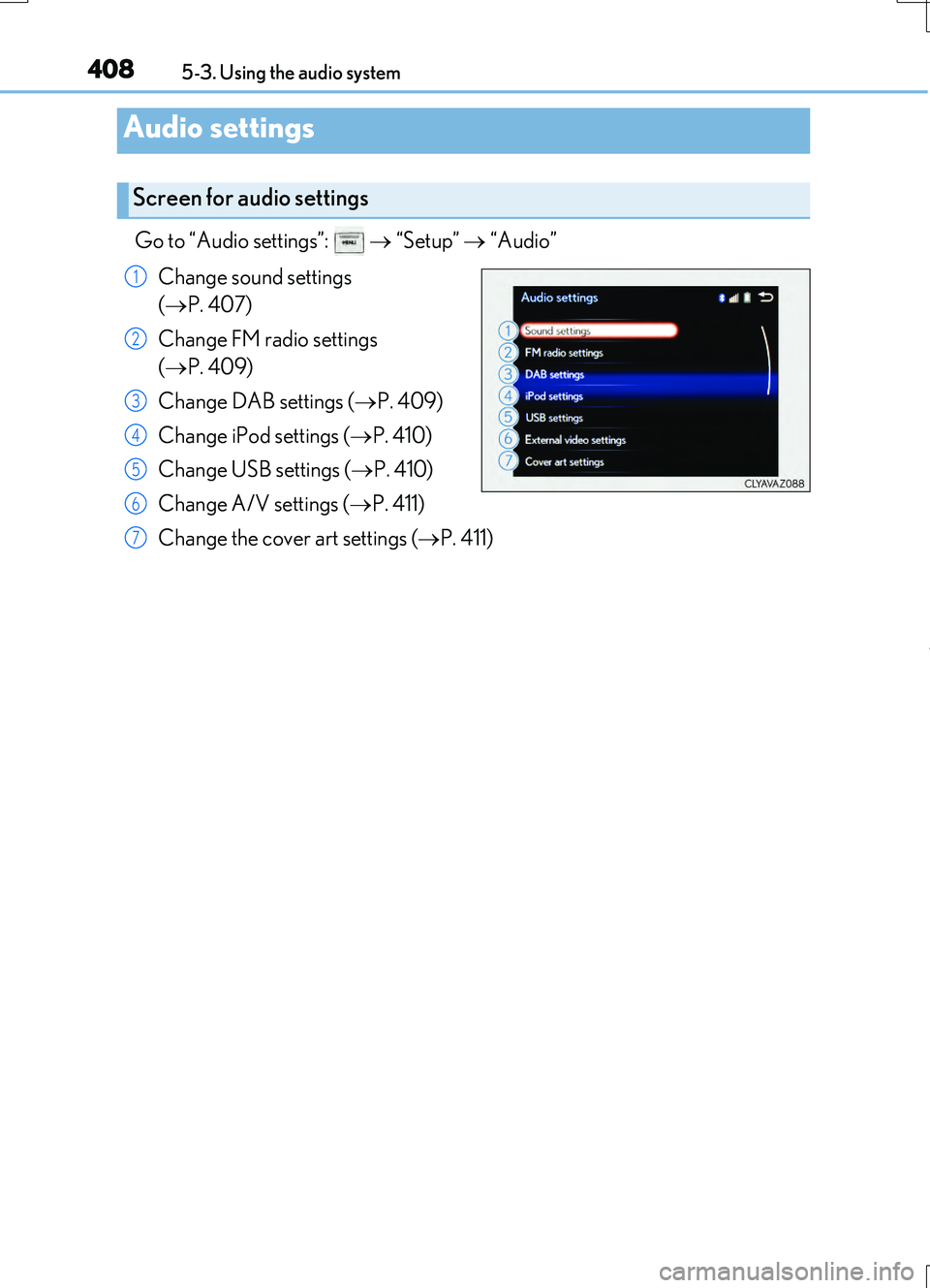
Go to “Audio settings”: “Setup” “Audio”
Change sound settings
( P. 407)
Change FM radio settings
( P. 409)
Change DAB settings ( P. 409)
Change iPod settings ( P. 410)
Change USB settings ( P. 410)
Change A/V settings ( P. 411)
Change the cover art settings ( P. 411)
Audio settings
Screen for audio settings
1
2
3
4
5
6
7
Page 409 of 724
4095-3. Using the audio system
5
Lexus Display Audio system
RC200t_RC F_EE(OM24728E)
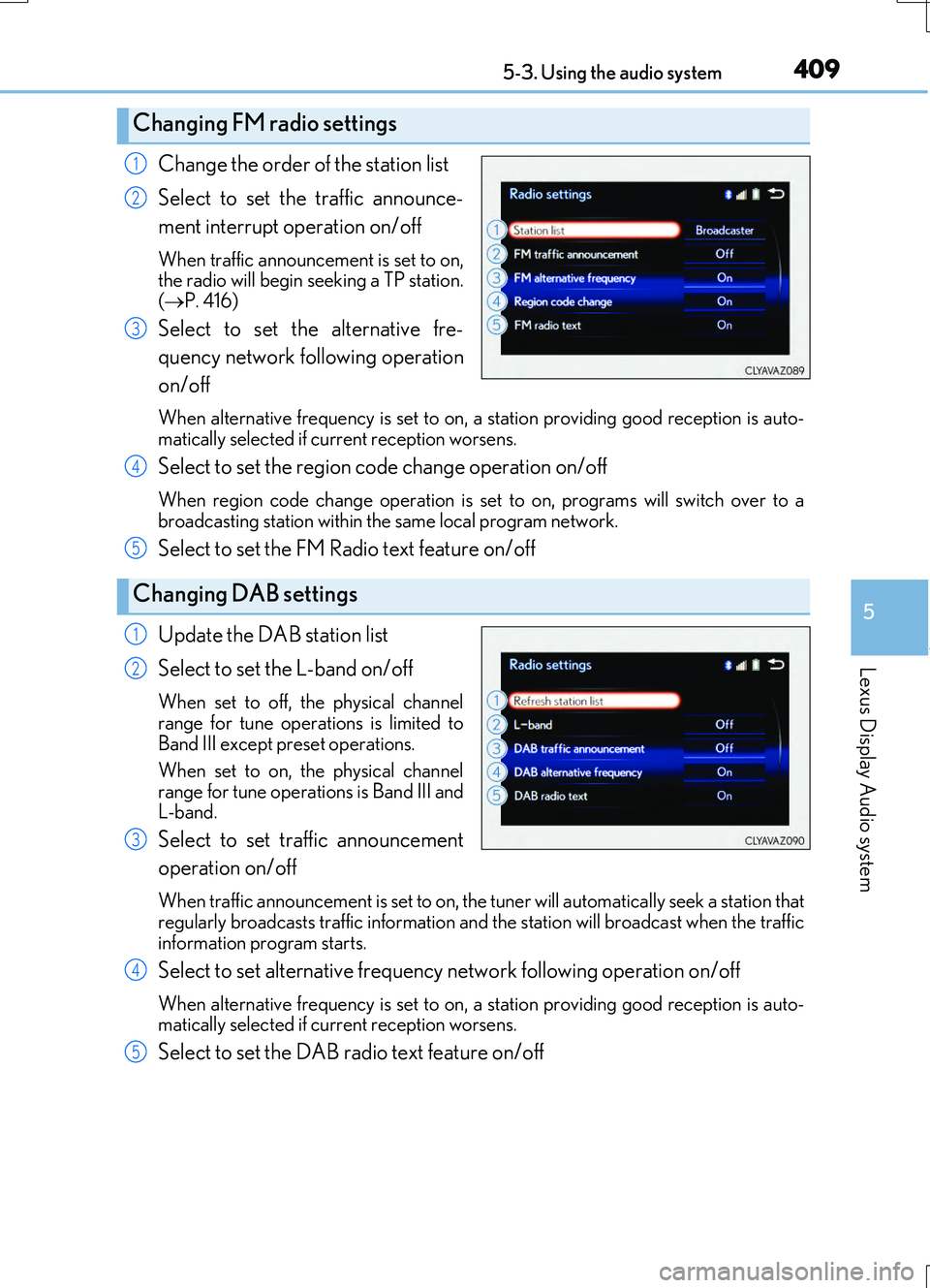
Change the order of the station list
Select to set the traffic announce-
ment interrupt operation on/off
When traffic announcement is set to on, the radio will begin seeking a TP station.
( P. 416)
Select to set the alternative fre-
quency network following operation
on/off
When alternative frequency is set to on, a station providing good reception is auto-
matically selected if current reception worsens.
Select to set the region code change operation on/off
When region code change operation is se t to on, programs will switch over to a broadcasting station within th e same local program network.
Select to set the FM Radio text feature on/off
Update the DAB station list
Select to set the L-band on/off
When set to off, the physical channel
range for tune operations is limited to Band III except preset operations.
When set to on, the physical channel
range for tune operations is Band III and L-band.
Select to set traffic announcement
operation on/off
When traffic announcement is set to on, the tuner will automatically seek a station that
regularly broadcasts traffic information and the station will broadcast when the traffic information program starts.
Select to set alternative frequency network following operation on/off
When alternative frequency is set to on, a station providing good reception is auto-matically selected if current reception worsens.
Select to set the DAB radio text feature on/off
Changing FM radio settings
1
2
3
Changing DAB settings
4
5
1
2
3
4
5
Page 412 of 724
4125-3. Using the audio system
RC200t_RC F_EE(OM24728E)
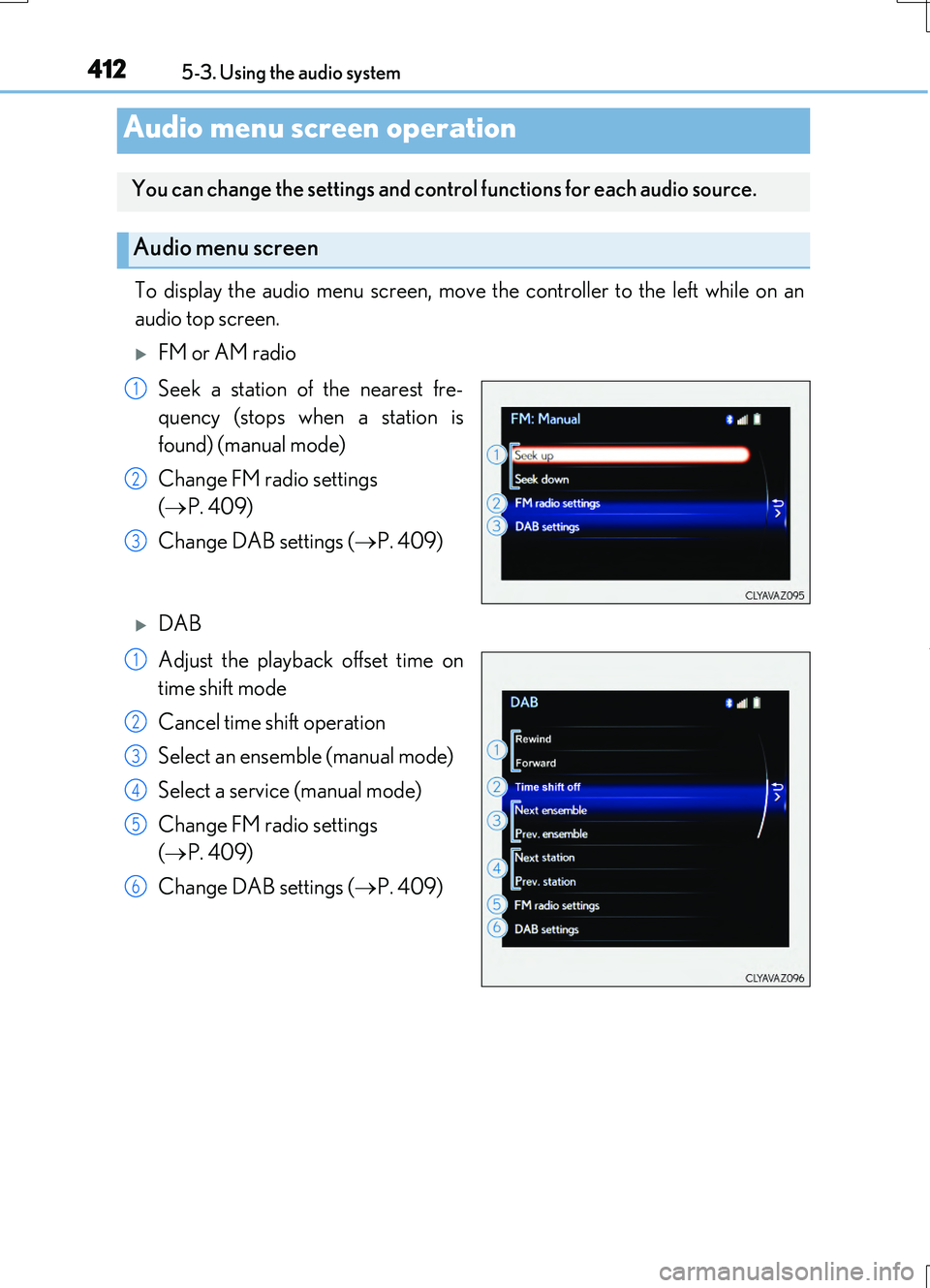
To display the audio menu screen, move the controller to the left while on an
audio top screen.
FM or AM radio
Seek a station of the nearest fre-
quency (stops when a station is
found) (manual mode)
Change FM radio settings
( P. 409)
Change DAB settings ( P. 409)
DAB
Adjust the playback offset time on
time shift mode
Cancel time shift operation
Select an ensemble (manual mode)
Select a service (manual mode)
Change FM radio settings
( P. 409)
Change DAB settings ( P. 409)
Audio menu screen operation
You can change the settings and control functions for each audio source.
Audio menu screen
1
2
3
1
2
3
4
5
6