lock LEXUS RC200T 2017 Owner's Manual
[x] Cancel search | Manufacturer: LEXUS, Model Year: 2017, Model line: RC200T, Model: LEXUS RC200T 2017Pages: 724, PDF Size: 42.04 MB
Page 102 of 724
1021-2. Theft deterrent system
RC200t_RC F_EE(OM24728E)
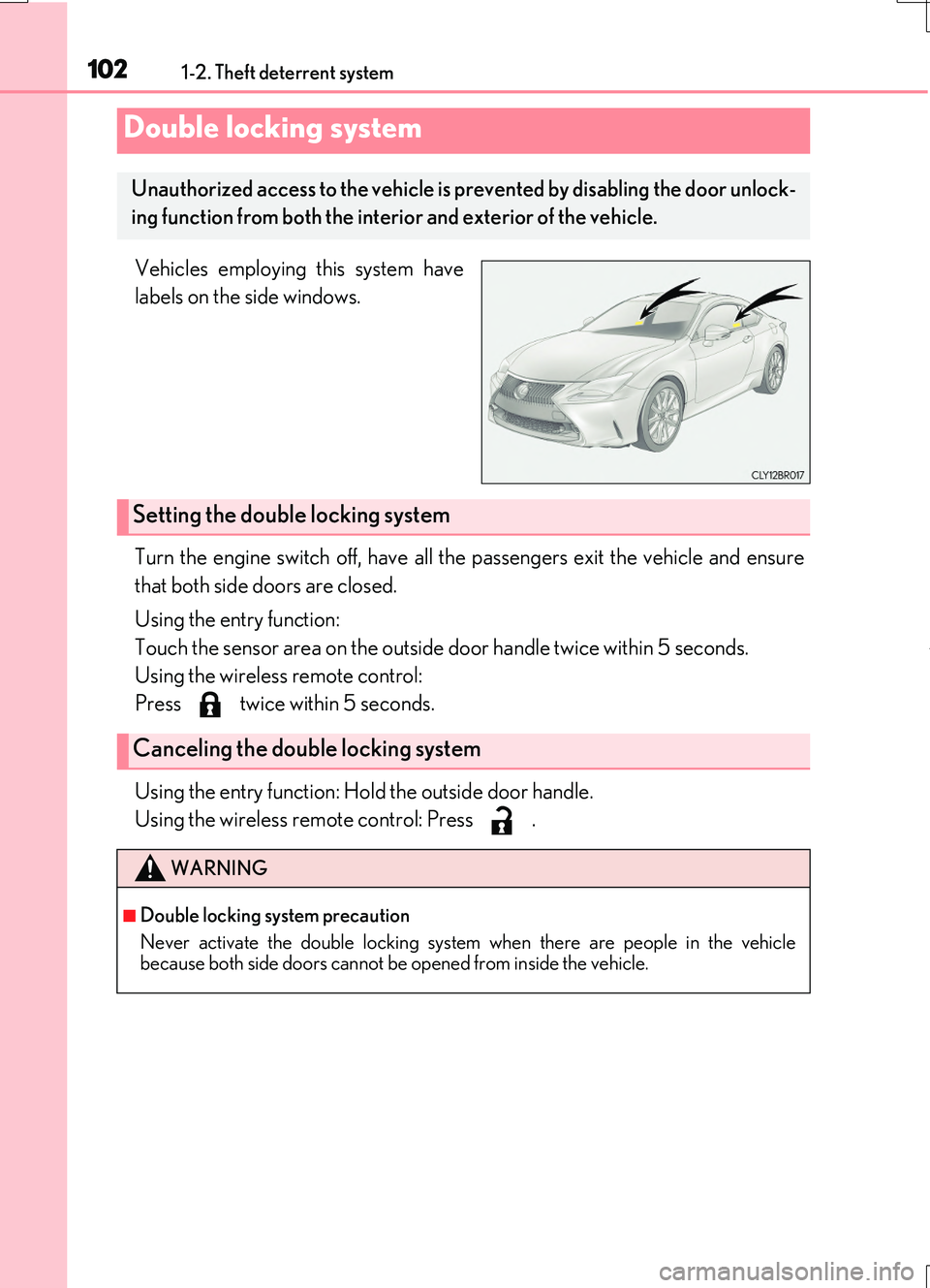
Vehicles employing this system have
labels on the side windows.
Turn the engine switch off, have all the passengers exit the vehicle and ensure
that both side doors are closed.
Using the entry function:
Touch the sensor area on the outside door handle twice within 5 seconds.
Using the wireless remote control:
Press twice within 5 seconds.
Using the entry function: Hold the outside door handle.
Using the wireless remote control: Press .
Double locking system
Unauthorized access to the vehicle is pr evented by disabling the door unlock-
ing function from both the interior and exterior of the vehicle.
Setting the double locking system
Canceling the double locking system
WARNING
■Double locking system precaution
Never activate the double locking system when there are people in the vehicle because both side doors cannot be opened from inside the vehicle.
Page 103 of 724
1031-2. Theft deterrent system
1
For safety and security
RC200t_RC F_EE(OM24728E)
The alarm uses light and sound to give an alert when an intrusion is detected.
The alarm is triggered in the following situations when the alarm is set:
●A locked door or trunk is unlocked or opened in any way other than using the
entry function or wireless remote control. (The door will lock again automati-
cally.)
●The hood is opened.
●The intrusion sensor detects something moving inside the vehicle. (Example:
an intruder breaks a window and gets into the vehicle.) (if equipped)
●The tilt sensor detects a change of vehicle inclination. (if equipped)
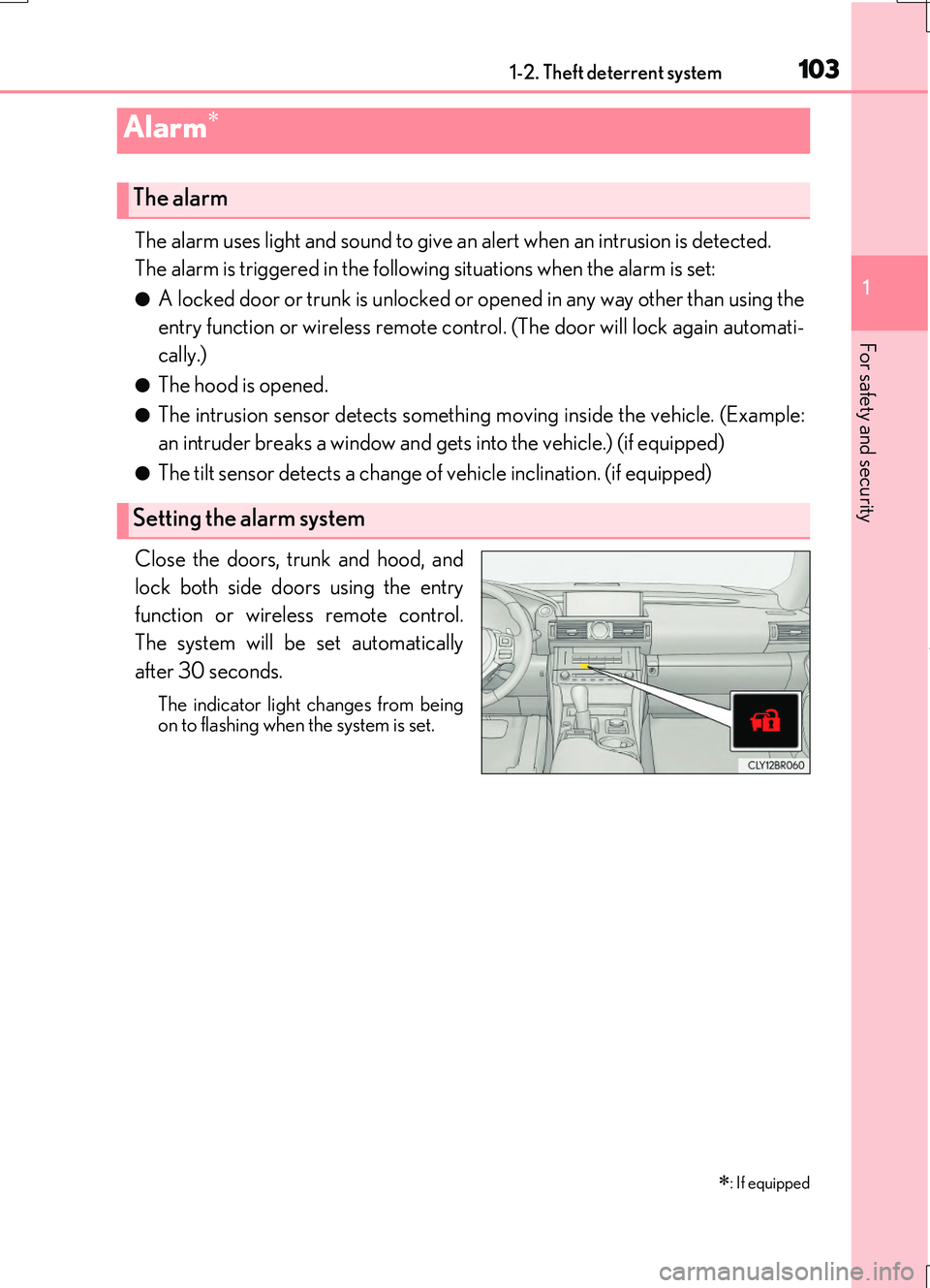
Close the doors, trunk and hood, and
lock both side doors using the entry
function or wireless remote control.
The system will be set automatically
after 30 seconds.
The indicator light changes from being
on to flashing when the system is set.
Alarm
: If equipped
The alarm
Setting the alarm system
Page 104 of 724
1041-2. Theft deterrent system
RC200t_RC F_EE(OM24728E)
Do one of the following to deactivate or stop the alarm:
●Unlock the doors or open the trunk using the entry function or wireless
remote control.
●Start the engine. (The alarm will be deactivated or stopped after a few sec-
onds.)
■System maintenance
The vehicle has a maintenance-free type alarm system.
■Items to check before locking the vehicle
To prevent unexpected triggering of the alarm and vehicle theft, make sure of the follow-
ing:
●Nobody is in the vehicle.
●The windows and moon roof (if equipped) are closed before the alarm is set.
●No valuables or other personal items are left in the vehicle.
Deactivating or stopping the alarm
Page 105 of 724
1051-2. Theft deterrent system
1
For safety and security
RC200t_RC F_EE(OM24728E)
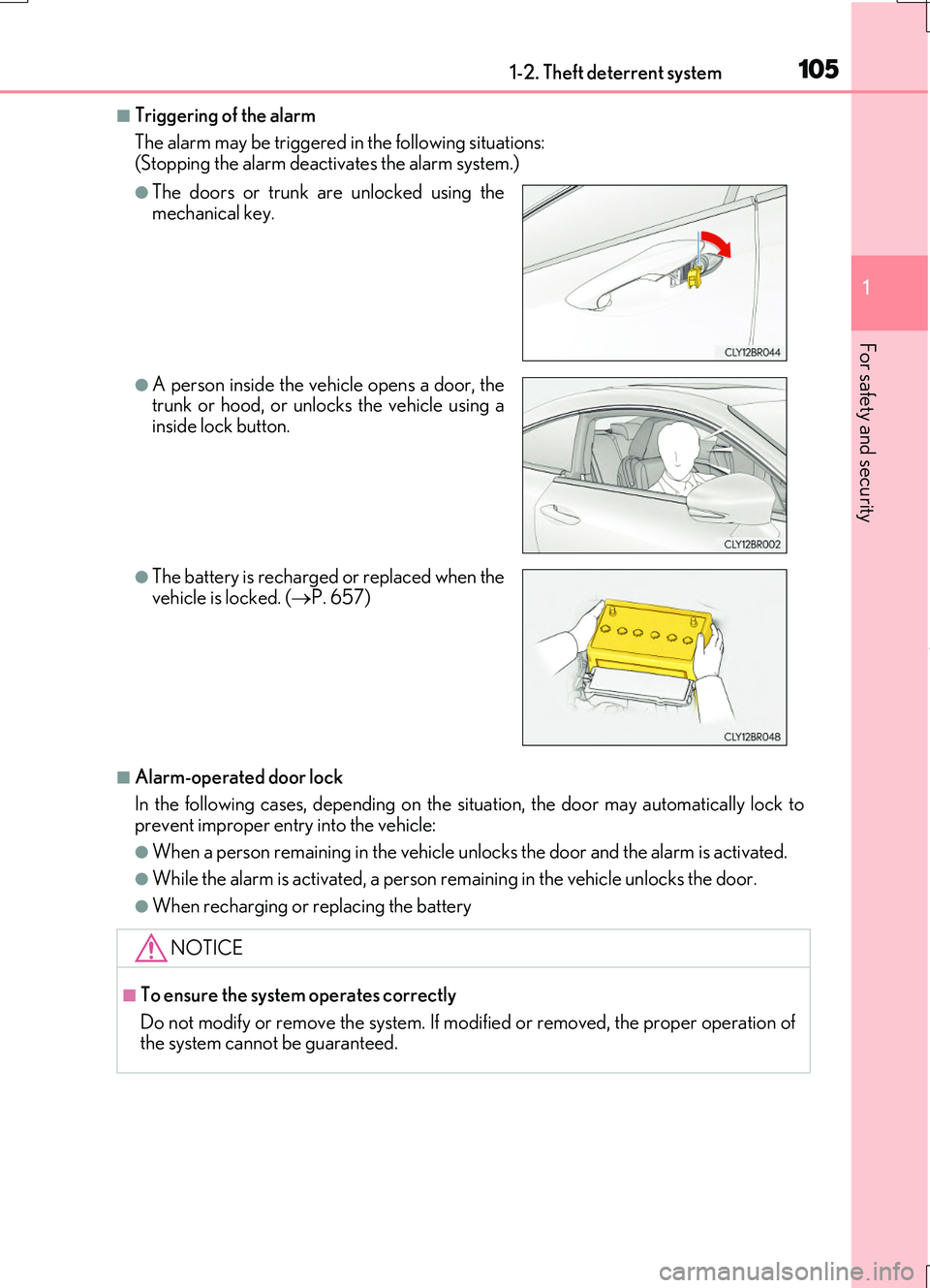
■Triggering of the alarm
The alarm may be triggered in the following situations: (Stopping the alarm deactivates the alarm system.)
■Alarm-operated door lock
In the following cases, depending on the situation, the door may automatically lock to
prevent improper entry into the vehicle:
●When a person remain ing in the vehicle unlocks the door and the alarm is activated.
●While the alarm is activated, a person remaining in the vehicle unlocks the door.
●When recharging or replacing the battery
●The doors or trunk are unlocked using the mechanical key.
●A person inside the vehicle opens a door, thetrunk or hood, or unlocks the vehicle using a
inside lock button.
●The battery is recharged or replaced when the vehicle is locked. ( P. 657)
NOTICE
■To ensure the system operates correctly
Do not modify or remove the system. If modi fied or removed, the proper operation of the system cannot be guaranteed.
Page 107 of 724
1071-2. Theft deterrent system
1
For safety and security
RC200t_RC F_EE(OM24728E)
■Canceling and automatic re-enabling of the intrusion sensor and tilt sensor
●The alarm will still be set even when the intrusion sensor and tilt sensor are canceled.
●After the intrusion sensor and tilt sensor are canceled, pressing the engine switch or unlocking the doors using the entry function or wireless remote control will re-enable
the intrusion sensor and tilt sensor.
●The intrusion sensor and tilt sensor will automatically be re-enabled when the alarm system is deactivated.
■Intrusion sensor dete ction considerations
The sensor may trigger the alarm in the following situations:
●Places with extreme vibrations or noises, or situations in which the vehicle is subject to repeated impacts or vibrations:
• When parked in a parking garage • When ice adhering to the vehicle is removed• When the vehicle is in an automatic or high-pressure car wash
• When in a hail or lightning storm
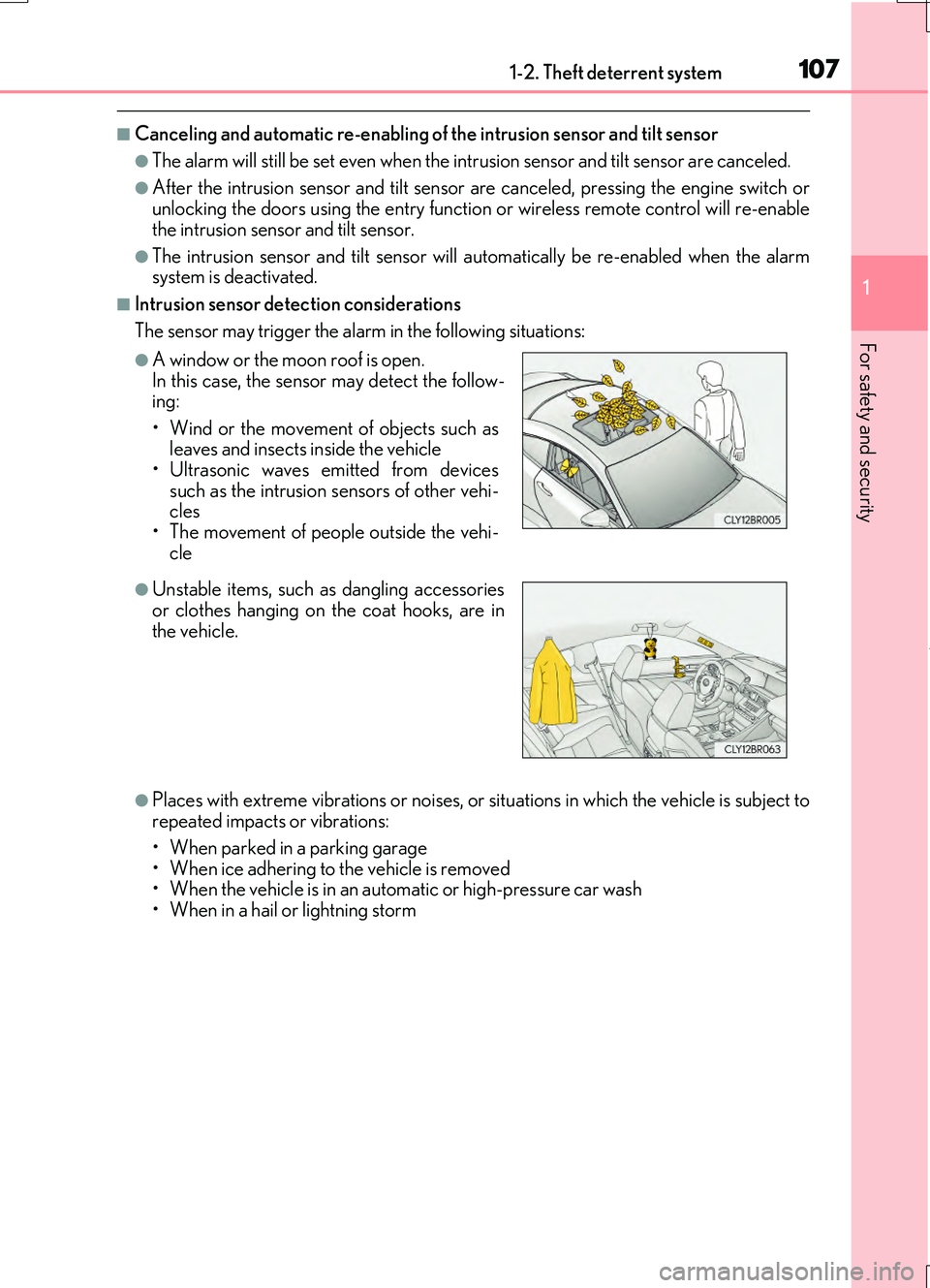
●A window or the moon roof is open. In this case, the sensor may detect the follow-ing:
• Wind or the movement of objects such as leaves and insects inside the vehicle• Ultrasonic waves emitted from devices
such as the intrusion sensors of other vehi- cles• The movement of people outside the vehi-
cle
●Unstable items, such as dangling accessories
or clothes hanging on the coat hooks, are in the vehicle.
Page 157 of 724

157
3
Operation of
each component
RC200t_RC F_EE(OM24728E)
3-1. Key information
Keys .................................................. 158
3-2. Opening, closing and
locking the doors and
trunk
Doors ................................................164
Trunk .................................................170
Smart entry & start system .......175
3-3. Adjusting the seats
Front seats.....................................209
Rear seats........................................212
Driving position memory ..........214
Head restraints .............................217
3-4. Adjusting the steering
wheel and mirrors
Steering wheel ............................ 220
Inside rear view mirror ............ 222
Outside rear view
mirrors ......................................... 224
3-5. Opening, closing the
windows and moon roof
Power windows .......................... 227
Moon roof .......................................231
Page 158 of 724

158
RC200t_RC F_EE(OM24728E)
3-1. Key information
The following keys are provided with the vehicle.
Electronic keys
• Operating the smart entry & start system ( P. 175)
• Operating the wireless remote con- trol function
Mechanical keys
Key number plate
Card key (electronic key) (if
equipped)
Operating the smart entry & start sys-
tem ( P. 175)
Locks the doors (P. 164)
Closes the windows and moon roof*
( P. 164)
Unlocks the doors ( P. 164)
Opens the windows and moon roof*
( P. 164)
Opens the trunk ( P. 170)
*: These settings must be customized at any authorized Lexus dealer or repairer, or
another duly qualified an d equipped professional.
Keys
The keys
1
2
3
4
Wireless remote control
1
2
3
4
5
Page 159 of 724
1593-1. Key information
3
Operation of each component
RC200t_RC F_EE(OM24728E)
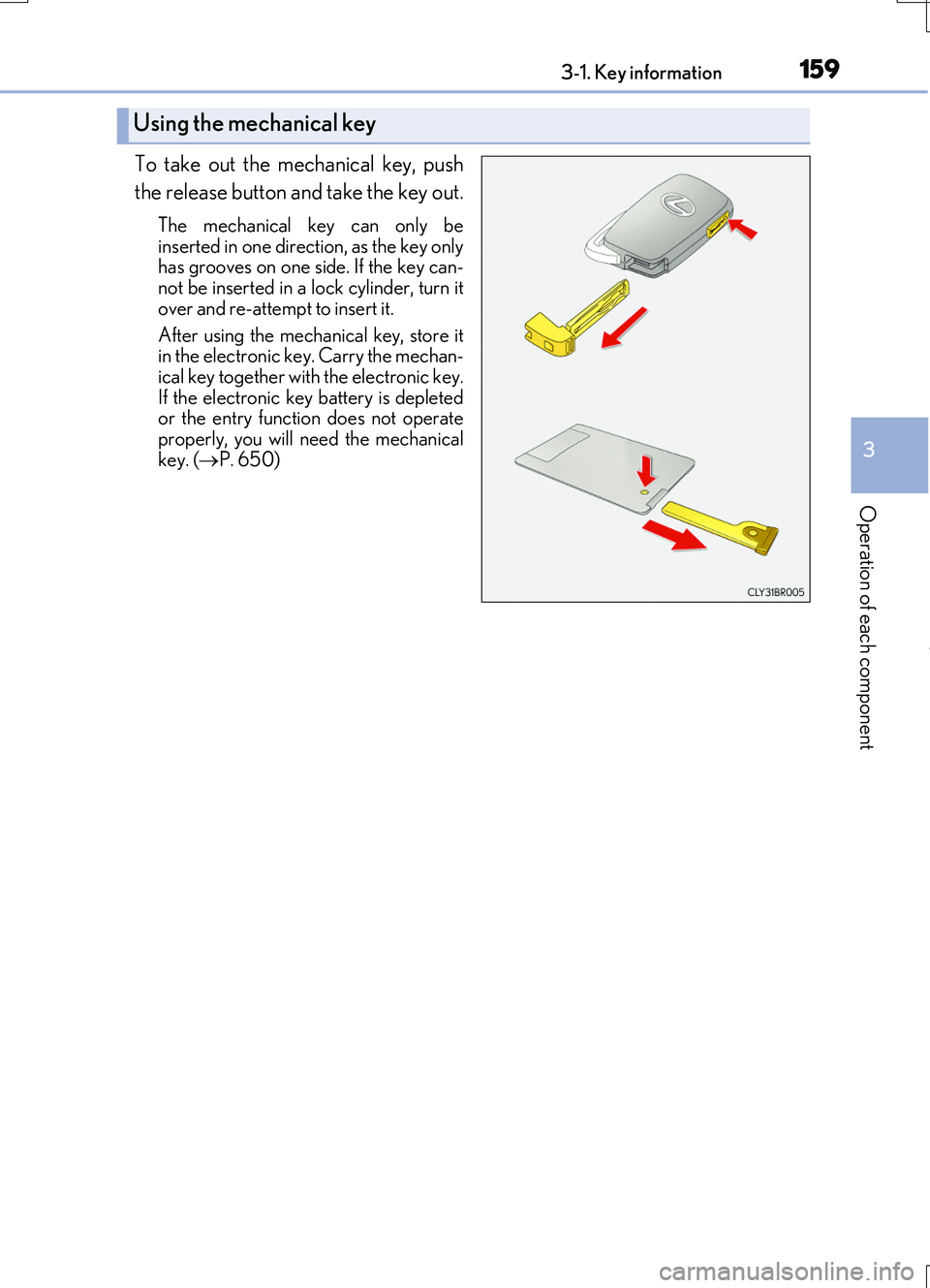
To take out the mechanical key, push
the release button and take the key out.
The mechanical key can only be
inserted in one direction, as the key only has grooves on one si de. If the key can- not be inserted in a lock cylinder, turn it
over and re-attempt to insert it.
After using the mechanical key, store it in the electronic key. Carry the mechan-
ical key together with the electronic key. If the electronic key battery is depletedor the entry function does not operate
properly, you will ne ed the mechanical key. ( P. 650)
Using the mechanical key
Page 160 of 724
1603-1. Key information
RC200t_RC F_EE(OM24728E)
■Card key (if equipped)
●The card key is not waterproof.
●The mechanical key that is stored inside the card key should be used only if a problem arises, such as when the card key does not operate properly.
●If it is difficult to take out the mechanical key, push down the lock release button using apen tip etc. If it is still difficu lt to pull it out, use a coin etc.
■When required to leave the vehicle’s key with a parking attendant
Set the luggage security system ( P. 171) on and lock the glove box (P. 496) as cir- cumstances demand.
Remove the mechanical key for your own use and provide the attendant with the elec- tronic key only.
■If you lose your mechanical keys
New genuine mechanical keys can be made by any authorized Lexus dealer or repairer, or another duly qualified and equipped professional using the other mechanical key andthe key number stamped on your key number plate. Keep the plate in a safe place such
as your wallet, not in the vehicle.
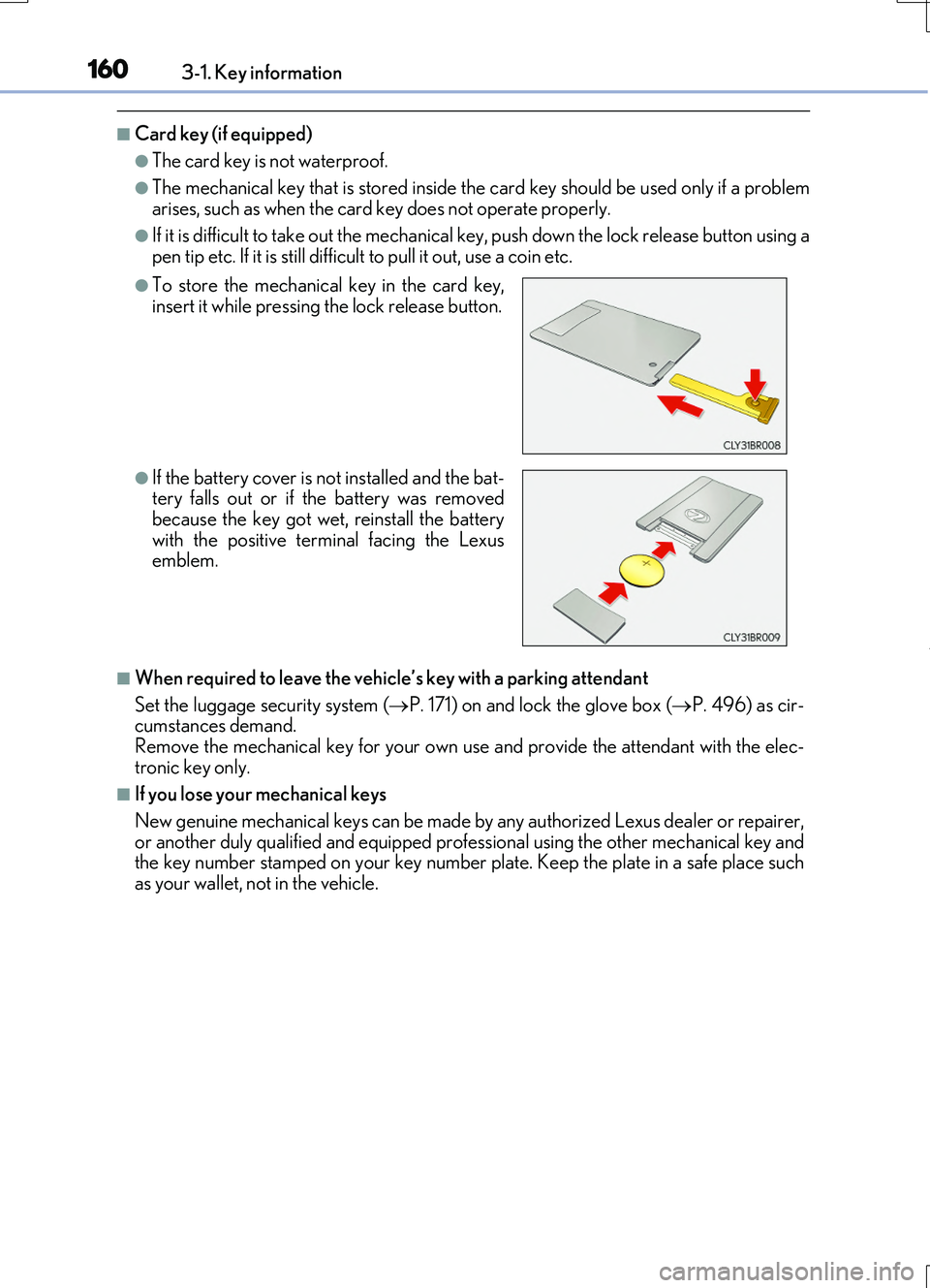
●To store the mechanical key in the card key, insert it while pressing the lock release button.
●If the battery cover is not installed and the bat-tery falls out or if the battery was removedbecause the key got wet, reinstall the battery
with the positive terminal facing the Lexus emblem.
Page 164 of 724

164
RC200t_RC F_EE(OM24728E)
3-2. Opening, closing and locking the doors and trunk
◆Smart entry & start system
Carry the electronic key to enable this function.
Grip the door handle to unlock
the doors.
Make sure to touch the sensor on the back of the handle.
The doors cannot be unlocked for
3 seconds after the doors are locked.
Touch the lock sensor (indenta-
tion on the side of the door han-
dle) to lock the doors.
Check that the door is securely locked.
◆Wireless remote control
Locks both side doors
Check that the door is securely locked.
Press and hold to close the windows and moon roof.*
Unlocks both side doors
Press and hold to open the windowsand moon roof.*
*: These settings must be customized at
any authorized Lexus dealer or
repairer, or another duly qualified
and equipped professional.
Doors
Unlocking and locking the doors from the outside
1
2
1
2