tow LEXUS RC200T 2017 Owner's Manual
[x] Cancel search | Manufacturer: LEXUS, Model Year: 2017, Model line: RC200T, Model: LEXUS RC200T 2017Pages: 724, PDF Size: 42.04 MB
Page 295 of 724
2954-5. Using the driving support systems
4
Driving
RC200t_RC F_EE(OM24728E)
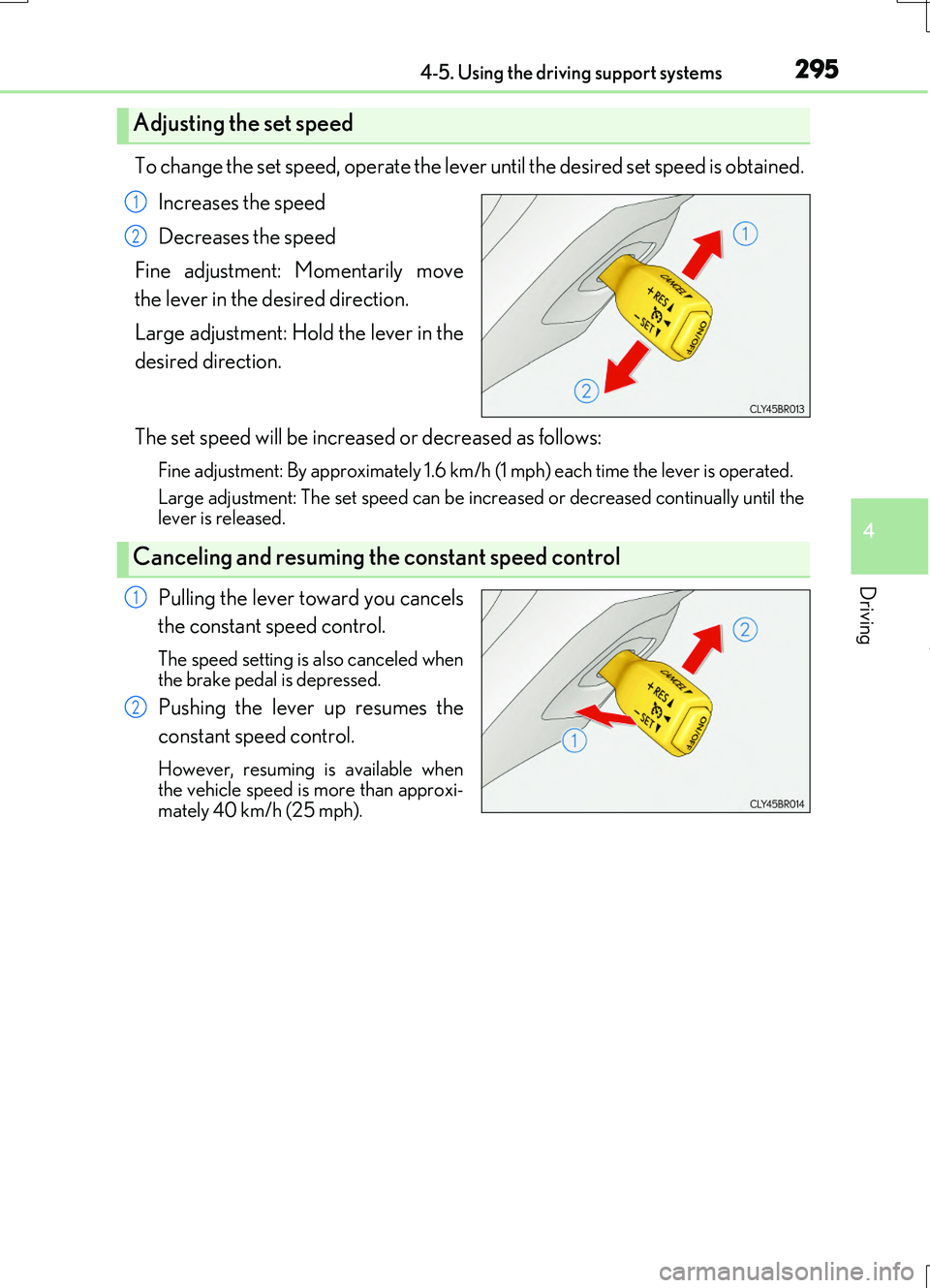
To change the set speed, operate the lever until the desired set speed is obtained.
Increases the speed
Decreases the speed
Fine adjustment: Momentarily move
the lever in the desired direction.
Large adjustment: Hold the lever in the
desired direction.
The set speed will be increased or decreased as follows:
Fine adjustment: By approximately 1.6 km/h (1 mph) each time the lever is operated.
Large adjustment: The set speed can be incr eased or decreased continually until the lever is released.
Pulling the lever toward you cancels
the constant speed control.
The speed setting is also canceled when the brake pedal is depressed.
Pushing the lever up resumes the
constant speed control.
However, resuming is available when the vehicle speed is more than approxi-mately 40 km/h (25 mph).
Adjusting the set speed
1
2
Canceling and resuming the constant speed control
1
2
Page 297 of 724
2974-5. Using the driving support systems
4
Driving
RC200t_RC F_EE(OM24728E)
WARNING
■To avoid operating the cruise control by mistake
Switch the cruise control off using the “ON/OFF” button when not in use.
■Situations unsuitable for cruise control
Do not use cruise control in any of the following situations. Doing so may result in loss of control and could cause an accident resulting in death orserious injury.
●In heavy traffic
●On roads with sharp bends
●On winding roads
●On slippery roads, such as those covered with rain, ice or snow
●On steep hillsVehicle speed may exceed the set sp eed when driving down a steep hill.
●During emergency towing
Page 303 of 724
3034-5. Using the driving support systems
4
Driving
RC200t_RC F_EE(OM24728E)
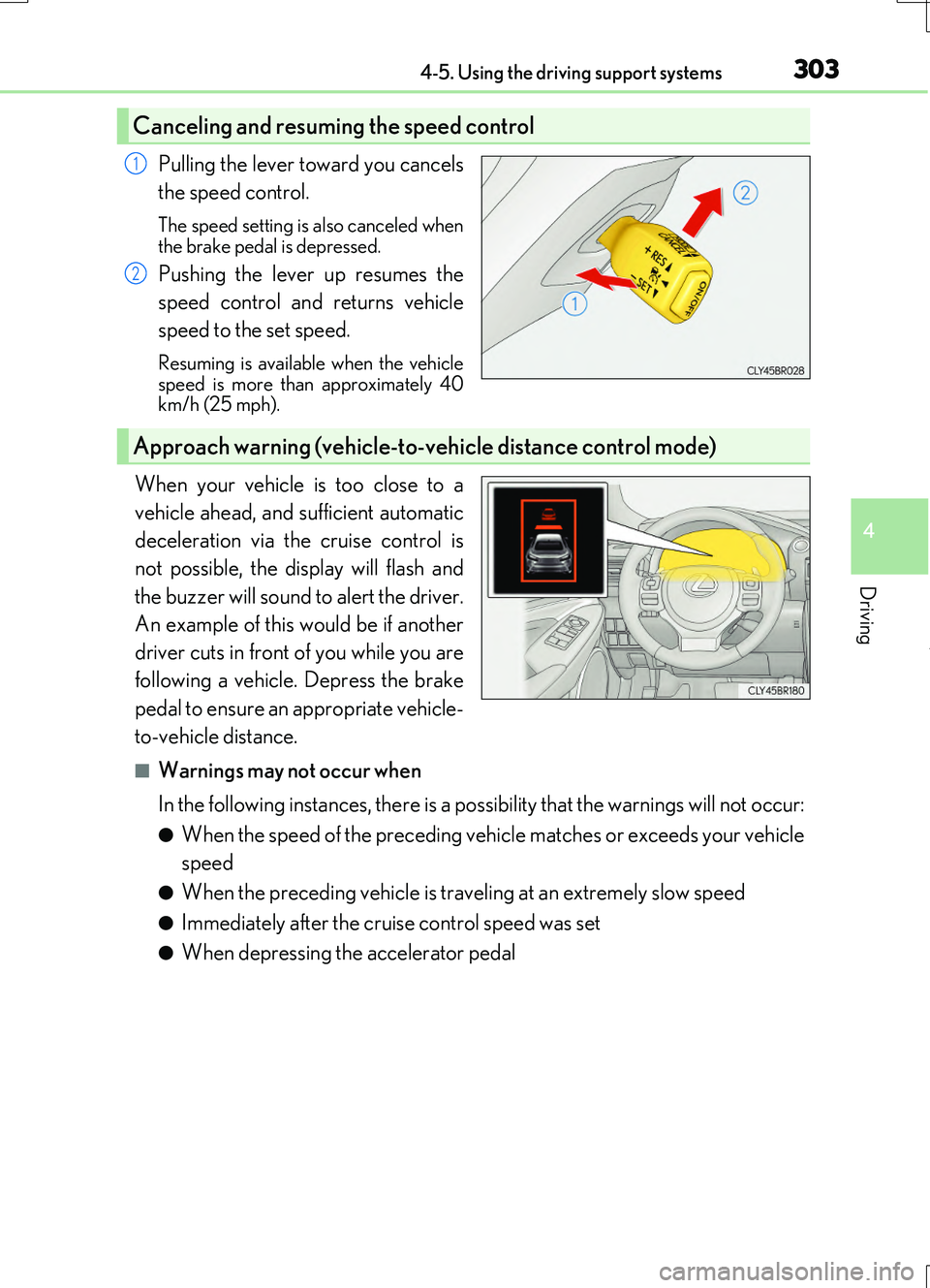
Pulling the lever toward you cancels
the speed control.
The speed setting is also canceled when
the brake pedal is depressed.
Pushing the lever up resumes the
speed control and returns vehicle
speed to the set speed.
Resuming is available when the vehicle speed is more than approximately 40km/h (25 mph).
When your vehicle is too close to a
vehicle ahead, and sufficient automatic
deceleration via the cruise control is
not possible, the display will flash and
the buzzer will sound to alert the driver.
An example of this would be if another
driver cuts in front of you while you are
following a vehicle. Depress the brake
pedal to ensure an appropriate vehicle-
to-vehicle distance.
■Warnings may not occur when
In the following instances, there is a possibility that the warnings will not occur:
●When the speed of the preceding vehicle matches or exceeds your vehicle
speed
●When the preceding vehicle is traveling at an extremely slow speed
●Immediately after the cruise control speed was set
●When depressing the accelerator pedal
Canceling and resuming the speed control
1
2
Approach warning (vehicle-to-vehicle distance control mode)
Page 310 of 724
3104-5. Using the driving support systems
RC200t_RC F_EE(OM24728E)
WARNING
■Situations unsuitable for dynamic radar cruise control
Do not use dynamic radar cruise control in any of the following situations. Doing so may result in inappropriate speed control and could cause an accident result-
ing in death or serious injury.
●Roads where there are pedestrians, cyclers, etc.
●In heavy traffic
●On roads with sharp bends
●On winding roads
●On slippery roads, such as those covered with rain, ice or snow
●On steep downhills, or where there are sudden changes between sharp up and down gradients Vehicle speed may exceed the set sp eed when driving down a steep hill.
●At entrances to freeways and highways
●When weather conditions are bad enough that they may prevent the sensors from detecting correctly (fog, snow, sandstorm, heavy rain, etc.)
●When an approach warning buzzer is heard often
●During emergency towing
Page 327 of 724
3274-5. Using the driving support systems
4
Driving
RC200t_RC F_EE(OM24728E)
■Lexus parking assist-sensor display
When an obstacle is detected while the Lexus pa rking assist monitor system is in use, the warning indicator will appe ar in the top right of the screen even if the display setting has
been set to off.
■If a message is displayed on the multi-information display
P. 600
WARNING
■When using the Lexus parking assist-sensor
Observe the following precautions. Failing to do so may result in the vehicle be ing unable to be driven safely and possibly cause an accident.
●Do not use the sensor at speeds in excess of 10 km/h (6 mph).
●The sensors’ detection areas and reaction times are limited. When moving forward or reversing, check the areas surrounding the vehicle (especially the sides of the vehi-
cle) for safety, and drive slowly, using the brake to control the vehicle’s speed.
●Do not install accessories within the sensors’ detection areas.
■Limitations of the sensors
●RC200t: The detection areas of the sensors are limited to the areas around the vehi- cle’s front and rear bumpers.
●RC F: The detection areas of the sensors are limited to the areas around the vehicle’s
front corners and the rear bumpers.
●Certain vehicle conditions and surrounding environments, such as the following, may affect the ability of the sensors to correctly detect objects. Pay particular attention in
the following situations. Failure to do so may result in the vehicle being driven unsafely, possibly leading to an accident.
• When there is dirt, snow or ice on a sens or (Cleaning the sensor will resolve this
problem.) • When the sensor is frozen (Thawing the area will resolve this problem.)In especially cold weather, if a sensor is frozen the screen may show an abnormal
display, or objects may not be detected • When a sensor is covered in any way• When the vehicle is leaning considerably to one side
• When driving on an extremely bumpy road, incline, gravel, or grass • When the vicinity of the vehicle is noisy due to vehicle horns, motorcycle engines,air brakes of large vehicles, or other loud noises producing ultrasonic waves
• When there is another vehicle equipped with parking assist sensor in the vicinity • When the sensor is coated with a sheet of spray or heavy rain• When the vehicle is equipped with a fender pole or wireless antenna
• When a towing eyelet is installed • When a bumper or sensor receives a strong impact• When the vehicle is approaching a tall or curved curb
• When driving in harsh sunlight or intense cold weather
Page 365 of 724
3654-5. Using the driving support systems
4
Driving
RC200t_RC F_EE(OM24728E)
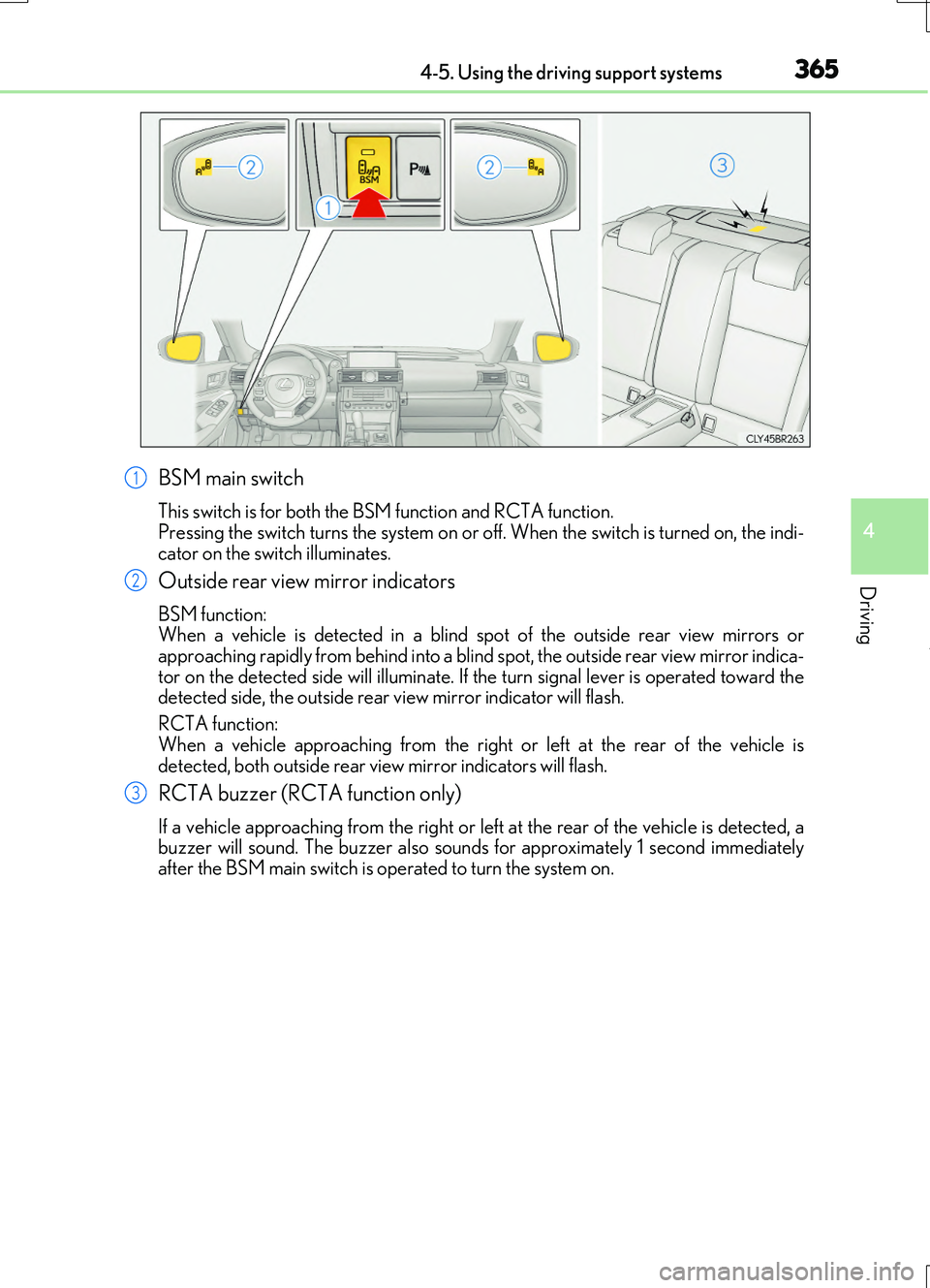
BSM main switch
This switch is for both the BSM function and RCTA function. Pressing the switch turns the system on or of f. When the switch is turned on, the indi-
cator on the switch illuminates.
Outside rear view mirror indicators
BSM function: When a vehicle is detected in a blind spot of the outside rear view mirrors orapproaching rapidly from behind into a blind spot, the outside rear view mirror indica-
tor on the detected side will illuminate. If th e turn signal lever is operated toward the detected side, the outside rear view mirror indicator will flash.
RCTA function:
When a vehicle approaching from the right or left at the rear of the vehicle is detected, both outside rear vi ew mirror indicators will flash.
RCTA buzzer (RCTA function only)
If a vehicle approaching from the right or left at the rear of the vehicle is detected, a buzzer will sound. The buzzer also sounds for approximately 1 second immediately after the BSM main switch is operated to turn the system on.
1
2
3
Page 378 of 724
3784-5. Using the driving support systems
RC200t_RC F_EE(OM24728E)
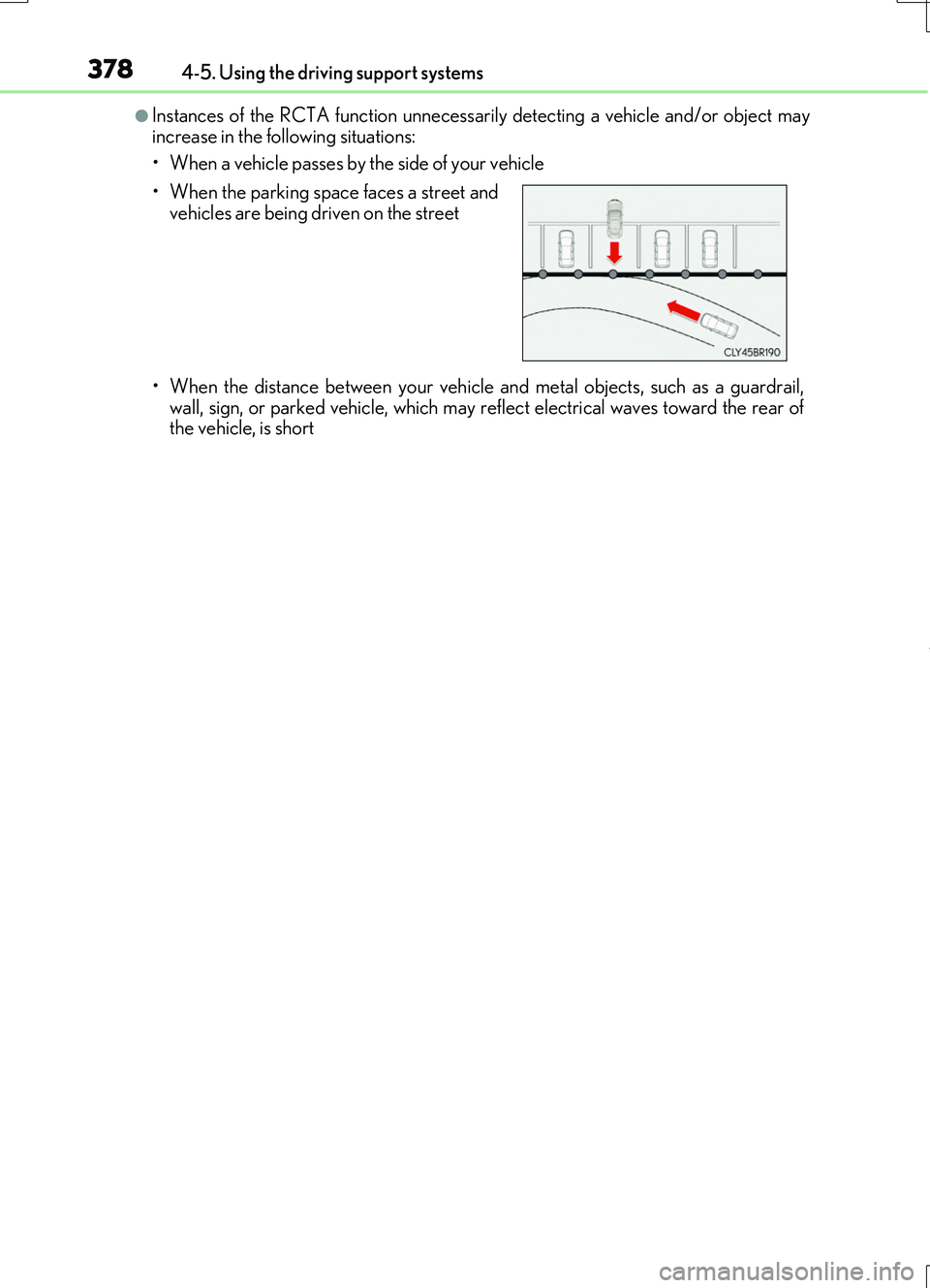
●Instances of the RCTA function unnecessarily detecting a vehicle and/or object may increase in the following situations:
• When a vehicle passes by the side of your vehicle
• When the distance between your vehicle and metal objects, such as a guardrail,
wall, sign, or parked vehicle, which may reflect electrical waves toward the rear of the vehicle, is short
• When the parking space faces a street and vehicles are being driven on the street
Page 498 of 724
4986-3. Using the storage features
RC200t_RC F_EE(OM24728E)
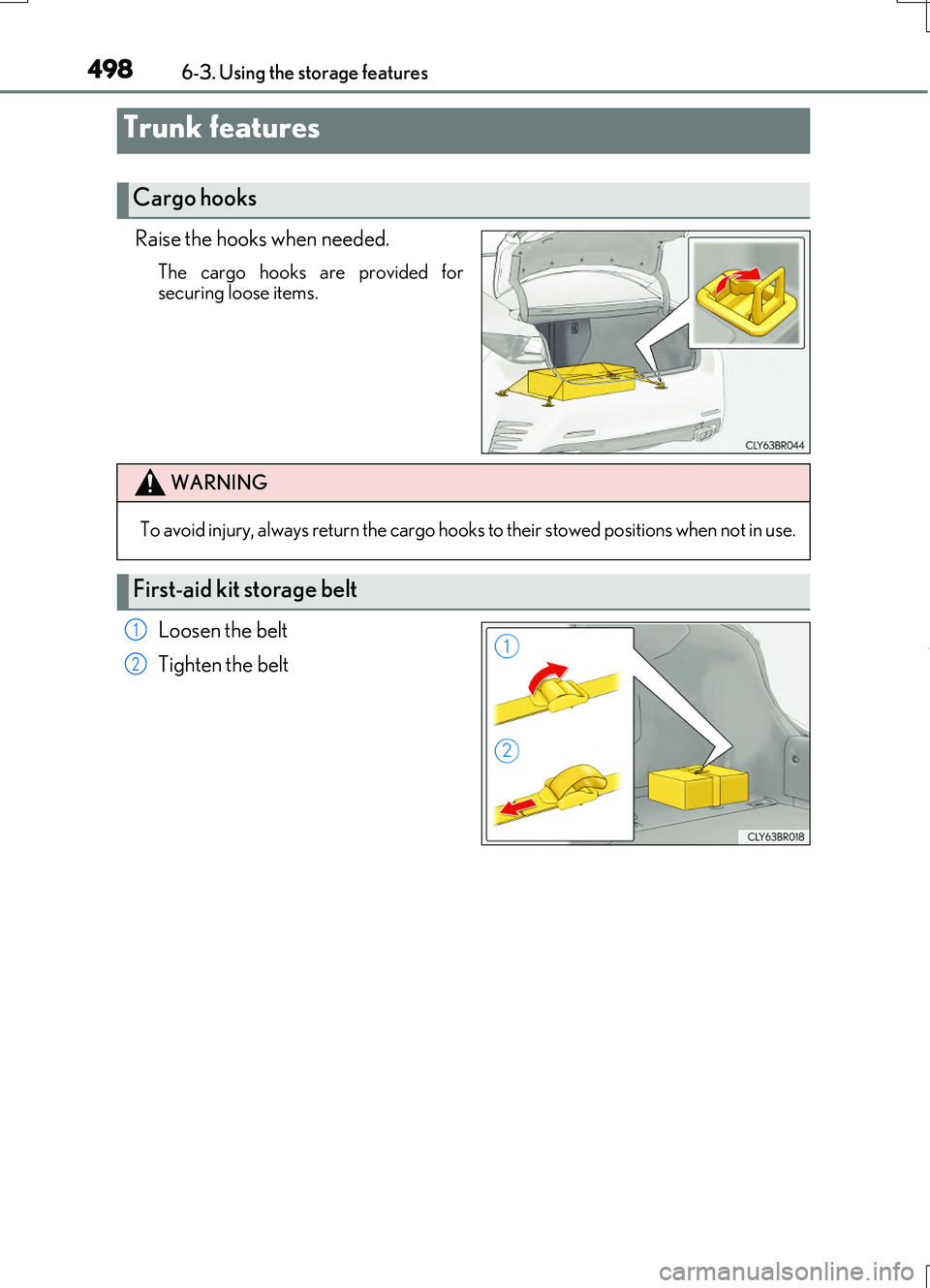
Raise the hooks when needed.
The cargo hooks are provided for securing loose items.
Loosen the belt
Tighten the belt
Trunk features
Cargo hooks
WARNING
To avoid injury, always return the cargo hooks to their stowed positions when not in use.
First-aid kit storage belt
1
2
Page 516 of 724
516
RC200t_RC F_EE(OM24728E)
7-3. Do-it-yourself maintenance
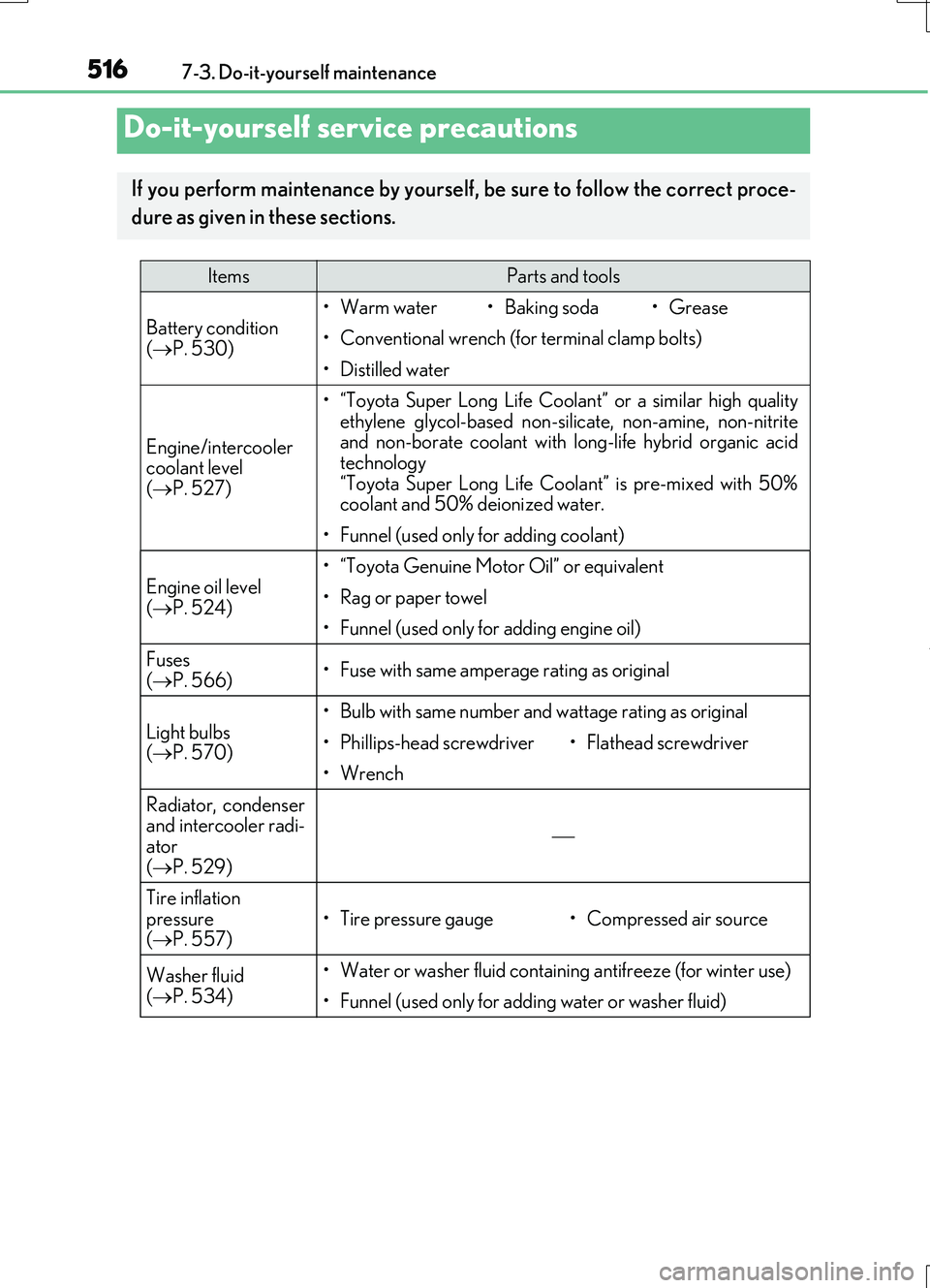
Do-it-yourself service precautions
If you perform maintenance by yourself, be sure to follow the correct proce-
dure as given in these sections.
ItemsParts and tools
Battery condition ( P. 530)
•Warm water•Baking soda•Grease
• Conventional wrench (for terminal clamp bolts)
• Distilled water
Engine/intercooler coolant level
( P. 527)
• “Toyota Super Long Life Coolant” or a similar high quality ethylene glycol-based non-silicate, non-amine, non-nitriteand non-borate coolant with long-life hybrid organic acid
technology “Toyota Super Long Life Coolant” is pre-mixed with 50%coolant and 50% deionized water.
• Funnel (used only for adding coolant)
Engine oil level ( P. 524)
• “Toyota Genuine Motor Oil” or equivalent
•Rag or paper towel
• Funnel (used only for adding engine oil)
Fuses
( P. 566)• Fuse with same amperage rating as original
Light bulbs ( P. 570)
• Bulb with same number and wattage rating as original
• Phillips-head screwdriver• Flathead screwdriver
•Wrench
Radiator, condenser and intercooler radi-ator
( P. 529)
Tire inflation pressure ( P. 557)• Tire pressure gauge• Compressed air source
Washer fluid
( P. 534)
• Water or washer fluid containing antifreeze (for winter use)
• Funnel (used only for adding water or washer fluid)
Page 540 of 724
5407-3. Do-it-yourself maintenance
RC200t_RC F_EE(OM24728E)
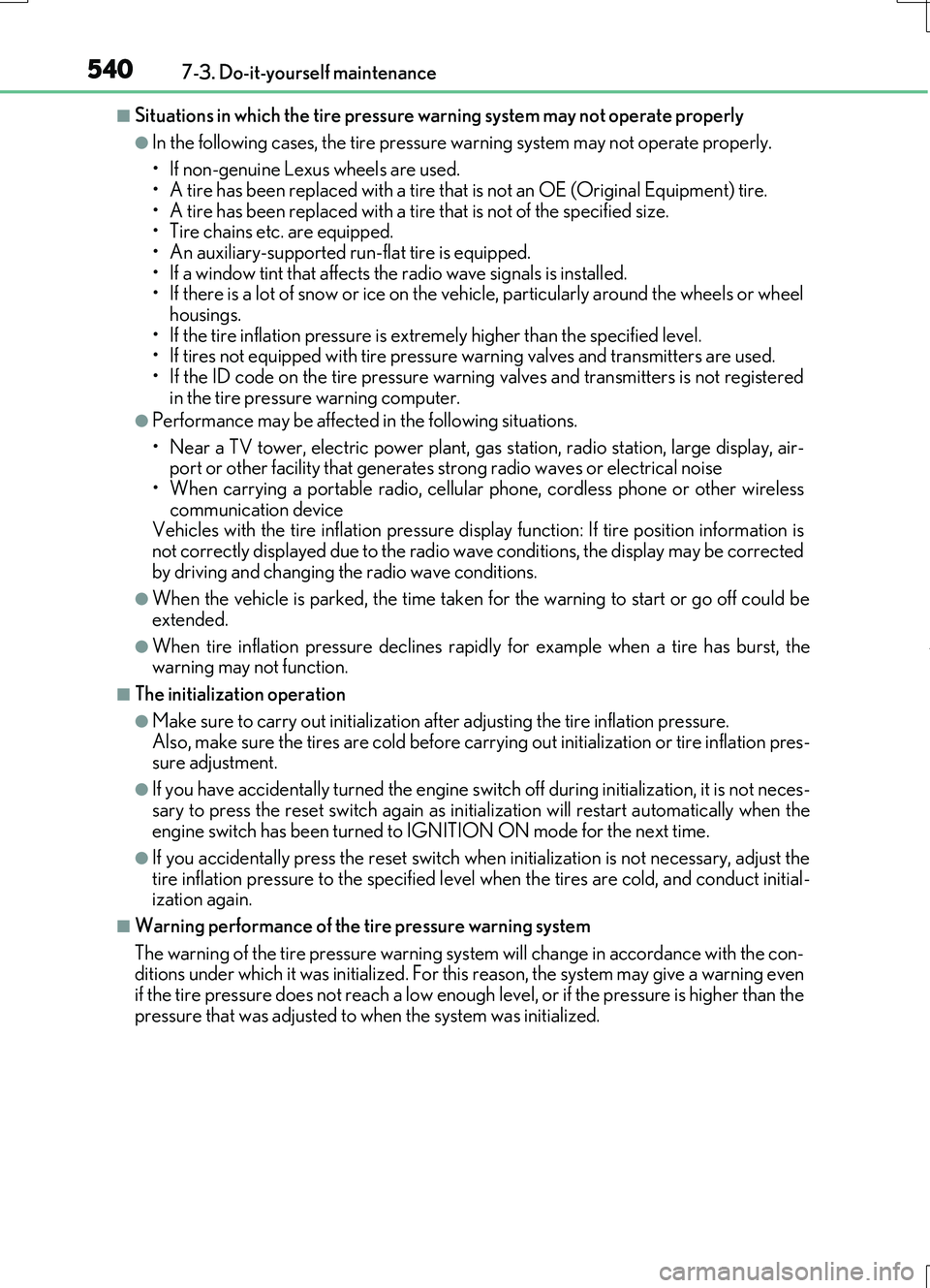
■Situations in which the tire pressure warning system may not operate properly
●In the following cases, the tire pressure warning system may not operate properly.
• If non-genuine Lexus wheels are used.
• A tire has been replaced with a tire that is not an OE (Original Equipment) tire. • A tire has been replaced with a tire that is not of the specified size.• Tire chains etc. are equipped.
• An auxiliary-supported run-flat tire is equipped. • If a window tint that affects the radio wave signals is installed.• If there is a lot of snow or ice on the vehi cle, particularly around the wheels or wheel
housings. • If the tire inflation pressure is extr emely higher than the specified level. • If tires not equipped with tire pressure warning valves and transmitters are used.
• If the ID code on the tire pressure warning valves and transmitters is not registered in the tire pressure warning computer.
●Performance may be affected in the following situations.
• Near a TV tower, electric power plant, gas station, radio station, large display, air- port or other facility that generates st rong radio waves or electrical noise
• When carrying a portable radio, cellular phone, cordless phone or other wireless communication deviceVehicles with the tire inflation pressure display function: If tire position information is
not correctly displayed due to the radio wave conditions, the display may be corrected by driving and changing the radio wave conditions.
●When the vehicle is parked, the time taken for the warning to start or go off could be
extended.
●When tire inflation pressure declines rapi dly for example when a tire has burst, the warning may not function.
■The initialization operation
●Make sure to carry out initialization af ter adjusting the tire inflation pressure.
Also, make sure the tires are cold before carry ing out initialization or tire inflation pres- sure adjustment.
●If you have accidentally turned the engine swit ch off during initialization, it is not neces-
sary to press the reset switch again as init ialization will restart automatically when the engine switch has been turned to IGNITION ON mode for the next time.
●If you accidentally press the reset switch when initialization is not necessary, adjust the
tire inflation pressure to the specified leve l when the tires are cold, and conduct initial- ization again.
■Warning performance of the tire pressure warning system
The warning of the tire pressure warning syst em will change in accordance with the con- ditions under which it was initialized. For this reason, the system may give a warning even if the tire pressure does not reach a low enough level, or if the pressure is higher than the
pressure that was adjusted to when the system was initialized.