battery LEXUS RC200T 2017 Owner's Guide
[x] Cancel search | Manufacturer: LEXUS, Model Year: 2017, Model line: RC200T, Model: LEXUS RC200T 2017Pages: 724, PDF Size: 42.04 MB
Page 424 of 724
4245-6. Using an external device
RC200t_RC F_EE(OM24728E)
■About iPod
●“Made for iPod” and “Made for iPhone” mean that an electronic accessory has been designed to connect specifically to an iPod , or iPhone, respectively, and has been certi-
fied by the developer to meet Apple performance standards.
●Apple is not responsible for the operation of this device or its compliance with safety and regulatory standards. Please note that th e use of this accessory with iPod or iPhone
may affect wireless performance.
●iPhone, iPod, iPod classic, iPod nano and iPod touch are trademarks of Apple Inc., reg- istered in the U.S. and other countries.
■iPod cover art
●Depending on the iPod and songs in the iPod, iPod cover art may be displayed.
●This function can be changed to on/off. (P. 411)
●It may take time to display iPod cover art, and the iPod may not be operated while the cover art display is in process.
■iPod functions
●When an iPod is connected and the audio sour ce is changed to iPod mode, the iPod will resume play from the same poin t in which it was last used.
●Depending on the iPod that is connected to the system, certain functions may not be
available. If a function is unavailable due to a malfunction (as opposed to a system spec- ification), disconnecting the device and reconnecting it may resolve the problem.
●Depending on the iPod, while connected to the system, the iPod cannot be operated
with its own controls. It is necessary to use the controls of the vehicle's audio system instead.
●When the battery level of an iPod is very low, the iPod may not operate. If so, charge the
iPod before use.
●Compatible models ( P. 426)
Page 441 of 724
441
5
Lexus Display Audio system
RC200t_RC F_EE(OM24728E)
5-8. Bluetooth® Audio
When a Bluetooth® device cannot be connected, check the connection status
on the “Bluetooth* audio” screen. If the device is not connected, either register
or reconnect the device. ( P. 436, 437)
*: Bluetooth is a registered trademark of Bluetooth SIG, Inc.
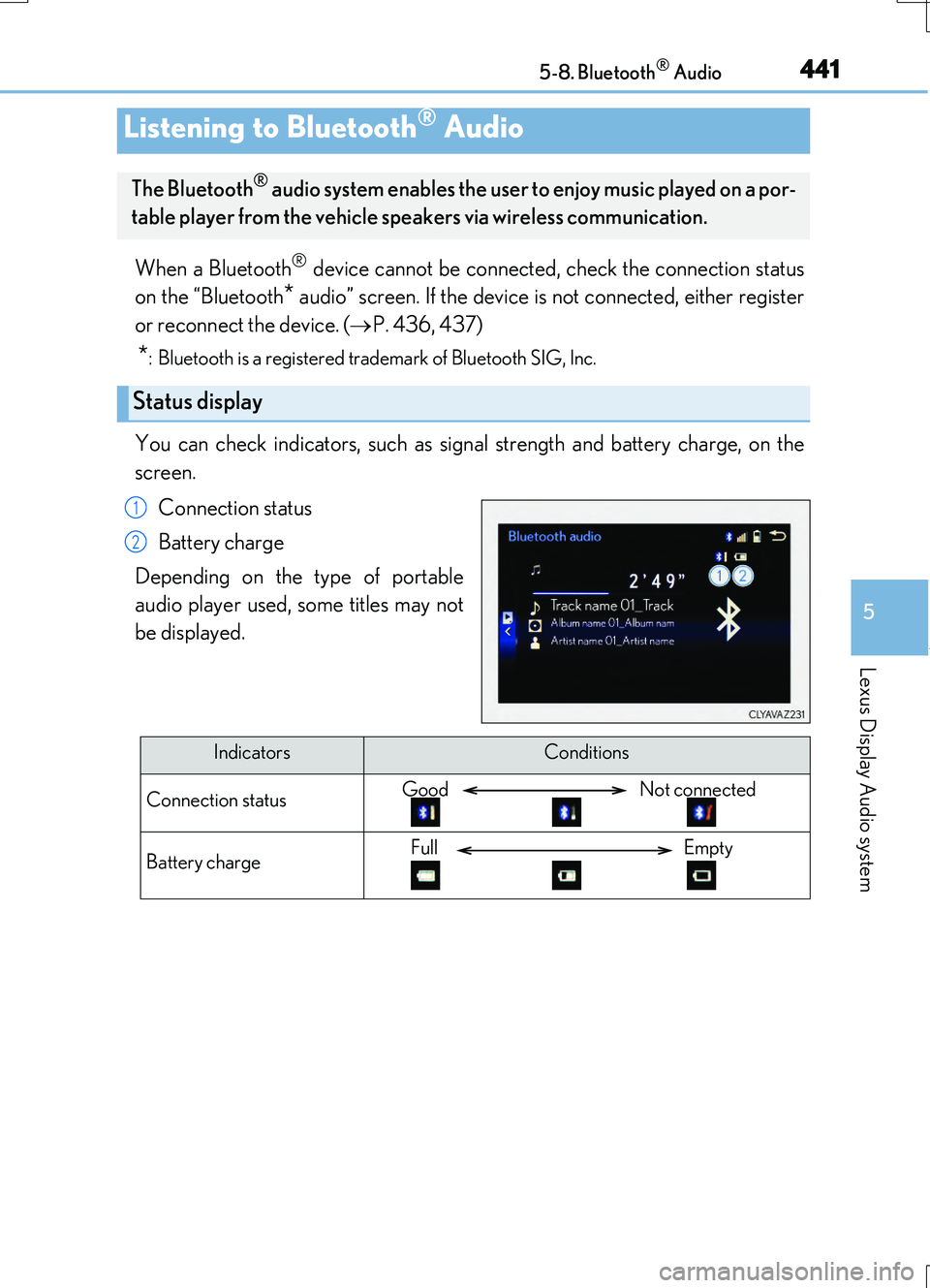
You can check indicators, such as signal strength and battery charge, on the
screen.
Connection status
Battery charge
Depending on the type of portable
audio player used, some titles may not
be displayed.
Listening to Bluetooth® Audio
The Bluetooth® audio system enables the user to enjoy music played on a por-
table player from the vehicle speakers via wireless communication.
Status display
1
2
IndicatorsConditions
Connection statusGood Not connected
Battery chargeFull Empty
Page 443 of 724
443
5
Lexus Display Audio system
RC200t_RC F_EE(OM24728E)
5-9. Bluetooth® Phone
Before making a phone call, check the connection status, battery charge, call
area and signal strength. (P. 444)
If a Bluetooth® device cannot be connected, check the connection status. If the
device is not connected, either register or reconnect it. (P. 436, 438)
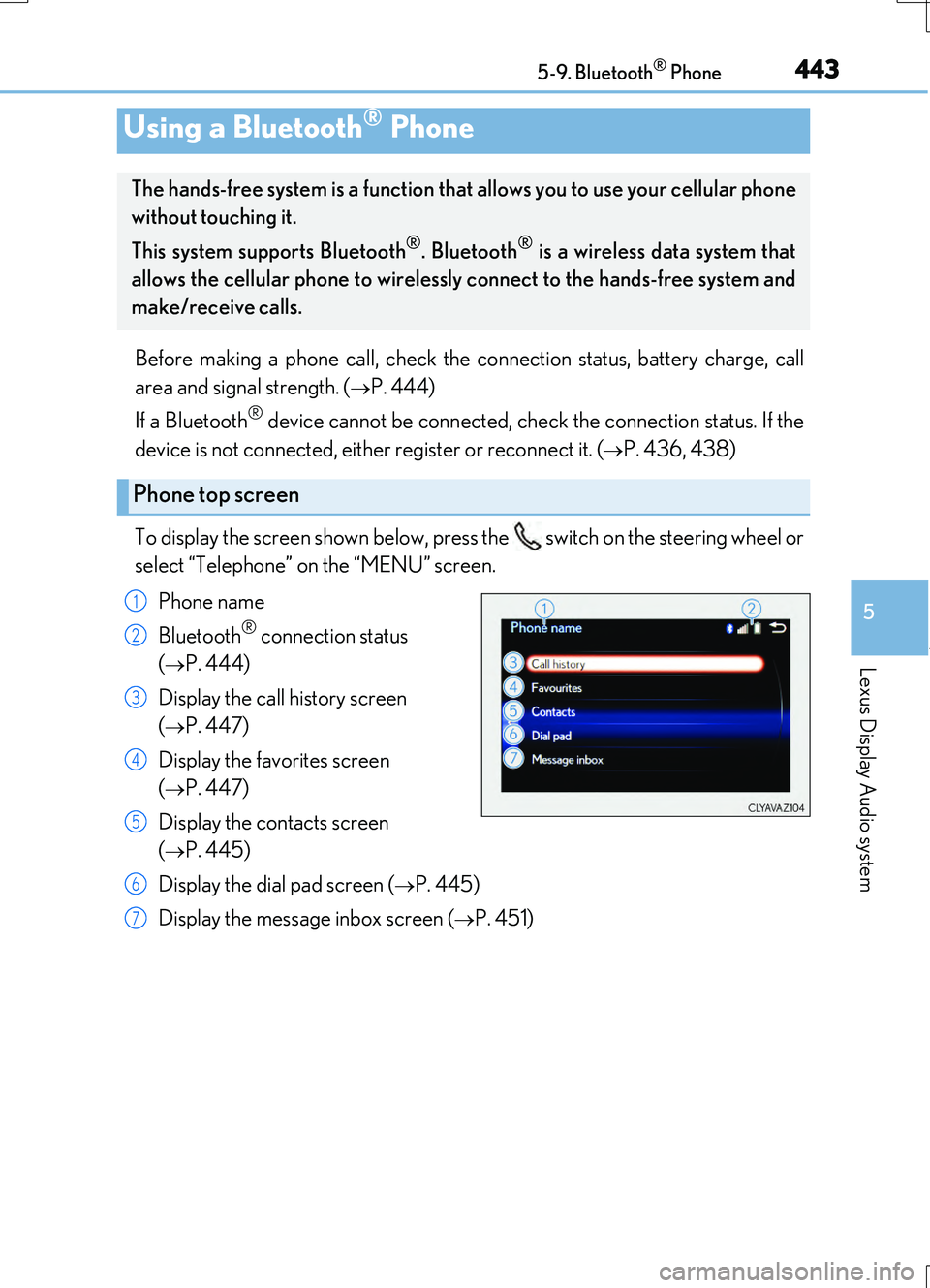
To display the screen shown below, press the switch on the steering wheel or
select “Telephone” on the “MENU” screen.
Phone name
Bluetooth® connection status
(P. 444)
Display the call history screen
(P. 447)
Display the favorites screen
(P. 447)
Display the contacts screen
(P. 445)
Display the dial pad screen (P. 445)
Display the message inbox screen (P. 451)
Using a Bluetooth® Phone
The hands-free system is a function that allows you to use your cellular phone
without touching it.
This system supports Bluetooth®. Bluetooth® is a wireless data system that
allows the cellular phone to wirelessly connect to the hands-free system and
make/receive calls.
Phone top screen
1
2
3
4
5
6
7
Page 444 of 724
4445-9. Bluetooth® Phone
RC200t_RC F_EE(OM24728E)
◆Telephone switch (P. 454)
◆Microphone
The vehicle’s built-in microphone is
used when talking on the phone.
The person you are speaking to can
be heard from the front speakers.
To use the hands-free system, you must register your Bluetooth® phone in the
system. ( P. 435)
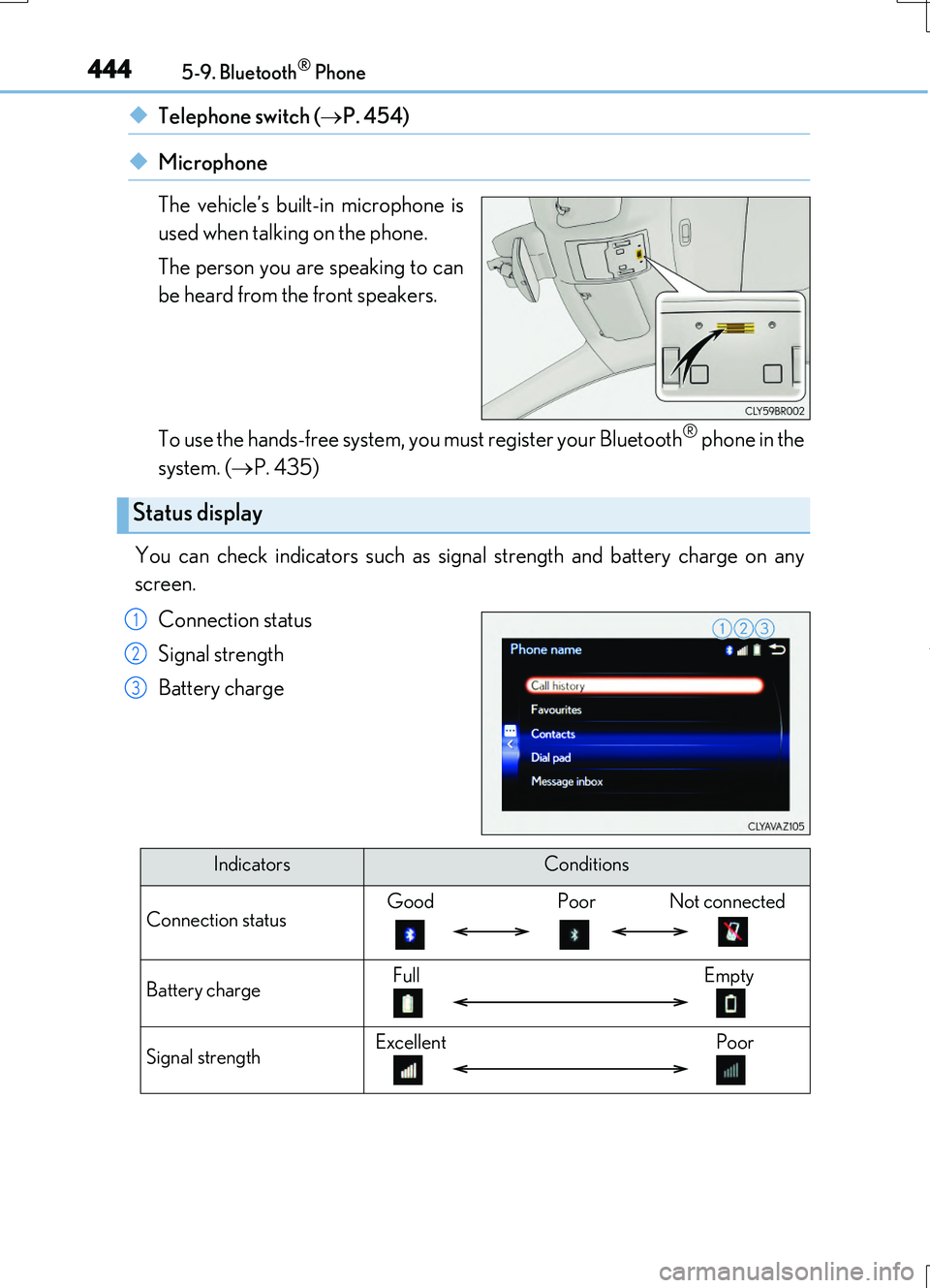
You can check indicators such as signal strength and battery charge on any
screen.
Connection status
Signal strength
Battery charge
Status display
1
2
3
IndicatorsConditions
Connection statusGood Poor Not connected
Battery chargeFull Empty
Signal strengthExcellent Poor
Page 463 of 724
4635-11. Bluetooth®
5
Lexus Display Audio system
RC200t_RC F_EE(OM24728E)
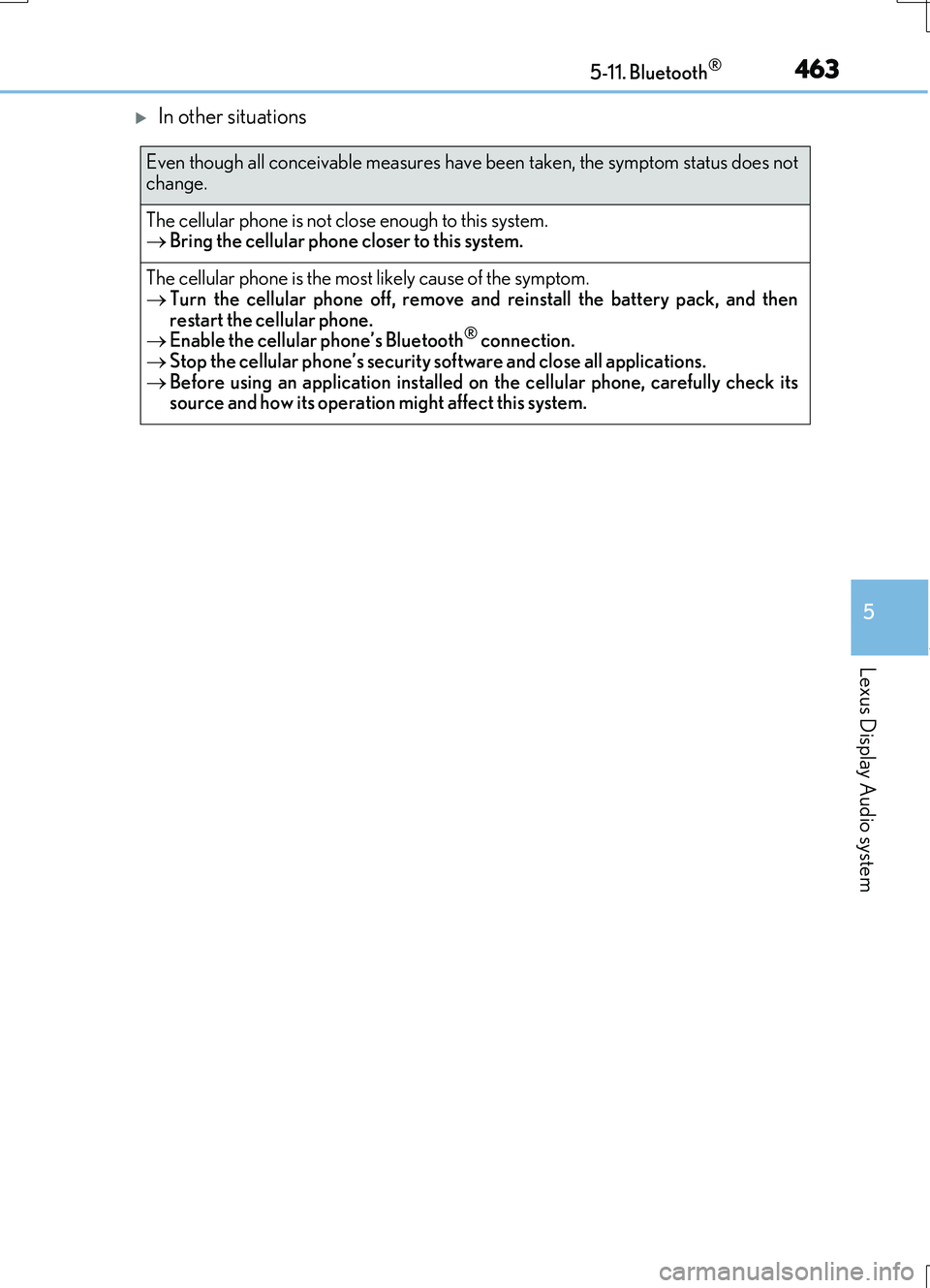
In other situations
Even though all conceivable measures have been taken, the symptom status does not
change.
The cellular phone is not close enough to this system. Bring the cellular phone closer to this system.
The cellular phone is the most likely cause of the symptom. Turn the cellular phone off, remove and reinstall the battery pack, and then
restart the cellular phone. Enable the cellular phone’s Bluetooth® connection. Stop the cellular phone’s security software and close all applications.
Before using an application installed on the cellular phone, carefully check its source and how its operation might affect this system.
Page 464 of 724
4645-11. Bluetooth®
RC200t_RC F_EE(OM24728E)
■When using the Bluetooth® audio system
●In the following situations, the system may not function.
• If the portable audio player is turned off • If the portable audio player is not connected
• If the portable audio player’s battery is low
●There may be a delay if a cellular phone connection is made during Bluetooth® audio
play.
●Depending on the type of portable audio player that is connected to the system, opera- tion may differ slightly and certain functions may not be available.
■When using the hands-free system
●The audio system is muted when making a call.
●If both parties speak at the same time, it may be difficult to hear.
●If the received call volume is over ly loud, an echo may be heard. If the Bluetooth® phone is too close to the system, quality of the sound may deteriorate and connection status may deteriorate.
●In the following situations, it may be difficult to hear the other party:
• When driving on unpaved roads • When driving at high speeds
•If a window is open • If the air conditioning is blowing directly on the microphone• If there is interference from the network of the cellular phone
●Depending on the type of phone, ce rtain functions may not be available.
■Conditions under which the system will not operate
●If using a cellular phone that does not support Bluetooth®
●If the cellular phone is turned off
●If you are outside of cellular phone service coverage
●If the cellular phone is not connected
●If the cellular phone’s battery is low
●When outgoing calls are controlled, due to heavy traffic on telephone lines, etc.
●When the cellular phone itself cannot be used
●When transferring phonebook data from the cellular phone
Bluetooth®
Page 465 of 724
4655-11. Bluetooth®
5
Lexus Display Audio system
RC200t_RC F_EE(OM24728E)
■Bluetooth® antenna
The antenna is built into the instrument panel. If the portable audio player is behind the seat or in the glove box or console box, or is
touching or covered by me tal objects, the connection status may deteriorate. If the cellular phone is behind the seat or in the console box, or touching or covered by metal objects, the connecti on status may deteriorate.
■Battery charge/signal status
●This display may not correspond exactly with the portable audio player or cellular phone itself.
●This system does not have a charging function.
●The portable audio player or cellular phone battery will be depleted quickly when the device is connected to Bluetooth®.
■When using the Bluetooth® audio and hands-free system at the same time
The following problems may occur.
●The Bluetooth® audio connection may be interrupted.
●Noise may be heard during Bluetooth® audio playback.
■About the contact in this system
The following data is stored for every registered cellular phone. When another phone is
connecting, you cannot read the registered data.
●Contact data
●Call history
●Favorite
●Message
When removing a Bluetooth® phone from the system, the above-mentioned data is also deleted.
■About Bluetooth®
The Bluetooth® word mark and logos are regis-tered trademarks owned by Bluetooth SIG, Inc.
and any use of such marks by FUJITSU TEN LIMITED is under license. Other trademarksand trade names are those of their respective
owners.
Page 489 of 724
4896-1. Using the air conditioning system
6
Interior features
RC200t_RC F_EE(OM24728E)
NOTICE
■To prevent battery discharge
Do not leave the air conditioning system on longer than necessary when the engine is off.
Page 490 of 724
4906-1. Using the air conditioning system
RC200t_RC F_EE(OM24728E)
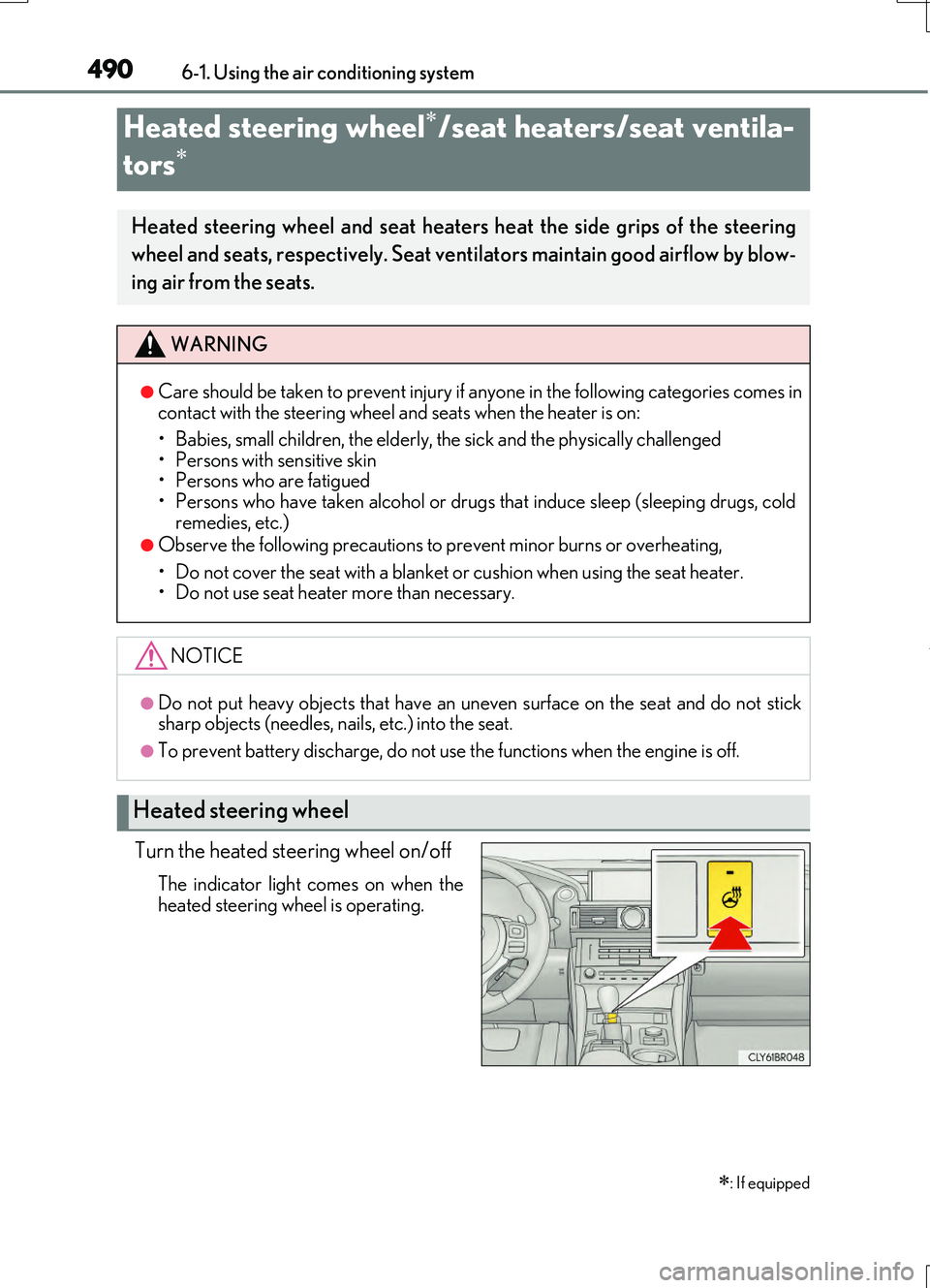
Turn the heated steering wheel on/off
The indicator light comes on when the
heated steering wheel is operating.
Heated steering wheel/seat heaters/seat ventila-
tors
: If equipped
Heated steering wheel and seat heaters heat the side grips of the steering
wheel and seats, respectively. Seat ventilators maintain good airflow by blow-
ing air from the seats.
WARNING
●Care should be taken to prevent injury if anyone in the following categories comes in contact with the steering wheel and seats when the heater is on:
• Babies, small children, the elderly, the sick and the physically challenged
• Persons with sensitive skin • Persons who are fatigued• Persons who have taken alcohol or drugs that induce sleep (sleeping drugs, cold
remedies, etc.)
●Observe the following precautions to prevent minor burns or overheating,
• Do not cover the seat with a blanket or cushion when using the seat heater. • Do not use seat heater more than necessary.
NOTICE
●Do not put heavy objects that have an uneven surface on the seat and do not sticksharp objects (needles, na ils, etc.) into the seat.
●To prevent battery discharge, do not use the functions when the engine is off.
Heated steering wheel
Page 494 of 724
4946-2. Using the interior lights
RC200t_RC F_EE(OM24728E)
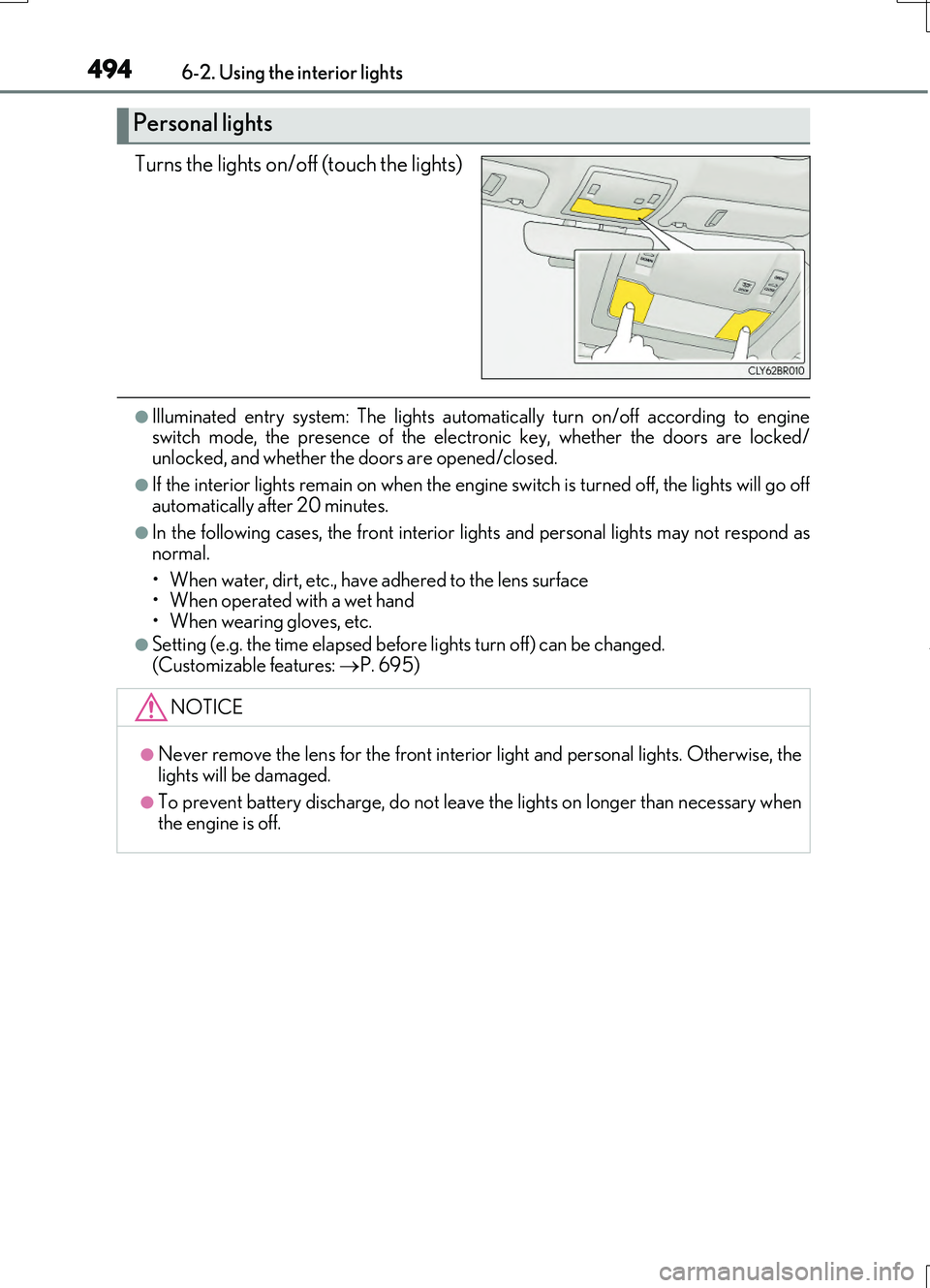
Turns the lights on/off (touch the lights)
●Illuminated entry system: The lights automatically turn on/off according to engine switch mode, the presence of the electronic key, whether the doors are locked/unlocked, and whether the doors are opened/closed.
●If the interior lights remain on when the engine switch is turned off, the lights will go off automatically after 20 minutes.
●In the following cases, the front interior lights and personal lights may not respond as
normal.
• When water, dirt, etc., have adhered to the lens surface • When operated with a wet hand
• When wearing gloves, etc.
●Setting (e.g. the time elapsed before lights turn off) can be changed.
(Customizable features: P. 695)
Personal lights
NOTICE
●Never remove the lens for the front interior light and personal lights. Otherwise, the
lights will be damaged.
●To prevent battery discharge, do not leave the lights on longer than necessary when the engine is off.