ad blue LEXUS RC200T 2017 Service Manual
[x] Cancel search | Manufacturer: LEXUS, Model Year: 2017, Model line: RC200T, Model: LEXUS RC200T 2017Pages: 724, PDF Size: 42.04 MB
Page 463 of 724
4635-11. Bluetooth®
5
Lexus Display Audio system
RC200t_RC F_EE(OM24728E)
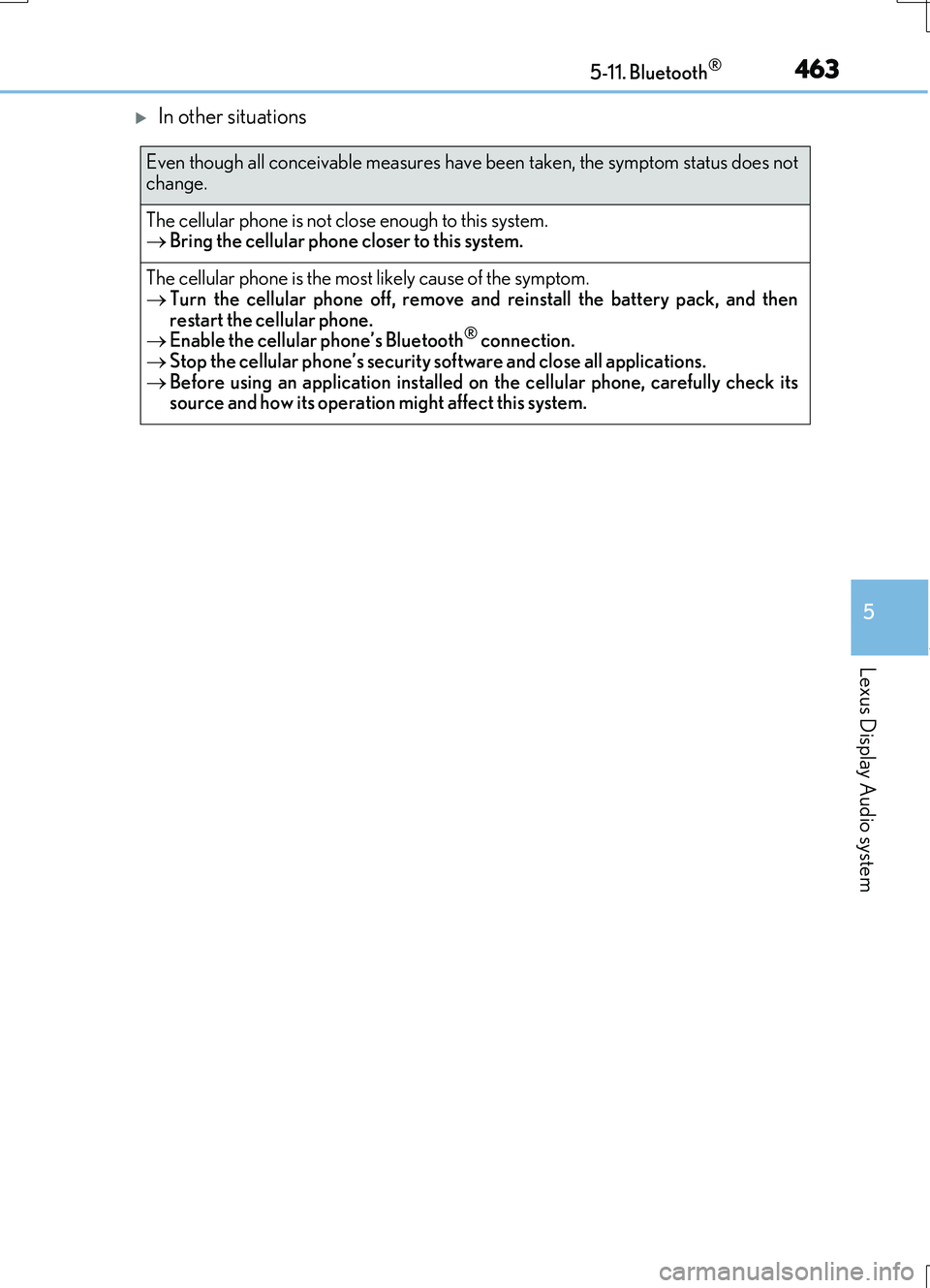
In other situations
Even though all conceivable measures have been taken, the symptom status does not
change.
The cellular phone is not close enough to this system. Bring the cellular phone closer to this system.
The cellular phone is the most likely cause of the symptom. Turn the cellular phone off, remove and reinstall the battery pack, and then
restart the cellular phone. Enable the cellular phone’s Bluetooth® connection. Stop the cellular phone’s security software and close all applications.
Before using an application installed on the cellular phone, carefully check its source and how its operation might affect this system.
Page 464 of 724
4645-11. Bluetooth®
RC200t_RC F_EE(OM24728E)
■When using the Bluetooth® audio system
●In the following situations, the system may not function.
• If the portable audio player is turned off • If the portable audio player is not connected
• If the portable audio player’s battery is low
●There may be a delay if a cellular phone connection is made during Bluetooth® audio
play.
●Depending on the type of portable audio player that is connected to the system, opera- tion may differ slightly and certain functions may not be available.
■When using the hands-free system
●The audio system is muted when making a call.
●If both parties speak at the same time, it may be difficult to hear.
●If the received call volume is over ly loud, an echo may be heard. If the Bluetooth® phone is too close to the system, quality of the sound may deteriorate and connection status may deteriorate.
●In the following situations, it may be difficult to hear the other party:
• When driving on unpaved roads • When driving at high speeds
•If a window is open • If the air conditioning is blowing directly on the microphone• If there is interference from the network of the cellular phone
●Depending on the type of phone, ce rtain functions may not be available.
■Conditions under which the system will not operate
●If using a cellular phone that does not support Bluetooth®
●If the cellular phone is turned off
●If you are outside of cellular phone service coverage
●If the cellular phone is not connected
●If the cellular phone’s battery is low
●When outgoing calls are controlled, due to heavy traffic on telephone lines, etc.
●When the cellular phone itself cannot be used
●When transferring phonebook data from the cellular phone
Bluetooth®
Page 465 of 724
4655-11. Bluetooth®
5
Lexus Display Audio system
RC200t_RC F_EE(OM24728E)
■Bluetooth® antenna
The antenna is built into the instrument panel. If the portable audio player is behind the seat or in the glove box or console box, or is
touching or covered by me tal objects, the connection status may deteriorate. If the cellular phone is behind the seat or in the console box, or touching or covered by metal objects, the connecti on status may deteriorate.
■Battery charge/signal status
●This display may not correspond exactly with the portable audio player or cellular phone itself.
●This system does not have a charging function.
●The portable audio player or cellular phone battery will be depleted quickly when the device is connected to Bluetooth®.
■When using the Bluetooth® audio and hands-free system at the same time
The following problems may occur.
●The Bluetooth® audio connection may be interrupted.
●Noise may be heard during Bluetooth® audio playback.
■About the contact in this system
The following data is stored for every registered cellular phone. When another phone is
connecting, you cannot read the registered data.
●Contact data
●Call history
●Favorite
●Message
When removing a Bluetooth® phone from the system, the above-mentioned data is also deleted.
■About Bluetooth®
The Bluetooth® word mark and logos are regis-tered trademarks owned by Bluetooth SIG, Inc.
and any use of such marks by FUJITSU TEN LIMITED is under license. Other trademarksand trade names are those of their respective
owners.
Page 466 of 724
4665-11. Bluetooth®
RC200t_RC F_EE(OM24728E)
■Compatible models
The Bluetooth® audio system supports portable audio players with the following specifi- cations
●Bluetooth® specifications: Ver. 2.0, or higher (Recommend ed: Ver. 3.0+EDR or higher)
●Profiles:
• A2DP (Advanced Audio Distribution Profile) Ver. 1.0, or higher (Recommended: Ver. 1.2 or higher) This is a profile to transmit stereo audio or high quality sound to the audio system.
• AVRCP (Audio/Video Remote Control Profile) Ver. 1.0 or higher (Recommended: Ver. 1.4 or higher) This is a profile to allow remote control of the A/V equipment.
However, please note that some functions may be limited depending on the type of por- table audio player connected.
The hands-free system supports cellular ph ones with the following specifications.
●Bluetooth® specification: Ver. 2.0 or higher (Recommended: Ver. 3.0+EDR or higher)
●Profiles:
• HFP (Hands Free Profile) Ver. 1.0 or higher (Recommended: Ver. 1.6 or higher) This is a profile to allow hands-free phone calls using a cellular phone or head set. It has outgoing and incoming call functions.
• OPP (Object Push Profile) Ver. 1.1 or higher (Recommended: Ver. 1.1) This is a profile to transfer phonebook data. When a Bluetooth® compatible cellular phone has both PBAP and OPP, OPP cannot be used.
• PBAP (Phone Book Access Profile) Ver. 1.0 or higher (Recommended: Ver. 1.1) This is a profile to tr ansfer phonebook data.
• MAP (Message Access Profile) Ver.1.0 or higher This is a profile to using phone message.If the cellular phone does not support HFP, you cannot register it with the hands-free sys-
tem. OPP, PBAP or MAP services must be selected individually.
■Reconnecting the portable audio player
If the portable audio player is disconnect ed due to poor reception when the engine
switch is in ACCESSORY or IGNITION ON mode, the system automatically recon- nects the portable audio player.
If you have switched off the portable audio player yourself, follow the instructions below
to reconnect:
●Select the portable audio player again
●Enter the portable audio player
■When you sell your car
Be sure to delete your personal data. ( P. 402)
Page 467 of 724
4675-11. Bluetooth®
5
Lexus Display Audio system
RC200t_RC F_EE(OM24728E)
■Certification
Page 468 of 724
4685-11. Bluetooth®
RC200t_RC F_EE(OM24728E)
WARNING
■While driving
Do not operate the portable audio player, cellular phone or connect a device to the Bluetooth® system.
■Caution regarding interference with electronic devices
●Your audio unit is fitted with Bluetooth® antennas. People with implantable cardiacpacemakers, cardiac resynchronization therapy-pacemakers or implantable cardioverter defibrillators should maintain a reasonable distance between them-
selves and the Bluetooth® antennas. The radio waves may affect the operation of such devices.
●Before using Bluetooth® devices, users of any electrical medical device other than
implantable cardiac pacemakers, cardiac resynchronization therapy-pacemakers or implantable cardioverter defibrillators should consult the manufacturer of the device for information about its operation under th e influence of radio waves. Radio waves
could have unexpected effects on the operation of such medical devices.
NOTICE
■When leaving the vehicle
Do not leave your portable audio player or cellular phone in the vehicle. The inside of the vehicle may become hot, causing damage to the portable audio player or cellular
phone.
Page 531 of 724
5317-3. Do-it-yourself maintenance
7
Maintenance and care
RC200t_RC F_EE(OM24728E)
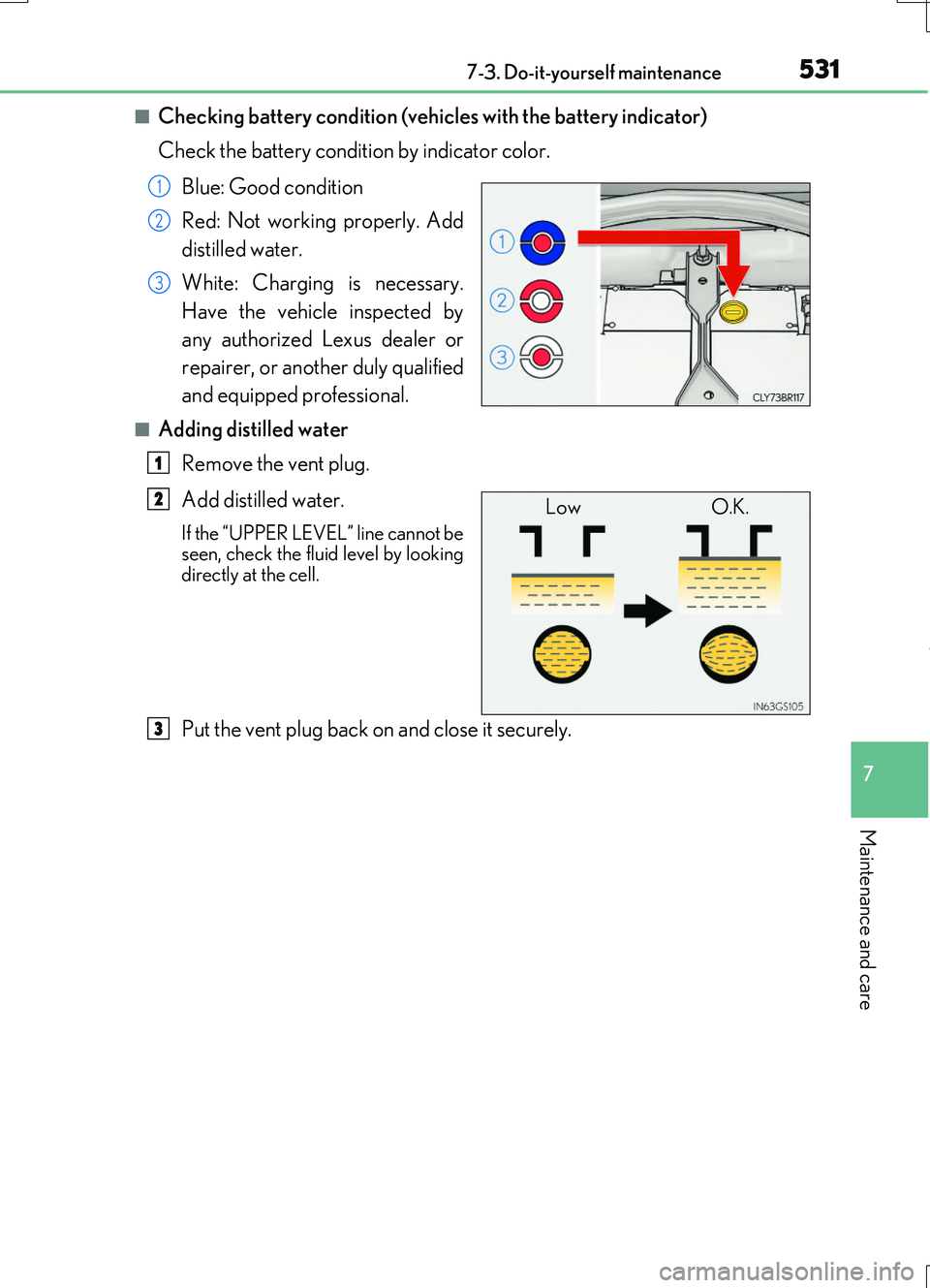
■Checking battery condition (vehicles with the battery indicator)
Check the battery condition by indicator color.
Blue: Good condition
Red: Not working properly. Add
distilled water.
White: Charging is necessary.
Have the vehicle inspected by
any authorized Lexus dealer or
repairer, or another duly qualified
and equipped professional.
■Adding distilled water
Remove the vent plug.
Add distilled water.
If the “UPPER LEVEL” line cannot be seen, check the fluid level by looking
directly at the cell.
Put the vent plug back on and close it securely.
1
2
3
1
Low O.K.2
3
Page 687 of 724
687
9
9-2. Customization
Vehicle specifications
RC200t_RC F_EE(OM24728E)
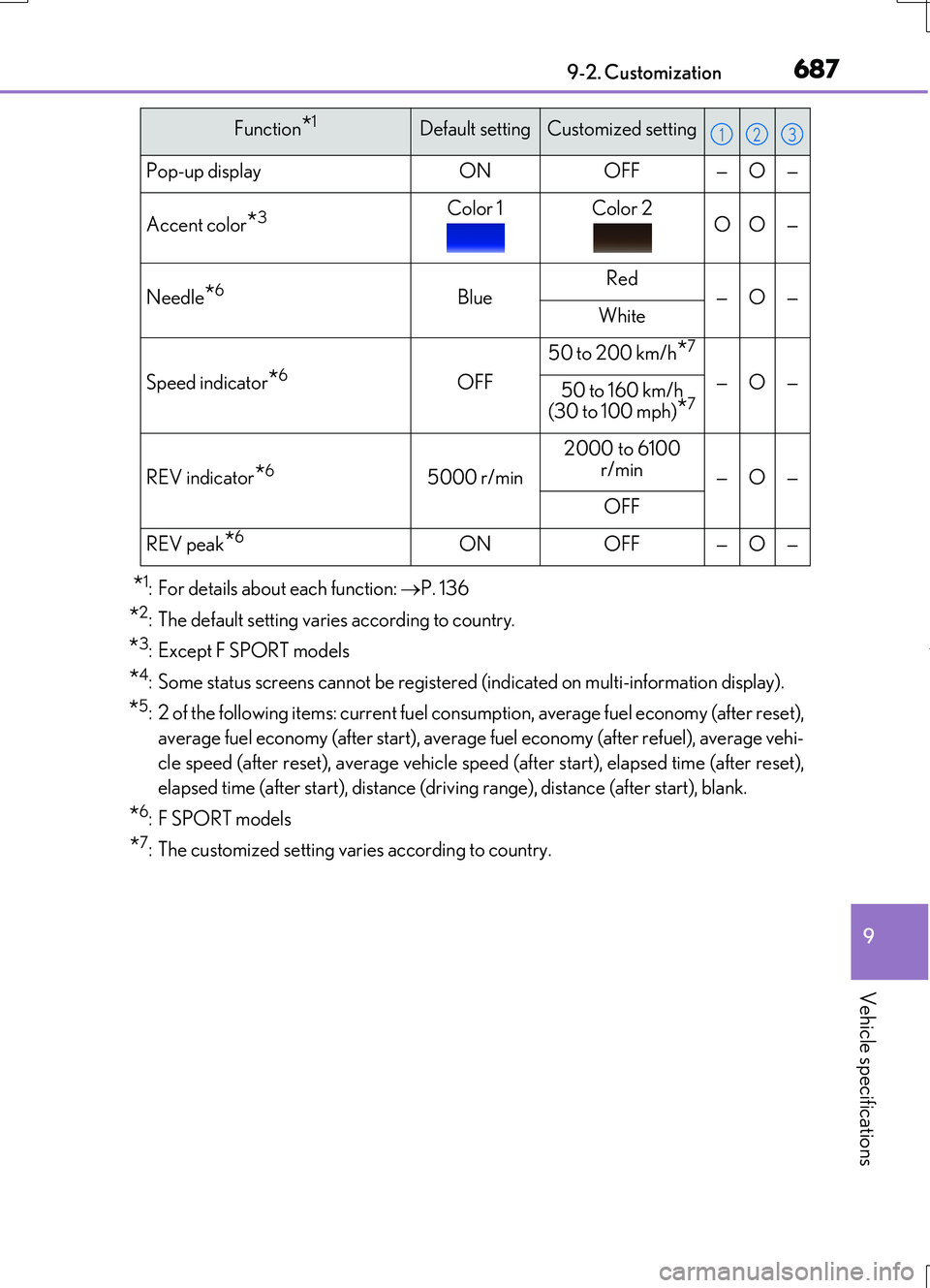
*1: For details about each function: P. 136
*2: The default setting varies according to country.
*3: Except F SPORT models
*4: Some status screens cannot be registered (indicated on multi-information display).
*5: 2 of the following items: current fuel consumption, average fuel economy (after reset),
average fuel economy (after start), average fuel economy (after refuel), average vehi-
cle speed (after reset), average vehicle speed (after start), elapsed time (after reset),
elapsed time (after start), distance (driving range), distance (after start), blank.
*6: F SPORT models
*7: The customized setting varies according to country.
Pop-up displayONOFF—O—
Accent color*3Color 1Color 2OO—
Needle*6BlueRed—O—White
Speed indicator*6OFF
50 to 200 km/h*7
—O—50 to 160 km/h (30 to 100 mph)*7
REV indicator*65000 r/min
2000 to 6100
r/min—O—
OFF
REV peak*6ONOFF—O—
Function*1Default settingCustomized setting123
Page 705 of 724
705Alphabetical index
RC200t_RC F_EE(OM24728E)
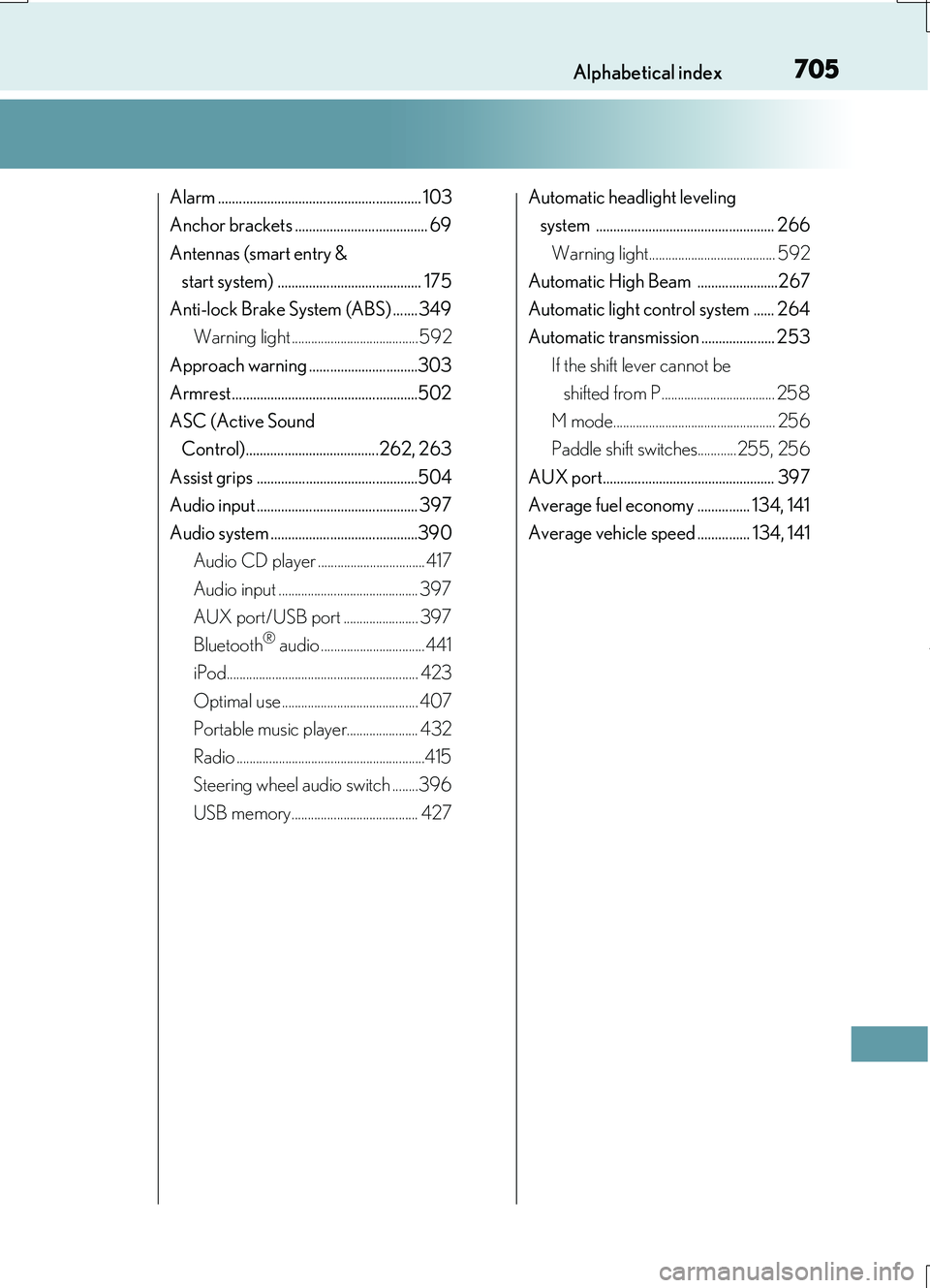
Alarm .......................................................... 103
Anchor brackets ...................................... 69
Antennas (smart entry &
start system) ......................................... 175
Anti-lock Brake System (ABS) .......349
Warning light ....................................... 592
Approach warning ...............................303
Armrest .....................................................502
ASC (Active Sound
Control)......................................262, 263
Assist grips ..............................................504
Audio input .............................................. 397
Audio system ..........................................390
Audio CD player ................................. 417
Audio input ........................................... 397
AUX port/USB port ....................... 397
Bluetooth® audio ................................441
iPod........................................................... 423
Optimal use .......................................... 407
Portable music player...................... 432
Radio ..........................................................415
Steering wheel audio switch ........396
USB memory....................................... 427
Automatic headlight leveling
system ................................................... 266
Warning light....................................... 592
Automatic High Beam .......................267
Automatic light control system ...... 264
Automatic transmission ..................... 253
If the shift lever cannot be
shifted from P................................... 258
M mode.................................................. 256
Paddle shift switches............ 255, 256
AUX port................................................. 397
Average fuel economy ............... 134, 141
Average vehicle speed ............... 134, 141
Page 706 of 724
706Alphabetical index
RC200t_RC F_EE(OM24728E)
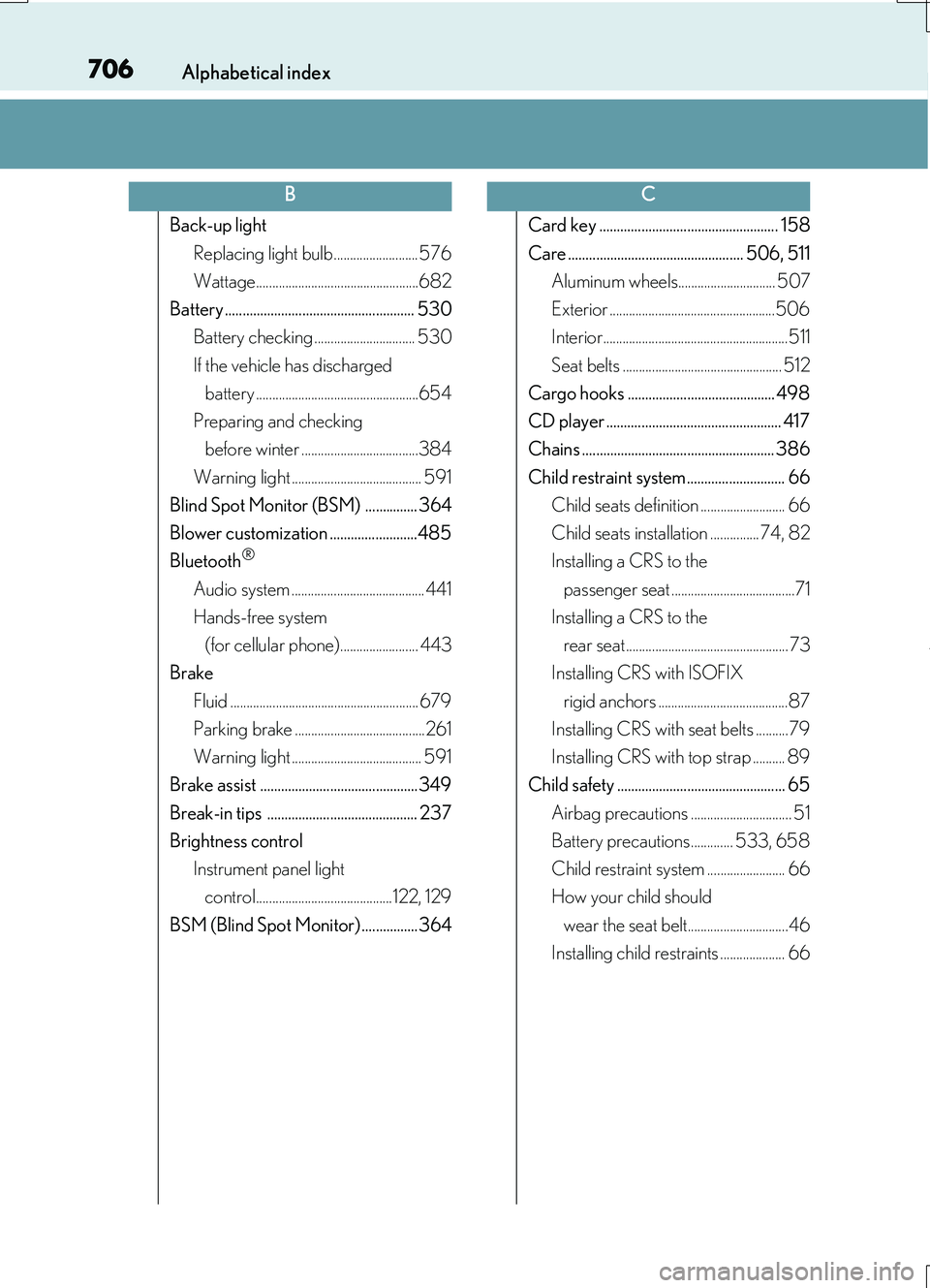
Back-up light
Replacing light bulb.......................... 576
Wattage..................................................682
Battery ...................................................... 530
Battery checking ............................... 530
If the vehicle has discharged
battery ..................................................654
Preparing and checking
before winter ....................................384
Warning light ........................................ 591
Blind Spot Monitor (BSM) ............... 364
Blower customization .........................485
Bluetooth®
Audio system ......................................... 441
Hands-free system
(for cellular phone)........................ 443
Brake
Fluid .......................................................... 679
Parking brake ........................................261
Warning light ........................................ 591
Brake assist ............................................. 349
Break-in tips ........................................... 237
Brightness control
Instrument panel light
control..........................................122, 129
BSM (Blind Spot Monitor) ................ 364
Card key ................................................... 158
Care .................................................. 506, 511
Aluminum wheels.............................. 507
Exterior ...................................................506
Interior.........................................................511
Seat belts ................................................. 512
Cargo hooks .......................................... 498
CD player .................................................. 417
Chains ....................................................... 386
Child restraint system............................ 66
Child seats definition .......................... 66
Child seats installation ............... 74, 82
Installing a CRS to the
passenger seat ......................................71
Installing a CRS to the
rear seat .................................................. 73
Installing CRS with ISOFIX
rigid anchors ........................................87
Installing CRS with seat belts ..........79
Installing CRS with top strap .......... 89
Child safety ................................................ 65
Airbag precautions ............................... 51
Battery precautions............. 533, 658
Child restraint system ........................ 66
How your child should
wear the seat belt...............................46
Installing child restraints .................... 66
BC