warning LEXUS RC200T 2017 Service Manual
[x] Cancel search | Manufacturer: LEXUS, Model Year: 2017, Model line: RC200T, Model: LEXUS RC200T 2017Pages: 724, PDF Size: 42.04 MB
Page 126 of 724
1262. Instrument cluster
RC200t_RC F_EE(OM24728E)
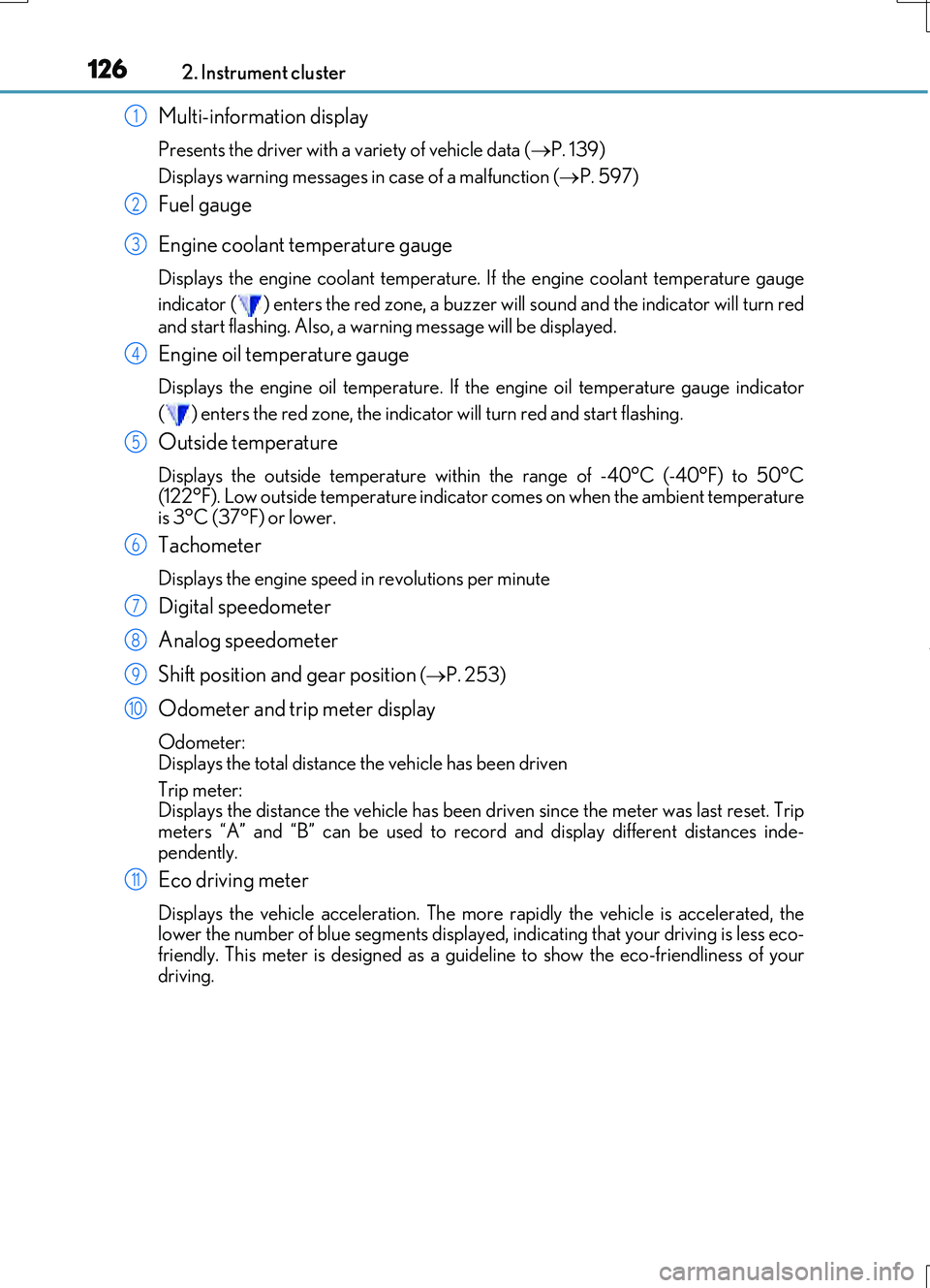
Multi-information display
Presents the driver with a variety of vehicle data (P. 139)
Displays warning messages in case of a malfunction (P. 597)
Fuel gauge
Engine coolant temperature gauge
Displays the engine coolant temperature. If the engine coolant temperature gauge
indicator ( ) enters the red zone, a buzzer will sound and the indicator will turn red
and start flashing. Also, a warning message will be displayed.
Engine oil temperature gauge
Displays the engine oil temperature. If the engine oil temperature gauge indicator
( ) enters the red zone, the indicator will turn red and start flashing.
Outside temperature
Displays the outside temperature within the range of -40°C (-40°F) to 50°C
(122°F). Low outside temperature indicator comes on when the ambient temperature
is 3°C (37°F) or lower.
Tachometer
Displays the engine speed in revolutions per minute
Digital speedometer
Analog speedometer
Shift position and gear position
( P. 253)
Odometer and trip meter display
Odometer:
Displays the total distance the vehicle has been driven
Trip meter:
Displays the distance the vehicle has been driven since the meter was last reset. Trip
meters “A” and “B” can be used to record and display different distances inde-
pendently.
Eco driving meter
Displays the vehicle acceleration. The more rapidly the vehicle is accelerated, the
lower the number of blue segments displayed, indicating that your driving is less eco-
friendly. This meter is designed as a guid eline to show the eco-friendliness of your
driving.
1
2
3
4
5
6
7
8
9
10
11
Page 132 of 724
1322. Instrument cluster
RC200t_RC F_EE(OM24728E)
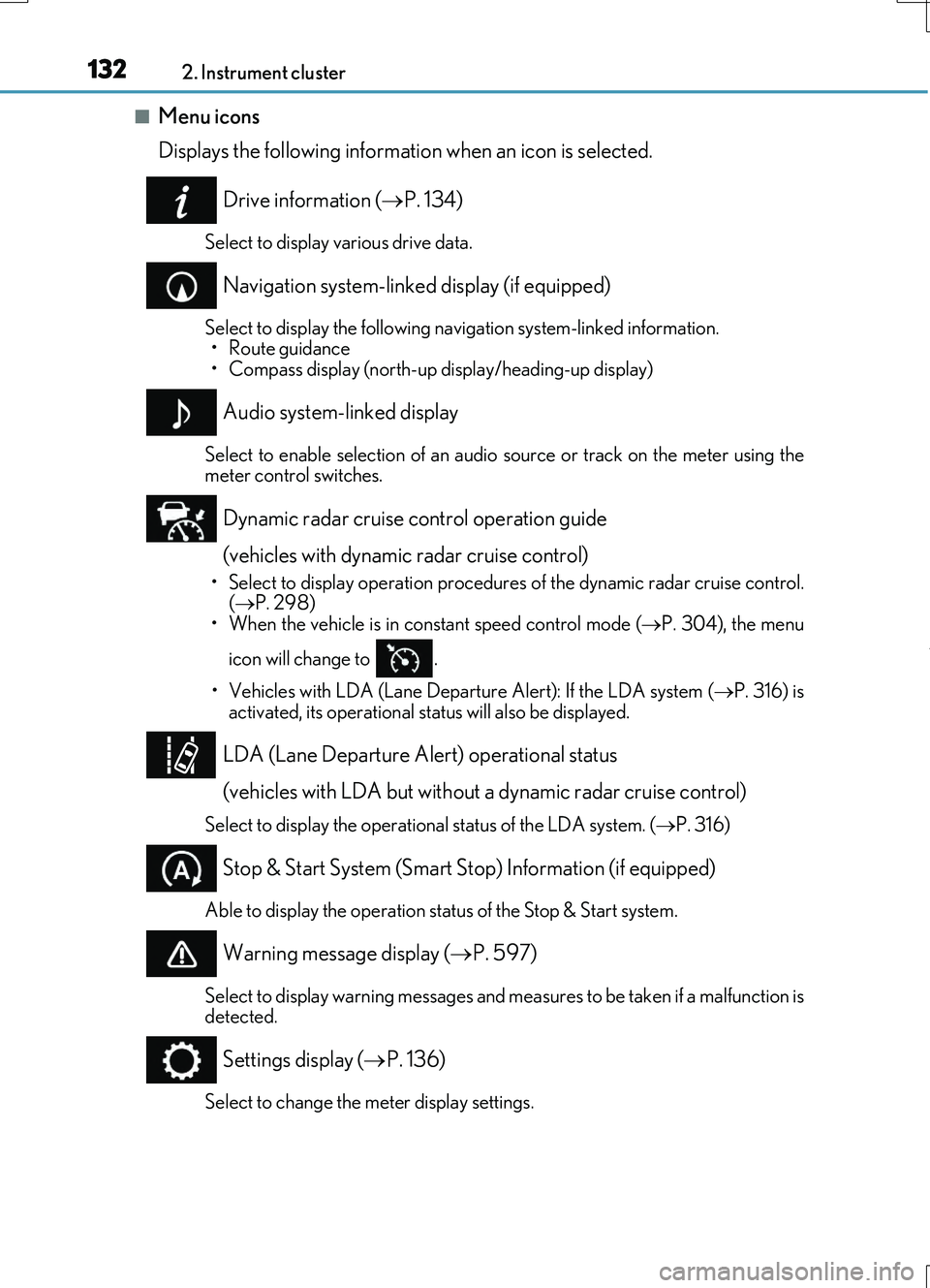
■Menu icons
Displays the following information when an icon is selected.
Drive information ( P. 134)
Select to display various drive data.
Navigation system-linked display (if equipped)
Select to display the following navigation system-linked information. • Route guidance• Compass display (north-up display/heading-up display)
Audio system-linked display
Select to enable selection of an audio source or track on the meter using themeter control switches.
Dynamic radar cruise control operation guide
(vehicles with dynamic radar cruise control)
• Select to display operation procedures of the dynamic radar cruise control. ( P. 298) • When the vehicle is in constant speed control mode ( P. 304), the menu
icon will change to .
• Vehicles with LDA (Lane Departur e Alert): If the LDA system (P. 316) is
activated, its operational stat us will also be displayed.
LDA (Lane Departure Alert) operational status
(vehicles with LDA but without a dynamic radar cruise control)
Select to display the operational status of the LDA system. ( P. 316)
Stop & Start System (Smart Stop) Information (if equipped)
Able to display the operation status of the Stop & Start system.
Warning message display (P. 597)
Select to display warning messages and measures to be taken if a malfunction is detected.
Settings display ( P. 136)
Select to change the meter display settings.
Page 135 of 724
1352. Instrument cluster
2
Instrument cluster
RC200t_RC F_EE(OM24728E)
●Resetting
The following displays can be reset: average fuel consumption after reset,
average vehicle speed after reset, and elapsed time after reset.
• To reset, display the desired item and press and hold .
• If both displayed items are resettable, a reset selection screen will
appear.
■Eco Driving Indicator
P. 116
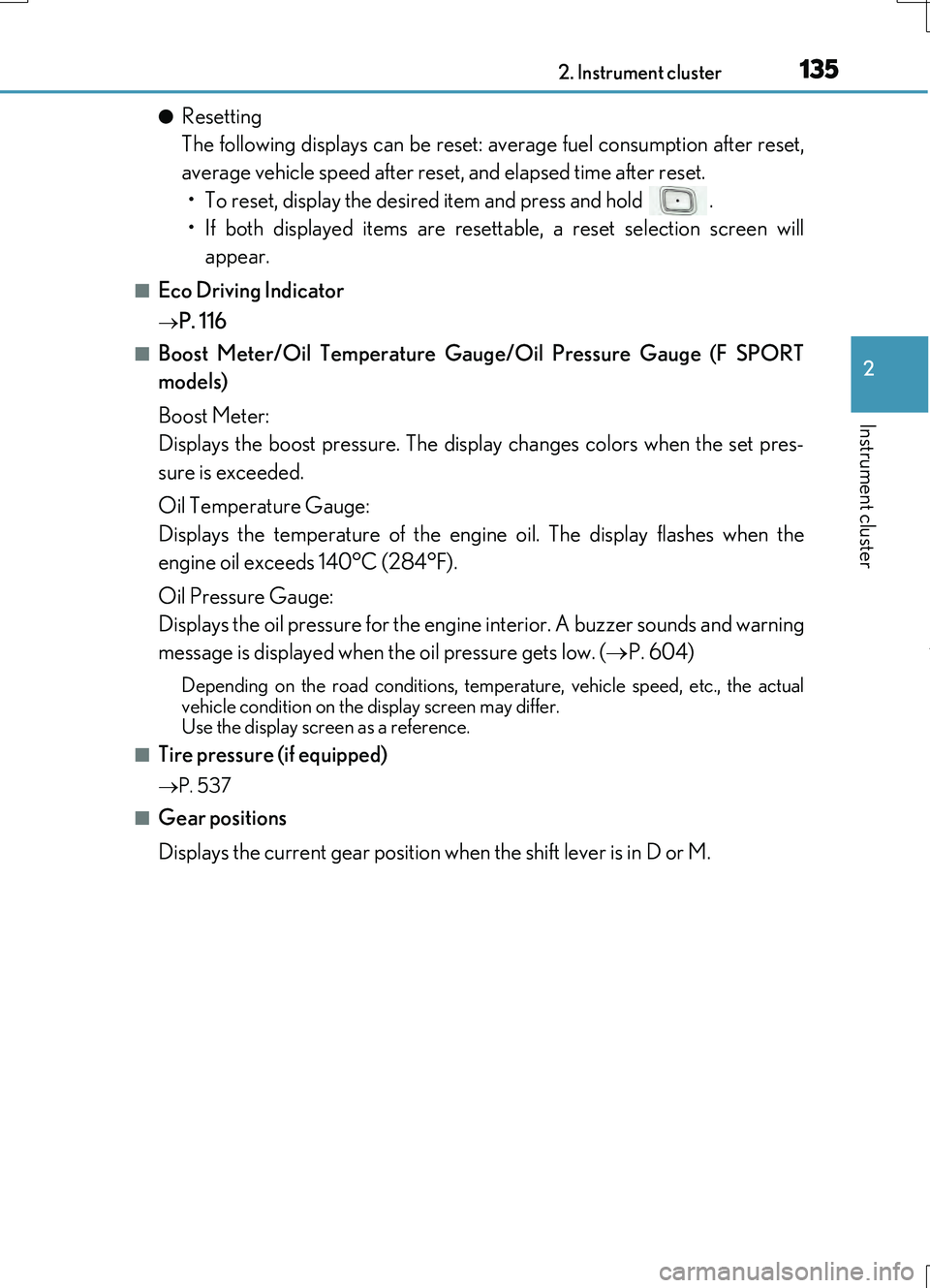
■Boost Meter/Oil Temperature Gauge/Oil Pressure Gauge (F SPORT
models)
Boost Meter:
Displays the boost pressure. The display changes colors when the set pres-
sure is exceeded.
Oil Temperature Gauge:
Displays the temperature of the engine oil. The display flashes when the
engine oil exceeds 140°C (284°F).
Oil Pressure Gauge:
Displays the oil pressure for the engine interior. A buzzer sounds and warning
message is displayed when the oil pressure gets low. ( P. 604)
Depending on the road conditions, temperature, vehicle speed, etc., the actual
vehicle condition on the display screen may differ. Use the display screen as a reference.
■Tire pressure (if equipped)
P. 537
■Gear positions
Displays the current gear position when the shift lever is in D or M.
Page 138 of 724
1382. Instrument cluster
RC200t_RC F_EE(OM24728E)
■Suspension of the settings display
In the following situations, operation of th e settings display will be temporarily sus- pended.
●When a warning message appears on the multi-information display
●When the vehicle begins to move
■Tire pressure (if equipped)
●It may take a few minutes to display the tire inflation pressure after the engine switch is
turned to IGNITION ON mode. It may also take a few minutes to display the tire infla- tion pressure after inflation pressure has been adjusted.
●“---” may be displayed if the tire position information cannot be determined due to
unfavorable radio wave conditions.
●Tire inflation pressure changes with temperature. The displayed values may also be dif- ferent from the values measured using a tire pressure gauge.
■When disconnecting and reconnecting battery terminals
The drive information data will be reset.
■Liquid crystal display
P. 130
WARNING
■Caution for use while driving
●When operating the multi-information display while driving, pay extra attention to the safety of the area around the vehicle.
●Do not look continuously at the multi-info rmation display while driving as you may fail to see pedestrians, objects on the road, etc. ahead of the vehicle.
■The information display at low temperatures
Allow the interior of the vehicle to warm up before using the liquid crystal information display. At extremely low temperatures, th e information display monitor may respond slowly, and display changes may be delayed.
For example, there is a lag between the dr iver’s shifting and the new gear number appearing on the display. This lag could cau se the driver to downshift again, causing rapid and excessive engine braking and po ssibly an accident resulting in death or
injury.
■Cautions during setting up the display
As the engine needs to be running during setting up the display, ensure that the vehicle
is parked in a place with adequate ventilation. In a closed area such as a garage, exhaust gases including harmful carbon monoxide (CO) may collect and enter thevehicle. This may lead to death or a serious health hazard.
NOTICE
■While setting up the display
To prevent battery discharge, ensure that the engine is running while setting up the dis- play features.
Page 140 of 724
1402. Instrument cluster
RC200t_RC F_EE(OM24728E)
Dynamic radar cruise control operation guide
(vehicles with dynamic radar cruise control)
• Select to display operation procedures of the dynamic radar cruise control.
( P. 298)
• When the vehicle is in constant speed control mode ( P. 304), the menu
icon will change to .
• Vehicles with LDA (Lane Departur e Alert): If the LDA system (P. 316) is
activated, its operational stat us will also be displayed.
LDA (Lane Departure Alert) operational status
(vehicles with LDA but without a dynamic radar cruise control)
Select to display the operational status of the LDA system. ( P. 316)
Warning message display ( P. 597)
Select to display warning messages and me asures to be taken if a malfunction is
detected.
Settings display ( P. 148)
Select to change the meter display settings.
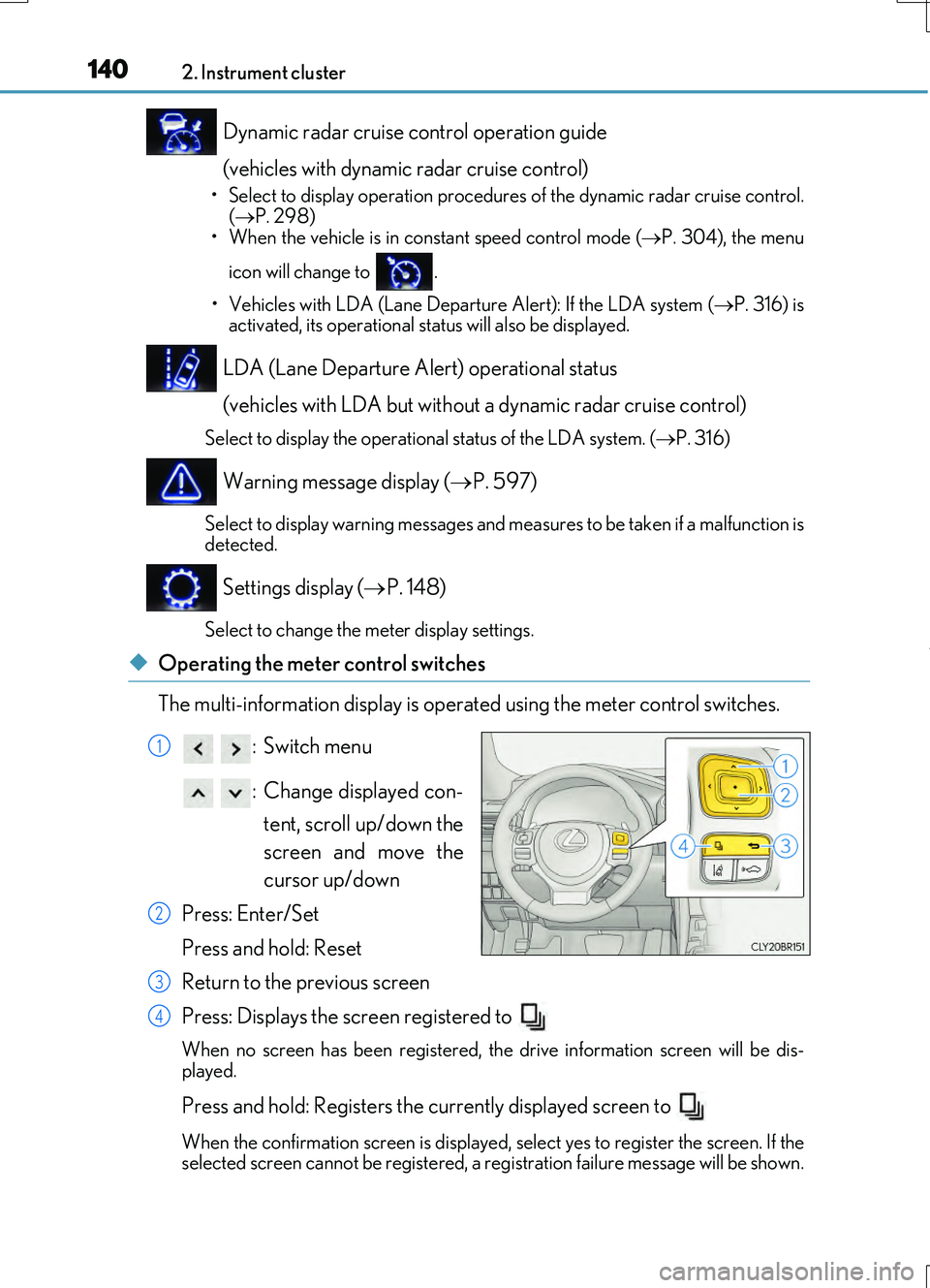
◆Operating the meter control switches
The multi-information display is operated using the meter control switches.
:Switch menu
: Change displayed con- tent, scroll up/down the
screen and move the
cursor up/down
Press: Enter/Set
Press and hold: Reset
Return to the previous screen
Press: Displays the screen registered to
When no screen has been registered, the drive information screen will be dis-
played.
Press and hold: Registers the currently displayed screen to
When the confirmation screen is displayed, select yes to register the screen. If the
selected screen cannot be registered, a re gistration failure message will be shown.
1
2
3
4
Page 150 of 724
1502. Instrument cluster
RC200t_RC F_EE(OM24728E)
■Suspension of the settings display
In the following situations, operation of th e settings display will be temporarily sus- pended.
●When a warning message appears on the multi-information display
●When the vehicle begins to move
■Tire pressure
●It may take a few minutes to display the tire inflation pressure after the engine switch is turned to IGNITION ON mode. It may also take a few minutes to display the tire infla-tion pressure after inflation pressure has been adjusted.
●“---” may be displayed if the tire position information cannot be determined due to unfavorable radio wave conditions.
●Tire inflation pressure changes with temperature. The displayed values may also be dif-
ferent from the values measured using a tire pressure gauge.
■When disconnecting and reconnecting battery terminals
The following information data will be reset:
●Drive information
●Lap timer: Measured lap times, history
●G-force: Record of the maximum G-forces
■Using the lap timer
If the engine is stopped while a lap is being timed, the lap timer will stop and the lap time up to that point will be recorded.
■Liquid crystal display
P. 130
WARNING
■Caution for use while driving
●When operating the multi-information display while driving, pay extra attention to the
safety of the area around the vehicle.
●Do not look continuously at the multi-info rmation display while driving as you may fail to see pedestrians, objects on the road, etc. ahead of the vehicle.
■The information display at low temperatures
Allow the interior of the vehicle to warm up before using the liquid crystal information display. At extremely low temperatures, th e information display monitor may respond
slowly, and display changes may be delayed. For example, there is a lag between the dr iver’s shifting and the new gear number appearing on the display. This lag could cau se the driver to downshift again, causing
rapid and excessive engine braking and po ssibly an accident resulting in death or injury.
■Cautions during setting up the display
As the engine needs to be running during setting up the display, ensure that the vehicle is parked in a place with adequate ventilation. In a closed area such as a garage,exhaust gases including harmful carbon monoxide (CO) may collect and enter the
vehicle. This may lead to death or a serious health hazard.
Page 169 of 724

1693-2. Opening, closing and locking the doors and trunk
3
Operation of each component
RC200t_RC F_EE(OM24728E)
■Impact detection door lock release system
In the event that the vehicle is subject to a strong impact, both side doors are unlocked. Depending on the force of the impact or the type of accident, however, the system may
not operate.
■Using the mechanical key
The doors can also be unlocked with the mechanical key. ( P. 650)
■Conditions affecting the operation of the smart entry & start system or wireless remote control
P. 177
■Customization
Settings (e.g. unlocking function using a key) can be changed. (Customizable features: P. 685)
WARNING
■To prevent an accident
Observe the following precautions while driving the vehicle. Failure to do so may result in a door opening and an occupant being thrown out of thevehicle, resulting in death or serious injury.
●Ensure that both side doors are properly closed.
●Do not pull the inside handle of the doors while driving. The doors may be opened even if the inside lock buttons are in locked position.
■Side window open/close function linked to door operation
Do not hold the upper edge of the side window when you close the door. Otherwise, your fingers or hand may be caught in the window.
■When using the wireless remote control and operating the power windows or moonroof
Operate the power window or moon roof after checking to make sure that there is no
possibility of any passenger having any of their body parts caught in the window or moon roof. Also, do not allow children to oper ate the wireless remote control. It is pos- sible for children and other passengers to get caught in the power window or moon
roof.
Page 173 of 724
1733-2. Opening, closing and locking the doors and trunk
3
Operation of each component
RC200t_RC F_EE(OM24728E)
WARNING
Observe the following precautions. Failure to do so may result in death or serious injury.
■Before driving
●Make sure that the trunk lid is fully closed. If the trunk lid is not fully closed, it may open unexpectedly while driv ing and hit near-by objects or luggage in the trunk may be thrown out, causing an accident.
●Do not allow children to play in the trunk.If a child is accidentally locked in the trunk, they could suffer from heat exhaustion,suffocation or other injuries.
●Do not allow a child to open or close the trunk lid.Doing so may cause the trunk lid to open unexpectedly, or cause the child’s hands,head, or neck to be caught by the closing trunk lid.
■Important points while driving
Never let anyone sit in the trunk. In the event of sudden braking or a collision, they are susceptible to death or serious injury.
Page 174 of 724
1743-2. Opening, closing and locking the doors and trunk
RC200t_RC F_EE(OM24728E)
WARNING
■Using the trunk
Observe the following precautions. Failure to do so may cause parts of the body to be caught, resulting in serious injury.
●Remove any heavy loads, such as snow and ice, from the trunk lid before opening it. Failure to do so may cause the trunk lid to suddenly shut again after it is opened.
●When opening or closing the trunk lid, thoroughly check to make sure the surround-
ing area is safe.
●If anyone is in the vicinity, make sure they are safe and let them know that the trunk is about to open or close.
●Use caution when opening or closing the tr unk lid in windy weather as it may move abruptly in strong wind.
●On an incline it is more difficult to open or close the trunk lid than on a level surface,
so beware of the trunk lid unexpectedly op ening or closing by itself. Make sure that the trunk lid is fully open and secure before using the trunk.
●Do not attach any accessories other than genuine Lexus parts to the trunk lid. Suchadditional weight on the trunk lid may cause the lid to suddenly shut again after it is
opened.
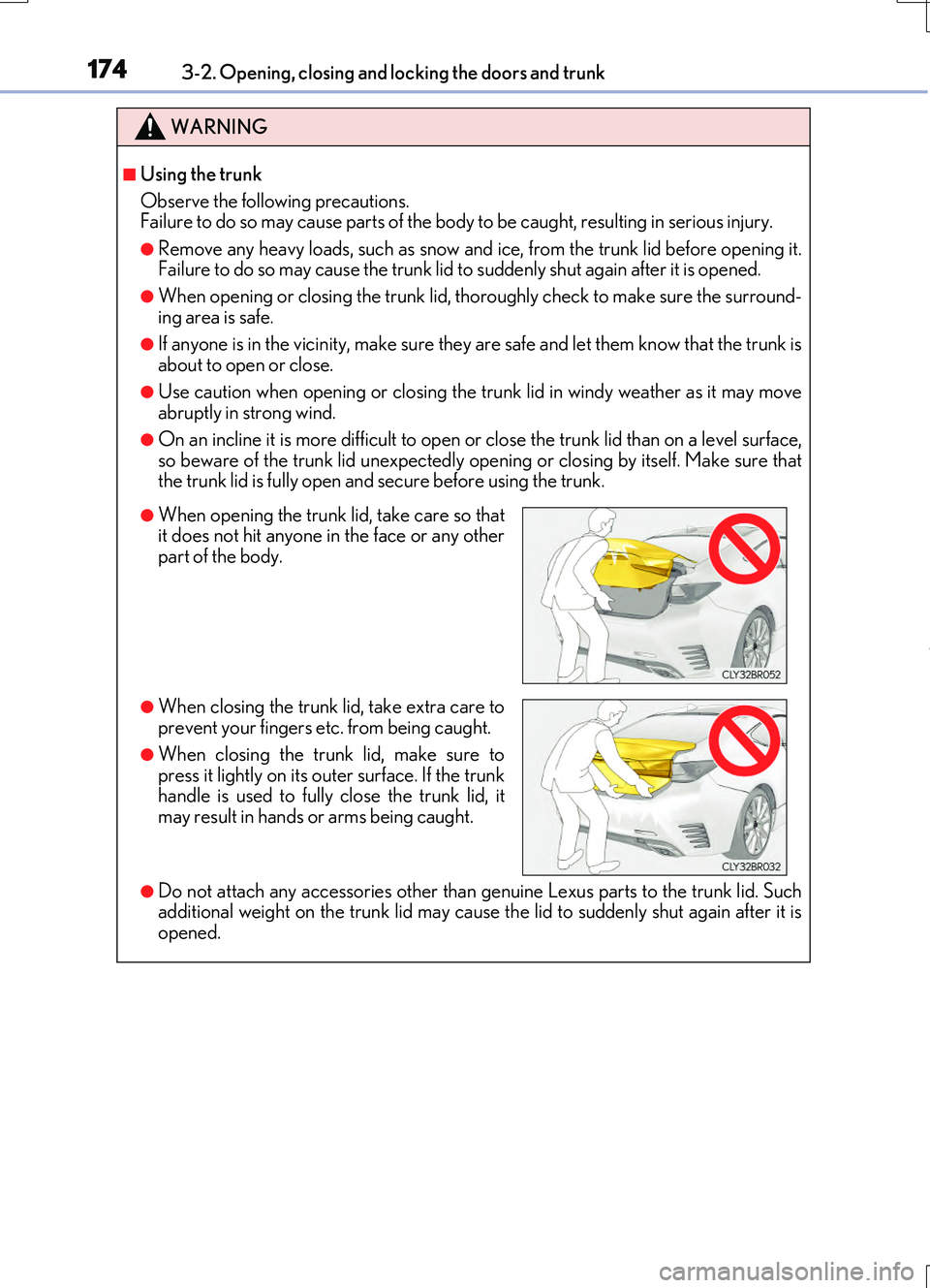
●When opening the trunk lid, take care so that it does not hit anyone in the face or any otherpart of the body.
●When closing the trunk lid, take extra care toprevent your fingers etc. from being caught.
●When closing the trunk lid, make sure topress it lightly on its outer surface. If the trunkhandle is used to fully close the trunk lid, it
may result in hands or arms being caught.
Page 176 of 724

1763-2. Opening, closing and locking the doors and trunk
RC200t_RC F_EE(OM24728E)
■Alarms and warning indicators
An alarm sounds and warning messages are di splayed on the multi-information display to protect against unexpected accidents or theft of the vehicle resulting from erroneous
operation. When a warning message is displayed, take appropriate measures based on the displayed message. ( P. 597)
When only an alarm sounds, circumstances and correction procedures are as follows.
■Battery-saving function
The battery-saving function will be activated in order to prevent the electronic key bat- tery and the vehicle battery from being discharged while the vehicle is not in operationfor a long time.
●In the following situations, the smart entry & start system may take some time to unlockthe doors.
• The electronic key has been left within approximately 2 m (6 ft.) of the outside of the
vehicle for 10 minutes or longer. • The smart entry & start system has no t been used for 5 days or longer.
●If the smart entry & start system has not been used for 14 days or longer, the doors can- not be unlocked at the passenger door. In this case, hold the driver’s door handle, or use the wireless remote control or mechanical key, to unlock the doors.
AlarmSituationCorrection procedure
Exterior alarm soundsonce for 5 seconds
The trunk was closed while
the electronic key was still inside the trunk and bothside doors were locked.
Retrieve the electronic keyfrom the trunk and close
the trunk lid.
An attempt was made to
lock the vehicle while a door was open.
Close both side doors andlock the doors again.
Interior alarm sounds con-
tinuously
The engine switch was turned to ACCESSORY
mode while the driver’s door was open (or thedriver’s door was opened
while the engine switch was in ACCESSORYmode).
Turn the engine switch offand close the driver’s door.
The engine switch was
turned off while the driver’s door was open.Close the driver’s door.