lock LEXUS RC300 2016 Repair Manual
[x] Cancel search | Manufacturer: LEXUS, Model Year: 2016, Model line: RC300, Model: LEXUS RC300 2016Pages: 700, PDF Size: 14.12 MB
Page 229 of 700
2294-3. Operating the lights and wipers
4
Driving
RC350_RC300_RC200t_RC F_U (OM24671U)
■The windshield wiper and washer can be operated when
The engine switch is in IGNITION ON mode.
■Dripping prevention wiper sweep
After performing a washing and wiping operation several times, the wipers operate one
more time after a short delay to prevent dripping.
However, this final wiper operation will not be performed while driving.
■Effects of vehicle speed on wiper operation (vehicles with rain-sensing windshield wip-
ers)
Vehicle speed affects the following even when the wipers are not in AUTO mode.
●Intermittent wiper interval
●Wiper operation when the washer is being used (delay until drip prevention wiper
sweep occurs)
With low speed windshield wiper operation selected, wiper operation will be switched
from low speed to intermittent wiper operat ion only when the vehicle is stationary.
■Raindrop sensor (vehicles with rain-sensing windshield wipers)
●If the wiper is turned to AUTO mode while the engine switch is in IGNITION ON
mode, the wipers will operate once to show that AUTO mode is activated.
●If the temperature of the raindrop sensor is 185°F (85°C) or higher, or -22°F (-30°C)
or lower, automatic operation may not occur. In this case, operate the wipers in any
mode other than AUTO mode.
■When the windshield wipers are in tempor ary operation (vehicles with rain-sensing
windshield wipers)
AUTO mode cannot be activated even if is pressed.
■If no windshield washer fluid sprays
Check that the washer nozzles are not blocked if there is washer fluid in the windshield
washer fluid reservoir.
■Operation guide display (vehicles with rain-sensing windshield wipers only)
When the windshield wiper swit ch is operated to activate AUTO mode or when the rain-
sensing level is adjusted, the current status is displayed on the meters for a few seconds.
( P. 110, 122)
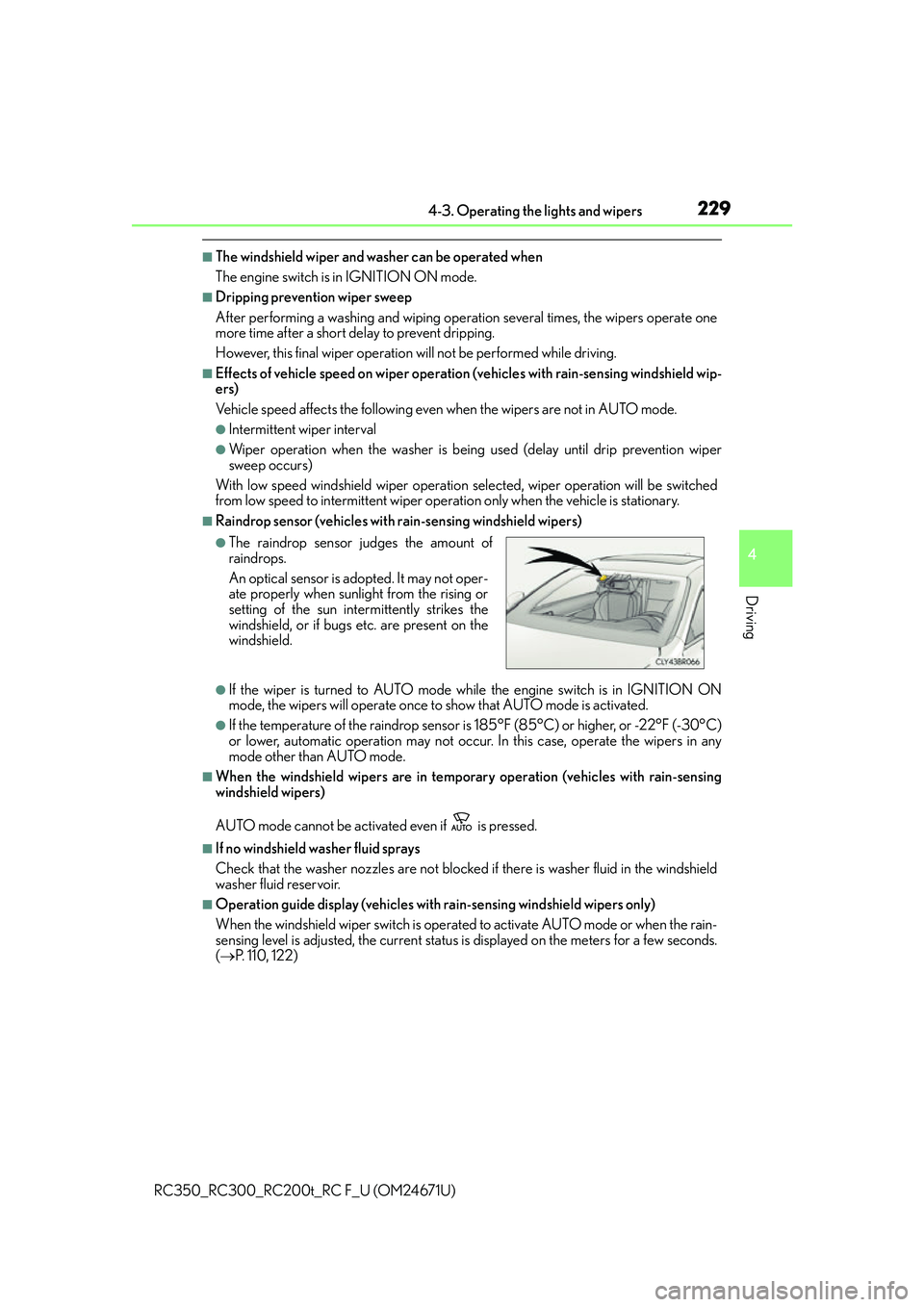
●The raindrop sensor judges the amount of
raindrops.
An optical sensor is ad opted. It may not oper-
ate properly when sunlight from the rising or
setting of the sun intermittently strikes the
windshield, or if bugs etc. are present on the
windshield.
Page 230 of 700
2304-3. Operating the lights and wipers
RC350_RC300_RC200t_RC F_U (OM24671U)
WA R N I N G
■Caution regarding the use of windshield wipers in AUTO mode
The windshield wipers may operate unexpectedly if the sensor is touched or the wind-
shield is subject to vibration in AUTO mode. Take care that your fingers or anything
else do not become caught in the windshield wipers.
■Caution regarding the use of washer fluid
When it is cold, do not use the washer fluid until the windshield becomes warm. The
fluid may freeze on the windshield and cause lo w visibility. This may lead to an accident,
resulting in death or serious injury.
NOTICE
■When the windshield is dry
Do not use the wipers, as they may damage the windshield.
■When there is no washer fluid spray from the nozzle
Damage to the washer fluid pump may be caused if the lever is pulled toward you and
held continually.
■When a nozzle becomes blocked
In this case, contact your Lexus dealer.
Do not try to clear it with a pin or other object. The nozzle will be damaged.
Page 233 of 700
2334-4. Refueling
4
Driving
RC350_RC300_RC200t_RC F_U (OM24671U)
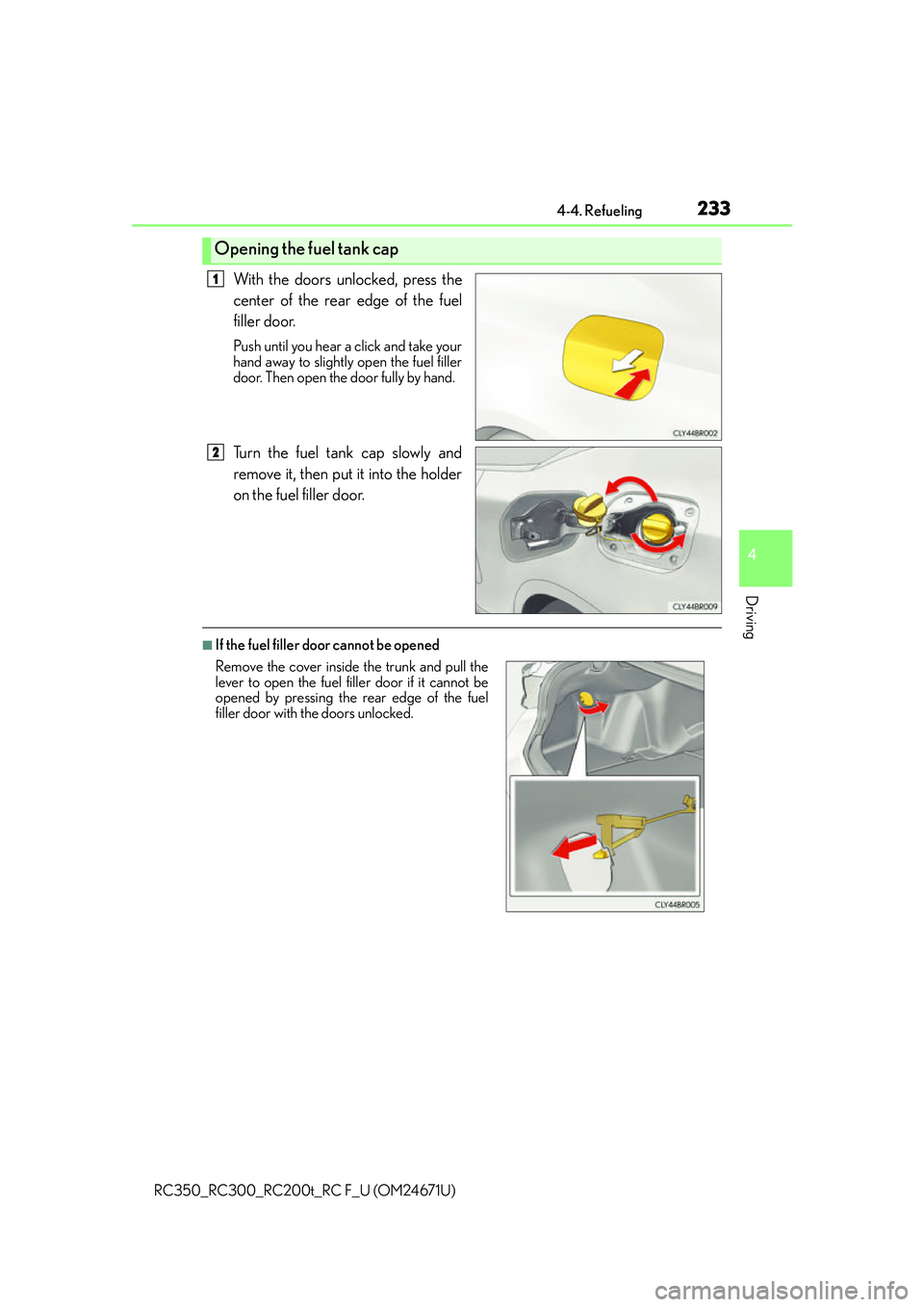
With the doors unlocked, press the
center of the rear edge of the fuel
filler door.
Push until you hear a click and take your
hand away to slightly open the fuel filler
door. Then open the door fully by hand.
Turn the fuel tank cap slowly and
remove it, then put it into the holder
on the fuel filler door.
■If the fuel filler door cannot be opened
Opening the fuel tank cap
1
2
Remove the cover inside the trunk and pull the
lever to open the fuel filler door if it cannot be
opened by pressing the rear edge of the fuel
filler door with the doors unlocked.
Page 234 of 700
2344-4. Refueling
RC350_RC300_RC200t_RC F_U (OM24671U)
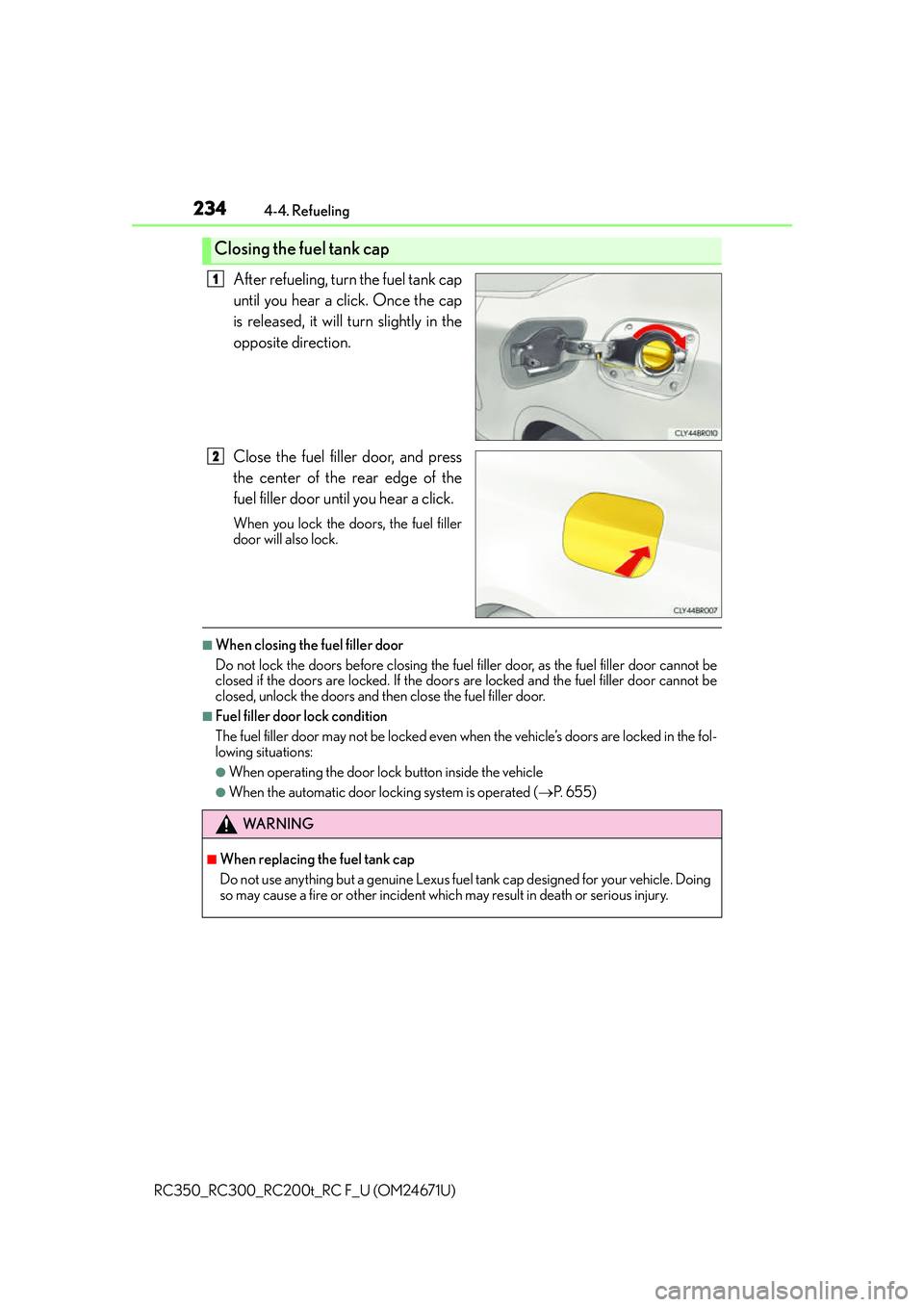
After refueling, turn the fuel tank cap
until you hear a click. Once the cap
is released, it will turn slightly in the
opposite direction.
Close the fuel filler door, and press
the center of the rear edge of the
fuel filler door until you hear a click.
When you lock the doors, the fuel filler
door will also lock.
■When closing the fuel filler door
Do not lock the doors before closing the fuel filler door, as the fuel filler door cannot be
closed if the doors are locked. If the doors are locked and the fuel filler door cannot be
closed, unlock the doors and th en close the fuel filler door.
■Fuel filler door lock condition
The fuel filler door may not be locked even wh en the vehicle’s doors are locked in the fol-
lowing situations:
●When operating the door lock button inside the vehicle
●When the automatic door locking system is operated ( P. 6 5 5 )
Closing the fuel tank cap
1
2
WA R N I N G
■When replacing the fuel tank cap
Do not use anything but a genuine Lexus fuel tank cap designed for your vehicle. Doing
so may cause a fire or other incident whic h may result in death or serious injury.
Page 287 of 700
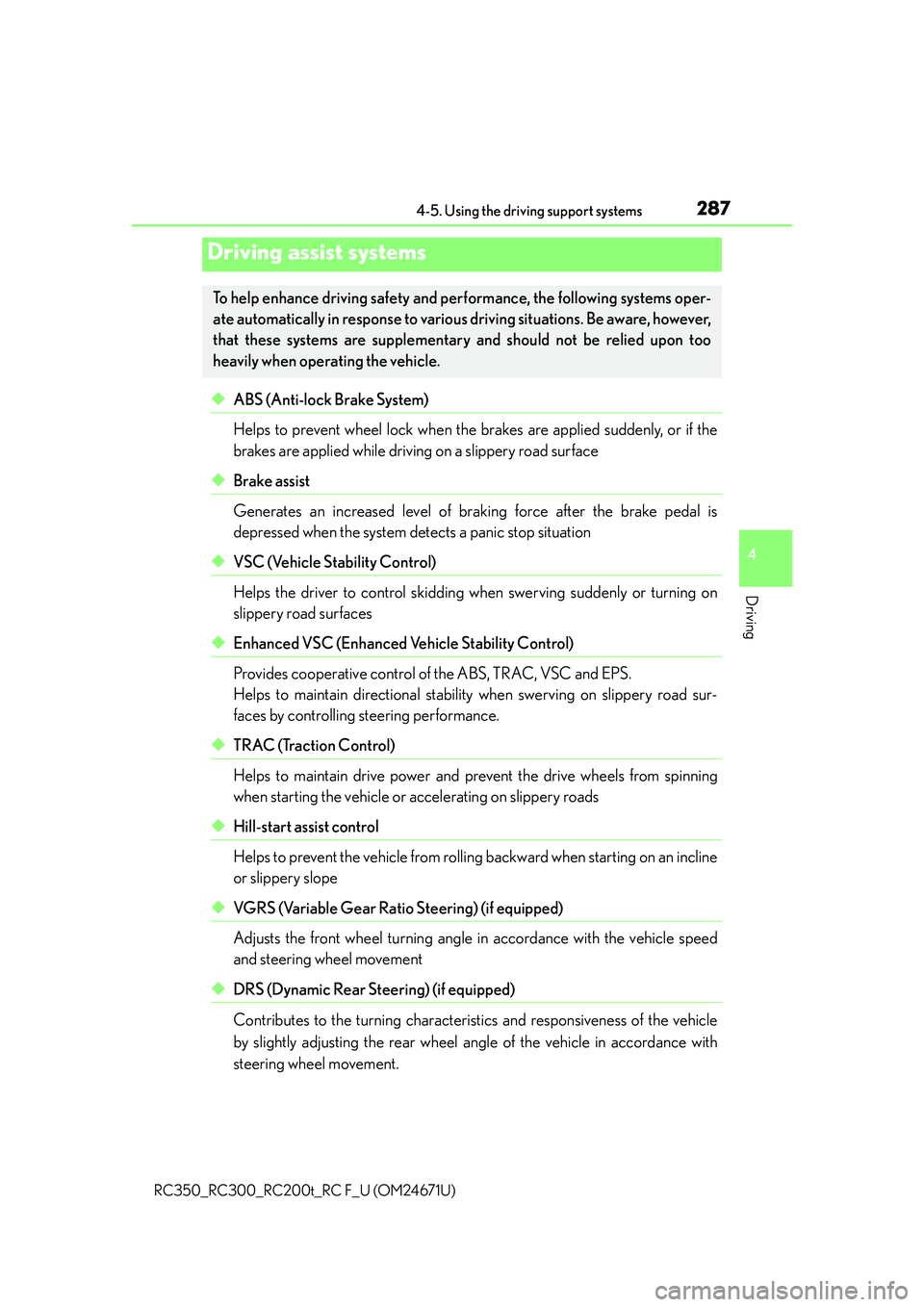
2874-5. Using the driving support systems
4
Driving
RC350_RC300_RC200t_RC F_U (OM24671U)
◆ABS (Anti-lock Brake System)
Helps to prevent wheel lock when the brakes are applied suddenly, or if the
brakes are applied while driving on a slippery road surface
◆Brake assist
Generates an increased level of braking force after the brake pedal is
depressed when the system detects a panic stop situation
◆VSC (Vehicle Stability Control)
Helps the driver to control skidding when swerving suddenly or turning on
slippery road surfaces
◆Enhanced VSC (Enhanced Vehicle Stability Control)
Provides cooperative control of the ABS, TRAC, VSC and EPS.
Helps to maintain directional stability when swerving on slippery road sur-
faces by controlling steering performance.
◆TRAC (Traction Control)
Helps to maintain drive power and prevent the drive wheels from spinning
when starting the vehicle or accelerating on slippery roads
◆Hill-start assist control
Helps to prevent the vehicle from rolling backward when starting on an incline
or slippery slope
◆VGRS (Variable Gear Ratio Steering) (if equipped)
Adjusts the front wheel turning angle in accordance with the vehicle speed
and steering wheel movement
◆DRS (Dynamic Rear Steering) (if equipped)
Contributes to the turning characteristics and responsiveness of the vehicle
by slightly adjusting the rear wheel angle of the vehicle in accordance with
steering wheel movement.
Driving assist systems
To help enhance driving safety and performance, the following systems oper-
ate automatically in response to various driving situations. Be aware, however,
that these systems are supplementary and should not be relied upon too
heavily when operating the vehicle.
Page 321 of 700
3214-6. Driving tips
4
Driving
RC350_RC300_RC200t_RC F_U (OM24671U)
Perform the following according to the driving conditions:
●Do not try to forcibly open a window or move a wiper that is frozen. Pour
warm water over the frozen area to melt the ice. Wipe away the water imme-
diately to prevent it from freezing.
●To ensure proper operation of the climate control system fan, remove any
snow that has accumulated on the air inlet vents in front of the windshield.
●Check for and remove any excess ice or snow that may have accumulated on
the exterior lights, vehicle’s roof, chassis, around the tires or on the brakes.
●Remove any snow or mud from the bottom of your shoes before getting in the
vehicle.
Accelerate the vehicle slowly, keep a safe distance between you and the vehicle
ahead, and drive at a reduced speed suitable to road conditions.
Park the vehicle and move the shift lever to P without setting the parking brake.
The parking brake may freeze up, preventing it from being released. If necessary,
block the wheels to prevent in advertent sliding or creeping.
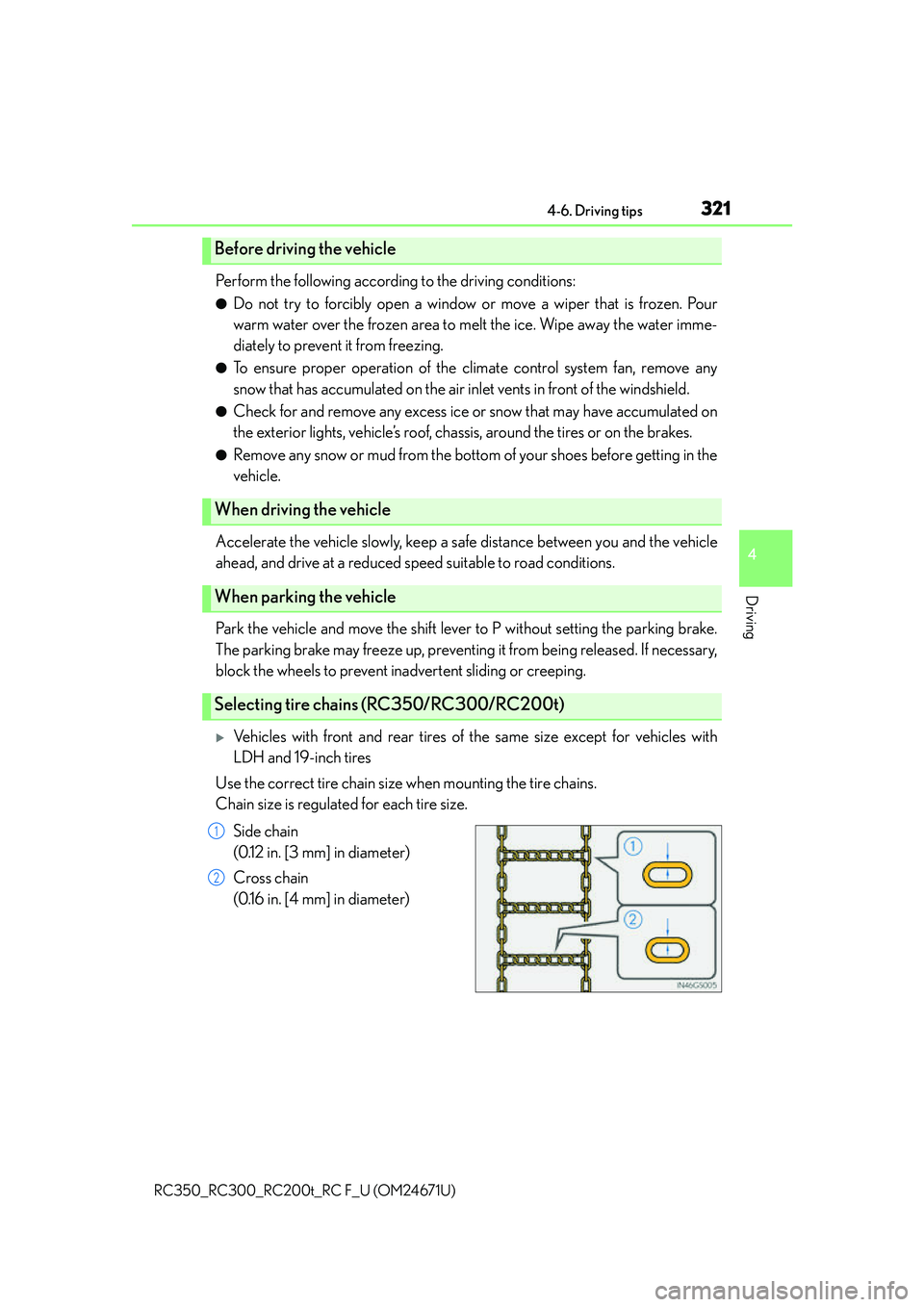
Vehicles with front and rear tires of the same size except for vehicles with
LDH and 19-inch tires
Use the correct tire chain size when mounting the tire chains.
Chain size is regulated for each tire size.
Side chain
(0.12 in. [3 mm] in diameter)
Cross chain
(0.16 in. [4 mm] in diameter)
Before driving the vehicle
When driving the vehicle
When parking the vehicle
Selecting tire chains (RC350/RC300/RC200t)
1
2
Page 342 of 700
3425-2. Setup
RC350_RC300_RC200t_RC F_U (OM24671U)
Select “General” or “Camera” on the “Display” screen or select “Display” on
each audio menu screen. ( P. 3 4 8 )
Adjust the display as desired by turning the controller clockwise (+) or coun-
terclockwise (-).
To select “Contrast”, “Brightness”, “Color” or “Tone”, move the controller to the left.
(“Color” and “Tone” are available when “Display” on each audio menu screen or the
audio settings screen for each audio source is selected.)
■Changing the sample image (when “General” is selected)
Move the controller to the right and select the desired sample image.
Adjusting the screen quality
1
2
Page 355 of 700
3555-4. Using the radio
5
Lexus Display Audio system
RC350_RC300_RC200t_RC F_U (OM24671U)
■XM Radio Services — Subscription Instructions
●For XM Services requiring a subscription (such as XM Radio), the following paragraph
shall be included.
Required XM Radio monthly subscriptions sold separately after trial period. Subscrip-
tion fee is consumer only. All fees and programming subject to change. Subscriptions
are subject to the Customer Agreement available at www.siriusxm.com.
(U.S.A.) or
www.xmradio.ca
(Canada) XM service only availa ble in the 48 contiguous United
States and 10 Canadian provinces. © 2011 Sirius XM Radio Inc. Sirius, XM and all
related marks and logos are trademarks of Si rius XM Radio Inc. All other marks, chan-
nel names and logos are the property of their respective owners.
For more information, program schedules, and to subscribe or extend subscription
after complimentary trial period; mo re information is available at:
U.S.A. Customers:
Visit www.siriusxm.com
or call 1-877-515-3987
Canadian Customers:
Visit w w w.xmradio.ca
or call 1-877-438-9677
●Radio ID
You will need the radio ID when activating XM service or reporting a problem. If
“Ch000” is selected using the “TUNE•SCRO LL” knob, the ID code, which is 8 alpha-
numeric characters, will be displayed. If anot her channel is selected, the ID code will no
longer be displayed. The channel (000) alte rnates between displaying the radio ID and
the specific radio code.
■XM Radio Services — Legal Disclaimers and Warnings
●Fees and Taxes — Subscription fee, taxes, on e time activation fee, and other fees may
apply. Subscription fee is consumer only. All fees and programming subject to change.
Subscriptions subject to Customer Agreement available at www.siriusxm.com.
(U.S.A.)
or www.xmradio.ca (Canada) XM service only availa ble in the 48 contiguous United
States and Canada
*.
*: Canada - some deterioration of service may occur in extreme northern latitudes. This
is beyond the control of XM Satellite Radio.
●Explicit Language Notice — Channels with frequent explicit language are indicated
with an “XL” preceding the channel name. Channel blocking is available for XM Satel-
lite Radio receivers by notifying XM at;
U.S.A. Customers:
Visit www.siriusxm.com or calling 1-877-515-3987
Canadian Customers:
Visit w w w.xmradio.ca
or calling 1-877-438-9677
It is prohibited to copy, decompile, disassemble, reverse engineer, hack, manipulate, or
otherwise make available any technology or software incorporated in receivers compat-
ible with the XM Satellite Ra dio System or that support the XM website, the Online Ser-
vice or any of its content. Furthermore, the AMBE
® voice compression software
included in this product is protected by intellectual property rights including patent
rights, copyrights, and trade secrets of Digital Voice Systems, Inc.
Note: this applies to XM receivers only and not XM Ready devices.
Page 419 of 700
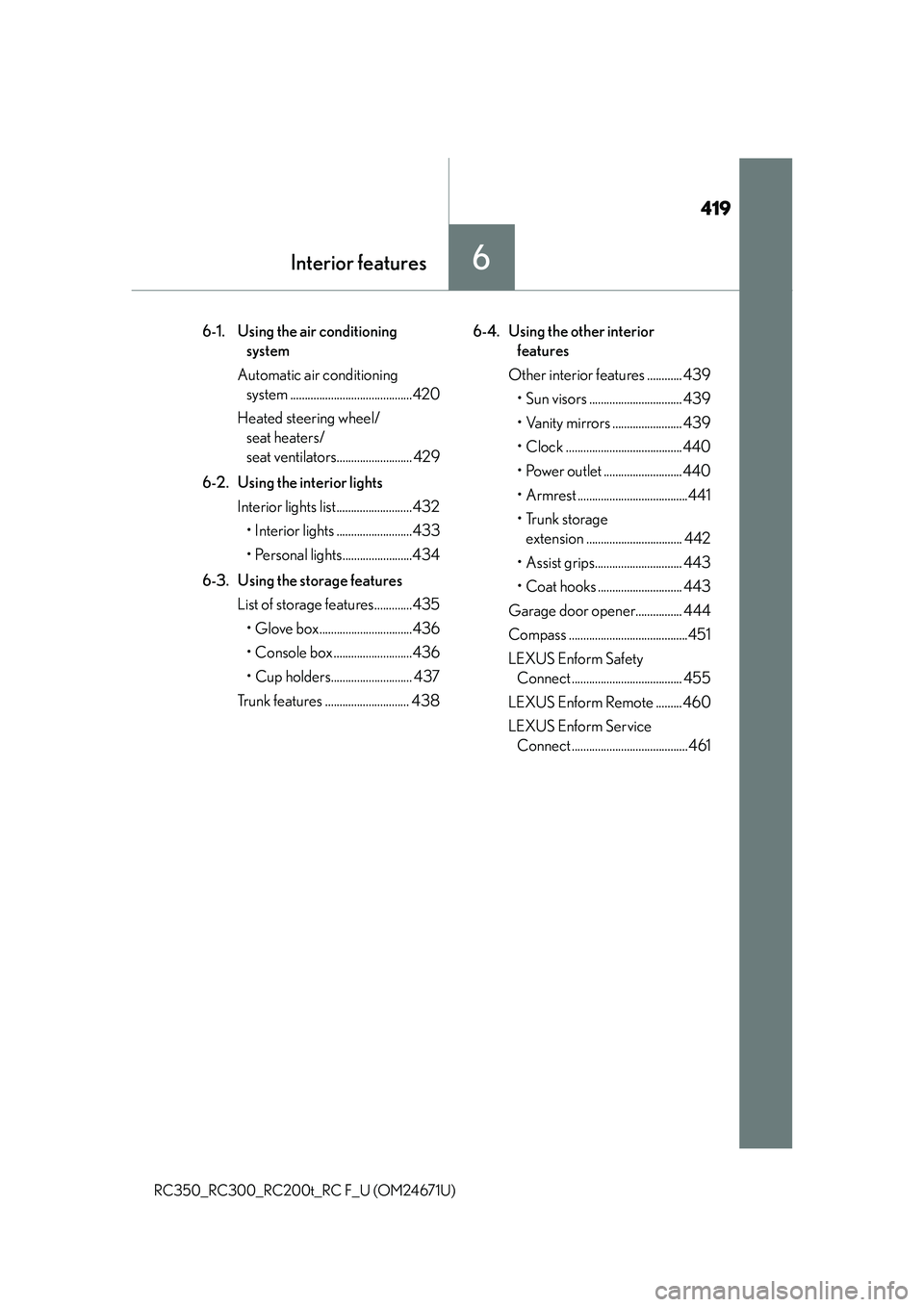
419
Interior features6
RC350_RC300_RC200t_RC F_U (OM24671U)
6-1. Using the air conditioning system
Automatic air conditioning system ..........................................420
Heated steering wheel/ seat heaters/
seat ventilators.......................... 429
6-2. Using the interior lights Interior lights list..........................432• Interior lights ..........................433
• Personal lights........................434
6-3. Using the storage features List of storage features.............435• Glove box................................436
• Console box ...........................436
• Cup holders............................ 437
Trunk features ............................. 438 6-4. Using the other interior
features
Other interior features ............ 439 • Sun visors ................................ 439
• Vanity mirrors ........................ 439
• Clock ........................................440
• Power outlet ...........................440
• Armrest ......................................441
•Trunk storage extension ................................. 442
• Assist grips.............................. 443
• Coat hooks ............................. 443
Garage door opener................ 444
Compass .........................................451
LEXUS Enform Safety Connect ...................................... 455
LEXUS Enform Remote .........460
LEXUS Enform Service Connect ........................................461
Page 426 of 700
4266-1. Using the air conditioning system
RC350_RC300_RC200t_RC F_U (OM24671U)
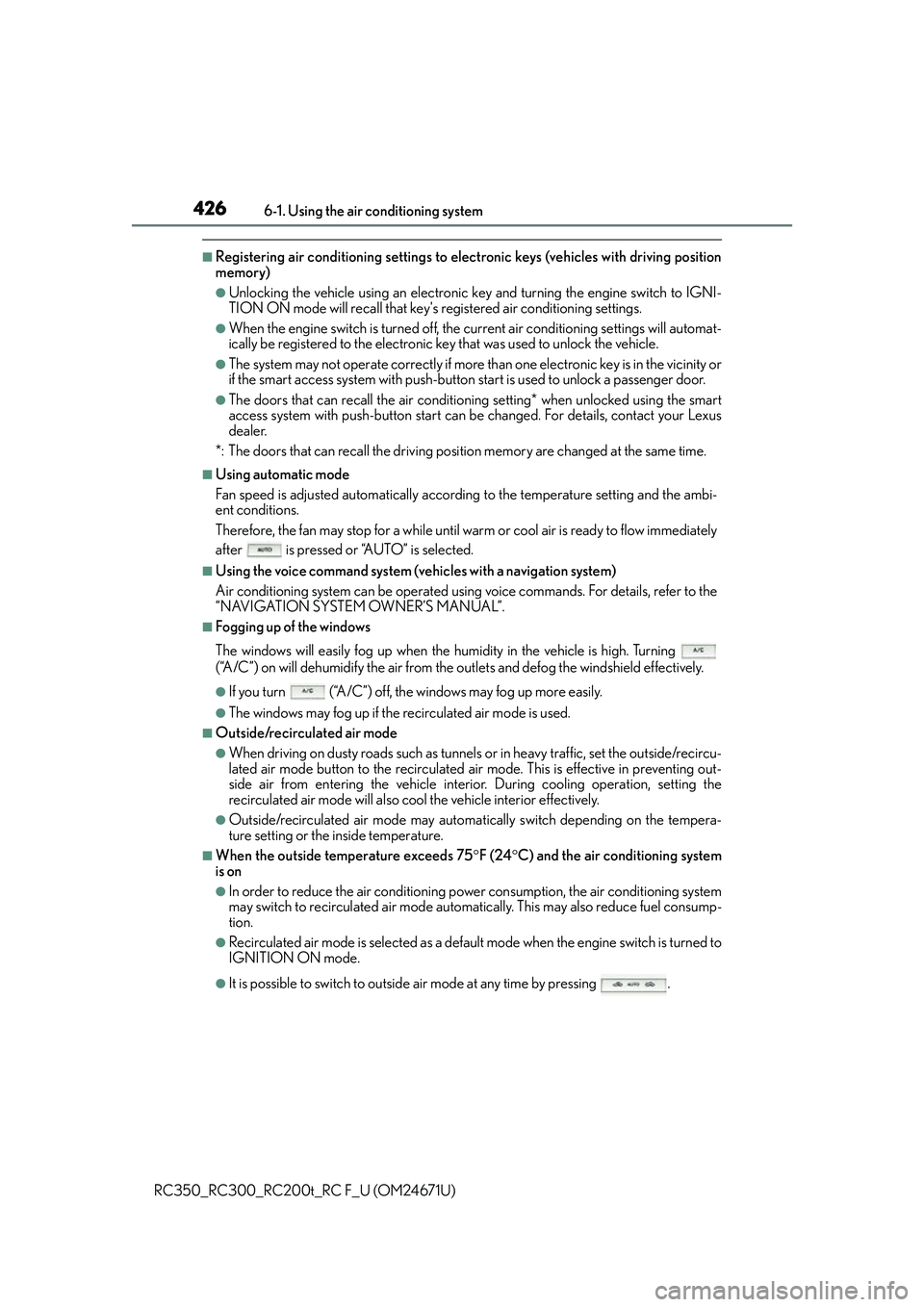
■Registering air conditioning settings to elec tronic keys (vehicles with driving position
memory)
●Unlocking the vehicle using an electronic ke y and turning the engine switch to IGNI-
TION ON mode will recall that key's registered air conditioning settings.
●When the engine switch is tu rned off, the current air conditioning settings will automat-
ically be registered to the electronic ke y that was used to unlock the vehicle.
●The system may not operate correctly if more th an one electronic key is in the vicinity or
if the smart access system with push-button start is used to unlock a passenger door.
●The doors that can recall the air conditioning setting* when unlocked using the smart
access system with push-button start can be changed. For details, contact your Lexus
dealer.
*: The doors that can recall the driving posi tion memory are changed at the same time.
■Using automatic mode
Fan speed is adjusted automatically accordin g to the temperature setting and the ambi-
ent conditions.
Therefore, the fan may stop for a while until warm or cool air is ready to flow immediately
after is pressed or “AUTO” is selected.
■Using the voice command system (veh icles with a navigation system)
Air conditioning system can be operated usin g voice commands. For details, refer to the
“NAVIGATION SYSTEM OWNER’S MANUAL”.
■Fogging up of the windows
The windows will easily fog up when the humidity in the vehicle is high. Turning
(“A/C”) on will dehumidify the air from the outlets and defog the windshield effectively.
●If you turn (“A/C”) off, the windows may fog up more easily.
●The windows may fog up if the recirculated air mode is used.
■Outside/recirculated air mode
●When driving on dusty roads such as tunnels or in heavy traffic, set the outside/recircu-
lated air mode button to the recirculated ai r mode. This is effective in preventing out-
side air from entering the vehicle interior. During cooling operation, setting the
recirculated air mode will also cool the vehicle interior effectively.
●Outside/recirculated air mode may automa tically switch depending on the tempera-
ture setting or the inside temperature.
■When the outside temperature exceeds 75 F (24 C) and the air conditioning system
is on
●In order to reduce the air conditioning po wer consumption, the air conditioning system
may switch to recirculated air mode automa tically. This may also reduce fuel consump-
tion.
●Recirculated air mode is selected as a defaul t mode when the engine switch is turned to
IGNITION ON mode.
●It is possible to switch to outside air mode at any time by pressing .