tow LEXUS RC300 2017 User Guide
[x] Cancel search | Manufacturer: LEXUS, Model Year: 2017, Model line: RC300, Model: LEXUS RC300 2017Pages: 724, PDF Size: 15.76 MB
Page 191 of 724

191
Driving4
4-1. Before drivingDriving the vehicle ...................... 192
Cargo and luggage .................... 201
Vehicle load limits ......................204
Trailer towing .............................. 205
Dinghy towing ............................ 206
4-2. Driving procedures Engine (ignition) switch ...........207
Automatic transmission............ 213
Turn signal lever..........................220
Parking brake ............................... 221
ASC (Active Sound Control)
(RC350/RC300/
RC200t) .................................... 222
ASC (Active Sound Control) (RC F)...........................................223
4-3. Operating the lights and wipers
Headlight switch ......................... 224
Automatic High Beam ............. 227
Fog light switch ...........................232
Windshield wipers and washer..........................................233
4-4. Refueling Opening the fuel tank cap....... 241 4-5. Using the driving support
systems
Cruise control ............................. 245
Dynamic radar cruise control ......................................... 249
LDA (Lane Departure Alert) ........ 263
Intuitive parking assist .............. 269
Lexus parking assist monitor ........................................ 279
Driving mode select switch ........................................... 294
Driving assist systems ..............298
PCS (Pre-Collision System) .........306
BSM (Blind Spot Moni tor)............... 313
• BSM function ...........................317
• RCTA function....................... 321
Active rear wing ......................... 326
TVD (Torque Vectoring Differential) ................................ 329
4-6. Driving tips Winter driving tips ...................... 331
Page 201 of 724

2014-1. Before driving
4
Driving
Cargo capacity depends on the total weight of the occupants.
(Cargo capacity) = (Total load capacity) — (Total weight of occupants)
Steps for Determining Correct Load Limit —
(1) Locate the statement “The combined weight of occupants and cargo should
never exceed XXX kg or XXX lbs. ” on your vehicle’s placard.
(2) Determine the combined weight of th e driver and passengers that will be rid-
ing in your vehicle.
(3) Subtract the combined weight of th e driver and passengers from XXX kg or
XXX lbs.
(4) The resulting figure equals the ava ilable amount of cargo and luggage load
capacity.
For example, if the “XXX” amount equals 1400 lbs. and there will be five 150
lb passengers in your vehicle, the amou nt of available cargo and luggage load
capacity is 650 lbs. (1400 − 750 (5 × 150) = 650 lbs.)
(5) Determine the combined weight of luggage and cargo being loaded on the
vehicle. That weight may not safely exceed the available cargo and luggage
load capacity calculated in Step 4.
(6) If your vehicle will be towing a trailer, load from your trailer will be transferred
to your vehicle. Consult this manual to determine how this reduces the avail-
able cargo and luggage load capacity of your vehicle.
( → P. 204)
Lexus does not recommend towing a trailer with your vehicle. Your vehicle is not
designed for trailer towing.
Cargo and luggage
Take notice of the following informat ion about storage precautions, cargo
capacity and load:
Capacity and distribution
Page 203 of 724

2034-1. Before driving
4
Driving
WARNING
■Things that must not be carried in the trunk
The following things may cause a fire if loaded in the trunk:
●Receptacles containing gasoline
●Aerosol cans
■Storage precautions
Observe the following precautions.
Failure to do so may prevent the pedals from being depressed properly, may block the
driver’s vision, or may result in items hitting the driver or passengers, possibly causing
an accident.
●Stow cargo and lugg age in the trunk whenever possible.
●RC350/RC300/RC200t: To prevent carg o and luggage from sliding forward
during braking, do not stack anything in the enlarged trunk. Keep cargo and luggage
low, as close to the floor as possible.
●RC350/RC300/RC200t: When you fold down the rear seats, long items should
not be placed directly behind the front seats.
●RC350/RC300/RC200t: Never allow anyone to ride in the enlarged trunk. It is not
designed for passengers. They should ride in their seats with thei r seat belts properly
fastened.
●Do not place cargo or luggage in or on the following locations.
• At the feet of the driver
• On the front passenger or re ar seats (when stacking items)
• On the package tray
• On the instrument panel
•On the dashboard
• In front of the navigation system scre en (if equipped) or Lexus Display Audio
screen (if equipped)
●Secure all items in the occupant compartment.
■Capacity and distribution
●Do not exceed the maximum axle weight rating or the total vehicle weight rating.
●Even if the total load of occupant’s weight and the cargo load is less than the total load
capacity, do not apply the load unevenly. Improper loading may cause deterioration
of steering or braking control whic h may cause death or serious injury.
Page 204 of 724
2044-1. Before driving
◆Total load capacity (vehicle capacity weight): (→P. 640)
Total load capacity means the combined weight of occupants, cargo and lug-
gage.
◆Seating capacity: 4 occupants (Front 2, Rear 2)
Seating capacity means the maximum number of occupants whose estimated
average weight is 150 lb. (68 kg) per person.
◆Towing capacity
Lexus does not recommend towing a trailer with your vehicle.
◆Cargo capacity
Cargo capacity may increase or decrease depending on the weight and the
number of occupants.
■Total load capacity and seating capacity
These details are also described on the tire and loading information label. (→P. 531)
Vehicle load limits
Vehicle load limits include total load capacity, seating capacity, towing capac-
ity and cargo capacity.
WARNING
■Overloading the vehicle
Do not overload the vehicle.
It may not only cause damage to the tires, but also degrade steering and braking ability,
resulting in an accident.
Page 205 of 724
2054-1. Before driving
4
Driving
Trailer towing
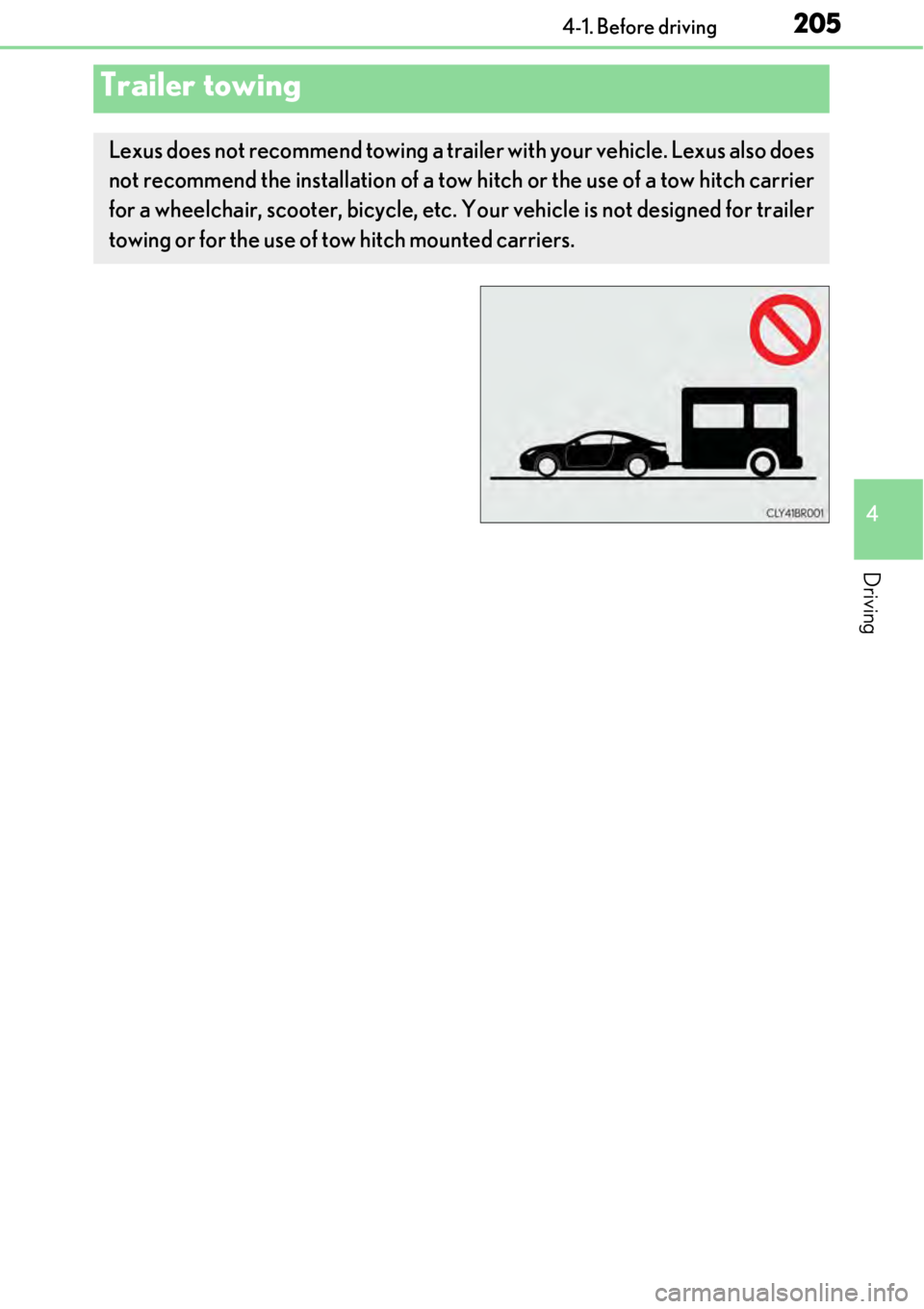
Lexus does not recommend towing a trailer with your vehicle. Lexus also does
not recommend the installation of a tow hitch or the use of a tow hitch carrier
for a wheelchair, scooter, bicycle, etc. Your vehicle is not designed for trailer
towing or for the use of tow hitch mounted carriers.
Page 206 of 724
2064-1. Before driving
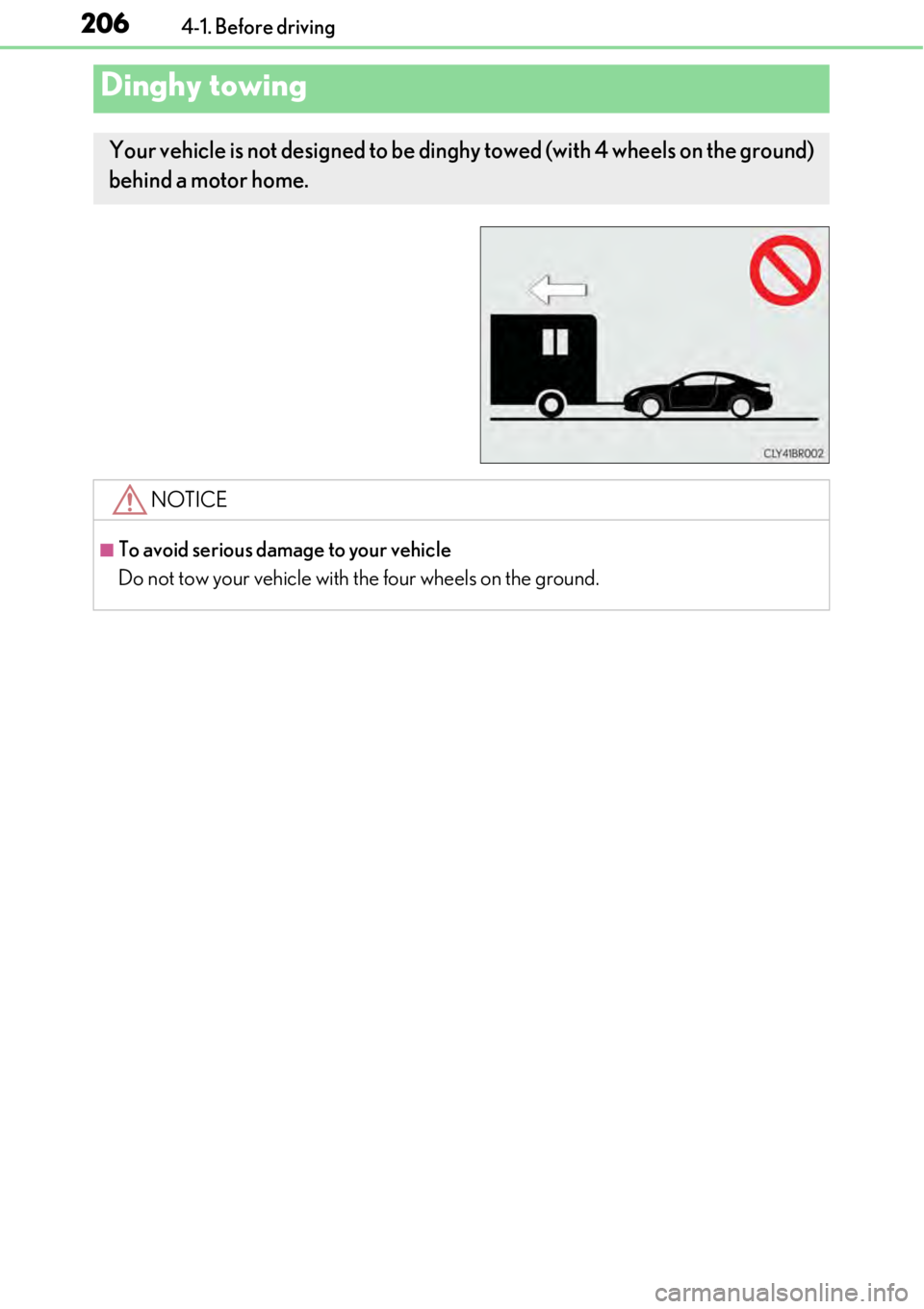
Dinghy towing
Your vehicle is not designed to be dinghy towed (with 4 wheels on the ground)
behind a motor home.
NOTICE
■To avoid serious damage to your vehicle
Do not tow your vehicle with the four wheels on the ground.
Page 225 of 724
2254-3. Operating the lights and wipers
4
Driving
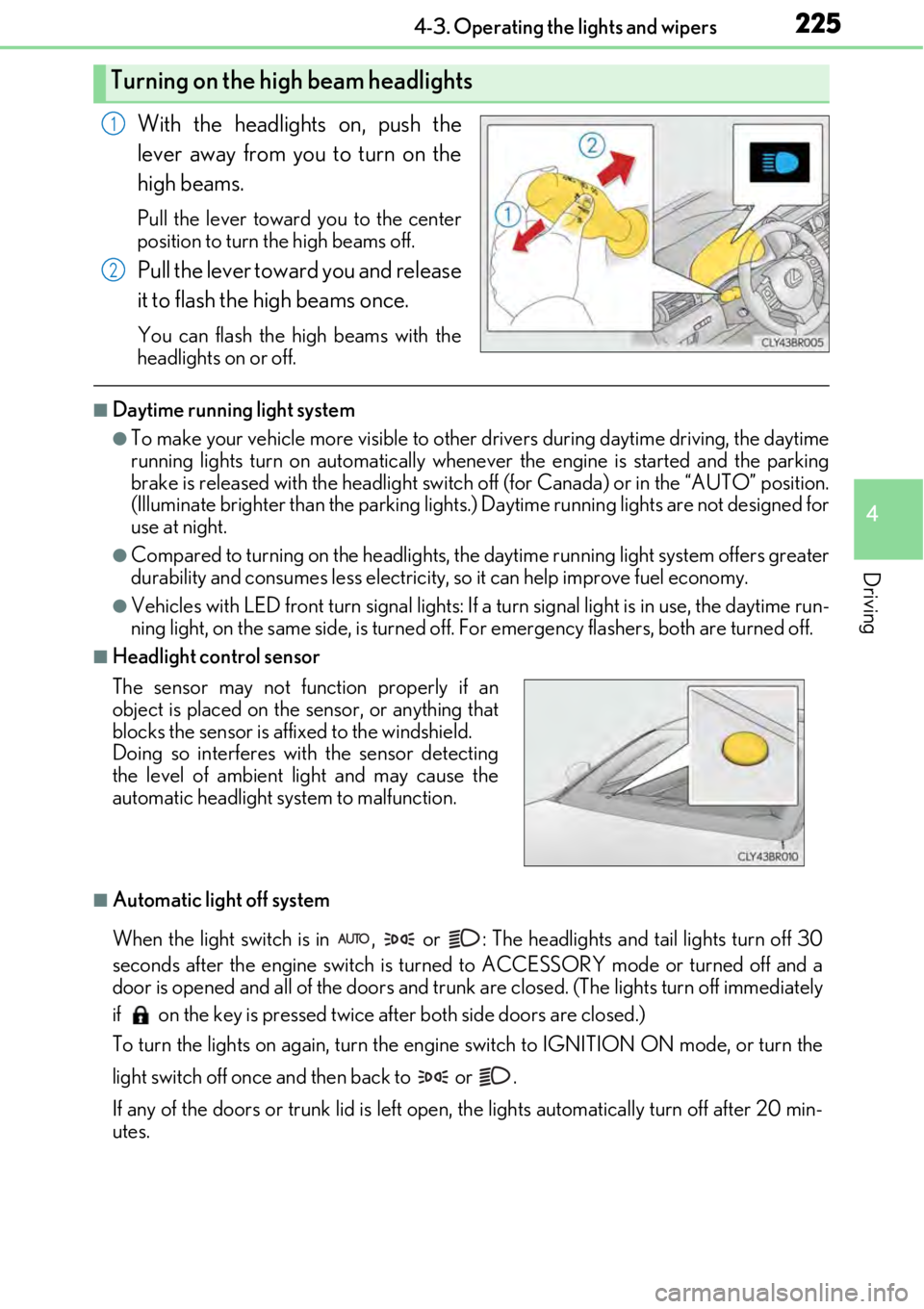
With the headlights on, push the
lever away from you to turn on the
high beams.
Pull the lever toward you to the center
position to turn the high beams off.
Pull the lever toward you and release
it to flash the high beams once.
You can flash the high beams with the
headlights on or off.
■Daytime running light system
●To make your vehicle more visible to other drivers during daytime driving, the daytime
running lights turn on automatically whenever the engine is started and the parking
brake is released with the he adlight switch off (for Canada ) or in the “AUTO” position.
(Illuminate brighter than the parking lights.) Daytime runnin g lights are not designed for
use at night.
●Compared to turning on the headlights, the daytime running light system offers greater
durability and consumes less electricity, so it can help improve fuel economy.
●Vehicles with LED front turn signal lights: If a turn signal light is in use, the daytime run-
ning light, on the same side, is turned off. For emergency flashers, both are turned off.
■Headlight control sensor
■Automatic light off system
When the light switch is in , or : The headlights and tail lights turn off 30
seconds after the engine switch is turned to ACCESSORY mode or turned off and a
door is opened and all of the doors and trun k are closed. (The lights turn off immediately
if on the key is pr essed twice after both side doors are closed.)
To turn the lights on again, turn the engine switch to IGNITION ON mode, or turn the
light switch off once and then back to or .
If any of the doors or trunk lid is left open , the lights automatically turn off after 20 min-
utes.
Turning on the high beam headlights
1
2
The sensor may not function properly if an
object is placed on the sensor, or anything that
blocks the sensor is affixed to the windshield.
Doing so interferes with the sensor detecting
the level of ambient light and may cause the
automatic headlight system to malfunction.
Page 229 of 724

2294-3. Operating the lights and wipers
4
Driving
■The Automatic High Beam can be operated when
The engine switch is in IGNITION ON mode.
■Camera sensor detection information
●High beam may not be automatically turned off in the following situations:
• When oncoming vehicles suddenly appear from a curve
• When the vehicle is cut in front of by another vehicle
• When oncoming or preceding vehicles are hidden from sight due to repeated curves, road dividers or roadside trees
●High beam may be turned off if an oncoming vehicle that is using fog lights without
using the headlights is detected.
●House lights, street lights, red traffic sign als, and illuminated billboards or signs may
cause the high beam to turn off.
●The following factors may affect the amount of time taken to turn high beam on or off:
• The brightness of headlights, fog lights, and tail lights of oncoming and preceding
vehicles
• The movement and direction of oncoming and preceding vehicles
• When an oncoming or prec eding vehicle only has operational lights on one side
• When an oncoming or preceding vehicle is a two-wheeled vehicle
• The condition of the road (gradient, cu rve, condition of the road surface etc.)
• The number of passengers and amount of luggage
●High beam may be turned on or of f when unexpected by the driver.
●Small vehicles, such as bicycles, may not be detected.
●In the situations below, the system may not be able to correctly detect the surrounding
brightness levels, and may flas h or expose nearby pedestrians to the high beam. There-
fore, you should consider turning the high beams on or off manually rather than relying
on the Automatic High Beam system.
• In bad weather (rain, snow, fog, sandstorms etc.)
• The windshield is obscured by fog, mist, ice, dirt etc.
• The windshield is cracked or damaged.
• The camera sensor is deformed or dirty.
• Surrounding brightness levels are equal to th ose of headlights, tail lights or fog lights.
• Vehicles ahead have headlights or tail lights that are either switched off, dirty, chang-
ing color, or have improperly adjusted aim.
• When driving through an area of intermittently changing brightness and darkness.
• When frequently and repeated ly driving ascending/descending roads, or roads with
rough, bumpy or uneven surfaces (such as stone-paved roads, gravel tracks etc.).
• When frequently and repeatedly taking curves or driving on a winding road.
• There is a highly reflective object ahead of the vehicle, such as a sign or a mirror.
• The vehicle’s headlights are damaged or dirty.
• The vehicle is listing or titling, due to a flat tire, a trailer being towed etc.
• The driver believes that the high beam may be causing problems or distress to other
drivers or pedestrians nearby.
Page 240 of 724

2404-3. Operating the lights and wipers
WARNING
■Caution regarding the use of windshield wipers in AUTO mode
The windshield wipers may operate unexpectedly if the sensor is touched or the wind-
shield is subject to vibration in AUTO mode. Take care that your fingers or anything
else do not become caught in the windshield wipers.
■Caution regarding the use of washer fluid
When it is cold, do not use the washer fl uid until the windshield becomes warm. The
fluid may freeze on the windshield and cause lo w visibility. This may lead to an accident,
resulting in death or serious injury.
NOTICE
■When the windshield is dry
Do not use the wipers, as they may damage the windshield.
■When there is no washer fluid spray from the nozzle
Damage to the washer fluid pump may be cau sed if the lever is pulled toward you and
held continually.
■When a nozzle becomes blocked
In this case, contact your Lexus dealer.
Do not try to clear it with a pin or other object. The nozzle will be damaged.
Page 246 of 724
2464-5. Using the driving support systems
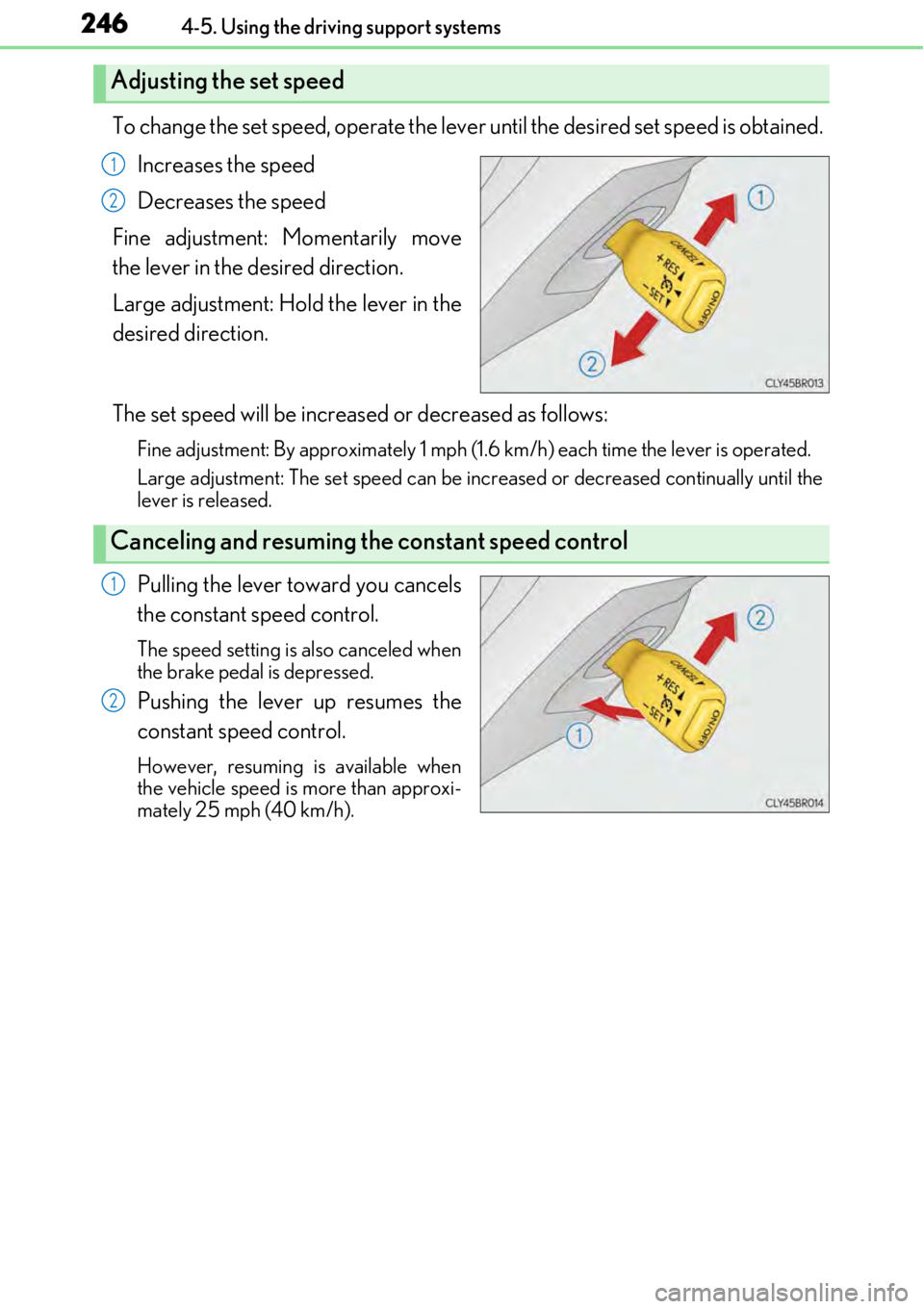
To change the set speed, operate the lever until the desired set speed is obtained.
Increases the speed
Decreases the speed
Fine adjustment: Momentarily move
the lever in the desired direction.
Large adjustment: Hold the lever in the
desired direction.
The set speed will be increased or decreased as follows:
Fine adjustment: By approximately 1 mph (1. 6 km/h) each time the lever is operated.
Large adjustment: The set speed can be increased or decreased continually until the
lever is released.
Pulling the lever toward you cancels
the constant speed control.
The speed setting is also canceled when
the brake pedal is depressed.
Pushing the lever up resumes the
constant speed control.
However, resuming is available when
the vehicle speed is more than approxi-
mately 25 mph (40 km/h).
Adjusting the set speed
1
2
Canceling and resuming the constant speed control
1
2