warning LEXUS RC300 2018 Owners Manual
[x] Cancel search | Manufacturer: LEXUS, Model Year: 2018, Model line: RC300, Model: LEXUS RC300 2018Pages: 636, PDF Size: 6.88 MB
Page 254 of 636
254 4-5. Using the driving support systems
RC350_RC300 AWD_RC3 00_RC F_U(OM24748U)■
Enabling/disabling the pre-collision system
The pre-collision system can be enabled/disabled on ( P. 111) of the
multi-information display. The system is automatically enabled each time the engine switch is turned to IGNI-
TION ON mode.
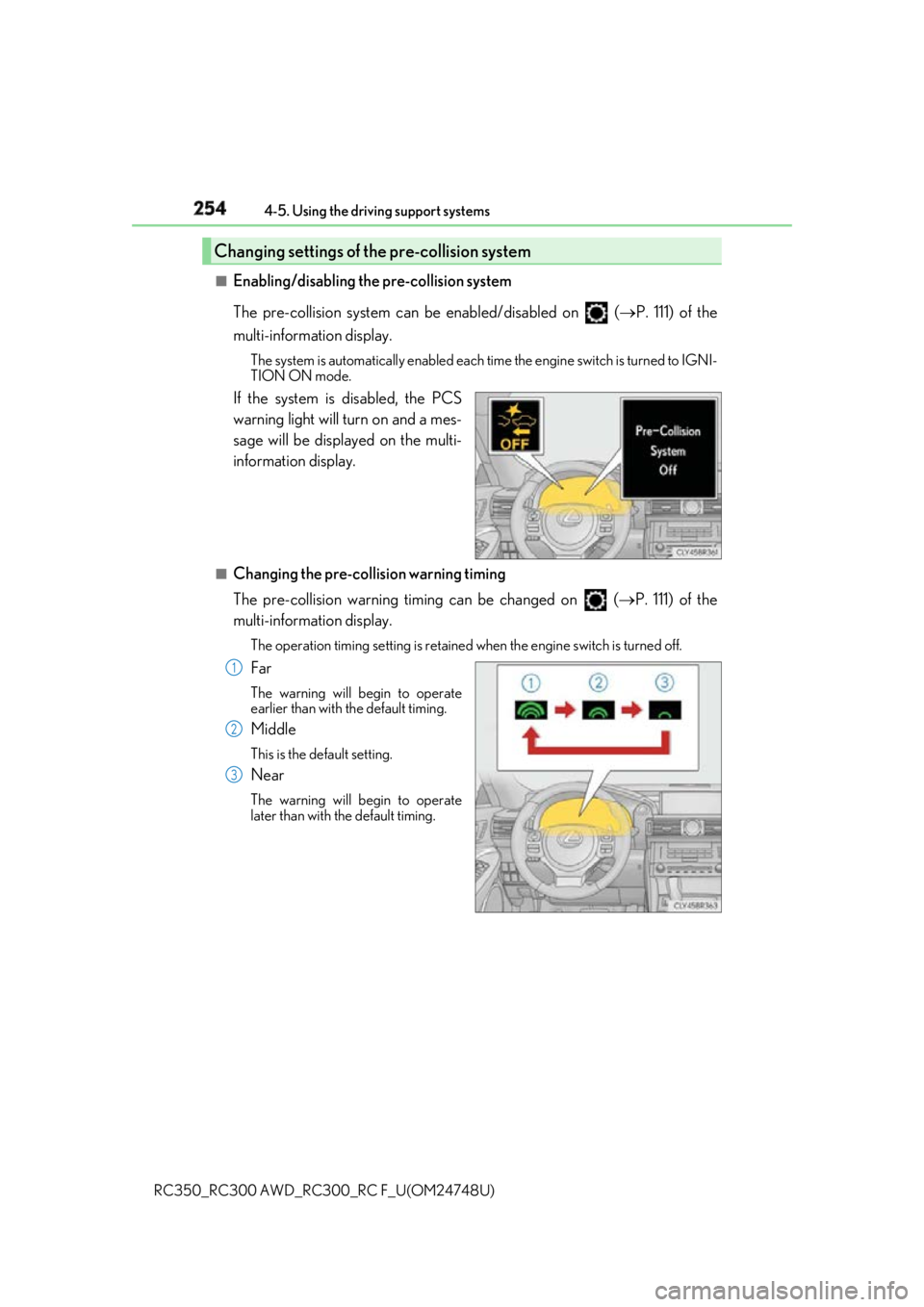
If the system is disabled, the PCS
warning light will turn on and a mes-
sage will be displayed on the multi-
information display. ■
Changing the pre-collision warning timing
The pre-collision warning timing can be changed on ( P. 111) of the
multi-information display. The operation timing setting is retained when the engi ne switch is turned off.
Far The warning will begin to operate
earlier than with the default timing.
Middle This is the default setting.
Near The warning will begin to operate
later than with the default timing.Changing settings of the pre-collision system
1
2
3
Page 255 of 636
2554-5. Using the driving support systems
4
Driving
RC350_RC300 AWD_RC3 00_RC F_U(OM24748U)■
Operational conditions
The pre-collision system is enabled and the sy stem determines that the possibility of a
frontal collision with a vehicle or pedestrian is high.
Each function is operationa l at the following speeds:●
Pre-collision warning:
• Vehicle speed is between approximately 7 and 110 mph (10 and 180 km/h). (For
detecting a pedestrian, vehicle speed is between approximately 7 and 50 mph [10
and 80 km/h].)
• The relative speed between your vehicle and the vehicle or pedestrian ahead is
approximately 7 mph (10 km/h) or more. ●
Pre-collision brake assist:
• Vehicle speed is between approximately 20 and 110 mph (30 and 180 km/h). (For
detecting a pedestrian, vehicle speed is between approximately 20 and 50 mph
[30 and 80 km/h].)
• The relative speed between your vehicle and the vehicle or pedestrian ahead is
approximately 20 mph (30 km/h) or more. ●
Pre-collision braking:
• Vehicle speed is between approximately 7 and 110 mph (10 and 180 km/h). (For
detecting a pedestrian, vehicle speed is between approximately 7 and 50 mph [10
and 80 km/h].)
• The relative speed between your vehicle and the vehicle or pedestrian ahead is
approximately 7 mph (10 km/h) or more.
The system may not operate in the following situations: ●
If a battery terminal has been disconnected and reconnected and then the vehicle has
not been driven for a certain amount of time ●
If the shift lever is in R ●
If VSC is disabled (only the pre-collis ion warning function will be operational)■
Pedestrian detection function
■
Cancelation of the pre-collision braking
If either of the following occur while the pre-co llision braking function is operating, it will
be canceled: ●
The accelerator pedal is depressed strongly. ●
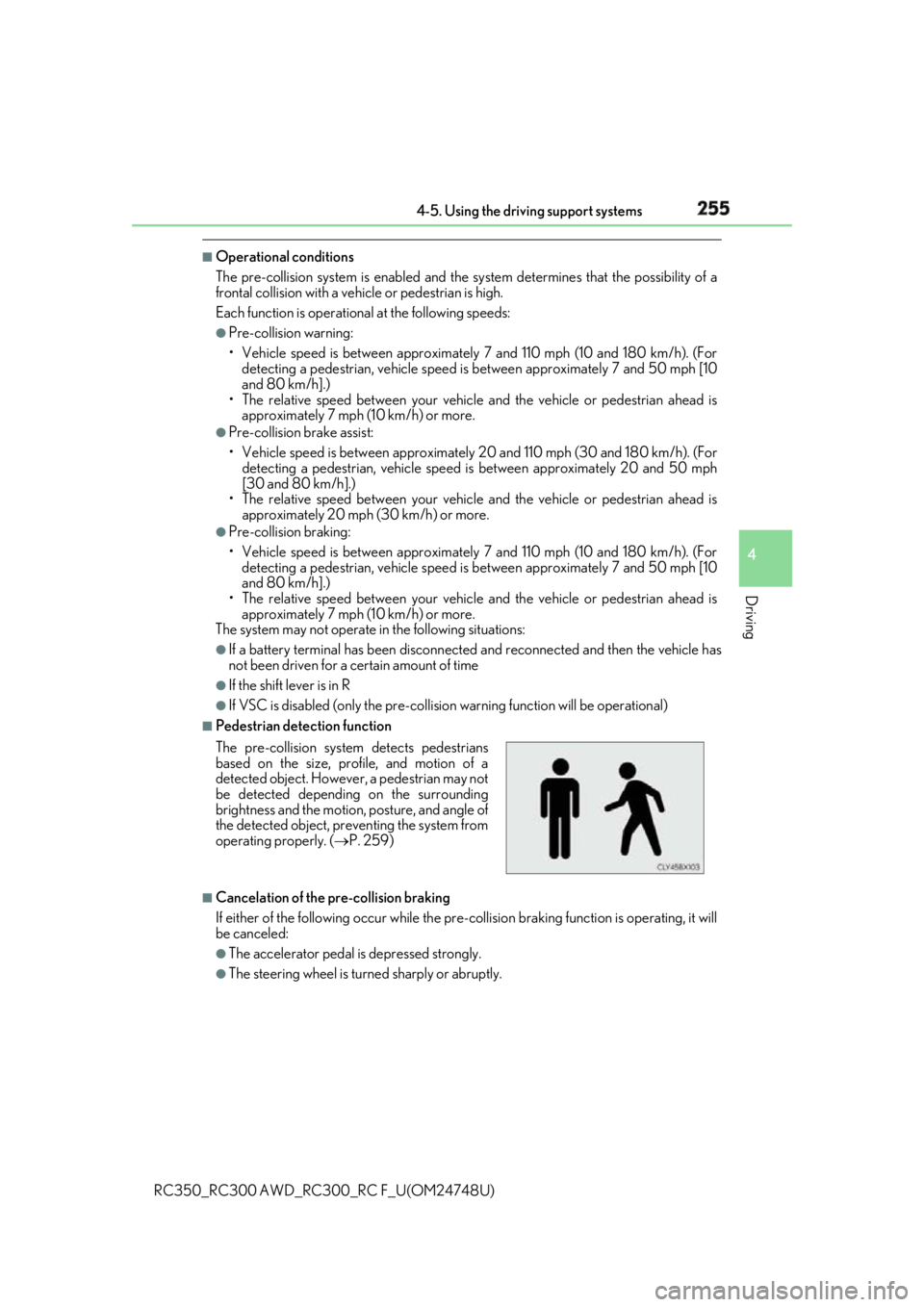
The steering wheel is turned sharply or abruptly.The pre-collision system detects pedestrians
based on the size, prof ile, and motion of a
detected object. However, a pedestrian may not
be detected depending on the surrounding
brightness and the motion, posture, and angle of
the detected object, preventing the system from
operating properly. ( P. 259)
Page 260 of 636

260 4-5. Using the driving support systems
RC350_RC300 AWD_RC3 00_RC F_U(OM24748U)■
If the PCS warning light flas hes or illuminates and a warning message is displayed on
the multi-inform ation display
The pre-collision system may be temporarily unavailable or there may be a malfunction
in the system. ●
In the following situations, the warning light will turn off, the message will disappear and
the system will become operational when normal operating conditions return:
• When the radar sensor or ca mera sensor or the area around either sensor is hot,
such as in the sun
• When the radar sensor or camera sensor or the area around either sensor is cold,
such as in an extremely cold environment
• When a front sensor is dirt y or covered with snow, etc.
• When the part of the windshield in front of the camera sensor is fogged up or cov-
ered with condensation or ice (Defogging the windshield:
P. 338)
• If the camera sensor is obstructed, such as when the hood is open or a sticker is
attached to the windshield near the camera sensor ●
If the PCS warning light continues to flash or remains illuminated or the warning mes-
sage does not disappear even though the vehicle has returned to normal, the system
may be malfunctioning. Have the vehicle in spected by your Lexus dealer immediately.■
If VSC is disabled ●
If VSC is disabled ( P. 315), the pre-collision brake a ssist and pre-collision braking
functions are also disabled. ●
The PCS warning light will turn on and “V SC Turned Off Pre-Collision Brake System
Unavailable” will be displayed on the multi-information display.
Page 261 of 636
2614-5. Using the driving support systems
4
Driving
RC350_RC300 AWD_RC3 00_RC F_U(OM24748U)When driving on highways and freeways wi th white (yellow) lines, this function
alerts the driver when the vehicle might depart from its lane and provides assis-
tance by operating the steering whee l to keep the vehicle in its lane.
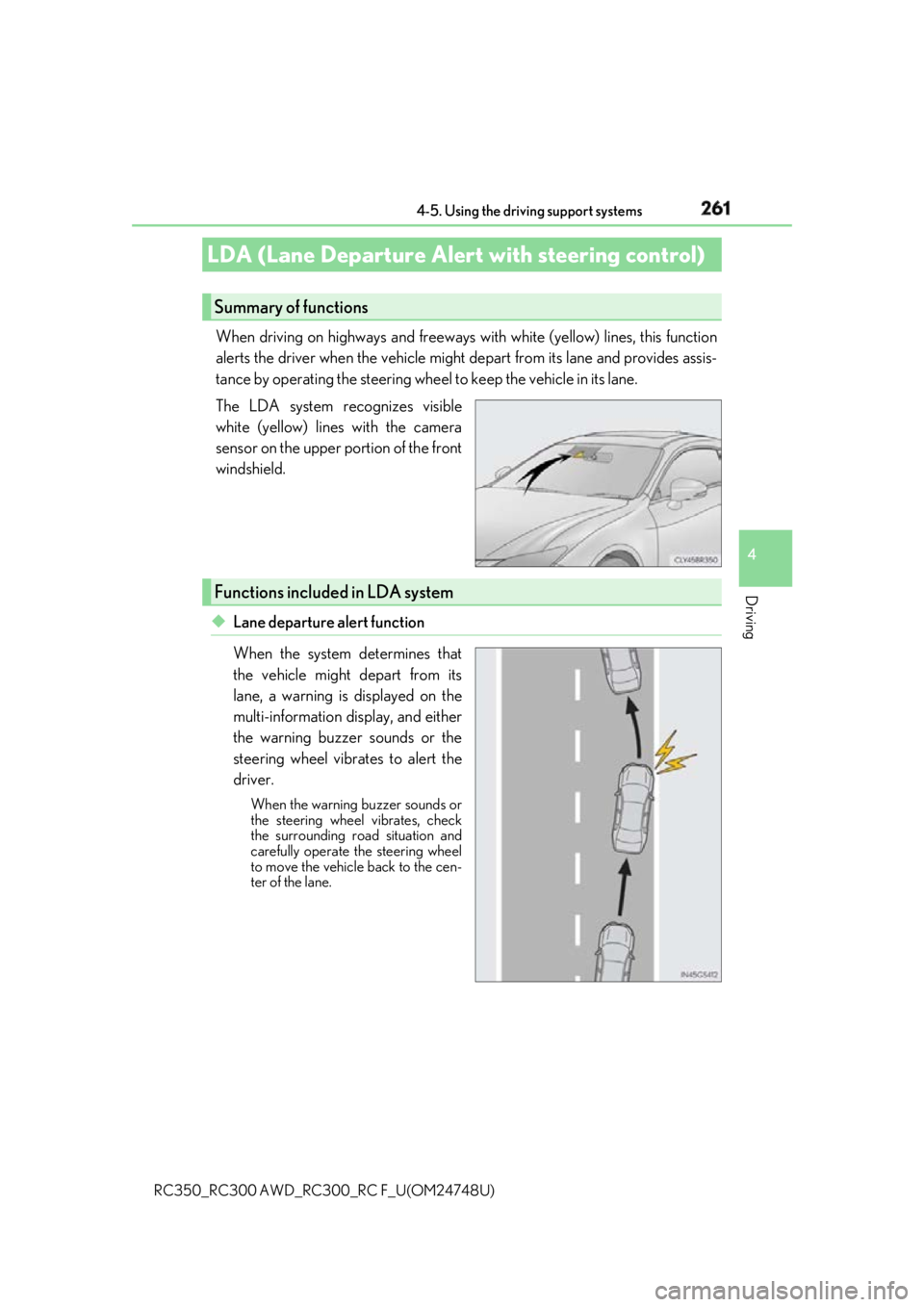
The LDA system recognizes visible
white (yellow) lines with the camera
sensor on the upper portion of the front
windshield.
◆ Lane departure alert function
When the system determines that
the vehicle might depart from its
lane, a warning is displayed on the
multi-information display, and either
the warning buzzer sounds or the
steering wheel vibrates to alert the
driver. When the warning buzzer sounds or
the steering wheel vibrates, check
the surrounding road situation and
carefully operate the steering wheel
to move the vehicle back to the cen-
ter of the lane.LDA (Lane Departure Alert with steering control) Summary of functions
Functions included in LDA system
Page 262 of 636
262 4-5. Using the driving support systems
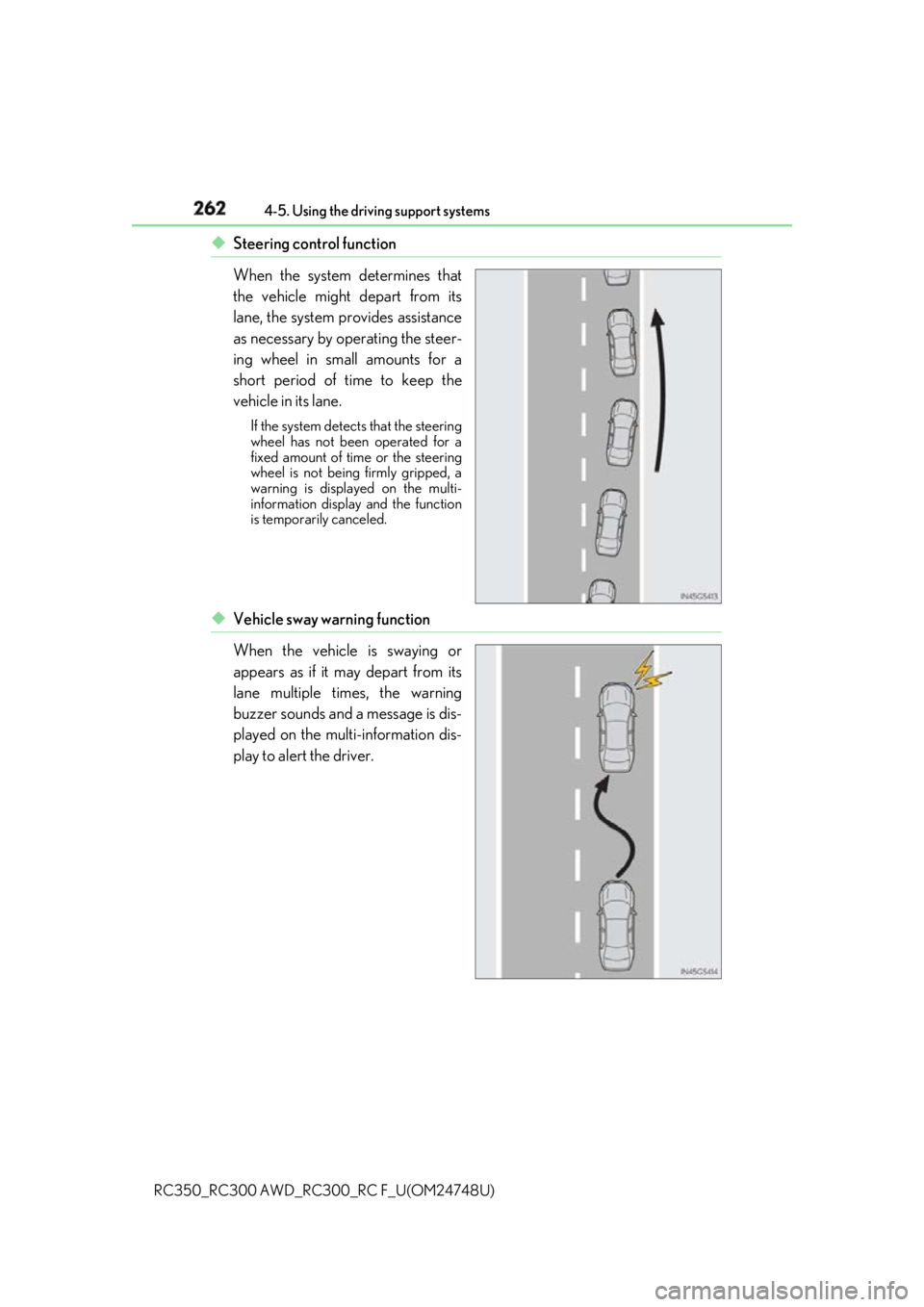
RC350_RC300 AWD_RC3 00_RC F_U(OM24748U)◆ Steering control function
When the system determines that
the vehicle might depart from its
lane, the system provides assistance
as necessary by operating the steer-
ing wheel in small amounts for a
short period of time to keep the
vehicle in its lane. If the system detects that the steering
wheel has not been operated for a
fixed amount of time or the steering
wheel is not being firmly gripped, a
warning is displayed on the multi-
information display and the function
is temporarily canceled.
◆ Vehicle sway warning function
When the vehicle is swaying or
appears as if it may depart from its
lane multiple times, the warning
buzzer sounds and a message is dis-
played on the multi-information dis-
play to alert the driver.
Page 263 of 636
2634-5. Using the driving support systems
4
Driving
RC350_RC300 AWD_RC3 00_RC F_U(OM24748U)WARNING ■
Before using LDA system
Do not rely solely upon the LDA system. The LDA system does not automatically drive
the vehicle or reduce the amount of attention that must be paid to the area in front of
the vehicle. The driver must always assume full responsibility for driving safely by pay-
ing careful attention to the surrounding cond itions and operating the steering wheel to
correct the path of the vehicle. Also, the driver must take adequate breaks when
fatigued, such as from driving for a long period of time.
Failure to perform appropriate driving operat ions and pay careful attention may lead to
an accident, resulting in death or serious injury. ■
To avoid operating LDA system by mistake
When not using the LDA system, use the LDA switch to turn the system off.■
Situations unsuitable for LDA system
Do not use the LDA system in the following situations.
The system may not operate properly and lead to an accident, resulting in death or
serious injury. ●
A spare tire, tire chains, etc. are equipped. ●
When the tires have been excessively worn, or when the tire inflation pressure is low. ●
Tires which differ by structure, manufacturer, brand or tread pattern are used. ●
Objects or patterns that could be mistaken for white (yellow) lines are present on the
side of the road (guardrails, cu rbs, reflective poles, etc.).●
Vehicle is driven on a snow-covered road. ●
White (yellow) lines are difficult to see due to rain, snow, fog, dust, etc.●
Asphalt repair marks, white (y ellow) line marks, etc. are present due to road repair.●
Vehicle is driven in a temporary lane or restricted lane due to construction work.●
Vehicle is driven on a road surface which is slippery due to rainy weather, fallen snow,
freezing, etc. ●
Vehicle is driven in traffic lanes ot her than on highways and freeways.●
Vehicle is driven in a construction zone. ●
During emergency towing ■
Preventing LDA system malfunctions and operations performed by mistake ●
Do not modify the headlights or place stickers, etc. on the surface of the lights.●
Do not modify the suspension etc. If the suspension etc. needs to be replaced, con-
tact your Lexus dealer. ●
Do not install or place anything on the hood or grille. Also, do not install a grille guard
(bull bars, kangaroo bar, etc.). ●
If your windshield needs repair s, contact your Lexus dealer.
Page 266 of 636

266 4-5. Using the driving support systems
RC350_RC300 AWD_RC3 00_RC F_U(OM24748U)■
Operation conditions of each function ●
Lane departure alert function
This function operates when all of the following conditions are met.
• LDA is turned on.
• Vehicle speed is approximatel y 32 mph (50 km/h) or more.
• System recognizes white (yellow) lines.
• Width of traffic lane is approx imately 9.8 ft. (3 m) or more.
• Turn signal lever is not operated.
• Vehicle is driven on a stra ight road or around a gentle curve with a radius of more
than approximately 492 ft. (150 m).
• No system malfunctions are detected. ( P. 453)●
Steering control function
This function operates when all of the follo wing conditions are met in addition to the
operation conditions for the lane departure alert function.
• Setting for Steering Assist in of th e multi-information display is set to On.
( P. 111)
• Vehicle is not accelerated or dece lerated by a fixed amount or more.
• Steering wheel is not operated with a steering force level suitable for changing
lanes.
• ABS, VSC, TRAC and PCS are not operating.
• TRAC or VSC is not turned off.
• Hands off steering wheel alert is not displayed. ( P. 266)●
Vehicle sway warning function
This function operates when all of the following conditions are met.
• Setting for Sway Warning in of the multi-information display is set to On.
( P. 111)
• Vehicle speed is approximatel y 32 mph (50 km/h) or more.
• Width of traffic lane is approx imately 9.8 ft. (3 m) or more.
• No system malfunctions are detected. ( P. 453)■
Temporary cancellation of functions
When operation conditions are no longer met, a function may be temporarily canceled.
However, when the operation co nditions are met again, operat ion of the function is auto-
matically restored. ( P. 266)■
Steering control function
Depending on the vehicle speed, lane depart ure situation, road conditions, etc., the
driver may not feel the function is operat ing or the function may not operate at all.■
Lane departure alert function
The warning buzzer may be difficult to hear due to external noise, audio playback, etc.
Also, it may be difficult to f eel steering wheel vibrations due to the road conditions, etc.■
Hands off steering wheel alert
When the system determines that the driver has removed the hands from the steering
wheel while the steering control function is operating, a warning message is displayed on
the multi-information display.
If the driver continues to keep the hands of f of the steering wheel, a warning message is
displayed and the function is temporarily canc eled. This alert also operates in the same
way when the driver continuously operates the steering wheel only a small amount.
However, depending on the road conditions, etc., the function may not cancel.
Page 267 of 636
2674-5. Using the driving support systems
4
Driving
RC350_RC300 AWD_RC3 00_RC F_U(OM24748U)■
White (yellow) lines are only on one side of road
The LDA system will not operate for the side on which white (yellow) lines could not be
recognized. ■
Conditions in which functions may not operate properly
In the following situations, the camera sensor may not detect white (yellow) lines and var-
ious functions may not operate normally. ●
There are shadows on the road that run parallel with, or cover, the white (yellow) lines. ●
The vehicle is driven in an ar ea without white (yellow) lines, such as in front of a tollgate
or checkpoint, or at an intersection, etc.●
The white (yellow) lines are cracked, “Botts ’ dots”, “Raised pavement marker” or stones
are present. ●
The white (yellow) lines cannot be seen or are difficult to see due to sand, etc. ●
The vehicle is driven on a road surface that is wet due to rain, puddles, etc. ●
The traffic lines are yellow (which may be more difficult to recognize than lines that are
white). ●
The white (yellow) lines cross over a curb, etc. ●
The vehicle is driven on a bright surface, such as concrete. ●
The vehicle is driven on a surface that is bright due to reflected light, etc. ●
The vehicle is driven in an area where the brightness changes suddenly, such as at the
entrances and exits of tunnels, etc.●
Light from the headlights of an oncoming vehicle, the sun, etc. enters the camera.●
The vehicle is driven where the road diverges, merges, etc. ●
The vehicle is driven on a slope. ●
The vehicle is driven on a road which t ilts left or right, or a winding road.●
The vehicle is driven on an unpaved or rough road. ●
The vehicle is driven around a sharp curve. ●
The traffic lane is excessively narrow or wide. ●
The vehicle is extremely tilted due to carry ing heavy luggage or having improper tire
pressure. ●
The distance to the preceding vehicle is extremely short. ●
The vehicle is moving up and down a large am ount due to road conditions during driv-
ing (poor roads or road seams). ●
The headlight lenses are dirty and emit a faint amount of light at night, or the beam axis
has deviated. ●
The vehicle is struck by a crosswind. ●
The vehicle has just changed lane s or crossed an intersection.●
Snow tires, etc. are equipped. ■
Warning message
Warning messages are used to indicate a syst em malfunction or to inform the driver of
the need for caution while driving. ( P. 460)■
Customization
Some functions can be customized ( P. 111)
Page 269 of 636
2694-5. Using the driving support systems
4
Driving
RC350_RC300 AWD_RC3 00_RC F_U(OM24748U)WARNING ■
Before using dynamic radar cruise control
Driving safely is the sole responsibility of th e driver. Do not rely solely on the system,
and drive safely by always paying careful attention to your surroundings.
The dynamic radar cruise control provides driving assistance to reduce the driver’s
burden. However, there are limitations to the assistance provided.
Set the speed appropriately depending on the speed limit, traffic flow, road conditions,
weather conditions, etc. The driver is responsible for chec king the set speed.
Even when the system is functioning norma lly, the condition of the preceding vehicle as
detected by the system may differ from the condition observed by the driver. There-
fore, the driver must always remain alert, assess the danger of each situation and drive
safely. Relying on this system or assuming the system ensures safety while driving can
lead to an accident, resultin g in death or serious injury.■
Cautions regarding the driving assist systems
Observe the following precautions, as there are limitations to the assistance provided
by the system.
Failure to do so may cause an accident resulting in death or serious injury.●
Assisting the driver to measure following distance
The dynamic radar cruise control is only in tended to help the driver in determining
the following distance between the driver ’s own vehicle and a designated vehicle
traveling ahead. It is not a mechanism that allows careless or ina ttentive driving, and it
is not a system that can assist the driver in low-visibility conditions . It is still necessary
for driver to pay close attention to the vehicle’s surroundings. ●
Assisting the driver to judg e proper following distance
The dynamic radar cruise control determines whether the following distance
between the driver’s own vehicle and a design ated vehicle traveling ahead is within a
set range. It is not capable of making any other type of judgement. Therefore, it is
absolutely necessary for the driver to remain vigilant and to determine whether or not
there is a possibility of danger in any given situation. ●
Assisting the driver to operate the vehicle
The dynamic radar cruise cont rol has limited capability to prevent or avoid a collision
with a vehicle traveling ahead. Therefore, if there is ever any danger, the driver must
take immediate and direct control of the vehicle and act appropriately in order to
ensure the safety of all involved.■
To avoid inadvertent dynamic radar cruise control activation
Switch the dynamic radar cruise control o ff using the “ON/OFF” button when not in
use.
Page 270 of 636
270 4-5. Using the driving support systems
RC350_RC300 AWD_RC3 00_RC F_U(OM24748U)WARNING ■
Situations unsuitable for dy namic radar cruise control
Do not use dynamic radar cruise contro l in any of the following situations.
Doing so may result in inappropriate speed control and could cause an accident result-
ing in death or serious injury. ●
Roads where there are pede strians, cyclists, etc.●
In heavy traffic ●
On roads with sharp bends ●
On winding roads ●
On slippery roads, such as thos e covered with rain, ice or snow●
On steep downhills, or where there are sudden changes between sharp up and down
gradients
Vehicle speed may exceed the set speed when driving down a steep hill.●
At entrances to freeways and highways ●
When weather conditions are bad enough that they may prevent the sensors from
detecting correctly (fog, snow, sandstorm, heavy rain, etc.)●
When there is rain, snow, etc. on the fron t surface of the radar sensor or camera sen-
sor ●
In traffic conditions that require frequent repeated a cceleration and deceleration●
During emergency towing ●
When an approach warning buzzer is heard often