maintenance LEXUS RC300 2019 Owners Manual
[x] Cancel search | Manufacturer: LEXUS, Model Year: 2019, Model line: RC300, Model: LEXUS RC300 2019Pages: 390, PDF Size: 7.88 MB
Page 1 of 390

RC350AWD_RC350_RC300AWD_RC300_OM_(U)_1810
1
2
3
4
5
6
7
8
9
Pictorial indexSearch by illustration
For safety
and securityMake sure to read through them
(Main topics: Child seat, theft deterrent system)
Vehicle status
information and
indicatorsReading driving-related information
(Main topics: Meters, multi-information display)
Before drivingOpening and closing the doors and windows,
adjustment before driving
(Main topics: Keys, doors, seats)
DrivingOperations and advice which are necessary for driving
(Main topics: Starting engine, refueling)
Interior featuresUsage of the interior features
(Main topics: Air conditioner, storage features)
Maintenance
and careCaring for your vehicle and maintenance procedures
(Main topics: Interior and exterior, light bulbs)
When trouble
arisesWhat to do in case of malfunction and emergency
(Main topics: Battery discharge, flat tire)
Vehicle
specificationsVehicle specifications, customizable features
(Main topics: Fuel, oil, tire inflation pressure)
For ownersReporting safety defects for U.S. owners, and seat belt,
SRS airbag and headlight aim instructions for Canadian
owners
IndexSearch by symptom
Search alphabetically
Page 3 of 390
3TABLE OF CONTENTS
RC350AWD_RC350_RC300AWD_RC30
0_OM_(U)_1810
1
2
3
4
5
6
7
8
9
4-2. Driving procedures Engine (ignition) switch .............. 125
Automatic transmission.............. 128
Turn signal lever............................. 133
Parking brake ................................. 134
ASC (Active Sound Control) .. 134
4-3. Operating the lights and wipers Headlight switch ............................ 136
Automatic High Beam ................ 138
Windshield wipers and washer ............................................................. 141
4-4. Refueling Opening the fuel tank cap......... 148
4-5. Using the driving support systems Lexus Safety System + ................. 151
PCS (Pre-Collision System)..... 154
LDA (Lane Departure Alert with steering control) .......................... 161
Dynamic radar cruise control ............................................................ 168
Intuitive parking assist ................. 176
BSM (Blind Spot Monitor) ........ 182
Driving mode select switch....... 190
Driving assist systems .................. 192
4-6. Driving tips Winter driving tips ........................ 196
5-1. Remote Touch/Display Remote Touch ............................... 200
Center Display .............................. 202
5-2. Using the air conditioning system Automatic air conditioning system .205 Heated steering wheel/seat heat-
ers/seat ventilators..................... 212
5-3. Using the interior lights Interior lights list ............................. 215
5-4. Using the storage features List of storage features ................ 217
Trunk features ................................. 219
5-5. Using the other interior features Other interior features .............. 220
Garage door opener .................. 222
Compass .......................................... 227
6-1. Maintenance and care Cleaning and protecting the vehi-cle exterior.................................... 232
Cleaning and protecting the vehi- cle interior .................................... 235
6-2. Maintenance Maintenance re quirements .....238
General maintenance................ 239
Emission inspection and mainte- nance (I/M) programs ............. 242
6-3. Do-it-yourself maintenance Do-it-yourself service precautions.243
Hood ................................................. 245
Positioning a floor jack .............. 245
Engine compartment .................. 247
Tires ................................................... 255
Tire inflation pressure................... 261
Wheels ............................................. 263
Air conditioning
filter ................. 264
Electronic key battery ................ 265
5Interior features
6Maintenance and care
Page 4 of 390
4TABLE OF CONTENTS
RC350AWD_RC350_RC300AWD_RC30
0_OM_(U)_1810
Checking and replacing fuses........................................................... 267
Headlight aim................................. 269
Light bulbs ....................................... 270
7-1. Essential information Emergency flashers..................... 274
If your vehicle has to be stopped in an emergency ............................. 274
If the vehicle is trapped in rising water............................................... 275
7-2. Steps to take in an emergency If your vehicle needs to be towed....277
If you think something is wrong ........ 280
Fuel pump shut off system ......... 281
If a warning light turns on or a warn- ing buzzer sounds ..................... 282
If a warning message is displayed ... 290
If you have a flat tire..................... 294
If the engine wi ll not start ........... 301
If you lose your keys .................... 303
If the fuel filler door cannot be opened........................................... 303
If the electronic key does not oper- ate properly ................................. 304
If the vehicle battery is discharged . 306
If your vehicle overheats ........... 309
If the vehicle becomes stuck .... 3138-1. Specifications
Maintenance data (fuel, oil level, etc.) .................................................. 316
Fuel information............................ 327
Tire information ............................ 329
8-2. Customization Customizable features .............. 339
8-3. Items to initialize Items to initialize ........................... 349
8-4. Certifications Certifications ................................. 350
9-1. For owners Reporting safety defects for U.S. owners ........................................... 360
Seat belt instructions for Canadian owners (in French) ................... 360
SRS airbag instructions for Cana- dian owners (in French) ......... 362
Headlight aim instructions for Canadian owners (in French).......................................................... 368
What to do if... (Troubleshooting) ... 370
Alphabetical Index ...................... 373
7When trouble arises
8Vehicle specifications
9For owners
Index
Page 57 of 390
571-3. Theft deterrent system
RC350AWD_RC350_RC300AWD_RC30
0_OM_(U)_1810
1
For safety and security
1-3.Theft deterrent system
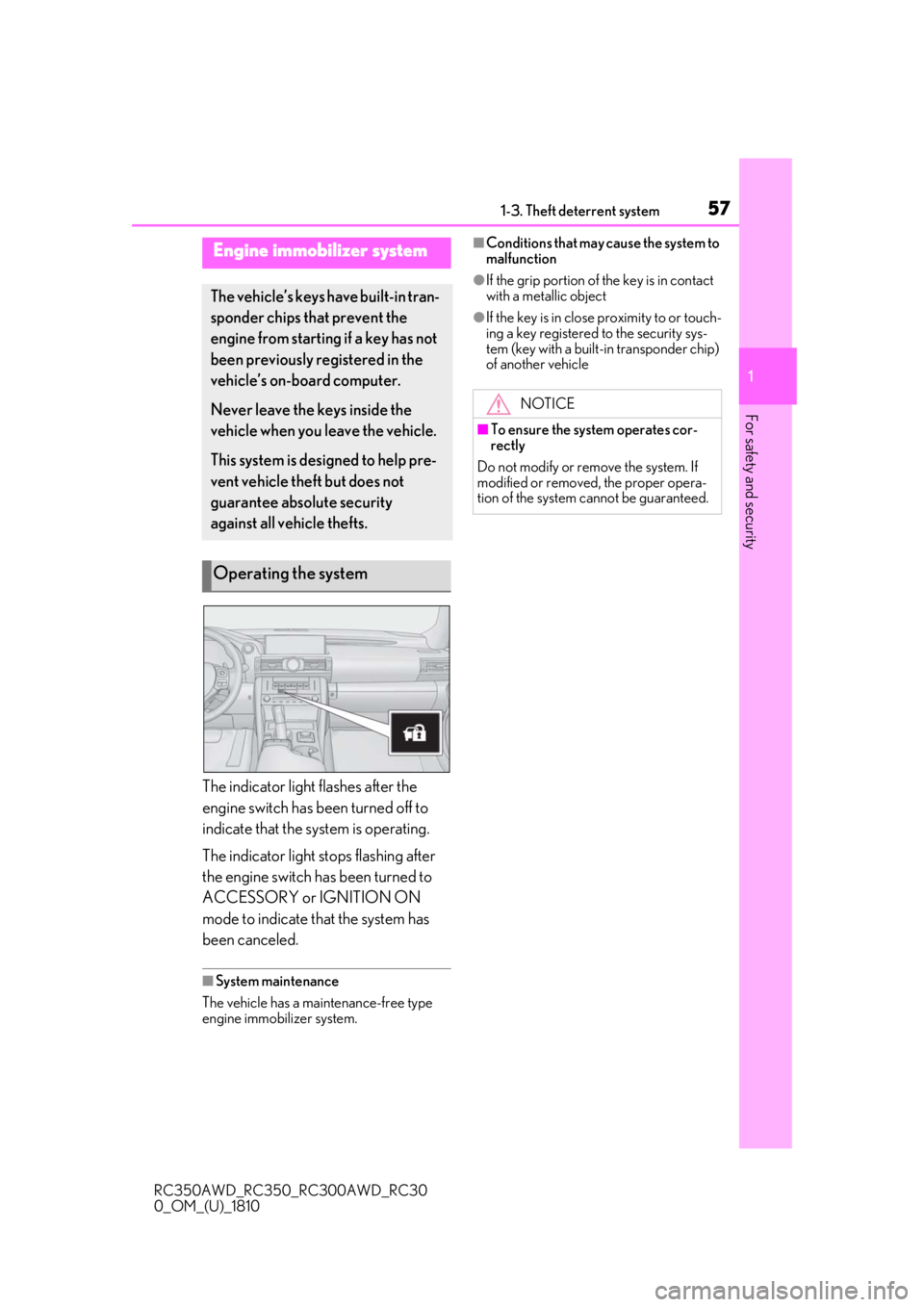
The indicator light flashes after the
engine switch has been turned off to
indicate that the system is operating.
The indicator light stops flashing after
the engine switch has been turned to
ACCESSORY or IGNITION ON
mode to indicate that the system has
been canceled.
■System maintenance
The vehicle has a maintenance-free type
engine immobilizer system.
■Conditions that may cause the system to
malfunction
●If the grip portion of the key is in contact
with a metallic object
●If the key is in close proximity to or touch-
ing a key registered to the security sys-
tem (key with a built-in transponder chip)
of another vehicle
Engine immobilizer system
The vehicle’s keys have built-in tran-
sponder chips that prevent the
engine from starting if a key has not
been previously registered in the
vehicle’s on-board computer.
Never leave the keys inside the
vehicle when you leave the vehicle.
This system is designed to help pre-
vent vehicle theft but does not
guarantee absolute security
against all vehicle thefts.
Operating the system
NOTICE
■To ensure the system operates cor-
rectly
Do not modify or remove the system. If
modified or removed, the proper opera-
tion of the system cannot be guaranteed.
Page 58 of 390
581-3. Theft deterrent system
RC350AWD_RC350_RC300AWD_RC30
0_OM_(U)_1810
■Items to check before locking the
vehicle
To prevent unexpected triggering of
the alarm and vehicle theft, make sure
of the following:
Nobody is in the vehicle.
The windows and moon roof (if
equipped) are closed before the
alarm is set.
No valuables or other personal
items are left in the vehicle.
■Setting
Close the doors, trunk and hood, and
lock both side doors. The system will
be set automatically after 30 seconds.
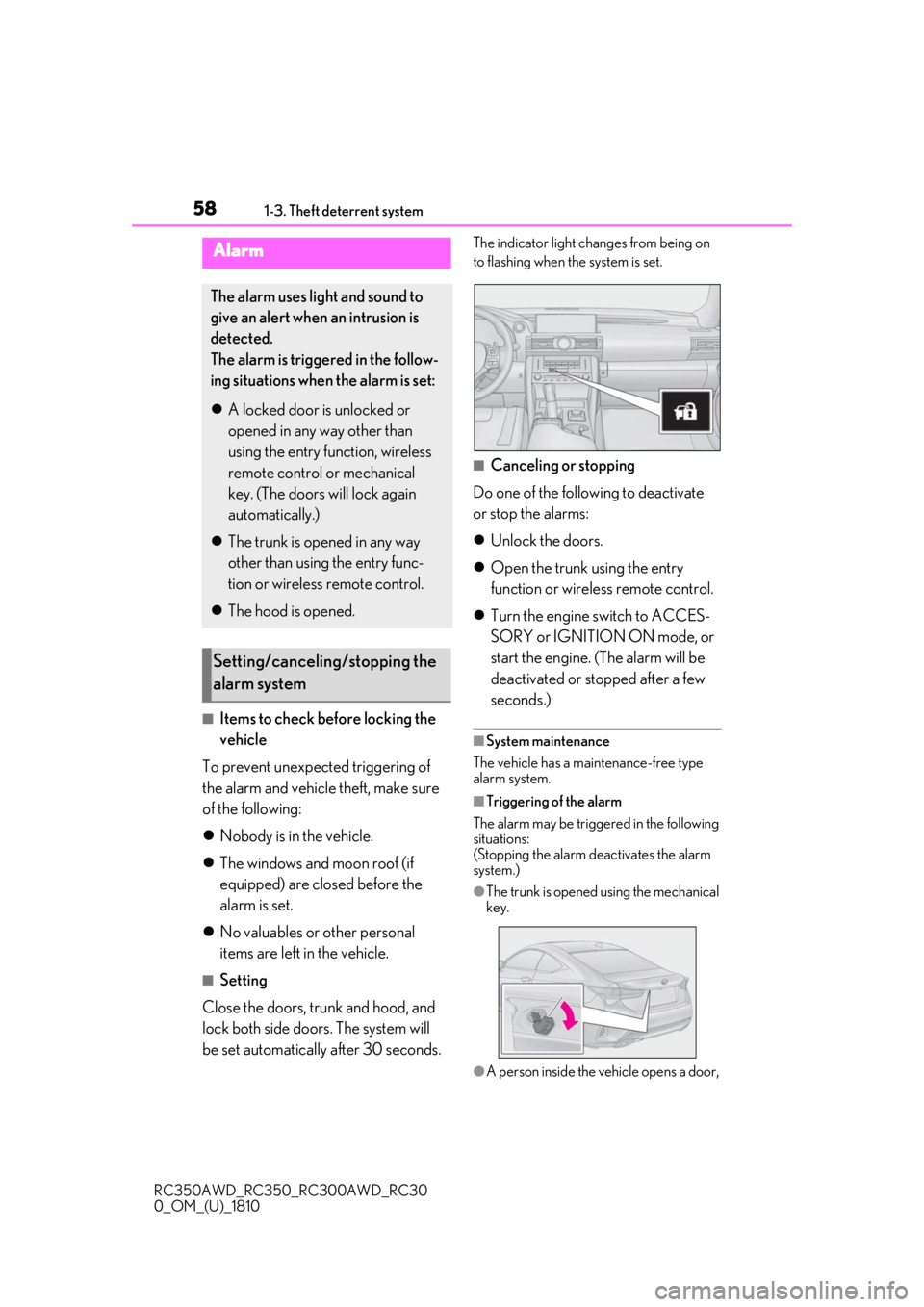
The indicator light changes from being on
to flashing when the system is set.
■Canceling or stopping
Do one of the following to deactivate
or stop the alarms:
Unlock the doors.
Open the trunk using the entry
function or wireless remote control.
Turn the engine switch to ACCES-
SORY or IGNITION ON mode, or
start the engine. (The alarm will be
deactivated or stopped after a few
seconds.)
■System maintenance
The vehicle has a maintenance-free type
alarm system.
■Triggering of the alarm
The alarm may be triggered in the following
situations:
(Stopping the alarm deactivates the alarm
system.)
●The trunk is opened using the mechanical
key.
●A person inside the vehicle opens a door,
Alarm
The alarm uses light and sound to
give an alert when an intrusion is
detected.
The alarm is triggered in the follow-
ing situations when the alarm is set:
A locked door is unlocked or
opened in any way other than
using the entry function, wireless
remote control or mechanical
key. (The doors will lock again
automatically.)
The trunk is opened in any way
other than using the entry func-
tion or wireless remote control.
The hood is opened.
Setting/canceling/stopping the
alarm system
Page 76 of 390
762-1. Instrument cluster
RC350AWD_RC350_RC300AWD_RC30
0_OM_(U)_1810
Select to display the operational status
of the following systems:
LDA (Lane Departure Alert with
steering control) ( P.161)
Dynamic radar cruise control
( P.168)
Select to display warning messages
and measures to be taken if a malfunc-
tion is detected. ( P.290)
The settings of the following items can
be changed using the meter control
switches.
For functions that can be enabled or
disabled, the function switches
between on and off each time is
pressed.
■LDA (Lane Departure Alert
with steering control) ( P.161)
Select to set up the following items.
Steering Assist
Select to enable/disable steering wheel
assistance.
Alert
Select to set a vibrator or buzzer as the
notification method used to warn the
driver.
Sensitivity
Select to set the warning sensitivity.
Sway warning
Select to enable/disable the vehicle sway
warning.
Sway sensitivity
Select to set the vehicle sway warning sen-
sitivity.
■PCS (Pre-Collision System)
( P.154)
Select to set up the following items.
PCS
Select to enable/disable the pre-collision
system.
Warning sensitivity
Select to change the warning timing.
■Speed indicator (F SPORT mod-
els) ( P.68)
Select to set up the following items.
Speed Indicator
Select to enable/disable the speed indica-
tor.
Speed Setting*
Select to set the desi red vehicle speed at
which the speed indicator will begin to be
displayed.
*: Always observe the legal speed limit
when driving on public roads.
■Clock ( P.66)
Select to switch between 12-hour dis-
play and 24-hour display.
■Vehicle Settings
Scheduled Maintenance ( P.238)
Select to reset the message indicating
maintenance is required, after the required
maintenance is performed.
Oil maintenance ( P.250)
Select to reset the engine oil maintenance
Driving assist system information
Warning message display
Settings display
Page 231 of 390
231
RC350AWD_RC350_RC300AWD_RC30
0_OM_(U)_1810
6
6
Maintenance and care
Maintenance and care
.6-1. Maintenance and careCleaning and protecting the vehi-cle exterior ................................ 232
Cleaning and protecting the vehi- cle interior ................................. 235
6-2. Maintenance Maintenance requirements........................................................ 238
General maintenance ............. 239
Emission inspection and mainte- nance (I/M) programs ......... 242
6-3. Do-it-yourself maintenance Do-it-yourself service precautions243
Hood............................................... 245
Positioning a floor jack............ 245
Engine compartment............... 247
Tires ................................................ 255
Tire inflation pressure ............... 261
Wheels........................................... 263
Air conditioning filter...............264
Electronic key battery ............. 265
Checking and replacing fuses ........................................................ 267
Headlight aim.............................. 269
Light bulbs .................................... 270
Page 232 of 390
2326-1. Maintenance and care
RC350AWD_RC350_RC300AWD_RC30
0_OM_(U)_1810
6-1.Maintenance and care
Working from top to bottom, liber-
ally apply water to the vehicle body,
wheel wells and underside of the
vehicle to remove any dirt and dust.
Wash the vehicle body using a
sponge or soft cloth, such as a
chamois.
For hard-to-remove marks, use car
wash soap and rinse thoroughly with
water.
Wipe away any water.
Wax the vehicle when the water-
proof coating deteriorates.
If water does not bead on a clean surface,
apply wax when the vehicle body is cool.
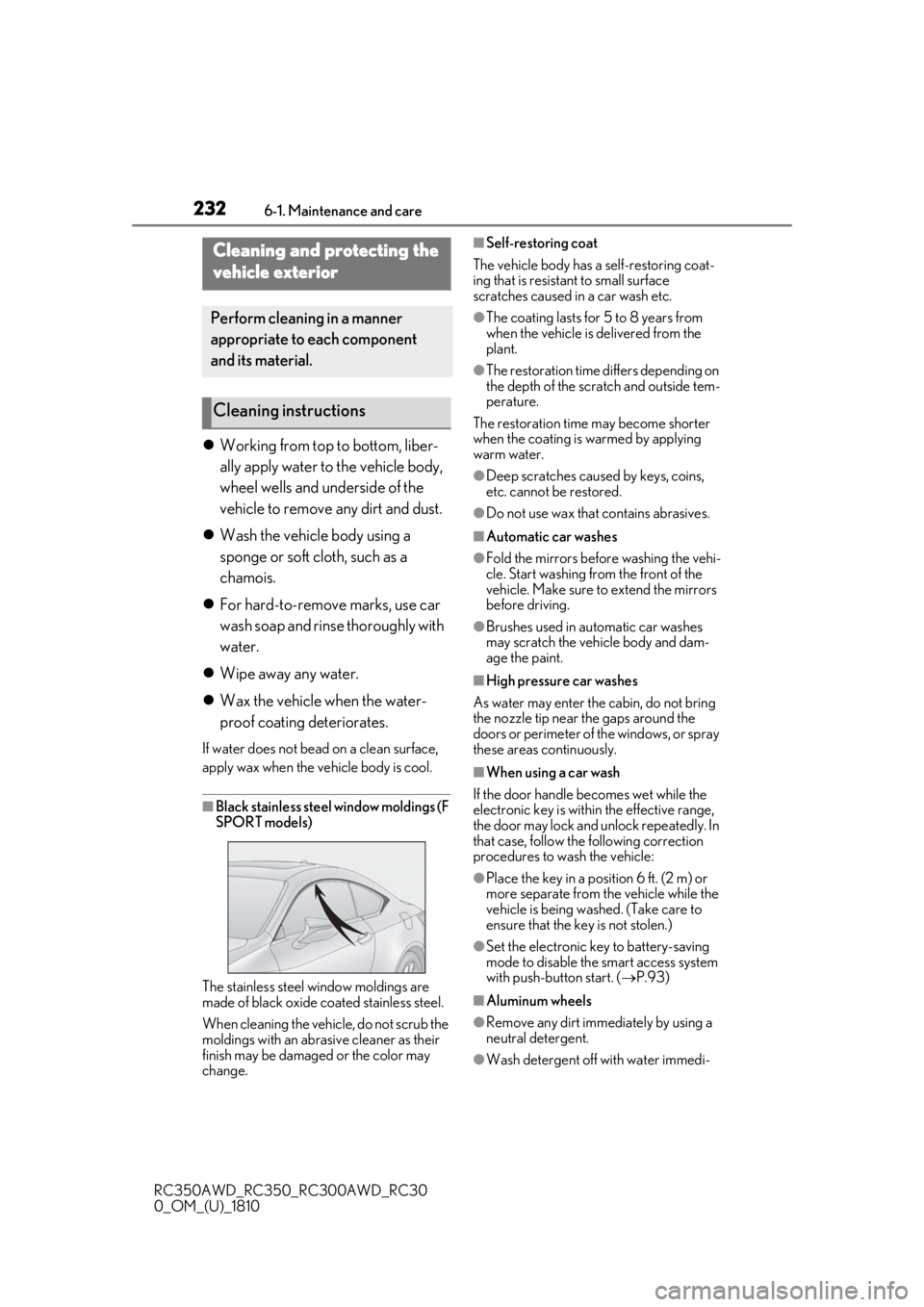
■Black stainless steel window moldings (F
SPORT models)
The stainless steel window moldings are
made of black oxide coated stainless steel.
When cleaning the vehicle, do not scrub the
moldings with an abrasive cleaner as their
finish may be damaged or the color may
change.
■Self-restoring coat
The vehicle body has a self-restoring coat-
ing that is resistant to small surface
scratches caused in a car wash etc.
●The coating lasts for 5 to 8 years from
when the vehicle is delivered from the
plant.
●The restoration time differs depending on
the depth of the scratch and outside tem-
perature.
The restoration time may become shorter
when the coating is warmed by applying
warm water.
●Deep scratches caused by keys, coins,
etc. cannot be restored.
●Do not use wax that contains abrasives.
■Automatic car washes
●Fold the mirrors befo re washing the vehi-
cle. Start washing from the front of the
vehicle. Make sure to extend the mirrors
before driving.
●Brushes used in automatic car washes
may scratch the vehicle body and dam-
age the paint.
■High pressure car washes
As water may enter the cabin, do not bring
the nozzle tip near the gaps around the
doors or perimeter of the windows, or spray
these areas continuously.
■When using a car wash
If the door handle becomes wet while the
electronic key is within the effective range,
the door may lock and unlock repeatedly. In
that case, follow the following correction
procedures to wash the vehicle:
●Place the key in a position 6 ft. (2 m) or
more separate from the vehicle while the
vehicle is being wash ed. (Take care to
ensure that the key is not stolen.)
●Set the electronic key to battery-saving
mode to disable the smart access system
with push-button start. ( P.93)
■Aluminum wheels
●Remove any dirt immediately by using a
neutral detergent.
●Wash detergent off with water immedi-
Cleaning and protecting the
vehicle exterior
Perform cleaning in a manner
appropriate to each component
and its material.
Cleaning instructions
Page 233 of 390
2336-1. Maintenance and care
RC350AWD_RC350_RC300AWD_RC30
0_OM_(U)_1810
6
Maintenance and care
ately after use.
●To protect the paint from damage, make
sure to observe the following precau-
tions.
• Do not use acidic, a lkaline or abrasive
detergent
• Do not use hard brushes
• Do not use detergent on the wheels when they are hot, such as after driving or park-
ing in hot weather
■Brake caliper coating (F SPORT mod-
els)
●When using detergent, use neutral deter-
gent. Do not use hard brushes or abra-
sive cleaners, as they will damage the
paint.
●Do not use detergent on the brake cali-
pers when they are hot.
●Wash detergent off immediately after
use.
■Bumpers
Do not scrub with abrasive cleaners.
■Side windows water-repellent coating
(if equipped)
●The following precautions can extend the
effectiveness of the water-repellent coat-
ing.
• Remove any dirt, etc. from the side win- dows regularly.
• Do not allow dirt and dust to accumulate
on the windows for a long period.
Clean the windows with a soft, damp
cloth as soon as possible.
• Do not use wax or glass cleaners that contain abrasives when cleaning the win-
dows.
• Do not use any metallic objects to remove condensation build up.
●When the water-repellent performance
has become insufficie nt, the coating can
be repaired. Contact your Lexus dealer.
WARNING
■When washing the vehicle
Do not apply water to the inside of the
engine compartment. Doing so may
cause the electrical components, etc. to
catch fire.
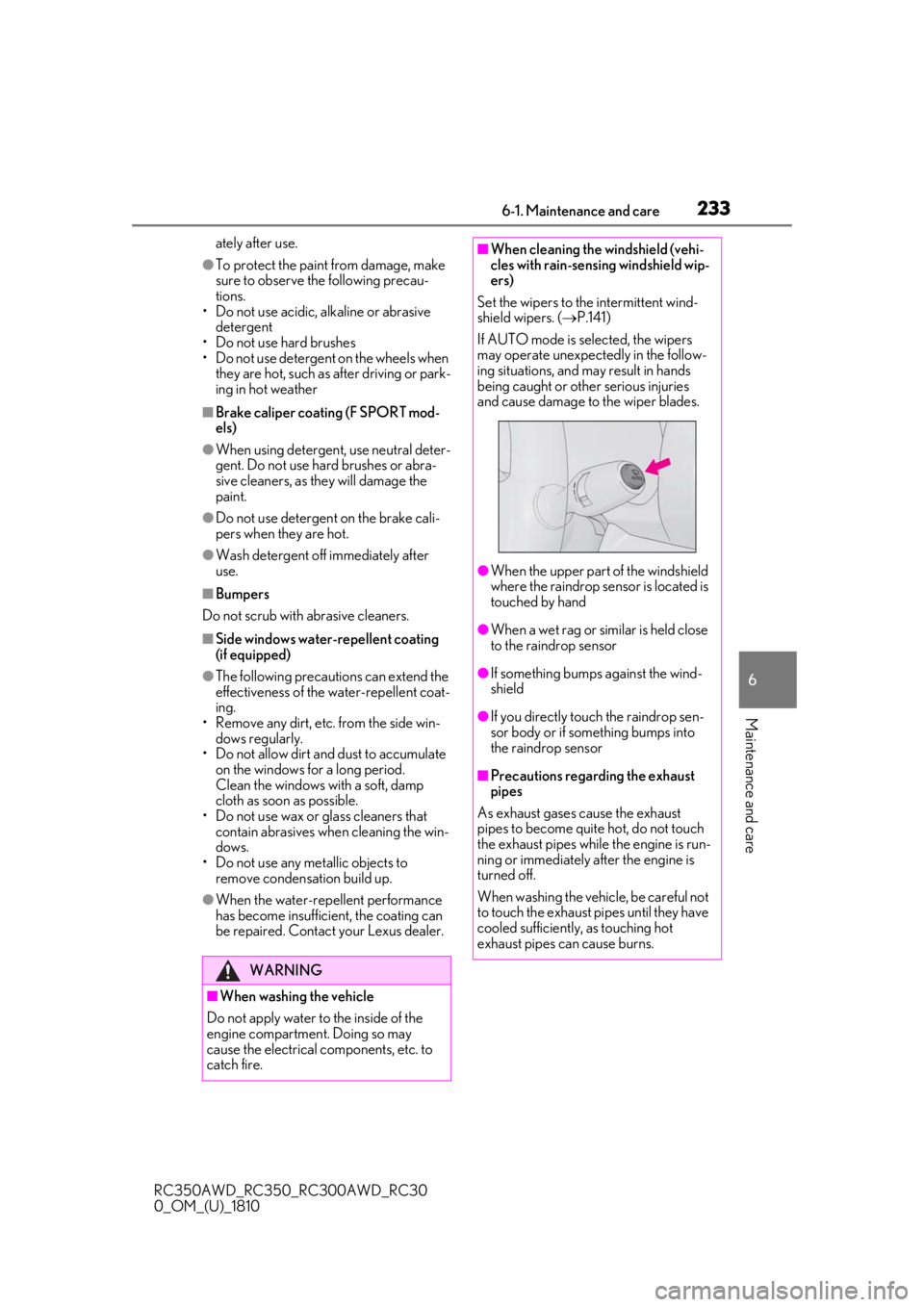
■When cleaning the windshield (vehi-
cles with rain-sensing windshield wip-
ers)
Set the wipers to the intermittent wind-
shield wipers. ( P.141)
If AUTO mode is selected, the wipers
may operate unexpectedly in the follow-
ing situations, and may result in hands
being caught or other serious injuries
and cause damage to the wiper blades.
●When the upper part of the windshield
where the raindrop sensor is located is
touched by hand
●When a wet rag or similar is held close
to the raindrop sensor
●If something bumps against the wind-
shield
●If you directly touch the raindrop sen-
sor body or if something bumps into
the raindrop sensor
■Precautions regarding the exhaust
pipes
As exhaust gases cause the exhaust
pipes to become quite hot, do not touch
the exhaust pipes while the engine is run-
ning or immediately after the engine is
turned off.
When washing the vehicle, be careful not
to touch the exhaust pi pes until they have
cooled sufficiently, as touching hot
exhaust pipes can cause burns.
Page 234 of 390
2346-1. Maintenance and care
RC350AWD_RC350_RC300AWD_RC30
0_OM_(U)_1810
WARNING
■Precaution regarding the rear
bumper with Blind Spot Monitor (if
equipped)
If the paint of the rear bumper is chipped
or scratched, the system may malfunc-
tion. If this occurs, consult your Lexus
dealer.
NOTICE
■To prevent paint deterioration and
corrosion on the body and compo-
nents (aluminum wheels, etc.)
●Wash the vehicle immediately in the
following cases:
• After driving near the sea coast
• After driving on salted roads
• If coal tar or tree sap is present on the paint surface
• If dead insects, insect droppings or bird droppings are present on the
paint surface
• After driving in an area contaminated with soot, oily smoke, mine dust, iron
powder or chemical substances
• If the vehicle becomes heavily soiled with dust or mud
• If liquids such as benzene and gasoline are spilled on the paint surface
●If the paint is chip ped or scratched,
have it repaired immediately.
●To prevent the wheels from corroding,
remove any dirt and store in a place
with low humidity when storing the
wheels.
■Cleaning the exterior lights
●Wash carefully. Do not use organic
substances or scrub with a hard brush.
This may damage the surfaces of the
lights.
●Do not apply wax to the surfaces of the
lights.Wax may cause damage to the
lenses.
■To prevent damage to the windshield
wiper arms
When lifting the wiper arms away from
the windshield, pull the driver side wiper
arm upward first, and repeat for the pas-
senger side. When returning the wipers
to their original position, do so from the
passenger side first.
■When using an automatic car wash
(vehicles with rain-sensing windshield
wipers)
Set the wipers to the intermittent wind-
shield wipers. ( P.141)
If AUTO mode is selected, the wipers
may operate and the wiper blades may
be damaged.
■When using a high pressure car wash
●When washing the vehicle, do not
spray the camera or its surrounding
area directly with a high pressure
washer. Shock applied from high pres-
sure water may cause the device to not
operate normally.
●Do not bring the nozzle tip close to
boots (rubber or resin manufactured
cover), connectors or the following
parts. The parts may be damaged if
they come into contact with high-pres-
sure water.
• Traction related parts
• Suspension parts
• Steering parts
• Brake parts
●Keep the cleaning nozzle at least 11.9
in. (30 cm) away from the vehicle
body. Otherwise resin section, such as
moldings and bumpers, may be
deformed and damaged.
Also, do not continuously hold the nozzle
in the same place.