trunk release LEXUS RC300 2019 Owners Manual
[x] Cancel search | Manufacturer: LEXUS, Model Year: 2019, Model line: RC300, Model: LEXUS RC300 2019Pages: 390, PDF Size: 7.88 MB
Page 14 of 390
14Pictorial index
RC350AWD_RC350_RC300AWD_RC30
0_OM_(U)_1810
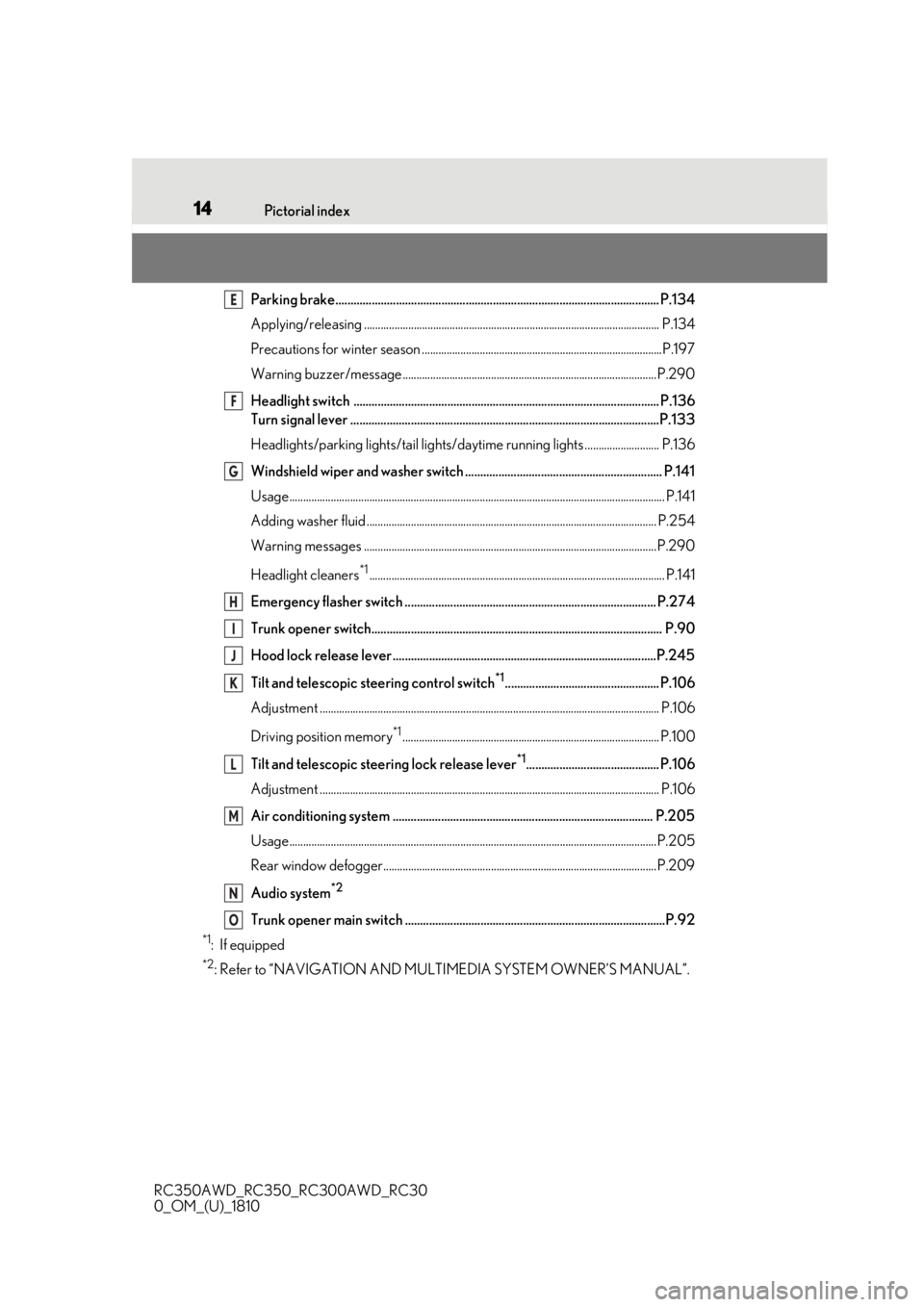
Parking brake........................................................................................................... P.134
Applying/releasing ........................................................................................................... P. 134
Precautions for winter season ..... ..................................................................................P.197
Warning buzzer/message............................................................................................P.290
Headlight switch ..................................................................................................... P.136
Turn signal lever ......................................................................................................P.133
Headlights/parking lights/tail lights/daytime running lights ........................... P.136
Windshield wiper and washer switch ................................................................. P.141
Usage........................................................................................................................................ P.141
Adding washer fluid ......................................................................................................... P.2 54
Warning messages ..........................................................................................................P.290
Headlight cleaners
*1........................................................................................................... P.141
Emergency flasher switch ................................................................................... P.274
Trunk opener switch................................................................................................ P.90
Hood lock release lever .......................................................................................P.245
Tilt and telescopic steering control switch
*1................................................... P.106
Adjustment ..................................................................................................................... ...... P.106
Driving position memory
*1............................................................................................. P.100
Tilt and telescopic steeri ng lock release lever
*1............................................ P.106
Adjustment ..................................................................................................................... ...... P.106
Air conditioning system ...................................................................................... P.205
Usage.......................................................................................................................... ...........P.205
Rear window defogger...................................................................................................P.209
Audio system
*2
Trunk opener main switch ......................................................................................P.92
*1: If equipped
*2: Refer to “NAVIGATION AND MULTIMEDIA SYSTEM OWNER’S MANUAL”.
E
F
G
H
I
J
K
L
M
N
O
Page 84 of 390
843-1. Key information
RC350AWD_RC350_RC300AWD_RC30
0_OM_(U)_1810
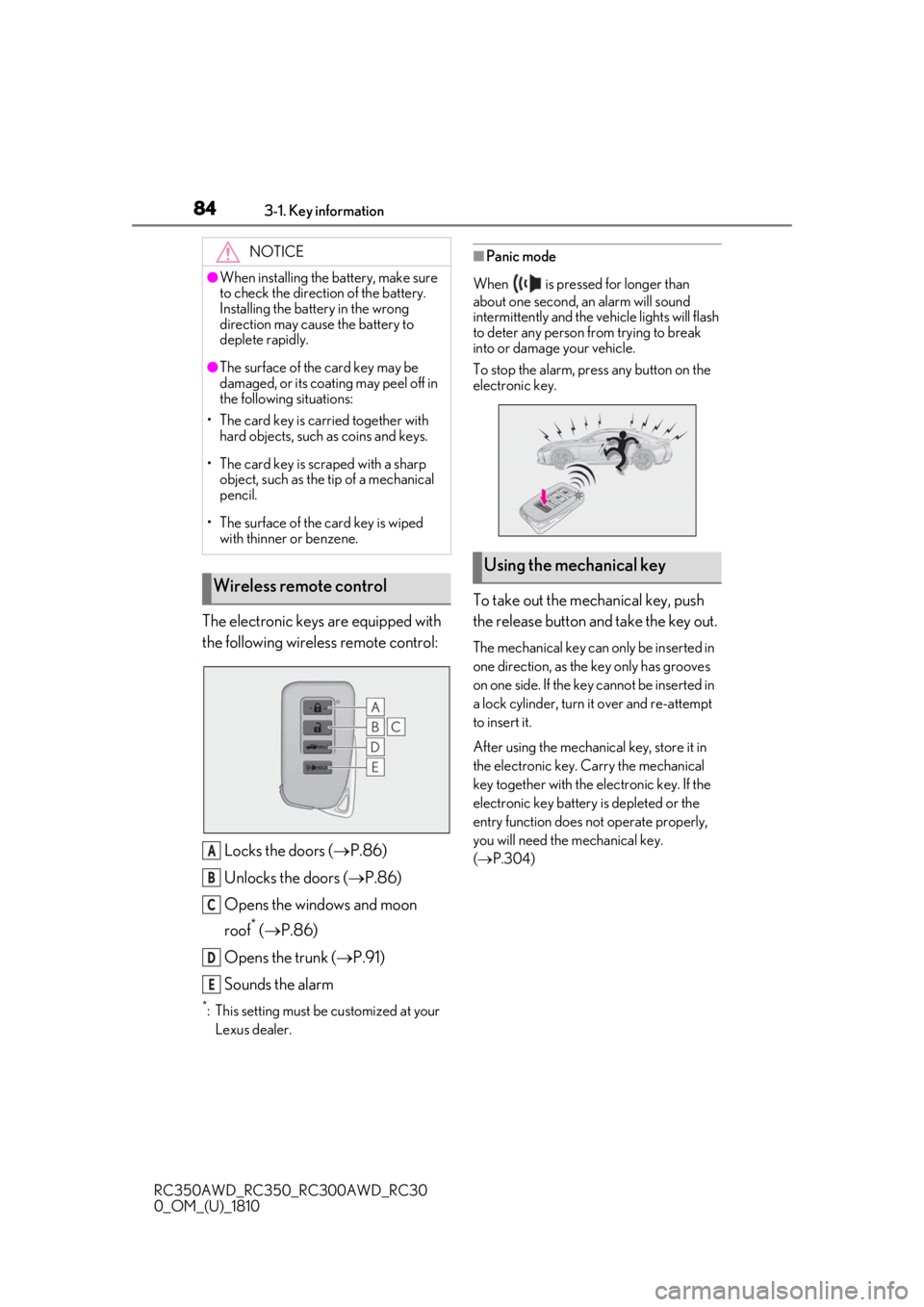
The electronic keys are equipped with
the following wireless remote control:Locks the doors ( P.86)
Unlocks the doors ( P.86)
Opens the windows and moon
roof
* ( P.86)
Opens the trunk ( P.91)
Sounds the alarm
*: This setting must be customized at your
Lexus dealer.
■Panic mode
When is pressed for longer than
about one second, an alarm will sound
intermittently and the vehicle lights will flash
to deter any person from trying to break
into or damage your vehicle.
To stop the alarm, press any button on the
electronic key.
To take out the mechanical key, push
the release button and take the key out.
The mechanical key can only be inserted in
one direction, as the key only has grooves
on one side. If the key cannot be inserted in
a lock cylinder, turn it over and re-attempt
to insert it.
After using the mechanical key, store it in
the electronic key. Carry the mechanical
key together with the electronic key. If the
electronic key battery is depleted or the
entry function does not operate properly,
you will need the mechanical key.
( P.304)
NOTICE
●When installing the ba
ttery, make sure
to check the direction of the battery.
Installing the battery in the wrong
direction may cause the battery to
deplete rapidly.
●The surface of the card key may be
damaged, or its coating may peel off in
the following situations:
• The card key is carried together with hard objects, such as coins and keys.
• The card key is scraped with a sharp object, such as the tip of a mechanical
pencil.
• The surface of the card key is wiped with thinner or benzene.
Wireless remote control
A
B
C
D
E
Using the mechanical key
Page 86 of 390
863-2. Opening, closing and locking the doors and trunk
RC350AWD_RC350_RC300AWD_RC30
0_OM_(U)_1810
3-2.Opening, closing and locking the doors and trunk
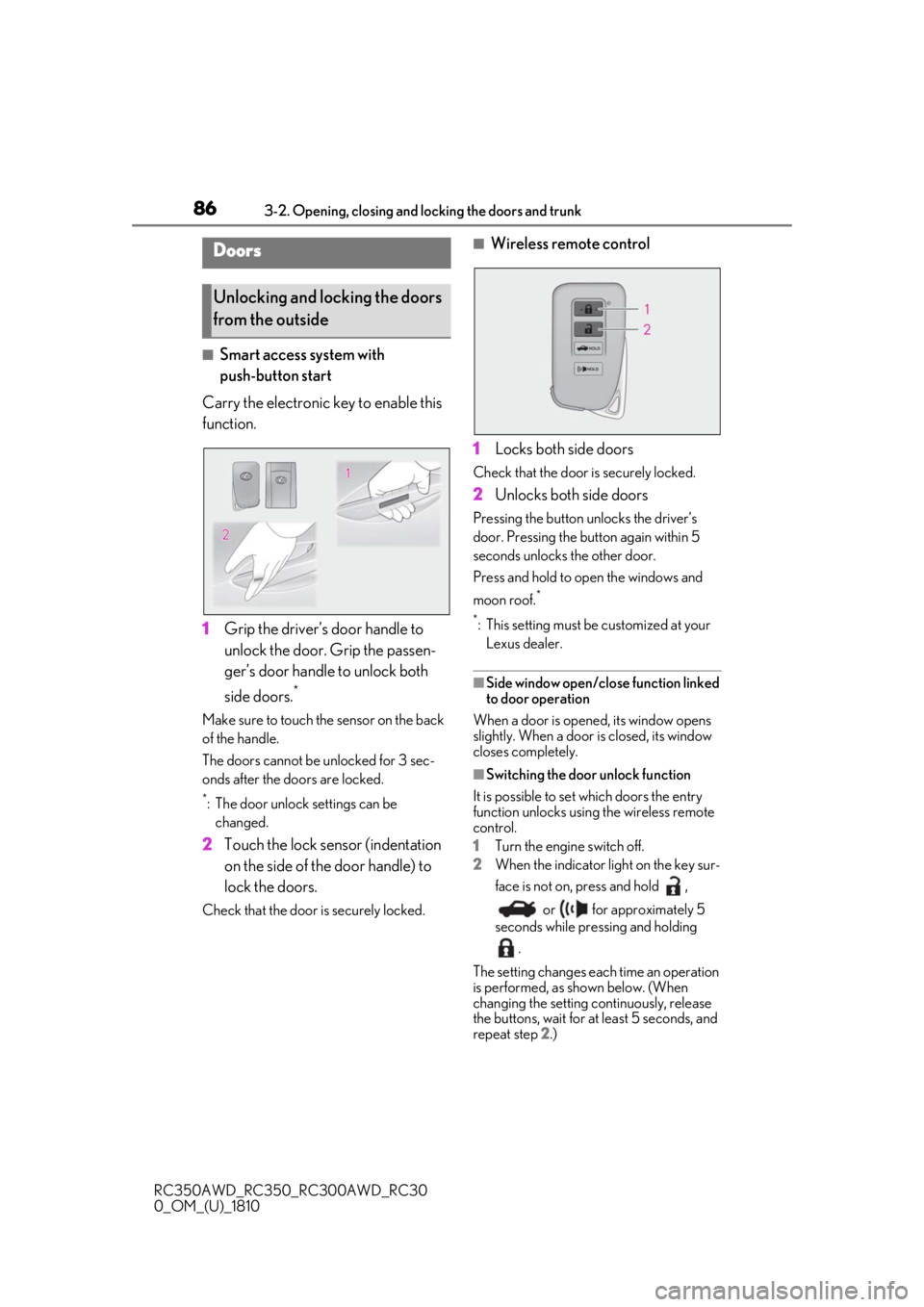
■Smart access system with
push-button start
Carry the electronic key to enable this
function.
1 Grip the driver’s door handle to
unlock the door. Grip the passen-
ger’s door handle to unlock both
side doors.
*
Make sure to touch the sensor on the back
of the handle.
The doors cannot be unlocked for 3 sec-
onds after the doors are locked.
*: The door unlock settings can be
changed.
2 Touch the lock sensor (indentation
on the side of the door handle) to
lock the doors.
Check that the door is securely locked.
■Wireless remote control
1 Locks both side doors
Check that the door is securely locked.
2Unlocks both side doors
Pressing the button unlocks the driver’s
door. Pressing the button again within 5
seconds unlocks the other door.
Press and hold to open the windows and
moon roof.
*
*
: This setting must be customized at your Lexus dealer.
■Side window open/close function linked
to door operation
When a door is opened, its window opens
slightly. When a door is closed, its window
closes completely.
■Switching the door unlock function
It is possible to set which doors the entry
function unlocks using the wireless remote
control.
1 Turn the engine switch off.
2 When the indicator light on the key sur-
face is not on, press and hold ,
or for approximately 5
seconds while pre ssing and holding
.
The setting changes each time an operation
is performed, as shown below. (When
changing the setting continuously, release
the buttons, wait for at least 5 seconds, and
repeat step 2 .)
Doors
Unlocking and locking the doors
from the outside
Page 87 of 390
873-2. Opening, closing and locking the doors and trunk
RC350AWD_RC350_RC300AWD_RC30
0_OM_(U)_1810
3
Before driving
To prevent unintended triggering of the
alarm, unlock the doors using the wireless
remote control and open and close a door
once after the settings have been changed.
(If a door is not opened within 60 seconds
after is pressed, the doors will be
locked again and the alarm will automati-
cally be set.)
In a case that the alarm is triggered, imme-
diately stop the alarm. ( P.58)
■Impact detection door lock release sys-
tem
In the event that the vehicle is subject to a
strong impact, both side doors are
unlocked. Depending on the force of the
impact or the type of accident, however, the
system may not operate.
■Operation signals
A buzzer sounds and the emergency flash-
ers flash to indicate that the doors have
been locked/unlocked. (Locked: once;
Unlocked: twice)
A buzzer sounds to indicate that the win-
dows and moon roof are operating.
■Welcome light illumination control
The side marker, parking, tail and license
plate lights automatically turn on at night when the doors are unlocked using the
entry function or wireless remote control if
the light switch is in the position.
■Security feature
If a door is not opened within approximately
60 seconds after the vehicle is unlocked,
the security feature automatically locks the
vehicle again.
■When the door cannot be locked by the
lock sensor on the surface of the door
handle
Use your palm to touch the lock sensor.
■Open door warning buzzer
If an attempt to lock the doors is made when
a door is not fully closed, a buzzer sounds
continuously for 5 seconds. Fully close the
door to stop the buzzer, and lock the vehi-
cle once more.
■Setting the alarm
Locking the doors will set the alarm system.
( P.58)
■Conditions affecting the operation of
the smart access system with push-but-
ton start or wireless remote control
P.94
■If the smart access system with
push-button start or the wireless remote
control does not operate properly
Use the mechanical key and/or inside lock
buttons to lock and unlock the doors.
( P.304)
Replace the key battery with a new one if it
is depleted. ( P.265)
■Customization
Some functions can be customized.
( P.339)
Multi-information
display/BeepUnlocking function
Exterior: Beeps 3 times
Interior: Pings once
Holding the driver’s
door handle unlocks
only the driver’s
door.
Holding the passen-
ger’s door handle
unlocks both side
doors.
Exterior: Beeps twice
Interior: Pings once
Holding either door
handle unlocks both
side doors.
Page 91 of 390
913-2. Opening, closing and locking the doors and trunk
RC350AWD_RC350_RC300AWD_RC30
0_OM_(U)_1810
3
Before driving
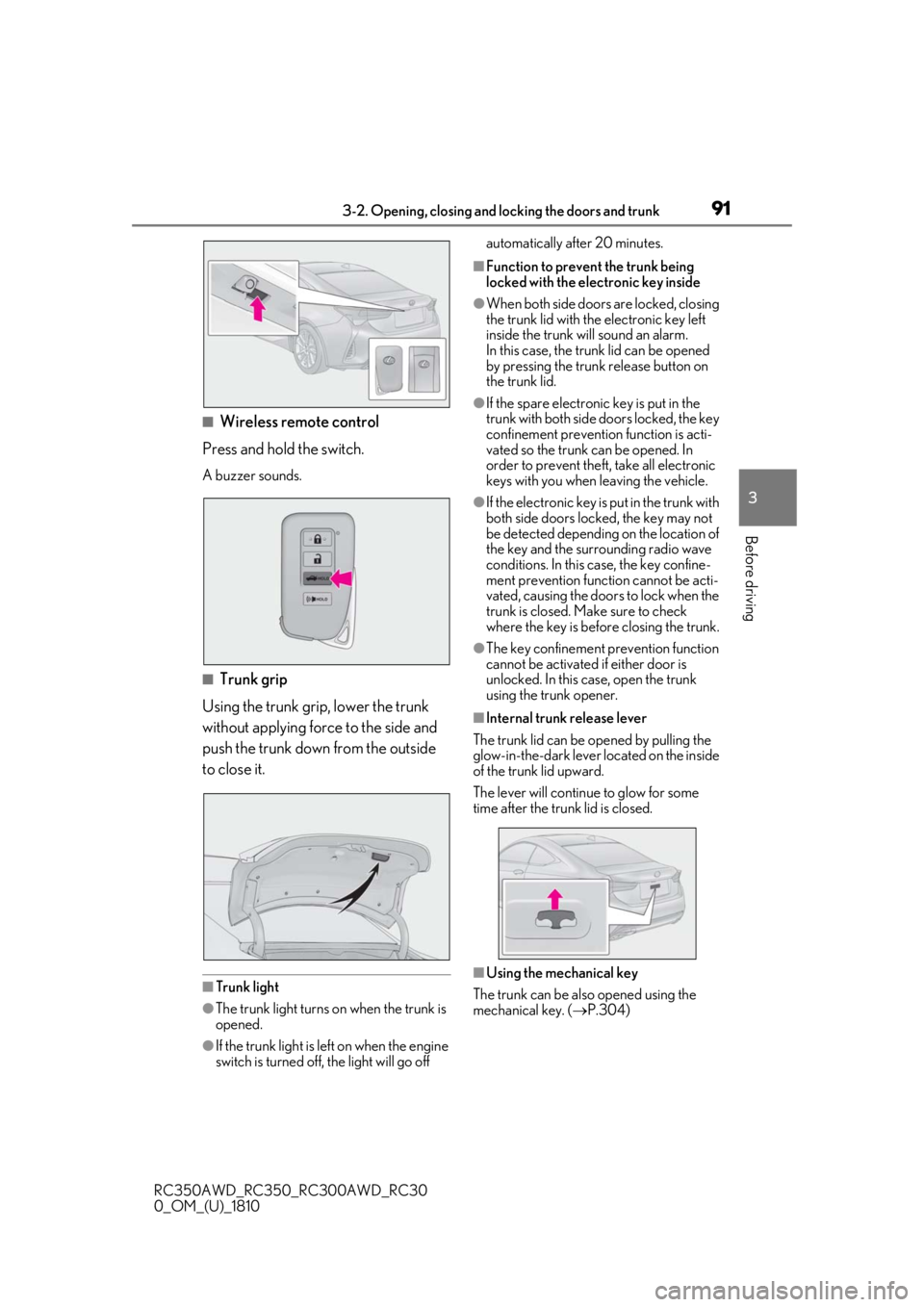
■Wireless remote control
Press and hold the switch.
A buzzer sounds.
■Trunk grip
Using the trunk grip, lower the trunk
without applying force to the side and
push the trunk down from the outside
to close it.
■Trunk light
●The trunk light turns on when the trunk is
opened.
●If the trunk light is left on when the engine
switch is turned off, the light will go off automatically after 20 minutes.
■Function to prevent the trunk being
locked with the electronic key inside
●When both side doors are locked, closing
the trunk lid with the electronic key left
inside the trunk will sound an alarm.
In this case, the trun
k lid can be opened
by pressing the trunk release button on
the trunk lid.
●If the spare electronic key is put in the
trunk with both side doors locked, the key
confinement prevention function is acti-
vated so the trunk can be opened. In
order to prevent theft, take all electronic
keys with you when leaving the vehicle.
●If the electronic key is put in the trunk with
both side doors locked, the key may not
be detected depending on the location of
the key and the surrounding radio wave
conditions. In this case, the key confine-
ment prevention function cannot be acti-
vated, causing the doors to lock when the
trunk is closed. Make sure to check
where the key is before closing the trunk.
●The key confinement prevention function
cannot be activated if either door is
unlocked. In this case, open the trunk
using the trunk opener.
■Internal trunk release lever
The trunk lid can be opened by pulling the
glow-in-the-dark lever located on the inside
of the trunk lid upward.
The lever will continue to glow for some
time after the trunk lid is closed.
■Using the mechanical key
The trunk can be also opened using the
mechanical key. ( P.304)
Page 93 of 390
933-2. Opening, closing and locking the doors and trunk
RC350AWD_RC350_RC300AWD_RC30
0_OM_(U)_1810
3
Before driving
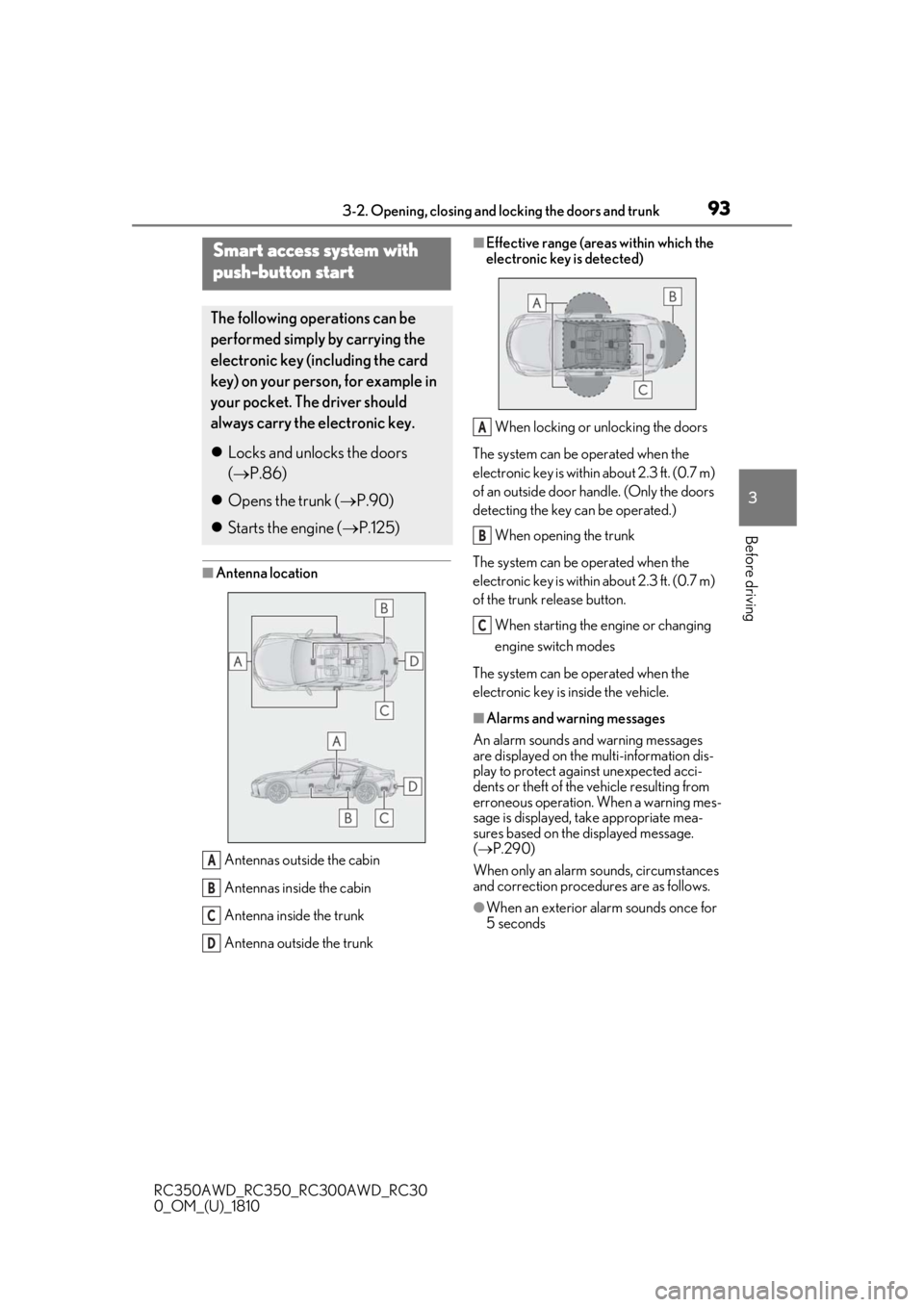
■Antenna location Antennas outside the cabin
Antennas inside the cabin
Antenna inside the trunk
Antenna outside the trunk
■Effective range (areas within which the
electronic key is detected)When locking or unlocking the doors
The system can be operated when the
electronic key is within about 2.3 ft. (0.7 m)
of an outside door handle. (Only the doors
detecting the key can be operated.)
When opening the trunk
The system can be operated when the
electronic key is within about 2.3 ft. (0.7 m)
of the trunk release button.
When starting the engine or changing
engine switch modes
The system can be operated when the
electronic key is inside the vehicle.
■Alarms and warning messages
An alarm sounds and warning messages
are displayed on the multi-information dis-
play to protect against unexpected acci-
dents or theft of the vehicle resulting from
erroneous operation. When a warning mes-
sage is displayed, take appropriate mea-
sures based on the displayed message.
( P.290)
When only an alarm sounds, circumstances
and correction procedures are as follows.
●When an exterior alarm sounds once for
5 seconds
Smart access system with
push-button start
The following operations can be
performed simply by carrying the
electronic key (including the card
key) on your person, for example in
your pocket. The driver should
always carry the electronic key.
Locks and unlocks the doors
( P.86)
Opens the trunk ( P.90)
Starts the engine ( P.125)
A
B
C
D
A
B
C
Page 100 of 390
1003-3. Adjusting the seats
RC350AWD_RC350_RC300AWD_RC30
0_OM_(U)_1810
P.92
*: If equipped
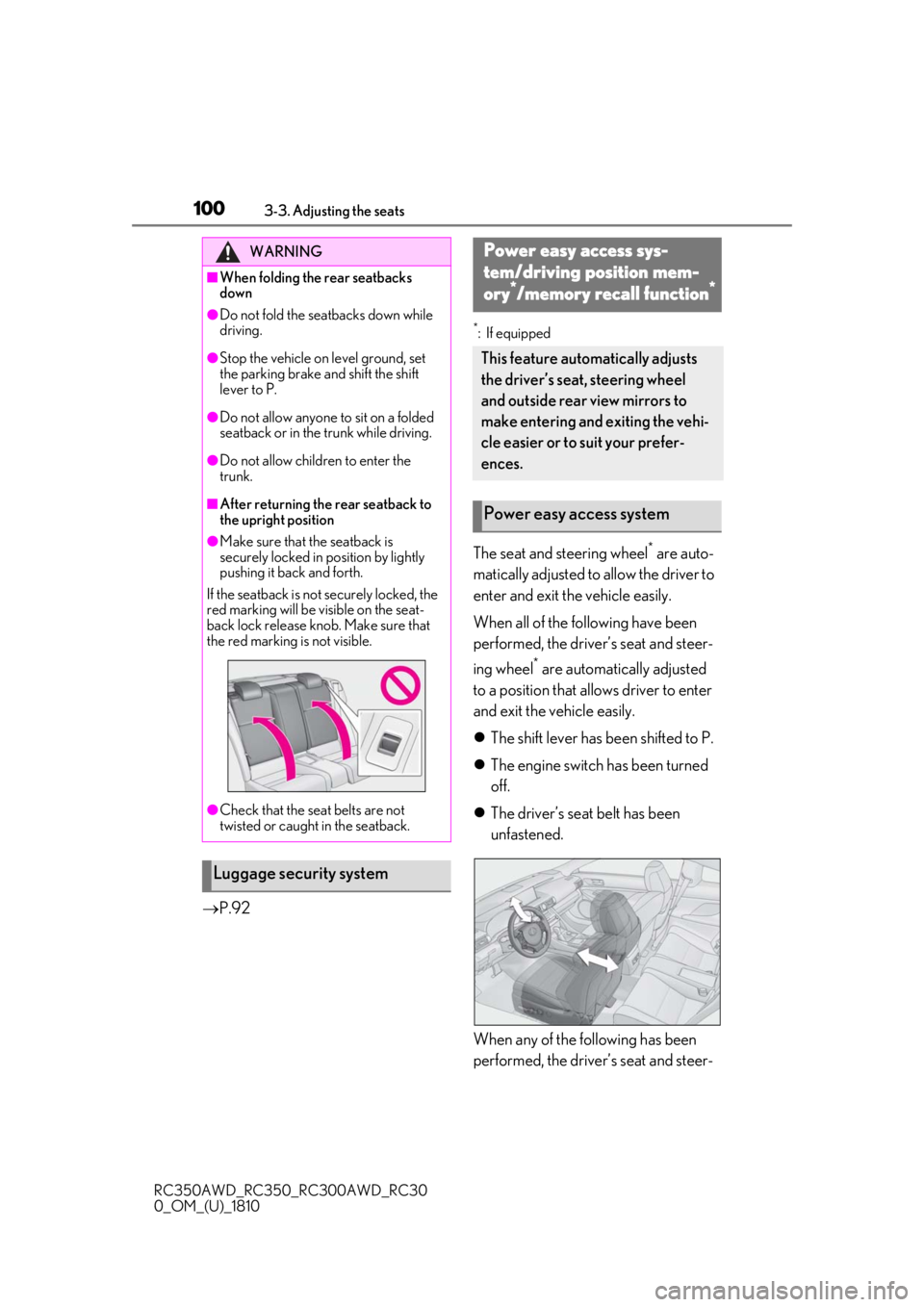
The seat and steering wheel* are auto-
matically adjusted to allow the driver to
enter and exit the vehicle easily.
When all of the following have been
performed, the driver’s seat and steer-
ing wheel
* are automatically adjusted
to a position that allows driver to enter
and exit the vehicle easily.
The shift lever has been shifted to P.
The engine switch has been turned
off.
The driver’s seat belt has been
unfastened.
When any of the following has been
performed, the driver’s seat and steer-
WARNING
■When folding the rear seatbacks
down
●Do not fold the seatbacks down while
driving.
●Stop the vehicle on level ground, set
the parking brake and shift the shift
lever to P.
●Do not allow anyone to sit on a folded
seatback or in the trunk while driving.
●Do not allow children to enter the
trunk.
■After returning the rear seatback to
the upright position
●Make sure that the seatback is
securely locked in position by lightly
pushing it back and forth.
If the seatback is not securely locked, the
red marking will be visible on the seat-
back lock release knob. Make sure that
the red marking is not visible.
●Check that the seat belts are not
twisted or caught in the seatback.
Luggage security system
Power easy access sys-
tem/driving position mem-
ory*/memory recall function*
This feature automatically adjusts
the driver’s seat, steering wheel
and outside rear view mirrors to
make entering and exiting the vehi-
cle easier or to suit your prefer-
ences.
Power easy access system
Page 137 of 390
1374-3. Operating the lights and wipers
RC350AWD_RC350_RC300AWD_RC30
0_OM_(U)_1810
4
Driving
that blocks the sensor is affixed to the wind-
shield.
Doing so interferes with the sensor detect-
ing the level of ambient light and may cause
the automatic headlight system to malfunc-
tion.
■Automatic light off system
When the light switch is in , or : The headlights and tail lights turn off
30 seconds after the engine switch is
turned to ACCESSORY mode or turned
off and a door is opened and all of the doors
and trunk are closed. (The lights turn off
immediately if on the key is pressed
twice after both side doors are closed.)
To turn the lights on again, turn the engine
switch to IGNITION ON mode, or turn the
light switch off once and then back to
or .
If any of the doors or trunk lid is left open,
the lights automatically turn off after 20
minutes.
■Light reminder buzzer
A buzzer sounds when the engine switch is
turned off or turned to ACCESSORY
mode and the driver’s door is opened while
the lights are turned on.
■Automatic headlight leveling system
The level of the headlights is automatically
adjusted according to the number of pas-
sengers and the loading condition of the
vehicle to ensure that the headlights do not
interfere with other road users.
■Customization
Some functions can be customized.
( P.339)
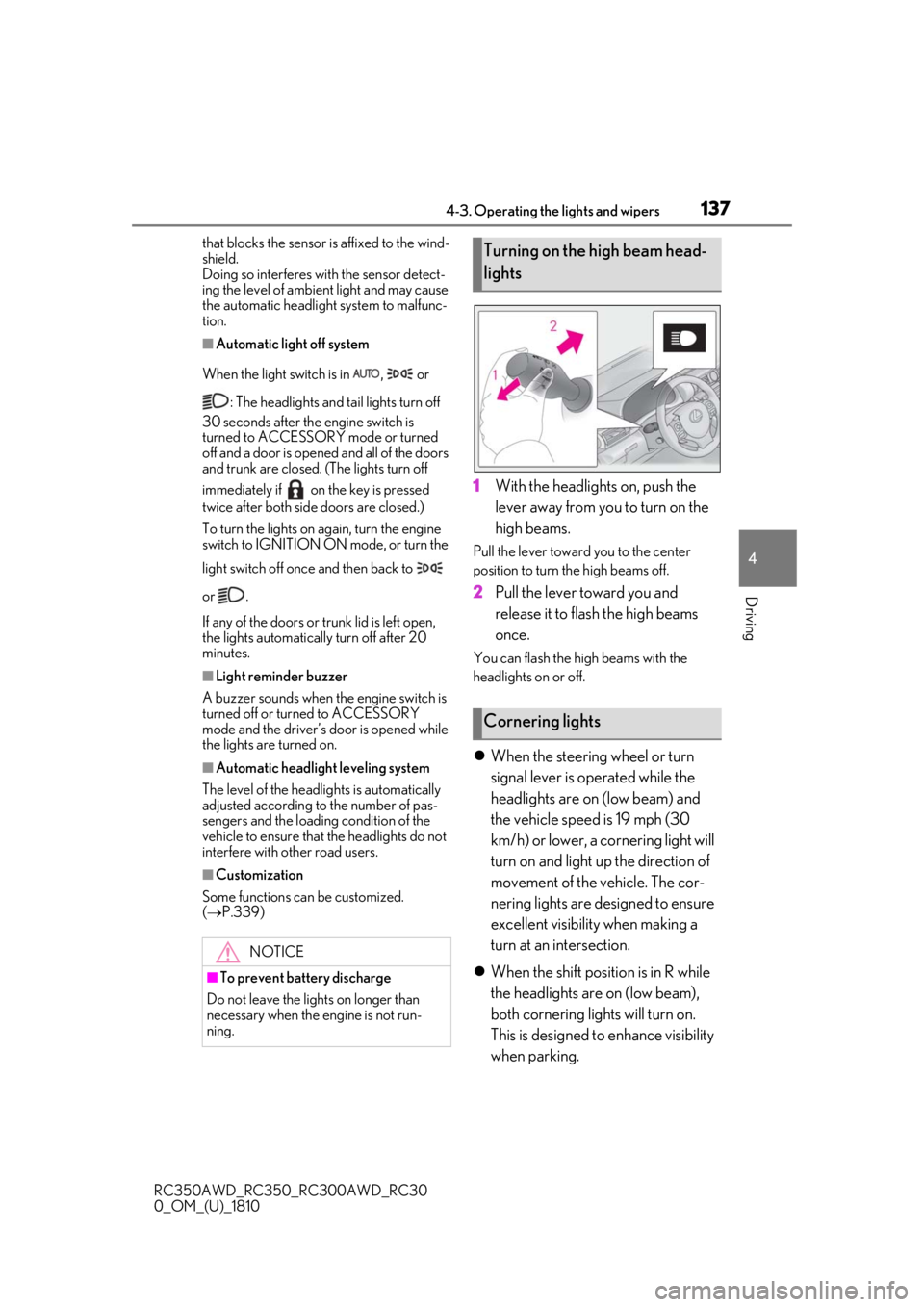
1With the headlights on, push the
lever away from you to turn on the
high beams.
Pull the lever toward you to the center
position to turn the high beams off.
2Pull the lever toward you and
release it to flash the high beams
once.
You can flash the high beams with the
headlights on or off.
When the steering wheel or turn
signal lever is operated while the
headlights are on (low beam) and
the vehicle speed is 19 mph (30
km/h) or lower, a cornering light will
turn on and light up the direction of
movement of the vehicle. The cor-
nering lights are designed to ensure
excellent visibility when making a
turn at an intersection.
When the shift position is in R while
the headlights are on (low beam),
both cornering lights will turn on.
This is designed to enhance visibility
when parking.
NOTICE
■To prevent battery discharge
Do not leave the lights on longer than
necessary when the engine is not run-
ning.
Turning on the high beam head-
lights
Cornering lights
Page 282 of 390
2807-2. Steps to take in an emergency
RC350AWD_RC350_RC300AWD_RC30
0_OM_(U)_1810
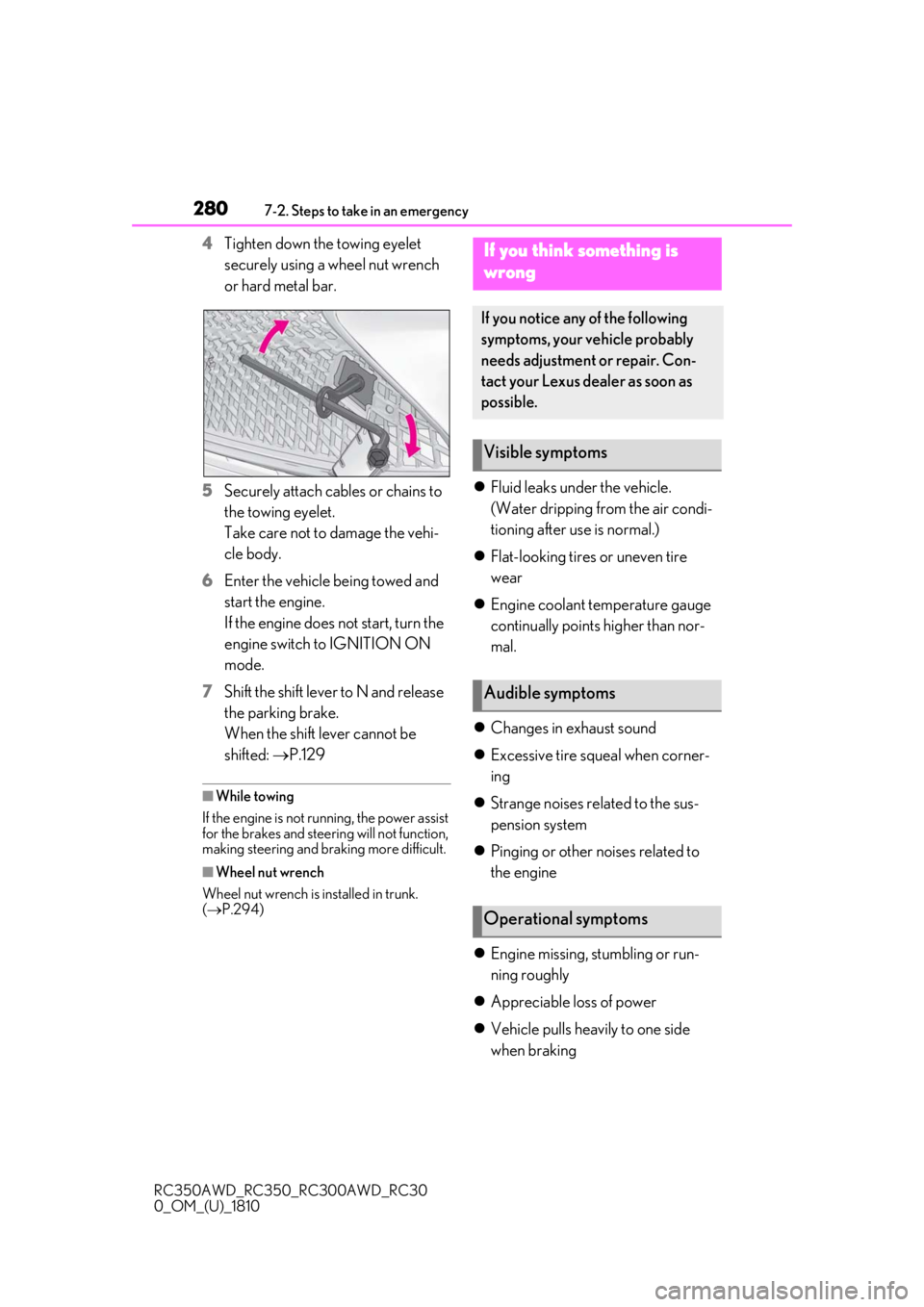
4Tighten down the towing eyelet
securely using a wheel nut wrench
or hard metal bar.
5 Securely attach cables or chains to
the towing eyelet.
Take care not to damage the vehi-
cle body.
6 Enter the vehicle being towed and
start the engine.
If the engine does not start, turn the
engine switch to IGNITION ON
mode.
7 Shift the shift lever to N and release
the parking brake.
When the shift lever cannot be
shifted: P.129
■While towing
If the engine is not running, the power assist
for the brakes and steering will not function,
making steering and braking more difficult.
■Wheel nut wrench
Wheel nut wrench is installed in trunk.
( P.294)
Fluid leaks under the vehicle.
(Water dripping from the air condi-
tioning after use is normal.)
Flat-looking tires or uneven tire
wear
Engine coolant temperature gauge
continually points higher than nor-
mal.
Changes in exhaust sound
Excessive tire squeal when corner-
ing
Strange noises related to the sus-
pension system
Pinging or other noises related to
the engine
Engine missing, stumbling or run-
ning roughly
Appreciable loss of power
Vehicle pulls heavily to one side
when braking
If you think something is
wrong
If you notice any of the following
symptoms, your vehicle probably
needs adjustment or repair. Con-
tact your Lexus dealer as soon as
possible.
Visible symptoms
Audible symptoms
Operational symptoms
Page 373 of 390
3711-1. What to do if... (Troubleshooting)
RC350AWD_RC350_RC300AWD_RC30
0_OM_(U)_1810371What to do if... (Troubleshooting)
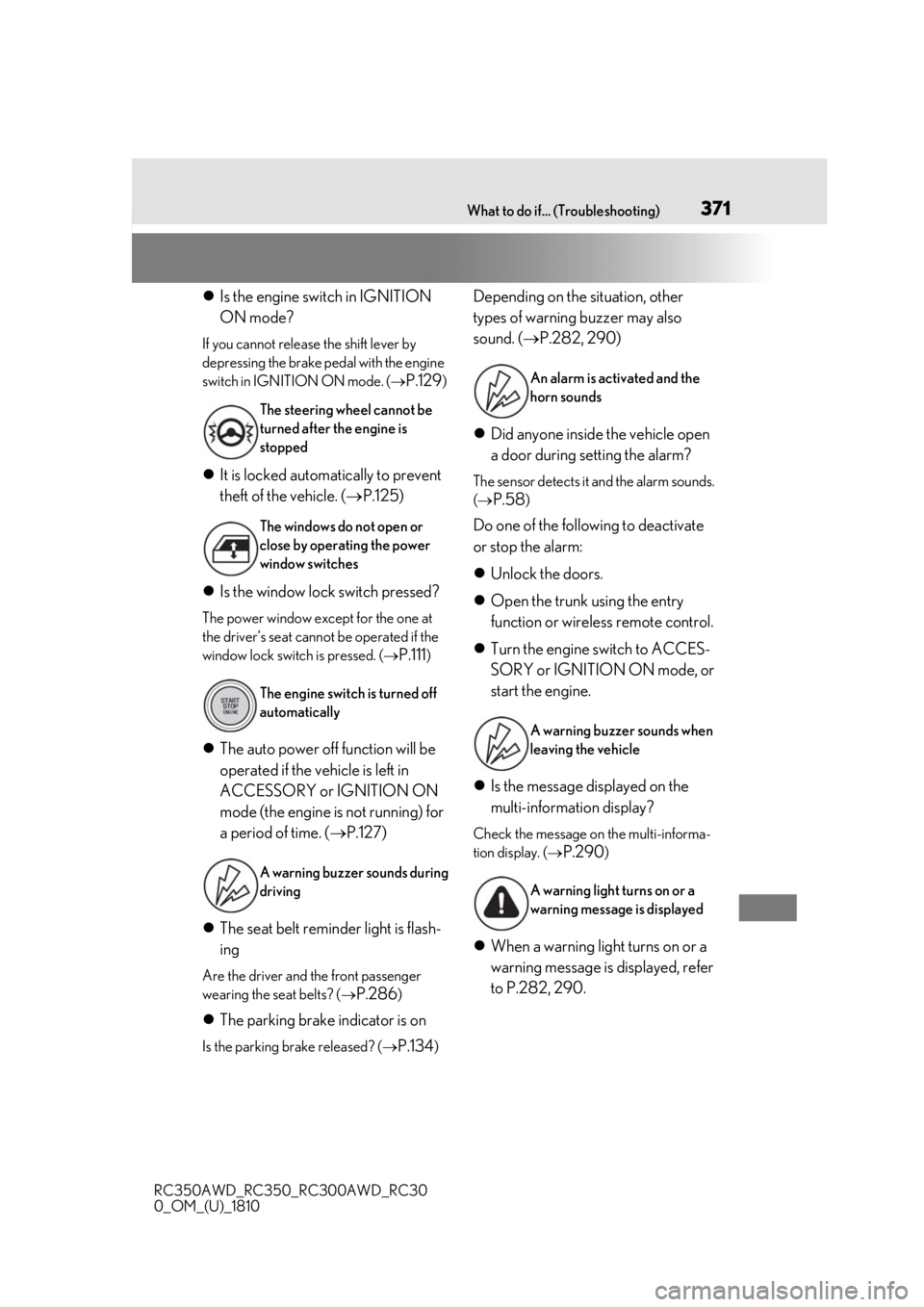
Is the engine switch in IGNITION
ON mode?
If you cannot release the shift lever by
depressing the brake pedal with the engine
switch in IGNITION ON mode. (
P.129)
It is locked automatically to prevent
theft of the vehicle. ( P.125)
Is the window lock switch pressed?
The power window except for the one at
the driver’s seat cannot be operated if the
window lock switch is pressed. (
P.111)
The auto power off function will be
operated if the vehicle is left in
ACCESSORY or IGNITION ON
mode (the engine is not running) for
a period of time. ( P.127)
The seat belt reminder light is flash-
ing
Are the driver and the front passenger
wearing the seat belts? (
P.286)
The parking brake indicator is on
Is the parking brake released? ( P.134)
Depending on the situation, other
types of warning buzzer may also
sound. (P.282, 290)
Did anyone inside the vehicle open
a door during setting the alarm?
The sensor detects it and the alarm sounds.
(
P.58)
Do one of the following to deactivate
or stop the alarm:
Unlock the doors.
Open the trunk using the entry
function or wireless remote control.
Turn the engine switch to ACCES-
SORY or IGNITION ON mode, or
start the engine.
Is the message displayed on the
multi-information display?
Check the message on the multi-informa-
tion display. (
P.290)
When a warning light turns on or a
warning message is displayed, refer
to P.282, 290.
The steering wheel cannot be
turned after the engine is
stopped
The windows do not open or
close by operating the power
window switches
The engine switch is turned off
automatically
A warning buzzer sounds during
driving
An alarm is activated and the
horn sounds
A warning buzzer sounds when
leaving the vehicle
A warning light turns on or a
warning message is displayed