fuel consumption LEXUS RC300 2021 Owners Manual
[x] Cancel search | Manufacturer: LEXUS, Model Year: 2021, Model line: RC300, Model: LEXUS RC300 2021Pages: 400, PDF Size: 7.9 MB
Page 2 of 400
2TABLE OF CONTENTS
For your information ......................................5
Reading this manual ....................................... 9
How to search ............................................... 10
Pictorial index .................................................. 11
1-1. For safe use Before driving .................................... 22
For safe driving.................................. 23
Seat belts ............................................. 24
SRS airbags ....................................... 28
Front passenger occupant classifi- cation system ................................. 36
Riding with children........................ 40
Child restraint systems ................. 40
Exhaust gas precautions ................ 51
1-2. LEXUS Enform Lexus Enform Safety Connect ... 52
1-3. Theft deterrent system Engine immobilizer system ......... 56
Alarm.................................................... 57
Theft prevention labels (U.S.A.) .............................................................. 59
2-1. Instrument cluster Warning lights and indicators ..... 62
Gauges and meters ....................... 66
Multi-information display............... 71
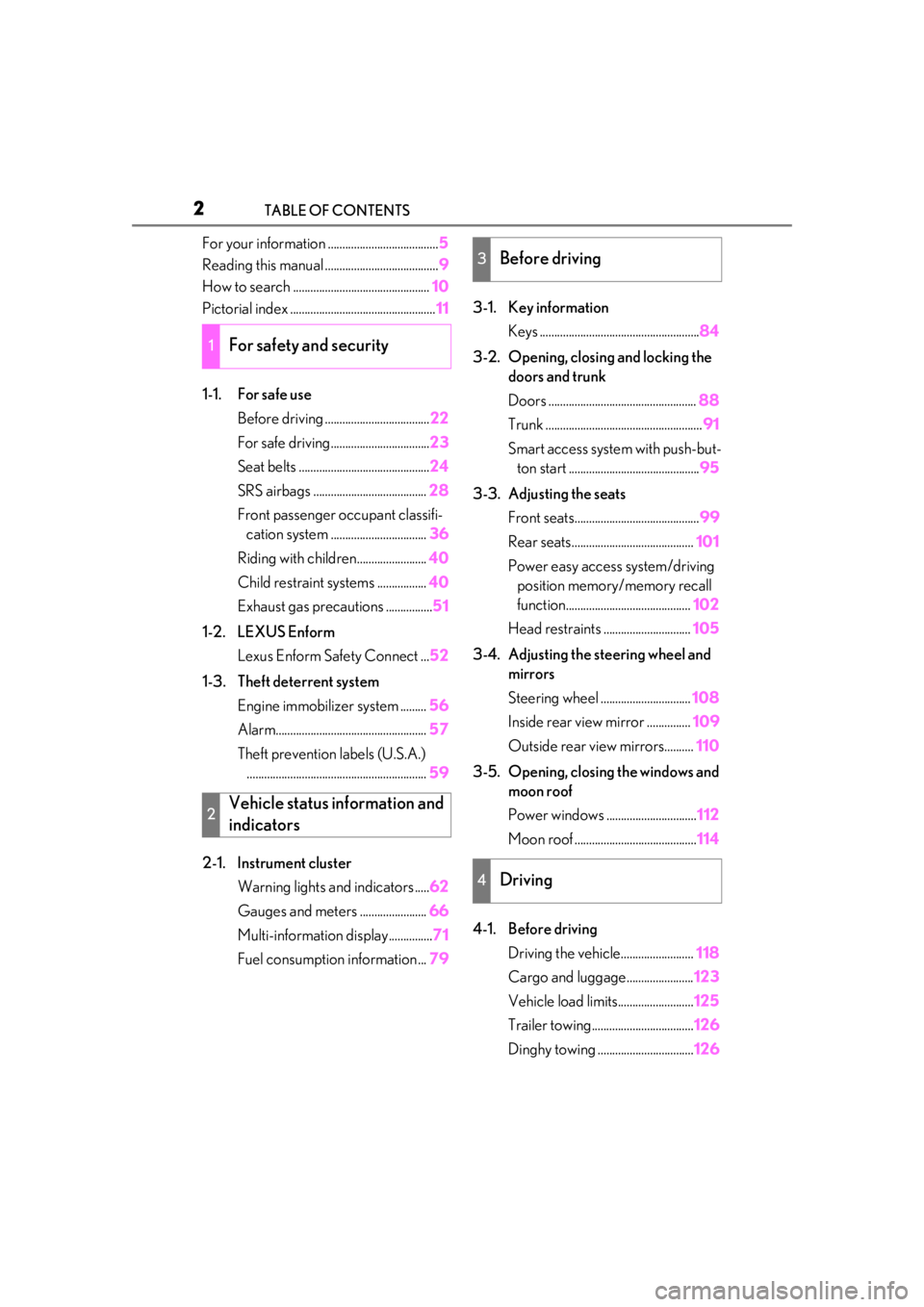
Fuel consumption information ... 793-1. Key information
Keys ....................................................... 84
3-2. Opening, closing and locking the doors and trunk
Doors ................................................... 88
Trunk ...................................................... 91
Smart access system with push-but- ton start ............................................. 95
3-3. Adjusting the seats Front seats........................................... 99
Rear seats.......................................... 101
Power easy access system/driving position memory/memory recall
function........................................... 102
Head restraints .............................. 105
3-4. Adjusting the steering wheel and mirrors
Steering wheel ............................... 108
Inside rear view mirror ............... 109
Outside rear view mirrors.......... 110
3-5. Opening, closing the windows and moon roof
Power windows ............................... 112
Moon roof .......................................... 114
4-1. Before driving Driving the vehicle......................... 118
Cargo and luggage....................... 123
Vehicle load limits.......................... 125
Trailer towing................................... 126
Dinghy towing ................................. 126
1For safety and security
2Vehicle status information and
indicators
3Before driving
4Driving
Page 61 of 400
61
2
2
Vehicle status information and indicators
Vehicle status informationand indicators
.2-1. Instrument cluster
Warning lights and indicators........................................................... 62
Gauges and meters .................... 66
Multi-information display............ 71
Fuel consumption information ........................................................... 79
Page 73 of 400
732-1. Instrument cluster
2
Vehicle status information and indicators
changed to a registered screen of your
choice.
To register a screen as the top screen,
display the desired screen and press
and hold .
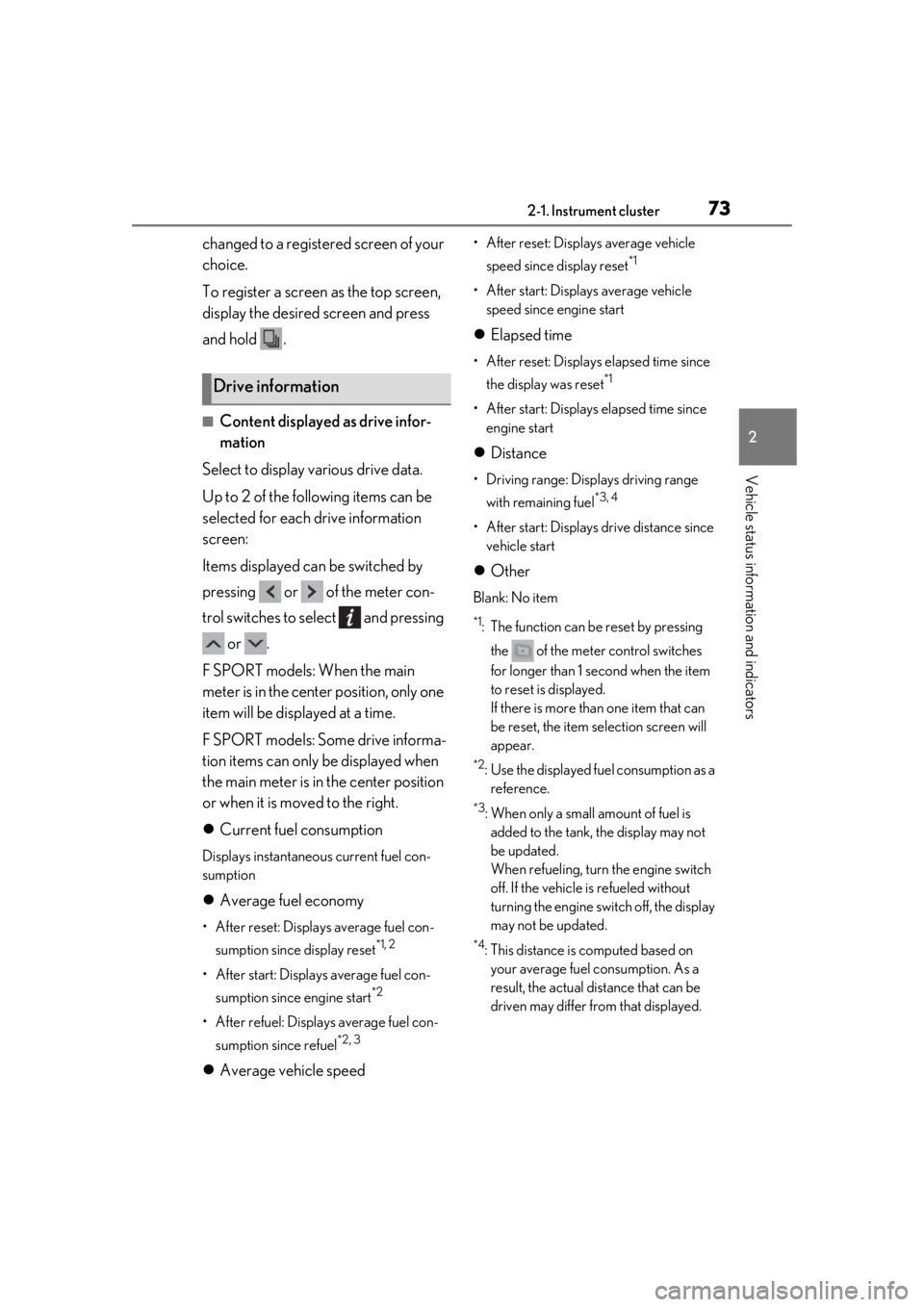
■Content displayed as drive infor-
mation
Select to display various drive data.
Up to 2 of the following items can be
selected for each drive information
screen:
Items displayed can be switched by
pressing or of the meter con-
trol switches to select and pressing or .
F SPORT models: When the main
meter is in the center position, only one
item will be displayed at a time.
F SPORT models: Some drive informa-
tion items can only be displayed when
the main meter is in the center position
or when it is moved to the right.
Current fuel consumption
Displays instantaneous current fuel con-
sumption
Average fuel economy
• After reset: Displays average fuel con-
sumption since display reset
*1, 2
• After start: Displays average fuel con-sumption since engine start
*2
• After refuel: Displays average fuel con-sumption since refuel
*2, 3
Average vehicle speed
• After reset: Displays average vehicle
speed since display reset
*1
• After start: Displays average vehicle speed since engine start
Elapsed time
• After reset: Displays elapsed time since
the display was reset
*1
• After start: Displays elapsed time since engine start
Distance
• Driving range: Displays driving range
with remaining fuel
*3, 4
• After start: Displays drive distance since vehicle start
Other
Blank: No item
*1: The function can be reset by pressing
the of the meter control switches
for longer than 1 second when the item
to reset is displayed.
If there is more than one item that can
be reset, the item selection screen will
appear.
*2: Use the displayed fuel consumption as a reference.
*3: When only a small amount of fuel is added to the tank, the display may not
be updated.
When refueling, turn the engine switch
off. If the vehicle is refueled without
turning the engine switch off, the display
may not be updated.
*4: This distance is computed based on your average fuel consumption. As a
result, the actual distance that can be
driven may differ from that displayed.
Drive information
Page 79 of 400
792-1. Instrument cluster
2
Vehicle status information and indicators
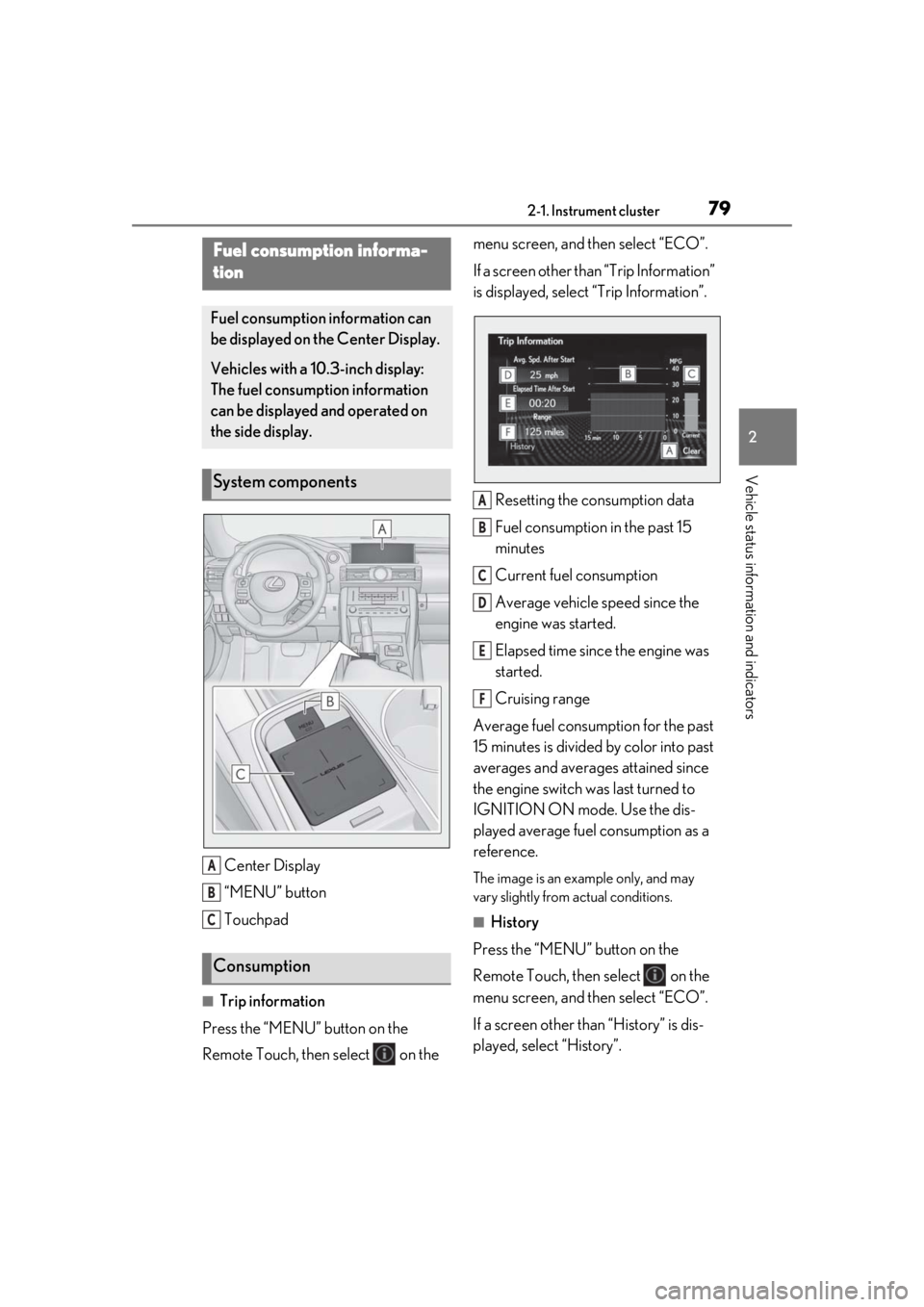
Center Display
“MENU” button
Touchpad
■Trip information
Press the “MENU” button on the
Remote Touch, then select on the menu screen, and then select “ECO”.
If a screen other than “Trip Information”
is displayed, select
“Trip Information”.
Resetting the consumption data
Fuel consumption in the past 15
minutes
Current fuel consumption
Average vehicle speed since the
engine was started.
Elapsed time since the engine was
started.
Cruising range
Average fuel consumption for the past
15 minutes is divided by color into past
averages and averages attained since
the engine switch was last turned to
IGNITION ON mode. Use the dis-
played average fuel consumption as a
reference.
The image is an example only, and may
vary slightly from actual conditions.
■History
Press the “MENU” button on the
Remote Touch, then select on the
menu screen, and then select “ECO”.
If a screen other than “History” is dis-
played, select “History”.
Fuel consumption informa-
tion
Fuel consumption information can
be displayed on the Center Display.
Vehicles with a 10.3-inch display:
The fuel consumption information
can be displayed and operated on
the side display.
System components
Consumption
A
B
C
A
B
C
D
E
F
Page 80 of 400
802-1. Instrument cluster
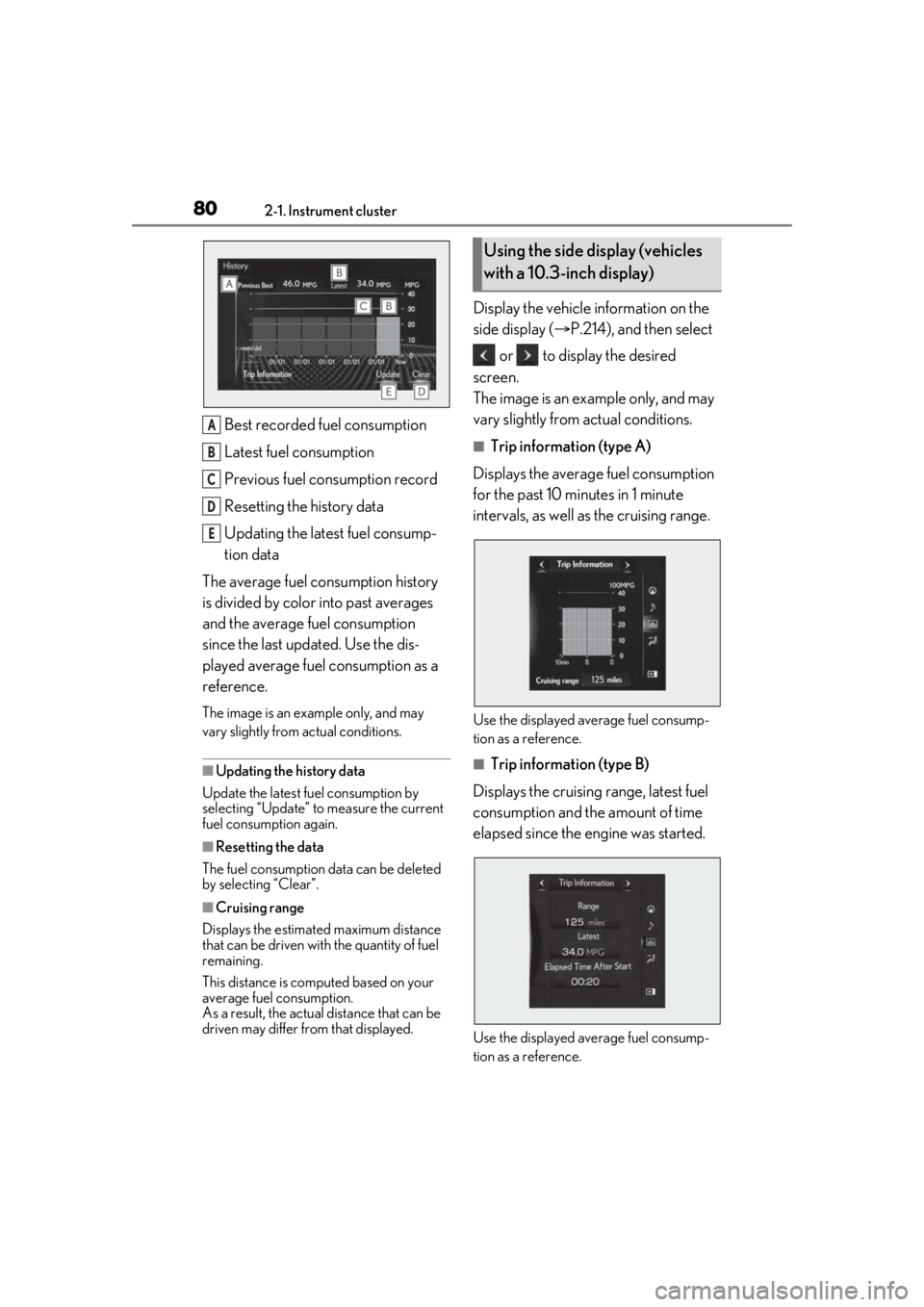
Best recorded fuel consumption
Latest fuel consumption
Previous fuel consumption record
Resetting the history data
Updating the latest fuel consump-
tion data
The average fuel consumption history
is divided by color into past averages
and the average fuel consumption
since the last updated. Use the dis-
played average fuel consumption as a
reference.
The image is an example only, and may
vary slightly from actual conditions.
■Updating the history data
Update the latest fuel consumption by
selecting “Updat e” to measure the current
fuel consumption again.
■Resetting the data
The fuel consumption data can be deleted
by selecting “Clear”.
■Cruising range
Displays the estimated maximum distance
that can be driven with the quantity of fuel
remaining.
This distance is comp uted based on your
average fuel consumption.
As a result, the actual distance that can be
driven may differ from that displayed.
Display the vehicle information on the
side display ( P.214), and then select
or to display the desired
screen.
The image is an example only, and may
vary slightly from actual conditions.
■Trip information (type A)
Displays the average fuel consumption
for the past 10 minutes in 1 minute
intervals, as well as the cruising range.
Use the displayed average fuel consump-
tion as a reference.
■Trip information (type B)
Displays the cruising range, latest fuel
consumption and the amount of time
elapsed since the engine was started.
Use the displayed average fuel consump-
tion as a reference.
A
B
C
D
E
Using the side display (vehicles
with a 10.3-inch display)
Page 81 of 400
812-1. Instrument cluster
2
Vehicle status information and indicators
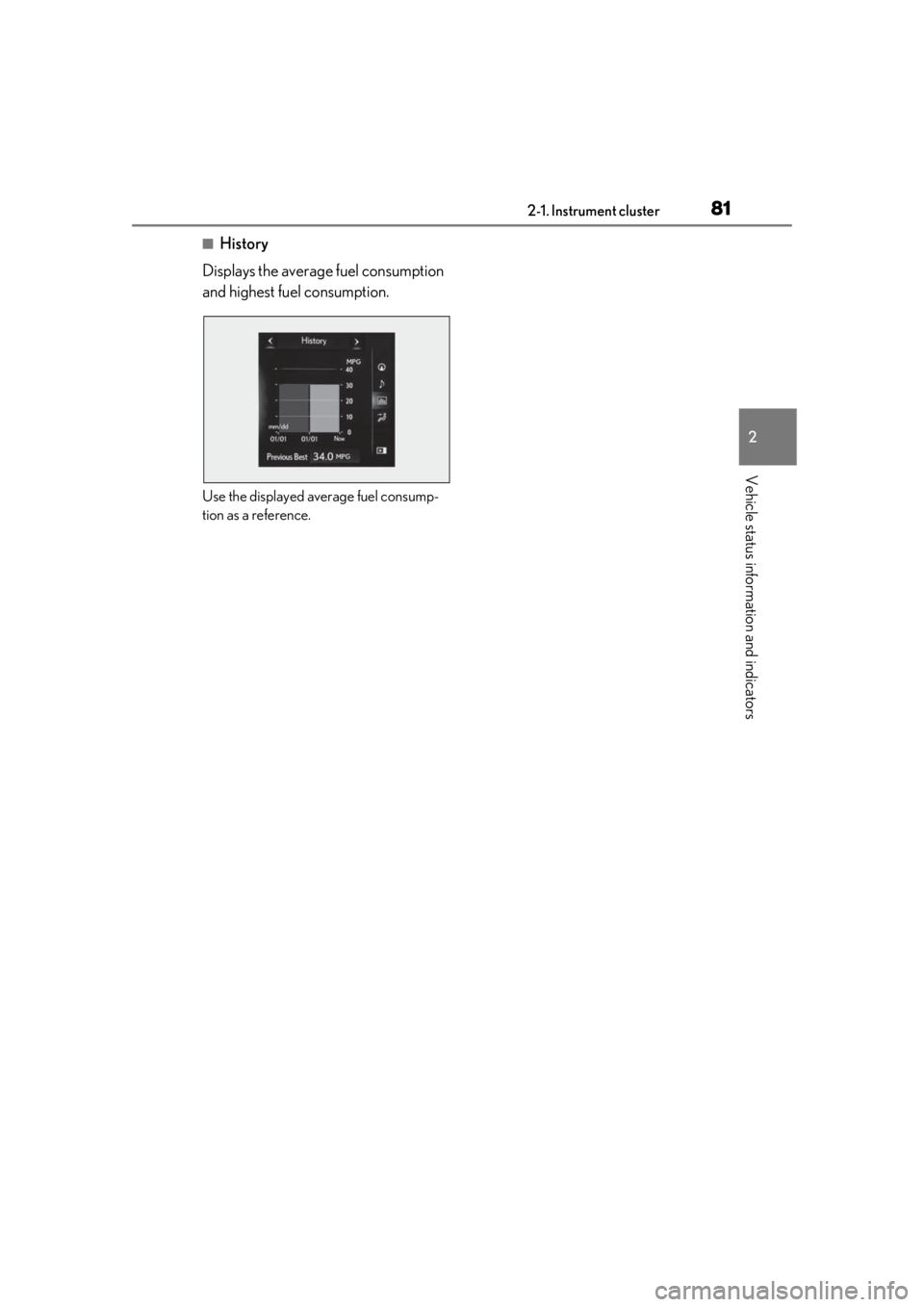
■History
Displays the average fuel consumption
and highest fuel consumption.
Use the displayed average fuel consump-
tion as a reference.
Page 213 of 400
2135-1. Remote Touch/Display
5
Interior features
*1: Refer to the “NAVIGATION AND MULTIMEDIA SYSTEM OWNER’S
MANUAL”.
*2: This function is not available on some models.
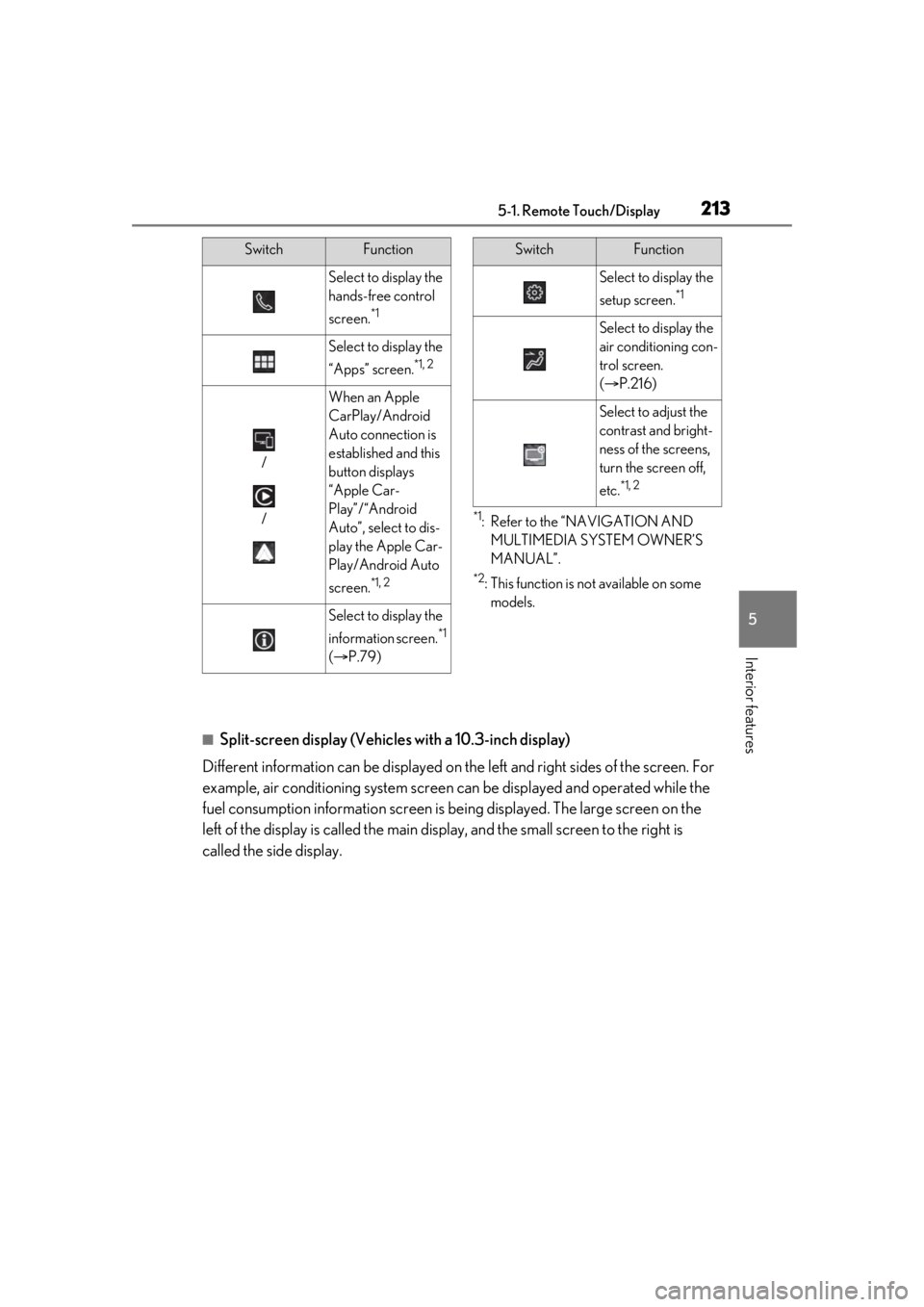
■Split-screen display (Vehicles with a 10.3-inch display)
Different information can be displayed on the left and right sides of the screen. For
example, air conditioning system screen can be displayed and operated while the
fuel consumption information screen is be ing displayed. The large screen on the
left of the display is called the main display, and the small screen to the right is
called the side display.
Select to display the
hands-free control
screen.
*1
Select to display the
“Apps” screen.
*1, 2
/
/
When an Apple
CarPlay/Android
Auto connection is
established and this
button displays
“Apple Car-
Play”/“Android
Auto”, select to dis-
play the Apple Car-
Play/Android Auto
screen.
*1, 2
Select to display the
information screen.
*1
( P.79)
SwitchFunction
Select to display the
setup screen.
*1
Select to display the
air conditioning con-
trol screen.
( P.216)
Select to adjust the
contrast and bright-
ness of the screens,
turn the screen off,
etc.
*1, 2
SwitchFunction
Page 220 of 400
2205-2. Using the air conditioning system
your Lexus dealer.
*: The doors that can recall the driving position memory are changed at the
same time.
■Using automatic mode
Fan speed is adjusted automatically accord-
ing to the temperature setting and the
ambient conditions.
Therefore, the fan may stop for a while until
warm or cool air is ready to flow immedi-
ately after is pressed or “AUTO” is
selected.
■Using the voice command system
Air conditioning system can be operated
using voice commands. Fo r details, refer to
the “NAVIGATION AND MULTIMEDIA
SYSTEM OWNER’S MANUAL”.
■Fogging up of the windows
The windows will easily fog up when the
humidity in the vehicle is high. Turning (“A/C”) on will dehumidify the air
from the outlets and defog the windshield
effectively.
●If you turn (“A/C”) off, the win-
dows may fog up more easily.
●The windows may fog up if the recircu-
lated air mode is used.
■When driving on dusty roads
Close all windows. If dust thrown up by the
vehicle is still drawn into the vehicle after
closing the windows, it is recommended
that the air intake mode be set to outside air
mode and the fan speed to any setting
except off.
■Outside/recirculated air mode
●Setting to the recirculated air mode tem-
porarily is recommended in preventing
dirty air from entering the vehicle interior
and helping to cool the vehicle when the
outside air temperature is high.
●Outside/recirculated air mode may auto-
matically switch de pending on the tem-
perature setting or the inside
temperature.
■When the outside temperature exceeds
75°F (24°C) and the air conditioning
system is on
●In order to reduce the air conditioning
power consumption, the air conditioning
system may switch to recirculated air
mode automatically. This may also
reduce fuel consumption.
●Recirculated air mode is selected as a
default mode when the engine switch is
turned to IGNITION ON mode.
●It is possible to switch to outside air mode
at any time by pressing
.
■Automatic mode for air intake control
In automatic mode, the system detects
exhaust gas and other pollutants and auto-
matically switches between outside air and
recirculated air modes.
When the dehumidification function is off,
and the fan is operating, turning automatic
mode on will activate the dehumidification
function.
■Operation of the air conditioning sys-
tem in Eco drive mode
In Eco drive mode, the air conditioning sys-
tem is controlled as follows to prioritize fuel
efficiency:
●Engine speed and compressor operation
controlled to restrict heating/cooling
capacity
●Fan speed restricted when automatic
mode is selected
To improve air condit ioning performance,
perform the following operations:
●Adjust the fan speed
●Turn off Eco drive mode
■When the outside temperature falls to
nearly 32°F (0°C)
The dehumidification function may not
operate even when is pressed or
“A/C” is selected.
■Ventilation and air conditioning odors
●To let fresh air in, set the air conditioning
system to the outside air mode.
Page 386 of 400

386Alphabetical Index
CareExterior ........................................................... 242
Interior ............................................................. 245
Seat belts........................................................ 245
Wheels and wheel ornaments............ 242
Cargo capacity...............................................125
Cargo hooks ................................................. 229
Center Display ............................................... 212
Chains .............................................................. 206
Child restraint system Child seats definition................................... 40
Child seats installation........................ 44, 47
Front passenger occupant classification system ............................................................. 36
Installing a CRS to the front passenger seat ....................................................................42
Installing CRS with LATCH anchors . 48
Installing CRS with top tether strap.....50
Riding with children ..................................... 40
Types of child restraint system installation method ............................................................. 41
Using an anchor bracket .......................... 49
Child safety Airbag precautions.......................................32
Battery precautions ........................ 264, 321
Child restraint system.......................... 40, 41
Heated steering wheel or seat heater precautions................................................ 223
How your child should wear the seat belt ............................................................................ 25
Installing child restraints ............................ 40
Moon roof precautions ............................. 116
Power window lock switch...................... 113
Seat belt extender precautions ............. 25
Seat belt precautions .................................. 40
Trunk precautions .......................................... 91
Cleaning Exterior ........................................................... 242
Interior ............................................................. 245
Radar sensor................................................. 158
Seat belts........................................................ 245
Wheels and wheel ornaments............ 242 Clock ........................................................66, 230
Clock settings ............................................... 230
Coat hooks..................................................... 230
Compass ......................................................... 237
Condenser ..................................................... 262
Console box .................................................. 228
Consumption screen .....................................79
Cooling system............................................. 260
Engine overheating................................... 322
Cornering lights .............................................143 Replacing light bulbs ................................282
Cruise control Dynamic radar cruise control with full-speed range ........................................176
Cup holders ................................................... 228
Current fuel consumption ...........................73
Curtain shield airbags .................................. 28
Customizable features ................................351
D
Daytime running light system ................... 142
Daytime running lights Replacing light bulbs ................................282
Defogger Outside rear view mirrors.......................219
Rear window ..................................................219
Windshield ......................................................219
Differential Front differential oil............. .......................333
Rear differential oil......... ..................... .......333
Dimension ...................................................... 328
Dinghy towing.................................................126
Display Center Display .............................................. 212
Drive information .......................................... 73
LDA (Lane Departure Alert with steering control) ........................................................... 171
Multi-information display ............................ 71
Warning messages.................................. 305
Distance until next engine oil change .... 70
Do-it-yourself maintenance .................... 249
Door courtesy lights ................................... 225
Page 388 of 400

388Alphabetical Index
If the engine will not start .........................314
If your vehicle has to be stopped in an
emergency ................................................286
Ignition switch (engine switch) ............. 127
Overheating................................................. 322
Tachometer ..................................................... 66
Engine coolant Capacity ......................................................... 332
Checking .......................................................260
Preparing and checking before winter.........................................................................205
Engine coolant temperature gauge ....... 66
Engine immobilizer system ........................ 56
Engine oil Capacity .........................................................330
Checking .......................................................258
Preparing and checking before winter.........................................................................205
Warning light ............................................... 296
Engine oil maintenance data .................. 260
Engine oil pressure gauge ...........................74
Engine oil temperature gauge ...................74
Engine switch .................................................. 127 Auto power off function .......................... 130
Changing the engine switch modes.. 129
If your vehicle has to be stopped in an
emergency ................................................286
EPS (Electric Power Steering) ................201 Warning light ............................................... 297
Event data recorder (EDR) ............................6
F
First-aid kit storage belt ............................ 229
Flat tire Tire pressure warning system .............268
Vehicles with a spare tire ...................... 307
Floor mats ...........................................................22
Fluid Automatic transmission .......................... 333
Brake.................................................... 262, 334
Washer ........................................................... 264
Footwell light ................................................. 225 Front passenger occupant classification
system .............................................................. 36
Front position lights Wattage ......................................................... 338
Front seats Adjustment ....................................................... 99
Cleaning .........................................................245
Correct driving posture ............................ 23
Driving position memory ........................ 102
Head restraints............................................. 105
Memory recall function............................ 104
Power easy access system .................... 102
Seat heaters .................................................. 223
Seat position memory .............................. 102
Seat ventilators ............................................ 223
Front side marker light Light switch .....................................................142
Front turn signal lights Replacing light bulbs ................................282
Turn signal lever .......................................... 136
Wattage ......................................................... 338
Fuel Capacity ........................................................ 330
Fuel gauge ........................................................ 66
Fuel pump shut off system..................... 294
Information ....................................................339
Refueling.......................................................... 155
Type ................................................................. 330
Warning light ...............................................299
Fuel consumption Average fuel economy .............................. 73
Current fuel consumption ........................ 73
Fuel filler door If the fuel filler do or cannot be opened
........................................................................... 316
Refueling.......................................................... 155
Fuel gauge ......................................................... 66
Fuel pump shut off system........................ 294
Fuses ................................................................. 278
G
Garage door opener ................................. 232