display LEXUS RC300H 2017 Owners Manual
[x] Cancel search | Manufacturer: LEXUS, Model Year: 2017, Model line: RC300H, Model: LEXUS RC300H 2017Pages: 640, PDF Size: 35.53 MB
Page 429 of 640
4295-12. Other function
5
Lexus Display Audio system
RC300h_EE(OM24740E)
You can register desired contacts to enable the speech command system. Up to
50 contacts per phone can be registered.
Go to “Voice tags”: “Setup” “Telephone” “Contact/call history
settings” “Voice tag” “New” or “Edit”
Select the desired contact.
Move the controller to the left and then select “REC”.
Say the registered voice tag.
To play the registered voice, select “Play”.
■Deleting a voice tag Display the “Voice tags” screen.
Select “Delete” and then the desired contact.
Move the controller to the left and then select “Delete”.
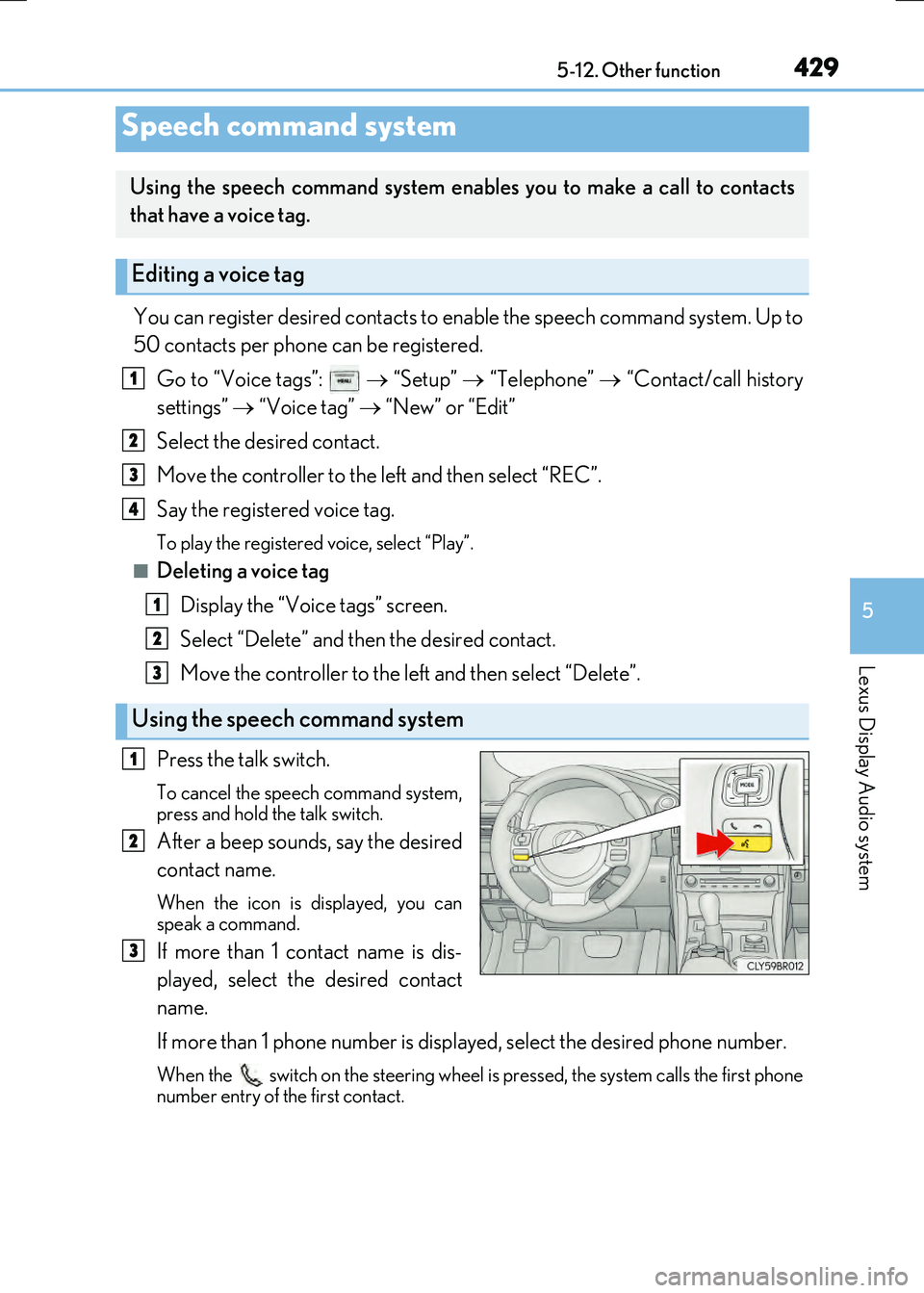
Press the talk switch.
To cancel the speech command system,
press and hold the talk switch.
After a beep sounds, say the desired
contact name.
When the icon is displayed, you can
speak a command.
If more than 1 contact name is dis-
played, select the desired contact
name.
If more than 1 phone number is displayed, select the desired phone number.
When the switch on the steering wheel is pressed, the system calls the first phone
number entry of the first contact.
Speech command system
Using the speech command system enables you to make a call to contacts
that have a voice tag.
Editing a voice tag
Using the speech command system
1
2
3
4
1
2
3
1
2
3
Page 432 of 640
432
RC300h_EE(OM24740E)
6-1. Using the air conditioning system
Automatic air conditioning system
Air outlets and fan speed are automatically adjusted according to the tem-
perature setting.
Vehicles with a Lexus Display Audio system: Press the “MENU” button on the
Lexus Display Audio controller, then sele ct “Climate” to display the air condi-
tioning operation screen.
For details on the Lexus Display Audio controller, refer to “Lexus Display
Audio controller” on P. 346.
Vehicles with a navigation or multimedia system: Press the “MENU” button on
the Remote Touch, then select “Climate” to display the air conditioning con-
trol screen.
For details on the Remote Touch, refer to the “NAVIGATION AND MULTI-
MEDIA SYSTEM OWNER’S MANUAL”.
The illustrations below are for left-hand drive vehicles.
The button positions and shapes will di ffer for right-hand drive vehicles.
Also, the display and button positions will differ depending on the type of the
system.
Page 435 of 640
4356-1. Using the air conditioning system
6
Interior features
RC300h_EE(OM24740E)
■Other functions
●Switching between outside air and recirculated air modes (P. 438)
●Defogging the windshield (P. 438)
●Defogging the rear window and outside rear view mirrors (P. 438)
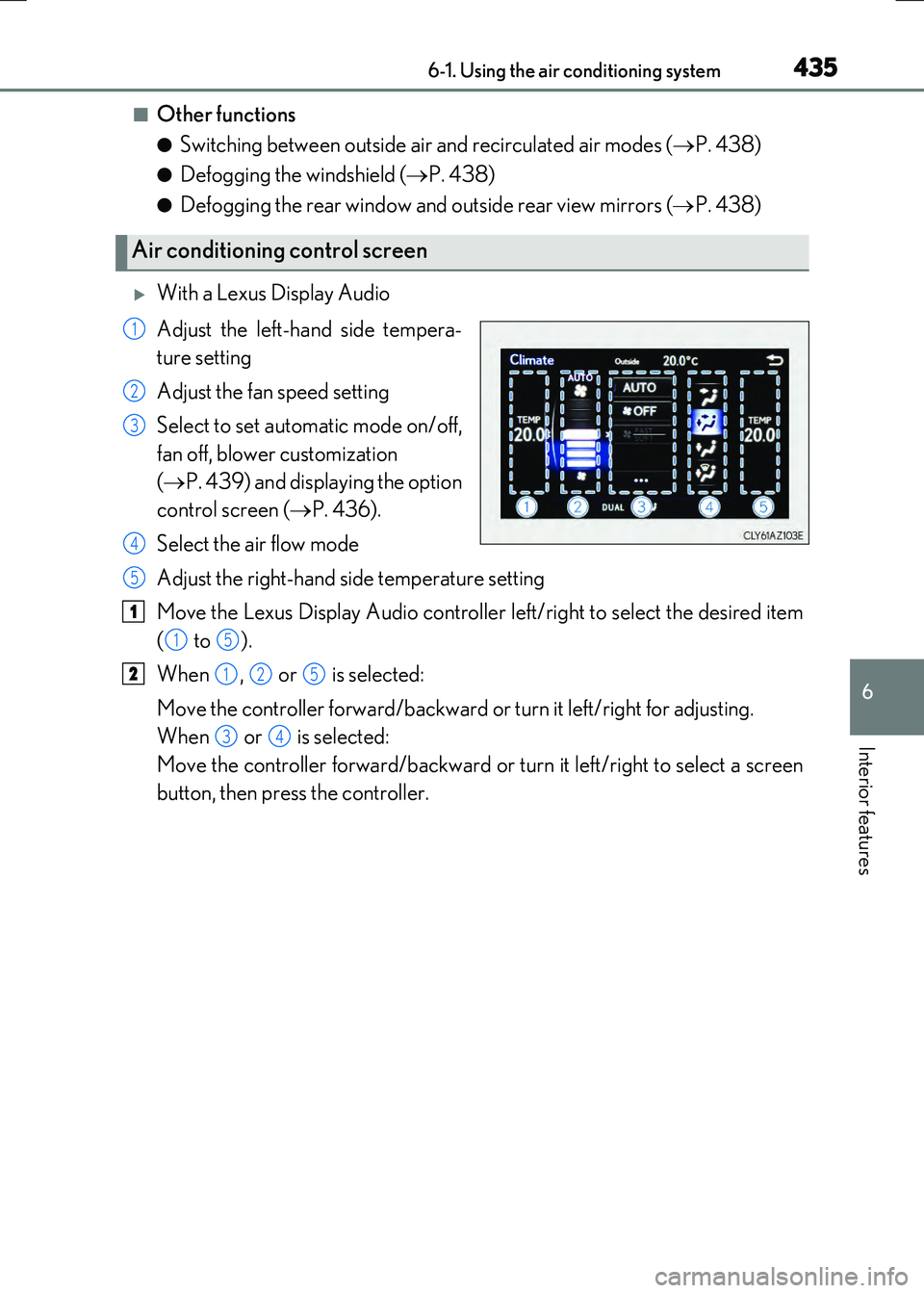
With a Lexus Display Audio
Adjust the left-hand side tempera-
ture setting
Adjust the fan speed setting
Select to set automatic mode on/off,
fan off, blower customization
( P. 439) and displaying the option
control screen ( P. 436).
Select the air flow mode
Adjust the right-hand side temperature setting
Move the Lexus Display Audio controller left/right to select the desired item
( to ).
When , or is selected:
Move the controller forward/backward or turn it left/right for adjusting.
When or is selected:
Move the controller forward/backward or turn it left/right to select a screen
button, then press the controller.
Air conditioning control screen
1
2
3
4
5
1
15
2125
34
Page 436 of 640
4366-1. Using the air conditioning system
RC300h_EE(OM24740E)
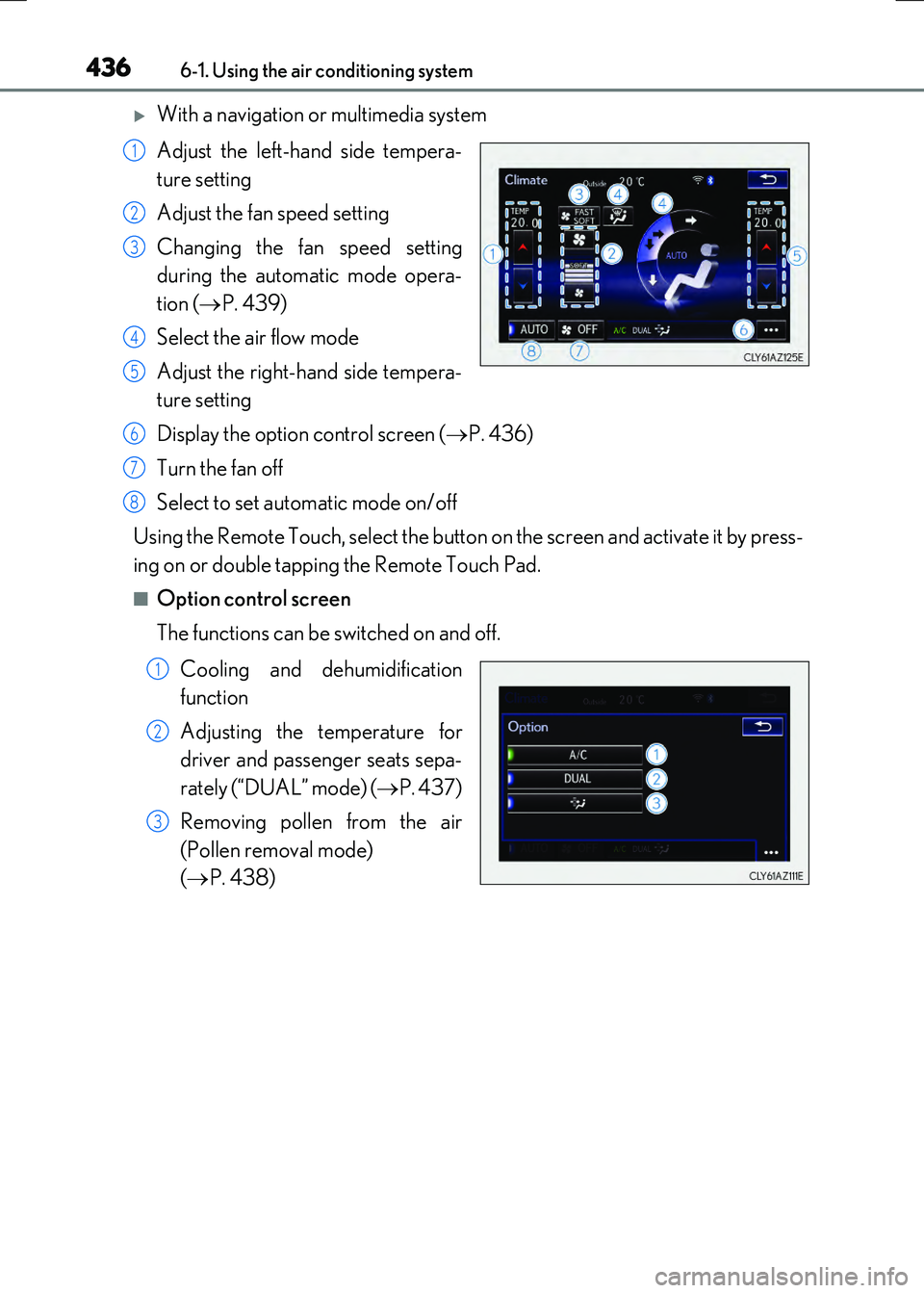
With a navigation or multimedia system
Adjust the left-hand side tempera-
ture setting
Adjust the fan speed setting
Changing the fan speed setting
during the automatic mode opera-
tion ( P. 439)
Select the air flow mode
Adjust the right-hand side tempera-
ture setting
Display the option control screen ( P. 436)
Turn the fan off
Select to set automatic mode on/off
Using the Remote Touch, select the button on the screen and activate it by press-
ing on or double tapping the Remote Touch Pad.
■Option control screen
The functions can be switched on and off.
Cooling and dehumidification
function
Adjusting the temperature for
driver and passenger seats sepa-
rately (“DUAL” mode) ( P. 437)
Removing pollen from the air
(Pollen removal mode)
( P. 438)
1
2
3
4
5
6
7
8
1
2
3
Page 470 of 640
4707-3. Do-it-yourself maintenance
RC300h_EE(OM24740E)
WARNING
The engine compartment contains many mechanisms and fluids that may move suddenly, become hot, or become electrically energize d. To avoid death or serious injury, observe the following precautions.
■When working on the engine compartment
●Make sure that the “ACCESSORY” or “IGNITION ON” on the multi-informationdisplay and the “READY” indicator are both off.
●Keep hands, clothing and tools away from the moving fan and engine drive belt.
●Be careful not to touch the engine, radiator, exhaust manifold, etc. right after drivingas they may be hot. Oil and other fluids may also be hot.
●Do not leave anything that may burn easily, such as paper and rags, in the enginecompartment.
●Do not smoke, cause sparks or expose an open flame to fuel. Fuel fumes are flamma-
ble.
●Be extremely cautious when working on the 12-volt battery. It contains poisonous and corrosive sulfuric acid.
●Take care because brake fluid can harm your hands or eyes and damage painted sur- faces. If fluid gets on your hands or in your eyes, flush the affected area with cleanwater immediately.
If you still experience discomfort, consult a doctor.
■When working near the electric cooling fans or radiator grille
Be sure the power switch is off.
With the power switch in ON mode, the electric cooling fans may automatically start to run if the air conditioning is on and/or the coolant temperature is high. ( P. 480)
■Safety glasses
Wear safety glasses to prevent flying or falling material, fluid spray, etc. from getting in your eyes.
NOTICE
■If you remove the air cleaner filter
Driving with the air cleaner filter removed may cause excessive engine wear due to dirt
in the air.
■If the fluid level is low or high
It is normal for the brake fluid level to go down slightly as the brake pads wear or when
the fluid level in the accumulator is high. If the reservoir needs frequent refillin g, it may indicate a serious problem.
Page 476 of 640
4767-3. Do-it-yourself maintenance
RC300h_EE(OM24740E)
■Engine oil consumption
A certain amount of engine oil will be consum ed while driving. In the following situations,
oil consumption may increase, and engine o il may need to be refilled in between oil
maintenance intervals.
●When the engine is new, for example directly after purchasing the vehicle or after
replacing the engine
●If low quality oil or oil of an inappropriate viscosity is used
●When driving at high engine speeds or with a heavy load, or when driving while accel-
erating or decelerating frequently
●When leaving the engine idling for a long time, or when driving frequently through
heavy traffic
■After changing the engine oil
The engine oil maintenance data should be reset. Perform the following procedures:
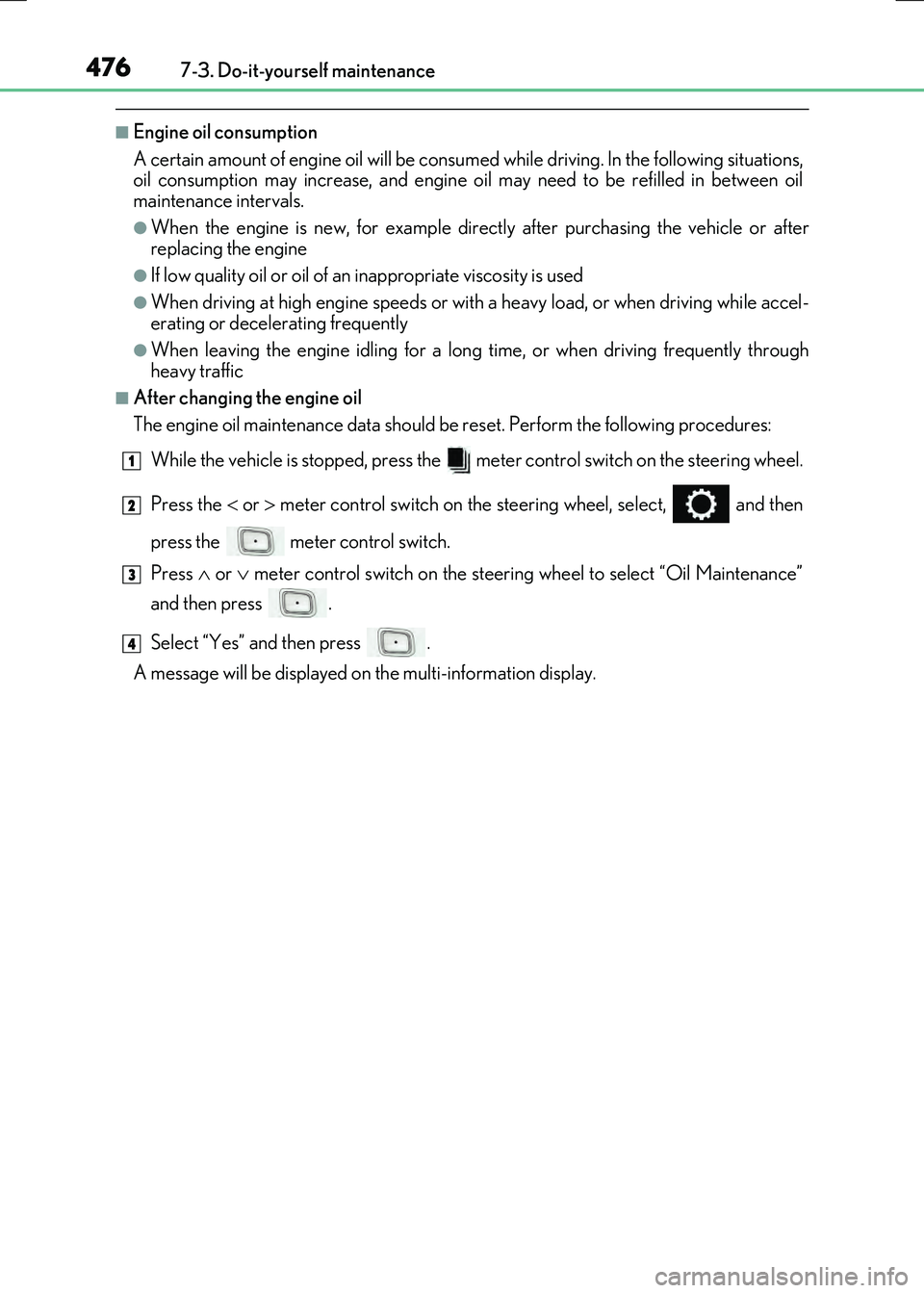
While the vehicle is stopped, press the meter control switch on the steering wheel.
Press the or meter control switch on the st eering wheel, select, and then
press the meter control switch.
Press or meter control switch on the steering wheel to select “Oil Maintenance”
and then press .
Select “Yes” and then press .
A message will be displayed on the multi-information display.
1
2
3
4
Page 480 of 640
4807-3. Do-it-yourself maintenance
RC300h_EE(OM24740E)
Check the radiator and condenser and clear away any foreign objects.
If either of the above parts is extremely dirty or you are not sure of their condi-
tion, have your vehicle inspected by any authorized Lexus dealer or repairer, or
another duly qualified and equipped professional.
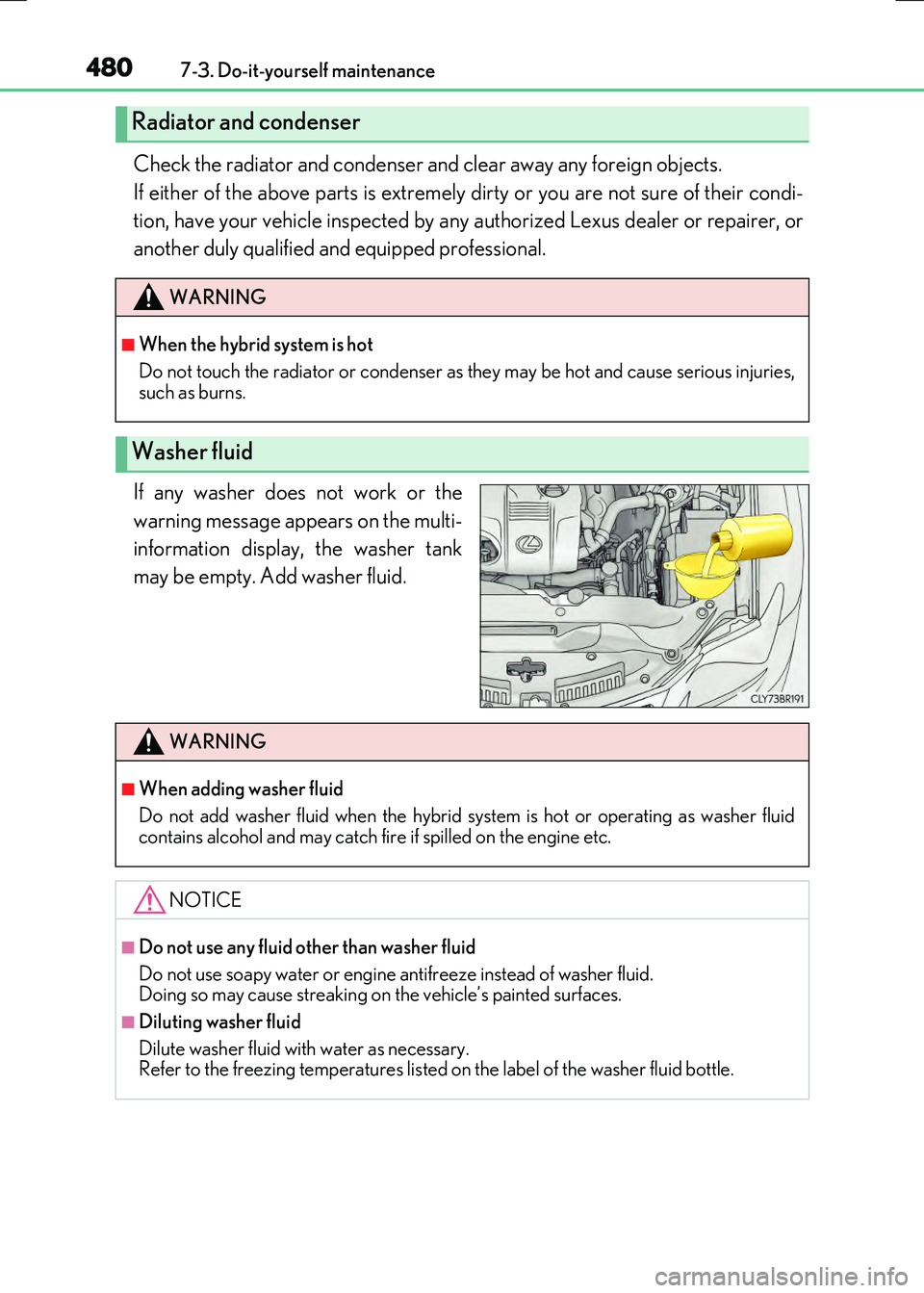
If any washer does not work or the
warning message appears on the multi-
information display, the washer tank
may be empty. Add washer fluid.
Radiator and condenser
WARNING
■When the hybrid system is hot
Do not touch the radiator or condenser as they may be hot and cause serious injuries, such as burns.
Washer fluid
WARNING
■When adding washer fluid
Do not add washer fluid when the hybrid sy stem is hot or operating as washer fluid
contains alcohol and may catch fi re if spilled on the engine etc.
NOTICE
■Do not use any fluid other than washer fluid
Do not use soapy water or engine antifreeze instead of washer fluid. Doing so may cause streaking on the vehicle’s painted surfaces.
■Diluting washer fluid
Dilute washer fluid with water as necessary. Refer to the freezing temperatures listed on the label of the washer fluid bottle.
Page 486 of 640
4867-3. Do-it-yourself maintenance
RC300h_EE(OM24740E)
Your vehicle is equipped with a tire pressure warning system that uses tire pres-
sure warning valves and transmitters to detect low tire inflation pressure before
serious problems arise.
●If the tire pressure drops below a predetermined level, the driver is warned by
a screen display and a warning light. ( P. 539, 552)
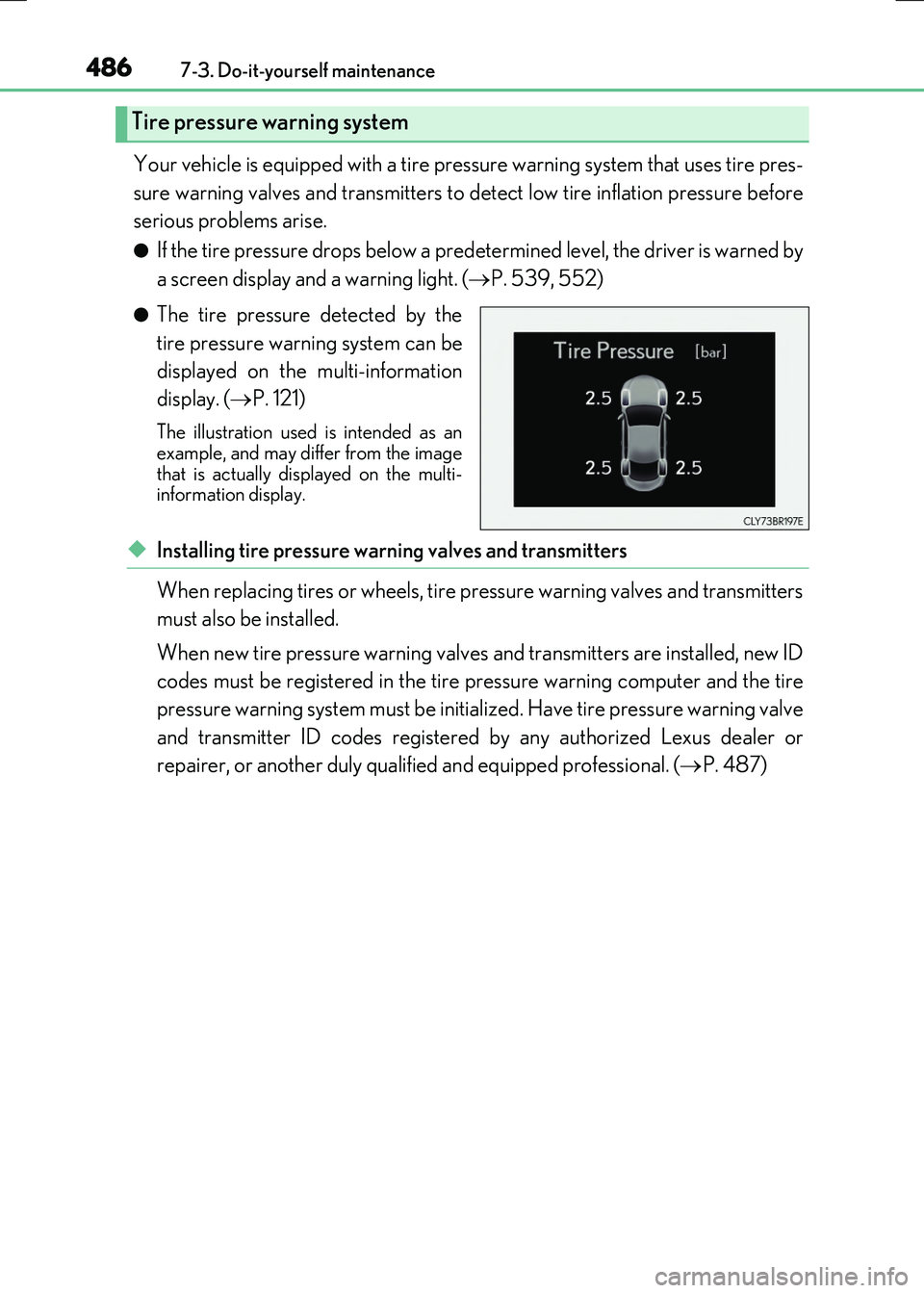
●The tire pressure detected by the
tire pressure warning system can be
displayed on the multi-information
display. ( P. 121)
The illustration used is intended as an example, and may differ from the image
that is actually displayed on the multi- information display.
◆Installing tire pressure warning valves and transmitters
When replacing tires or wheels, tire pressure warning valves and transmitters
must also be installed.
When new tire pressure warning valves and transmitters are installed, new ID
codes must be registered in the tire pressure warning computer and the tire
pressure warning system must be initialized. Have tire pressure warning valve
and transmitter ID codes registered by any authorized Lexus dealer or
repairer, or another duly qualified and equipped professional. ( P. 487)
Tire pressure warning system
Page 489 of 640
4897-3. Do-it-yourself maintenance
7
Maintenance and care
RC300h_EE(OM24740E)
■Situations in which the tire pressure warning system may not operate properly
●In the following cases, the tire pressure warning system may not operate properly.
• If non-genuine Lexus wheels are used.
• A tire has been replaced with a tire that is not an OE (Original Equipment) tire. • A tire has been replaced with a tire that is not of the specified size.• Tire chains etc. are equipped.
• An auxiliary-supported run-flat tire is equipped. • If a window tint that affects the radio wave signals is installed.• If there is a lot of snow or ice on the vehi cle, particularly around the wheels or wheel
housings. • If the tire inflation pressure is extr emely higher than the specified level. • If tires not equipped with tire pressure warning valves and transmitters are used.
• If the ID code on the tire pressure warning valves and transmitters is not registered in the tire pressure warning computer.
●Performance may be affected in the following situations.
• Near a TV tower, electric power plant, gas station, radio station, large display, air- port or other facility that generates st rong radio waves or electrical noise
• When carrying a portable radio, cellular phone, cordless phone or other wireless communication deviceIf tire position information is not correctly displayed due to the radio wave conditions,
the display may be corrected by driving and changing the radio wave conditions.
●When the vehicle is parked, the time taken for the warning to start or go off could be extended.
●When tire inflation pressure declines rapi dly for example when a tire has burst, the warning may not function.
■The initialization operation
●Make sure to carry out initialization af ter adjusting the tire inflation pressure. Also, make sure the tires are cold before carry ing out initialization or tire inflation pres-
sure adjustment.
●If you have accidentally turned the power switch off during initialization, it is not neces- sary to press the reset switch again as init ialization will restart automatically when the
power switch has been turned to ON mode for the next time.
●If you accidentally press the reset switch when initialization is not necessary, adjust the tire inflation pressure to the specified leve l when the tires are cold, and conduct initial-
ization again.
■Warning performance of the tire pressure warning system
The warning of the tire pressure warning syst em will change in accordance with the con-
ditions under which it was initialized. For this reason, the system may give a warning even if the tire pressure does not reach a low enough level, or if the pressure is higher than the pressure that was adjusted to when the system was initialized.
Page 527 of 640
527
8When trouble arises
RC300h_EE(OM24740E)
8-1. Essential information
Emergency flashers ..................528
If your vehicle has
to be stopped
in an emergency...................... 529
8-2. Steps to take
in an emergency
If your vehicle needs
to be towed................................530
If you think something
is wrong....................................... 536
If a warning light turns
on or a warning buzzer
sounds.......................................... 537
If a warning message
is displayed ................................ 542
If you have a flat tire .................. 563
If the hybrid system will
not start ....................................... 576
If the electronic key does
not operate properly ............. 578
If the 12-volt battery is
discharged .................................582
If your vehicle overheats ......... 587
If the vehicle becomes
stuck ............................................. 592