ECU LEXUS RC350 2015 Owner's Guide
[x] Cancel search | Manufacturer: LEXUS, Model Year: 2015, Model line: RC350, Model: LEXUS RC350 2015Pages: 684, PDF Size: 9.31 MB
Page 74 of 684
741-1. For safe use
RC350/RCF_U (OM24636U)
■Laws and regulations pertaining to anchorages
The LATCH system conforms to FMVSS225 or CMVSS210.2.
Child restraint systems conforming to FMVSS213 or CMVSS213 specifications can be
used.
This vehicle is designed to conform to the SAE J1819.
WA R N I N G
■When installing a child restraint system
Observe the following precautions.
Failure to do so may result in death or serious injury.
●Firmly attach the top tether strap and make sure that the belt is not twisted.
●Do not attach the top tether strap to anything other than the anchor bracket.
●Shake the child restraint system left and right, and forward and backward to ensure
that it has been securely installed.
●After securing a child restraint system, never adjust the seat.
●Follow all installation instructions provided by the child restraint system manufacturer.
NOTICE
■Anchor brackets (for top tether strap)
When not in use, make certain to close the lid. If it remains open, the lid may be dam-
aged.
Page 75 of 684
751-1. For safe use
1
For safety and security
RC350/RCF_U (OM24636U)
Exhaust gas precautions
Harmful substance to the human body is included in exhaust gases if inhaled.
WA R N I N G
Exhaust gases include harmful carbon monoxi de (CO), which is colorless and odorless.
Observe the following precautions.
Failure to do so may cause exhaust gases enter the vehicle and may lead to an accident
caused by light-headedness, or may lead to death or a serious health hazard.
■Important points while driving
●Keep the trunk lid closed.
●If you smell exhaust gases in the vehicle ev en when the trunk lid is closed, open the
windows and have the vehicle inspected at your Lexus dealer as soon as possible.
■When parking
●If the vehicle is in a poorly ventilated area or a closed area, such as a garage, stop the
engine.
●Do not leave the vehicle with the engine on for a long time.
If such a situation cannot be avoided, park the vehicle in an open space and ensure
that exhaust fumes do not enter the vehicle interior.
●Do not leave the engine running in an area with snow build-up, or where it is snowing.
If snowbanks build up around the vehicle wh ile the engine is running, exhaust gases
may collect and enter the vehicle.
■Exhaust pipe
The exhaust system needs to be checked periodically. If there is a hole or crack caused
by corrosion, damage to a joint or abnormal exhaust noise, be sure to have the vehicle
inspected and repaired by your Lexus dealer.
Page 76 of 684
76
RC350/RCF_U (OM24636U)1-2. Theft deterrent system
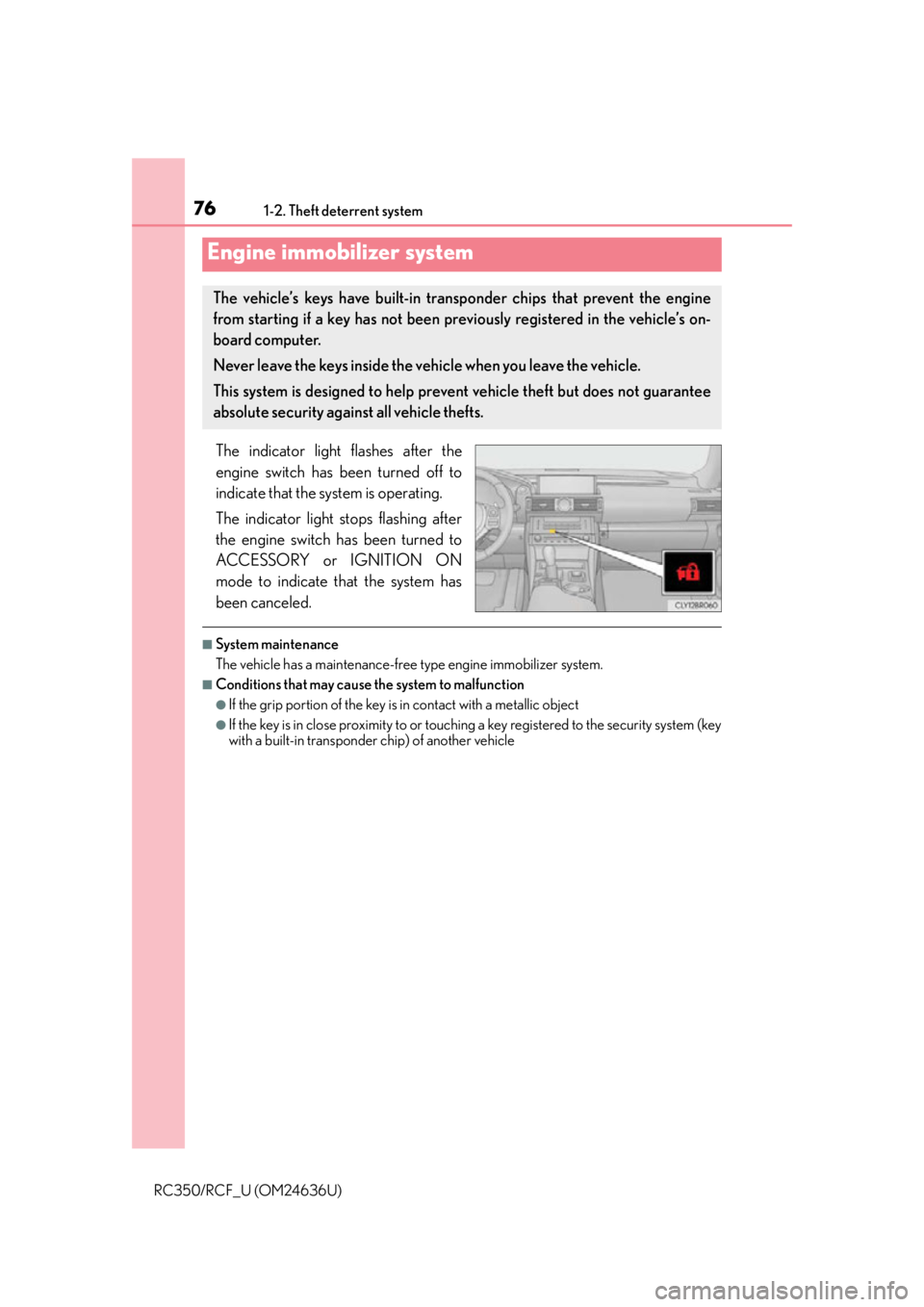
The indicator light flashes after the
engine switch has been turned off to
indicate that the system is operating.
The indicator light stops flashing after
the engine switch has been turned to
ACCESSORY or IGNITION ON
mode to indicate that the system has
been canceled.
■System maintenance
The vehicle has a maintenance-free type engine immobilizer system.
■Conditions that may cause the system to malfunction
●If the grip portion of the key is in contact with a metallic object
●If the key is in close proximity to or touching
a key registered to the security system (key
with a built-in transponder chip) of another vehicle
Engine immobilizer system
The vehicle’s keys have built-in transponder chips that prevent the engine
from starting if a key has not been prev iously registered in the vehicle’s on-
board computer.
Never leave the keys inside the vehicle when you leave the vehicle.
This system is designed to help prev ent vehicle theft but does not guarantee
absolute security against all vehicle thefts.
Page 77 of 684
771-2. Theft deterrent system
1
For safety and security
RC350/RCF_U (OM24636U)
■Certifications for the engine immobilizer system
For vehicles sold in the U.S.A.
FCC ID: NI4TMIMB-3
NOTE:
This device complies with part 15 of the FC C Rules. Operation is subject to the following
two conditions: (1) This device may not caus e harmful interference, and (2) this device
must accept any interference received, incl uding interference that may cause undesired
operation.
FCC WARNING:
Changes or modifications not expressly approved by the party responsible for compli-
ance could void the user's authority to operate the equipment.
For vehicles sold in Canada
This device complies with Industry Canada licence-exempt RSS standard(s). Operation
is subject to the following two conditions: (1) this device may not cause interference, and
(2) this device must accept any interference, including interference that may cause
undesired operation of the device.
NOTICE
■To ensure the system operates correctly
Do not modify or remove the system. If modified or removed, the proper operation of
the system cannot be guaranteed.
Page 79 of 684
791-2. Theft deterrent system
1
For safety and security
RC350/RCF_U (OM24636U)
■System maintenance
The vehicle has a maintenance-free type alarm system.
■Items to check before locking the vehicle
To prevent unexpected triggering of the alarm and vehicle theft, make sure of the follow-
ing:
●Nobody is in the vehicle.
●The windows and moon roof (if equipped) are closed before the alarm is set.
●No valuables or other personal items are left in the vehicle.
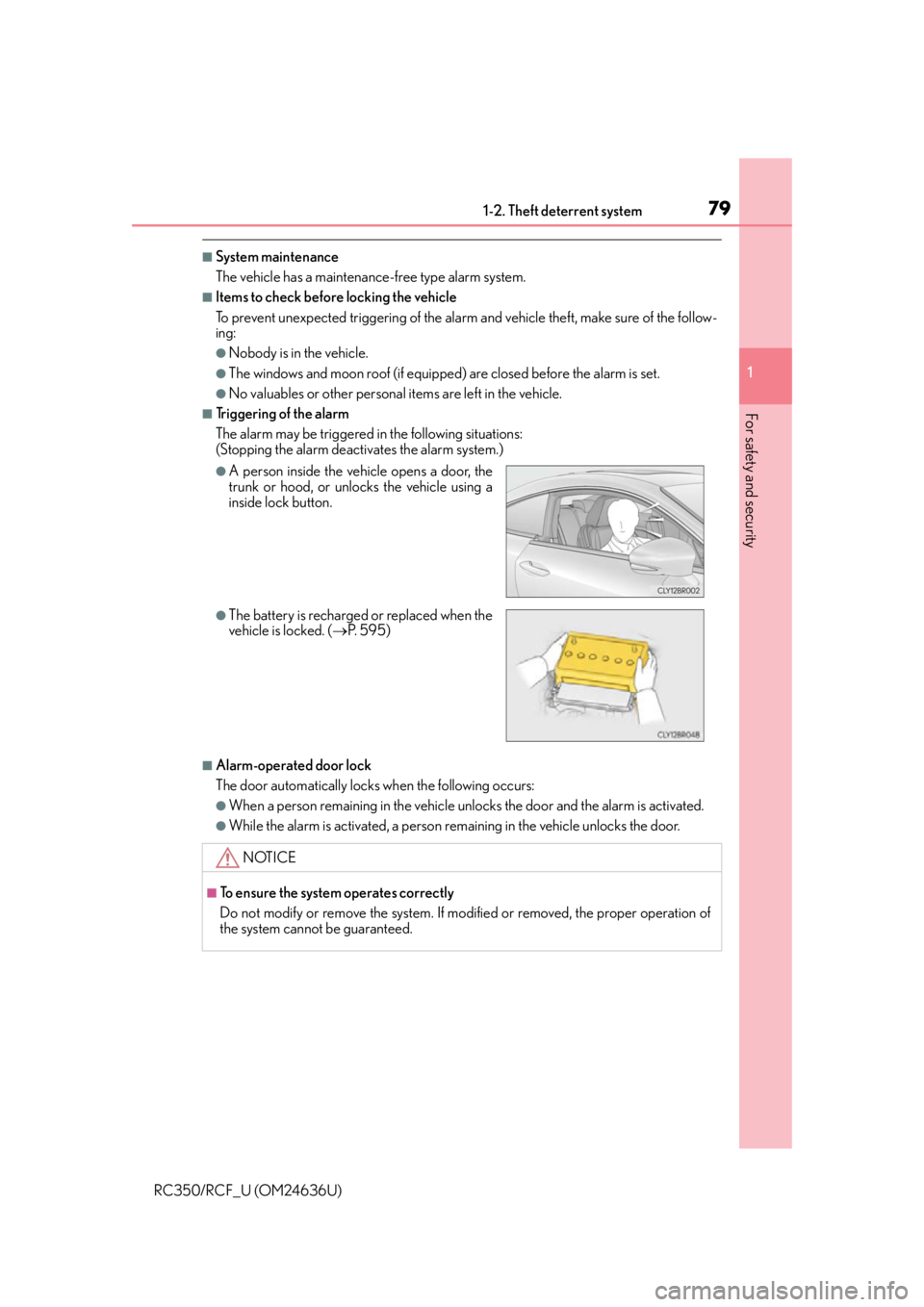
■Triggering of the alarm
The alarm may be triggered in the following situations:
(Stopping the alarm deactivates the alarm system.)
■Alarm-operated door lock
The door automatically locks when the following occurs:
●When a person remaining in the vehicle unlocks the door and the alarm is activated.
●While the alarm is activated, a person remaining in the vehicle unlocks the door.
●A person inside the vehicle opens a door, the
trunk or hood, or unlocks the vehicle using a
inside lock button.
●The battery is recharged or replaced when the
vehicle is locked. (P. 5 9 5 )
NOTICE
■To ensure the system operates correctly
Do not modify or remove the system. If modified or removed, the proper operation of
the system cannot be guaranteed.
Page 85 of 684
852. Instrument cluster
2
Instrument cluster
RC350/RCF_U (OM24636U)
*1: These lights turn on when the engine switch is turned to IGNITION ON mode toindicate that a system check is being perfor med. They will turn off after the engine is
on, or after a few seconds. There may be a malfunction in a system if a light does not
come on, or turn off. Have the vehi cle inspected by your Lexus dealer.
*2: The light flashes to indicate a malfunction.
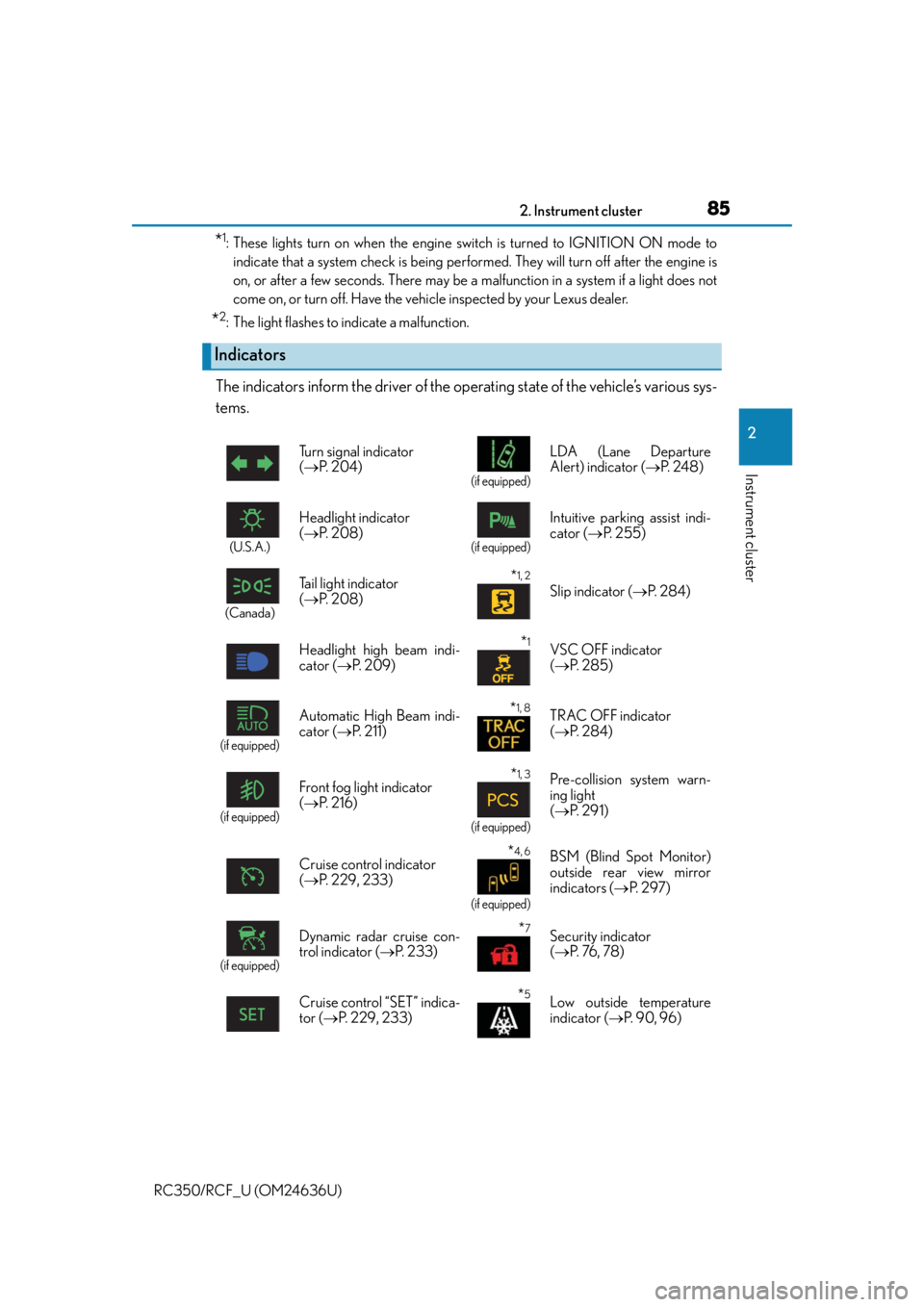
The indicators inform the driver of the operating state of the vehicle’s various sys-
tems.
Indicators
Turn signal indicator
( P. 2 0 4 )
(if equipped)
LDA (Lane Departure
Alert) indicator ( P. 2 4 8 )
(U.S.A.)
Headlight indicator
( P. 2 0 8 )
(if equipped)
Intuitive parking assist indi-
cator ( P. 2 5 5 )
(Canada)
Tail light indicator
( P. 2 0 8 ) *1, 2 Slip indicator ( P. 2 8 4 )
Headlight high beam indi-
cator ( P. 2 0 9 )
*1VSC OFF indicator
( P. 2 8 5 )
(if equipped)
Automatic High Beam indi-
cator ( P. 211)*1, 8TRAC OFF indicator
( P. 2 8 4 )
(if equipped)
Front fog light indicator
( P. 2 1 6 )*1, 3
(if equipped)
Pre-collision system warn-
ing light
( P. 2 9 1 )
Cruise control indicator
( P. 2 2 9 , 2 3 3 )
*4, 6
(if equipped)
BSM (Blind Spot Monitor)
outside rear view mirror
indicators ( P. 2 9 7 )
(if equipped)
Dynamic radar cruise con-
trol indicator ( P. 2 3 3 )*7Security indicator
( P. 76 , 7 8 )
Cruise control “SET” indica-
tor ( P. 229, 233)
*5Low outside temperature
indicator ( P. 9 0 , 9 6 )
Page 132 of 684
1323-1. Key information
RC350/RCF_U (OM24636U)
■Card key (if equipped)
●The card key is not waterproof.
●The mechanical key that is st ored inside the card key should be used only if a problem
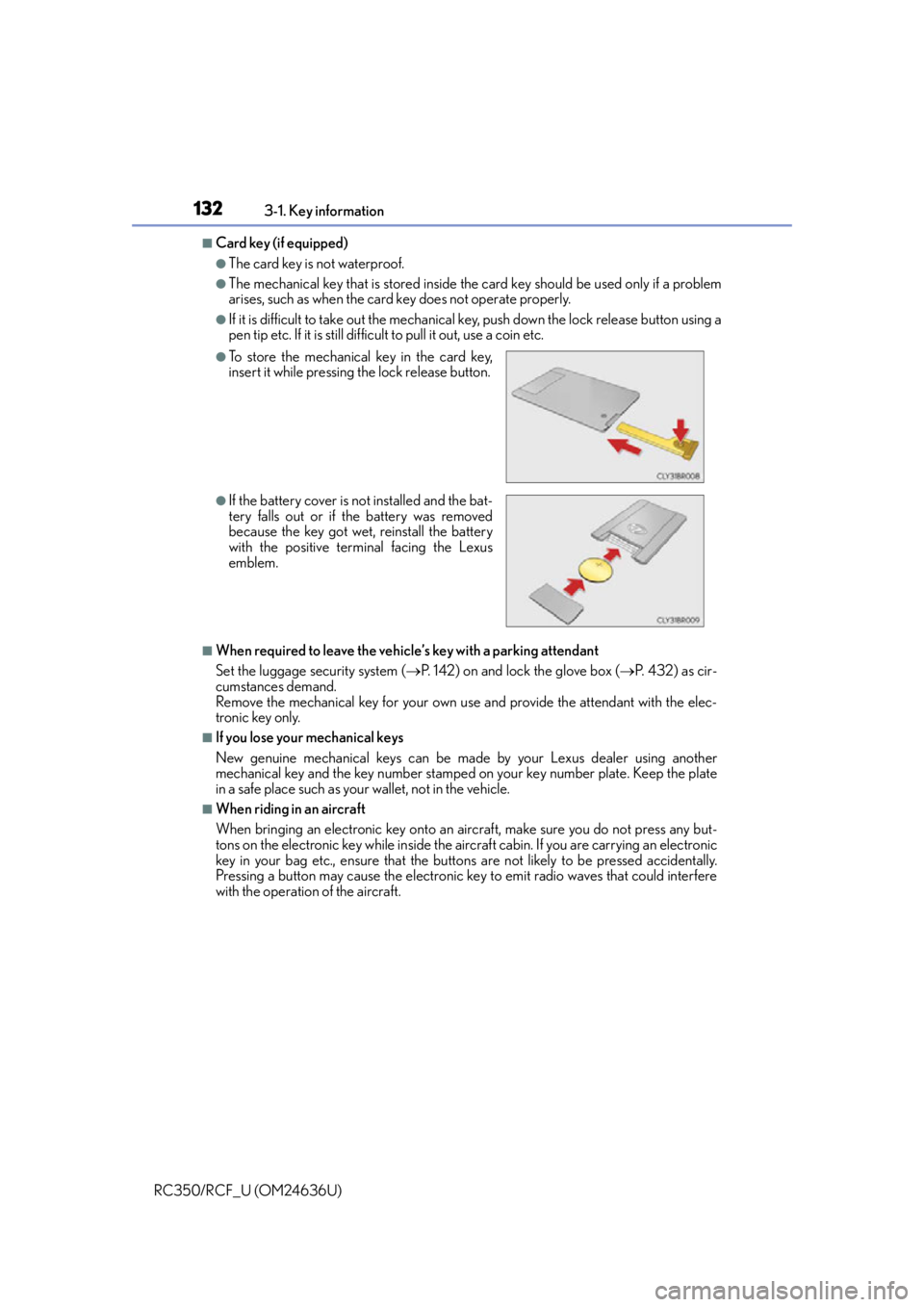
arises, such as when the card key does not operate properly.
●If it is difficult to take out the mechanical key, push down the lock release button using a
pen tip etc. If it is still difficult to pull it out, use a coin etc.
■When required to leave the vehicle’s key with a parking attendant
Set the luggage security system ( P. 142) on and lock the glove box ( P. 432) as cir-
cumstances demand.
Remove the mechanical key for your own use and provide the attendant with the elec-
tronic key only.
■If you lose your mechanical keys
New genuine mechanical keys can be made by your Lexus dealer using another
mechanical key and the key number stamped on your key number plate. Keep the plate
in a safe place such as your wallet, not in the vehicle.
■When riding in an aircraft
When bringing an electronic key onto an aircraft, make sure you do not press any but-
tons on the electronic key while inside the airc raft cabin. If you are carrying an electronic
key in your bag etc., ensure that the buttons are not likely to be pressed accidentally.
Pressing a button may cause the electronic key to emit radio waves that could interfere
with the operation of the aircraft.
●To store the mechanical key in the card key,
insert it while pressing the lock release button.
●If the battery cover is not installed and the bat-
tery falls out or if the battery was removed
because the key got wet, reinstall the battery
with the positive terminal facing the Lexus
emblem.
Page 135 of 684
135
3
Operation of each component
RC350/RCF_U (OM24636U)3-2. Opening, closing and locking the doors and trunk
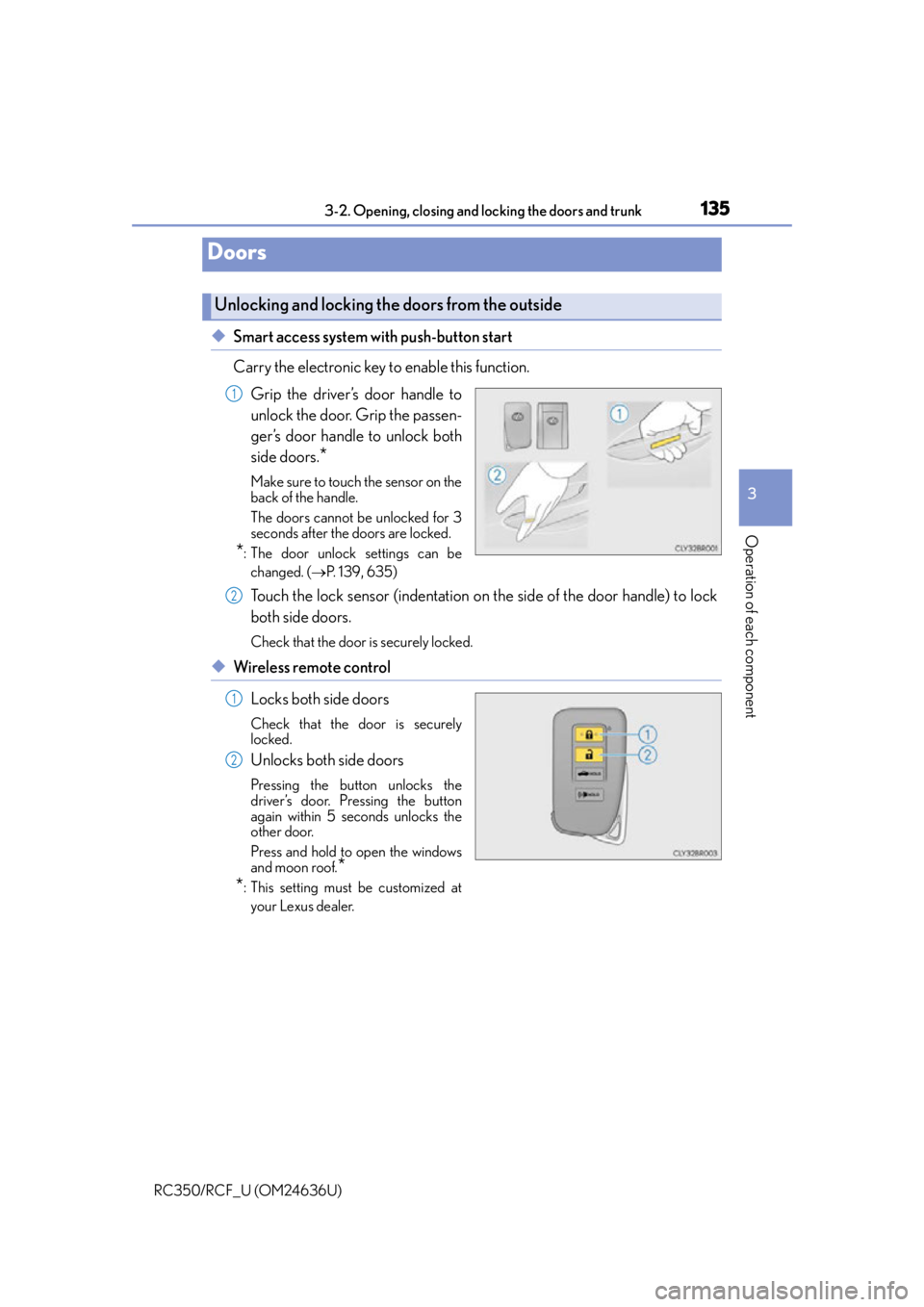
◆Smart access system with push-button start
Carry the electronic key to enable this function.
Grip the driver’s door handle to
unlock the door. Grip the passen-
ger’s door handle to unlock both
side doors.
*
Make sure to touch the sensor on the
back of the handle.
The doors cannot be unlocked for 3
seconds after the doors are locked.
*: The door unlock settings can bechanged. ( P. 1 3 9 , 6 3 5 )
Touch the lock sensor (indentation on the side of the door handle) to lock
both side doors.
Check that the door is securely locked.
◆Wireless remote control
Locks both side doors
Check that the door is securely
locked.
Unlocks both side doors
Pressing the button unlocks the
driver’s door. Pressing the button
again within 5 seconds unlocks the
other door.
Press and hold to open the windows
and moon roof.
*
*
: This setting must be customized at
your Lexus dealer.
Doors
Unlocking and locking the doors from the outside
1
2
1
2
Page 136 of 684
1363-2. Opening, closing and locking the doors and trunk
RC350/RCF_U (OM24636U)
■Operation signals
A buzzer sounds and the emergency flashers flash to indicate that the doors have been
locked/unlocked. (Locked: once; Unlocked: twice)
A buzzer sounds to indicate that the windows and moon roof are operating.
■Security feature
If a door is not opened within approximately 60 seconds after the vehicle is unlocked, the
security feature automatically locks the vehicle again.
■Welcome light illumination control
The side marker, parking, tail and license plat e lights automatically turn on at night when
the doors are unlocked using the entry functi on or wireless remote control if the light
switch is in the “AUTO” position.
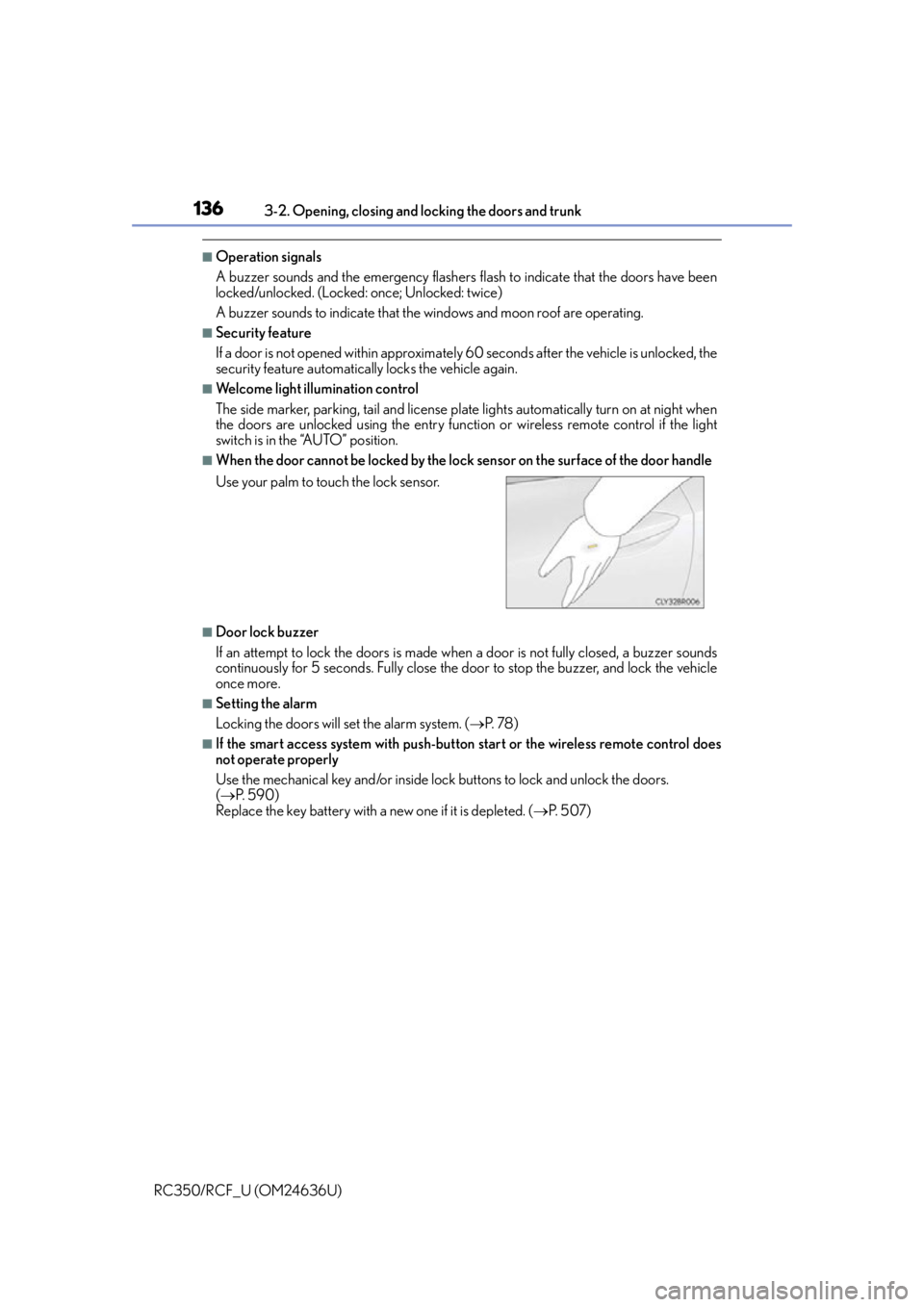
■When the door cannot be locked by the lock sensor on the surface of the door handle
■Door lock buzzer
If an attempt to lock the doors is made when a door is not fully closed, a buzzer sounds
continuously for 5 seconds. Fully close the door to stop the buzzer, and lock the vehicle
once more.
■Setting the alarm
Locking the doors will set the alarm system. ( P. 7 8 )
■If the smart access system with push-butto n start or the wireless remote control does
not operate properly
Use the mechanical key and/or inside lock buttons to lock and unlock the doors.
( P. 5 9 0 )
Replace the key battery with a new one if it is depleted. ( P. 5 0 7 )
Use your palm to touch the lock sensor.
Page 142 of 684
1423-2. Opening, closing and locking the doors and trunk
RC350/RCF_U (OM24636U)
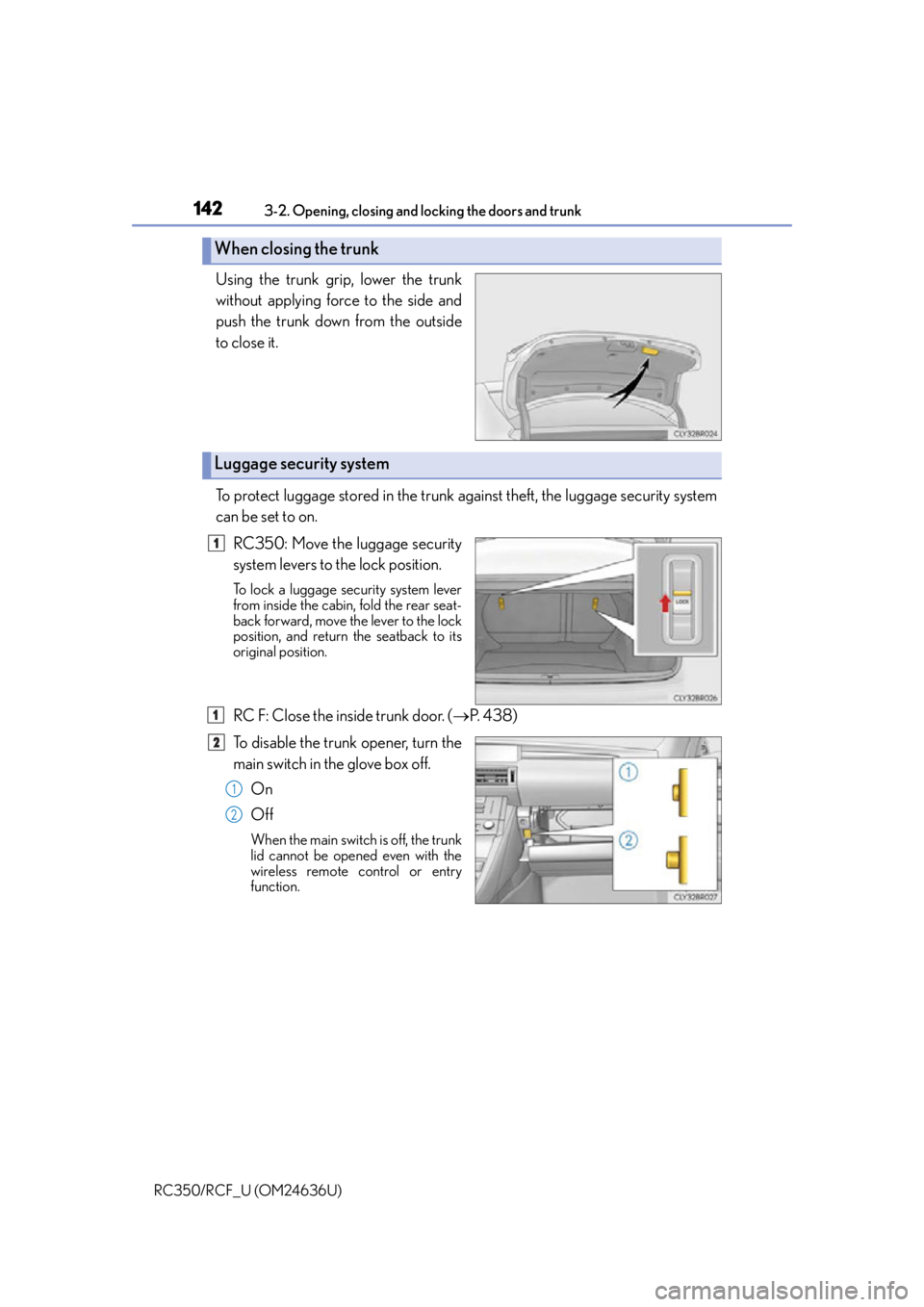
Using the trunk grip, lower the trunk
without applying force to the side and
push the trunk down from the outside
to close it.
To protect luggage stored in the trunk against theft, the luggage security system
can be set to on. RC350: Move the luggage security
system levers to the lock position.
To lock a luggage security system lever
from inside the cabin, fold the rear seat-
back forward, move the lever to the lock
position, and return the seatback to its
original position.
RC F: Close the inside trunk door. ( P. 4 3 8 )
To disable the trunk opener, turn the
main switch in the glove box off. On
Off
When the main switch is off, the trunk
lid cannot be opened even with the
wireless remote control or entry
function.
When closing the trunk
Luggage security system
1
1
2
1
2