battery LEXUS RC350 2019 User Guide
[x] Cancel search | Manufacturer: LEXUS, Model Year: 2019, Model line: RC350, Model: LEXUS RC350 2019Pages: 390, PDF Size: 7.88 MB
Page 94 of 390
943-2. Opening, closing and locking the doors and trunk
RC350AWD_RC350_RC300AWD_RC30
0_OM_(U)_1810
●When an interior alarm sounds continu-
ously
■Battery-saving function
The battery-saving fu nction will be acti-
vated in order to prevent the electronic key
battery and the vehicle battery from being
discharged while the vehicle is not in opera-
tion for a long time.
●In the following situations, the smart
access system with pu sh-button start may
take some time to unlock the doors.
• The electronic key has been left within approximately 6 ft. (2 m) of the outside of
the vehicle for 10 minutes or longer.
• The smart access system with push-but- ton start has not been used for 5 days or
longer.
●If the smart access system with push-but-
ton start has not been used for 14 days or longer, the doors cann
ot be unlocked at
the passenger door. In this case, take hold
of the driver’s door handle, or use the
wireless remote control or mechanical
key, to unlock the doors.
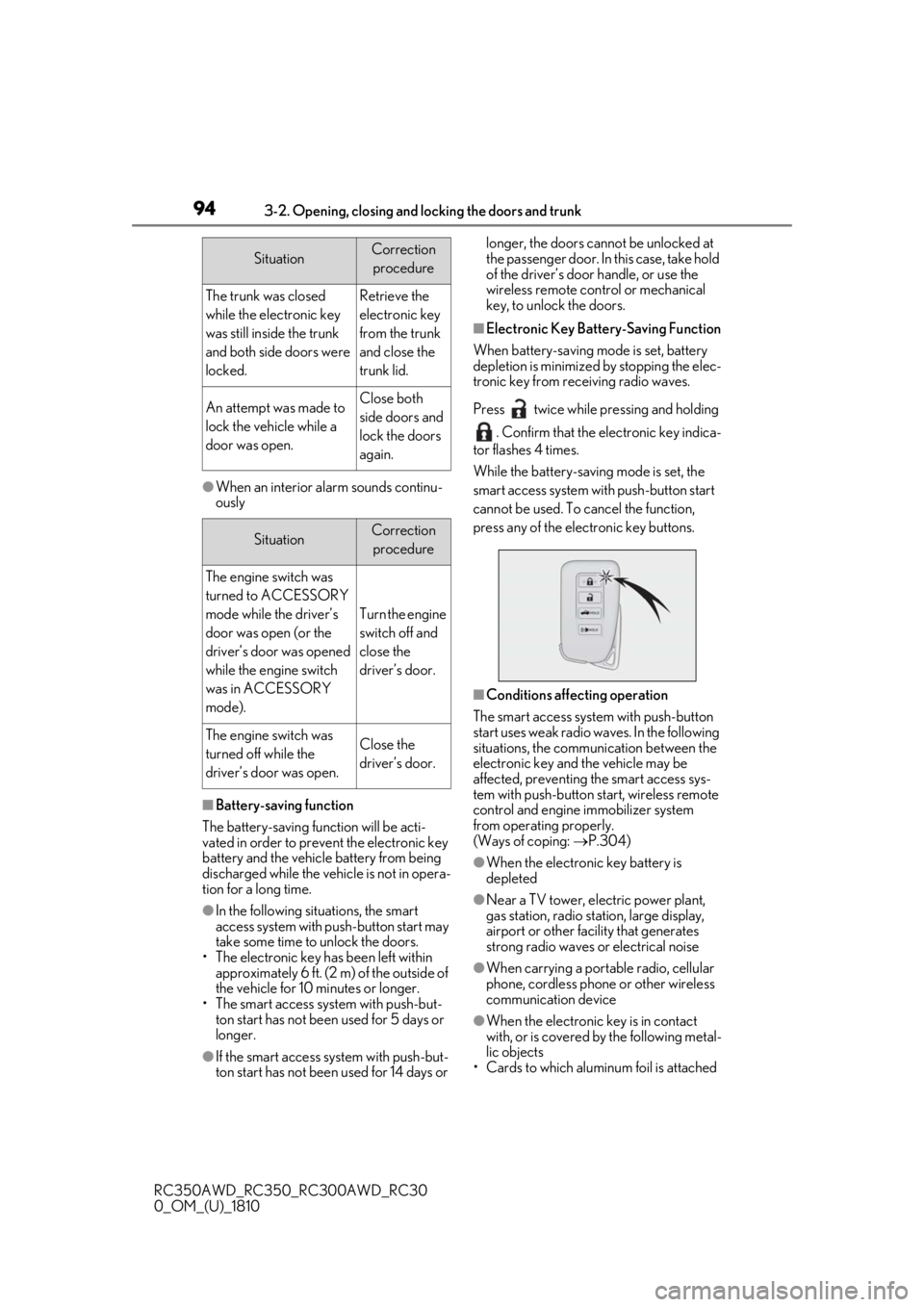
■Electronic Key Battery-Saving Function
When battery-saving mode is set, battery
depletion is minimized by stopping the elec-
tronic key from receiving radio waves.
Press twice while pressing and holding
. Confirm that the electronic key indica-
tor flashes 4 times.
While the battery-saving mode is set, the
smart access system with push-button start
cannot be used. To cancel the function,
press any of the electronic key buttons.
■Conditions affecting operation
The smart access system with push-button
start uses weak radio waves. In the following
situations, the communication between the
electronic key and the vehicle may be
affected, preventing the smart access sys-
tem with push-button start, wireless remote
control and engine immobilizer system
from operating properly.
(Ways of coping: P.304)
●When the electronic key battery is
depleted
●Near a TV tower, electric power plant,
gas station, radio stat ion, large display,
airport or other fac ility that generates
strong radio waves or electrical noise
●When carrying a portable radio, cellular
phone, cordless phone or other wireless
communication device
●When the electronic key is in contact
with, or is covered by the following metal-
lic objects
• Cards to which aluminum foil is attached
SituationCorrection
procedure
The trunk was closed
while the electronic key
was still inside the trunk
and both side doors were
locked.Retrieve the
electronic key
from the trunk
and close the
trunk lid.
An attempt was made to
lock the vehicle while a
door was open.Close both
side doors and
lock the doors
again.
SituationCorrection procedure
The engine switch was
turned to ACCESSORY
mode while the driver’s
door was open (or the
driver’s door was opened
while the engine switch
was in ACCESSORY
mode).
Turn the engine
switch off and
close the
driver’s door.
The engine switch was
turned off while the
driver’s door was open.Close the
driver’s door.
Page 95 of 390
953-2. Opening, closing and locking the doors and trunk
RC350AWD_RC350_RC300AWD_RC30
0_OM_(U)_1810
3
Before driving
• Cigarette boxes that have aluminum foil
inside
• Metallic wallets or bags
•Coins
• Hand warmers made of metal
• Media such as CDs and DVDs
●When other wireless ke ys (that emit radio
waves) are being used nearby
●When carrying the electronic key
together with the following devices that
emit radio waves
• Another vehicle’s electronic key or a wireless key that emits radio waves
• Personal computers or personal digital assistants (PDAs)
• Digital audio players
• Portable game systems
●If window tint with a metallic content or
metallic objects are attached to the rear
window
●When the electronic key is placed near a
battery charger or electronic devices
■Note for the entry function
●Even when the electronic key is within the
effective range (detection areas), the sys-
tem may not operate properly in the fol-
lowing cases:
• The electronic key is too close to the win- dow or outside door handle, near the
ground, or in a high place when the doors
are locked or unlocked.
• The electronic key is near the ground or
in a high place, or too close to the rear
bumper center when the trunk is opened.
• The electronic key is on the instrument
panel, rear package tray or floor, or in the
door pockets or glove box when the
engine is started or engine switch modes
are changed.
●Do not leave the electronic key on top of
the instrument panel or near the door
pockets when exiting the vehicle.
Depending on the radio wave reception
conditions, it may be detected by the
antenna outside the cabin and the doors
will become lockable from the outside,
possibly trapping the electronic key
inside the vehicle.
●As long as the electron ic key is within the
effective range, the doors may be locked
or unlocked by anyone. However, only the doors detecting the electronic key
can be used to unlock the vehicle.
●Even if the electronic
key is not inside the
vehicle, it may be po ssible to start the
engine if the electronic key is near the
window.
●The doors may unlock or lock if a large
amount of water splashes on the door
handle, such as in the rain or in a car
wash, when the electronic key is within
the effective range. (The doors will auto-
matically be locked after approximately
60 seconds if the doors are not opened
and closed.)
●If the wireless remote control is used to
lock the doors when the electronic key is
near the vehicle, there is a possibility that
the door may not be unlocked by the
entry function. (Use the wireless remote
control to unlock the doors.)
●Touching the door lock or unlock sensor
while wearing gloves may prevent lock or
unlock operation.
●When the lock operation is performed
using the lock sensor, recognition signals
will be shown up to two consecutive
times. After this, no recognition signals
will be given.
●If the door handle becomes wet while the
electronic key is within the effective
range, the door may lock and unlock
repeatedly. In this case, follow the follow-
ing correction procedures to wash the
vehicle:
• Place the electronic key in a location 6 ft. (2 m) or more away from the vehicle.
(Take care to ensure that the key is not
stolen.)
• Set the electronic key to battery-saving
mode to disable the smart access system
with push-button start. ( P.94)
●If the electronic key is inside the vehicle
and a door handle becomes wet during a
car wash, a message may be shown on
the multi-information display and a
buzzer will sound outside the vehicle. To
turn off the alarm, lock both side doors.
●The lock sensor may not work properly if
it comes into contact with ice, snow, mud,
etc. Clean the lock sensor and attempt to
operate it again.
Page 112 of 390
1123-5. Opening, closing the windows and moon roof
RC350AWD_RC350_RC300AWD_RC30
0_OM_(U)_1810senger windows will be locked.
The passenger window can still be opened
and closed using the driver’s switch even if
the lock switch is on.
■When the battery is disconnected
The window lock switch is disabled. If nec-
essary, press the window lock switch after
reconnecting the battery.
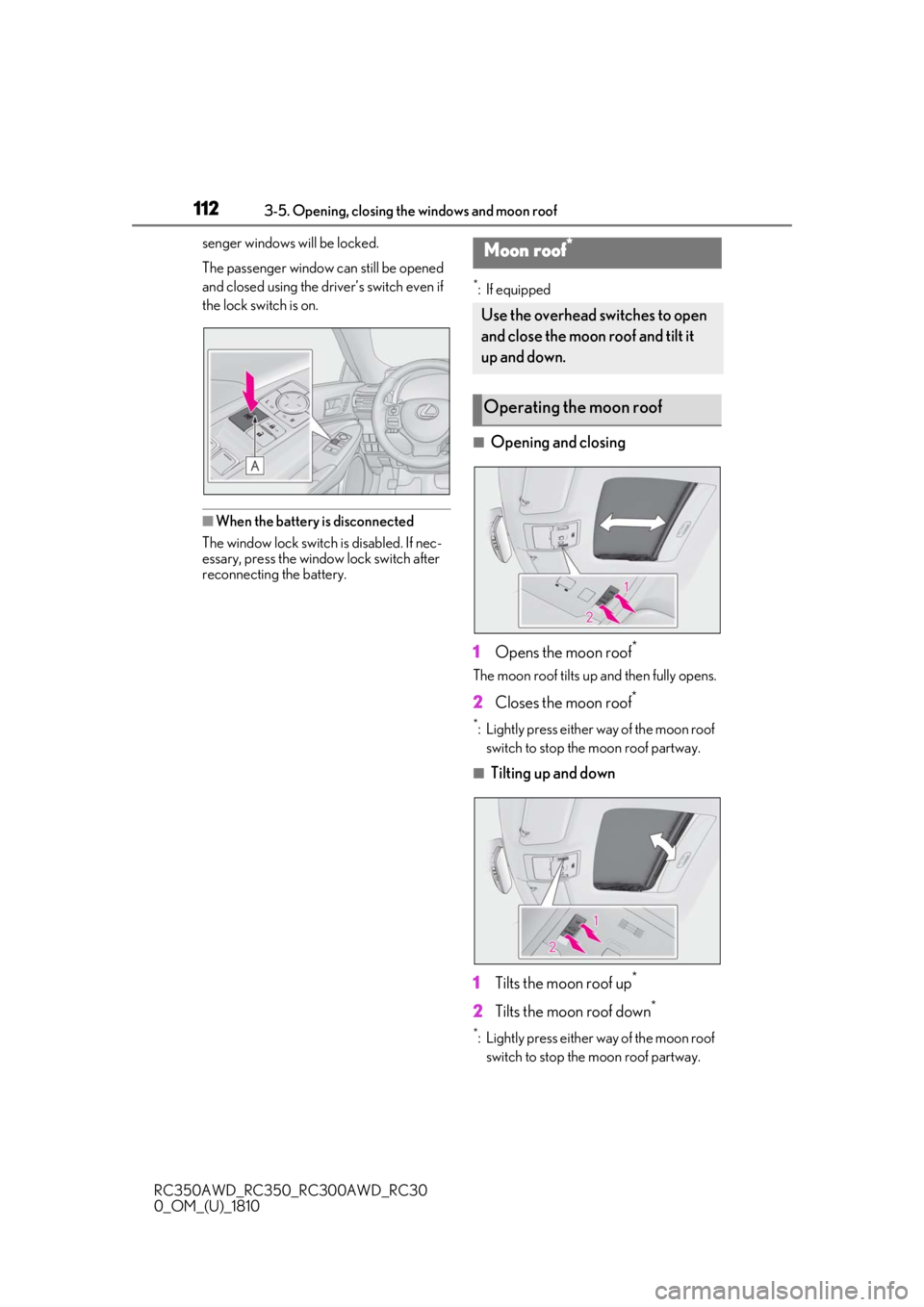
*: If equipped
■Opening and closing
1 Opens the moon roof
*
The moon roof tilts up and then fully opens.
2Closes the moon roof*
*: Lightly press either way of the moon roof
switch to stop the moon roof partway.
■Tilting up and down
1 Tilts the moon roof up
*
2Tilts the moon roof down*
*: Lightly press either way of the moon roof
switch to stop the moon roof partway.
Moon roof*
Use the overhead switches to open
and close the moon roof and tilt it
up and down.
Operating the moon roof
Page 125 of 390
1254-2. Driving procedures
RC350AWD_RC350_RC300AWD_RC30
0_OM_(U)_1810
4
Driving
4-2.Driving procedures
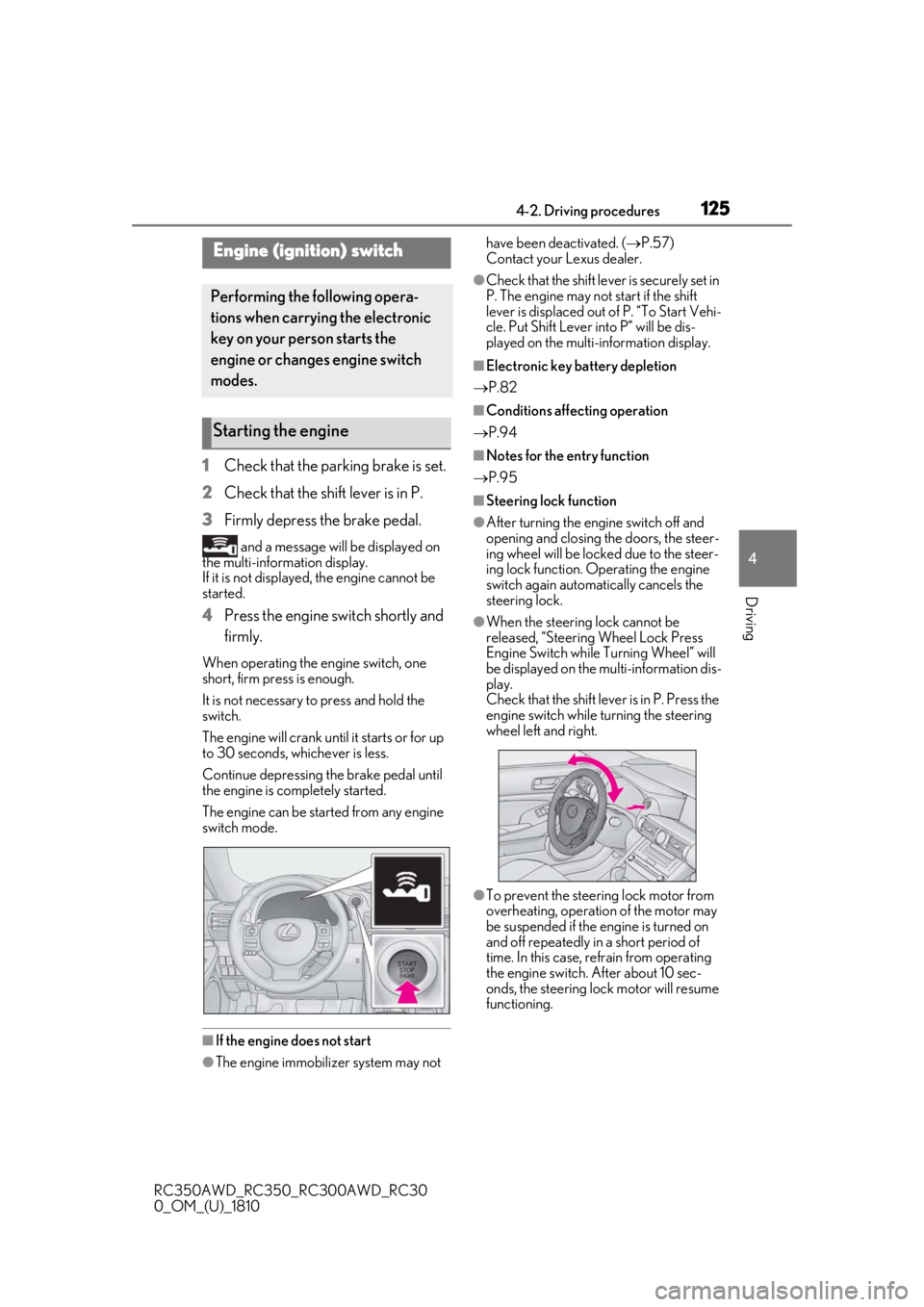
1 Check that the parking brake is set.
2 Check that the shift lever is in P.
3 Firmly depress the brake pedal.
and a message will be displayed on
the multi-information display.
If it is not displayed, the engine cannot be
started.
4 Press the engine switch shortly and
firmly.
When operating the engine switch, one
short, firm press is enough.
It is not necessary to press and hold the
switch.
The engine will crank until it starts or for up
to 30 seconds, whichever is less.
Continue depressing the brake pedal until
the engine is completely started.
The engine can be started from any engine
switch mode.
■If the engine does not start
●The engine immobilizer system may not have been deactivated. (
P.57)
Contact your Lexus dealer.
●Check that the shift leve r is securely set in
P. The engine may not start if the shift
lever is displaced out of P. “To Start Vehi-
cle. Put Shift Lever into P” will be dis-
played on the multi-information display.
■Electronic key battery depletion
P.82
■Conditions affecting operation
P.94
■Notes for the entry function
P.95
■Steering lock function
●After turning the engine switch off and
opening and closing the doors, the steer-
ing wheel will be lock ed due to the steer-
ing lock function. Operating the engine
switch again automatically cancels the
steering lock.
●When the steering lock cannot be
released, “Steering Wheel Lock Press
Engine Switch while Turning Wheel” will
be displayed on the multi-information dis-
play.
Check that the shift lever is in P. Press the
engine switch while turning the steering
wheel left and right.
●To prevent the steering lock motor from
overheating, operation of the motor may
be suspended if the engine is turned on
and off repeatedly in a short period of
time. In this case, refrain from operating
the engine switch. After about 10 sec-
onds, the steering lock motor will resume
functioning.
Engine (ignition) switch
Performing the following opera-
tions when carryin g the electronic
key on your person starts the
engine or changes engine switch
modes.
Starting the engine
Page 126 of 390

1264-2. Driving procedures
RC350AWD_RC350_RC300AWD_RC30
0_OM_(U)_1810
■When “Access System with Elec. Key
Malfunction See Owner's Manual” is
displayed on the multi-information dis-
play
The system may be malfunctioning. Have
the vehicle inspected by your Lexus dealer
immediately.
■Electronic key battery
P.265
■Operation of the engine switch
●If the switch is not pressed shortly and
firmly, the engine switch mode may not
change or the engine may not start.
●If attempting to restart the engine imme-
diately after turning the engine switch off,
the engine may not start in some cases.
After turning the engine switch off, please
wait a few seconds before restarting the
engine.
■Customization
If the smart access sy stem with push-button
start has been deactivated in a customized
setting, refer to P.304.
1Stop the vehicle.
2
Set the parking brake ( P.134),
and shift the shift lever to P.
3
Press the engine switch.
4
Release the brake pedal and check
that the display on the meters is off.
Modes can be changed by pressing
the engine switch with brake pedal
released. (The mode changes each
time the switch is pressed.)
WARNING
■When starting the engine
Always start the engine while sitting in
the driver’s seat. Do not depress the
accelerator pedal while starting the
engine under any circumstances.
Doing so may cause an accident result-
ing in death or serious injury.
■Caution while driving
If engine failure occurs while the vehicle
is moving, do not lock or open the doors
until the vehicle reaches a safe and com-
plete stop. Activation of the steering lock
in this circumstance may lead to an acci-
dent, resulting in death or serious injury.
NOTICE
■When starting the engine
●Do not race a cold engine.
●If the engine becomes difficult to start
or stalls frequently, have your vehicle
checked by your Lexus dealer immedi-
ately.
■Symptoms indicating a malfunction
with the engine switch
If the engine switch seems to be operat-
ing somewhat differently than usual, such
as the switch sticking slightly, there may
be a malfunction. Contact your Lexus
dealer immediately.
Stopping the engine
WARNING
■Stopping the engine in an emergency
If you want to stop th e engine in an emer-
gency while driving the vehicle, press
and hold the engine switch for more than
2 seconds, or press it briefly 3 times or
more in succession. ( P.274)
However, do not touch the engine switch
while driving except in an emergency.
Turning the engine off while driving will
not cause loss of steering or braking con-
trol, but the power assist to these systems
will be lost. This will make it more difficult
to steer and brake, so you should pull
over and stop the vehicle as soon as it is
safe to do so.
Changing engine switch modes
Page 127 of 390

1274-2. Driving procedures
RC350AWD_RC350_RC300AWD_RC30
0_OM_(U)_1810
4
Driving1Off*
The emergency flashers can be used.
2ACCESSORY mode
Some electrical components such as the
audio system can be used.
“ACCESSORY” will be displayed on the
meters.
3IGNITION ON mode
All electrical components can be used.
“IGNITION ON” will be displayed on the
meters.
*: If the shift lever is in a position other than P when turning off the engine, the
engine switch will be turned to ACCES-
SORY mode, not to off.
■Auto power off function
If the vehicle is left in ACCESSORY mode
for more than 20 minutes or IGNITION
ON mode (with the engine not running) for
more than an hour with the shift lever in P,
the engine switch will automatically turn off.
However, this function cannot entirely pre-
vent battery discharge. Do not leave the
vehicle with the engine switch in ACCES- SORY or IGNITION ON mode for long
periods of time when the engine is not run-
ning.
If the engine is stopped with the shift
lever in a position other than P, the
engine switch will not be turned off but
instead be turned
to ACCESSORY
mode. Perform the following proce-
dure to turn the switch off:
1
Check that the parking brake is set.
2
Shift the shift lever to P.
3
Check that “Turn Off Vehicle” is
displayed on the multi-information
display and then press the engine
switch once.
4
Check that “Turn Off Vehicle” on
the multi-information display is off.
NOTICE
■To prevent battery discharge
●Do not leave the engine switch in
ACCESSORY or IGNITION ON
mode for long periods of time without
the engine running.
●If “ACCESSORY” or “IGNITION
ON” is displayed on the meters while
the engine is not running, the engine
switch is not off. Exit the vehicle after
turning the engine switch off.
When stopping the engine with
the shift lever in a position other
than P
Page 128 of 390

1284-2. Driving procedures
RC350AWD_RC350_RC300AWD_RC30
0_OM_(U)_1810
*1: To improve fuel efficiency and reduce noise, shift the shift lever to D for normal
driving.
*2: Any gear range can be fixed when driv-ing in M mode.
■To protect the automatic transmission
If the automatic transmission fluid tempera-
ture is high, “Transmission Fluid Temp High
See Owner's Manual” will be displayed on
the multi-information display and the vehi-
cle will go into transmission protection
mode automatically. Have the vehicle
inspected by your Lexus dealer.
■When driving with dynamic radar cruise
control activated
Even when performing the following
actions with the intent of enabling engine
braking, engine braking will not occur
because dynamic radar cruise control will
not be canceled.
●6-speed models: While driving in the D
NOTICE
■To prevent battery discharge
Do not stop the engine when the shift
lever is in a position other than P. If the
engine is stopped in another shift lever
position, the engine switch will not be
turned off but instead be turned to
ACCESSORY mode. If the vehicle is left
in ACCESSORY mode, battery dis-
charge may occur.
Automatic transmission
Select the shift position depending
on your purpose and situation.
Shift position purpose and func-
tions
Shift posi- tionObjective or function
PParking the vehicle/starting the engine
RReversing
N
Neutral
(Condition in which the
power is not transmitted)
DNormal driving*1
MM mode driving*2 ( P.131)
Page 137 of 390
1374-3. Operating the lights and wipers
RC350AWD_RC350_RC300AWD_RC30
0_OM_(U)_1810
4
Driving
that blocks the sensor is affixed to the wind-
shield.
Doing so interferes with the sensor detect-
ing the level of ambient light and may cause
the automatic headlight system to malfunc-
tion.
■Automatic light off system
When the light switch is in , or : The headlights and tail lights turn off
30 seconds after the engine switch is
turned to ACCESSORY mode or turned
off and a door is opened and all of the doors
and trunk are closed. (The lights turn off
immediately if on the key is pressed
twice after both side doors are closed.)
To turn the lights on again, turn the engine
switch to IGNITION ON mode, or turn the
light switch off once and then back to
or .
If any of the doors or trunk lid is left open,
the lights automatically turn off after 20
minutes.
■Light reminder buzzer
A buzzer sounds when the engine switch is
turned off or turned to ACCESSORY
mode and the driver’s door is opened while
the lights are turned on.
■Automatic headlight leveling system
The level of the headlights is automatically
adjusted according to the number of pas-
sengers and the loading condition of the
vehicle to ensure that the headlights do not
interfere with other road users.
■Customization
Some functions can be customized.
( P.339)
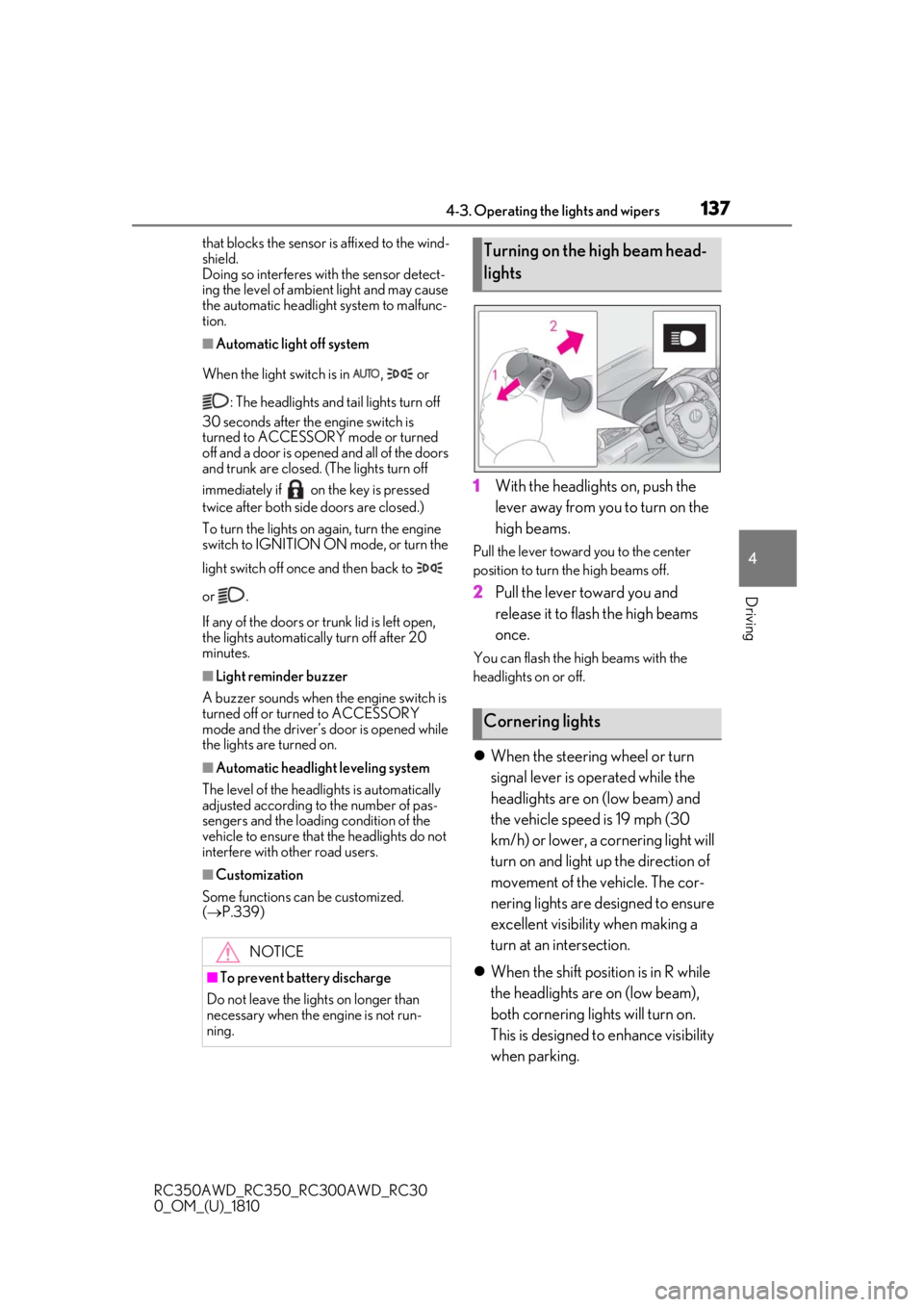
1With the headlights on, push the
lever away from you to turn on the
high beams.
Pull the lever toward you to the center
position to turn the high beams off.
2Pull the lever toward you and
release it to flash the high beams
once.
You can flash the high beams with the
headlights on or off.
When the steering wheel or turn
signal lever is operated while the
headlights are on (low beam) and
the vehicle speed is 19 mph (30
km/h) or lower, a cornering light will
turn on and light up the direction of
movement of the vehicle. The cor-
nering lights are designed to ensure
excellent visibility when making a
turn at an intersection.
When the shift position is in R while
the headlights are on (low beam),
both cornering lights will turn on.
This is designed to enhance visibility
when parking.
NOTICE
■To prevent battery discharge
Do not leave the lights on longer than
necessary when the engine is not run-
ning.
Turning on the high beam head-
lights
Cornering lights
Page 157 of 390
1574-5. Using the driving support systems
RC350AWD_RC350_RC300AWD_RC30
0_OM_(U)_1810
4
Driving
system determines that the possibility of a
frontal collision with a vehicle or pedestrian
is high.
Each function is operat ional at the following
speeds:
●Pre-collision warning:
• Vehicle speed is be tween approximately
7 and 110 mph (10 and 180 km/h). (For
detecting a pedestrian, vehicle speed is
between approximately 7 and 50 mph
[10 and 80 km/h].)
• The relative speed between your vehicle and the vehicle or pedestrian ahead is
approximately 7 mph (10 km/h) or more.
●Pre-collision brake assist:
• Vehicle speed is be tween approximately
20 and 110 mph (30 and 180 km/h). (For
detecting a pedestrian, vehicle speed is
between approximately 20 and 50 mph
[30 and 80 km/h].)
• The relative speed between your vehicle
and the vehicle or pedestrian ahead is
approximately 20 mph (30 km/h) or
more.
●Pre-collision braking:
• Vehicle speed is be tween approximately
7 and 110 mph (10 and 180 km/h). (For
detecting a pedestrian, vehicle speed is
between approximately 7 and 50 mph
[10 and 80 km/h].)
• The relative speed between your vehicle and the vehicle or pedestrian ahead is
approximately 7 mph (10 km/h) or more.
The system may not operate in the following
situations:
●If a battery terminal has been discon-
nected and reconnected and then the
vehicle has not been driven for a certain
amount of time
●If the shift lever is in R
●If VSC is disabled (only the pre-collision
warning function will be operational)
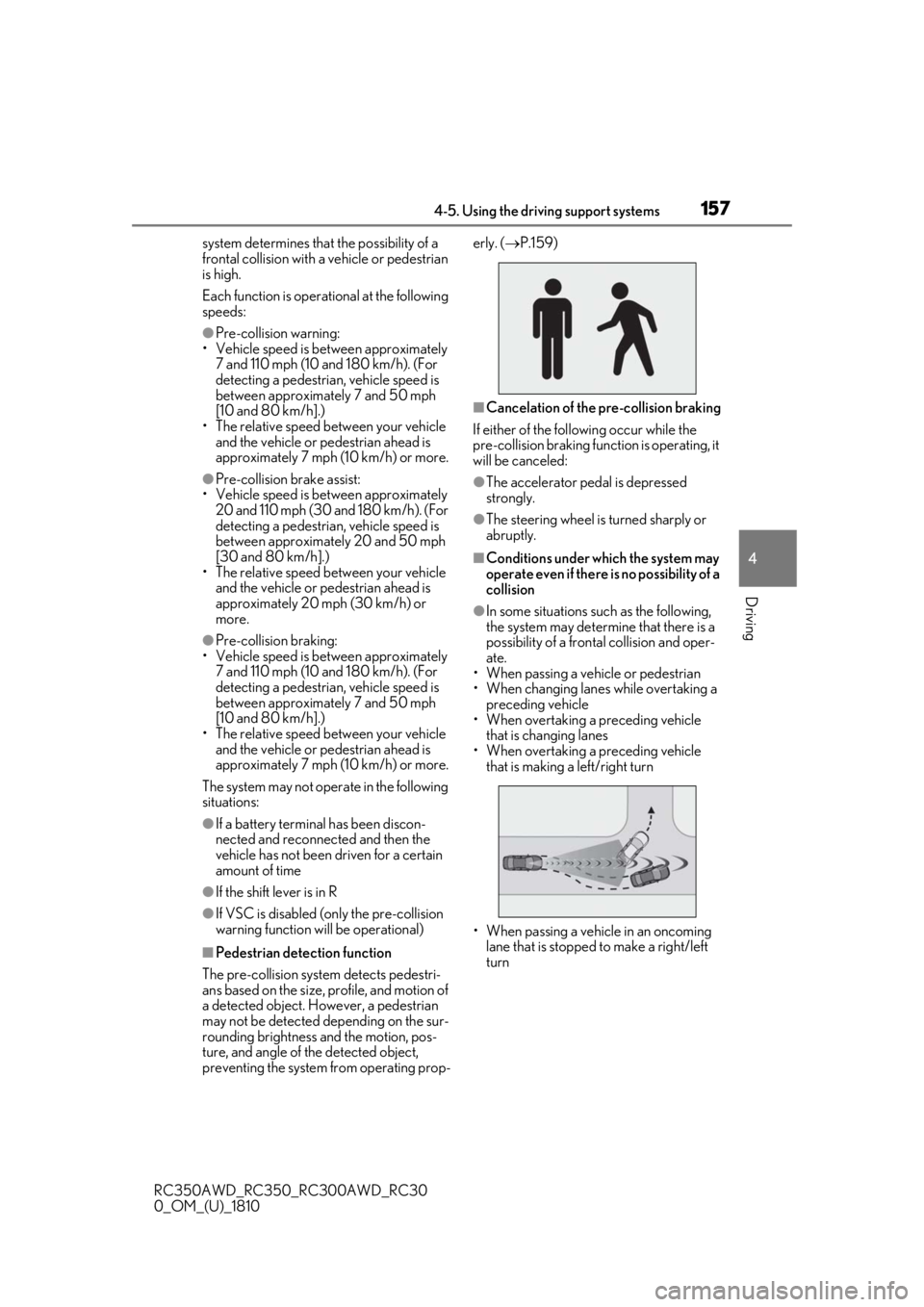
■Pedestrian detection function
The pre-collision system detects pedestri-
ans based on the size, profile, and motion of
a detected object. However, a pedestrian
may not be detected depending on the sur-
rounding brightness and the motion, pos-
ture, and angle of the detected object,
preventing the system from operating prop- erly. (
P.159)
■Cancelation of the pre-collision braking
If either of the follo wing occur while the
pre-collision braking function is operating, it
will be canceled:
●The accelerator pedal is depressed
strongly.
●The steering wheel is turned sharply or
abruptly.
■Conditions under which the system may
operate even if there is no possibility of a
collision
●In some situations su ch as the following,
the system may determine that there is a
possibility of a frontal collision and oper-
ate.
• When passing a vehicle or pedestrian
• When changing lanes while overtaking a
preceding vehicle
• When overtaking a preceding vehicle
that is changing lanes
• When overtaking a preceding vehicle that is making a left/right turn
• When passing a vehicle in an oncoming lane that is stopped to make a right/left
turn
Page 194 of 390

1944-5. Using the driving support systems
RC350AWD_RC350_RC300AWD_RC30
0_OM_(U)_1810
■When the message is displayed on the
multi-information display showing that
TRAC has been disabled even if the switch has not been pressed
TRAC cannot be operated. Contact your
Lexus dealer.
■Operating conditions of hill-start assist
control
When the following four conditions are met,
the hill-start assist control will operate:
●The shift lever is in a position other than P
or N (when starting off forward/back-
ward on an upward incline).
●The vehicle is stopped.
●The accelerator pedal is not depressed.
●The parking brake is not engaged.
■Automatic system cancelation of
hill-start assist control
The hill-start assist control will turn off in any
of the following situations:
●The shift lever is moved to P or N.
●The accelerator pedal is depressed.
●The parking brake is engaged.
●Approximately 2 seconds elapse after
the brake pedal is released.
■VGRS is disabled when
VGRS may stop operating in the following
situations.
In this event, the steering wheel may move
from its straight forward position, but it will
return when the system restarts.
●When the steering wheel is operated for
an extended period of time while the
vehicle is stopped or is moving very
slowly
(on vehicles with LDH, DRS is disabled
together with VGRS)
●When the steering wheel has been held
fully to the left or right
The center position of the steering wheel
may change when VGRS is disabled. How-
ever, the position will return to normal after
VGRS is reactivated.
■When the battery is disconnected (vehi-
cles with VGRS)
The steering wheel may move from its
straight forward position, but this will be
corrected automatically when driving.
■Sounds and vibrations caused by the
ABS, brake assist, VSC, TRAC, hill-start
assist control and VGRS systems
●A sound may be heard from the engine
compartment when the brake pedal is
depressed repeatedly, when the engine is
started or just after the vehicle begins to
move. This sound does not indicate that a
malfunction has occurred in any of these
systems.
●Any of the following conditions may
occur when the above systems are oper-
ating. None of these indicates that a mal-
function has occurred.
• Vibrations may be felt through the vehicle body and steering.
• A motor sound may be heard after the
vehicle comes to a stop.
• The brake pedal may pulsate slightly after the ABS is activated.
• The brake pedal may move down slightly after the ABS is activated.
■EPS, VGRS and DRS operation sound
When the steering wheel is operated, a
motor sound (whirring sound) may be
heard. This does not indicate a malfunction.
■Reactivation of the TRAC/VSC systems
Even after the TRAC /VSC systems have
been turned off, turning the engine off and
then on again will automatically reactivate
the TRAC/VSC systems.
■Reactivation of the TRAC system linked
to vehicle speed
When only the TRAC system is turned off,
the TRAC system will turn on when vehicle
speed increases. Ho wever, when both
TRAC/VSC systems are turned off, the sys-
tems will not turn on even when vehicle
speed increases.
■Reduced effectiveness of the EPS sys-
tem
The effectiveness of the EPS system is
reduced to prevent the system from over-
heating when there is frequent steering