high beam LEXUS RC350 2019 Owners Manual
[x] Cancel search | Manufacturer: LEXUS, Model Year: 2019, Model line: RC350, Model: LEXUS RC350 2019Pages: 390, PDF Size: 7.88 MB
Page 3 of 390
3TABLE OF CONTENTS
RC350AWD_RC350_RC300AWD_RC30
0_OM_(U)_1810
1
2
3
4
5
6
7
8
9
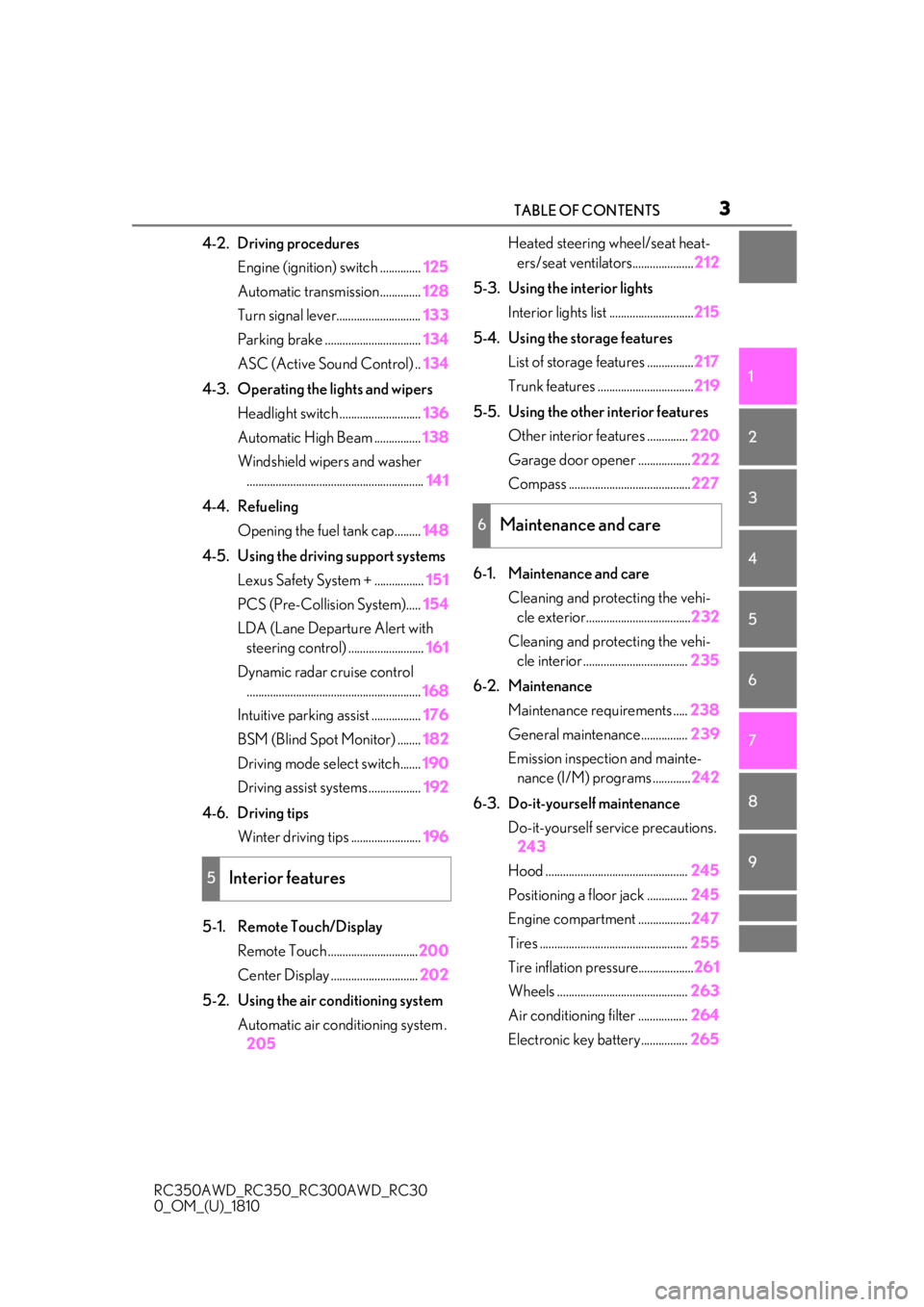
4-2. Driving procedures Engine (ignition) switch .............. 125
Automatic transmission.............. 128
Turn signal lever............................. 133
Parking brake ................................. 134
ASC (Active Sound Control) .. 134
4-3. Operating the lights and wipers Headlight switch ............................ 136
Automatic High Beam ................ 138
Windshield wipers and washer ............................................................. 141
4-4. Refueling Opening the fuel tank cap......... 148
4-5. Using the driving support systems Lexus Safety System + ................. 151
PCS (Pre-Collision System)..... 154
LDA (Lane Departure Alert with steering control) .......................... 161
Dynamic radar cruise control ............................................................ 168
Intuitive parking assist ................. 176
BSM (Blind Spot Monitor) ........ 182
Driving mode select switch....... 190
Driving assist systems .................. 192
4-6. Driving tips Winter driving tips ........................ 196
5-1. Remote Touch/Display Remote Touch ............................... 200
Center Display .............................. 202
5-2. Using the air conditioning system Automatic air conditioning system .205 Heated steering wheel/seat heat-
ers/seat ventilators..................... 212
5-3. Using the interior lights Interior lights list ............................. 215
5-4. Using the storage features List of storage features ................ 217
Trunk features ................................. 219
5-5. Using the other interior features Other interior features .............. 220
Garage door opener .................. 222
Compass .......................................... 227
6-1. Maintenance and care Cleaning and protecting the vehi-cle exterior.................................... 232
Cleaning and protecting the vehi- cle interior .................................... 235
6-2. Maintenance Maintenance re quirements .....238
General maintenance................ 239
Emission inspection and mainte- nance (I/M) programs ............. 242
6-3. Do-it-yourself maintenance Do-it-yourself service precautions.243
Hood ................................................. 245
Positioning a floor jack .............. 245
Engine compartment .................. 247
Tires ................................................... 255
Tire inflation pressure................... 261
Wheels ............................................. 263
Air conditioning
filter ................. 264
Electronic key battery ................ 265
5Interior features
6Maintenance and care
Page 15 of 390
15Pictorial index
RC350AWD_RC350_RC300AWD_RC30
0_OM_(U)_1810
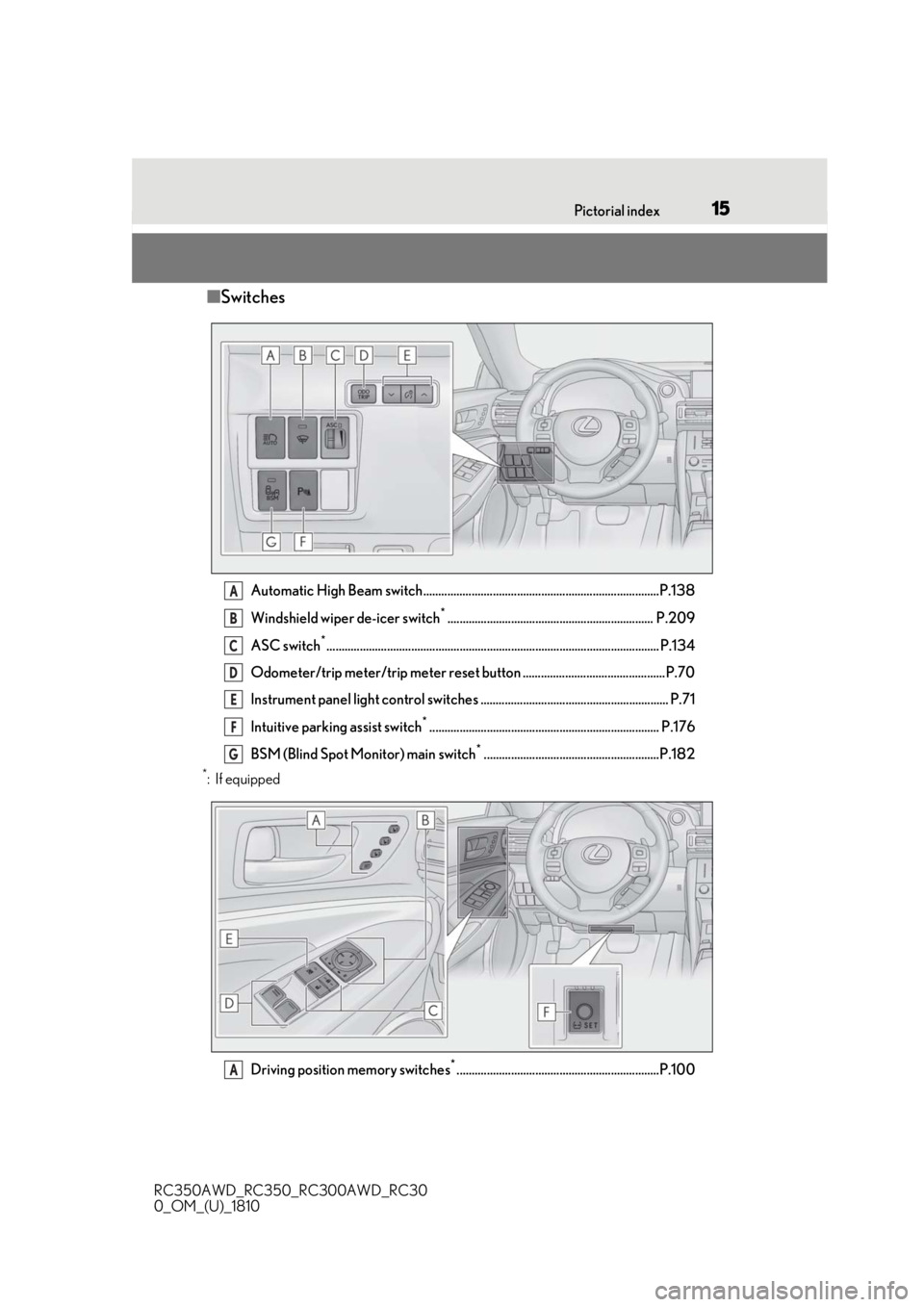
■ Switches
Automatic High Beam switch..............................................................................P.138
Windshield wiper de-icer switch
*.................................................................... P.209
ASC switch
*.............................................................................................................. P.134
Odometer/trip meter/trip meter reset button ...............................................P.70
Instrument panel light control switches .............................................................. P.71
Intuitive parking assist switch
*............................................................................ P.176
BSM (Blind Spot Monitor) main switch
*..........................................................P.182
*:If equipped
Driving position memory switches
*...................................................................P.100
A
B
C
D
E
F
G
A
Page 64 of 390
642-1. Instrument cluster
RC350AWD_RC350_RC300AWD_RC30
0_OM_(U)_1810
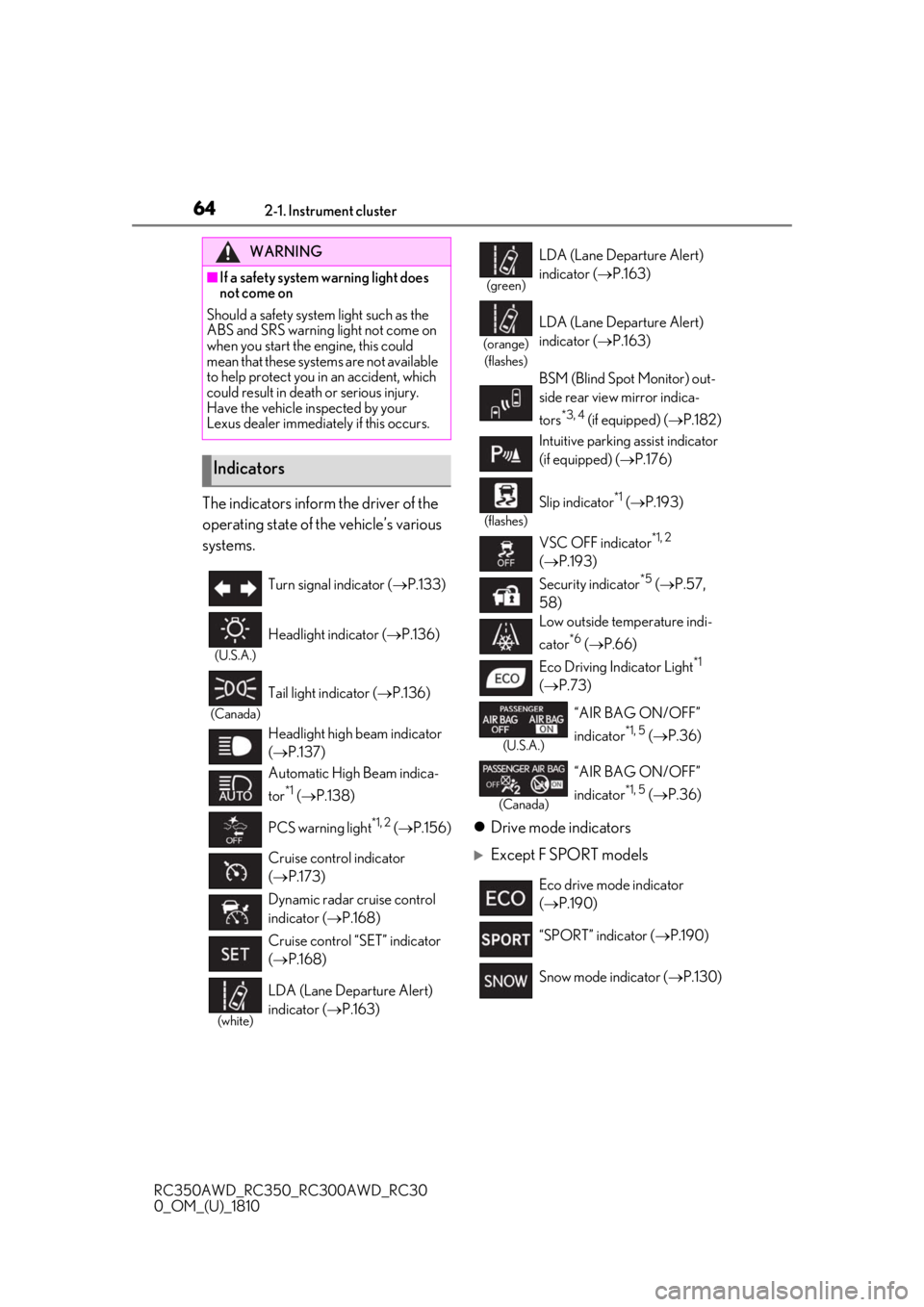
The indicators inform the driver of the
operating state of the vehicle’s various
systems.Drive mode indicators
Except F SPORT models
WARNING
■If a safety system warning light does
not come on
Should a safety system light such as the
ABS and SRS warning light not come on
when you start the engine, this could
mean that these systems are not available
to help protect you in an accident, which
could result in death or serious injury.
Have the vehicle inspected by your
Lexus dealer immediately if this occurs.
Indicators
Turn signal indicator ( P.133)
(U.S.A.)
Headlight indicator ( P.136)
(Canada)
Tail light indicator ( P.136)
Headlight high beam indicator
( P.137)
Automatic High Beam indica-
tor
*1 ( P.138)
PCS warning light
*1, 2 ( P.156)
Cruise control indicator
( P.173)
Dynamic radar cruise control
indicator ( P.168)
Cruise control “SET” indicator
( P.168)
(white)
LDA (Lane Departure Alert)
indicator ( P.163)
(green)
LDA (Lane Departure Alert)
indicator ( P.163)
(orange)
(flashes)
LDA (Lane Departure Alert)
indicator ( P.163)
BSM (Blind Spot Monitor) out-
side rear view mirror indica-
tors
*3, 4 (if equipped) ( P.182)
Intuitive parking assist indicator
(if equipped) ( P.176)
(flashes)
Slip indicator*1 ( P.193)
VSC OFF indicator
*1, 2
( P.193)
Security indicator
*5 ( P.57,
58)
Low outside temperature indi-
cator
*6 ( P.66)
Eco Driving Indicator Light
*1
( P.73)
(U.S.A.)
“AIR BAG ON/OFF”
indicator
*1, 5 ( P.36)
(Canada)
“AIR BAG ON/OFF”
indicator
*1, 5 ( P.36)
Eco drive mode indicator
( P.190)
“SPORT” indicator ( P.190)
Snow mode indicator ( P.130)
Page 115 of 390
115
RC350AWD_RC350_RC300AWD_RC30
0_OM_(U)_1810
4
4
Driving
Driving
.4-1. Before drivingDriving the vehicle ...................... 116
Cargo and luggage .................... 121
Vehicle load limits ...................... 123
Trailer towing ............................... 124
Dinghy towing ............................. 124
4-2. Driving procedures Engine (ignition) switch ........... 125
Automatic transmission........... 128
Turn signal lever.......................... 133
Parking brake .............................. 134
ASC (Active Sound Control) ......................................................... 134
4-3. Operating the lights and wipers Headlight switch ......................... 136
Automatic High Beam ............. 138
Windshield wipers and washer .......................................................... 141
4-4. Refueling Opening the fuel tank cap...... 148
4-5. Using the driving support sys- tems
Lexus Safety System + .............. 151
PCS (Pre-Collision System) ......................................................... 154
LDA (Lane Departure Alert with steering control) ....................... 161
Dynamic radar cruise control ......................................................... 168
Intuitive parking assist .............. 176BSM (Blind Spot Monitor) .....
182
Driving mode select switch ... 190
Driving assist systems............... 192
4-6. Driving tips Winter driving tips ..................... 196
Page 137 of 390
1374-3. Operating the lights and wipers
RC350AWD_RC350_RC300AWD_RC30
0_OM_(U)_1810
4
Driving
that blocks the sensor is affixed to the wind-
shield.
Doing so interferes with the sensor detect-
ing the level of ambient light and may cause
the automatic headlight system to malfunc-
tion.
■Automatic light off system
When the light switch is in , or : The headlights and tail lights turn off
30 seconds after the engine switch is
turned to ACCESSORY mode or turned
off and a door is opened and all of the doors
and trunk are closed. (The lights turn off
immediately if on the key is pressed
twice after both side doors are closed.)
To turn the lights on again, turn the engine
switch to IGNITION ON mode, or turn the
light switch off once and then back to
or .
If any of the doors or trunk lid is left open,
the lights automatically turn off after 20
minutes.
■Light reminder buzzer
A buzzer sounds when the engine switch is
turned off or turned to ACCESSORY
mode and the driver’s door is opened while
the lights are turned on.
■Automatic headlight leveling system
The level of the headlights is automatically
adjusted according to the number of pas-
sengers and the loading condition of the
vehicle to ensure that the headlights do not
interfere with other road users.
■Customization
Some functions can be customized.
( P.339)
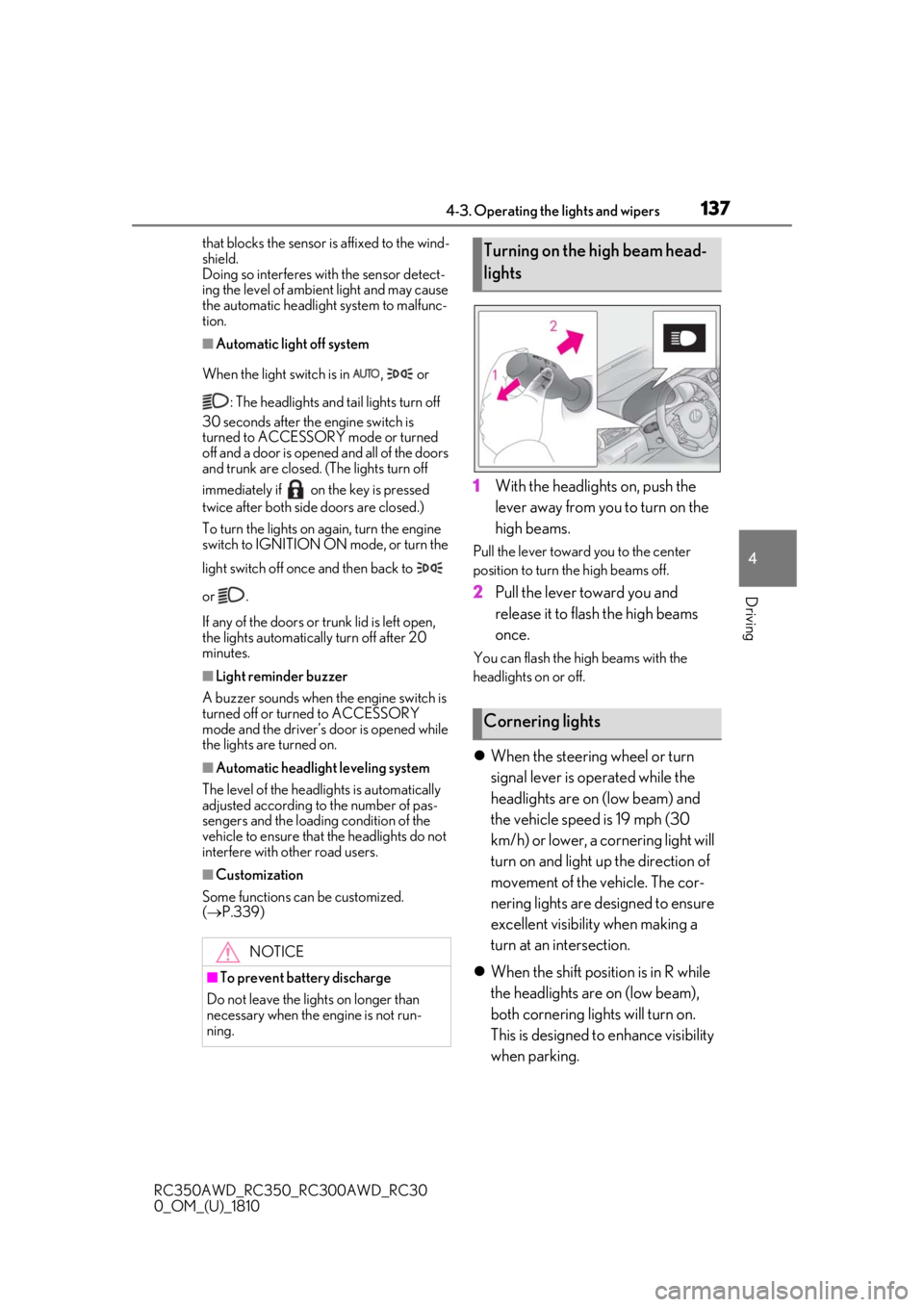
1With the headlights on, push the
lever away from you to turn on the
high beams.
Pull the lever toward you to the center
position to turn the high beams off.
2Pull the lever toward you and
release it to flash the high beams
once.
You can flash the high beams with the
headlights on or off.
When the steering wheel or turn
signal lever is operated while the
headlights are on (low beam) and
the vehicle speed is 19 mph (30
km/h) or lower, a cornering light will
turn on and light up the direction of
movement of the vehicle. The cor-
nering lights are designed to ensure
excellent visibility when making a
turn at an intersection.
When the shift position is in R while
the headlights are on (low beam),
both cornering lights will turn on.
This is designed to enhance visibility
when parking.
NOTICE
■To prevent battery discharge
Do not leave the lights on longer than
necessary when the engine is not run-
ning.
Turning on the high beam head-
lights
Cornering lights
Page 138 of 390
1384-3. Operating the lights and wipers
RC350AWD_RC350_RC300AWD_RC30
0_OM_(U)_1810
■Cornering lights
When the cornering lights are on for more
than 30 minutes, they will turn off automati-
cally.
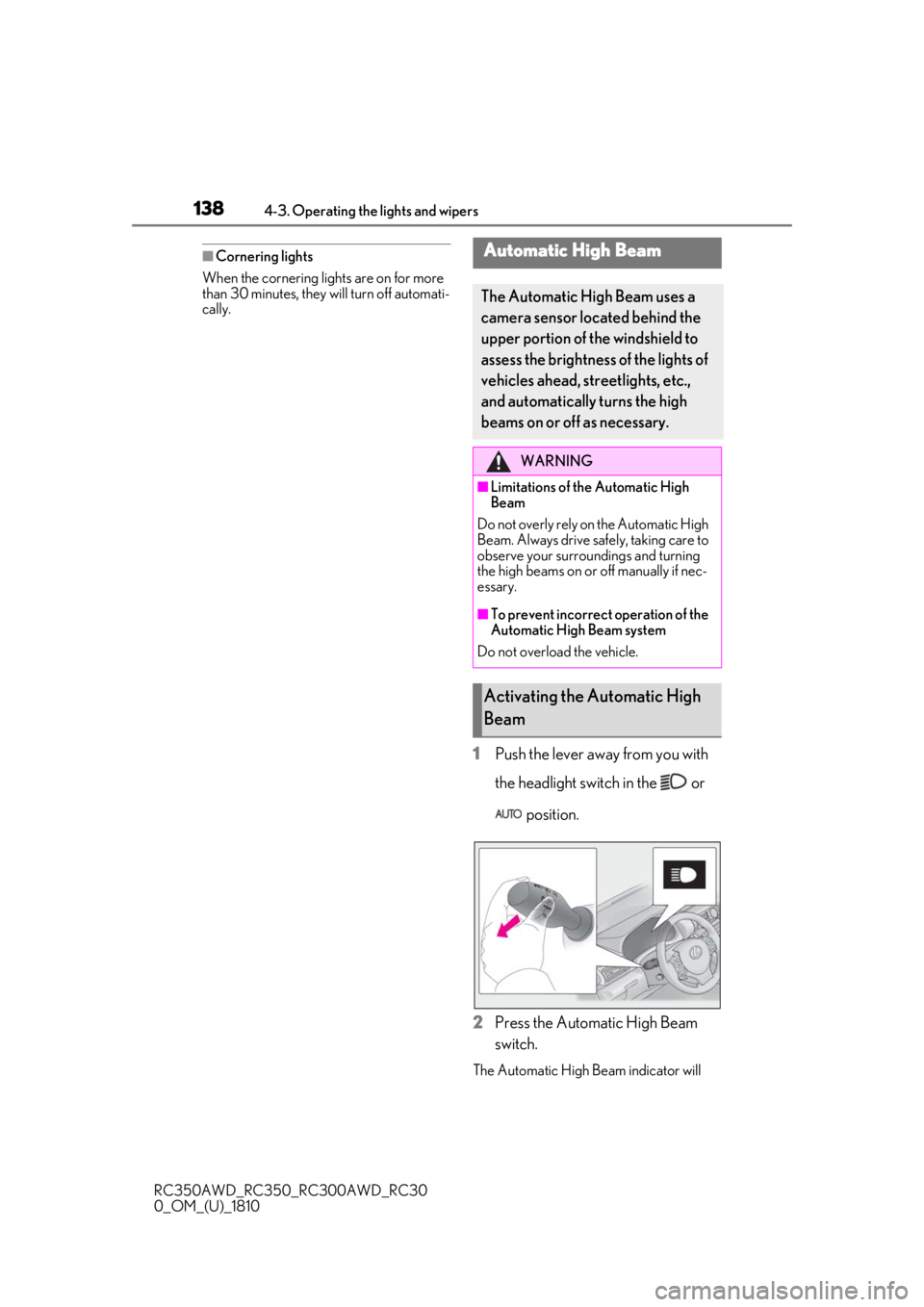
1Push the lever away from you with
the headlight switch in the or
position.
2
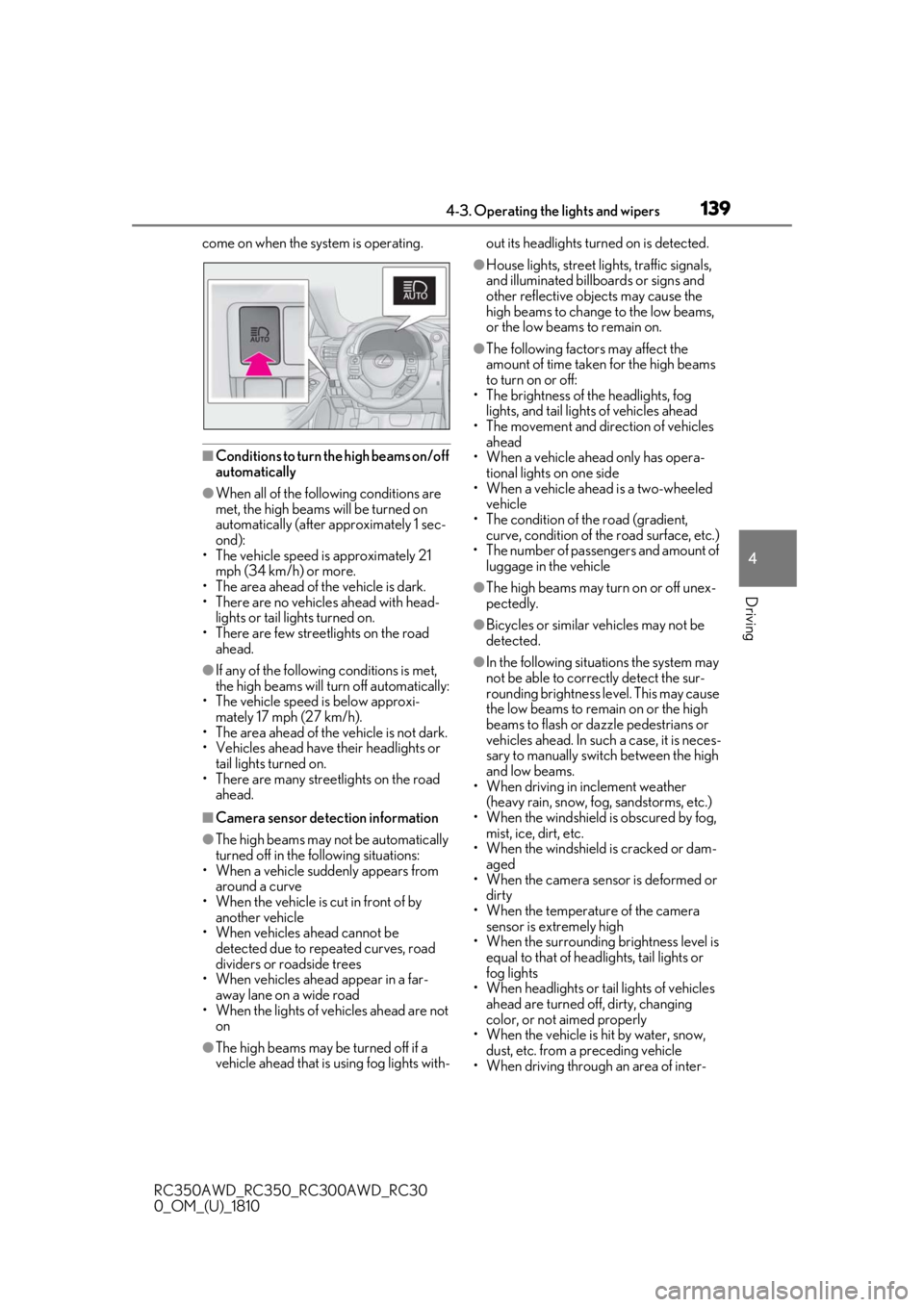
Press the Automatic High Beam
switch.
The Automatic High Beam indicator will
Automatic High Beam
The Automatic High Beam uses a
camera sensor located behind the
upper portion of the windshield to
assess the brightness of the lights of
vehicles ahead, streetlights, etc.,
and automatically turns the high
beams on or off as necessary.
WARNING
■Limitations of the Automatic High
Beam
Do not overly rely on the Automatic High
Beam. Always drive safely, taking care to
observe your surroundings and turning
the high beams on or off manually if nec-
essary.
■To prevent incorrect operation of the
Automatic High Beam system
Do not overload the vehicle.
Activating the Automatic High
Beam
Page 139 of 390
1394-3. Operating the lights and wipers
RC350AWD_RC350_RC300AWD_RC30
0_OM_(U)_1810
4
Driving
come on when the system is operating.
■Conditions to turn the high beams on/off
automatically
●When all of the foll owing conditions are
met, the high beams will be turned on
automatically (after approximately 1 sec-
ond):
• The vehicle speed is approximately 21 mph (34 km/h) or more.
• The area ahead of the vehicle is dark.
• There are no vehicles ahead with head- lights or tail lights turned on.
• There are few streetlights on the road ahead.
●If any of the following conditions is met,
the high beams will turn off automatically:
• The vehicle speed is below approxi-
mately 17 mph (27 km/h).
• The area ahead of the vehicle is not dark.
• Vehicles ahead have their headlights or tail lights turned on.
• There are many streetlights on the road ahead.
■Camera sensor detection information
●The high beams may not be automatically
turned off in the following situations:
• When a vehicle suddenly appears from around a curve
• When the vehicle is cut in front of by
another vehicle
• When vehicles ahead cannot be detected due to repe ated curves, road
dividers or roadside trees
• When vehicles ahead appear in a far- away lane on a wide road
• When the lights of vehicles ahead are not
on
●The high beams may be turned off if a
vehicle ahead that is using fog lights with- out its headlights turned on is detected.
●House lights, street lig
hts, traffic signals,
and illuminated billboards or signs and
other reflective objects may cause the
high beams to change to the low beams,
or the low beams to remain on.
●The following factors may affect the
amount of time taken for the high beams
to turn on or off:
• The brightness of the headlights, fog
lights, and tail lights of vehicles ahead
• The movement and direction of vehicles ahead
• When a vehicle ahead only has opera- tional lights on one side
• When a vehicle ahead is a two-wheeled
vehicle
• The condition of the road (gradient, curve, condition of th e road surface, etc.)
• The number of passengers and amount of luggage in the vehicle
●The high beams may turn on or off unex-
pectedly.
●Bicycles or similar vehicles may not be
detected.
●In the following situations the system may
not be able to correctly detect the sur-
rounding brightness level. This may cause
the low beams to remain on or the high
beams to flash or dazzle pedestrians or
vehicles ahead. In such a case, it is neces-
sary to manually swit ch between the high
and low beams.
• When driving in inclement weather
(heavy rain, snow, fo g, sandstorms, etc.)
• When the windshield is obscured by fog, mist, ice, dirt, etc.
• When the windshield is cracked or dam- aged
• When the camera sensor is deformed or
dirty
• When the temperature of the camera sensor is extremely high
• When the surrounding brightness level is equal to that of headlights, tail lights or
fog lights
• When headlights or tail lights of vehicles
ahead are turned off, dirty, changing
color, or not aimed properly
• When the vehicle is hit by water, snow,
dust, etc. from a preceding vehicle
• When driving through an area of inter-
Page 140 of 390
1404-3. Operating the lights and wipers
RC350AWD_RC350_RC300AWD_RC30
0_OM_(U)_1810mittently changing brightness and dark-
ness
• When frequently and repeatedly driving
ascending/descending roads, or roads
with rough, bumpy or uneven surfaces
(such as stone-paved ro ads, gravel roads,
etc.)
• When frequently and repeatedly taking curves or driving on a winding road
• When there is a highly reflective object ahead of the vehicle, such as a sign or
mirror
• When the back of a preceding vehicle is highly reflective, such as a container on a
truck
• When the vehicle's headlights are dam- aged or dirty, or are not aimed properly
• When the vehicle is listing or titling due to
a flat tire, a trailer being towed, etc.
• When the headlights are changed between the high beams and low beams
repeatedly in an abnormal manner
• When the driver believes that the high beams may be flashing or dazzling
pedestrians or other drivers
■Temporarily lowering sensor sensitivity
The sensitivity of the sensor can be tempo-
rarily lowered.
1 Turn the engine switch off while the fol-
lowing conditions are met.
●The headlight switch is in or .
●The headlight sw itch lever is in high beam
position.
●Automatic High Beam switch is on.
2 Turn the engine switch to IGNITION
ON mode.
3 Within 30 seconds after 2, repeat pull-
ing the headlight switch lever to the
original position then pushing it to the
high beam position quickly 10 times,
then leave the lever in high beam posi-
tion.
4 If the sensitivity is changed, the Auto-
matic High Beam indicator is turn on
and off 3 times.
Automatic High Beam (headlights) may
turn on even when the vehicle is stopped.
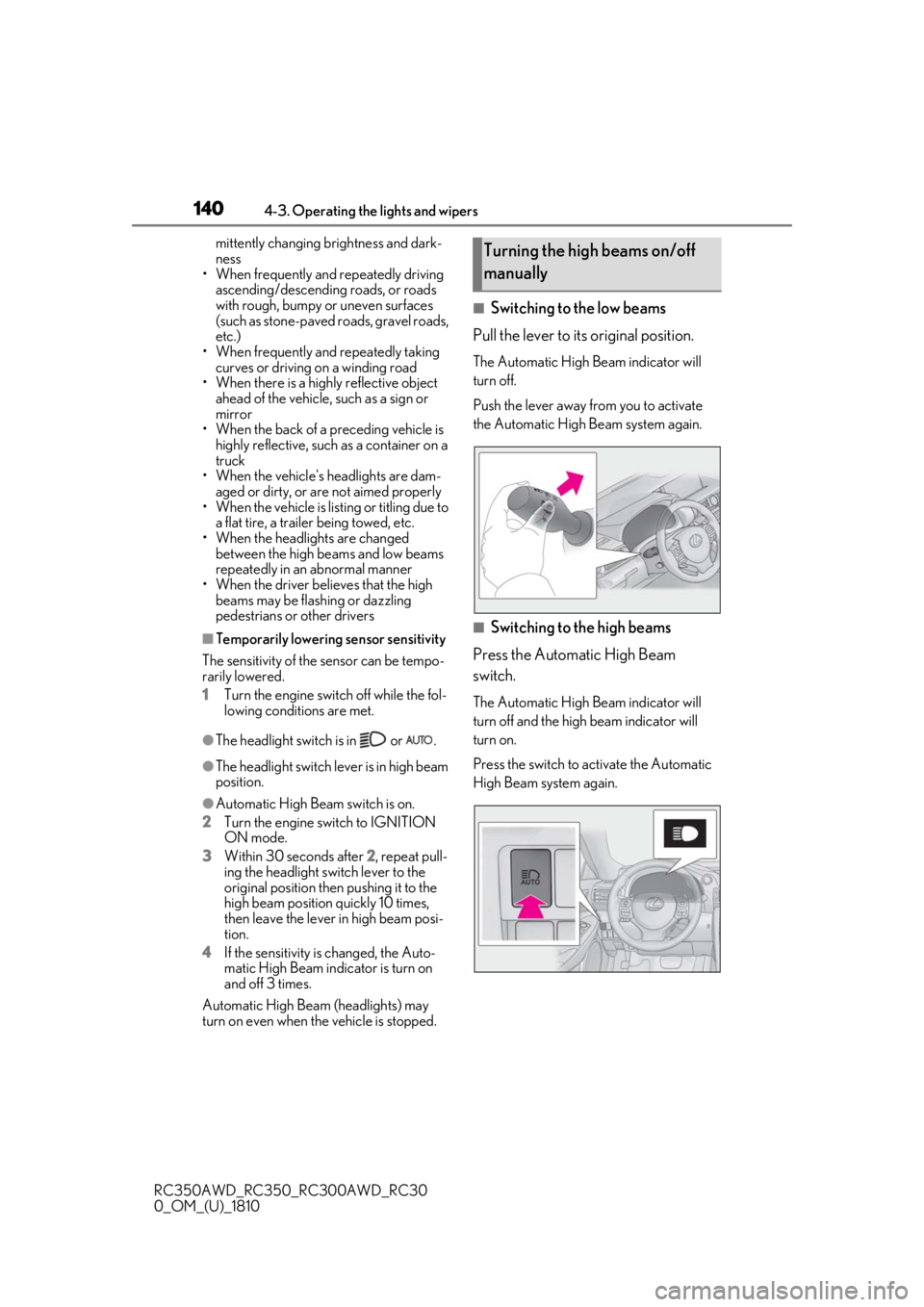
■Switching to the low beams
Pull the lever to its original position.
The Automatic High Beam indicator will
turn off.
Push the lever away from you to activate
the Automatic High Beam system again.
■Switching to the high beams
Press the Automatic High Beam
switch.
The Automatic High Beam indicator will
turn off and the high beam indicator will
turn on.
Press the switch to activate the Automatic
High Beam system again.
Turning the high beams on/off
manually
Page 151 of 390
1514-5. Using the driving support systems
RC350AWD_RC350_RC300AWD_RC30
0_OM_(U)_1810
4
Driving
4-5.Using the driving support systems
■PCS (Pre-Collision System)
P.154
■LDA (Lane Departure Alert with
steering control)
P.161
■Automatic High Beam
P.138
■Dynamic radar cruise control
P.168
The pre-collision system is equipped
with a sophisticated computer that will
record certain data, such as: • Accelerator status
• Brake status
• Vehicle speed
• Operation status of the pre-collision
system functions
• Information (such as the distance and relative speed between your
vehicle and the vehicle ahead or
other objects)
• Images from the camera sensor
(available only when the pre-colli-
sion braking function or the pre-col-
lision brake assist function was
operating)
The pre-collision system does not
record conversations, sounds or
images of the inside of the vehicle.
Data usageLexus may use the data recorded in this
computer to diagnose malfunctions, con-
duct research and development, and
improve quality.
Lexus will not disclose the recorded data to
a third party except:
• With the consent of the vehicle owner or
with the consent of the lessee if the vehi-
cle is leased
• In response to an official request by the police, a court of law or a government
agency
• For use by Lexus in a lawsuit
• For research purposes where the data is not tied to a specific vehicle or vehicle
owner
Recorded images can be erased
using a specialized device.
The image recording function can be dis-
abled. However, if the function is disabled,
data from when the pre-collision system
Lexus Safety System +
The Lexus Safety Sy stem + consists
of the following drive assist systems
and contributes to a safe and com-
fortable driving experience:
Driving assist system
WARNING
■Lexus Safety System +
The Lexus Safety System + is designed to
operate under the assumption that the
driver will drive safely, and is designed to
help reduce the impact to the occupants
and the vehicle in the case of a collision
or assist the driver in normal driving con-
ditions.
As there is a limit to the degree of recog-
nition accuracy and control performance
that this system can provide, do not
overly rely on this system. The driver is
always responsible for paying attention
to the vehicle's surroundings and driving
safely.
Vehicle data recording
Page 294 of 390
2927-2. Steps to take in an emergency
RC350AWD_RC350_RC300AWD_RC30
0_OM_(U)_1810
In some situations, the master warning light and warning buzzer may not oper-
ate as specified. In this case, follow the instructions displayed in the warning
message.
If a warning light comes on or flashes at the same time that a warning message is
displayed, take corrective actio n according to the warning light. ( P.282)
*: A buzzer sounds the first time a message is shown on the multi-information display.
■Warning messages
The warning messages explained below
may differ from the actual messages
according to operation conditions and vehi-
cle specifications.
■Warning buzzer
In some cases, the bu zzer may not be heard
due to being in a noisy location or audio
sound.
■If “Engine Oil Level Low Add or
Replace” is displayed
The engine oil level is low. Check the level
of the engine oil, and add if necessary.
This message may appear if the vehicle is
stopped on a slope. Move the vehicle to a
level surface and check to see if the mes-
sage disappears.
■If “Front Camera Unavailable” or “Front
Camera Unavailable Remove Debris
On Windshield” is displayed
The following systems may be suspended
until the problem shown in the message is
resolved. ( P.151, 285)
●PCS (Pre-Collision System)
●LDA (Lane Departure Alert with steering
control)
●Dynamic radar cruise control
●Automatic High Beam
■If “Maintenance Required Soon” is dis-
played
Indicates that all maintenance according to
the driven distance on the maintenance
schedule
* should be performed soon.
Comes on approximately 4500 miles
(7200 km) after the message has been
reset. If necessary, perform maintenance.
Please reset the message after the mainte-
nance is performed. ( P.238)
*: Refer to the separate “Scheduled Main-
tenance” or “Owner’s Manual Supple-
ment” for the main tenance interval
applicable to your vehicle.
■If “Maintenance Required Visit Your
Dealer” is displayed
Indicates that all mainte nance is required to
correspond to the driven distance on the
maintenance schedule
*.
Comes on approximately 5000 miles
(8000 km) after the message has been
reset. (The indicator will not work properly
unless the message ha s been reset.) Per-
form the necessary maintenance. Please
reset the message after the maintenance is
performed. ( P.238)
*: Refer to the separate “Scheduled Main-
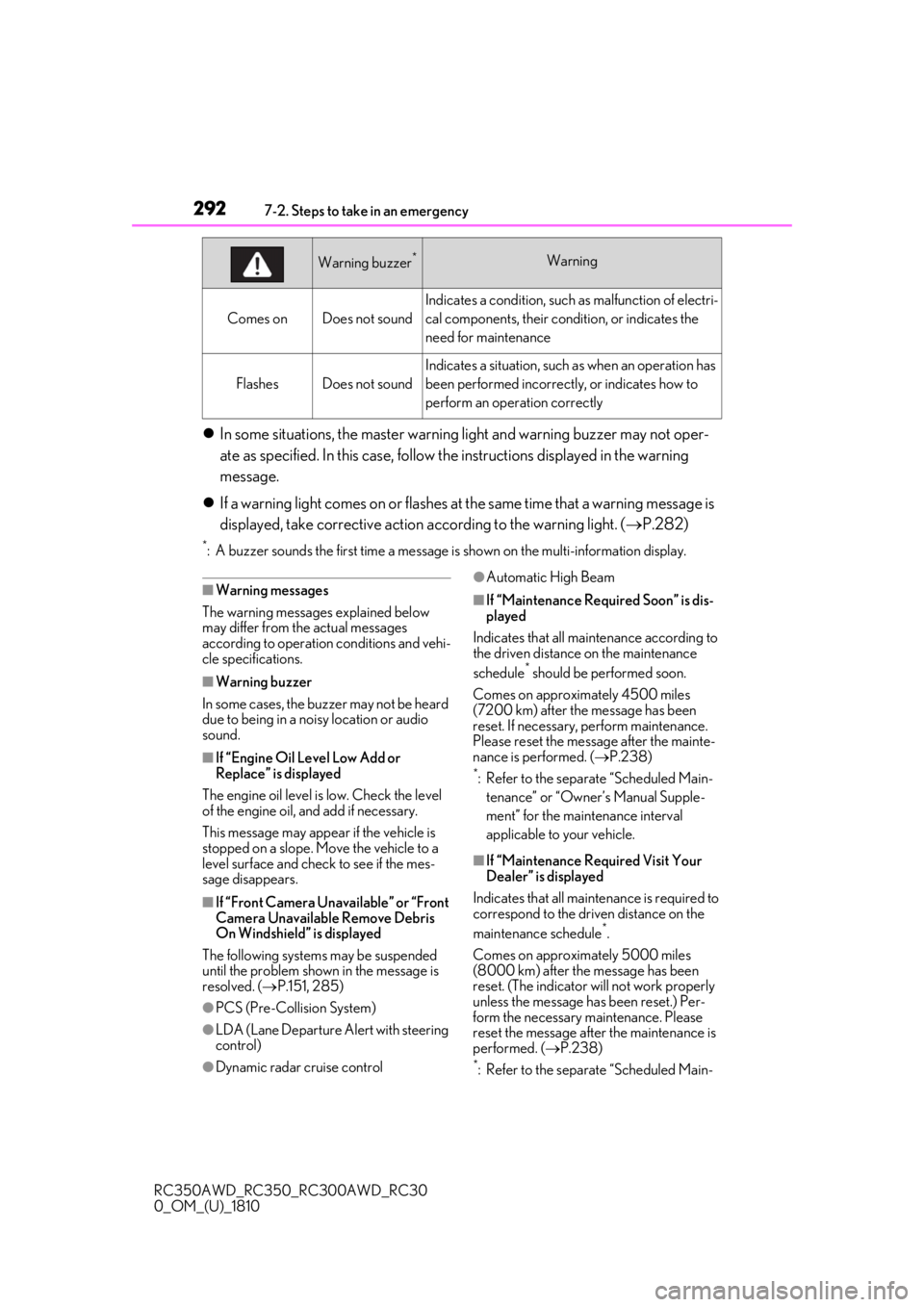
Comes onDoes not sound
Indicates a condition, such as malfunction of electri-
cal components, their cond ition, or indicates the
need for maintenance
FlashesDoes not sound
Indicates a situation, such as when an operation has
been performed incorrectly, or indicates how to
perform an operation correctly
Warning buzzer*Warning