fuel LEXUS RC350 2022 User Guide
[x] Cancel search | Manufacturer: LEXUS, Model Year: 2022, Model line: RC350, Model: LEXUS RC350 2022Pages: 400, PDF Size: 27.73 MB
Page 68 of 400

662-1. Instrument cluster
RC350/RC300 Owner's Manual
■Locations of gauges and meters (except F SPORT models)Engine coolant temperature gauge
Displays the engine coolant temperature
Tachometer
Displays the engine speed in revolutions per minute
Outside temperature
Displays the outside temperature within the range of -40°F (-40°C) to 122°F (50°C). Low
outside temperature indicator comes on when the ambient temperature is 37°F (3°C) or
lower.
Background color of drive mode
Background color changes according to the drive mode. ( P.196)
•Sport mode: Red
•Eco mode: Blue
Clock
Time displayed is linked to the analog clock on the instrument panel. (P.228)
Multi-information display
Presents the driver with a variety of vehicle data ( P.71)
Displays warning messages in case of a malfunction (P.301)
Speedometer
Fuel gauge
Shift position/shift range/gear position ( P.129, 131)
Gauges and meters
Meter display
A
B
C
D
E
F
G
H
I
Page 69 of 400

672-1. Instrument cluster
RC350/RC300 Owner's Manual
2
Vehicle status information and indicators
Odometer and trip meter display (P.70)
■Locations of gauges and meters (F SPORT models)
When the main meter is moved to the right, some of the meter displays and the
gauge layout will change.
The units used on the meters may differ depending on the target region.
Main meter in center position
Engine coolant temperature gauge
Displays the engine coolant temperature
Tachometer
Displays the engine speed in revolutions per minute
When sport mode is se lected for the driving mode, the periphery of the tachometer will
change color and the scale of the tachometer will be emphasized.
Outside temperature
Displays the outside temperature within the range of -40°F (-40°C) to 122°F (50°C). Low
outside temperature indicator comes on when the ambient temperature is 37°F (3°C) or
lower.
Clock
Time displayed is linked to the analog clock on the instrument panel. (P.228)
Multi-information display
Presents the driver with a variety of vehicle data ( P.71)
Displays warning messages in case of a malfunction (P.301)
Speedometer
Fuel gauge
Shift position/shift range/gear position ( P.129, 131)
J
A
B
C
D
E
F
G
H
Page 70 of 400

682-1. Instrument cluster
RC350/RC300 Owner's Manual
Odometer and trip meter display (P.70)
Main meter moved to the right
Engine coolant temperature gauge
Displays the engine coolant temperature
Tachometer
Displays the engine speed in revolutions per minute
When sport mode is se lected for the driving mode, the periphery of the tachometer will
change color and the scale of the tachometer will be emphasized.
Outside temperature
Displays the outside temperature within the range of -40°F (-40°C) to 122°F (50°C). Low
outside temperature indicator comes on when the ambient temperature is 37°F (3°C) or
lower.
Clock
Time displayed is linked to the analog clock on the instrument panel. (P.228)
Multi-information display
Presents the driver with a variety of vehicle data ( P.71)
Displays warning messages in case of a malfunction (P.301)
Speedometer
Fuel gauge
Shift position/shift range/gear position ( P.129, 131)
Odometer and trip meter display ( P.70)
■Rev indicator (F SPORT models)
When the engine speed reaches a set
speed, a ring-shaped indicator will be displayed on the tachometer.
I
A
B
C
D
E
F
G
H
I
Page 75 of 400

732-1. Instrument cluster
RC350/RC300 Owner's Manual
2
Vehicle status information and indicators
changed to a registered screen of your
choice.
To register a screen as the top screen,
display the desired screen and press
and hold .
■Content displayed as drive infor-
mation
Select to display various drive data.
Up to 2 of the following items can be
selected for each drive information
screen:
Items displayed can be switched by
pressing or of the meter con-
trol switches to select and pressing or .
F SPORT models: When the main
meter is in the center position, only one
item will be displayed at a time.
F SPORT models: Some drive informa-
tion items can only be displayed when
the main meter is in the center position
or when it is moved to the right.
Current fuel consumption
Displays instantaneous current fuel con-
sumption
Average fuel economy
• After reset: Displays average fuel con-
sumption since display reset
*1, 2
• After start: Displays average fuel con-sumption since engine start
*2
• After refuel: Displays average fuel con-sumption since refuel
*2, 3
Average vehicle speed
• After reset: Displays average vehicle
speed since display reset
*1
• After start: Displays average vehicle speed since engine start
Elapsed time
• After reset: Displays elapsed time since
the display was reset
*1
• After start: Displays elapsed time since engine start
Distance
• Driving range: Displays driving range
with remaining fuel
*3, 4
• After start: Displays drive distance since vehicle start
Other
Blank: No item
*1: The function can be reset by pressing
the of the meter control switches
for longer than 1 second when the item
to reset is displayed.
If there is more than one item that can
be reset, the item se lection screen will
appear.
*2: Use the displayed fuel consumption as a reference.
*3: When only a small amount of fuel is added to the tank, the display may not
be updated.
When refueling, turn the engine switch
off. If the vehicle is refueled without
turning the engine switch off, the display
may not be updated.
*4: This distance is computed based on your average fuel consumption. As a
result, the actual distance that can be
driven may differ from that displayed.
Drive information
Page 80 of 400

782-1. Instrument cluster
RC350/RC300 Owner's Manual
Center Display
“MENU” button
Touchpad
■Trip information
Press the “MENU” button on the
Remote Touch, then select on the
WARNING
■Caution for use while driving
●When operating the multi-information
display while driving, pay extra atten-
tion to the safety of the area around the
vehicle.
●Do not look continuously at the
multi-information di splay while driving
as you may fail to see pedestrians,
objects on the road, etc. ahead of the
vehicle.
■Cautions during setting up the dis-
play
As the engine needs to be running
during setting up the display, ensure that
the vehicle is parked in a place with ade-
quate ventilation. In a closed area such as
a garage, exhaust gases including harm-
ful carbon monoxide (CO) may collect
and enter the vehicle. This may lead to
death or a serious health hazard.
NOTICE
■While setting up the display
To prevent battery discharge, ensure that
the engine is running while setting up the
display features.
Fuel consumption informa-
tion
Fuel consumption information can
be displayed on the Center Display.
Vehicles with a 10.3-inch display:
The fuel consumption information
can be displayed and operated on
the side display.
System components
Consumption
A
B
C
Page 81 of 400

792-1. Instrument cluster
RC350/RC300 Owner's Manual
2
Vehicle status information and indicators
menu screen, and then select “ECO”.
If a screen other than “Trip Information”
is displayed, select “Trip Information”.
Resetting the consumption data
Fuel consumption in the past 15
minutes
Current fuel consumption
Average vehicle speed since the
engine was started.
Elapsed time since the engine was
started.
Cruising range
Average fuel consumption for the past
15 minutes is divided by color into past
averages and averages attained since
the engine switch was last turned to
IGNITION ON mode. Use the dis-
played average fuel consumption as a
reference.
The image is an example only, and may
vary slightly from actual conditions.
■History
Press the “MENU” button on the
Remote Touch, then select on the
menu screen, and then select “ECO”.
If a screen other than “History” is dis-
played, select “History”. Best recorded fuel consumption
Latest fuel consumption
Previous fuel consumption record
Resetting the history data
Updating the latest fuel consump-
tion data
The average fuel consumption history
is divided by color into past averages
and the average fuel consumption
since the last updated. Use the dis-
played average fuel consumption as a
reference.
The image is an example only, and may
vary slightly from actual conditions.
■Updating the history data
Update the latest fuel consumption by
selecting “Update” to measure the current
fuel consumption again.
■Resetting the data
The fuel consumption data can be deleted
by selecting “Clear”.
■Cruising range
Displays the estimated maximum distance
that can be driven with the quantity of fuel
remaining.
This distance is computed based on your
average fuel consumption.
As a result, the actual distance that can be
driven may differ from that displayed.
A
B
C
D
E
F
A
B
C
D
E
Page 82 of 400

802-1. Instrument cluster
RC350/RC300 Owner's Manual
Display the vehicle information on the
side display (P.212), and then select
or to display the desired
screen.
The image is an example only, and may
vary slightly from actual conditions.
■Trip information (type A)
Displays the average fuel consumption
for the past 10 minutes in 1 minute
intervals, as well as the cruising range.
Use the displayed average fuel consump-
tion as a reference.
■Trip information (type B)
Displays the cruising range, latest fuel
consumption and the amount of time
elapsed since the engine was started.
Use the displayed average fuel consump-
tion as a reference.
■History
Displays the average fuel consumption
and highest fuel consumption.
Use the displayed average fuel consump-
tion as a reference.
Using the side display (vehicles
with a 10.3-inch display)
Page 117 of 400
115
RC350/RC300 Owner's Manual
4
4
Driving
Driving
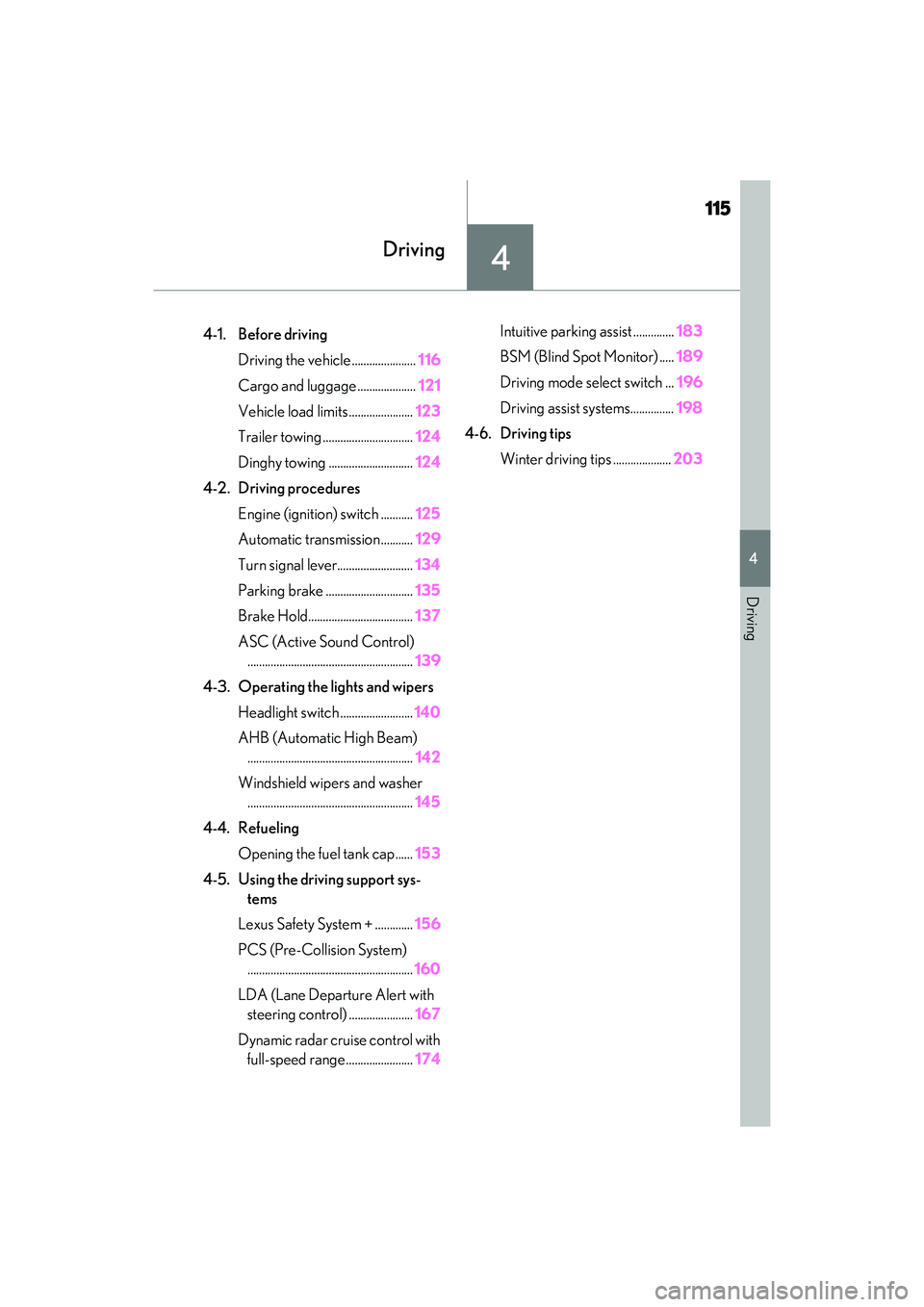
.4-1. Before drivingDriving the vehicle ...................... 116
Cargo and luggage .................... 121
Vehicle load limits ...................... 123
Trailer towing ............................... 124
Dinghy towing ............................. 124
4-2. Driving procedures Engine (ignition) switch ........... 125
Automatic transmission........... 129
Turn signal lever.......................... 134
Parking brake .............................. 135
Brake Hold.................................... 137
ASC (Active Sound Control) ......................................................... 139
4-3. Operating the lights and wipers Headlight switch ......................... 140
AHB (Automatic High Beam) ......................................................... 142
Windshield wipers and washer ......................................................... 145
4-4. Refueling Opening the fuel tank cap...... 153
4-5. Using the driving support sys- tems
Lexus Safety System + ............. 156
PCS (Pre-Collision System) ......................................................... 160
LDA (Lane Departure Alert with steering control) ...................... 167
Dynamic radar cruise control with full-speed range ....................... 174Intuitive parking assist ..............
183
BSM (Blind Spot Monitor) ..... 189
Driving mode select switch ... 196
Driving assist systems............... 198
4-6. Driving tips Winter driving tips .................... 203
Page 119 of 400
1174-1. Before driving
RC350/RC300 Owner's Manual
4
Driving
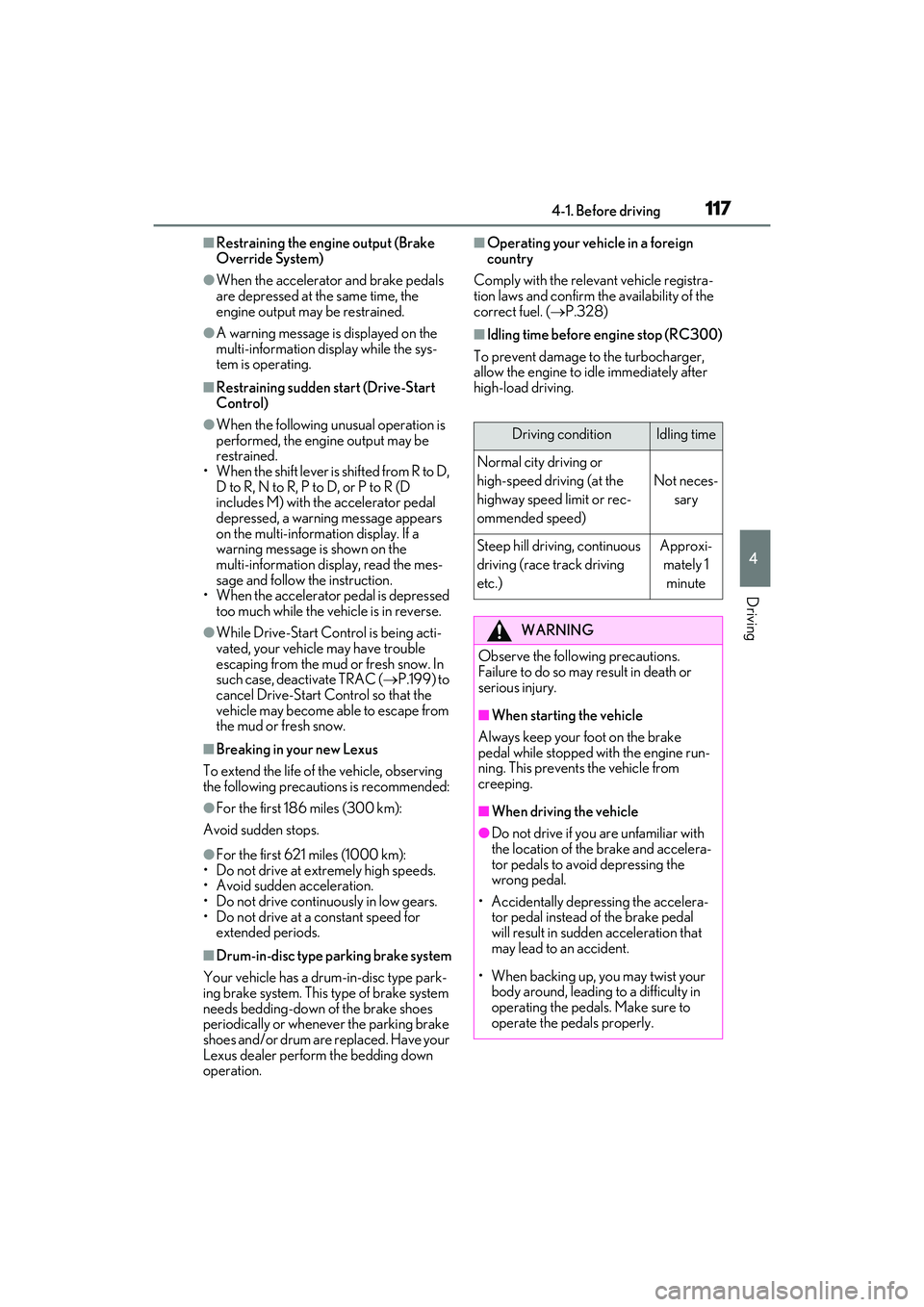
■Restraining the engine output (Brake
Override System)
●When the accelerator and brake pedals
are depressed at the same time, the
engine output may be restrained.
●A warning message is displayed on the
multi-information display while the sys-
tem is operating.
■Restraining sudden start (Drive-Start
Control)
●When the following unusual operation is
performed, the engine output may be
restrained.
• When the shift lever is shifted from R to D, D to R, N to R, P to D, or P to R (D
includes M) with the accelerator pedal
depressed, a warning message appears
on the multi-information display. If a
warning message is shown on the
multi-information disp lay, read the mes-
sage and follow the instruction.
• When the accelerator pedal is depressed
too much while the vehicle is in reverse.
●While Drive-Start Control is being acti-
vated, your vehicle may have trouble
escaping from the mud or fresh snow. In
such case, deactivate TRAC ( P.199) to
cancel Drive-Start Control so that the
vehicle may become able to escape from
the mud or fresh snow.
■Breaking in your new Lexus
To extend the life of the vehicle, observing
the following precautions is recommended:
●For the first 186 miles (300 km):
Avoid sudden stops.
●For the first 621 miles (1000 km):
• Do not drive at extremely high speeds.
• Avoid sudden acceleration.
• Do not drive continuously in low gears.
• Do not drive at a constant speed for
extended periods.
■Drum-in-disc type parking brake system
Your vehicle has a drum-in-disc type park-
ing brake system. This type of brake system
needs bedding-down of the brake shoes
periodically or whenever the parking brake
shoes and/or drum are replaced. Have your
Lexus dealer perform the bedding down
operation.
■Operating your vehicle in a foreign
country
Comply with the relevant vehicle registra-
tion laws and confirm the availability of the
correct fuel. ( P.328)
■Idling time before en gine stop (RC300)
To prevent damage to the turbocharger,
allow the engine to idle immediately after
high-load driving.
Driving conditionIdling time
Normal city driving or
high-speed driving (at the
highway speed limit or rec-
ommended speed)
Not neces- sary
Steep hill driving, continuous
driving (race track driving
etc.)Approxi-mately 1 minute
WARNING
Observe the following precautions.
Failure to do so may result in death or
serious injury.
■When starting the vehicle
Always keep your foot on the brake
pedal while stopped with the engine run-
ning. This prevents the vehicle from
creeping.
■When driving the vehicle
●Do not drive if you are unfamiliar with
the location of the brake and accelera-
tor pedals to avoid depressing the
wrong pedal.
• Accidentally depressing the accelera- tor pedal instead of the brake pedal
will result in sudden acceleration that
may lead to an accident.
• When backing up, you may twist your body around, leading to a difficulty in
operating the pedals. Make sure to
operate the pedals properly.
Page 131 of 400

1294-2. Driving procedures
RC350/RC300 Owner's Manual
4
Driving
*1: To improve fuel efficiency and reduce noise, shift the shift lever to D for normal
driving.
*2: Any gear range can be fixed when driv-ing in M mode.
■To protect the automatic transmission
If the automatic transmission fluid tempera-
ture is high, “Transmission Fluid Temp High
See Owner’s Manual” will be displayed on
the multi-information display and the vehi-
cle will go into transmission protection
mode automatically. Have the vehicle
inspected by your Lexus dealer.
■When driving with dynamic radar cruise
control with full-speed range activated
Even when performing the following
actions with the intent of enabling engine
braking, engine braking will not occur
because dynamic radar cruise control with
full-speed range will not be canceled.
●6-speed models: While driving in the D
NOTICE
■To prevent battery discharge
Do not stop the engi ne when the shift
lever is in a position other than P. If the
engine is stopped in another shift lever
position, the engine switch will not be
turned off but instead be turned to
ACCESSORY mode. If the vehicle is left
in ACCESSORY mode, battery dis-
charge may occur.
Automatic transmission
Select the shift position depending
on your purpose and situation.
Shift position purpose and func-
tions
Shift posi-
tionObjective or function
PParking the vehicle/starting the engine
RReversing
N
Neutral
(Condition in which the
power is not transmitted)
DNormal driving*1
MM mode driving*2 ( P.132)