belt LEXUS RC350 2022 Service Manual
[x] Cancel search | Manufacturer: LEXUS, Model Year: 2022, Model line: RC350, Model: LEXUS RC350 2022Pages: 400, PDF Size: 27.73 MB
Page 138 of 400

1364-2. Driving procedures
RC350/RC300 Owner's Manual
■Turns automatic mode off
While the vehicle is stopped, pull and
hold the parking brake switch until
“EPB Shift Interlock Function Deacti-
vated” will be displayed on the
multi-information display.
■Parking brake operation
●When the engine switch is not in IGNI-
TION ON mode, the parking brake can-
not be released using the parking brake
switch.
●When the engine switch is not in IGNI-
TION ON mode, automatic mode (auto-
matic brake setting and releasing) is not
available.
■Parking brake automatic release func-
tion
The parking brake is automatically released
when slowly depress the accelerator pedal.
The parking brake will be released auto-
matically under the fo llowing conditions:
• The driver’s door is closed.
• The driver’s seat belt is fastened.
• Shift the shift lever is in a forward or reverse position.
• The malfunction indicator lamp or brake system warning light is not illuminated.
If the automatic release function does not
operate, manually release the parking
brake.
■If “Parking Brake Temporarily Unavail-
able” is displayed on the multi-informa-
tion display
If the parking brake is operated repeatedly over a short period of time, the system may
restrict operation to pr
event overheating. If
this happens, refrain from operating the
parking brake. Normal operation will return
after about 1 minute.
■If “EPB Activation Stopped Incom-
pletely” or “Parking Brake Unavailable”
is displayed on th e multi-information
display
Operate the parking brake switch. If the
message does not disappear after operat-
ing the switch several times, the system may
be malfunctioning. Have the vehicle
inspected by your Lexus dealer immedi-
ately.
■Parking brake operation sound
When the parking brake operates, a motor
sound (whirring sound) may be heard. This
does not indicate a malfunction.
■Parking brake operation
●Depending on the engine switch mode,
the parking brake indicator light will turn
on and stay on as described below:
IGNITION ON mode: Comes on until
the parking brake is released.
Not in IGNITION ON mode: Stays on
for approximately 15 seconds.
●When the engine switch is turned off with
the parking brake set, the parking brake
indicator light will stay on for about 15
seconds. This does not indicate a mal-
function.
■Parking the vehicle
P.116
■Parking brake engaged warning buzzer
A buzzer will sound if the vehicle is driven
with the parking brake engaged. “Parking
Brake ON” is displayed on the multi-infor-
mation display.
■Warning messages and buzzers
Warning messages and buzzers are used to
indicate a system malfunction or to inform
the driver of the need for caution. If a warn-
ing message is shown on the multi-informa-
tion display, read the message and follow
the instructions.
Page 139 of 400

1374-2. Driving procedures
RC350/RC300 Owner's Manual
4
Driving
■If the brake system warning light comes
on
P.293
■Usage in winter time
P.203
Turns the brake hold system on
The brake hold standby indicator (green)
comes on. While the system is holding
the brake, the brake hold operated indica-
tor (yellow) comes on.
■Brake hold system operating conditions
The brake hold system cannot be turned on
in the following conditions:
●The driver’s door is not closed.
●The driver is not wearing the seat belt.
●The parking brake is engaged.
If any of the conditio ns above are detected
when the brake hold system is enabled, the
system will turn off and the brake hold
standby indicator light will go off. In addi-
tion, if any of the co nditions are detected
while the system is holding the brake, a
WARNING
■When parking the vehicle
Do not leave a child in the vehicle alone.
The parking brake may be released unin-
tentionally and there is the danger of the
vehicle moving that may lead to an acci-
dent resulting in death or serious injury.
NOTICE
■When parking the vehicle
Before you leave the vehicle, shift the
shift lever to P, set the parking brake and
make sure that the vehicle does not
move.
■When the system malfunctions
Stop the vehicle in a safe place and
check the warning messages.
■When the parking brake cannot be
released due to a malfunction
Driving the vehicle with the parking
brake set will lead to brake components
overheating, which may affect braking
performance and increase brake wear.
Have the vehicle inspected by your
Lexus dealer immediately if this occurs.
Brake Hold
The brake hold system keeps the
brake applied when the shift lever is
in D, M or N with the system on and
the brake pedal has been
depressed to stop the vehicle. The
system releases the brake when the
accelerator pedal is depressed with
the shift lever in D or M to allow
smooth start off.
Enabling the system
A
B
Page 140 of 400
1384-2. Driving procedures
RC350/RC300 Owner's Manual
warning buzzer will sound and a message
will be shown on the multi-information dis-
play. The parking brake will then be set
automatically.
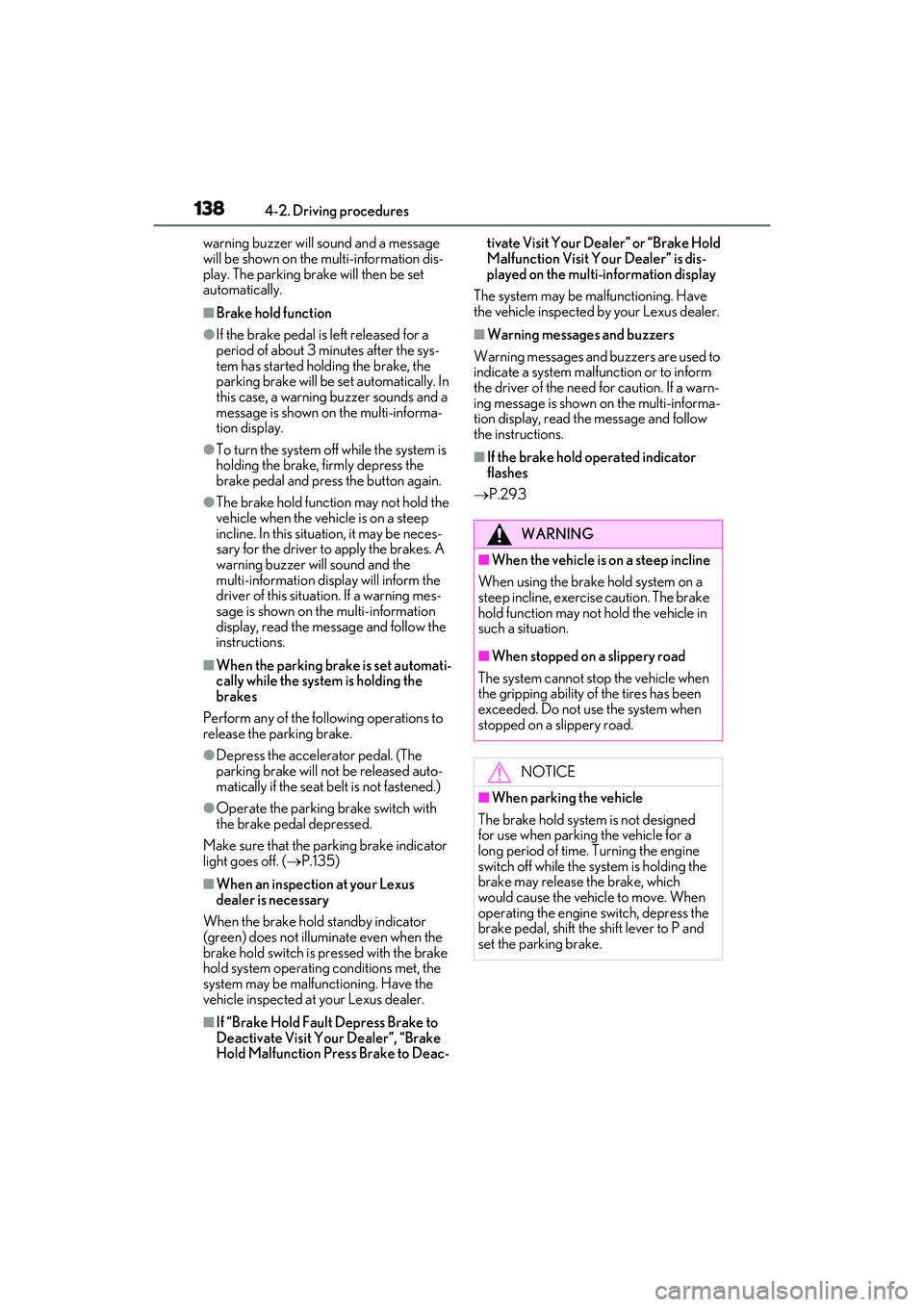
■Brake hold function
●If the brake pedal is left released for a
period of about 3 minutes after the sys-
tem has started holding the brake, the
parking brake will be set automatically. In
this case, a warning buzzer sounds and a
message is shown on the multi-informa-
tion display.
●To turn the system off while the system is
holding the brake, firmly depress the
brake pedal and press the button again.
●The brake hold function may not hold the
vehicle when the vehicle is on a steep
incline. In this situation, it may be neces-
sary for the driver to apply the brakes. A
warning buzzer will sound and the
multi-information display will inform the
driver of this situat ion. If a warning mes-
sage is shown on the multi-information
display, read the message and follow the
instructions.
■When the parking brake is set automati-
cally while the system is holding the
brakes
Perform any of the follo wing operations to
release the parking brake.
●Depress the accelerator pedal. (The
parking brake will not be released auto-
matically if the seat belt is not fastened.)
●Operate the parking brake switch with
the brake pedal depressed.
Make sure that the parking brake indicator
light goes off. ( P.135)
■When an inspection at your Lexus
dealer is necessary
When the brake hold standby indicator
(green) does not illuminate even when the
brake hold switch is pressed with the brake
hold system operating conditions met, the
system may be malfun ctioning. Have the
vehicle inspected at your Lexus dealer.
■If “Brake Hold Fault Depress Brake to
Deactivate Visit Your Dealer”, “Brake
Hold Malfunction Pr ess Brake to Deac- tivate Visit Your Dealer” or “Brake Hold
Malfunction Visit Your Dealer” is dis-
played on the multi-information display
The system may be malfunctioning. Have
the vehicle inspected by your Lexus dealer.
■Warning messages and buzzers
Warning messages and buzzers are used to
indicate a system malfunction or to inform
the driver of the need for caution. If a warn-
ing message is shown on the multi-informa-
tion display, read the message and follow
the instructions.
■If the brake hold operated indicator
flashes
P.293
WARNING
■When the vehicle is on a steep incline
When using the brake hold system on a
steep incline, exercise caution. The brake
hold function may not hold the vehicle in
such a situation.
■When stopped on a slippery road
The system cannot stop the vehicle when
the gripping ability of the tires has been
exceeded. Do not use the system when
stopped on a slippery road.
NOTICE
■When parking the vehicle
The brake hold system is not designed
for use when parking the vehicle for a
long period of time. Turning the engine
switch off while the system is holding the
brake may release the brake, which
would cause the vehicle to move. When
operating the engine switch, depress the
brake pedal, shift the shift lever to P and
set the parking brake.
Page 183 of 400

1814-5. Using the driving support systems
RC350/RC300 Owner's Manual
4
Driving
mately 30 mph (50 km/h).
However, when a preceding vehicle is
detected, the dynamic radar cruise con-
trol with full-speed range can be set even
if the vehicle speed is below approxi-
mately 30 mph (50 km/h).
■Accelerating after setting the vehicle
speed
The vehicle can accelerate by operating the
accelerator pedal. After accelerating, the
set speed resumes. However, during vehi-
cle-to-vehicle distance control mode, the
vehicle speed may decrease below the set
speed in order to maintain the distance to
the preceding vehicle.
■When the vehicle stops while follow-up
cruising
●Pushing the lever up while the vehicle
ahead stops will resu me follow-up cruis-
ing if the vehicle ahead starts off within
approximately 3 seconds after the lever
is pushed up.
●If the vehicle ahead starts off within 3 sec-
onds after your vehicle stops, follow-up
cruising will be resumed.
■Automatic cancelation of vehi-
cle-to-vehicle distance control mode
Vehicle-to-vehicle dist ance control mode is
automatically canceled in the following situ-
ations:
●Actual vehicle speed falls at or below
approximately 25 mph (40 km/h) when
there are no vehicles ahead.
●The preceding vehicle leaves the lane
when your vehicle is following at a vehicle
speed at or below approximately 25 mph
(40 km/h). Otherwise, the sensor can
not properly detect the vehicle. (“Radar
Cruise Control Not Available No Pre-
ceding Vehicles” is displayed on the
multi-information display)
●VSC is activated.
●TRAC is activated for a period of time.
●When the VSC or TRAC system is
turned off.
●When snow mode is set.
●The sensor cannot detect correctly
because it is covered in some way.
●Pre-collision braking is activated.
●The parking brake is operated.
●The vehicle is stopped by system control
on a steep incline.
●The following are detected when the
vehicle has been stopped by system con-
trol:
• The driver is not wearing a seat belt.
• The driver’s door is opened.
• The vehicle has been stopped for about 3 minutes.
If vehicle-to-vehicle distance control mode
is automatically canceled for any reasons
other than the above, there may be a mal-
function in the system. Contact your Lexus
dealer.
■Automatic cancelation of constant
speed control mode
Constant speed contro l mode is automati-
cally canceled in the following situations:
●Actual vehicle speed is more than
approximately 10 mph (16 km/h) below
the set vehicle speed.
●Actual vehicle speed falls below approxi-
mately 25 mph (40 km/h).
●VSC is activated.
●TRAC is activated for a period of time.
●When the VSC or TRAC system is
turned off.
●Pre-collision braking is activated.
If constant speed control mode is automati-
cally canceled for any other reason, there
may be a malfunction in the system. Con-
tact your Lexus dealer.
■Brake system operation sound
If the brakes are app lied automatically while
the vehicle is in vehicle-to-vehicle distance
control mode, a brake system operation
sound may be heard. This does not indicate
a malfunction.
■Warning messages and buzzers for
dynamic radar cruise control with
full-speed range
Warning messages and buzzers are used to
indicate a system malfunction or to inform
the driver of the need for caution while driv-
ing. If a warning messa ge is shown on the
Page 229 of 400

2275-4. Using the storage features
RC350/RC300 Owner's Manual
5
Interior features
Raise the hooks when needed.
The cargo hooks are provided for securing
loose items.
1Loosen the belt
2 Tighten the belt
Trunk features
Cargo hooks
WARNING
■When the cargo net is not in use
To avoid injury, always return the cargo
hooks on the floor to their stowed posi-
tions.
First-aid kit storage belt
Page 245 of 400
2436-1. Maintenance and care
RC350/RC300 Owner's Manual
6
Maintenance and care
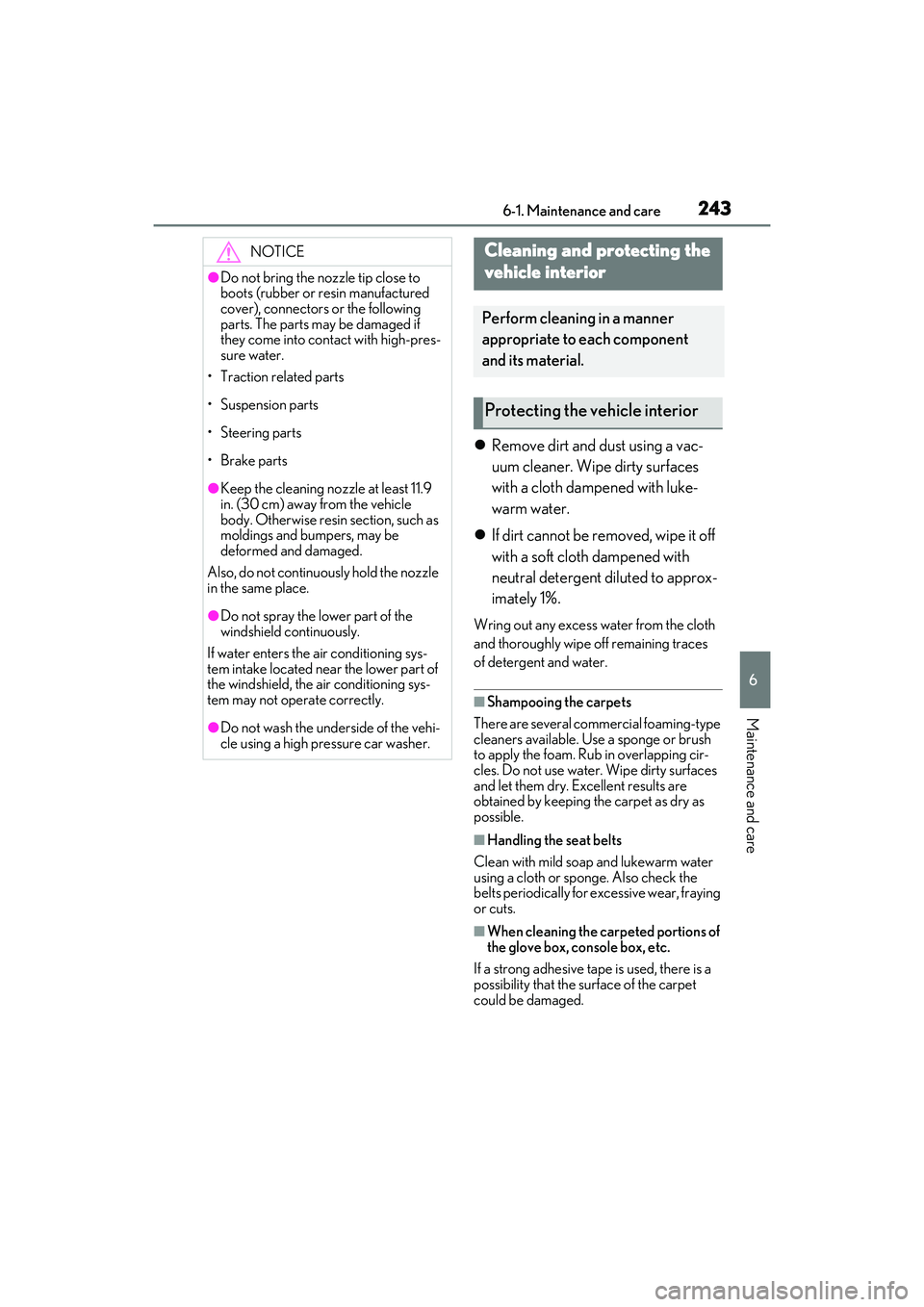
Remove dirt and dust using a vac-
uum cleaner. Wipe dirty surfaces
with a cloth dampened with luke-
warm water.
If dirt cannot be removed, wipe it off
with a soft cloth dampened with
neutral detergent diluted to approx-
imately 1%.
Wring out any excess water from the cloth
and thoroughly wipe off remaining traces
of detergent and water.
■Shampooing the carpets
There are several commercial foaming-type
cleaners available. Use a sponge or brush
to apply the foam. Rub in overlapping cir-
cles. Do not use water. Wipe dirty surfaces
and let them dry. Excellent results are
obtained by keeping the carpet as dry as
possible.
■Handling the seat belts
Clean with mild soap and lukewarm water
using a cloth or spon ge. Also check the
belts periodically for excessive wear, fraying
or cuts.
■When cleaning the carpeted portions of
the glove box, console box, etc.
If a strong adhesive tape is used, there is a
possibility that the su rface of the carpet
could be damaged.
NOTICE
●Do not bring the nozzle tip close to
boots (rubber or re sin manufactured
cover), connectors or the following
parts. The parts may be damaged if
they come into contact with high-pres-
sure water.
• Traction related parts
•Suspension parts
•Steering parts
• Brake parts
●Keep the cleaning nozzle at least 11.9
in. (30 cm) away from the vehicle
body. Otherwise resin section, such as
moldings and bumpers, may be
deformed and damaged.
Also, do not continuously hold the nozzle
in the same place.
●Do not spray the lower part of the
windshield continuously.
If water enters the air conditioning sys-
tem intake located near the lower part of
the windshield, the air conditioning sys-
tem may not oper ate correctly.
●Do not wash the underside of the vehi-
cle using a high pressure car washer.
Cleaning and protecting the
vehicle interior
Perform cleaning in a manner
appropriate to each component
and its material.
Protecting the vehicle interior
Page 250 of 400
2486-2. Maintenance
RC350/RC300 Owner's Manual
Radiator, con-
denser and inter-
cooler radiator
The radiator, con-
denser and inter-
cooler radiator should
be free from foreign
objects. (P.260)
Washer fluid
Is there sufficient
washer fluid?
(P.262)
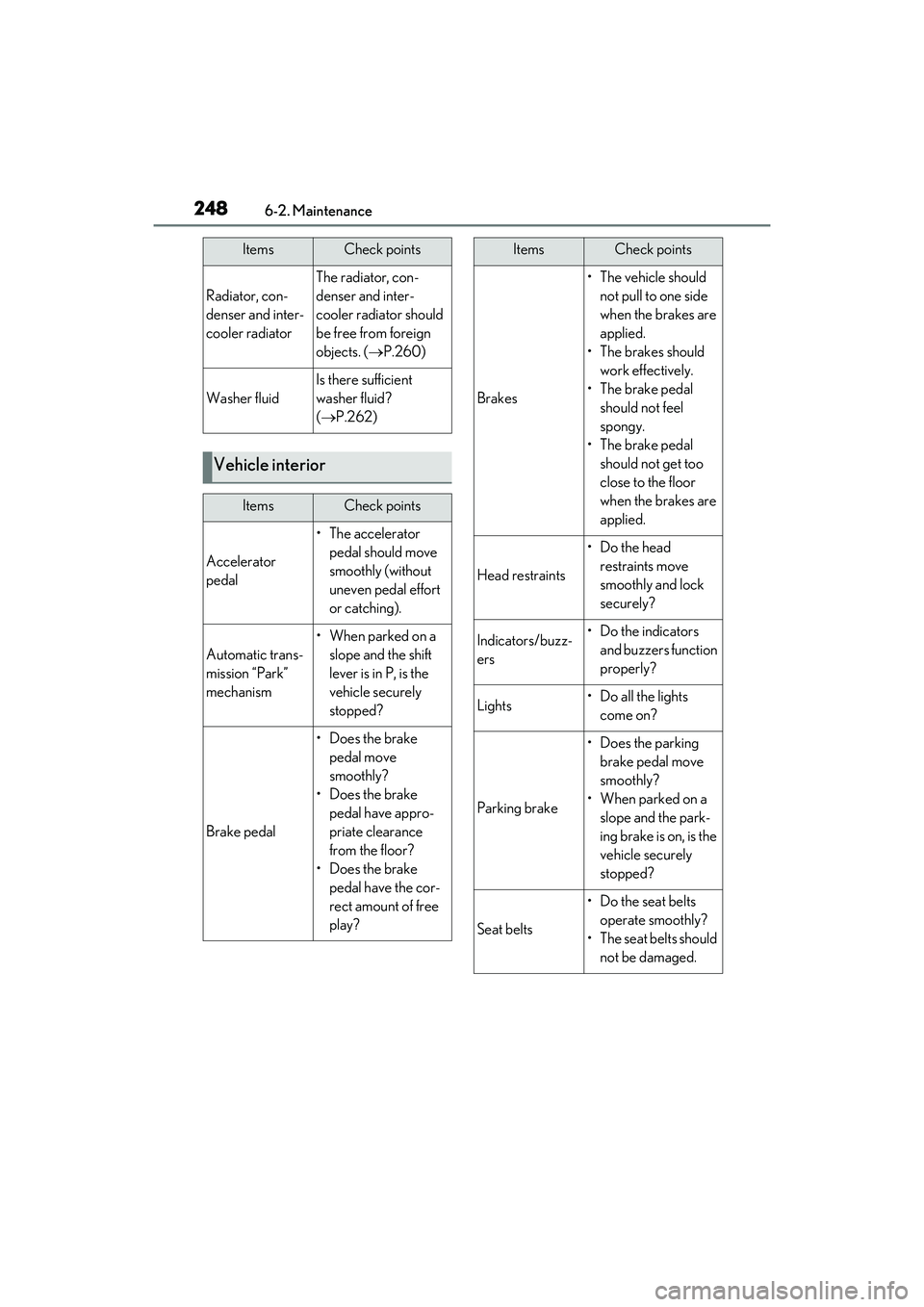
Vehicle interior
ItemsCheck points
Accelerator
pedal
• The accelerator
pedal should move
smoothly (without
uneven pedal effort
or catching).
Automatic trans-
mission “Park”
mechanism
•When parked on a slope and the shift
lever is in P, is the
vehicle securely
stopped?
Brake pedal
• Does the brake pedal move
smoothly?
• Does the brake pedal have appro-
priate clearance
from the floor?
• Does the brake pedal have the cor-
rect amount of free
play?
ItemsCheck points
Brakes
• The vehicle should not pull to one side
when the brakes are
applied.
• The brakes should work effectively.
• The brake pedal should not feel
spongy.
• The brake pedal should not get too
close to the floor
when the brakes are
applied.
Head restraints
•Do the head restraints move
smoothly and lock
securely?
Indicators/buzz-
ers•Do the indicators and buzzers function
properly?
Lights• Do all the lights come on?
Parking brake
•Does the parking brake pedal move
smoothly?
• When parked on a slope and the park-
ing brake is on, is the
vehicle securely
stopped?
Seat belts
• Do the seat belts operate smoothly?
• The seat belts should not be damaged.
ItemsCheck points
Page 254 of 400
2526-3. Do-it-yourself maintenance
RC350/RC300 Owner's Manual
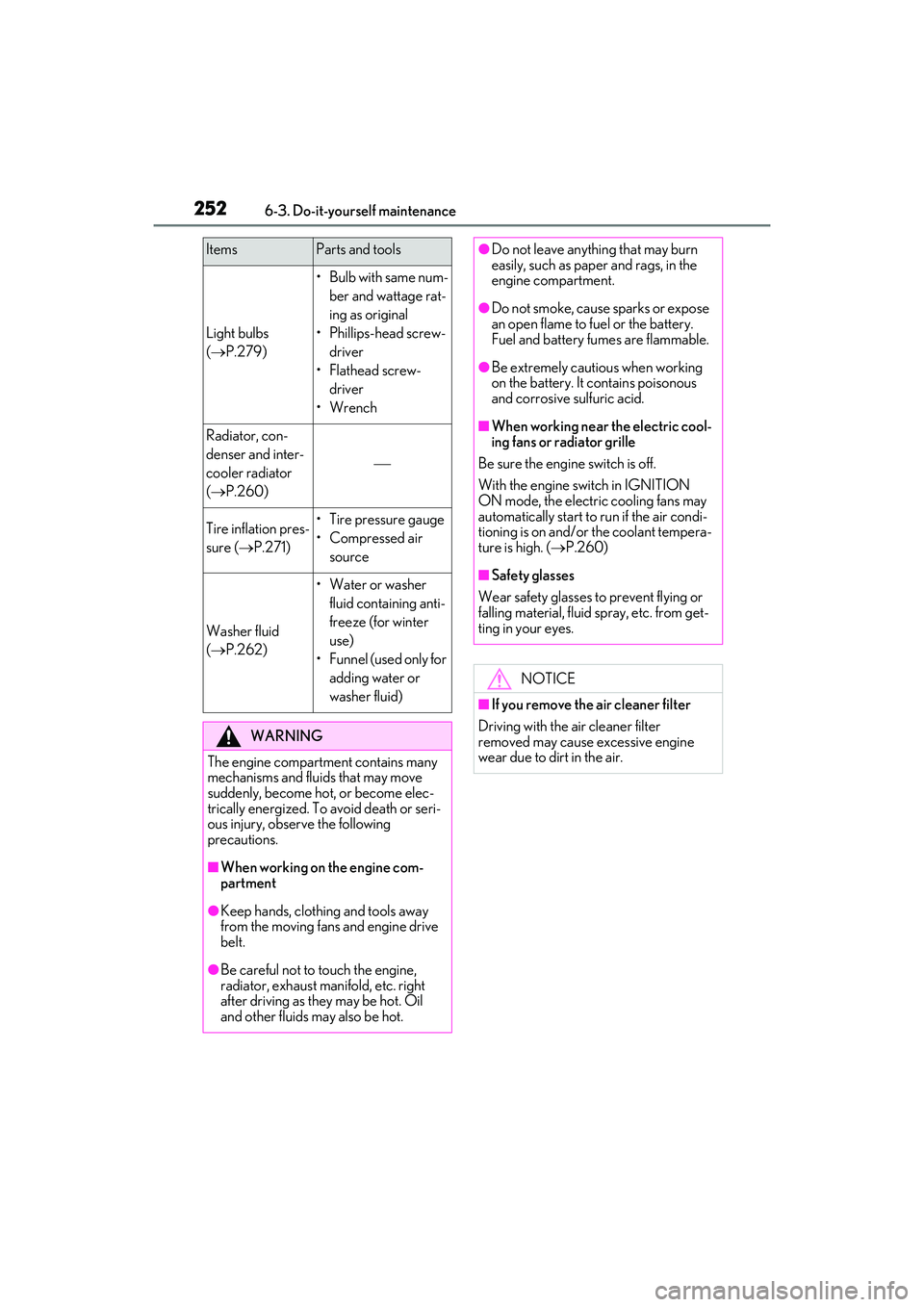
Light bulbs
(P.279)
•Bulb with same num-
ber and wattage rat-
ing as original
• Phillips-head screw- driver
•Flathead screw- driver
•Wrench
Radiator, con-
denser and inter-
cooler radiator
( P.260)
Tire inflation pres-
sure ( P.271)• Tire pressure gauge
•Compressed air
source
Washer fluid
(P.262)
• Water or washer
fluid containing anti-
freeze (for winter
use)
• Funnel (used only for adding water or
washer fluid)
WARNING
The engine compartment contains many
mechanisms and fluids that may move
suddenly, become hot, or become elec-
trically energized. To avoid death or seri-
ous injury, observe the following
precautions.
■When working on the engine com-
partment
●Keep hands, clothi ng and tools away
from the moving fans and engine drive
belt.
●Be careful not to touch the engine,
radiator, exhaust manifold, etc. right
after driving as they may be hot. Oil
and other fluids may also be hot.
ItemsParts and tools●Do not leave anything that may burn
easily, such as paper and rags, in the
engine compartment.
●Do not smoke, cause sparks or expose
an open flame to fuel or the battery.
Fuel and battery fumes are flammable.
●Be extremely cautious when working
on the battery. It contains poisonous
and corrosive sulfuric acid.
■When working near the electric cool-
ing fans or radiator grille
Be sure the engine switch is off.
With the engine switch in IGNITION
ON mode, the electric cooling fans may
automatically start to run if the air condi-
tioning is on and/or the coolant tempera-
ture is high. ( P.260)
■Safety glasses
Wear safety glasses to prevent flying or
falling material, fluid spray, etc. from get-
ting in your eyes.
NOTICE
■If you remove the air cleaner filter
Driving with the air cleaner filter
removed may cause excessive engine
wear due to dirt in the air.
Page 291 of 400

2897-2. Steps to take in an emergency
RC350/RC300 Owner's Manual
7
When trouble arises
From the rear
Use a towing dolly under the front
wheels.
When using a flat-bed truck to trans-
port the vehicle, use tire strapping
belts. Refer to the owner's manual of
the flat-bed truck for the tire strapping
method.
In order to suppress vehicle movement
during transportati on, set the parking
brake and turn the engine switch off.
If a tow truck is not available in an
emergency, your vehicle may be tem-
porarily towed using cables or chains secured to the emergency towing eye-
lets. This should only be attempted on
hard surfaced roads for at most 50
miles (80 km) at under 18 mph (30
km/h).
A driver must be in the vehicle to steer
and operate the brakes. The vehicle’s
wheels, drive train, axles, steering and
brakes must be in good condition.
To have your vehicle towed by another
vehicle, the towing eyelet must be
installed to your vehicle. Install the tow-
ing eyelet using the following proce-
dure.
1
Take out the wheel nut wrench,
flathead screwdriver and towing
eyelet. ( P.305)
2 Remove the eyelet cover using a
flathead screwdriver.
To protect the bodywork, place a rag
between the screwdriver and the vehicle
body as shown in the illustration.
Except F SPORT models
F SPORT models
NOTICE
■Towing with a sling-type truck
Do not tow with a sling-type truck to pre-
vent body damage.
Using a flatbed truck
Emergency towing
Emergency towing procedure
Page 296 of 400
2947-2. Steps to take in an emergency
RC350/RC300 Owner's Manual
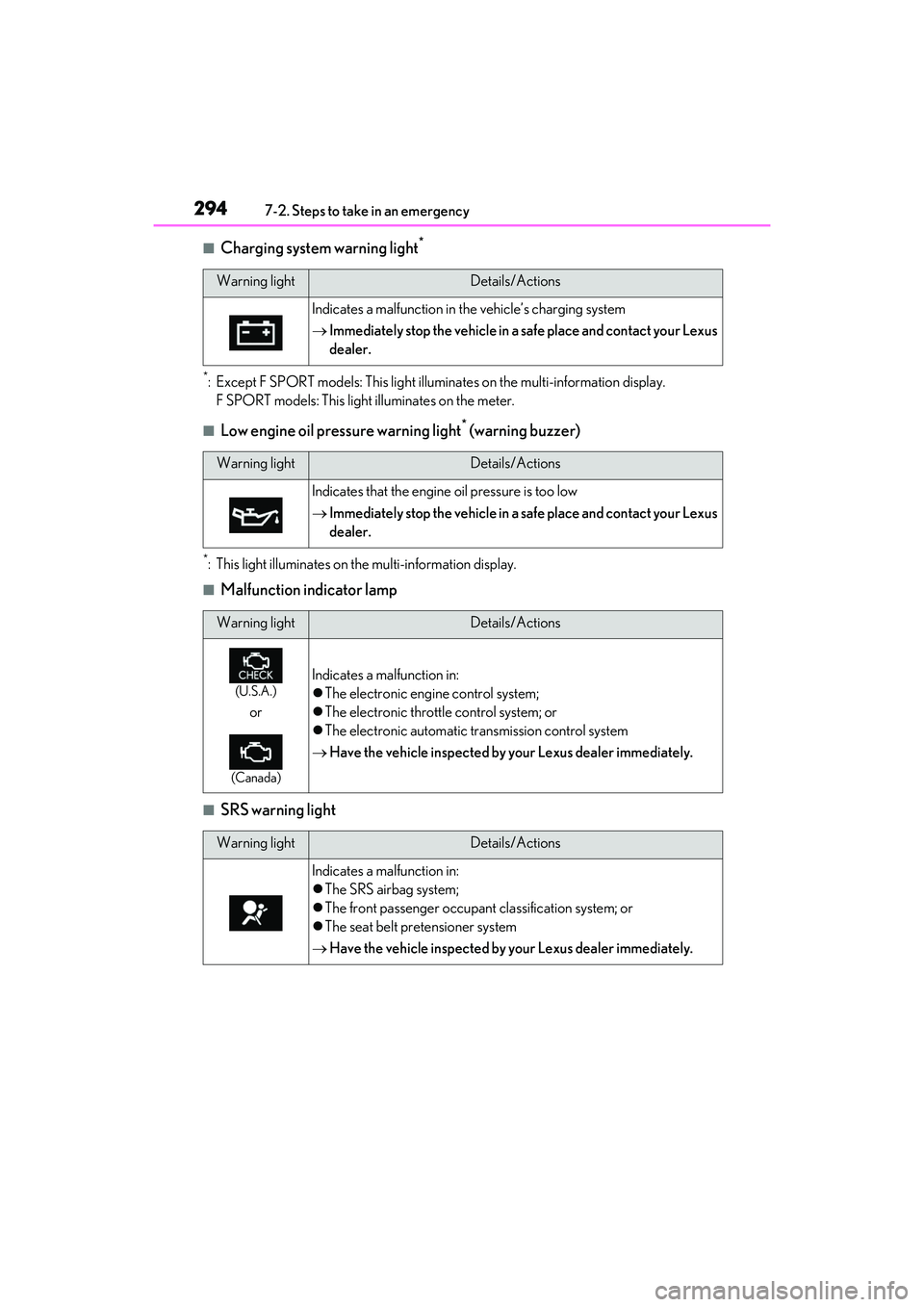
■Charging system warning light*
*: Except F SPORT models: This light illuminates on the multi-information display.
F SPORT models: This light illuminates on the meter.
■Low engine oil pressure warning light* (warning buzzer)
*: This light illuminates on th e multi-information display.
■Malfunction indicator lamp
■SRS warning light
Warning lightDetails/Actions
Indicates a malfunction in the vehicle’s charging system
Immediately stop the vehicle in a safe place and contact your Lexus
dealer.
Warning lightDetails/Actions
Indicates that the engine oil pressure is too low
Immediately stop the vehicle in a safe place and contact your Lexus
dealer.
Warning lightDetails/Actions
(U.S.A.)
or
(Canada)
Indicates a malfunction in:
The electronic engine control system;
The electronic throttle control system; or
The electronic automatic transmission control system
Have the vehicle inspected by your Lexus dealer immediately.
Warning lightDetails/Actions
Indicates a malfunction in:
The SRS airbag system;
The front passenger occupant classification system; or
The seat belt pretensioner system
Have the vehicle inspected by your Lexus dealer immediately.