air condition LEXUS RCF 2018 User Guide
[x] Cancel search | Manufacturer: LEXUS, Model Year: 2018, Model line: RCF, Model: LEXUS RCF 2018Pages: 636, PDF Size: 6.88 MB
Page 305 of 636
3054-5. Using the driving support systems
4
Driving
RC350_RC300 AWD_RC3 00_RC F_U(OM24748U)Eco drive mode
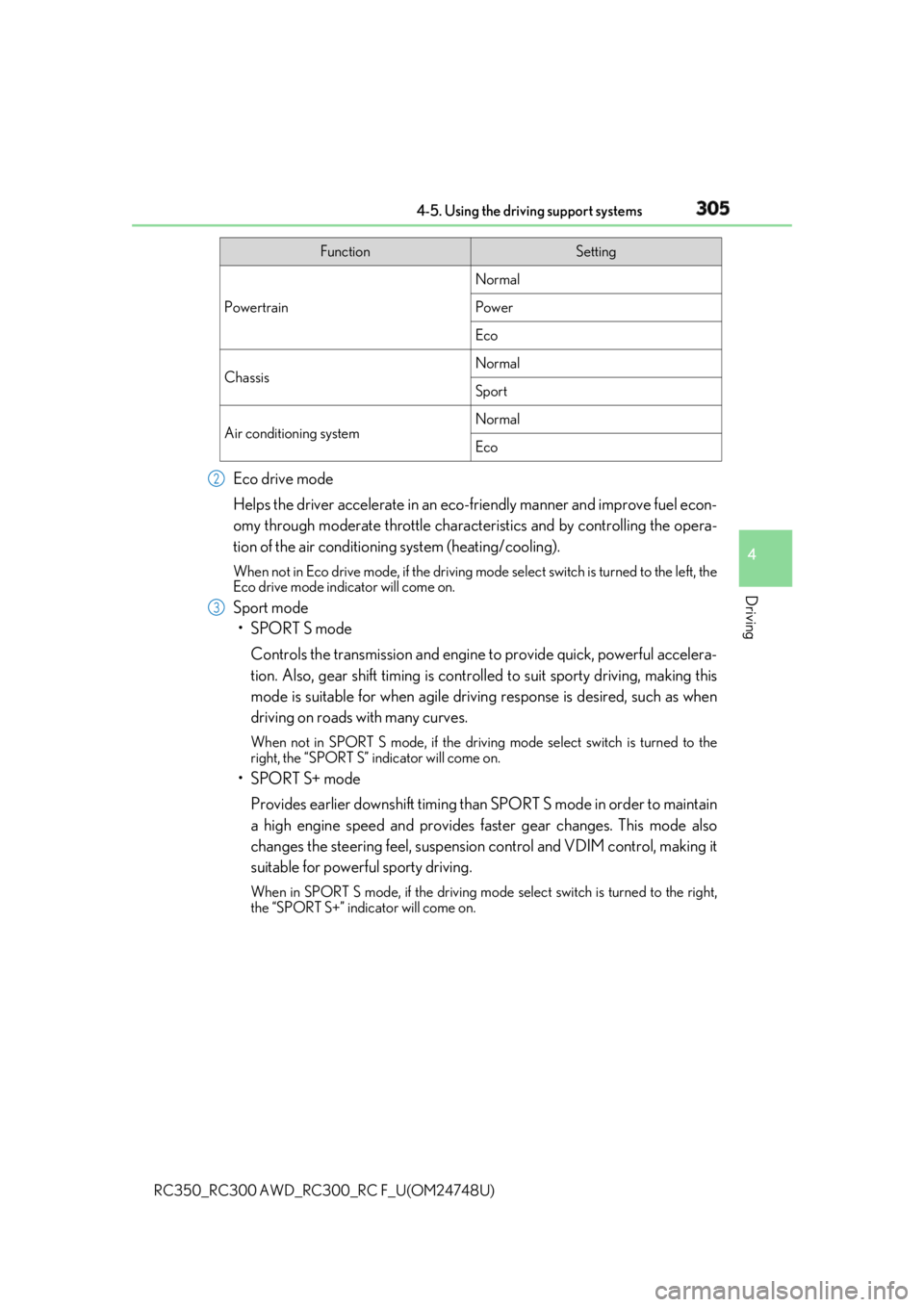
Helps the driver accelerate in an eco-fr iendly manner and improve fuel econ-
omy through moderate throttle charact eristics and by controlling the opera-
tion of the air conditioning system (heating/cooling). When not in Eco drive mode, if the driving mode select switch is tu rned to the left, the
Eco drive mode indicator will come on.
Sport mode
•SPORT S mode
Controls the transmission and engine to provide quick, powerful accelera-
tion. Also, gear shift timing is controlle d to suit sporty driving, making this
mode is suitable for when agile drivin g response is desired, such as when
driving on roads with many curves. When not in SPORT S mode, if the driving mode select switch is turned to the
right, the “SPORT S” indicator will come on.
•SPORT S+ mode
Provides earlier downshift timing than SPORT S mode in order to maintain
a high engine speed and provides faster gear changes. This mode also
changes the steering feel, suspension control and VDIM control, making it
suitable for powerful sporty driving. When in SPORT S mode, if the driving mode select switch is turned to the right,
the “SPORT S+” indicator will come on. Function Setting
Powertrain Normal
Power
Eco
Chassis Normal
Sport
Air conditioning system Normal
Eco2
3
Page 306 of 636

306 4-5. Using the driving support systems
RC350_RC300 AWD_RC3 00_RC F_U(OM24748U)■
Operation of the air conditioning system in Eco drive mode
Eco drive mode controls the heating/cooling operations and fan speed of the air condi-
tioning system to enhance fuel efficiency ( P. 333). To improve air conditioning perfor-
mance, adjust the fan speed or turn off Eco drive mode.■
Automatic deactivation of sport mode and custom mode
If the engine switch is turned off after driving in sport mode or custom mode, the drive
mode will be changed to normal mode. ■
Driving mode pop-up display (veh icles with a 10.3-inch display)
When the driving mode is changed, the sele cted driving mode will be temporarily dis-
played on the side display. ( P. 331)
Page 321 of 636
3214-6. Driving tips
4
Driving
RC350_RC300 AWD_RC3 00_RC F_U(OM24748U)Perform the following according to the driving conditions: ●
Do not try to forcibly open a window or move a wiper that is frozen. Pour
warm water over the frozen area to me lt the ice. Wipe away the water imme-
diately to prevent it from freezing. ●
To ensure proper operation of the c limate control system fan, remove any
snow that has accumulated on the air inlet vents in front of the windshield. ●
Check for and remove any excess ice or snow that may have accumulated on
the exterior lights, vehicle’s roof, chassi s, around the tires or on the brakes.●
Remove any snow or mud from the bottom of your shoes before getting in the
vehicle.
Accelerate the vehicle slowly, keep a sa fe distance between you and the vehicle
ahead, and drive at a reduced spee d suitable to road conditions.●
Park the vehicle and move the shift lever to P without setting the parking
brake. The parking brake may freeze up, preventing it from being released. If
the vehicle is parked without setting the parking brake, make sure to block the
wheels.
Failure to do so may be dangerous because it may cause the vehicle to move
unexpectedly, possibly leading to an accident. ●
If the vehicle is parked without setting the parking brake, confirm that the shift
lever cannot be moved out of P
* .
* : The shift lever will be locked if it is atte mpted to be shifted from P to any other posi-
tion without depressing the brake pedal. If the shift lever can be shifted from P, there
may be a problem with the shift lock sy stem. Have the vehicle inspected by your
Lexus dealer immediately.Before driving the vehicle
When driving the vehicle
When parking the vehicle
Page 325 of 636
325
Interior features
5
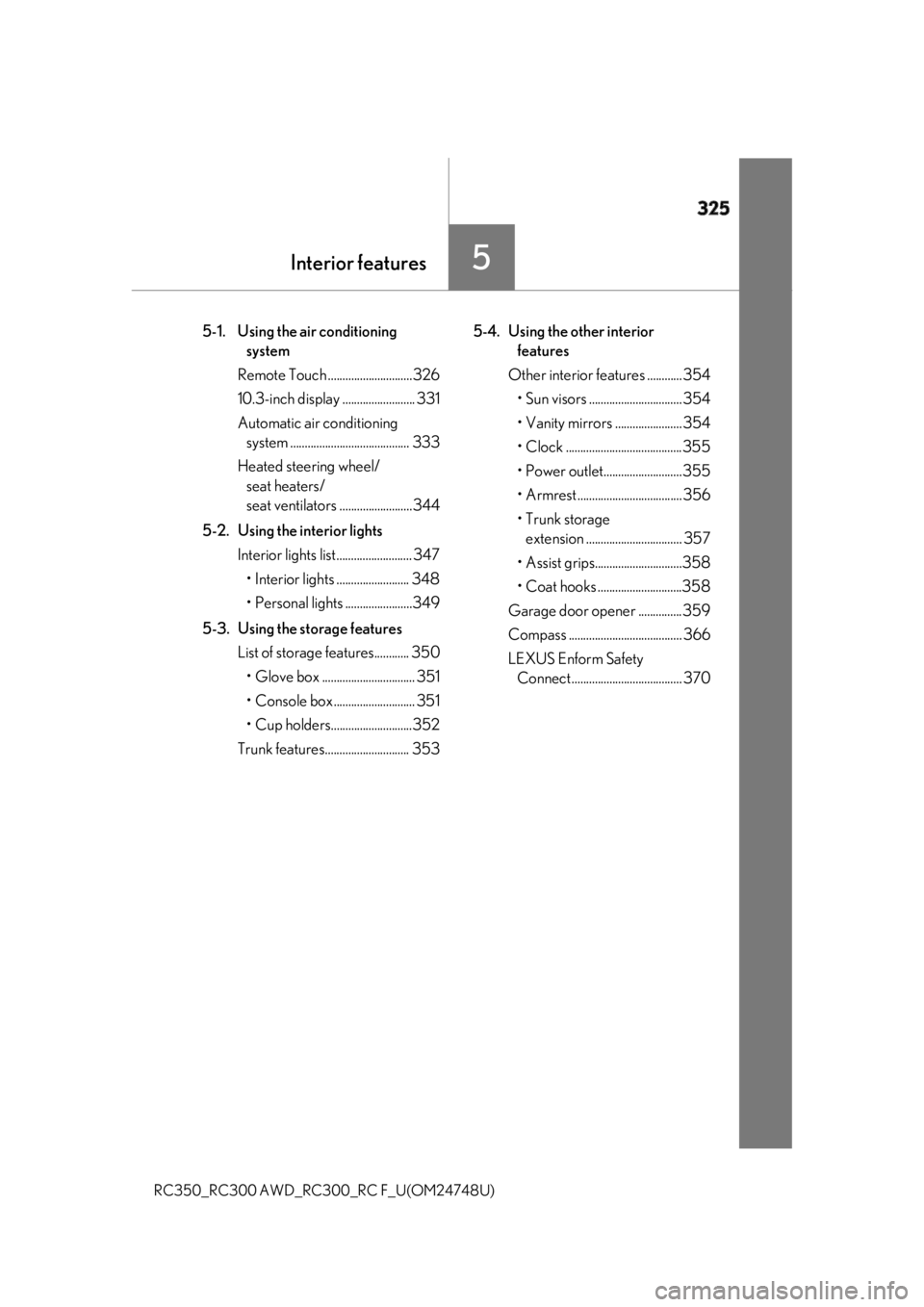
RC350_RC300 AWD_RC3 00_RC F_U(OM24748U)5-1. Using the air conditioning
system
Remote Touch .............................326
10.3-inch display ......................... 331
Automatic air conditioning
system ......................................... 333
Heated steering wheel/
seat heaters/
seat ventilators .........................344
5-2. Using the interior lights
Interior lights list.......................... 347
• Interior lights ......................... 348
• Personal lights .......................349
5-3. Using the storage features
List of storage features............ 350
• Glove box ................................ 351
• Console box ............................ 351
• Cup holders............................352
Trunk features............................. 353 5-4. Using the other interior
features
Other interior features ............ 354
• Sun visors ................................ 354
• Vanity mirrors ....................... 354
• Clock ........................................355
• Power outlet...........................355
• Armrest .................................... 356
•Trunk storage
extension ................................. 357
• Assist grips..............................358
• Coat hooks .............................358
Garage door op ener ...............359
Compass ....................................... 366
LEXUS Enform Safety
Connect ...................................... 370
Page 326 of 636
326
RC350_RC300 AWD_RC3 00_RC F_U(OM24748U)5-1. Using the air conditioning system
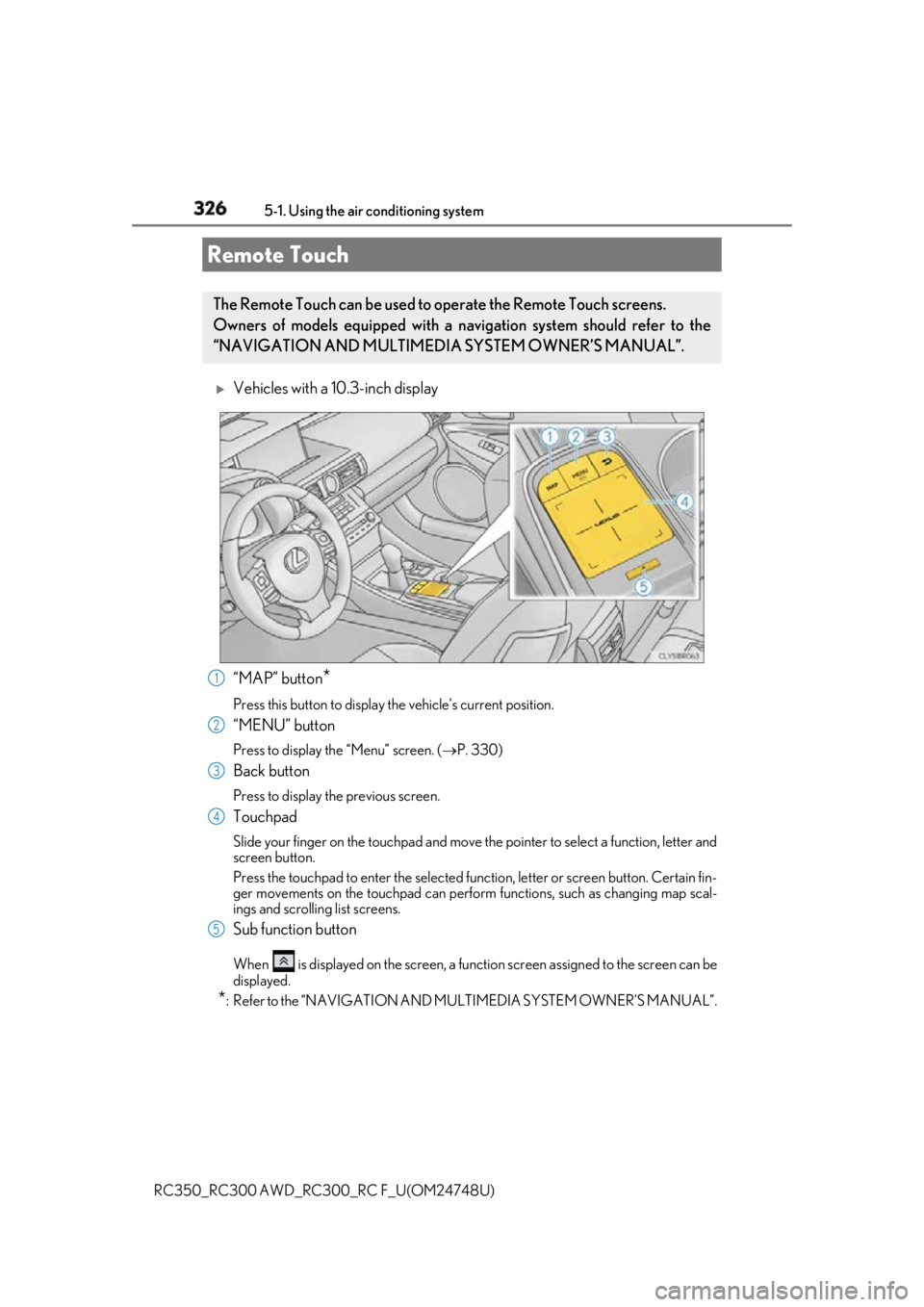
Vehicles with a 10.3-inch display
“MAP” button
*Press this button to display the vehicle’s current position.
“MENU” button Press to display th e “Menu” screen. ( P. 330)
Back button Press to display the previous screen.
Touchpad Slide your finger on the touchpad and move the pointer to select a function, letter and
screen button.
Press the touchpad to enter the selected function, letter or screen button. Certain fin-
ger movements on the touchpad can perform functions, such as changing map scal-
ings and scrolling list screens.
Sub function button When is displayed on the screen, a functi on screen assigned to the screen can be
displayed.
* : Refer to the “NAVIGATION AND MU LTIMEDIA SYSTEM OWNER’S MANUAL”.Remote Touch The Remote Touch can be used to operate the Remote Touch screens.
Owners of models equipped with a navi gation system should refer to the
“NAVIGATION AND MULTIMEDIA SYSTEM OWNER’S MANUAL”.
1
2
3
4
5
Page 327 of 636
3275-1. Using the air conditioning system
5
Interior features
RC350_RC300 AWD_RC3 00_RC F_U(OM24748U)
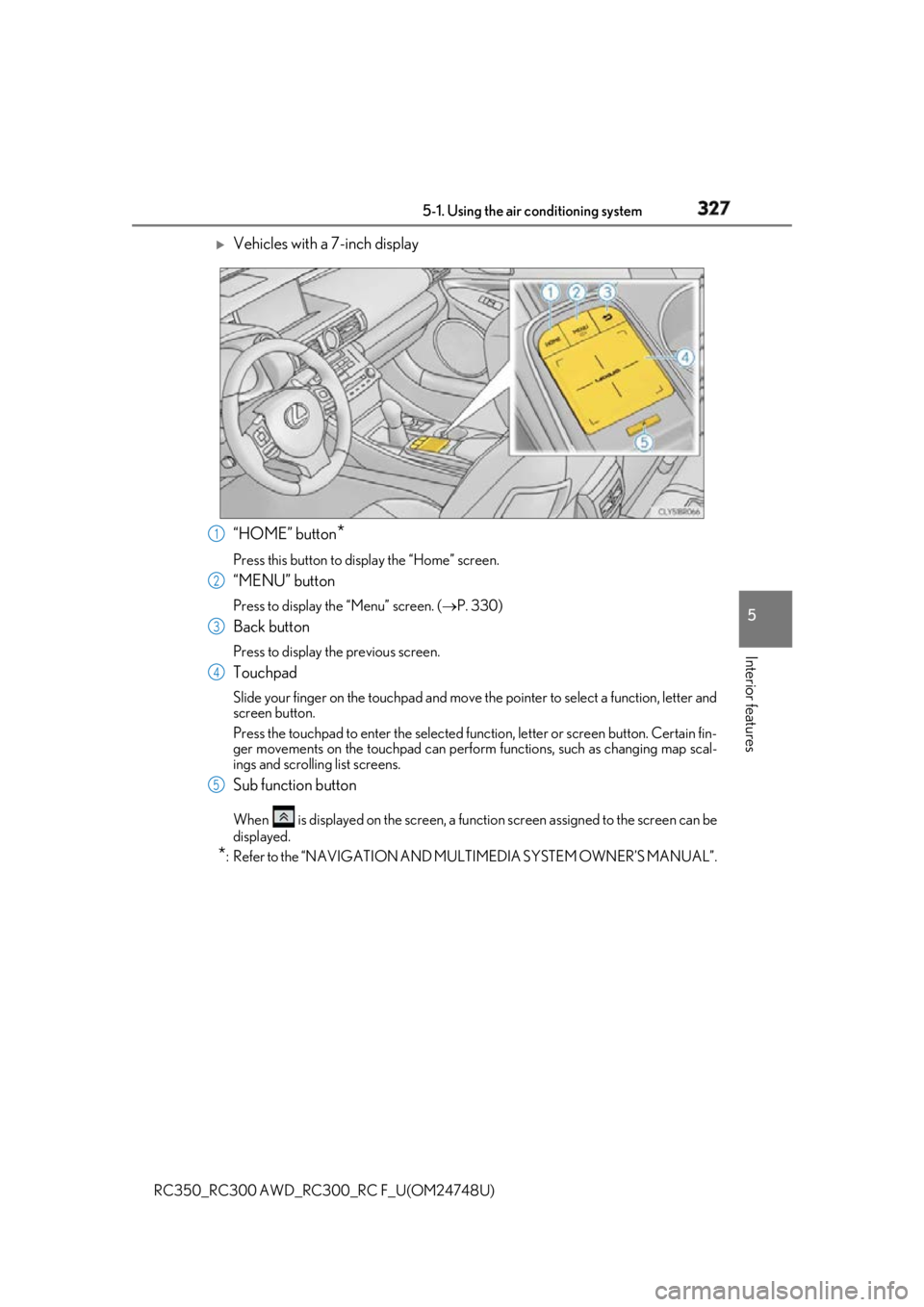
Vehicles with a 7-inch display
“HOME” button
*Press this button to display the “Home” screen.
“MENU” button Press to display th e “Menu” screen. ( P. 330)
Back button Press to display the previous screen.
Touchpad Slide your finger on the touchpad and move the pointer to select a function, letter and
screen button.
Press the touchpad to enter the selected function, letter or screen button. Certain fin-
ger movements on the touchpad can perform functions, such as changing map scal-
ings and scrolling list screens.
Sub function button When is displayed on the screen, a functi on screen assigned to the screen can be
displayed.
* : Refer to the “NAVIGATION AND MU LTIMEDIA SYSTEM OWNER’S MANUAL”.1
2
3
4
5
Page 328 of 636
328 5-1. Using the air conditioning system
RC350_RC300 AWD_RC3 00_RC F_U(OM24748U)■
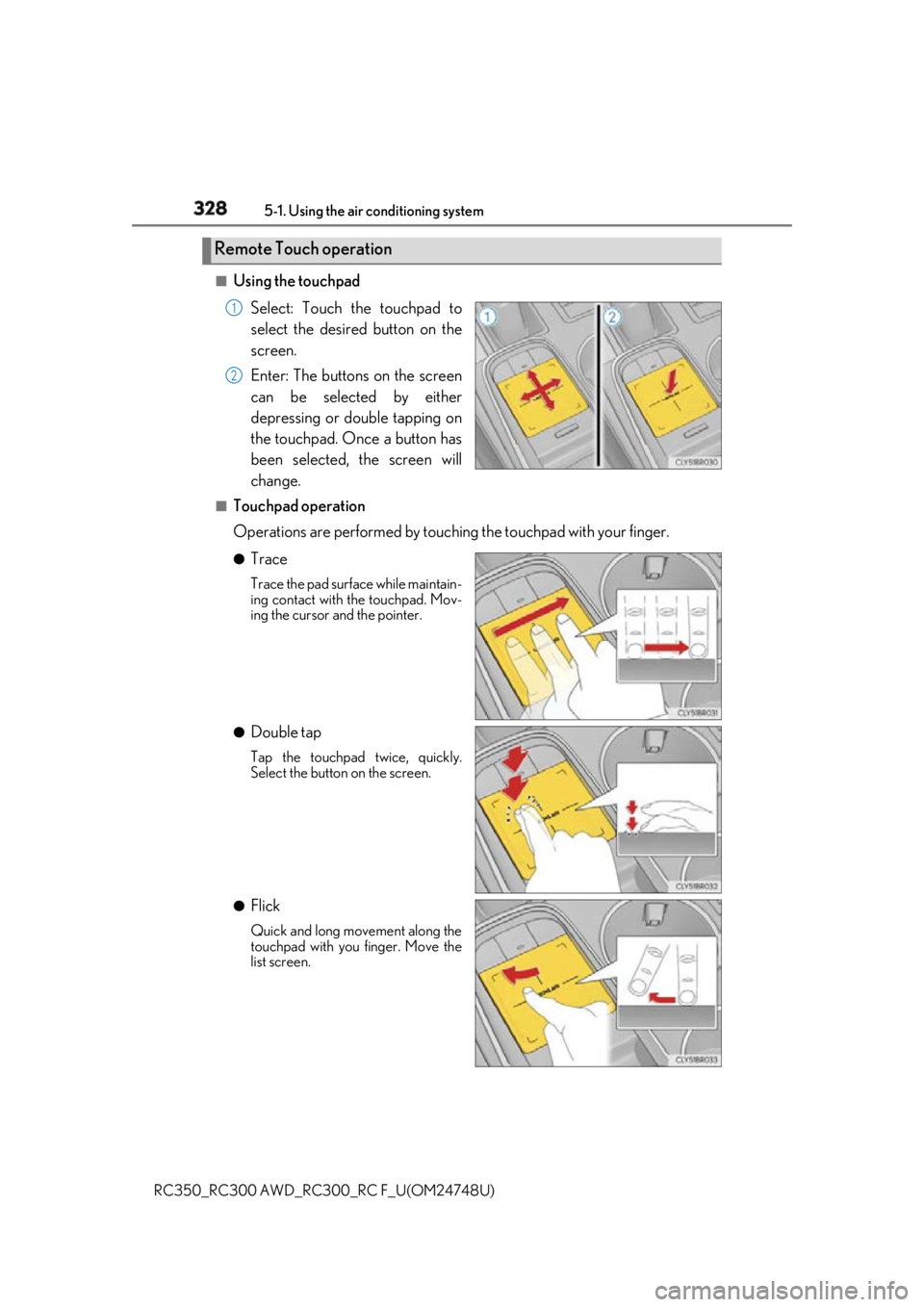
Using the touchpad
Select: Touch the touchpad to
select the desired button on the
screen.
Enter: The buttons on the screen
can be selected by either
depressing or double tapping on
the touchpad. Once a button has
been selected, the screen will
change.■
Touchpad operation
Operations are performed by touching the touchpad with your finger.●
Trace Trace the pad surface while maintain-
ing contact with the touchpad. Mov-
ing the cursor and the pointer.
●
Double tap Tap the touchpad twice, quickly.
Select the button on the screen.
●
Flick Quick and long movement along the
touchpad with you finger. Move the
list screen.Remote Touch operation 1
2
Page 329 of 636
3295-1. Using the air conditioning system
5
Interior features
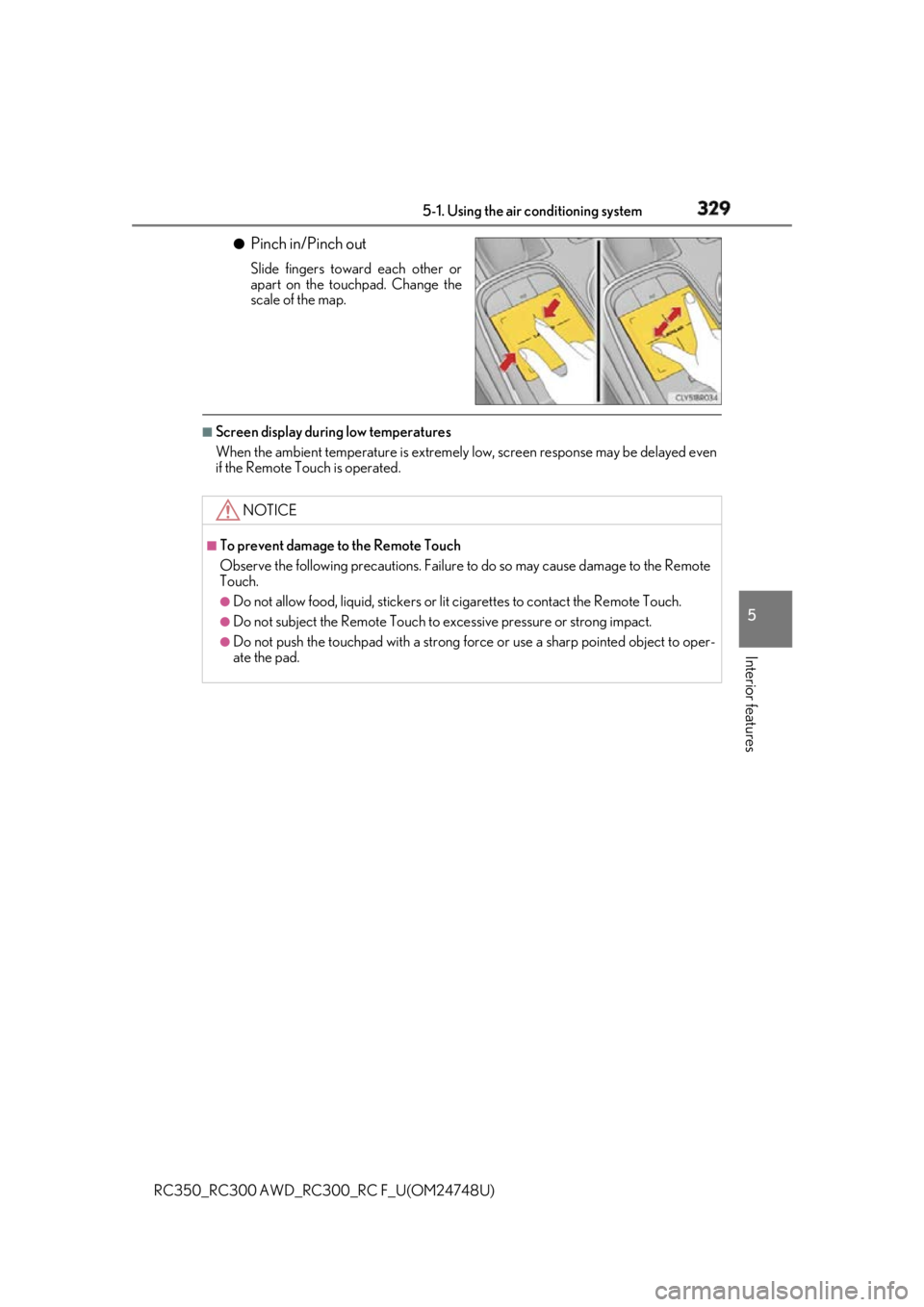
RC350_RC300 AWD_RC3 00_RC F_U(OM24748U)●
Pinch in/Pinch out Slide fingers toward each other or
apart on the touchpad. Change the
scale of the map.■
Screen display during low temperatures
When the ambient temperature is extremely low, screen response may be delayed even
if the Remote Touch is operated.
NOTICE ■
To prevent damage to the Remote Touch
Observe the following precautions. Failure to do so may cause damage to the Remote
Touch. ●
Do not allow food, liquid, stickers or lit cigarettes to contact the Remote Touch.●
Do not subject the Remote Touch to ex cessive pressure or strong impact.●
Do not push the touchpad with a strong force or use a sharp pointed object to oper-
ate the pad.
Page 330 of 636
330 5-1. Using the air conditioning system
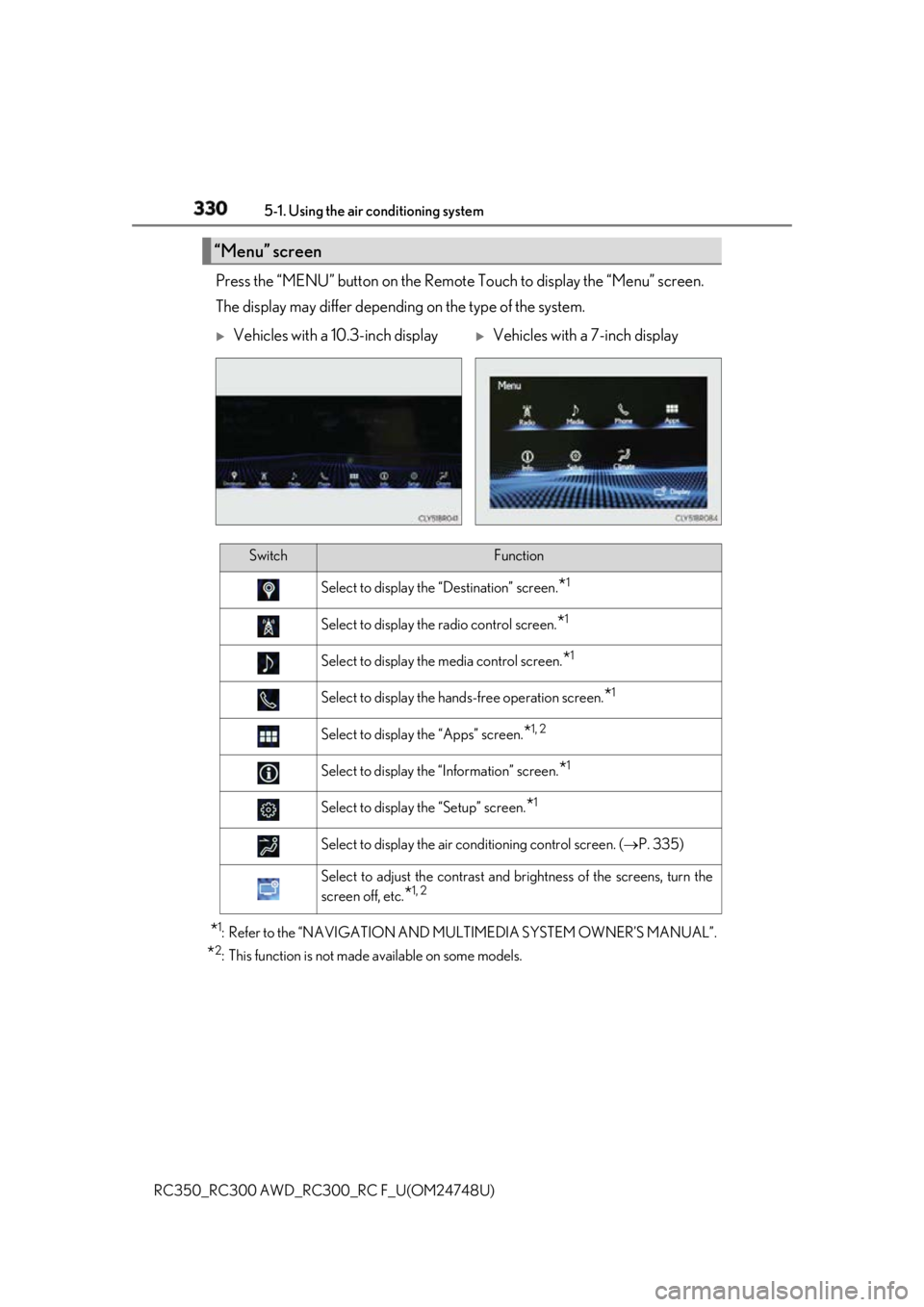
RC350_RC300 AWD_RC3 00_RC F_U(OM24748U)Press the “MENU” button on the Remote Touch to display the “Menu” screen.
The display may differ depending on the type of the system.
* 1
: Refer to the “NAVIGATION AND MULTIMEDIA SYSTEM OWNER’S MANUAL”.
* 2
: This function is not made available on some models.“Menu” screen
Vehicles with a 10.3-inch display
Vehicles with a 7-inch display
Switch Function
Select to display the “Destination” screen.
* 1
Select to display the radio control screen.
* 1
Select to display the media control screen.
* 1
Select to display the hand s-free operation screen.
* 1
Select to display the “Apps” screen.
* 1, 2
Select to display the “Information” screen.
* 1
Select to display the “Setup” screen.
* 1
Select to display the air conditioning control screen. ( P. 335)
Select to adjust the contrast and brightness of the screens, turn the
screen off, etc.
* 1, 2
Page 331 of 636
3315-1. Using the air conditioning system
5
Interior features
RC350_RC300 AWD_RC3 00_RC F_U(OM24748U)■
Full screen display
The following functions can be displayed full screen:
• Initial screen
•“Menu” screen ( P. 330)
• Map screen
*
* : Refer to the “NAVIGATION AND MULTIMEDIA SYSTEM OWNER’S MAN-
UAL”.■
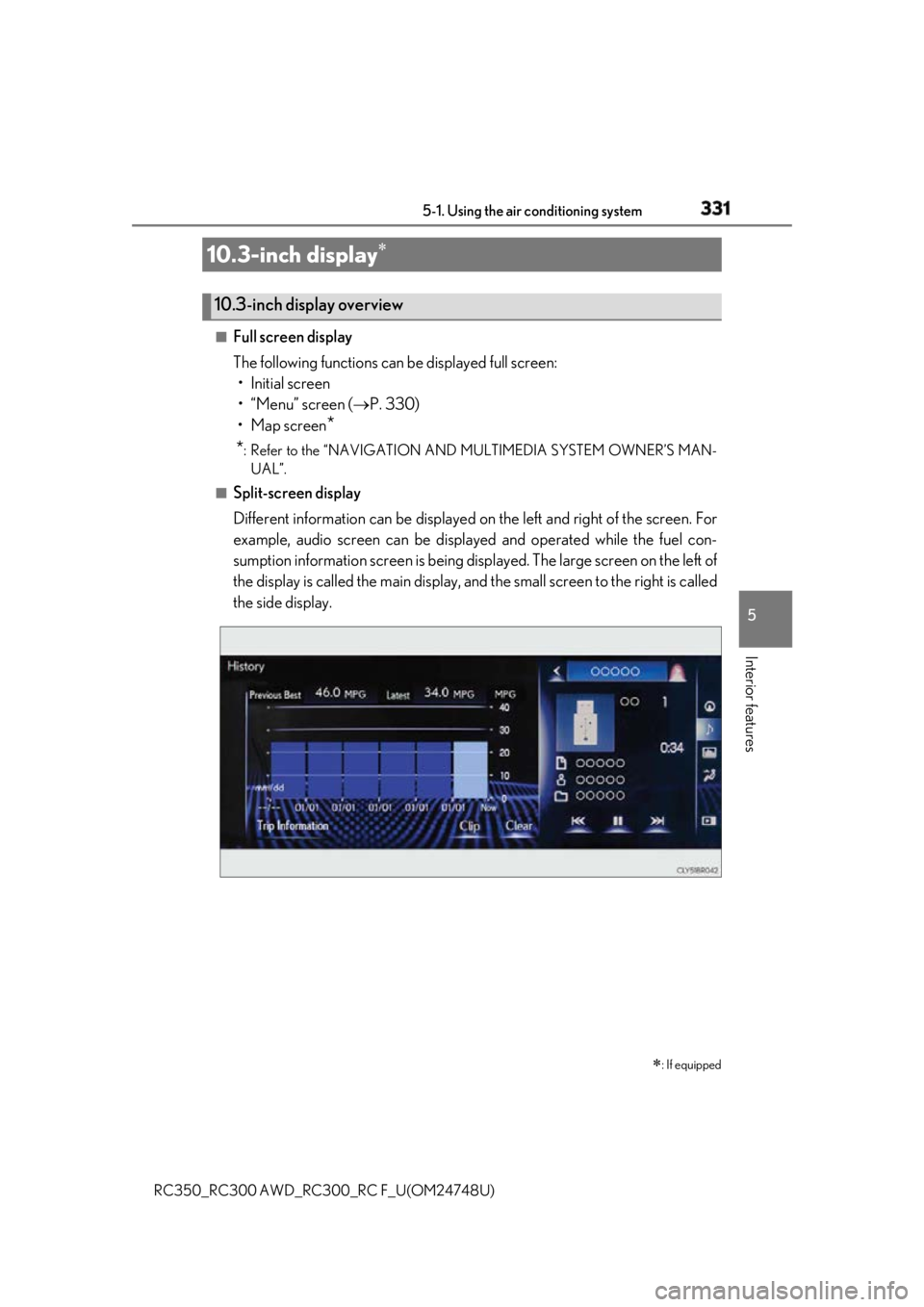
Split-screen display
Different information can be displayed on the left and right of the screen. For
example, audio screen can be displa yed and operated while the fuel con-
sumption information screen is being disp layed. The large screen on the left of
the display is called the main display, and the small screen to the right is called
the side display.10.3-inch display
: If equipped10.3-inch display overview