alarm LEXUS RX200T 2017 User Guide
[x] Cancel search | Manufacturer: LEXUS, Model Year: 2017, Model line: RX200T, Model: LEXUS RX200T 2017Pages: 776, PDF Size: 44.51 MB
Page 169 of 776
1693-2. Opening, closing and locking the doors
3
Operation of each component
RX350/RX200t_EE_OM48F32E
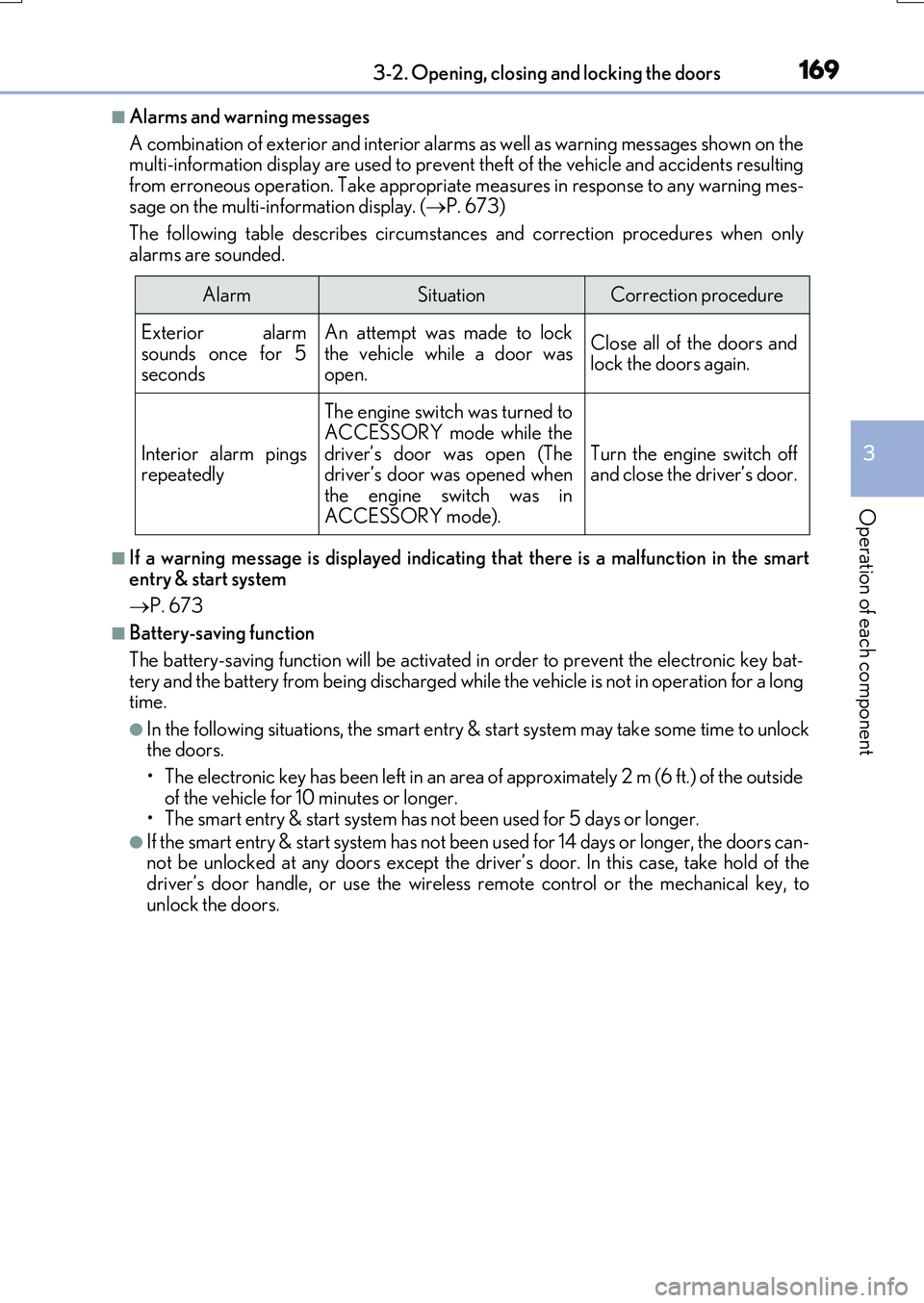
■Alarms and warning messages
A combination of exterior and interior alarms as well as warning messages shown on the multi-information display are used to prevent theft of the vehicle and accidents resulting
from erroneous operation. Take appropriate measures in response to any warning mes- sage on the multi-information display. ( P. 673)
The following table describes circumstances and correction procedures when only
alarms are sounded.
■If a warning message is displayed indicating that there is a malfunction in the smart
entry & start system
P. 673
■Battery-saving function
The battery-saving function will be activated in order to prevent the electronic key bat- tery and the battery from being discharged while the vehicle is not in operation for a longtime.
●In the following situations, the smart entry & start system may take some time to unlockthe doors.
• The electronic key has been left in an area of approximately 2 m (6 ft.) of the outside
of the vehicle for 10 minutes or longer. • The smart entry & start system has no t been used for 5 days or longer.
●If the smart entry & start system has not been used for 14 days or longer, the doors can- not be unlocked at any doors except the driver’s door. In this case, take hold of thedriver’s door handle, or use the wireless remote control or the mechanical key, to
unlock the doors.
AlarmSituationCorrection procedure
Exterior alarm
sounds once for 5 seconds
An attempt was made to lock
the vehicle while a door was open.
Close all of the doors andlock the doors again.
Interior alarm pingsrepeatedly
The engine switch was turned toACCESSORY mode while the
driver’s door was open (The driver’s door was opened whenthe engine switch was in
ACCESSORY mode).
Turn the engine switch off and close the driver’s door.
Page 171 of 776

1713-2. Opening, closing and locking the doors
3
Operation of each component
RX350/RX200t_EE_OM48F32E
■Note for the entry function
●Even when the electronic key is within the effective range (detection areas), the system may not operate properly in the following cases:
• The electronic key is too close to the window or outside door handle, near the ground, or in a high place when the doors are locked or unlocked.• The electronic key is near the ground or in a high place, or too close to the rear
bumper center when the back door is opened. • The electronic key is on the instrument panel, luggage compartment, floor, or in thedoor pockets or glove box when the engine is started or engine switch modes are
changed.
●Do not leave the electronic key on top of th e instrument panel or near the door pockets
when exiting the vehicle. Depending on the radio wave reception conditions, it may be detected by the antenna outside the cabin and the door will become lockable from theoutside, possibly trapping the electronic key inside the vehicle.
●As long as the electronic key is within the effective range, the doors may be locked orunlocked by anyone.
●Even if the electronic key is not inside the vehicle, it may be possible to start the engine
if the electronic key is near the window.
●The doors may unlock if a large amount of wa ter splashes on the door handle, such as in the rain or in a car wash when the electronic key is within the effective range. (The door
will automatically be locked after approx imately 30 seconds if the doors are not opened and closed.)
●If the wireless remote control is used to lock the doors when the electronic key is near
the vehicle, there is a possibility that the d oor may not be unlocked by the entry func- tion. (Use the wireless remote control to unlock the doors.)
●Touching the door lock sensor while wearin g gloves may delay or prevent lock opera-
tion. Remove the gloves and to uch the lock sensor again.
●If the door handle becomes wet while the electronic key is within the effective range,
the door may lock and unlock repeatedly. In that case, follow the following correction
procedures to wash the vehicle:
• Place the electronic key in a location 2 m (6 ft.) or more away from the vehicle. (Take
care to ensure that the key is not stolen.)
• Set the electronic key to battery-saving mode to disable the smart entry & start sys-
tem. ( P. 170)
●If the electronic key is inside the vehicle and a door handle becomes wet during a car wash, a message may be shown on the mult i-information display and a buzzer will
sound outside the vehicle. To turn off the alarm, lock all the doors.
●The lock sensor may not work properly if it comes into contact with ice, snow, mud, etc. Clean the lock sensor and attempt to operate it again.
●A sudden approach to the effective range or door handle may prevent the doors frombeing unlocked. In this case, return the door handle to the original position and check that the doors unlock before pulling the door handle again.
●If there is another electronic key in the de tection area, it may take slightly longer to unlock the doors after the door handle is gripped.
●Fingernails may scrape against the door duri ng operation of the door handle. Be care-
ful not to injure fingernails or damage the surface of the door.
Page 172 of 776
1723-2. Opening, closing and locking the doors
RX350/RX200t_EE_OM48F32E
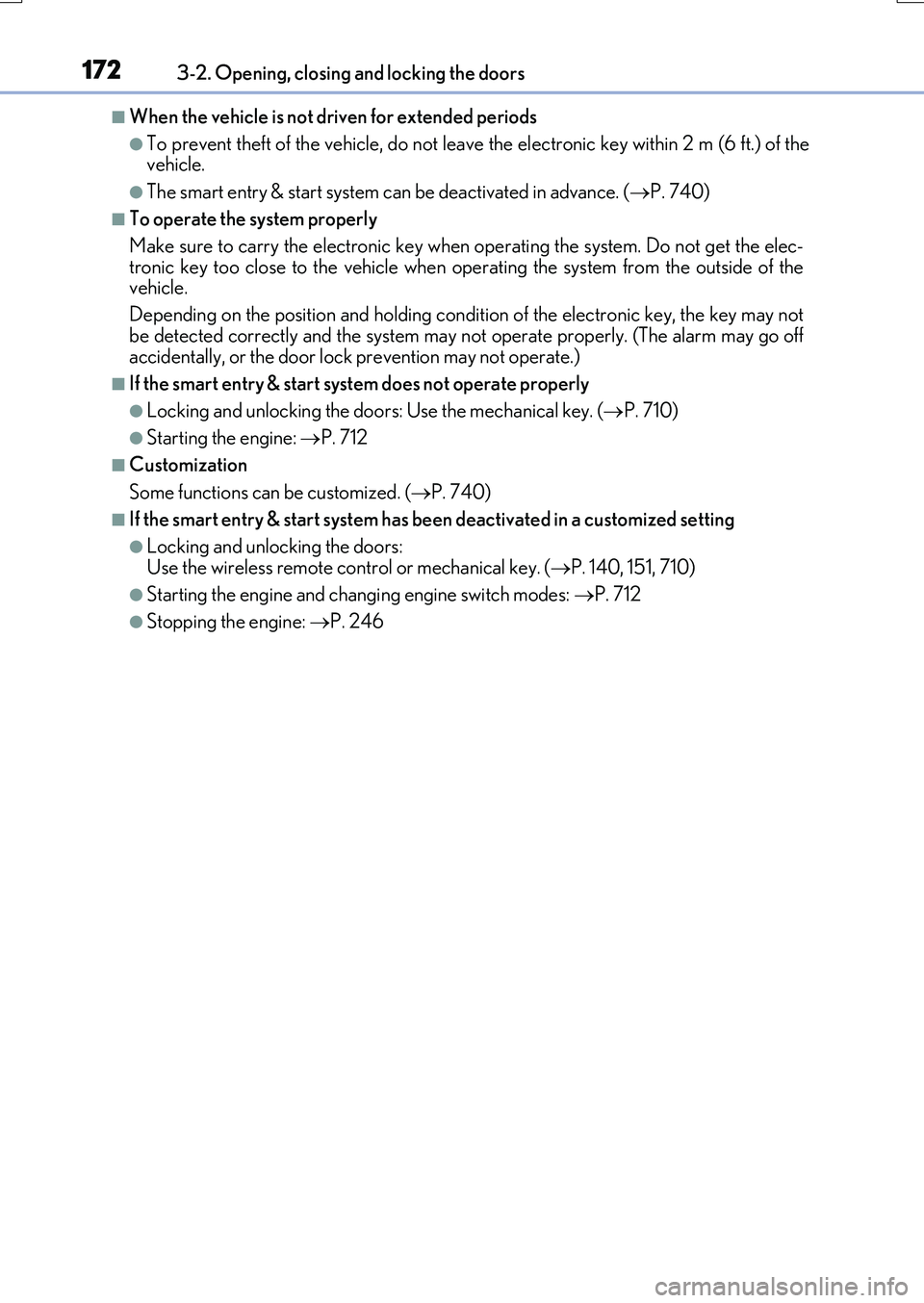
■When the vehicle is not driven for extended periods
●To prevent theft of the vehicle, do not leave the electronic key within 2 m (6 ft.) of the vehicle.
●The smart entry & start system can be deactivated in advance. ( P. 740)
■To operate the system properly
Make sure to carry the electronic key when operating the system. Do not get the elec-
tronic key too close to the vehicle when op erating the system from the outside of the vehicle.
Depending on the position and holding condit ion of the electronic key, the key may not
be detected correctly and the system may not operate properly. (The alarm may go off accidentally, or the door lock prevention may not operate.)
■If the smart entry & start system does not operate properly
●Locking and unlocking the doors: Use the mechanical key. ( P. 710)
●Starting the engine: P. 712
■Customization
Some functions can be customized. ( P. 740)
■If the smart entry & start system has been deactivated in a customized setting
●Locking and unlocking the doors:
Use the wireless remote control or mechanical key. ( P. 140, 151, 710)
●Starting the engine and changing engine switch modes: P. 712
●Stopping the engine: P. 246
Page 212 of 776
2123-5. Opening, closing the windows and moon roof
RX350/RX200t_EE_OM48F32E
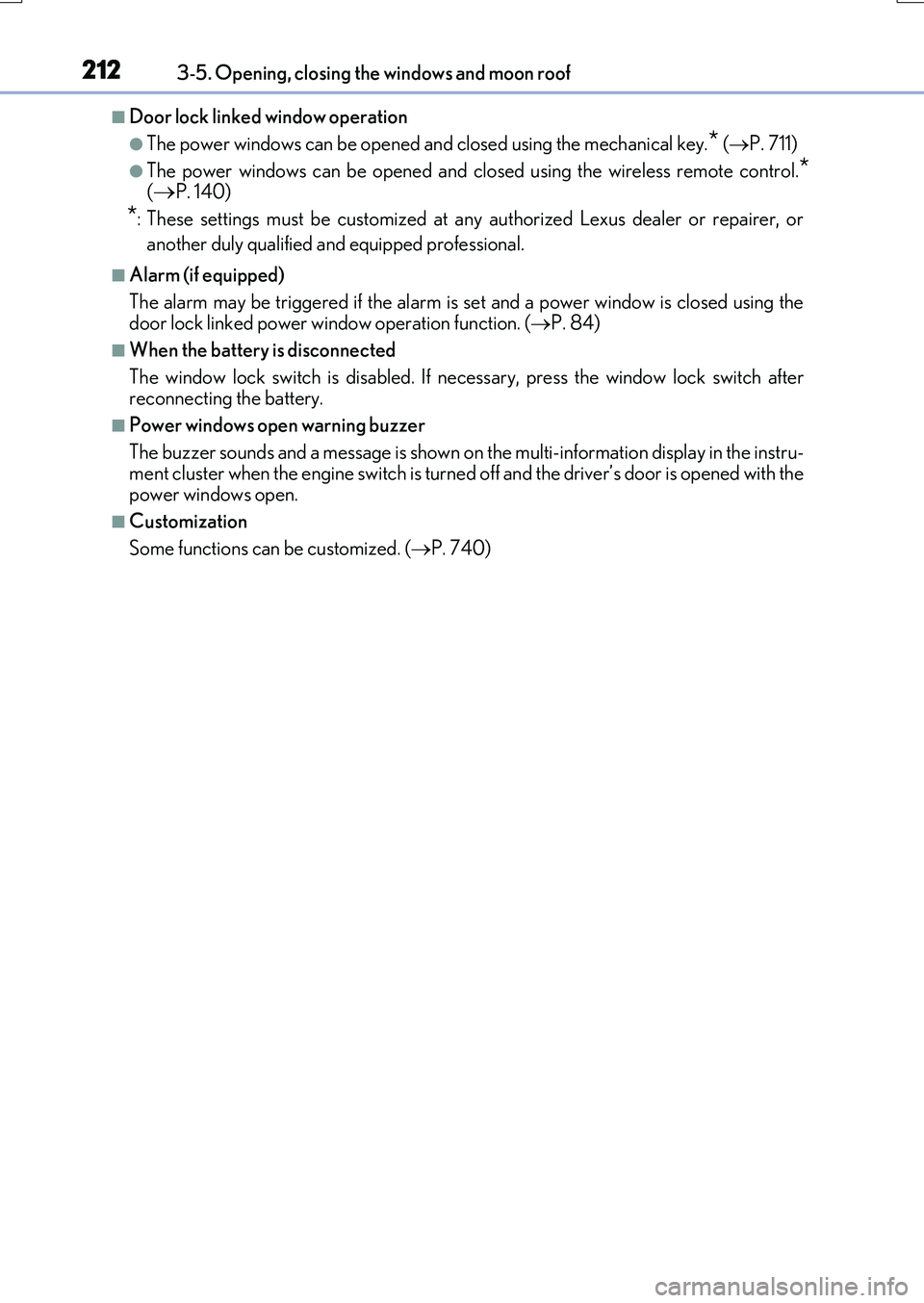
■Door lock linked window operation
●The power windows can be opened and closed using the mechanical key.* (P. 711)
●The power windows can be opened and closed using the wireless remote control.*
(P. 140)
*: These settings must be customized at any authorized Lexus dealer or repairer, or
another duly qualified and equipped professional.
■Alarm (if equipped)
The alarm may be triggered if the alarm is set and a power window is closed using the
door lock linked power window operation function. ( P. 84)
■When the battery is disconnected
The window lock switch is disabled. If nece ssary, press the window lock switch after
reconnecting the battery.
■Power windows open warning buzzer
The buzzer sounds and a message is shown on the multi-information display in the instru-
ment cluster when the engine switch is turned off and the driver’s door is opened with the power windows open.
■Customization
Some functions can be customized. ( P. 740)
Page 216 of 776
2163-5. Opening, closing the windows and moon roof
RX350/RX200t_EE_OM48F32E
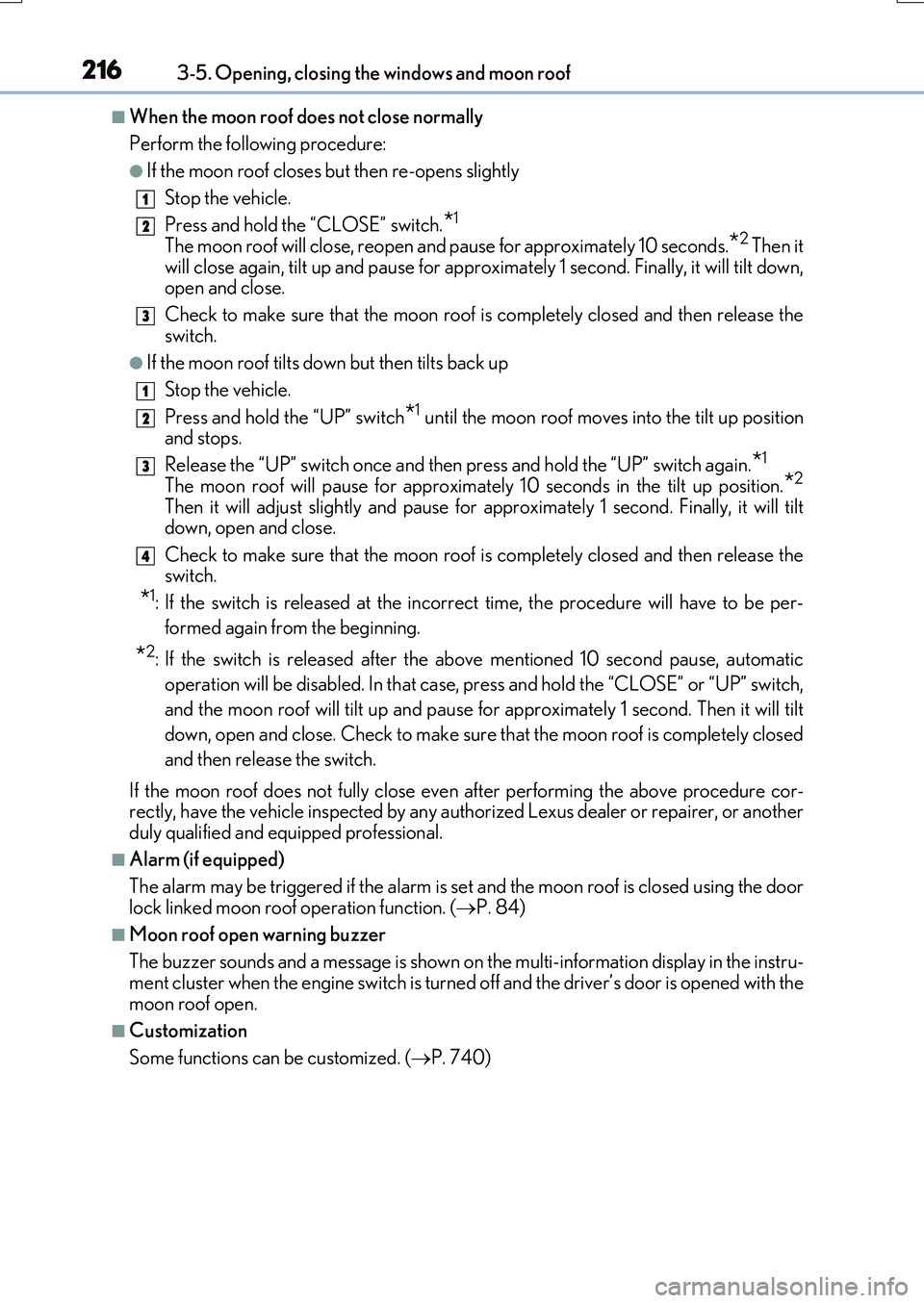
■When the moon roof does not close normally
Perform the following procedure:
●If the moon roof closes but then re-opens slightly
Stop the vehicle.
Press and hold the “CLOSE” switch.*1
The moon roof will close, reopen and pause for approximately 10 seconds.*2 Then it
will close again, tilt up and pause for approximately 1 second. Finally, it will tilt down, open and close.
Check to make sure that the moon roof is completely closed and then release the
switch.
●If the moon roof tilts down but then tilts back up
Stop the vehicle.
Press and hold the “UP” switch*1 until the moon roof moves into the tilt up position and stops.
Release the “UP” switch once and then press and hold the “UP” switch again.*1
The moon roof will pause for approximately 10 seconds in the tilt up position.*2
Then it will adjust slightly and pause for approximately 1 second. Finally, it will tilt down, open and close.
Check to make sure that the moon roof is completely closed and then release the switch.
*1: If the switch is released at the incorrec t time, the procedure will have to be per-
formed again from the beginning.
*2: If the switch is released after the above mentioned 10 second pause, automatic
operation will be disabled. In that case, pr ess and hold the “CLOSE” or “UP” switch,
and the moon roof will tilt up and pause for approximately 1 second. Then it will tilt
down, open and close. Check to make sure that the moon roof is completely closed
and then release the switch.
If the moon roof does not fully close even after performing the above procedure cor- rectly, have the vehicle inspected by any authorized Lexus dealer or repairer, or anotherduly qualified and equipped professional.
■Alarm (if equipped)
The alarm may be triggered if the alarm is se t and the moon roof is closed using the door lock linked moon roof operation function. ( P. 84)
■Moon roof open warning buzzer
The buzzer sounds and a message is shown on the multi-information display in the instru- ment cluster when the engine switch is turned off and the driver’s door is opened with the
moon roof open.
■Customization
Some functions can be customized. ( P. 740)
1
2
3
1
2
3
4
Page 220 of 776
2203-5. Opening, closing the windows and moon roof
RX350/RX200t_EE_OM48F32E
■Closing both the panoramic moon roof and electronic sunshade
Slide the
switch forward.
The electronic sunshade will close to the half-open position and pause.The panoramic
moon roof will then fully close. Then the electronic sunshade will fully close.
■When the panoramic moon roof or electronic sunshade does not close normally
Perform the following procedure:
Stop the vehicle.
Turn the engine switch to IGNITION ON mode.
Slide and hold the swit ch or switch forward. Continue pressing the
switch for approximately 10 seconds afte r the panoramic moon roof or electronic
sunshade closes and reopens. The panora mic moon roof and electronic sunshade
will start to close.
*
Check that the panoramic moon roof and el ectronic sunshade are fully closed and
release the switch.
*: If the switch is released at the incorrec t time, the procedure will have to be per-
formed again from the beginning.
If the panoramic moon roof or electronic sunshade does not fully close even after per-
forming the above procedure correctly, have the vehicle inspected by any authorized
Lexus dealer or repairer, or another duly qualified and equipped professional.
■Alarm (if equipped)
The alarm may be triggered if the alarm is set and the panoramic moon roof is closed
using the door lock linked panoramic moon roof operation function. ( P. 84)
■Panoramic moon roof open warning buzzer
The buzzer sounds and a message is shown on the multi-information display in the instru-
ment cluster when the engine switch is turned off and the driver’s door is opened with the
panoramic moon roof open.
■Customization
Some functions can be customized. ( P. 740)
1
2
3
4
Page 585 of 776
5857-1. Maintenance and care
7
Maintenance and care
RX350/RX200t_EE_OM48F32E
■Note for a smart entry & start system
●If the door handle becomes wet while the electronic key is within the effective range, the door may lock and unlock repeatedly. Place the key in a position 2 m (6 ft.) or more
separate from the vehicle while the vehicle is being washed. (Take care to ensure that the key is not stolen.)
●If the electronic key is inside the vehicle and a door handle becomes wet during a car
wash, a buzzer will sound outside the vehicle. To turn off the alarm, lock all the doors.
●Set the electronic key to battery-saving mode to disable the smart entry & start system. ( P. 169)
■Aluminum wheels
●Remove any dirt immediately by using a neutral detergent. Do not use hard brushes or abrasive cleaners. Do not use strong or harsh chemical cleaners.
Use the same mild detergent as used on the paint.
●Do not use detergent on the wheels when th ey are hot, for example after driving for long distance in the hot weather.
●Wash detergent from the wheels immediately after use.
■Bumpers
Do not scrub with abrasive cleaners.
■Front side windows water-repellent coating
●The following precautions can extend the effectiveness of the water-repellent coating.
• Remove any dirt, etc., from the front side windows regularly.
• Do not allow dirt and dust to accumulate on the windows for a long period. Clean the windows with a soft, damp cloth as soon as possible.• Do not use wax or glass cleaners that co ntain abrasives when cleaning the windows.
• Do not use any metallic objects to remove condensation build up.
●When the water-repellent performance has become insufficient, the coating can be repaired. Contact any authorized Lexus dealer or repairer, or another duly qualified and equipped professional.
Page 713 of 776
7138-2. Steps to take in an emergency
8
When trouble arises
RX350/RX200t_EE_OM48F32E
■Stopping the engine
Shift the shift lever to P, set the parking brake, and press the engine switch as you nor- mally do when stopping the engine.
■Replacing the key battery
As the above procedure is a temporary measur e, it is recommended that the electronic key battery be replaced immediately when the battery is depleted. ( P. 638)
■Alarm (if equipped)
Using the mechanical key to lock the doors will not set the alarm system.
If a door is unlocked using the mechanical key when the alarm system is set, the alarm may be triggered. ( P. 83)
■Changing engine switch modes
Release the brake pedal and press the engine switch in step above.
The engine does not start an d modes will be changed each time the switch is pressed.
( P. 247)
■When the electronic key does not work properly
●Make sure that the smart entry & start system has not been deactivated in the
customization setting. If it is off, turn the function on. (Customizable features P. 743)
●Check if battery-saving mode is set. If it is set, cancel the function. (P. 170)
WARNING
■When using the mechanical key and operating the power windows or the moon roof
or panoramic moon roof
Operate the power window or the moon roof or panoramic moon roof after checking to make sure that there is no possibility of any passenger having any of their body parts
caught in the window or the moon roof or panoramic moon roof. Also, do not allow children to operate the me chanical key. It is possible for children and other passengers to get caught in the powe r window or the moon roof or panoramic
moon roof.
3
Page 714 of 776
7148-2. Steps to take in an emergency
RX350/RX200t_EE_OM48F32E
If you have a set of jumper (or booster) cables and a second vehicle with a 12-volt
battery, you can jump start your vehicle by following the steps below.
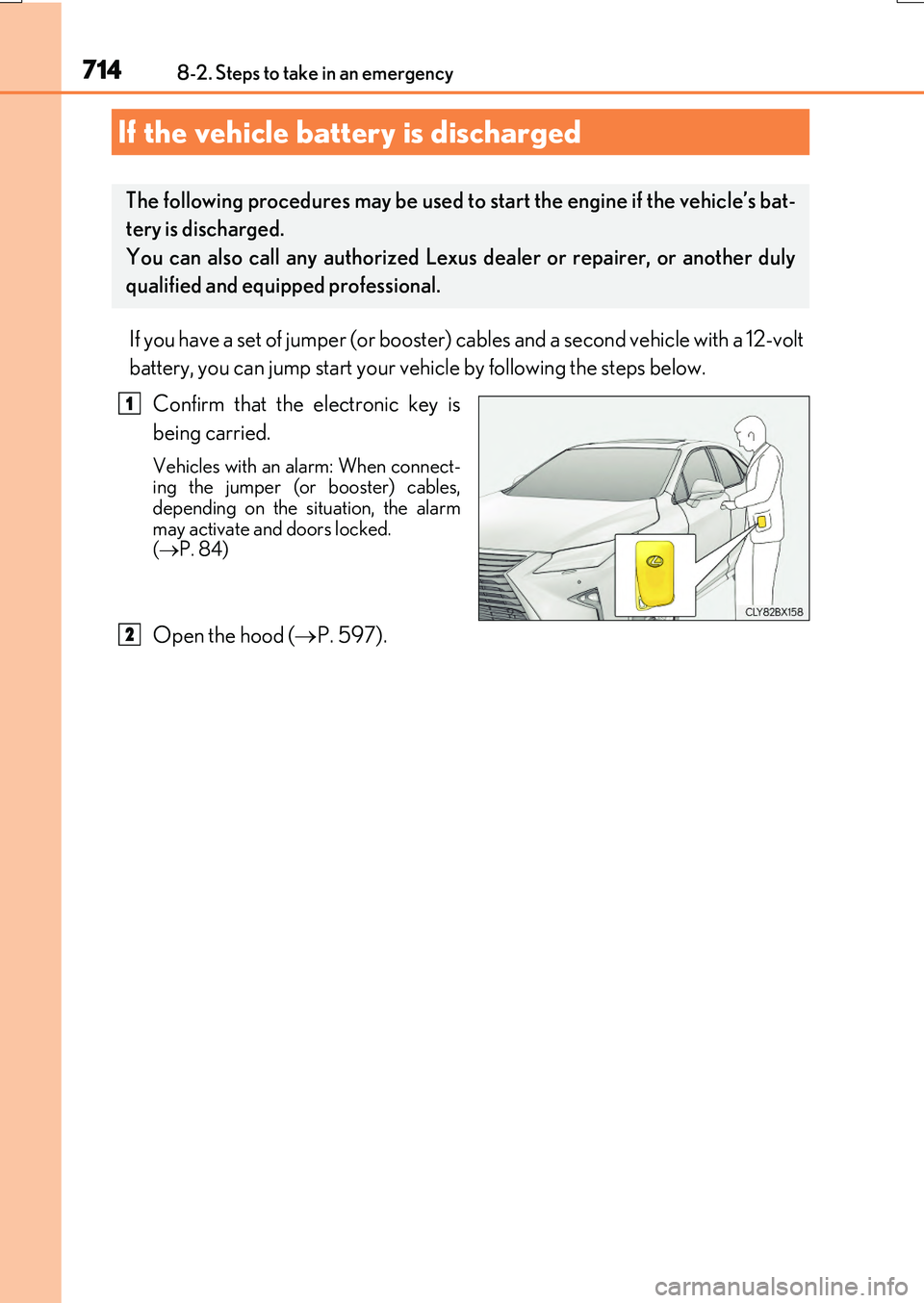
Confirm that the electronic key is
being carried.
Vehicles with an alarm: When connect- ing the jumper (or booster) cables,depending on the situation, the alarm
may activate and doors locked. ( P. 84)
Open the hood (P. 597).
If the vehicle battery is discharged
The following procedures may be used to start the engine if the vehicle’s bat-
tery is discharged.
You can also call any authorized Lexus dealer or repairer, or another duly
qualified and equipped professional.
1
2
Page 756 of 776
756What to do if... (Troubleshooting)
RX350/RX200t_EE_OM48F32E
●The seat belt reminder light is flashing
Are the driver and the passengers wearing the seat belts? ( P. 669, 669)
●The parking brake indicator is on
Is the parking brake released? ( P. 259)
Depending on the situation, other types of warning buzzer may also sound.
( P. 666, 673)
●Did anyone inside the vehicle open a door or anything move inside the vehicle
during setting the alarm?
The sensor detects them and the alarm sounds. ( P. 83)
Do one of the following to stop the alarm:
• Unlock the doors using the entry fu nction or wireless remote control. • Start the engine.
●Is the message displayed on the multi-information display?
Check the message on the multi-information display. ( P. 673)
●When a warning light turns on or a warning message is displayed, refer to
P. 666, 673.
A warning buzzer sounds during driving
An alarm is activated and the horn sounds
(vehicles with an alarm)
A warning buzzer sounds when leaving the vehicle
A warning light turns on or a warning message is displayed