fuel LEXUS RX200T 2017 User Guide
[x] Cancel search | Manufacturer: LEXUS, Model Year: 2017, Model line: RX200T, Model: LEXUS RX200T 2017Pages: 776, PDF Size: 44.51 MB
Page 106 of 776
1062. Instrument cluster
RX350/RX200t_EE_OM48F32E
*1: Resetting: P. 103
*2: Use the displayed fuel consumption as a reference.
*3: When only a small amount of fuel is added to the tank, the display may not be
updated.
When refueling, turn the engine switch off. If the vehicle is refueled without turning the
engine switch off, the display may not be updated.
*4: This distance is computed based on your average fuel consumption. As a result, the
actual distance that can be driven may differ from that displayed.
■Eco Driving Indicator
P. 120
■Sway warning (if equipped)
Detects the sway of the vehicle within a lane, which is often associated with a
decrease in the driver's attention level, and displays the decrease in attention
using a bar display.
The shorter the bar length, the more the driver may need to rest.
This display is a part of the LKA (Lan e-Keeping Assist) system. The display is
enabled when the operating conditions of the vehicle sway warning are met. ( P. 313)
■ AWD Control (if equipped)
Displays the driving force applied to each wheel using segments.
The greater the number of segments displayed, the greater the driving force
applied.
Page 109 of 776
1092. Instrument cluster
2
Instrument cluster
RX350/RX200t_EE_OM48F32E
■Stop & Start system operation time (current)/status notification
Displays the current amount of time the engine has been stopped due to the
operation of the Stop & Start system. Also shows the status of the Stop & Start
system with a pop-up display. ( P. 352)
■Stop & Start system total operation time/amount of fuel saved
Press or on the steering wheel to display the following items:
●Stop & Start system operation time (after start/after reset)
Displays the accumulated total of the following:
• Stop & Start system operation time since engine start
• Stop & Start system operation time since display was reset
●Amount of fuel saved (a fter start/after reset)
Displays the accumulated total of the following:
• Amount of fuel saved since engine start
• Amount of fuel saved since display was reset
Use the displayed amount of saved fuel for reference only.
■Stop & Start system settings
Press on the steering wheel to display the Stop & Start system settings
screen.
On this screen, the following operations can be performed:
● Stop & Start
The length of time the Stop & Start syst em will operate when the “A/C” switch of
the air conditioning system is on can be set to 2 different levels. This setting can
also be changed on .
●Reset
Select to reset the Stop & Start system operation time/amount of fuel saved dis-
play.
To reset, move the cursor to “Reset”, and then press and hold .
Stop & Start system information ( ) (if equipped)
Page 128 of 776
1282. Instrument cluster
RX350/RX200t_EE_OM48F32E
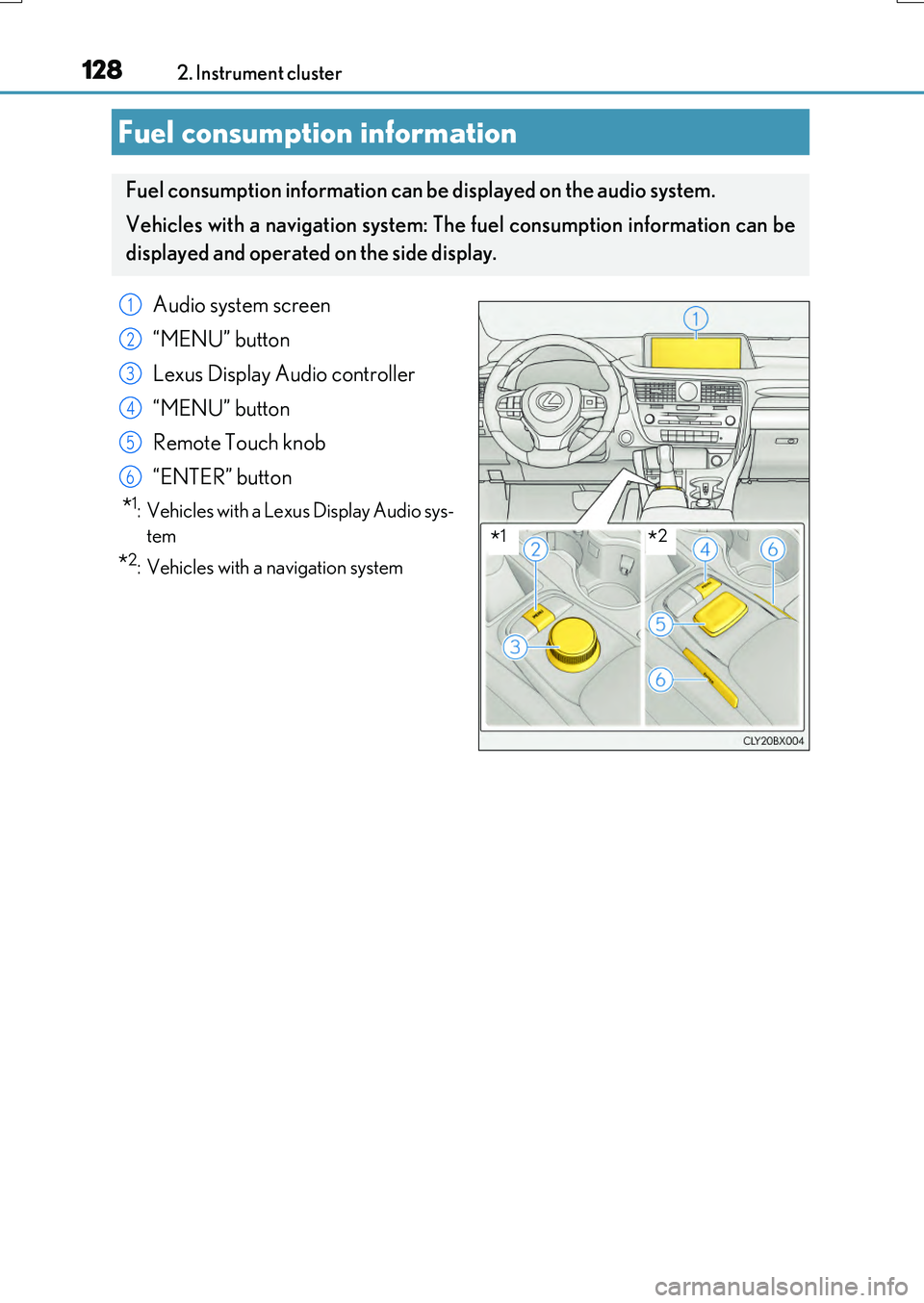
Fuel consumption information
Fuel consumption information can be displayed on the audio system.
Vehicles with a navigation system: The fuel consumption information can be
displayed and operated on the side display.
Audio system screen
“MENU” button
Lexus Display Audio controller
“MENU” button
Remote Touch knob
“ENTER” button
*1: Vehicles with a Lexus Display Audio sys-
tem
*2: Vehicles with a navigation system
1
2
3
4
5
6
*1*2
Page 129 of 776
1292. Instrument cluster
2
Instrument cluster
RX350/RX200t_EE_OM48F32E
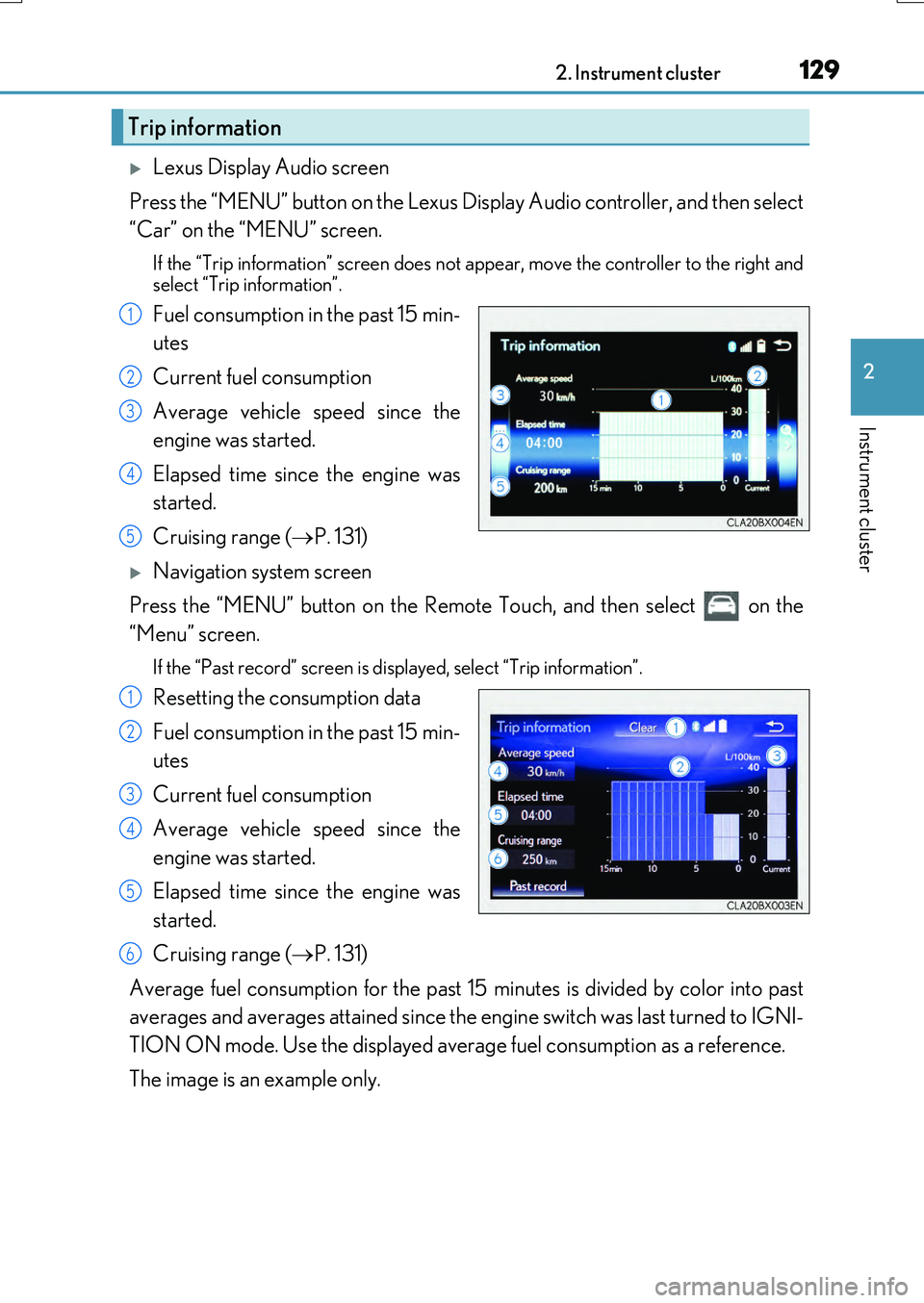
Lexus Display Audio screen
Press the “MENU” button on the Lexus Display Audio controller, and then select
“Car” on the “MENU” screen.
If the “Trip information” screen does not appear, move the controller to the right and
select “Trip information”.
Fuel consumption in the past 15 min-
utes
Current fuel consumption
Average vehicle speed since the
engine was started.
Elapsed time since the engine was
started.
Cruising range ( P. 131)
Navigation system screen
Press the “MENU” button on the Remote Touch, and then select on the
“Menu” screen.
If the “Past record” screen is displayed, select “Trip information”.
Resetting the consumption data
Fuel consumption in the past 15 min-
utes
Current fuel consumption
Average vehicle speed since the
engine was started.
Elapsed time since the engine was
started.
Cruising range ( P. 131)
Average fuel consumption for the past 15 minutes is divided by color into past
averages and averages attained since the engine switch was last turned to IGNI-
TION ON mode. Use the displayed average fuel consumption as a reference.
The image is an example only.
Trip information
1
2
3
4
5
1
2
3
4
5
6
Page 130 of 776
1302. Instrument cluster
RX350/RX200t_EE_OM48F32E
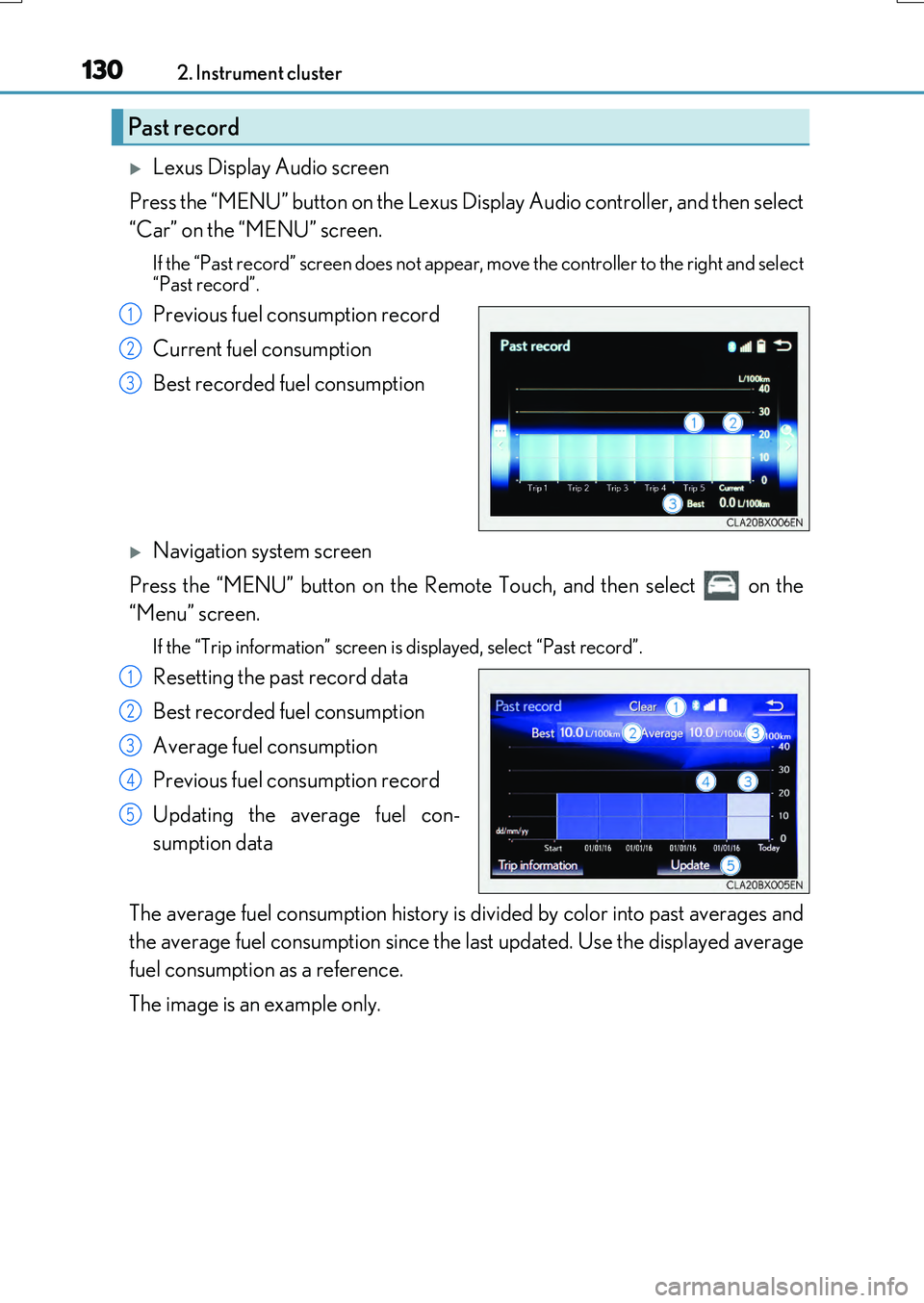
Lexus Display Audio screen
Press the “MENU” button on the Lexus Display Audio controller, and then select
“Car” on the “MENU” screen.
If the “Past record” screen does not appear , move the controller to the right and select
“Past record”.
Previous fuel consumption record
Current fuel consumption
Best recorded fuel consumption
Navigation system screen
Press the “MENU” button on the Remote Touch, and then select on the
“Menu” screen.
If the “Trip information” screen is displayed, select “Past record”.
Resetting the past record data
Best recorded fuel consumption
Average fuel consumption
Previous fuel consumption record
Updating the average fuel con-
sumption data
The average fuel consumption history is di vided by color into past averages and
the average fuel consumption since the last updated. Use the displayed average
fuel consumption as a reference.
The image is an example only.
Past record
1
2
3
1
2
3
4
5
Page 131 of 776
1312. Instrument cluster
2
Instrument cluster
RX350/RX200t_EE_OM48F32E
■Updating the past record data
Vehicles with a Lexus Display Audio system
Update the average fuel consumption by moving the controller to the left and select “Update” to measure the current fuel consumption again.
Vehicles with a navigation system
Update the average fuel consumption by selecting “Update” to measure the current fuel consumption again.
■Resetting the data
Vehicles with a Lexus Display Audio system
The fuel consumption data can be deleted by moving the controller to the left and select
“Clear”.
Vehicles with a navigation system
The fuel consumption data can be deleted by selecting “Clear”.
■Cruising range
Displays the estimated maximum distance that can be driven with the quantity of fuel remaining.
This distance is computed based on your average fuel consumption. As a result, the actual distance that can be driven may differ from that displayed.
Page 132 of 776
1322. Instrument cluster
RX350/RX200t_EE_OM48F32E
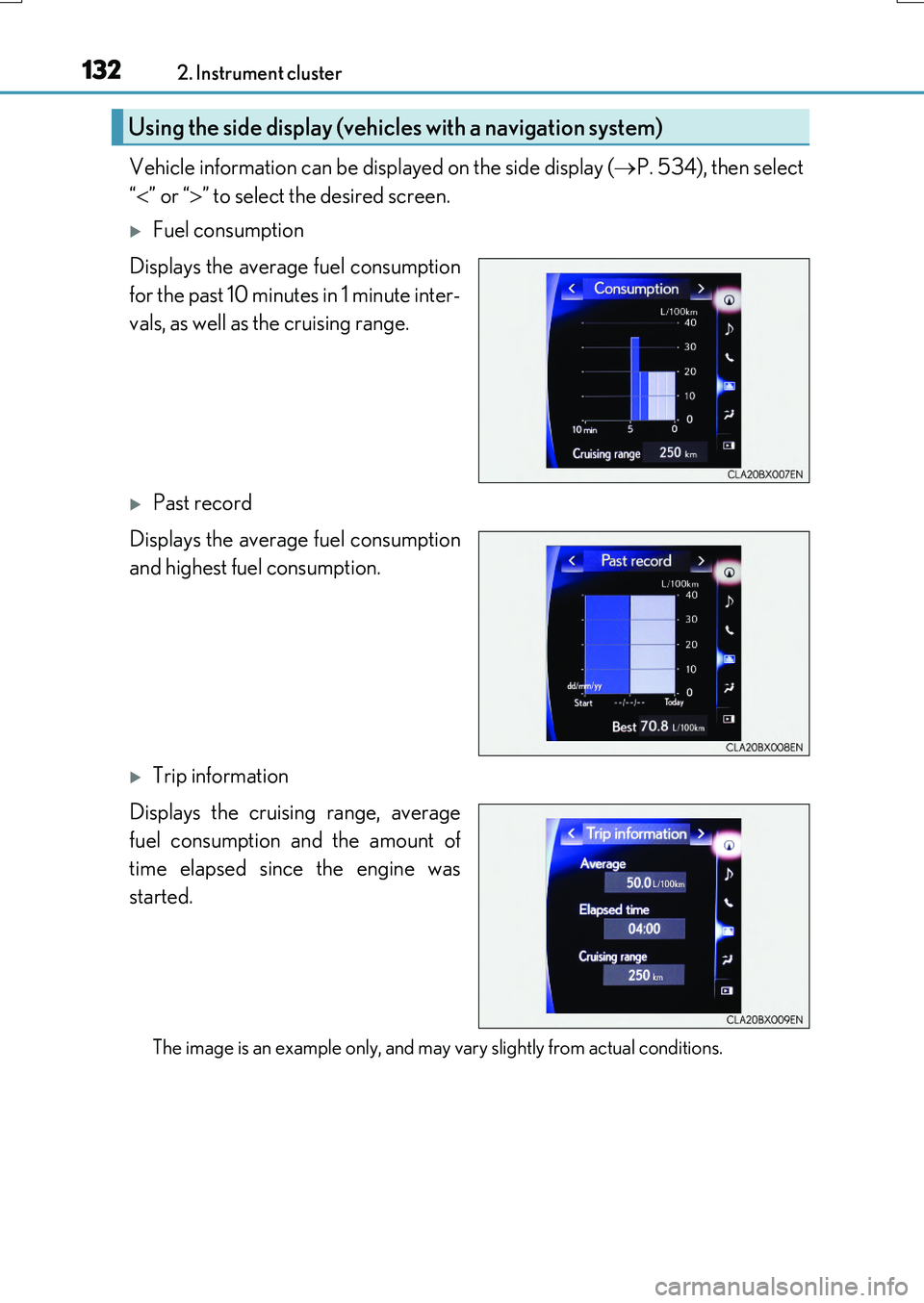
Vehicle information can be displayed on the side display (P. 534), then select
“ ” or “” to select the desired screen.
Fuel consumption
Displays the average fuel consumption
for the past 10 minutes in 1 minute inter-
vals, as well as the cruising range.
Past record
Displays the average fuel consumption
and highest fuel consumption.
Trip information
Displays the cruising range, average
fuel consumption and the amount of
time elapsed since the engine was
started.
The image is an example only, and may vary slightly from actual conditions.
Using the side display (vehicles with a navigation system)
Page 225 of 776
225
4Driving
RX350/RX200t_EE_OM48F32E
4-4. Refueling
Opening the fuel tank cap...... 287
4-5. Using the driving
support systems
Lexus Safety System+ ............... 291
PCS (Pre-Crash Safety
system)........................................ 300
LKA
(Lane-Keeping Assist) ........... 313
RSA (Road Sign Assist)........... 324
Dynamic radar cruise
control with full-speed
range ............................................329
Cruise control .............................. 341
Stop & Start system ...................345
BSM (Blind Spot Monitor) .... 355
• BSM function .......................... 361
• RCTA function ......................365
Lexus parking
assist-sensor................................371
Intelligent Clearance Sonar
(ICS) ........................................... 380
Lexus parking assist
monitor......................................... 401
Driving mode select
switch ............................................. 417
All-wheel drive lock
switch .............................................421
Driving assist systems .............. 422
4-6. Driving tips
Winter driving tips ..................... 429
Utility vehicle
precautions................................ 433
Page 228 of 776
2284-1. Before driving
RX350/RX200t_EE_OM48F32E
■Breaking in your new Lexus
To extend the life of the vehicle, observing the following precautions is recommended:
●For the first 300 km (200 miles):
Avoid sudden stops.
●For the first 800 km (500 miles): Do not tow a trailer.
●For the first 2000 km (1200 miles):
• Do not drive at extremely high speeds. • Avoid sudden acceleration.
• Do not drive continuously in low gears. • Do not drive at a constant speed for extended periods.
■Operating your vehicle in a foreign country
Comply with the relevant vehicle registration laws and confirm the availability of the cor- rect fuel. ( P. 729)
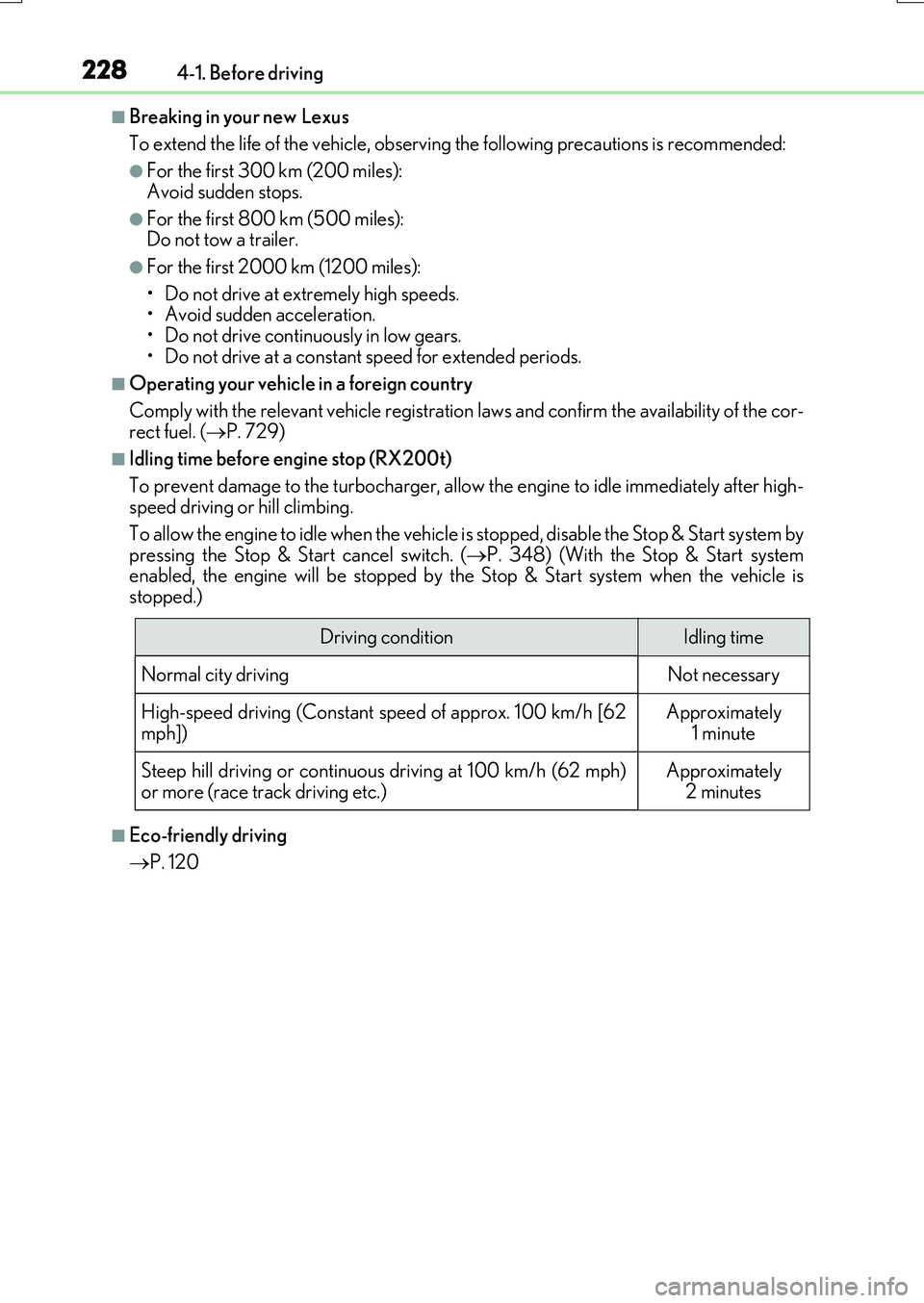
■Idling time before engine stop (RX200t)
To prevent damage to the turbocharger, allow the engine to idle immediately after high- speed driving or hill climbing.
To allow the engine to idle when the vehicle is stopped, disable the Stop & Start system by
pressing the Stop & Start cancel switch. ( P. 348) (With the Stop & Start system enabled, the engine will be stopped by th e Stop & Start system when the vehicle is stopped.)
■Eco-friendly driving
P. 120
Driving conditionIdling time
Normal city drivingNot necessary
High-speed driving (Constant speed of approx. 100 km/h [62 mph])Approximately 1 minute
Steep hill driving or continuous driving at 100 km/h (62 mph)
or more (race track driving etc.)
Approximately
2 minutes
Page 238 of 776
2384-1. Before driving
RX350/RX200t_EE_OM48F32E
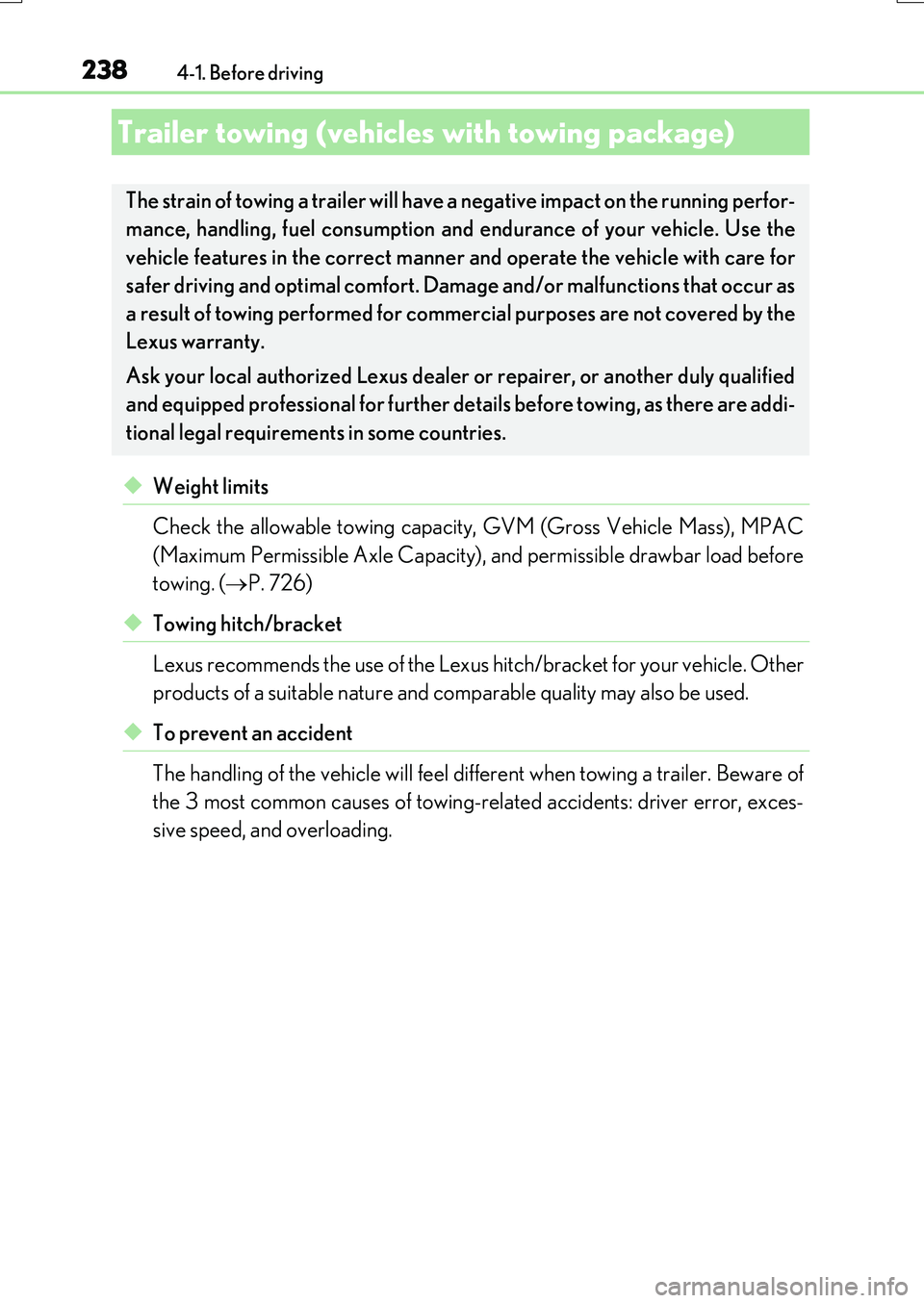
◆Weight limits
Check the allowable towing capacity, GVM (Gross Vehicle Mass), MPAC
(Maximum Permissible Axle Capacity), and permissible drawbar load before
towing. ( P. 726)
◆Towing hitch/bracket
Lexus recommends the use of the Lexus hitch/bracket for your vehicle. Other
products of a suitable nature and comparable quality may also be used.
◆To prevent an accident
The handling of the vehicle will feel different when towing a trailer. Beware of
the 3 most common causes of towing-rel ated accidents: driver error, exces-
sive speed, and overloading.
Trailer towing (vehicles with towing package)
The strain of towing a trailer will have a negative impact on the running perfor-
mance, handling, fuel consumption and endurance of your vehicle. Use the
vehicle features in the correct manner and operate the vehicle with care for
safer driving and optimal comfort. D amage and/or malfunctions that occur as
a result of towing performed for commercial purposes are not covered by the
Lexus warranty.
Ask your local authorized Lexus dealer or repairer, or another duly qualified
and equipped profession al for further details before towing, as there are addi-
tional legal requirements in some countries.